

Description
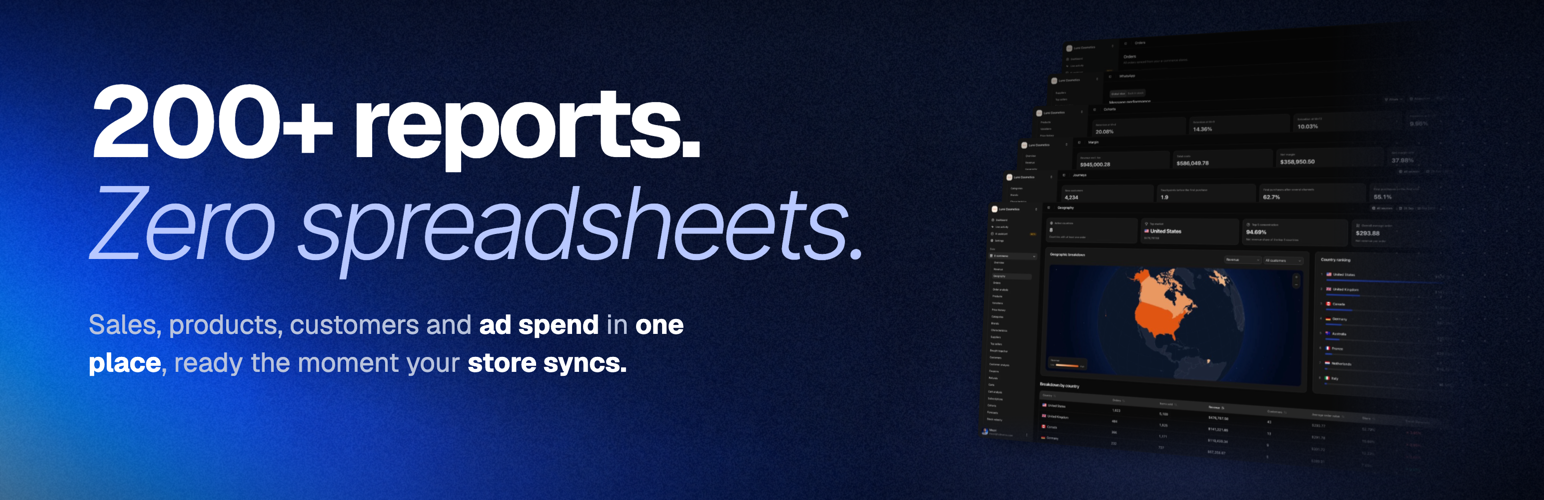
Fullmetrix is a WooCommerce analytics and reporting platform built to help ecommerce teams understand performance, find growth opportunities and make better marketing decisions.
Connect your store and explore WooCommerce sales, orders, customers, products, subscriptions and marketing performance from one clear dashboard.
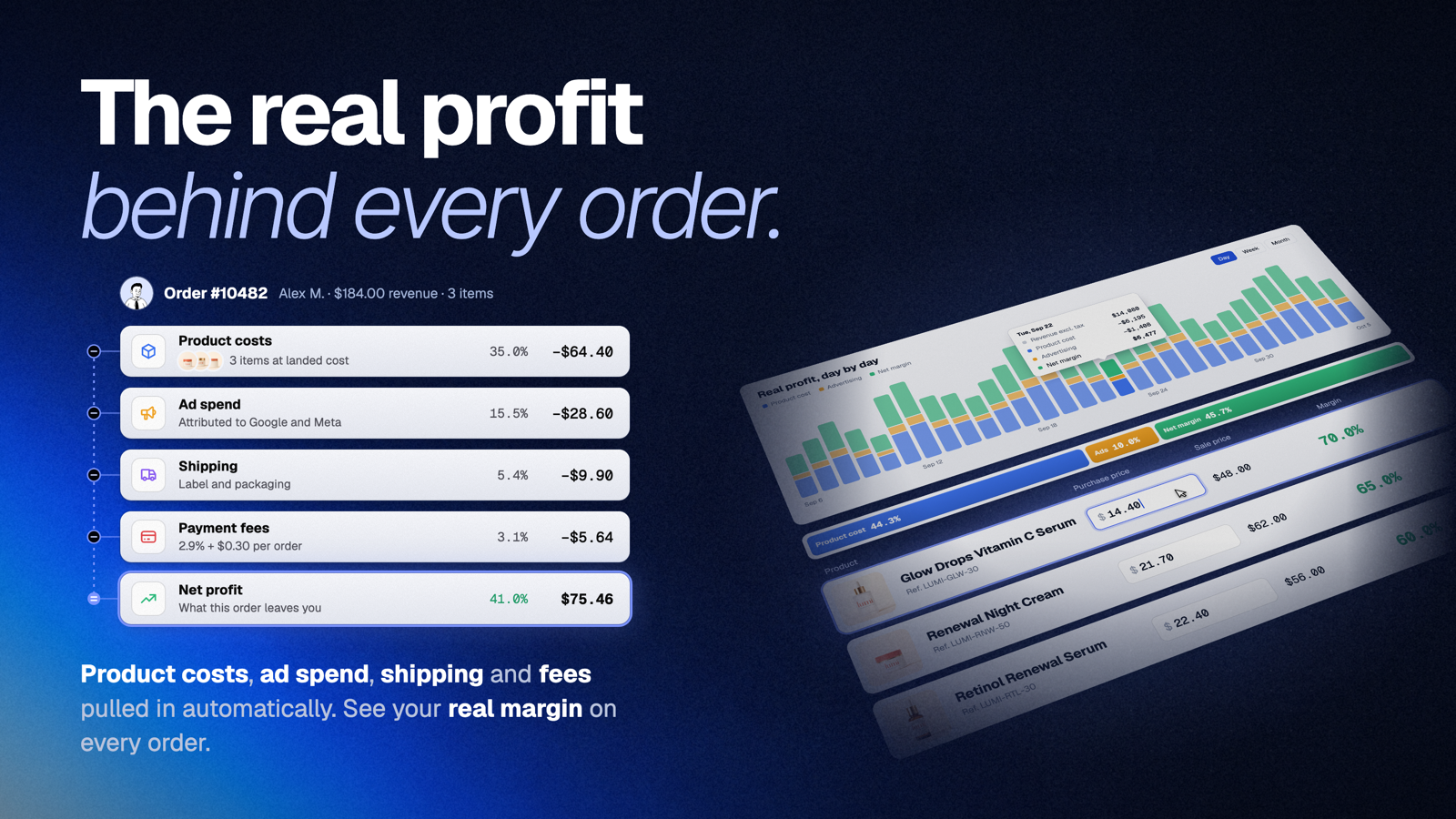
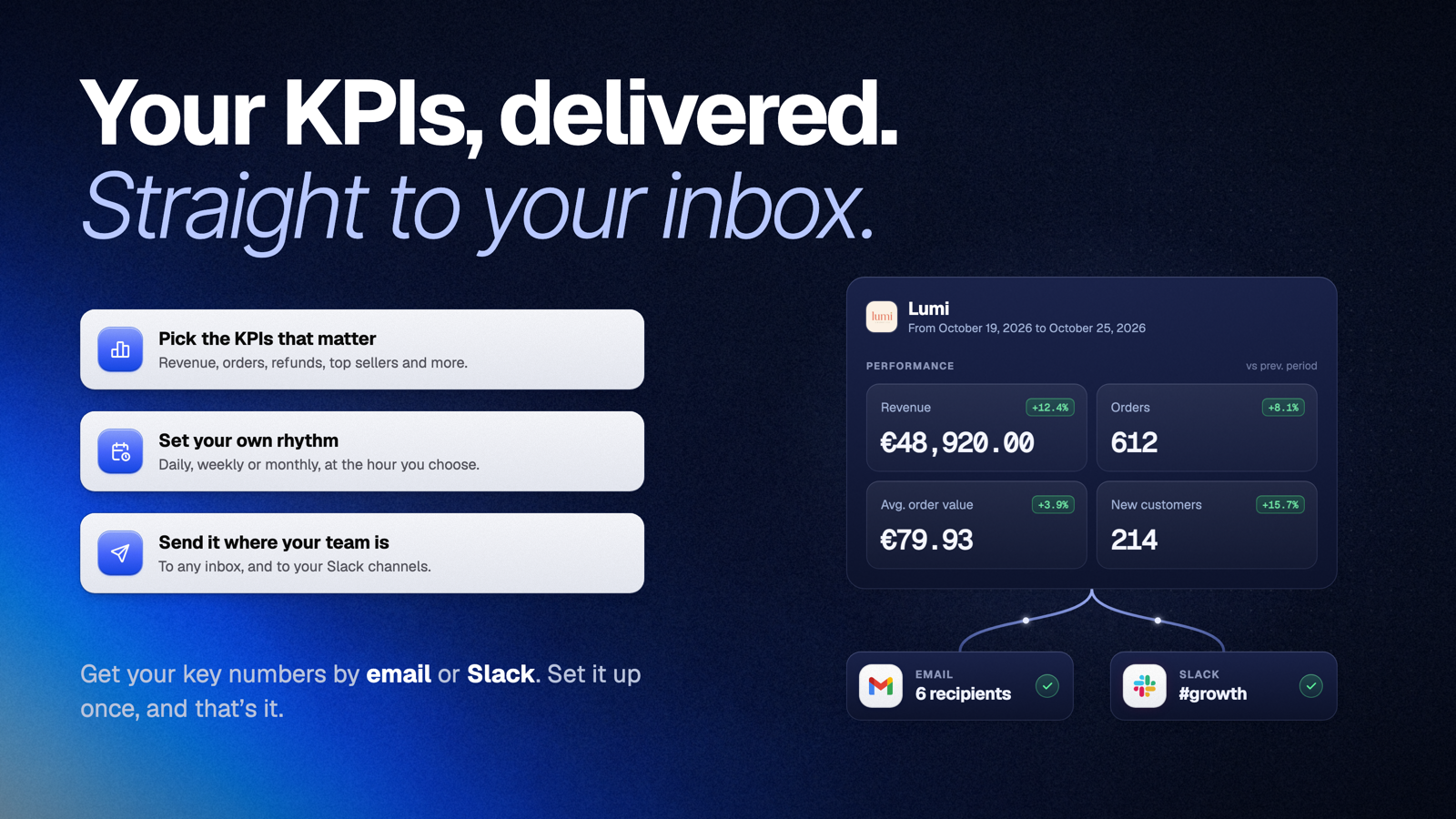
Track the metrics that matter: net revenue, average order value, customer lifetime value, repeat purchases, cohort retention, product performance, refunds, subscriptions and abandoned carts.
Fullmetrix is a hosted analytics service. A Fullmetrix account is required to connect your WooCommerce store.
WooCommerce analytics that lead to action
Go beyond standard WooCommerce reports and generic web analytics. Fullmetrix transforms your store data into ecommerce insights you can use to improve acquisition, retention, merchandising and profitability.
- Monitor gross and net revenue, orders, refunds and average order value
- Analyze customers, products, variations, categories and countries
- Track customer lifetime value, repeat purchase rate and retention
- Compare cohorts to understand how customer behavior changes over time
- Explore subscription revenue, active subscriptions and recurring customers
- Follow abandoned carts and customer activity in real time
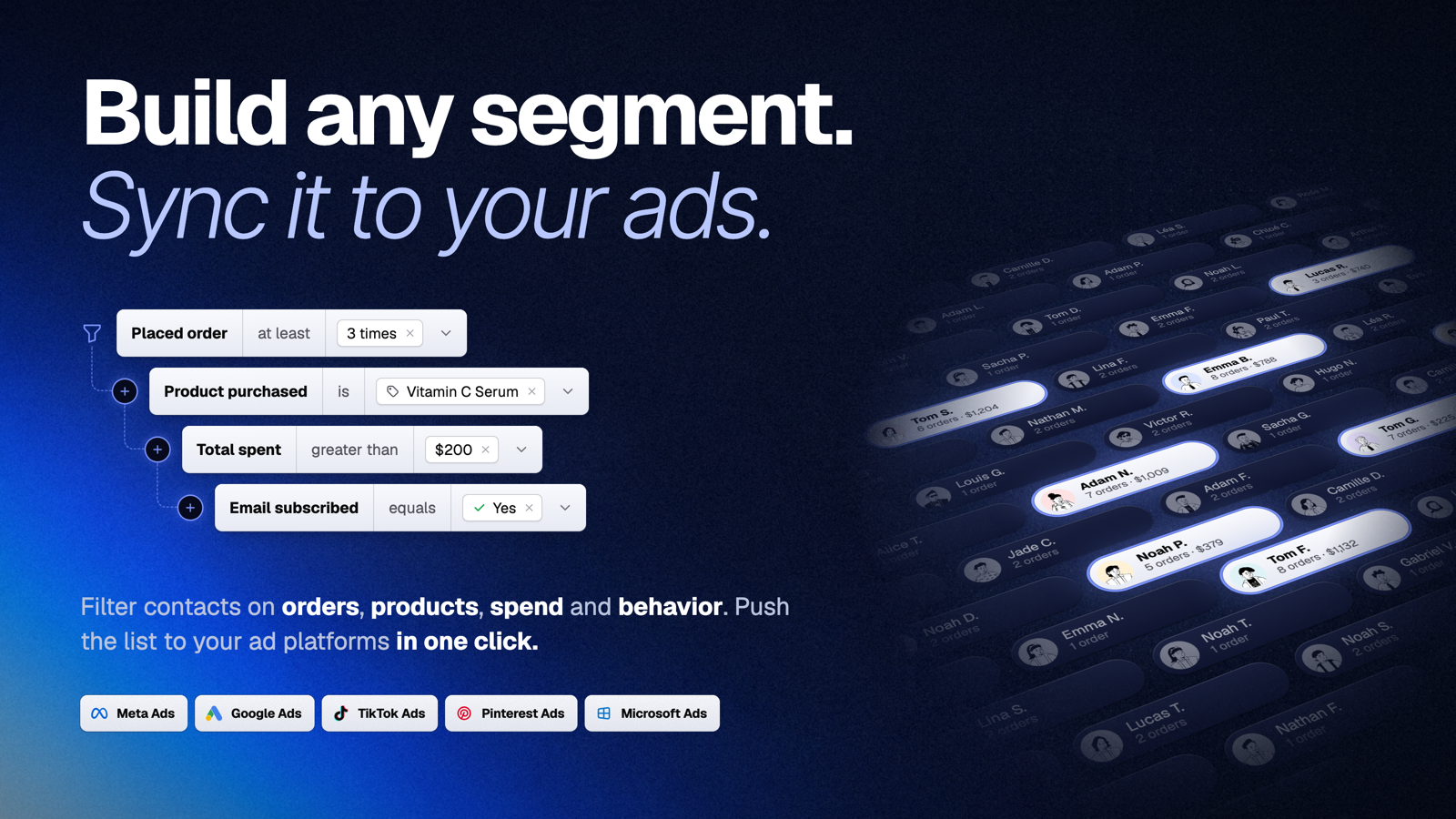
- Create reusable customer, order and product segments
- Consolidate multiple ecommerce stores in one reporting workspace
If you are looking for an alternative to Metorik, Triple Whale, Putler or other ecommerce analytics platforms, Fullmetrix brings reporting, customer intelligence and marketing activation together in one workspace.
Understand your customers
Identify your most valuable customers, first-time buyers, repeat purchasers, inactive customers and customers at risk of churn.
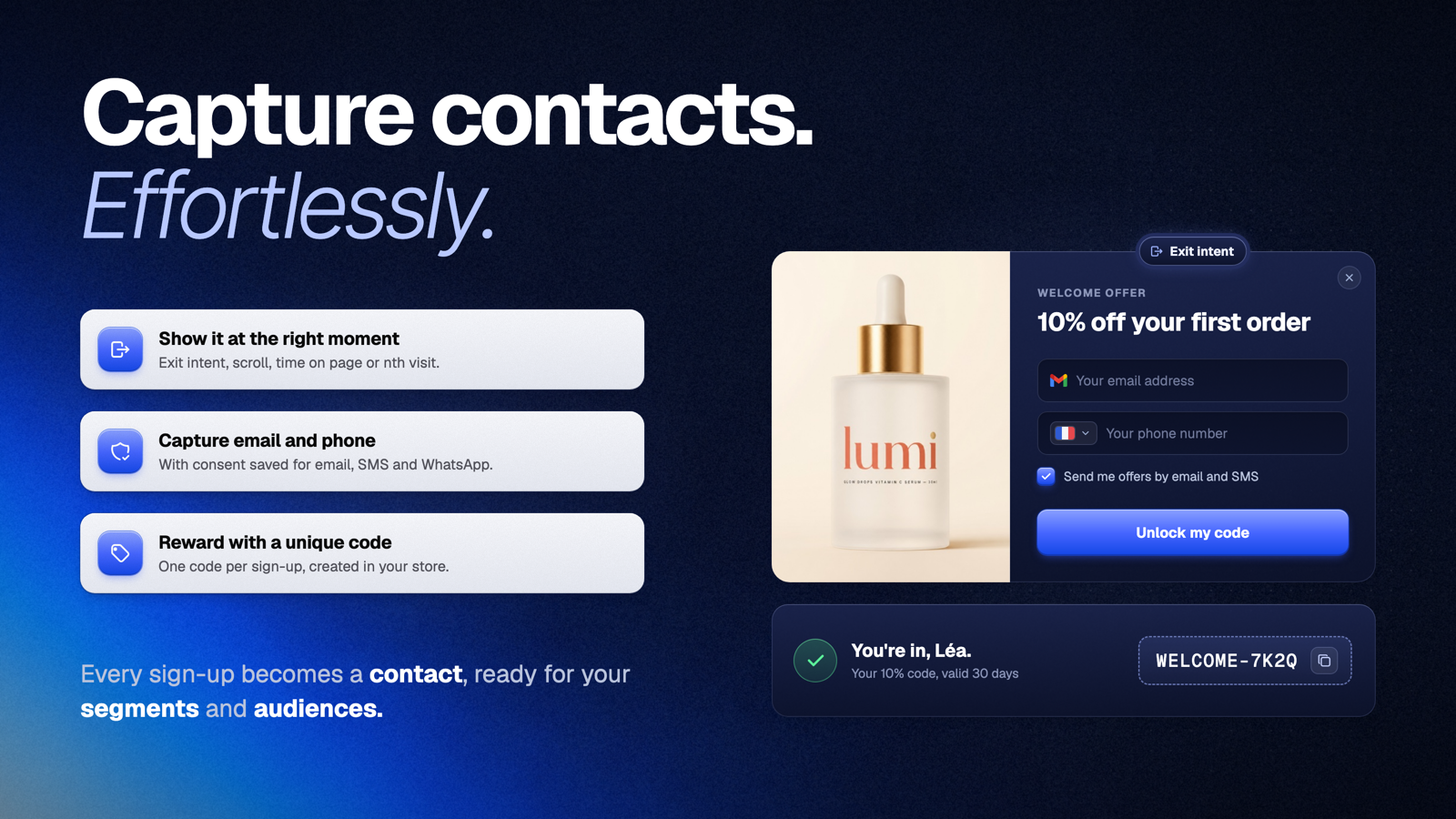
Use ecommerce segmentation to create audiences based on purchasing behavior, order history, products, location, customer value and other WooCommerce data.
Build segments for VIP and high-LTV customers, first-time and repeat buyers, abandoned carts, inactive customers, subscription customers and product-based audiences.
Measure retention with LTV and cohort analysis
Revenue alone does not tell you whether your store is building lasting growth. Fullmetrix helps you measure customer lifetime value, repeat purchases and cohort retention.
Compare customer groups by acquisition period and see when they return, how often they order and how much revenue they generate over time.
Analyze products and merchandising
Discover which products, variations and categories generate the most sales. Explore product performance, customer purchase patterns, frequently bought-together products, sales by country and historical pricing data.
Connect analytics with marketing
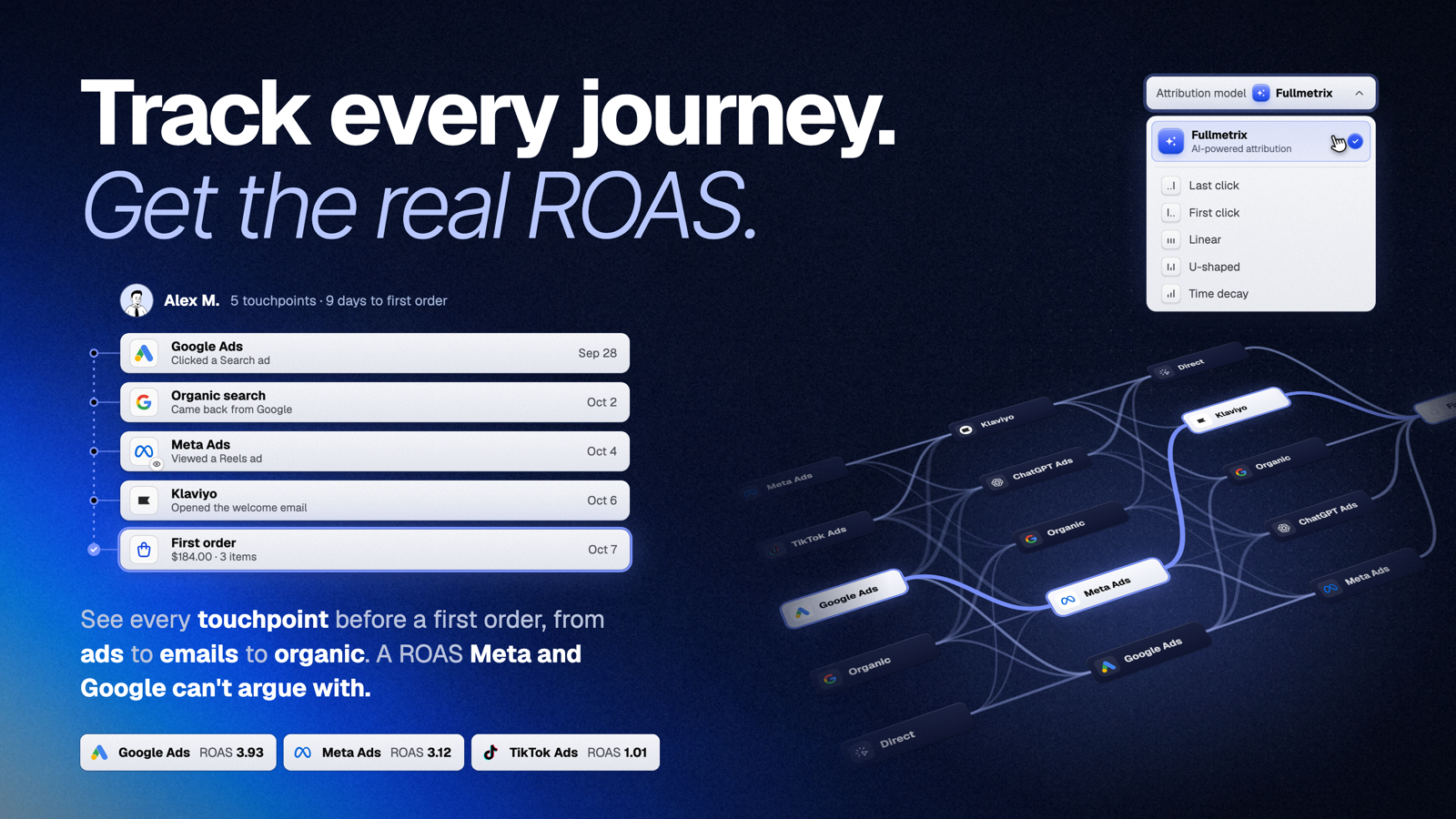
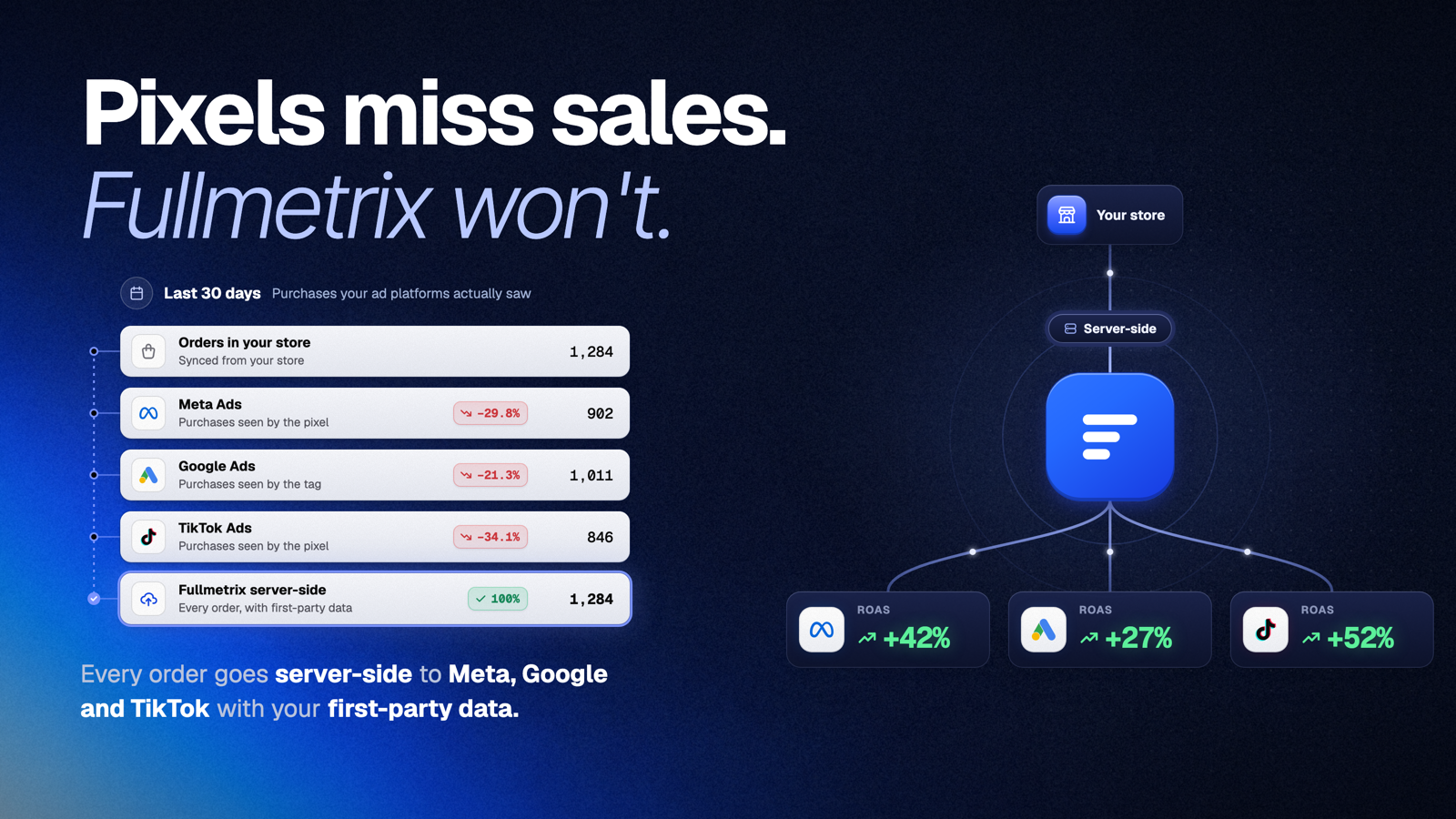
Turn ecommerce insights into marketing audiences. Create customer segments and use them across acquisition and retention workflows, including audience activation for Meta Ads, Google Ads and TikTok Ads.
Connect complementary data sources such as GA4, Google Search Console and advertising platforms to understand store and campaign performance from the same workspace.
Built for WooCommerce performance
Fullmetrix synchronizes store data in the background and performs reporting outside your WordPress database. The connector supports WooCommerce HPOS and WooCommerce Subscriptions.
Get started in 2 minutes
- Create your Fullmetrix account on fullmetrix.com
- Install this plugin and paste your connection code
- Open your Fullmetrix dashboard and start growing
External services
This plugin connects your store to Fullmetrix (fullmetrix.com), the service that hosts your reports. Once a store administrator connects the store, store data (orders, customers, products, coupons, refunds and subscriptions) and anonymous visitor activity from the storefront are sent to Fullmetrix over HTTPS. See the Fullmetrix Terms of Service and Privacy Policy.
Installation
- In your WordPress dashboard, go to Plugins > Add New
- Search for “Fullmetrix” and click Install
- Activate the plugin
- Go to WooCommerce > Fullmetrix
- Enter your connection code from fullmetrix.com
- Your store data starts syncing automatically
FAQ
Is Fullmetrix free?
Yes, you can get started for free at fullmetrix.com. No credit card required to create your account and connect your store.
How long does setup take?
Less than 2 minutes. Install the plugin, paste your connection code, and your store data starts flowing into your dashboard automatically.
Will Fullmetrix slow down my store?
No. All syncing happens silently in the background. Your customers will not notice anything and your site speed stays exactly the same.
What kind of insights will I get?
Revenue trends, conversion data, top-selling products, customer lifetime value, cohort retention, abandoned cart recovery, audience segments, and much more: everything you need to make smarter marketing decisions and grow your store.
Can I use Fullmetrix to run ads?
Yes. Build customer segments inside Fullmetrix and sync them directly to Meta Ads, Google Ads and TikTok Ads to lower your customer acquisition cost and reach the right audience.
Does it work with WooCommerce Subscriptions?
Yes. Subscription revenue and recurring customers are tracked automatically alongside your one-time orders.
What external service does the plugin connect to?
The plugin connects your WooCommerce store to the Fullmetrix service at fullmetrix.com. Store data required for analytics and reporting is transmitted after a store administrator explicitly configures the connection. A background task also downloads the Fullmetrix measurement script, checks its fingerprint and saves it in wp-content/uploads/kvo/ so it loads from your store domain; when that file is missing the script loads from https://fullmetrix.com/assets/js/s.js. The script sends page views, cart and order events to https://fullmetrix.com, or to a subdomain of your own store domain (https://<label>.<your store domain>) when you configured one in Fullmetrix. Review the Fullmetrix privacy policy and terms of service before connecting your store.
Which cookies does the plugin set?
The measurement script sets first-party cookies on your store domain: _kvo_v (anonymous visitor identifier, up to 390 days), _kvo_s (session, 30 minutes) and _kvo_c (contact identifiers after a login or an order). Stores connected before version 1.13.0 keep the older fm_vid, fm_sid and fm_cid cookies with the same values until they expire. Your own server sets _kvo_v again on a same-origin request to /?kvo_k=1 so browsers keep it longer; no WordPress or WooCommerce session cookie is set by that request. Tracking consent is not handled by the plugin: use your tag manager or consent tool to call fm('consent', {...}) as described in the Fullmetrix documentation.
Screenshots




Changelog
1.13.0
- Changed: the measurement script is loaded by a neutral tag (opaque key,
data-kvoattributes, no brand name in the page), saved inwp-content/uploads/kvo/and loaded fromhttps://fullmetrix.com/assets/js/s.jswhen the file is missing - Changed: the tag carries the exclusion attributes of WP Rocket, Autoptimize, LiteSpeed Cache, SG Optimizer and WP Fastest Cache so it is never merged or deferred
- Changed: the visitor cookie is
_kvo_v; the cookie keeper answers on/?kvo_k=1(the former/?fm_keep=1still answers), reads_kvo_vthenfm_vid, and sets both names again when both are present - Removed: the marketing consent checkbox at checkout and its background task
- Removed: server side cart events; the identification at login and at checkout stays
- Changed: the former
wp-content/uploads/fullmetrix/folder is kept until the plugin is uninstalled
1.12.0
- Improved: the tracking script is served from your own store domain. A background task (Action Scheduler, every 10 minutes) downloads it from Fullmetrix with a 3 second timeout and a growing pause after failures, checks its SHA-256 fingerprint and origin, and saves it in
wp-content/uploads/fullmetrix/. Nothing is added to the shopper’s request. - Improved: when the file is missing, invalid or the folder is not writable, the store keeps loading the script from fullmetrix.com exactly as before
- Added: Fullmetrix can switch the store back to the fullmetrix.com script remotely
- Added: uninstalling the plugin removes the saved script and its scheduled task
- Improved: the Fullmetrix visitor cookie is set again by your own store server, on a same-origin request to your home page, so it is kept longer by browsers that cap cookies written by scripts. Only this anonymous identifier is set, never a WordPress or WooCommerce session, and Fullmetrix can switch it off remotely.
1.11.1
- Fixed: shipping tax is included in exported order tax totals for both HPOS and legacy order storage
- Fixed: shipping and fee lines include their own tax amounts in fast exports
1.11.0
- Security: calls from Fullmetrix are signed with the method, the exact query, a timestamp, a single-use nonce for commands and the body hash, and bound to the endpoint they target. The previous signature is refused. It can only be re-enabled from the server for an emergency, with
wp option update fullmetrix_signature_v1 1. - Security: JSON answers to Fullmetrix are signed.
- Fixed: an export query that keeps failing now stops the stream instead of reporting it complete. Related tables are read faster and without losing columns, the updated orders, products and customers listings are paged without duplicates, and coupon creation rejects invalid values.
1.10.1
- Fixed: the customer sync no longer stops on stores where many extensions link their own tables to customers
1.10.0
- Improved: order, product, customer and coupon updates are sent to Fullmetrix in the background through Action Scheduler instead of during the shopper’s request
- Improved: every call to Fullmetrix uses a short timeout and a circuit breaker that pauses calls for 5 minutes after repeated failures, with separate breakers for storefront calls, cart recovery links and background jobs
- Improved: background updates that cannot reach Fullmetrix are retried later instead of being dropped
- Improved: the plugin settings keep their last valid copy during an outage, a failed refresh is retried after 10 minutes and times out after 2 seconds, and the settings are cleared when the store is disconnected
- Improved: server cart events are sent after the page has been delivered to the shopper
- Improved: checkout consent is signed and sent in the background through Action Scheduler, and retried until Fullmetrix confirms it, so a consent given during an outage is no longer lost
- Fixed: a free gift coupon whose gift is out of stock no longer adds a stock error that blocked the checkout
- Fixed: the Blocks checkout no longer saves the order a second time and no longer sends consent on each draft update
- Fixed: displayed product prices sent to Fullmetrix are always computed for the store address, whoever triggers the update
- Fixed: order storage detection no longer counts every order when WooCommerce reports the storage in use
- Added: Fullmetrix can switch off webhooks, server cart events, checkout consent and free gift additions remotely
1.9.1
- Fixed: stores that switched back from HPOS to WordPress posts storage export their new orders again, the exporter now follows the order storage selected in WooCommerce
- Fixed: variable, grouped and external products are exported with their real product type instead of simple
- Fixed: store counts exclude checkout drafts and auto-draft products, matching the exported data
1.9.0
- Fixed: a full import now resumes exactly where it stopped when the store server truncates an oversized response, instead of restarting and hitting the same cut
- Fixed: orders, refunds and subscriptions are exported in ascending id order, aligned with every other entity
- Fixed: a lost database connection no longer loops an export indefinitely
1.6.3
- Added: displayed customer prices, regular prices and sale prices are included for products and variations
- Added: order lines include tax-inclusive pre-coupon prices for reliable historical price reconstruction
1.6.2
- Added: customer WordPress role and roles are now included in customer sync payloads, enabling role-based segmentation
- Added: the tracking script now respects the tracker on/off toggle configured in the Fullmetrix dashboard
1.6.1
- Renamed: plugin title updated to comply with the WordPress.org plugin directory naming guidelines
1.6.0
- Fixed: stream truncation on long product catalogs caused by PHP ob_gzhandler; gzip is now delegated to the web server (Apache mod_deflate / nginx) like the PrestaShop connector already does
1.5.1
- Renamed: plugin title updated to reflect the full feature set
1.5.0
- Added: brand export from native product_brand taxonomy (WooCommerce 9.4+), Perfect Brands (pwb-brand) and YITH brands
- Added: fallback to _brand and pa_marque post meta, plus brand/marque product attributes
- Added: variations inherit the parent product brand
1.4.3
- Added: order line item defense: the woocommerce_checkout_create_order_line_item hook forces gift line to qty=1 + total=0 even if the cart was tampered with before checkout
1.4.2
- Improved: Gift product line now displays at 0 EUR directly in the cart instead of full price plus a separate discount line
1.4.1
- Fixed: Gift coupons no longer set product_ids, so WooCommerce validation passes on an empty cart and the gift product is auto-added on apply
- Improved: only the flagged gift line receives the 100% discount, regardless of other items in the cart
1.4.0
- Fixed: Gift coupon now auto-adds the offered product to the cart on apply, instead of failing validation when the cart is empty
- Added: Anti-cheat for gift coupons. The gift line is locked to quantity 1, only the flagged line receives the 100% discount, manually-added copies of the same product keep their full price
- Improved: Variation gift coupons store the variation ID directly so the correct variation is added to the cart
1.3.0
- Added: Native marketing consent checkbox on classic and Blocks checkout
- Added: Consent persisted as order meta
_fullmetrix_marketing_opt_in_consentand forwarded to Fullmetrix - Added: WC Blocks integration via Store API extension namespace
fullmetrix-checkout - Fixed: Signed plugin config endpoint used seconds instead of milliseconds for HMAC timestamp
1.2.1
- Added: Auto-add gift product to cart when a Fullmetrix gift coupon is applied
- Added: Coupon meta
_fullmetrix_gift_productfor marking gift coupons - Improved: Only auto-added gift items are removed when the coupon is removed (manually-added items preserved)
1.1.0
- Added: Multi-language support (DE, ES, FR, IT, NL)
- Added: Permalink support for Fullmetrix dashboard URLs
- Added: External services documentation in readme
- Improved: SEO optimizations and admin UI polish
- Improved: Tracking and webhook reliability
- Improved: Plugin slug and text domain alignment
- Fixed: Removed unnecessary page auto-reload and verbose logs
- Fixed: PHP syntax error in API class
- Fixed: Summary cards padding
1.0.3
- Security: HMAC-SHA256 signed cart recovery URLs
- Improved: Cart recovery link validation
1.0.0
- Initial public release on WordPress.org
- Automatic sync of orders, customers, products, categories, coupons, and refunds
- High-performance streaming export with keyset pagination
- Incremental sync support for optimal performance
- Abandoned cart tracking
- HPOS (High-Performance Order Storage) fully compatible
- HMAC-SHA256 authenticated API communication
- WooCommerce Subscriptions support