

Description
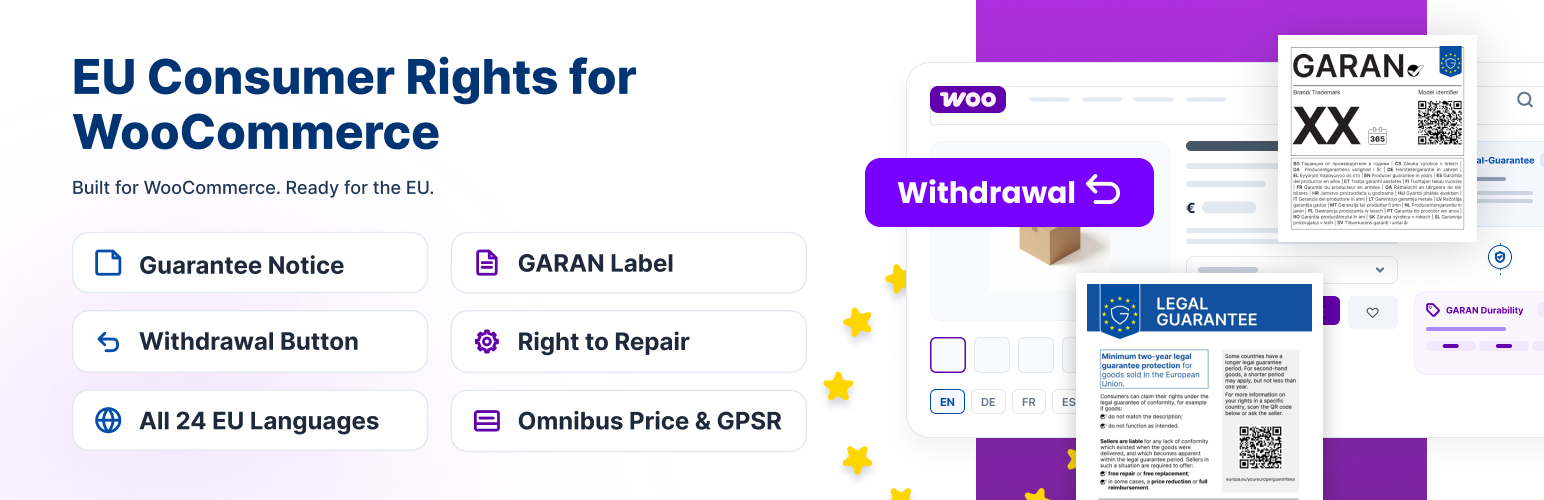
Regulation (EU) 2025/1960 introduces a harmonised legal-guarantee notice and a durability label (GARAN) for goods sold to consumers in the EU. EU Legal-Guarantee Notice & GARAN Durability Label for WooCommerce adds both official graphics to your WooCommerce store — automatically on every product page, at checkout, and in order confirmation emails — in the official language of your choice, out of all 24 EU languages.
From 27 September 2026, every trader selling goods to consumers in the EU must display the harmonised notice on the legal guarantee of conformity, and must also show the GARAN durability label wherever the producer offers a free, whole-product durability guarantee of more than two years. Both designs are fixed by Commission Implementing Regulation (EU) 2025/1960 — the notice in Annex I, the label in Annex II.
Shops know these under their own national names. In Germany and Austria it is the notice on the gesetzliche Gewährleistung, and the label covers a gewerbliche Haltbarkeitsgarantie. In France it is the notice on the garantie légale de conformité, with the label for a garantie commerciale de durabilité. In Spain, the garantía legal de conformidad and the garantía comercial de durabilidad. In Italy, the garanzia legale di conformità and the garanzia commerciale di durabilità. In the Netherlands and Belgium, the wettelijke garantie and the commerciële duurzaamheidsgarantie. One Regulation and one set of official artworks sits behind all of them, and this plugin ships every language edition.
Everything below is 100% free. There is no Pro version, no license key, and no locked feature.
This plugin is a display helper. It shows the official harmonised graphics as intended by the Regulation. It does not provide legal advice and does not guarantee that your store is legally compliant — whether and how the rules apply to your business is for you (and, if needed, your legal advisor) to determine.
EU Legal-Guarantee Notice & GARAN Durability Label for WooCommerce is an independent WooCommerce plugin and is not affiliated with or endorsed by the European Union or the European Commission.
Features
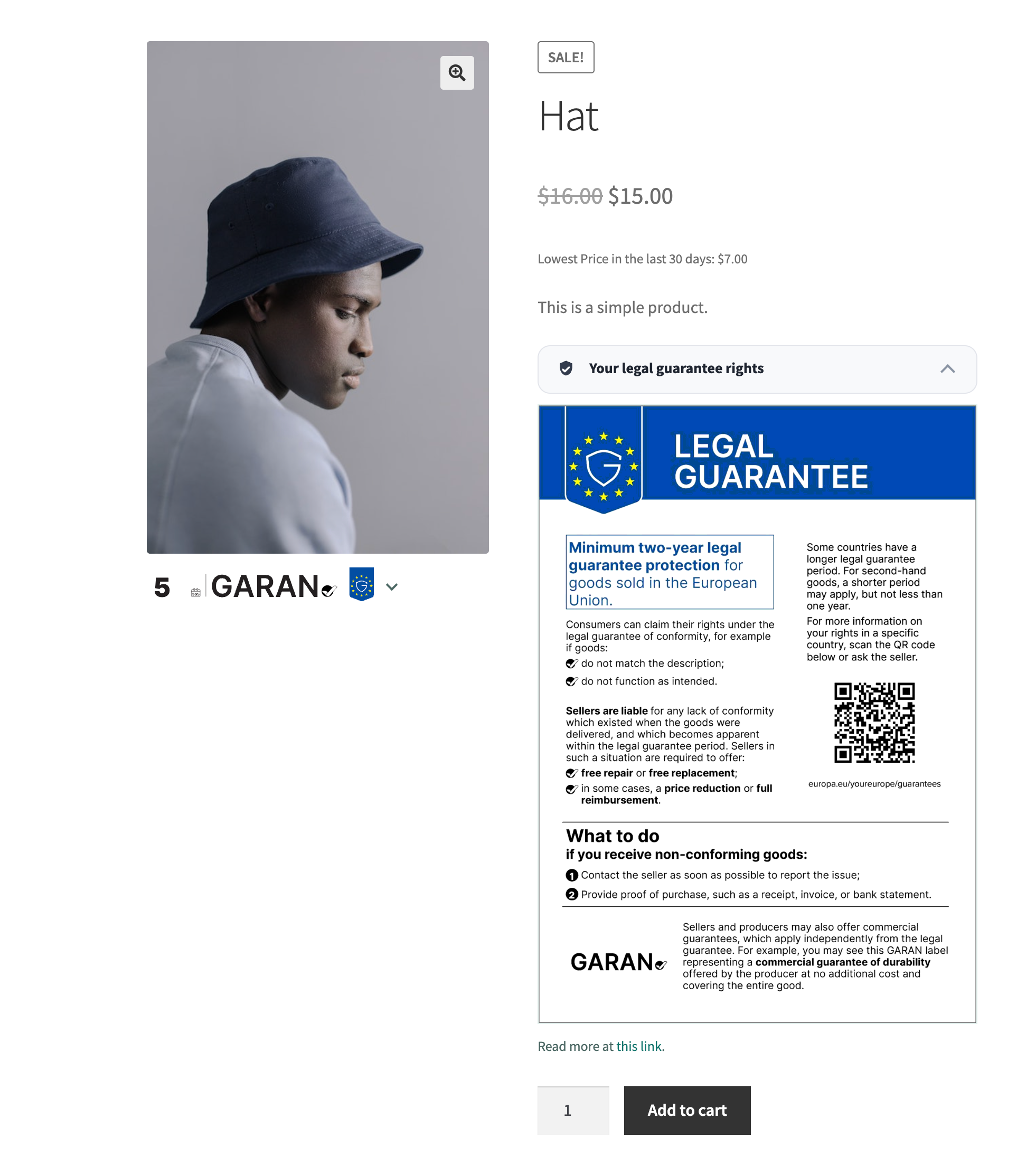
EU Legal-Guarantee Notice (Annex I)
- The official harmonised notice in all 24 EU languages, rendered from the Commission’s own artwork — not a re-creation.
- Automatic placement on every product page, at 7 selectable positions (from before the summary to near the tabs).
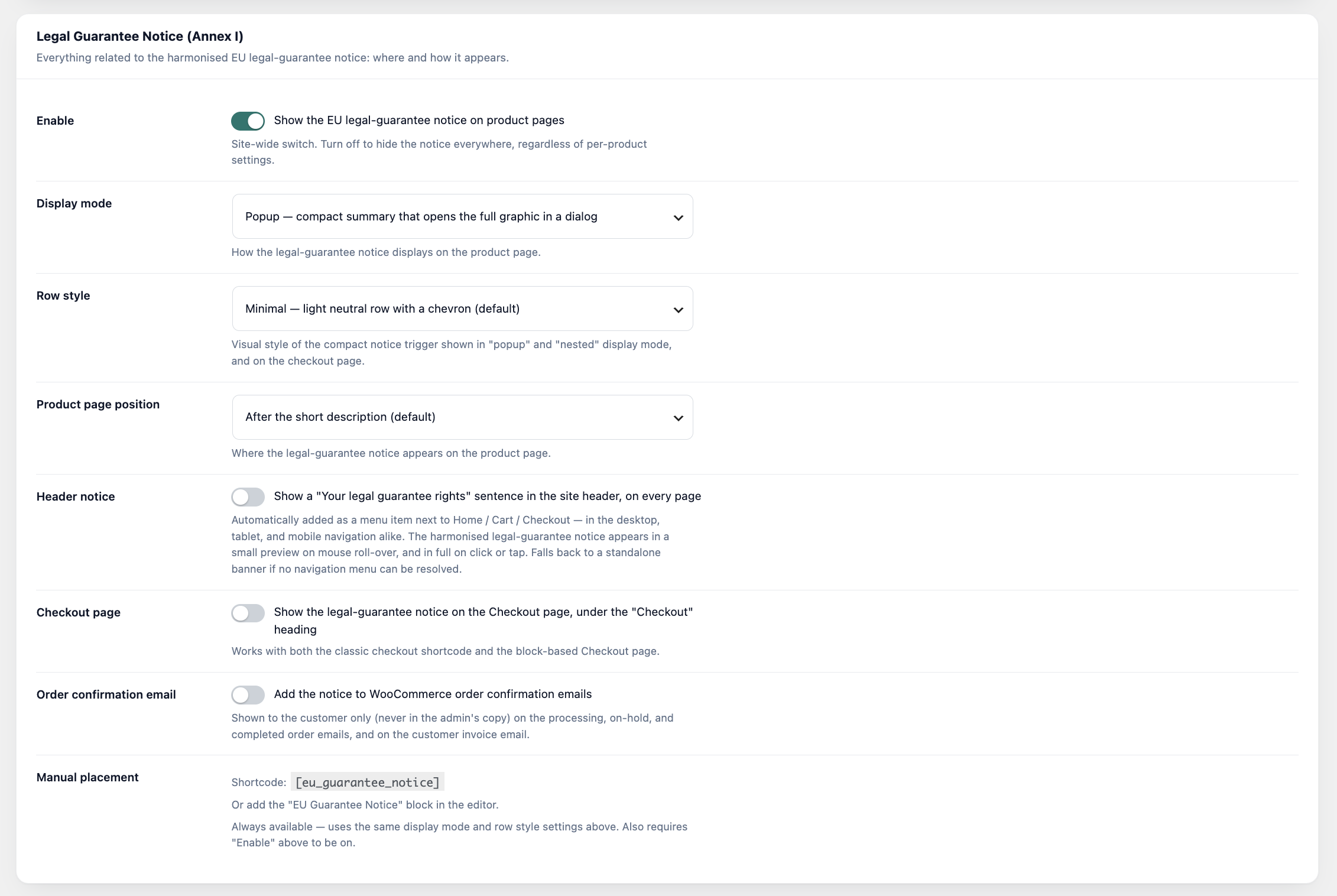
- Three display modes: Popup (compact row that opens the notice in a dialog), Full (inline graphic) or Nested (expands in place), with Minimal, Classic or Custom trigger styles, your own trigger text and an adjustable width.
- Optional header notice: a “Your legal guarantee rights” link in your navigation menu (desktop and mobile) with hover preview and modal, or a standalone banner if no menu is found.
- Shown on the Checkout page (classic and block checkout).
- Optional inclusion in customer order confirmation emails (HTML and plain text): a full embedded graphic, a compact text line with a link, or a file attachment.
- Links to the matching Your Europe legal-guarantee page for your language.
- Manual placement with the
[eu_guarantee_notice]shortcode or the “EU Guarantee Notice” block — also on WordPress sites without WooCommerce. - On Polylang and WPML sites, “Automatic” language follows the language each visitor is reading.
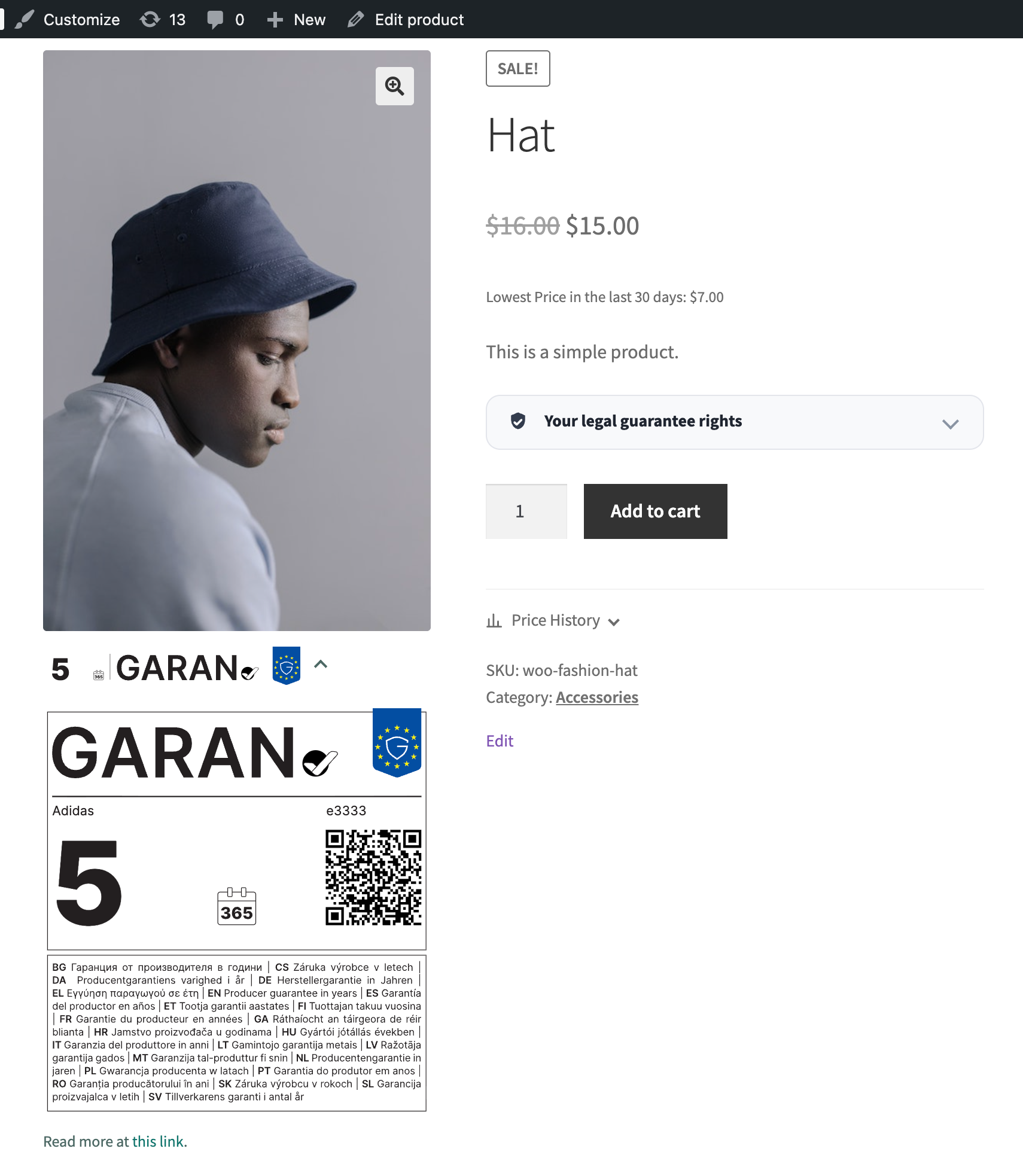
GARAN Durability Label (Annex II)
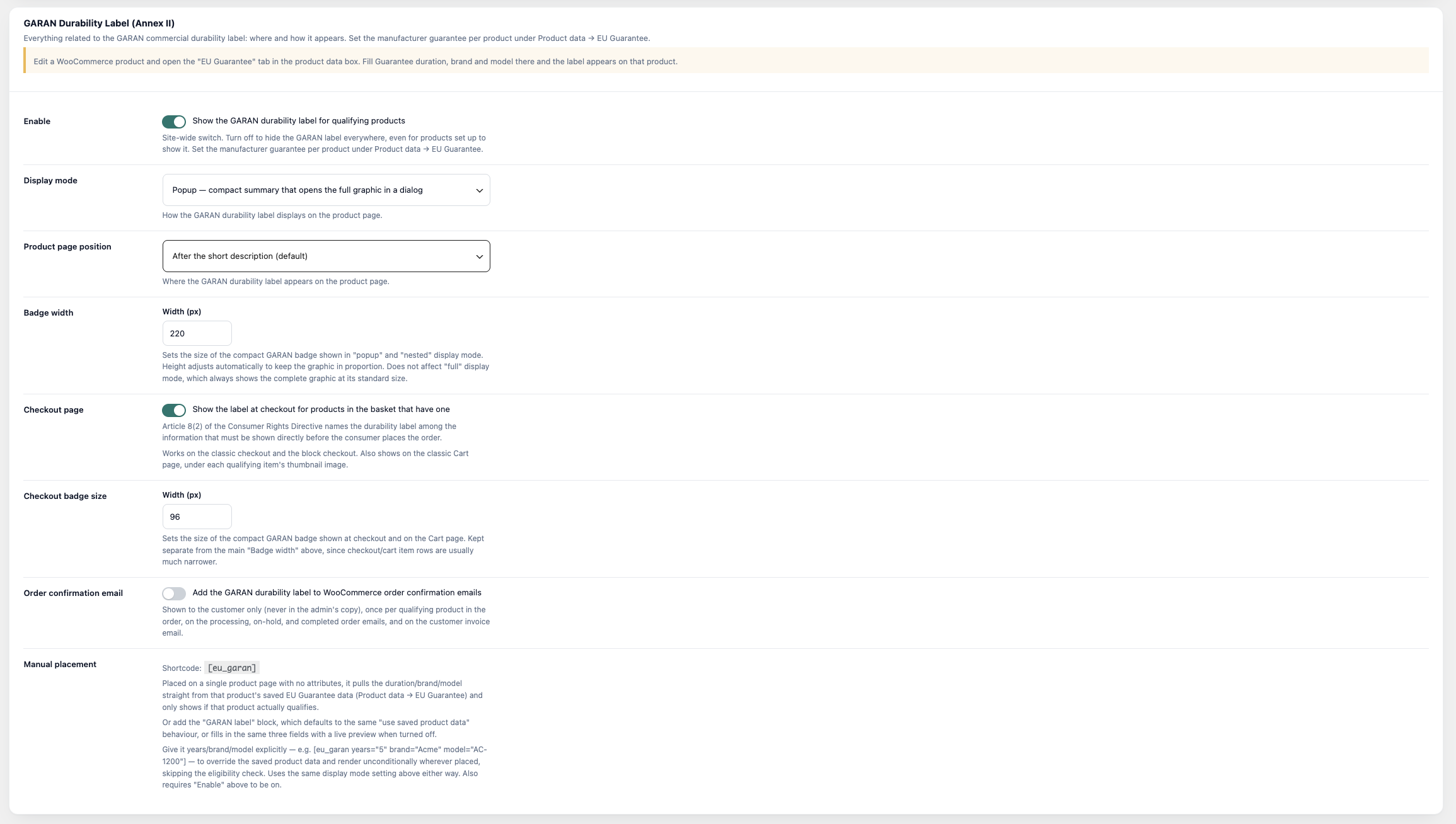
- Appears automatically for products with a manufacturer guarantee of 3 years or more, set in the product’s “EU Guarantee” tab (duration, Brand/Trademark, Model) with a live label preview.
- Text-fit check: brand, model and duration are measured against the official layout using the label’s own font. Text that’s too wide is flagged in the editor and compressed on the label, so it never runs into the QR code. Fields are capped at 40 characters.
- Variable products: each variation can override the label (show/hide, duration, brand, model), and the product page, cart, checkout and emails show each variation’s own label.
- Rendered from vector SVG artwork, sharp at any size, with the same display modes and 7 positions as the notice.
- Shown at checkout and on the classic Cart page under each qualifying item; identical labels are shown once.
- Optional inclusion in order confirmation emails: a text line with a link, the embedded label (drawn on your server, no ImageMagick needed), or a file attachment.
- Manual placement with the
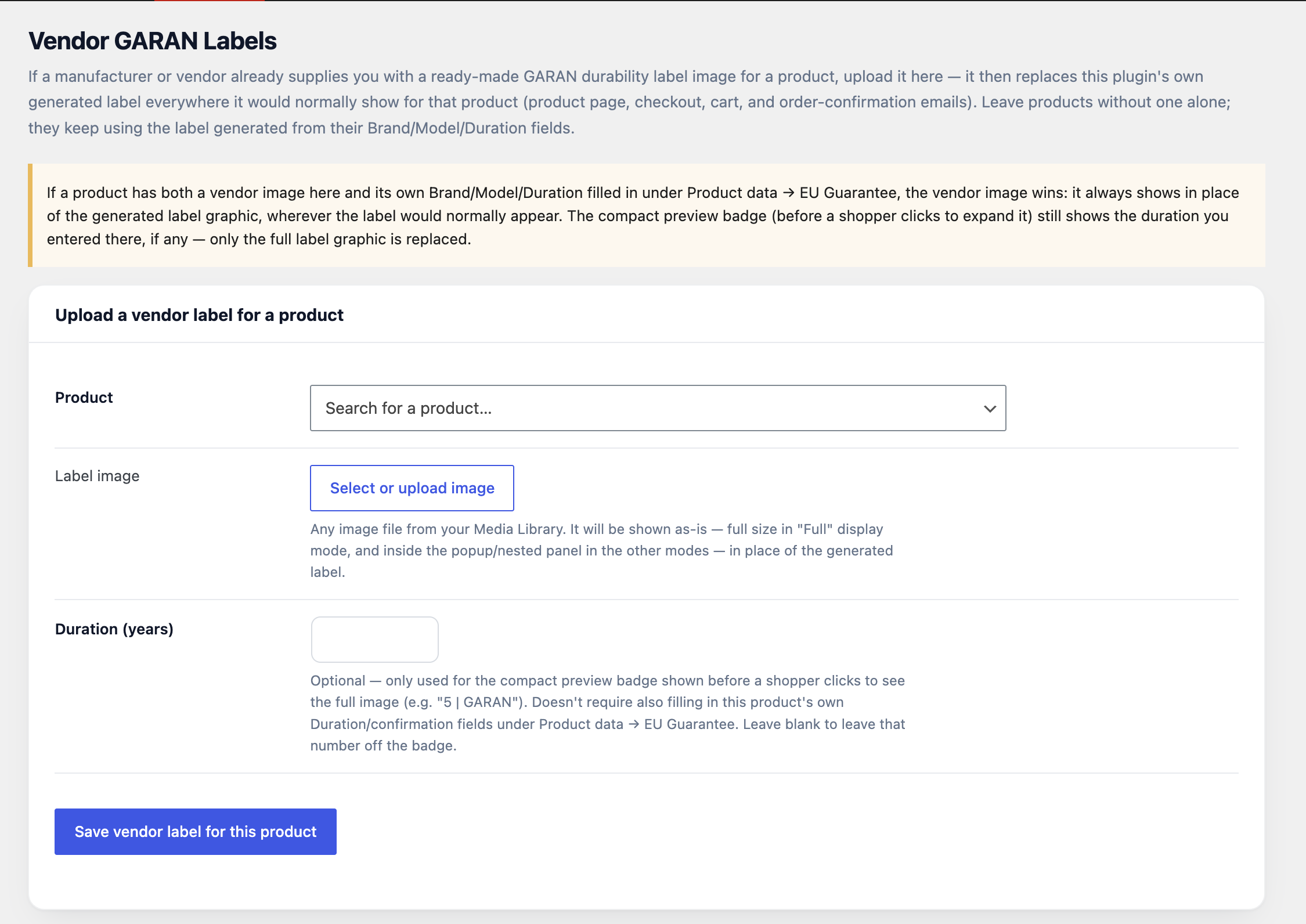
[eu_garan]shortcode (e.g.[eu_garan years="5" brand="Acme" model="AC-1200"]) or the “GARAN Label” block. - Vendor GARAN labels: upload a ready-made label image from a manufacturer on the “Vendor GARAN Labels” page, and it replaces the generated label everywhere for that product.
- The product’s EU Guarantee tab keeps the seller’s legal guarantee (with an optional per-product period) separate from the manufacturer’s commercial durability guarantee.
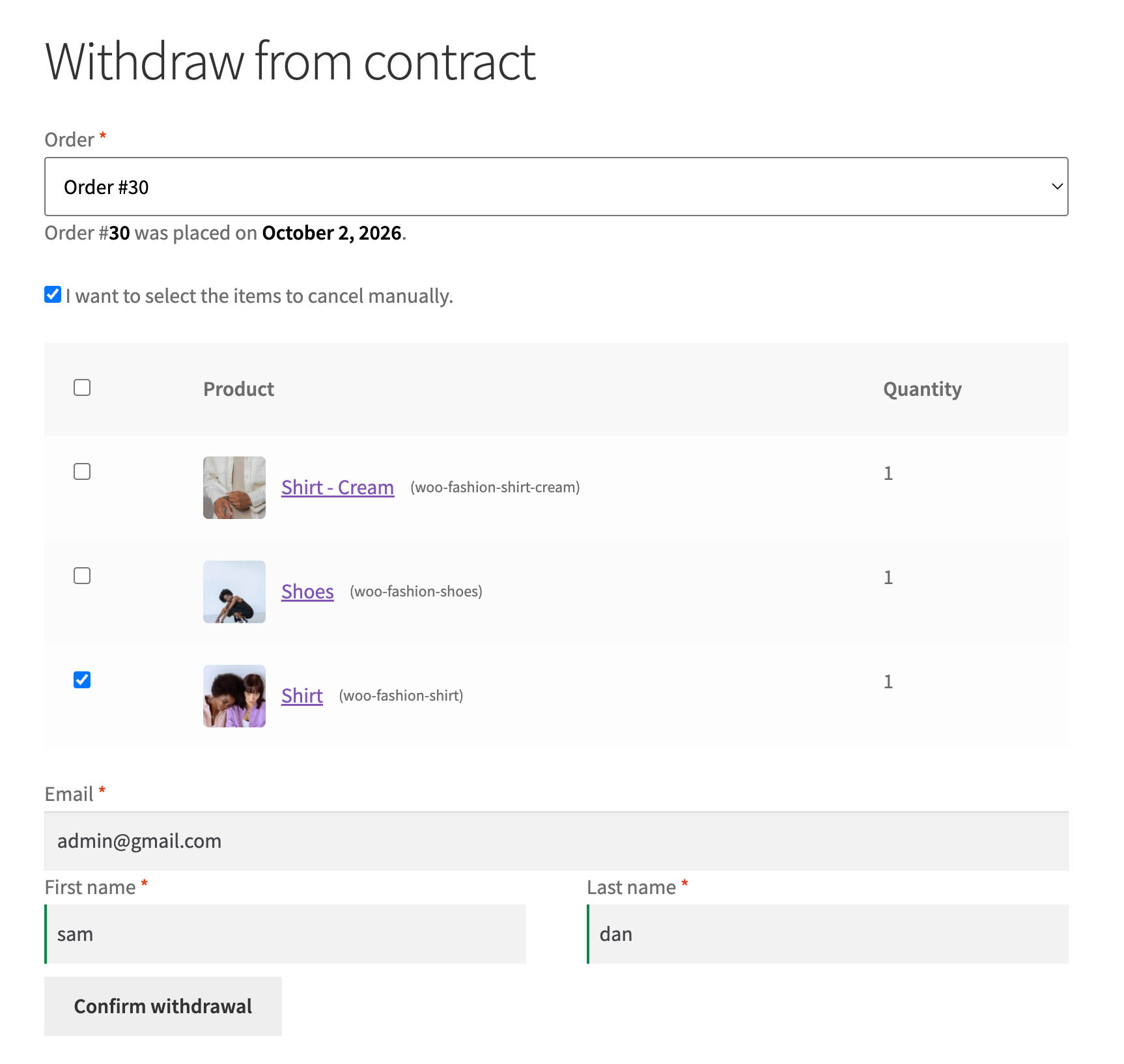
EU Order Withdrawal Button (Directive (EU) 2023/2673) — requires WooCommerce
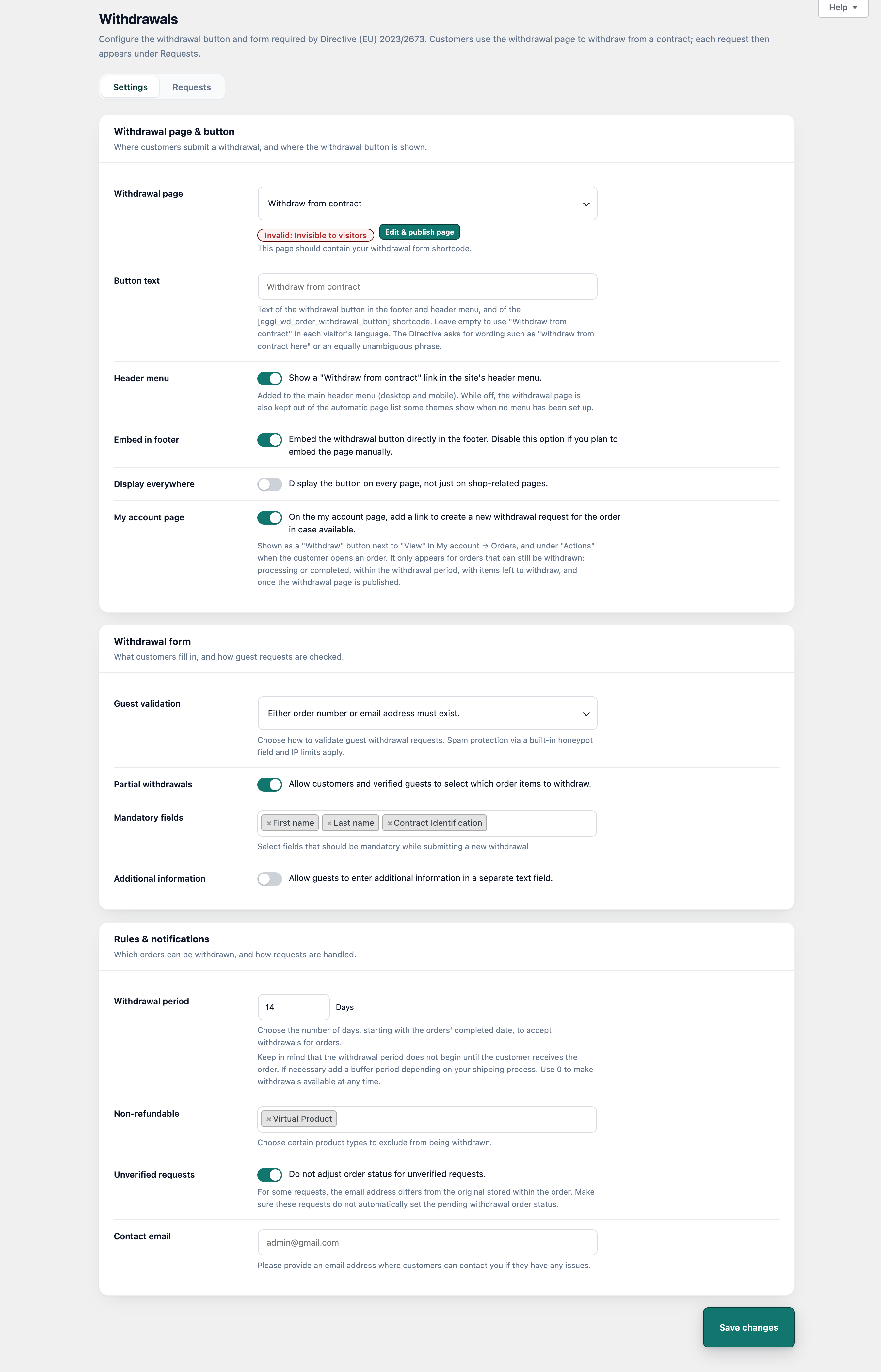
- A “Withdraw from contract” form page, created as a draft with the
[eggl_wd_order_withdrawal_request_form]shortcode — publish it to switch the feature on. - Optional withdrawal button in the footer and a header menu link, or place the button anywhere with
[eggl_wd_order_withdrawal_button]. The button text is editable. - A “Withdraw” button next to each eligible order in My account.
- Partial withdrawals: customers choose which items and quantities to withdraw.
- Guest validation levels, spam protection, a configurable withdrawal period, non-refundable product types and mandatory fields.
- Five editable emails for customers and the shop (received, confirmed, rejected with reason, deleted).
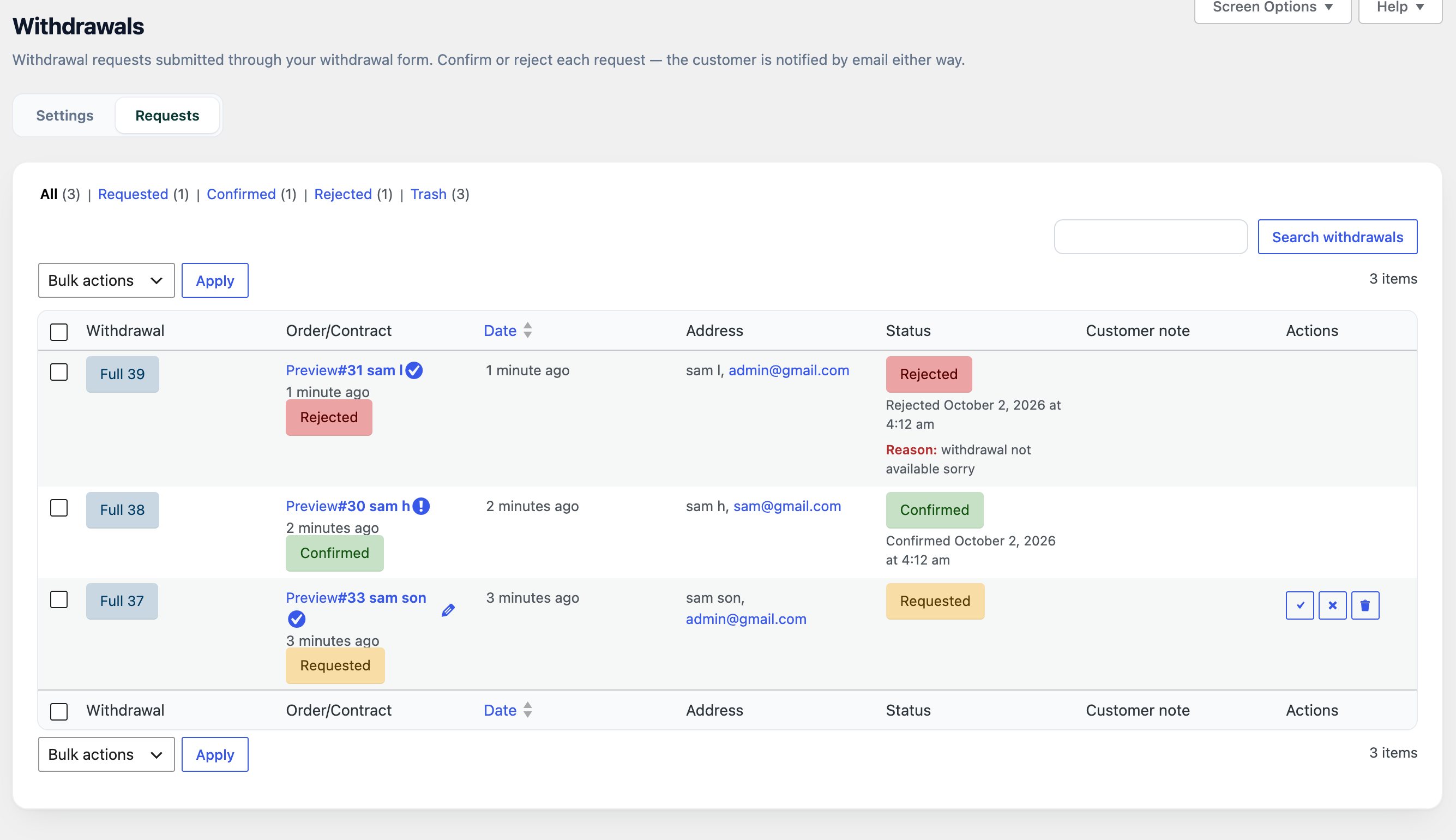
- Manage requests under EU Guarantee & GARAN → Withdrawals: confirm, reject or delete individually or in bulk. Orders get “Pending withdrawal” and “Withdrawn” statuses, and refunds are linked automatically.
- Withdrawal data is included in WordPress personal-data export and erasure.
- Independent of the standalone “EU Order Withdrawal Button for WooCommerce” plugin, so both can be active at once. Template overrides go in
woocommerce/eggl-withdrawal/.
Price History & EU Omnibus Lowest Price (Directive (EU) 2019/2161) — requires WooCommerce
- Price recording: every price change on products and variations is saved automatically, including REST API and importer changes.
- Lowest price: show the lowest price from the last 30 days next to products on sale, with your own wording (
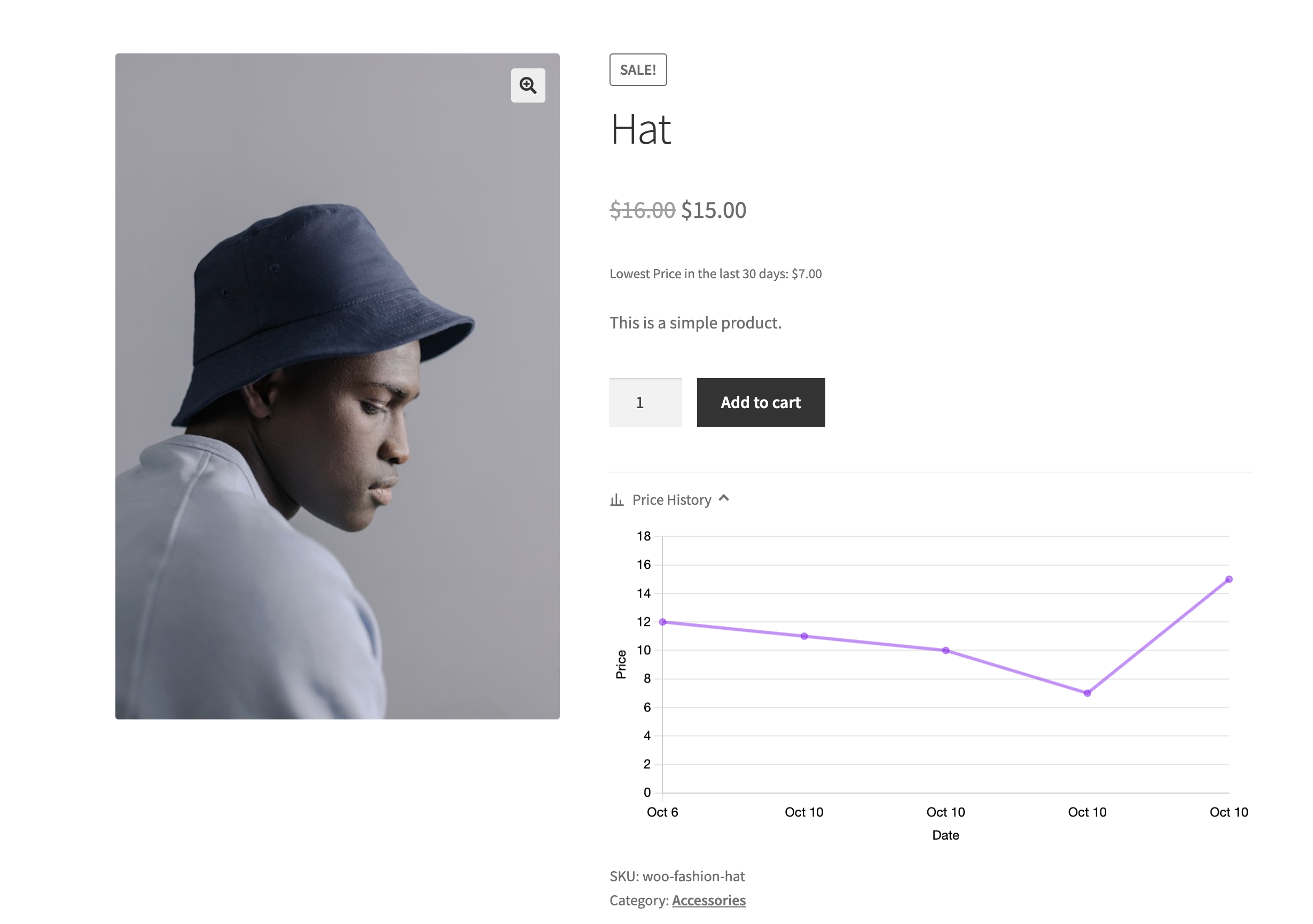
{lowest_price}placeholder). - Price history chart on the product page, with its own colours, size, date range and minimum number of prices; can be hidden per product.
- Anchor price (Croatian price rules): store a reference price and date per product or variation and show it next to the current price, or fill it in from the recorded history.
- Digital price list (Croatian price rules): a public CSV (default
/price-list/) and REST API endpoint, regenerated daily, with older versions kept for 30 days. Physical stores get their own copy on every generation, named in the required format (e.g.prodavaonica_Ilica 150 Zagreb_P-01_104_01.10.2026_07:45.csv), with their own product selection by category, tag or product. - Price Compliance Manager: edit anchor prices for many products on one screen, or export and import them as CSV.
- Price History tab on each product lists its recorded prices. Tick Hide to leave a mistaken price out of the chart and the lowest-price calculation; recorded prices can’t be edited or deleted.
- Independent of the standalone “Product Price History for WooCommerce” plugin, so both can be active at once. Based on that plugin by Devnet (GPLv2 or later).
GPSR Product Safety Information (Regulation (EU) 2023/988), CE & UKCA — requires WooCommerce
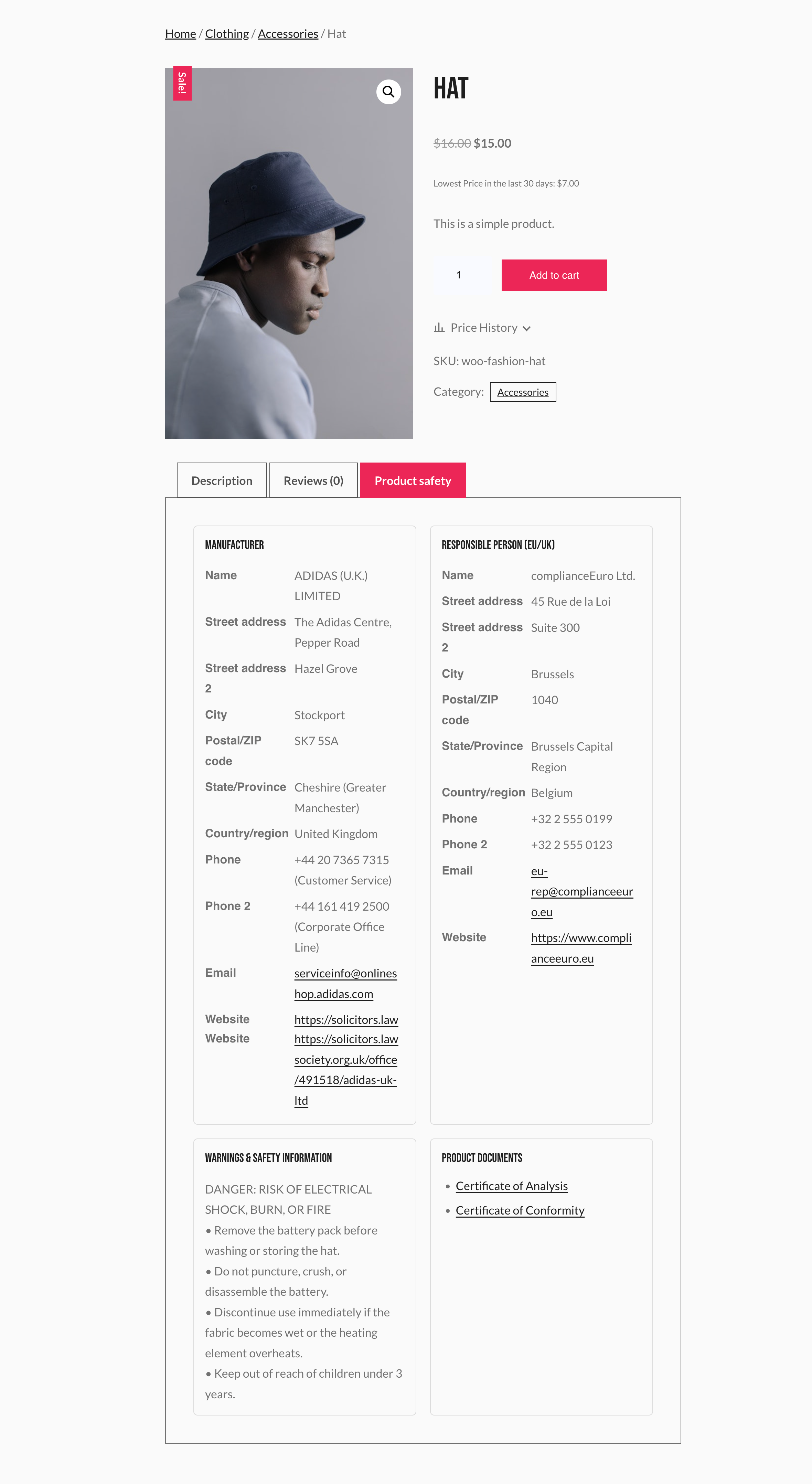
- A Product Safety (GPSR) tab in the product data panel for the manufacturer and the responsible person (EU/UK), warnings and safety information, and product documents (declaration of conformity, user manual, safety data sheet and more).
- Shown to shoppers in a “Product safety” tab on the product page, only where switched on and filled in.
- Can be switched off site-wide (product data is kept), with an option to delete its data when the plugin is deleted.
- Independent of the standalone “Euverify- GPSR, CE & UKCA for WooCommerce” plugin, so both can be active at once. Based on that plugin by euverify.com (GPLv3 or later).
Right to Repair — Defect Claims (Directive (EU) 2024/1799) — requires WooCommerce
- Defect claim form: a “Report a defect” page (created as a draft with
[eggl_repair_claim_form]). Customers pick the defective items, describe the defect, add photos and choose repair or replacement. - Logged-in customers choose from their orders; guests find their order with order number and email. A “Report a defect” button appears in My account → Orders.
- Only physical items still within the legal guarantee can be claimed, from the order statuses you choose (Completed by default).
- Legal guarantee period: a store default (2 years) and an optional period per product or variation, saved on each order line at purchase.
- 12-month extension, automatically: marking a claim “Repaired” extends the item’s legal guarantee and tells the customer the new end date. Repeated repairs add up.
- Claims management under EU Guarantee & GARAN → Right to Repair, with statuses, a change history, bulk actions and a “Defect claims” box on the order screen.
- Three editable emails: claim received, new claim and claim updated.
- “Your right to repair” notice in all 24 EU languages: on the claim form, optionally on product pages (showing the product’s own guarantee period), in order emails and via
[eu_repair_notice]. - Optional “Report a defect” link in the header menu. The form uses WooCommerce’s own field markup and your theme’s buttons.
- Spam protection, image-only photo uploads, and personal-data export and erasure.
Under the hood
- Site Health checks tell you in plain words when the notice or label isn’t showing, and what to change.
- Everything renders locally on your own server — no outbound API calls, and no shop or shopper data sent anywhere. No account, license key or third-party service needed.
- Automatic fallback to English if a translated graphic is ever missing.
- Lightweight: CSS and JS only load on the pages that need them.
- Fully translatable admin interface.
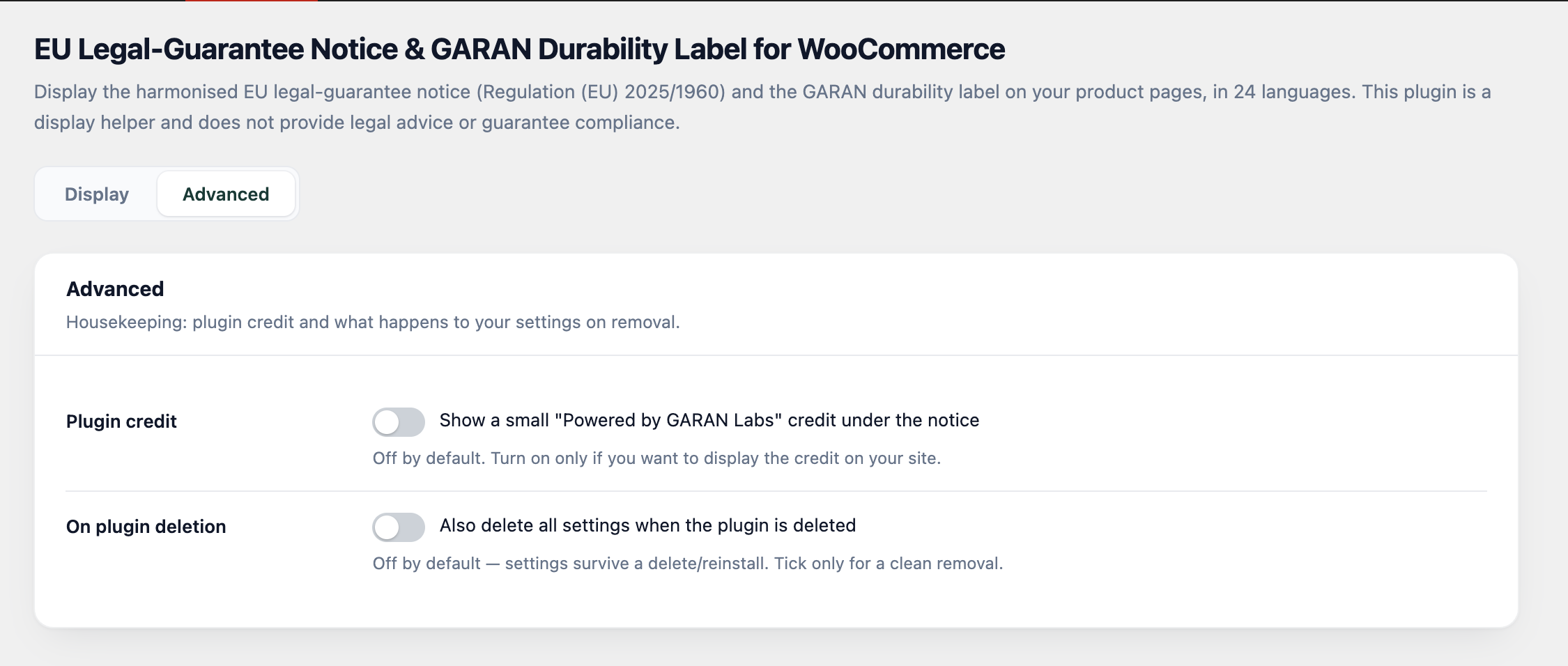
- Clean removal: settings are kept by default, or fully wiped with an opt-in uninstall toggle.
Keywords: EU legal guarantee notice, EU withdrawal button, Widerrufsbutton, right of withdrawal, Directive (EU) 2023/2673, GPSR, General Product Safety Regulation, Regulation (EU) 2023/988, product safety information, responsible person, CE, UKCA, Omnibus Directive, lowest price 30 days, price history, digital price list, right to repair, Directive (EU) 2024/1799, Recht auf Reparatur, defect claim, repair or replacement, Gewährleistung, Gewährleistungshinweis, garantie légale de conformité, garantía legal de conformidad, garanzia legale di conformità, wettelijke garantie, guarantee of conformity, GARAN durability label, durability label, Regulation (EU) 2025/1960, Consumer Rights Directive, WooCommerce warranty, WooCommerce guarantee plugin, consumer rights notice, product guarantee label, EU consumer protection, warranty notice WooCommerce.
Installation
- Install and activate the plugin. With WooCommerce, everything is placed automatically; without it, use the shortcodes or blocks.
- Go to the EU Guarantee & GARAN main menu.
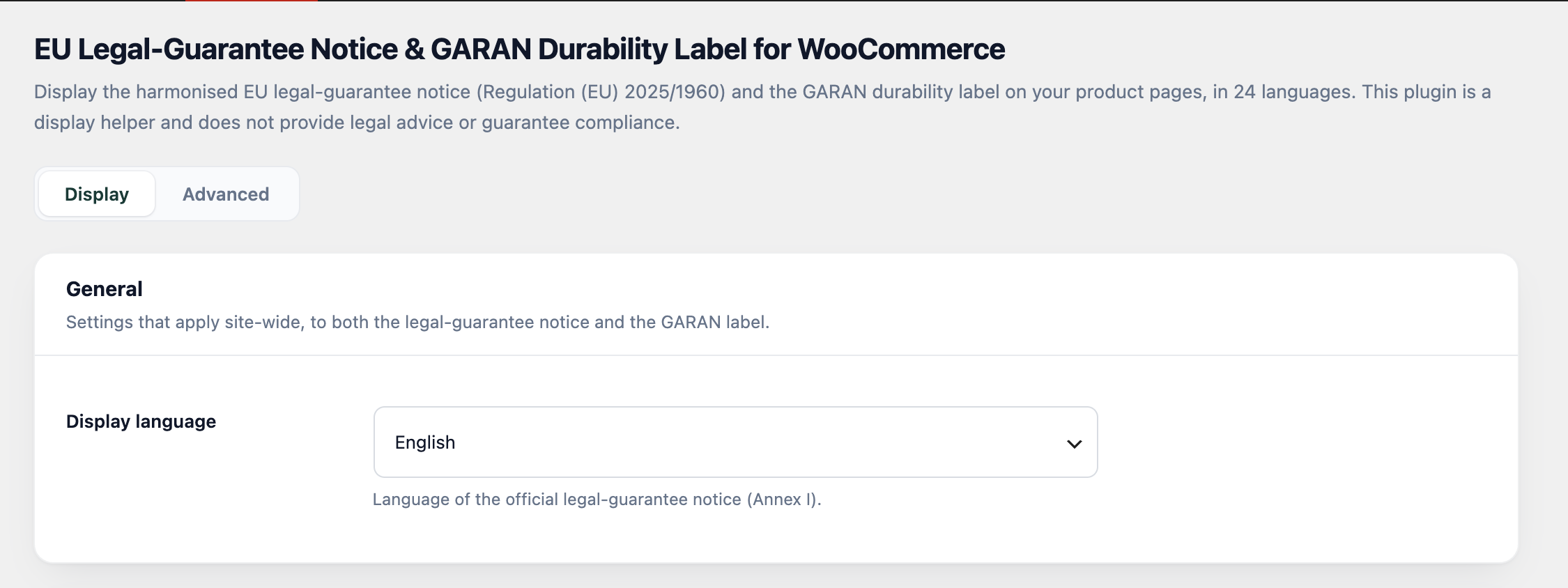
- Choose your display language and save.
- The EU legal-guarantee notice now appears on your product pages. Set a manufacturer guarantee of 3+ years under a product’s Product data → EU Guarantee tab to also show the GARAN durability label.
- Optionally turn on the header notice, checkout placement, and order-email content from the Display settings tab.
- For GPSR product safety information, open a product’s Product data → Product Safety (GPSR) tab, fill in the details and switch on “Show Product Safety tab”.
- For price history and the EU Omnibus lowest price, go to EU Guarantee & GARAN → Price History.
- For the right to repair, publish the “Report a defect” draft page under Pages, then review EU Guarantee & GARAN → Right to Repair → Settings (orders that can be claimed, legal guarantee period, notices, header menu).
FAQ
Does this make my store legally compliant?
No. The plugin only displays the official harmonised graphics. Whether the Regulation applies to you and how to comply is your responsibility; consult a professional for legal questions.
Which languages are supported?
All 24 official EU languages. The official notice graphic is shown in the language you select in the plugin’s settings.
Does it require WooCommerce?
No. With WooCommerce, the notice and label are placed automatically on product pages, the cart, the checkout and order emails, and each product gets its own GARAN fields. Without WooCommerce, place them yourself with the [eu_guarantee_notice] and [eu_garan years="5" brand="Acme" model="AC-1200"] shortcodes, the matching blocks, or the header notice.
Does it work with Polylang or WPML?
Yes. Leave the display language on “Automatic” and the notice follows the language of the page each visitor is reading.
How do I know the notice is really showing?
Open Tools → Site Health, or the plugin’s settings page: both say in plain words whether the notice and the label are being shown, where, and what to change if not.
Does it send any customer data anywhere?
No. The notice and label are static graphics rendered locally by your own server; the plugin does not call out to any external service and requires no account or license key.
Can I show the notice or label somewhere other than the automatic product-page position?
Yes — use the [eu_guarantee_notice] and [eu_garan] shortcodes, or the matching “EU Guarantee Notice” and “GARAN Label” Gutenberg blocks, anywhere in your content.
Can shoppers see the notice and label at checkout?
Yes, both can be shown on the checkout page (classic and block checkout), and the GARAN label also appears on the classic Cart page.
Can I include these in order confirmation emails?
Yes. Turn on “Order confirmation email” for either the notice or the GARAN label, then choose how it’s delivered: a compact text line with a link, the full graphic embedded in the email body, or the graphic sent as a file attachment.
Is there a paid/Pro version?
No. Every feature in this plugin is free and fully functional.
Is this an official EU plugin?
No. It’s an independent WooCommerce plugin that displays the Commission’s own harmonised artwork; it is not affiliated with or endorsed by the European Union or the European Commission.
What stops the Brand/Trademark or Model text from breaking the label design?
Each field is measured against the space the official label leaves for it, using the label’s own font. Text that won’t fit is flagged in the product editor as you type and after saving (for every variation too), and is compressed on the label so it never overlaps the QR code or the next field. Fields are also capped at 40 characters.
Can I use my own label image instead of the generated one?
Yes. If a manufacturer or vendor already supplies a ready-made GARAN label graphic for a product, upload it on the “Vendor GARAN Labels” admin page (search for the product, pick the image). It then replaces the generated label everywhere for that product — product page, checkout, cart, and order emails — until you remove it.
Does it include an order withdrawal button (Directive (EU) 2023/2673)?
Yes, with WooCommerce. A “Withdraw from contract” page (slug contract-withdrawal) with the [eggl_wd_order_withdrawal_request_form] shortcode is created as a draft; once published, a withdrawal button appears in the shop footer (or place it with [eggl_wd_order_withdrawal_button]). Manage requests and settings under EU Guarantee & GARAN → Withdrawals. It is independent of the standalone “EU Order Withdrawal Button for WooCommerce” plugin (own requests, statuses, emails and settings), so both can be active at once.Theme template overrides go in woocommerce/eggl-withdrawal/.
Does it show the EU Omnibus “lowest price in the last 30 days”?
Yes, with WooCommerce. Every price change is recorded from the moment the plugin is active, and the lowest price from the 30 days before a discount can be shown next to products on sale. Switch it on under EU Guarantee & GARAN → Price History → Price Compliance → Lowest Price. Only changes made after activation are known, so a new install needs some history before the lowest price is meaningful. The module also offers a price history chart, anchor price and digital price list.
Does it show GPSR product safety information (Regulation (EU) 2023/988)?
Yes, with WooCommerce. Each product gets a “Product Safety (GPSR)” tab in its product data box for the manufacturer, the EU/UK responsible person, warnings and safety information, and product documents (declaration of conformity, user manual, safety data sheet and more). Switch on “Show Product Safety tab” on the product and the details appear in a “Product safety” tab on its product page. The feature can be switched off site-wide under EU Guarantee & GARAN → Product Safety (GPSR), where you can also choose to delete this data when the plugin is deleted.
Does it handle the right to repair (Directive (EU) 2024/1799)?
Yes, with WooCommerce. Publish the “Report a defect” page (EU Guarantee & GARAN → Right to Repair → Settings shows a link to it) and customers can report a defect for items still under the legal guarantee and choose repair or replacement. You handle the claims under Right to Repair → Claims; marking a claim “Repaired” extends that item’s legal guarantee by 12 months and emails the customer the new end date. Claims are kept when the plugin is deleted, like withdrawal requests.
How long is the legal guarantee, and can it differ per product?
The store default is set under Right to Repair → Settings (at least 2 years in the EU; some countries give more). A product can have its own period in its EU Guarantee tab — for example 12 months for used goods where your country allows a shorter period, or longer where the period depends on the product’s expected lifespan (Netherlands, Finland). This is the seller’s legal guarantee; the manufacturer’s commercial guarantee for the GARAN label is a separate field and doesn’t change it.
Which orders can customers report a defect for?
Orders with a status you choose under Right to Repair → Settings → Orders that can be claimed — Completed by default. Only physical items still inside their legal guarantee period (plus any repair extensions) can be claimed.
Screenshots

Changelog
2.2.0
- New: digital price lists for physical stores (Croatian price rules). Under Price History → Price Compliance → Digital Price List → Physical Stores, add each store with its type, address, business premises label and store number. Every generation creates a separate CSV for each store, named in the required format, e.g.
prodavaonica_Ilica 150 Zagreb_P-01_104_01.10.2026_07:45.csv. - New: each physical store has its own public URL (
/price-list/stores/{id}/current.csv) and keeps previous versions for 30 days. All stores are listed on the public price list page. - New: choose the products for each physical store: all price list products, only selected categories, tags and products, or all products except those. Subcategories are included automatically, and a variable product covers all its variations.
- New: “Physical Store File Name Pattern” setting with the placeholders {outlet_type}, {address}, {premises_label}, {store_number}, {date} and {time}.
- New: the Digital Price List status shows each store’s current file and row count, and a notice when the module is disabled.
- New: developer filters
eggl_ph_dpl_store_include_productandeggl_ph_dpl_store_rowto change which products a store lists and what each row contains. - Improved: the newest price list file is kept even when it is older than 30 days, so the public price list page is never left empty if generation stops.
- Fixed: “Next Scheduled Generation” in the Digital Price List status always showed “not scheduled”.
- Translations for the physical store settings in all 23 bundled languages.
2.1.0
- New: price history for WooCommerce products — every price change is recorded, with a per-product history in the Product Price History tab (review entries, newest first, and hide individual ones).
- New: EU Omnibus “lowest price in the last 30 days” next to sale prices, with custom wording.
- New: optional price history chart on the product page.
- New: anchor price, digital price list (public CSV + REST API) and the Price Compliance Manager (bulk edit, CSV import/export) for Croatian price rules.
- New: EU Guarantee & GARAN → Price History and Price Compliance Manager screens.
- The price history module runs independently of the standalone “Product Price History for WooCommerce” plugin; both can be active at the same time.
- New: GPSR product safety information (Regulation (EU) 2023/988) — manufacturer, EU/UK responsible person, warnings and product documents per product, shown in a “Product safety” tab on the product page, with a global on/off switch and delete-on-uninstall option under EU Guarantee & GARAN → Product Safety (GPSR). Runs independently of the standalone “Euverify- GPSR, CE & UKCA for WooCommerce” plugin.
- Translations for the new price history and GPSR screens in all 23 bundled languages.
- New: right to repair (Directive (EU) 2024/1799) — defect claim form with repair-or-replacement choice and photos, “Report a defect” in My account, claims management under EU Guarantee & GARAN → Right to Repair, three claim emails, and the automatic 12-month legal guarantee extension when a claim is marked “Repaired”.
- New: “Your right to repair” notice in all 24 EU languages — on the claim form, optionally on product pages and in order emails, and via
[eu_repair_notice]. On product pages it is a compact row showing the product’s legal guarantee period. - New: Right to Repair settings for the order statuses that can be claimed (Completed by default) and an optional “Report a defect” link in the header menu.
- New: optional legal guarantee period per product and variation (EU Guarantee tab), saved on each order line at purchase. The EU Guarantee tab now separates the seller’s legal guarantee from the manufacturer’s commercial guarantee (GARAN).
- The claim form uses WooCommerce’s field markup and the theme’s buttons, with an Order dropdown for logged-in customers and first/last name fields.
- Improved: the Product Price History tab now shows a readable table (price, currency, date and time; newest first), and leftover upgrade badges and non-working controls from the original price history plugin were removed.
- Fixed: spacing between order action buttons in My account → Orders when “Report a defect” wraps to a new line.
2.0.0
- New: EU order withdrawal button (Directive (EU) 2023/2673) for WooCommerce stores, managed under EU Guarantee & GARAN → Withdrawals (Settings and Requests tabs).
- New: withdrawal form page and shortcodes
[eggl_wd_order_withdrawal_request_form]and[eggl_wd_order_withdrawal_button]. - New: optional withdrawal button in the footer and optional “Withdraw from contract” link in the header menu.
- New: “Button text” setting to change the wording of the withdrawal button and header link (defaults to “Withdraw from contract” in each visitor’s language).
- New: “Withdraw” button in My account for orders that can still be withdrawn.
- New: partial withdrawals — customers and verified guests choose the items to withdraw.
- The order list on the withdrawal form only shows orders that can still be withdrawn (within the withdrawal period, with items left).
- New: five withdrawal emails, “Pending withdrawal” and “Withdrawn” order statuses, and withdrawal details on the order screen.
- New: withdrawal requests list with confirm, reject, delete, bulk actions and search. Rejecting opens a popup for the reason that is sent to the customer.
- New: withdrawal data in WordPress personal-data export and erasure.
- New: a one-time admin notice introducing the withdrawal feature, with a link to its settings.
- The withdrawal module runs independently of the standalone “EU Order Withdrawal Button for WooCommerce” plugin; both can be active at the same time.
- Declared compatibility with WooCommerce High-Performance Order Storage and the block-based cart and checkout.
- License is now GPLv3 or later, as the withdrawal module is based on GPLv3 code.
1.9.4
- “Duration (years)” is now required when saving a vendor GARAN label image.
- The trigger text now applies to every notice row style (Minimal, Classic and Custom), and defaults to “Your legal guarantee rights” in the store’s language.
- The trigger text size now applies to every notice row style.
- The notice and the GARAN label now default to the Nested display mode.
- Added a “Notice width” setting for the notice’s maximum width on the product page.
- Added Site Health checks and a status panel on the settings page, saying whether the notice and the GARAN label are actually being shown and what to change if not.
- Added a text-fit check for GARAN labels: over-long brand, model or duration is flagged live in the editor and after saving, and compressed on the label so it never overlaps the QR code.
- Items with an identical GARAN label now share one label at checkout, on the cart page and in order emails.
- The plugin now works without WooCommerce, using the shortcodes, blocks and header notice.
- On Polylang and WPML sites, the “Automatic” language now follows the language each visitor is reading.
- Order-email GARAN images are now drawn in the browser on servers without PHP’s GD extension.
- Added a welcome notice after activation, and an occasional request for a review.
1.9.3
- Added GARAN label support for product variations: per-variation show/hide, duration, Brand/Trademark and Model identifier fields with a live preview, inheriting the parent product’s values when left blank.
- The product-page label now switches to the selected variation’s label.
- Fixed the GARAN label missing from order emails (and their label links) for variation items; cart and checkout now use each variation’s own label.
- Vendor GARAN label images can now be assigned to individual variations, and a parent product’s image applies to its variations.
- Removed the producer-confirmation checkbox from the EU Guarantee tab — a product now qualifies with “Show GARAN label” on and a duration of 3 years or more.
1.9.2
- Automatic translation added
- Minor Bug Fixes.
1.9.1
- Tested for compatibility with WooCommerce 11.1.0
- Tested for compatibility with WordPress 7.1
- Minor Bug Fixes.
1.9.0
- Added a “Vendor GARAN Labels” admin page (under EU Guarantee & GARAN) to upload a manufacturer/vendor-supplied GARAN label image for a specific product — it then takes over from the generated label everywhere it would normally show: product page, checkout, cart, shortcode/block, and all three order-confirmation email formats. A vendor image qualifies the product on its own, without also requiring its Duration/confirmation fields to be filled in, and an optional “Duration (years)” field on the same page fills in the compact preview badge’s number independently of that product-level workflow.
1.8.0
- Added an “Attachment” email content option for both the legal-guarantee notice and the GARAN label — sends the graphic to the customer as a real file attachment on order confirmation emails, instead of embedding or linking it.
- The notice’s compact trigger row now shows just the notice title, without the “at least 2 years” sub-line.
- The “Guarantee duration” product field’s minimum is now 3 years, matching the label’s own eligibility threshold.
- Changed the plugin’s main admin menu icon to a shield.
1.7.1
- Fixed the “Under the product image” position to render inside the product gallery itself (right after the thumbnails, inside
.woocommerce-product-gallery__wrapper) instead of just above the summary column.
1.7.0
- Added a new position choice, “Under the product image”, for both the notice and the GARAN label position settings — places the widget right below the product gallery, above the title/summary column.
1.6.1
- The GARAN label’s Popup mode trigger is now the compact GARAN badge (years | GARAN ✓ | EU shield) instead of a plain text row — clicking it still opens the same dialog with the full label.
1.6.0
- Split the “Display mode” setting into two independent settings — “Notice display mode” and “GARAN label display mode” — so each can be set to Popup, Full or Nested on its own. Sites that already set the old shared display mode keep that choice until either new setting is changed.
1.5.0
- Added a third Display mode: “Nested” — a compact trigger (the GARAN badge for the label, the existing summary row for the notice) that expands the full graphic in place when clicked, instead of opening a dialog or always showing the full graphic.
- Fixed a possible colour mix-up when the label’s SVG markup is rendered more than once on the same page (e.g. the nested badge and its expanded panel together): the source files’ CSS classes weren’t scoped per instance, so two copies could repaint each other’s shapes with the wrong colour. Classes are now namespaced the same way the QR code’s clip-paths already were.
1.4.0
- The GARAN durability label now renders from a vector SVG (assets/official/garan-full.svg) instead of a flattened raster image, so Brand/Trademark, Model identifier and the guarantee-duration number are set directly on the real design text — sharper at any size, and pixel-perfect alignment in both the admin preview and the storefront.
- Fixed a possible ID collision in the label’s QR code artwork when the label markup is rendered more than once on the same page (e.g. a quick-view modal open alongside the main product).
1.3.0
- The legal-guarantee notice and the GARAN label are now independent widgets: each has its own position on the product page (before the summary, after the title, after the price, after the short description, after Add to cart, or after the summary near the tabs).
- Added a “Display mode” setting: Popup (compact summary that opens the full graphic in a dialog, the previous behaviour) or Full (the full graphic shown directly on the page, no click required). Applies to both the notice and the label.
1.2.0
- Added site-wide toggles on the Display settings tab to enable/disable the legal-guarantee notice and the GARAN durability label independently, across the whole store, regardless of per-product settings.
1.1.0
- Redesigned the “EU Guarantee” product data tab: a “Show GARAN label” toggle, guarantee duration in whole years, Brand/Trademark and Model identifier fields (with a live label preview), and a single combined producer-confirmation checkbox.
- The GARAN label now shows the Brand/Trademark and Model identifier you enter per product, falling back to the product’s brand attribute/name when left blank.
1.0.0
- Initial release: EU legal-guarantee notice (Annex I) in 24 languages and the GARAN durability label (Annex II), with a tabbed-modal product-page widget and a dedicated product data tab for guarantee fields.