
Description
Editing topics and forums in the bbPress powered forums can be a slow process because you can do it only from the edit pages, and for forums only from the administration side. If you need to perform quick changes, close topics, rename them, that can take a while if you need to go through several screens to reach the edit page.
Quick Introduction Video
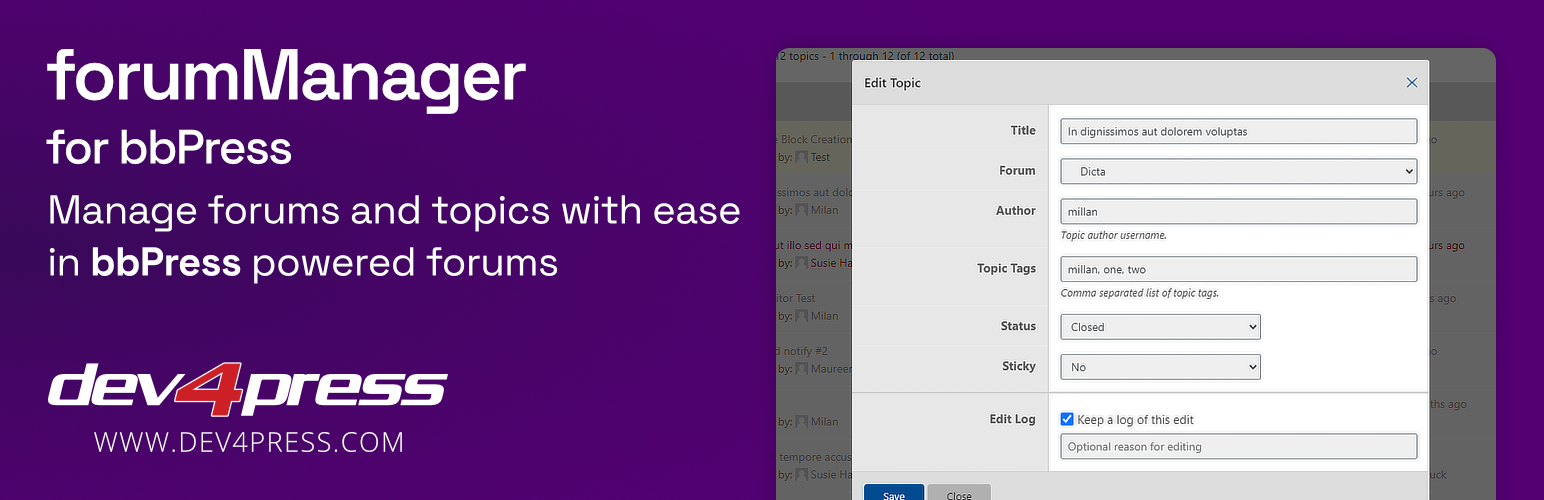
Now, with forumManager for bbPress, you can do it quick and accessible from any topics or forums list on the frontend in two ways: single forum or topic editing and bulk editing of one or more selected forums or topics. Every forum or topic list (single forum, forums or topics index, topic views, user profile) now has controls to edit a single item or select items for bulk editing. And editing is done using a popup modal dialog. You can even do something that bbPress doesn’t allow you to do: change the author of the topic.
Feature Overview
- Using AJAX to retrieve actions and values
- Using AJAX to perform the edit operations
- Modal popup to display edit and bulk edit actions
- Admin side dashboard showing available actions
- Full RTL support for controls and popup
Plugin Settings
- Enable moderators to use the plugin
- Enable use of a plugin for forums
- Enable use of a plugin for topics
- Various display-related settings
- Option to enable saving of edit log
Forums Editing
- Quick Edit: title, status, and visibility
- Bulk Edit: status and visibility
Topic Editing
- Quick Edit: title, author, topic tags, sticky, status, and forum
- Bulk Edit: author, clear tags, sticky, status, and forum
- Quick Edit is also available from the single topic pages
Developers Friendly
- The ability to register new actions for edit and bulk edit
- The ability to override existing actions for additional control
Log changes into Database
forumManager for bbPress supports logging of editing events into a database with the use of ‘coreActivity’ plugin, and it is highly recommended to install and use coreActivity.
Log all edit and bulk edit events into a database with the free plugin: coreActivity Plugin, supporting over 120 events and more than 10 popular WordPress plugins. forumManager for bbPress related events will be logged and available for later analysis.
bbPress Plugin Versions
forumManager for bbPress supports bbPress 2.6.2 or newer. Older bbPress versions are not supported!
Home and GitHub
- Learn more about the plugin: forumManager for bbPress Website
- Contribute to plugin development: forumManager for bbPress on GitHub
Documentation and Support
To get help with the plugin, you can use WordPress.org support forums, or you can use Dev4Press.com support forums.
- Plugin Documentation: forumManager for bbPress Website
- Support Forum: Dev4Press Support
More Free Dev4Press plugins for bbPress
- membersDirectory for bbPress – add a page with a list of forum users
- powerSearch for bbPress – add advanced search to the bbPress topics
- topicPolls for bbPress – add polls to the bbPress topics
- GD bbPress Attachments – attachments for topics and replies
- GD bbPress Tools – various expansion tools for forums
Dev4Press Pro plugins for bbPress
Get Premium plugins for bbPress to enhance bbPress powered forums. More information is available here: bbPress Plugins Club.
Installation
General Requirements
- PHP: 8.1 or newer
WordPress Requirements
- WordPress: 6.4 or newer
bbPress Requirements
- bbPress Plugin: 2.6.2 or newer
Basic Installation
- Plugin folder in the WordPress plugins folder should be
gd-forum-manager-for-bbpress - Upload folder
gd-forum-manager-for-bbpressto the/wp-content/plugins/directory - Activate the plugin through the ‘Plugins’ menu in WordPress
FAQ
Where can I configure the plugin?
The plugin adds a menu item in the WordPress Settings menu. There you have only a few toggle-based options to configure.
Can I translate the plugin to my language?
Yes. The POT file is provided as a base for translation. Translation files should go into the languages directory.
Screenshots


Changelog
Version: 3.1.1 / novemeber 11 2026
- Edit: updates to the build scripts
- Edit: Dev4Press Library 5.6.5
Version: 3.1 / august 31 2026
- New: tested with WordPress 7.1
- New: tested and compatible with
PHP8.5 - New: build process for the JS and CSS files
- Edit: improved escaping when rendering
- Edit: Dev4Press Library 5.6.2
- Edit: Micromodal 0.7.0
- Fix: a small potential XSS vulnerability
Version: 3.0 / june 14 2025
- New: tested with WordPress 6.8
- New: tested and compatible with
PHP8.4 - New: tested with bbPress up to 2.6.13
- New: loading of
Dev4Press Libraryvia Composer - New: refactoring namespaces and plugin structure
- Edit: Dev4Press Library 5.4
Version 2.8 / june 14 2024
- Edit: library
Micromodalloaded from the shared Library - Edit: several small improvements to the plugin JS code
- Edit: minor updates to the plugin readme file
- Edit: few more changes related to WordPress and PHP code standards
- Edit: protect all PHP files from direct file access
- Edit: Dev4Press Library 4.9.1
Version 2.7 / april 28 2024
- New: directive
Requires Pluginadded into main plugin file - Edit: plugin admin dashboard styling improvements
- Edit: Dev4Press Library 4.8
Version 2.6 / 2023.12.21
- New: updated plugin system requirements
- Edit: updated use of some PHP function with WordPress replacements
- Edit: plugin admin dashboard styling improvements
- Edit: Dev4Press Library 4.5
Full changelog: forumManager for bbPress Changelog