


Description
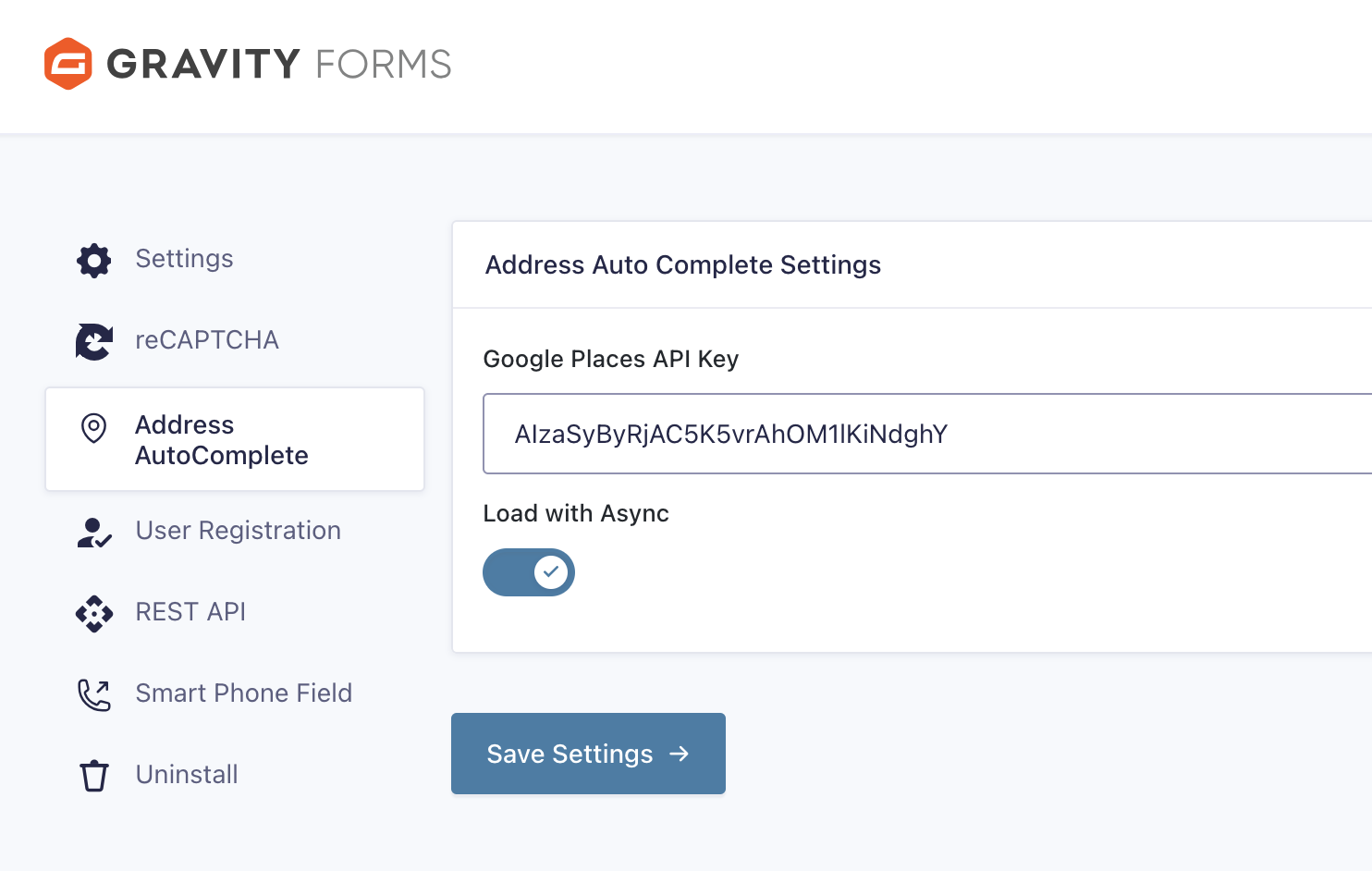
A simple and nice plugin to get auto suggestion from google place api in gravity form address field. If the installation is okay, go to gravity form menu called ‘Autocomplete API settings’. Input your google map api key and save it. Now create or edit a form, add or edit address field.
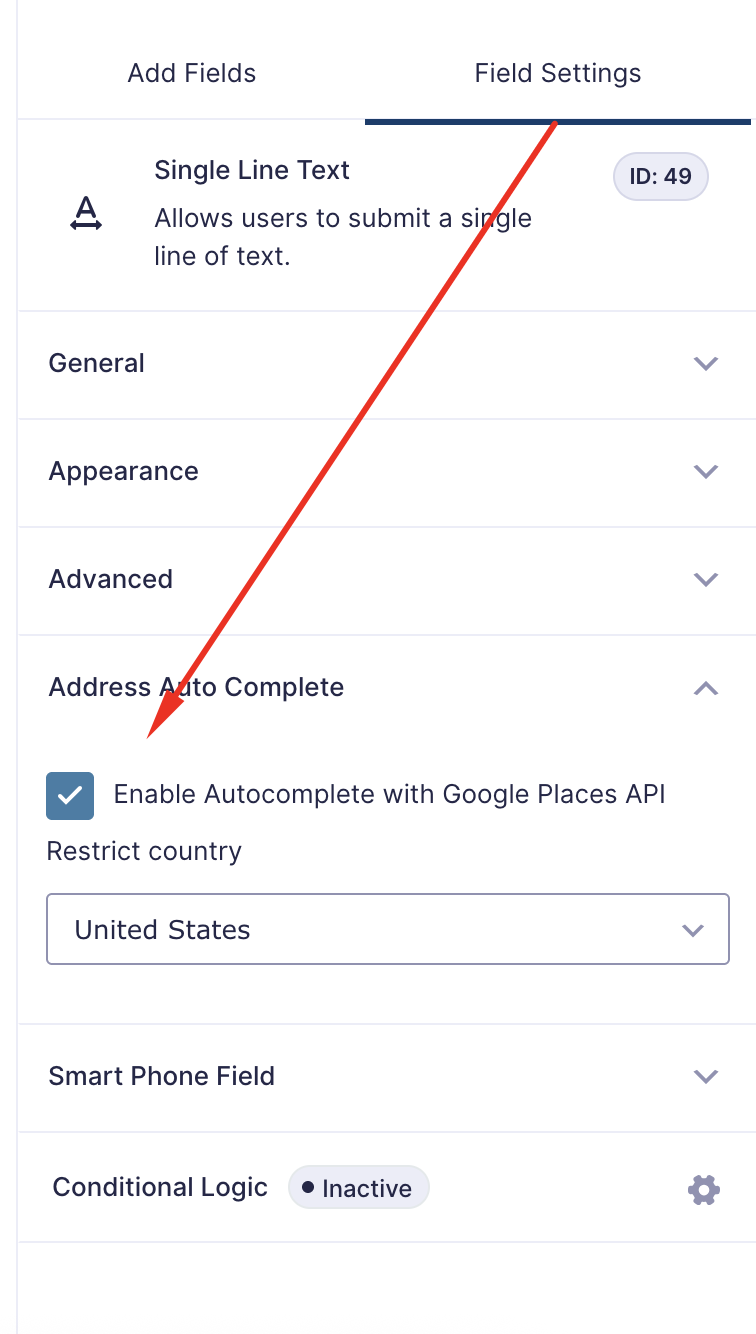
You can see ‘Enable Autocomplete with Google Places API’, Just click on enable and save form. You’re done!
To show a map under the address inputs, tick ‘Show map’ in the same settings tab. You can set the map height, zoom level and a default latitude/longitude for the map to show before an address is entered. The marker moves whenever the address changes.
Note: Moving the marker when the address is typed by hand uses the Google Geocoding API, so enable it for your API key as well as the Places API and Maps JavaScript API.
View Pro Demo | Documentation | Buy Pro
Features
- Address Autocomplete in address and single field
- Country Restriction
- Show map with marker inside the address field
- Map height, zoom and default location settings
Premium Features
- Map field
- Distance Calculation
- Place Details
- 3 Type Restriction
- Place type (School, Restaurant, cities, addresses and more)
- Location Button
- Place API (New)
- and more…
Requirements
- PHP 7.4 or higher
- Gravity Forms 3.x.x or higher
Installation
Installation is fairly straight forward. Install it from the WordPress plugin repository.
Screenshots



Changelog
1.3.9
- Added “Show map” option to the address field, with a marker that follows the entered address
- Added map height, zoom and default latitude/longitude settings
- Fixed country not being filled in on newer Gravity Forms versions
- Fixed city not being filled in for some countries (e.g. UK)
- Fixed address suggestions staying open after choosing an address
- Fixed pressing Enter on a suggestion submitting the form
- Fixed address fields being cleared when Enter was pressed without choosing a suggestion
- Fixed autocomplete not working with “Load with Async” in some cases
- Fixed post-update redirect interfering with AJAX, cron and REST requests
- Minor fixes and improvements
1.3.8
- Update Freemius SDK
- Fix minor issues
1.3.7
- Add Freemius SDK
- Introduce Pro version
1.3.6
- Fixed street address bug
- Fixed js issue
1.3.5
- Add new settings
- Fix js issue
- Fix other bugs
1.3.4
- Fix google place api load issue
- Update codes
1.3.3
- Fix city field issue.
- Bug fix
1.3.2
- Added option to load google map api with/without async.
- Added option to get specific place data into separate text field.
- Bug fix
1.3.1
- Added country restriction in text field
- Bug fix
1.3.0
- Added country restriction and bug fix
1.2.0
- Added text field autofill and bug fix
1.1.0
- Added single field autofill and bug fix
1.0.0
- Initial Release