
Description
gitblock adds three blocks to the block editor:
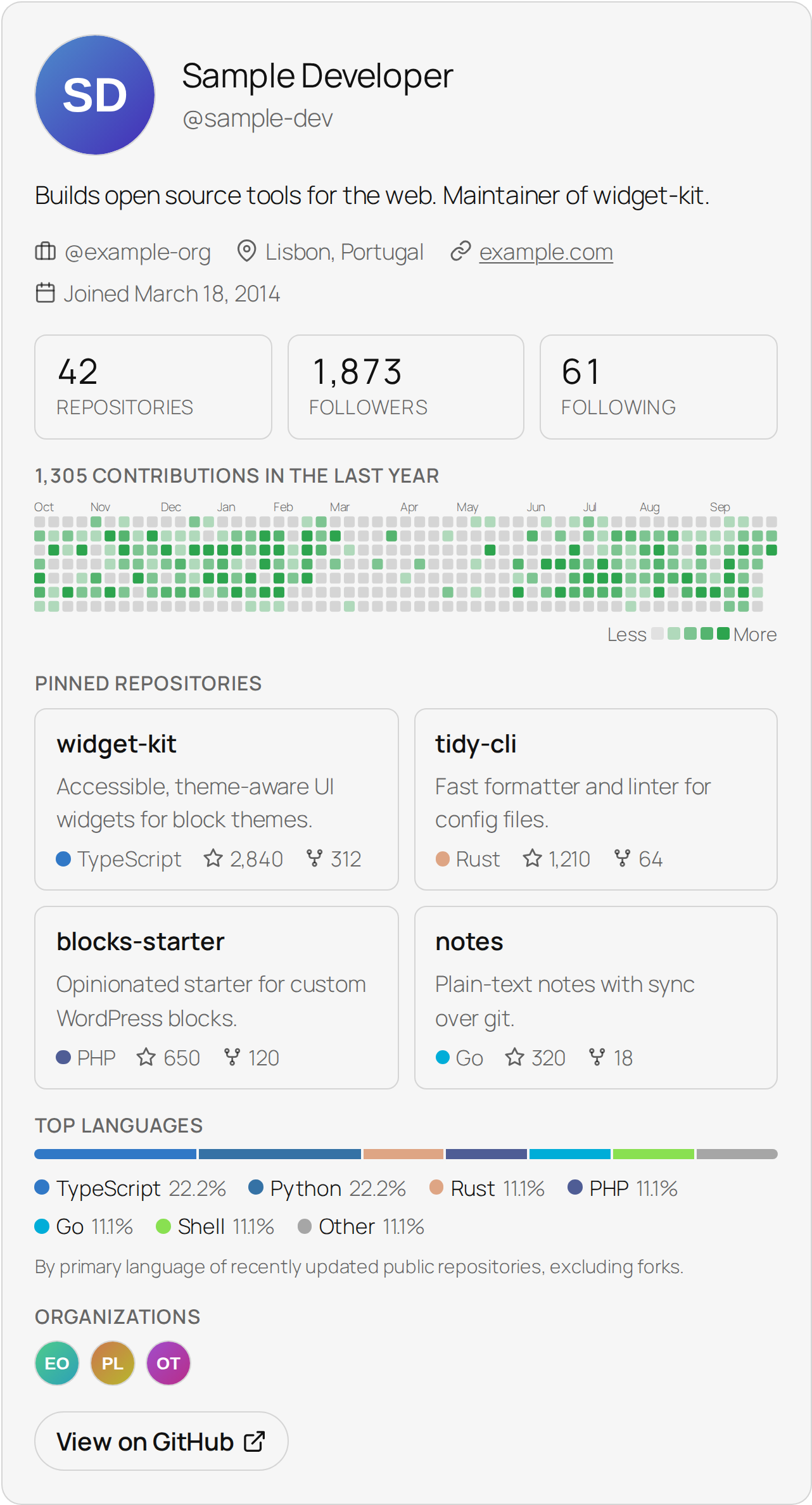
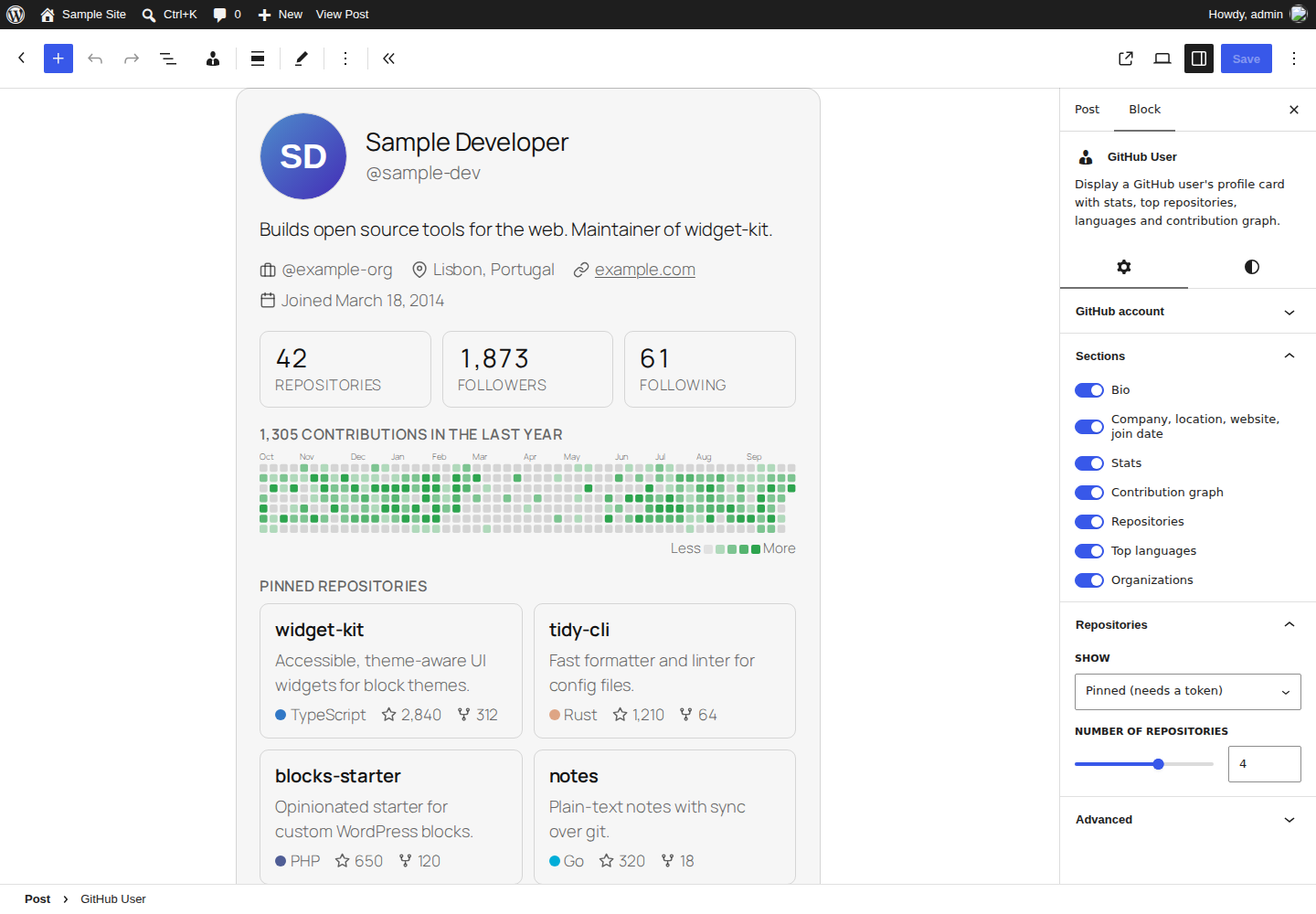
- GitHub User: a profile card with bio, company, location, website, join date, repository/follower/following counts, the contribution graph for the last year, pinned or top repositories, top languages and organizations.
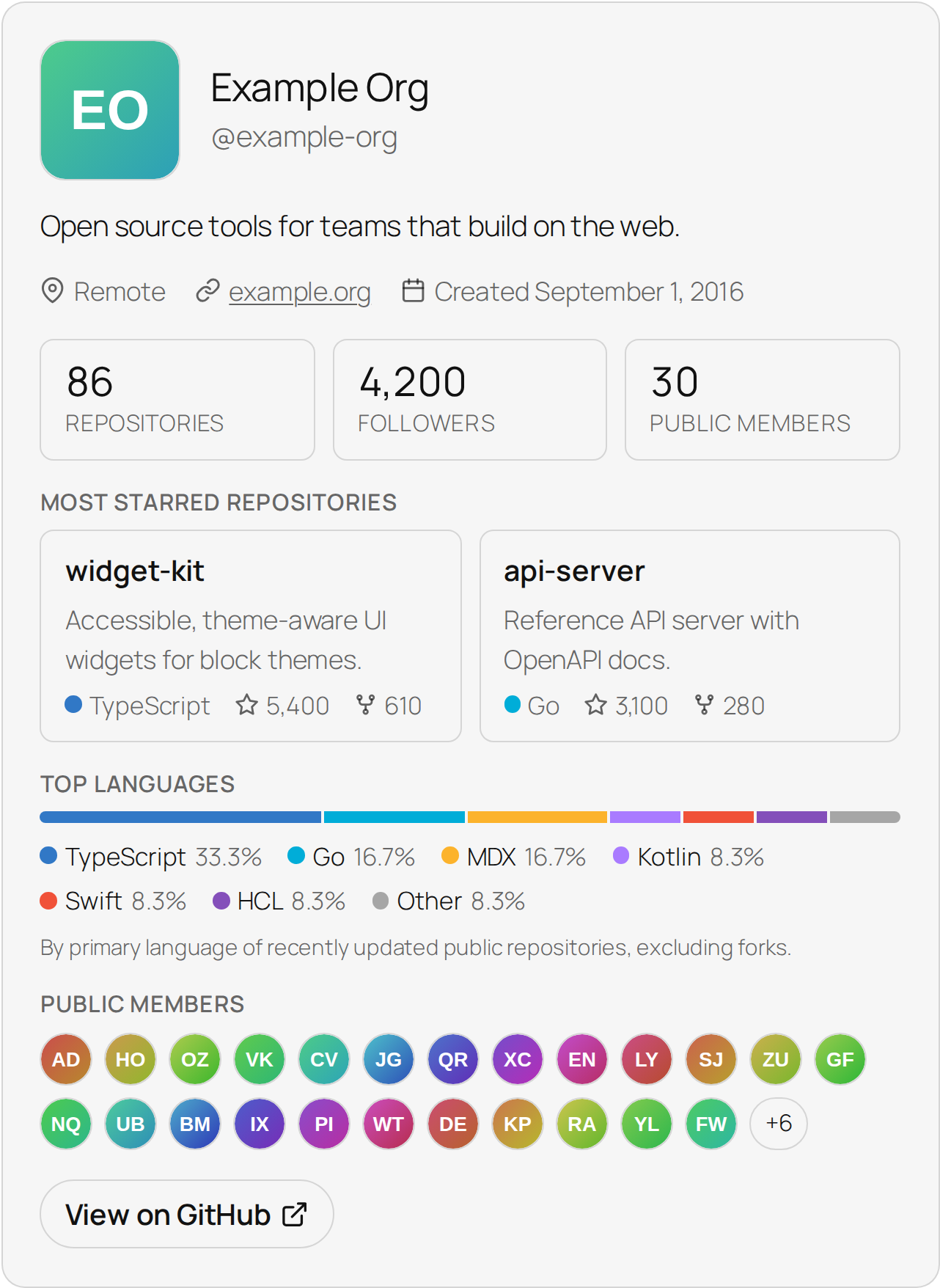
- GitHub Organization: an organization card with description, location, website, stats, pinned or top repositories, top languages and public members.
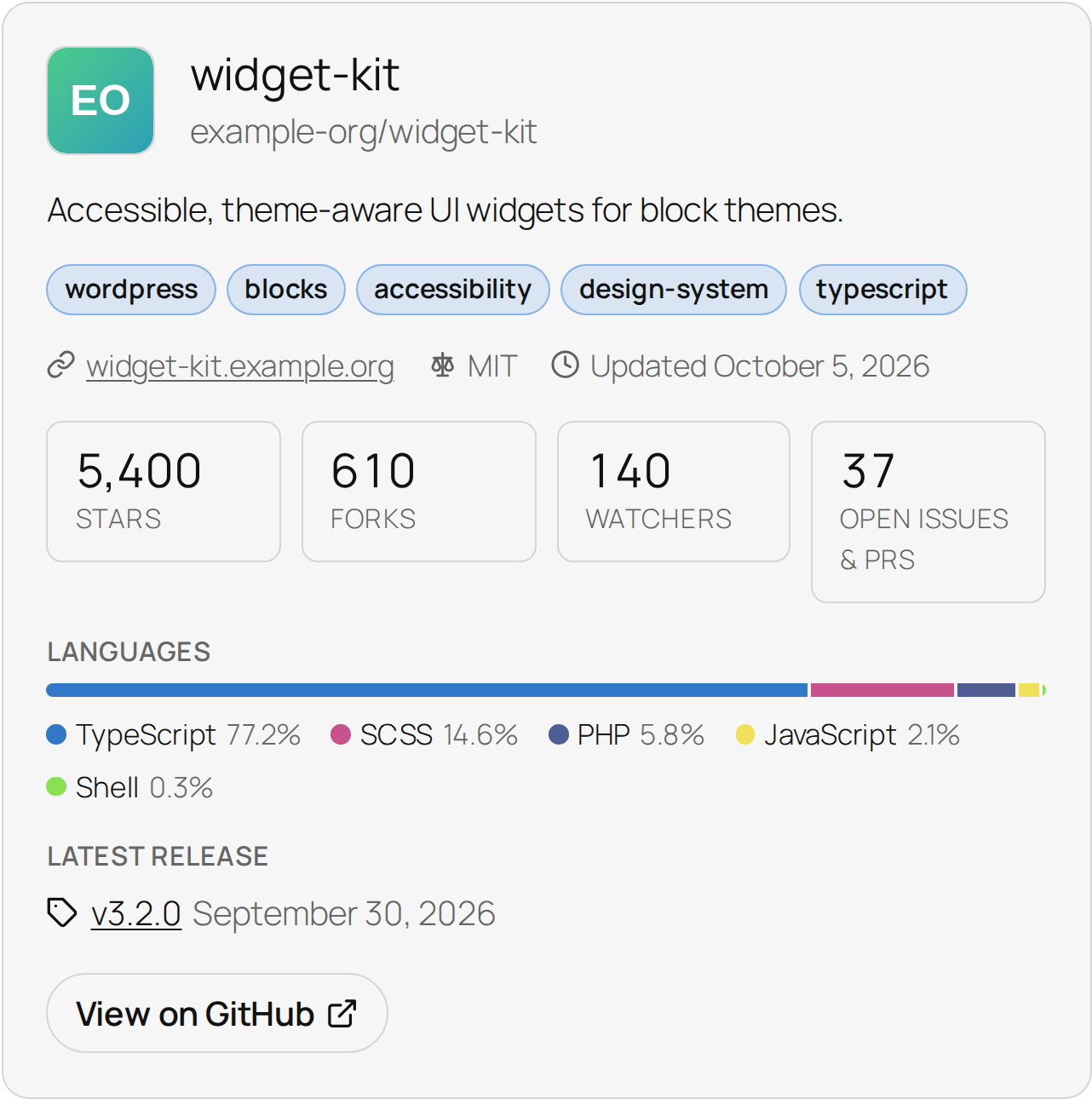
- GitHub Repository: a repository card with description, topics, website, license, stars, forks, watchers, open issues, a language breakdown and the latest release.
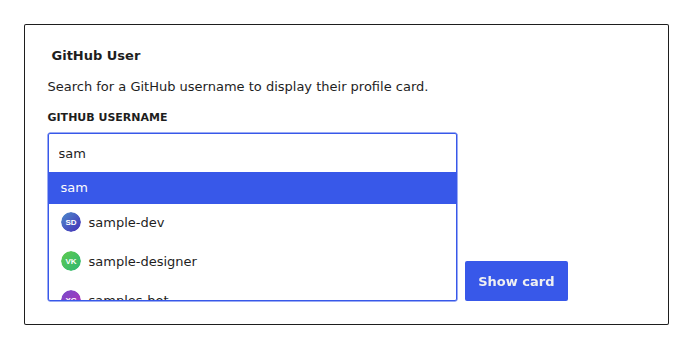
Search for an account or repository right in the block, pick it from the suggestions and the card appears. Every section can be switched on or off in the block settings, and you choose whether to list pinned, most starred or recently updated repositories. Cards follow your theme’s colors and fonts, work in light and dark themes and adapt to narrow columns.
Pinned repositories and the contribution graph come from GitHub’s GraphQL API, which needs a token. Without one, the most starred repositories are listed instead and the graph is hidden.
GitHub responses are cached (one hour by default, see the gitblock_cache_ttl filter), so pages stay fast and well within GitHub’s rate limits. If GitHub is down or a rate limit is reached, cards keep showing the last data they had.
External service
This plugin fetches public data from the GitHub REST and GraphQL APIs (api.github.com) when a block is rendered and when you search for accounts or repositories in the editor. When a token is configured, opening Settings → General also checks it with GitHub’s rate limit endpoint (at most every ten minutes). The requested username, organization or repository name, your site’s address (in the User-Agent header) and, if you configure one, your GitHub token are sent to GitHub. Avatars are loaded from GitHub in visitors’ browsers. See GitHub’s Terms of Service and Privacy Statement.
Installation
- Install and activate the plugin.
- Optional: add a GitHub token under Settings → General → GitHub (gitblock). The settings screen shows whether GitHub accepts it and when it expires.
- Add the GitHub User, GitHub Organization or GitHub Repository block to a post or page.
FAQ
Do I need a GitHub token?
Only for pinned repositories and the contribution graph, which use GitHub’s GraphQL API. Everything else works without one: GitHub allows 60 requests an hour from your server, which caching usually covers. For those features or on busy sites, create a fine-grained token with access to public repositories only (no extra permissions) and paste it into Settings → General. You can also define GITBLOCK_GITHUB_TOKEN in wp-config.php instead.
My token expired. What happens?
Fine-grained tokens expire after 30 days by default; you can choose a longer time when creating one. When GitHub rejects the token, gitblock keeps showing cards without it: pinned repositories fall back to the most starred and the contribution graph is hidden until you add a new token. Settings → General and the block settings tell you when this happens. The “Create a token” link on the settings screen suggests a one-year expiry.
Is my token exposed to visitors or editors?
No. Since 2.0.0 all GitHub requests, including the account search in the editor, are made by your server.
If you added a token with gitblock 1.x, revoke it on GitHub and create a new one: 1.x sent the token to the block editor, where any user who could edit posts could read it.
How do I change the cache duration?
add_filter( ‘gitblock_cache_ttl’, function () { return 6 * HOUR_IN_SECONDS; } );
Where is the source code?
The editor scripts and styles in build/ are compiled from the human-readable source in the plugin’s src/ folder. To rebuild them, run npm install && npm run build in the plugin folder (Node 22 or later).
How are top languages calculated?
For users and organizations: by the primary language of their 100 most recently updated public repositories, excluding forks. For a repository: by bytes of code, as reported by GitHub.
Can I restyle the cards?
Yes. The cards use CSS custom properties such as --gitblock-accent, --gitblock-radius, --gitblock-border and --gitblock-graph (contribution graph color) on .gitblock-card.
Screenshots

Changelog
2.0.1
- Fix: when GitHub rejects the token (expired or revoked), cards keep working without it instead of disappearing. The block settings and the editor preview say so.
- New: Settings → General shows whether GitHub accepts the token, how many requests are left and when the token expires, and warns about classic tokens that can read private data.
- New: the “Create a token” link pre-fills a fine-grained token with a one-year expiry.
- Improvement: if GitHub is down or a rate limit is reached, cards keep showing their last data, and other cards on the page don’t wait for GitHub again.
- Improvement: REST requests to GitHub time out after 5 seconds instead of 10.
- Improvement: repository, member and organization lists, search results and releases are cached with only the fields the cards use, and account names are matched without regard to case, so the cache stays small.
- Fix: repositories GitHub has removed or blocked disappear from cards instead of being shown from the cache.
- Fix: organization cards no longer show “0 public members” when the member list couldn’t be loaded.
- Fix: a
GITBLOCK_GITHUB_TOKENvalue with surrounding spaces or a line break works. - Fix: browsers no longer offer to fill a saved password into the token field.
- Security: if you used a token with gitblock 1.x, revoke it on GitHub; 1.x made it readable to anyone who could edit posts.
2.0.0
- New: GitHub Repository block with topics, stats, language breakdown and latest release.
- New: pinned, most starred or recently updated repositories on user and organization cards.
- New: top languages on user and organization cards.
- New: contribution graph on user cards (needs a GitHub token).
- New: show or hide every card section from the block settings.
- New: redesigned, theme-aware cards that work in light and dark themes and on small screens.
- New: account search with avatars for both the user and organization blocks.
- New: website and bio/description on cards, organization follower and member counts.
- New: block alignment and margin support, block previews in the inserter.
- New: GitHub responses are cached;
gitblock_cache_ttlfilter. - New: the GitHub token is optional and can be set with the
GITBLOCK_GITHUB_TOKENconstant. - Security: the GitHub token is no longer sent to the browser; editor search goes through a REST endpoint.
- Improvement: errors are only shown to editors; visitors never see a broken card.
- Improvement: blocks are registered from block.json (API version 3) and built with current WordPress tooling.
- Improvement: removed the bundled Guzzle and GitHub API libraries, avoiding conflicts with other plugins.
- Fix: dates follow the site’s date format and timezone.
- Fix: links point to GitHub profile pages instead of API URLs.
- Requires WordPress 6.6 and PHP 7.4 or later.
1.1.0
- Convert static blocks to dynamic blocks.
- Coding standard updates.
1.0.0
- Release plugin with two Github info blocks.