


Description
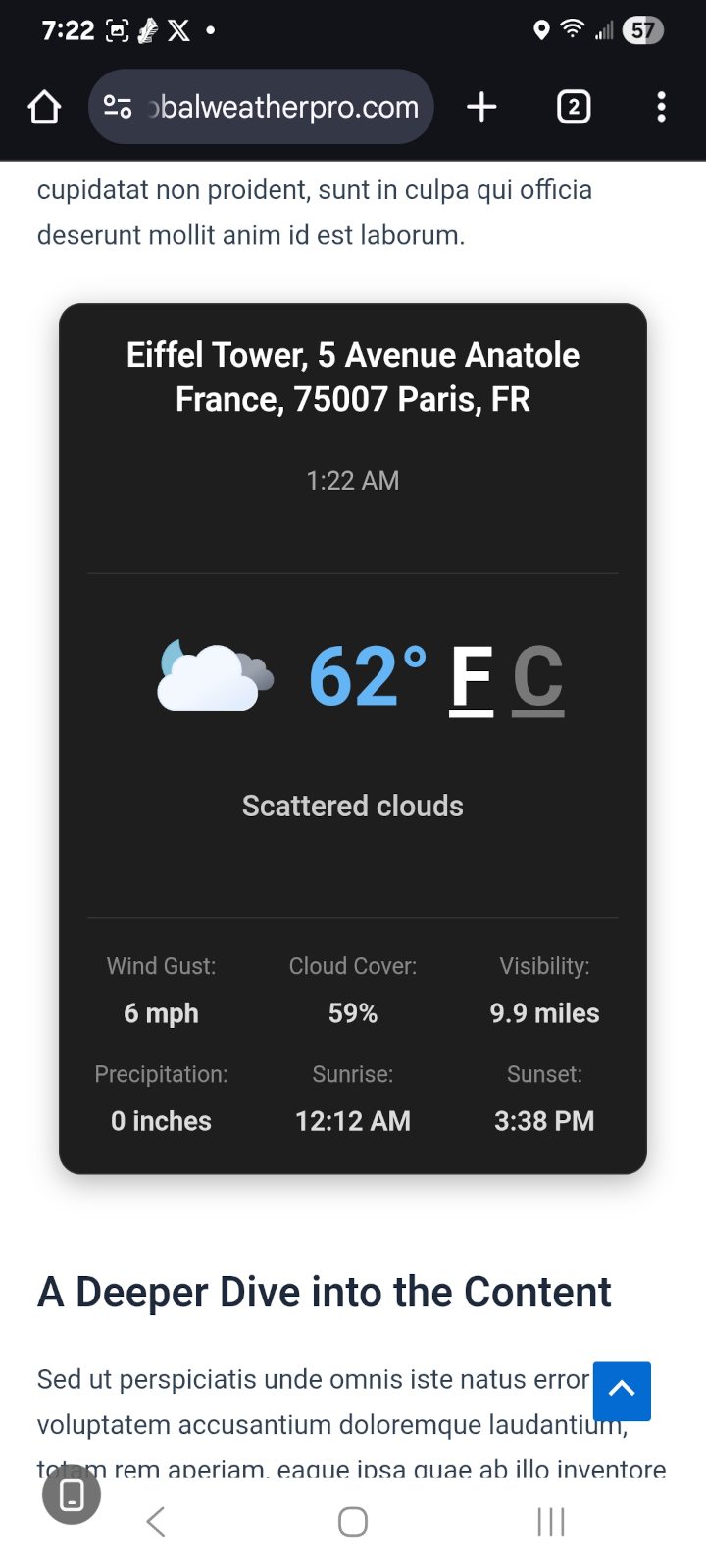
Global Weather Pro is a free WordPress weather widget plugin that displays accurate weather forecasts and critical severe weather alerts for any location in the world. It gives you three ways to put weather on your WordPress site: a comprehensive header widget, a compact sidebar widget, and a native Weather Widget block for the block editor and Full Site Editing themes. Effortlessly display current weather conditions, detailed 7-day forecasts, air quality, and severe weather alerts to keep your visitors informed and engaged.
The plugin also ships stunning AI-generated animations for all 60+ WeatherAPI weather conditions, each one playing as a smooth looping video in the header widget. Make the widgets your own with 18 professional typefaces and an adjustable text size for each widget, and self-host every one of them with a single click for a fully Google-free, privacy-friendly setup.
All weather data and alerts are sourced from WeatherAPI, a well-known and trusted weather provider, ensuring reliable and professional-grade forecasts you can count on. Global Weather Pro handles all API communications through our dedicated service, meaning you get reliable data from top providers like WeatherAPI without needing to sign up for, manage, or pay for your own weather API key.
Check out the live demos to see both widgets in action: Sidebar Demo
Header Demo
Features:
- Critical Weather Alerts: Keep your audience safe and informed with timely notifications for severe weather events, sourced directly from WeatherAPI. Alerts are prominently displayed within the widget to ensure maximum visibility.
- No API Keys Needed: Instantly set up and deliver weather forecasts without any third-party signups or costs. Global Weather Pro handles all API communications through our dedicated service.
- Block Editor & Full Site Editing Ready: A native “Weather Widget” block works in the block editor, in Full Site Editing templates, and anywhere else blocks are allowed. The block is server-rendered and shares the exact same output pipeline as the classic widgets and shortcodes, so the weather block, the widget, and the shortcode all produce identical results.
- Per-Block Location & Theme Overrides: Each Weather Widget block can override the site-wide location and color theme, so you can show local weather for a different city on a different page or template without touching the global settings. Blocks with no override simply inherit your saved settings.
- Responsive on Every Screen: Both widgets adapt to the space they are given. On phones the header widget reflows into a single-column card that opens collapsed, so the current conditions are visible immediately and the full parameter readout and forecast strips are one tap away.
- Dual Widget Design: Comes with two specialized widgets, one designed for prominent header placement and another optimized for sidebars, ensuring a perfect fit for your theme’s layout.
- Professional Dark & Light Themes: Choose between a rich, innovative Dark Mode featuring a slate-based palette with frosted glass effects and cyan accents, or a clean, polished Light Mode, both designed for a modern weather app aesthetic.
- AI-Generated Animations: Every one of the 60+ weather conditions has its own AI-generated animation in the header of the weather widget, creating a beautiful user experience. Every animation plays as a small, muted, looping video that loads only when the widget is in view, with a pause button for visitors who prefer stillness.
- SEO-Friendly, Crawlable Forecast Text: Each widget is delivered with a plain-text summary of the forecast already in the page’s HTML: the place name, current temperature and conditions, the outlook for the next few days, and when the reading was taken. Search engine crawlers, link previews, and visitors with JavaScript turned off can all read the local weather without running any scripts. The full interactive widget replaces the summary as soon as the page loads.
- No Layout Shift (Core Web Vitals): The summary reserves the space the finished widget will take up, on desktops, tablets and phones, so the page does not jump when the weather appears. Cumulative Layout Shift (CLS) is one of Google’s Core Web Vitals, and a weather widget that pushes your content down as it loads counts against it.
- No Weather API Calls From Visitors’ Browsers: Forecasts are fetched and cached on your server in the background and arrive with the page itself. Visitors’ browsers never contact a weather service: the forecast arrives with the page and the condition icons ship with the plugin, so nothing slows the page down while it loads and no visitor data is sent to a weather provider. (The widget font loads from Google Fonts until you self-host it with one click in Settings; see Privacy-First Font Self-Hosting below.)
- Accessibility Compliant (WCAG): Built with comprehensive ARIA attributes, semantic HTML, keyboard navigation support, and reduced motion preferences for an inclusive experience for all users.
- Detailed Hourly & Daily Forecasts: Provide a true, 24-hour, hour-by-hour forecast and a 7-day forecast. Display key metrics like temperature, chance of rain, humidity, UV index, air quality, and more.
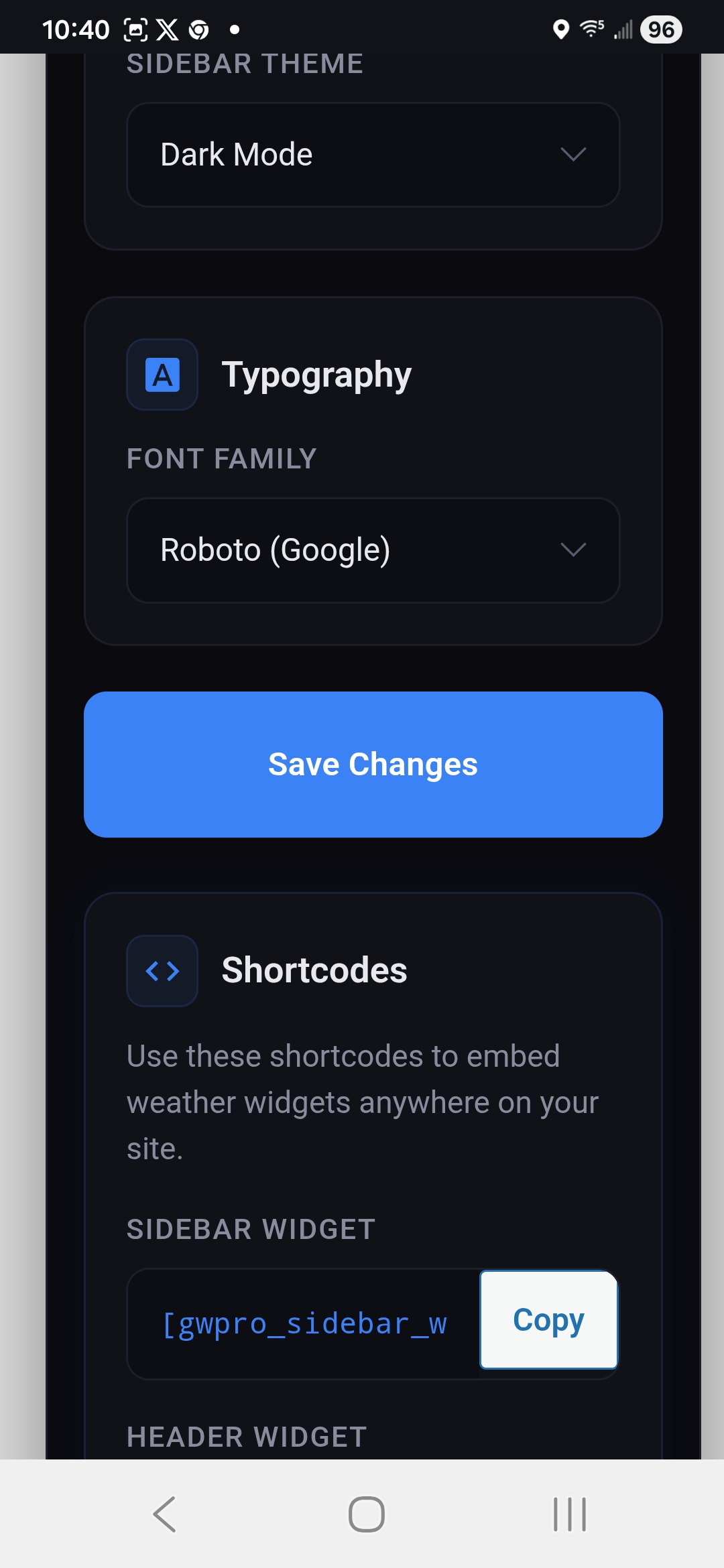
- Shortcode Support: Includes separate, reliable shortcodes for both the header and sidebar widgets ([gwpro_header_weather] and [gwpro_sidebar_weather]) for easy embedding anywhere on your site.
- Flexible Placement (Blocks, Widgets & Shortcodes): Seamlessly add weather to your header, footer, or sidebar using the block editor, the classic Widgets screen, or a shortcode in any post or page.
- Font Customization: Personalize the widget’s appearance by choosing from 18 professional Google Fonts organized into Sans-Serif, Serif, Monospace, and Display categories, including Roboto, Open Sans, Inter, Montserrat, EB Garamond, Merriweather, Playfair Display, Roboto Mono, Poppins, and more. The widget layout stays pixel-consistent no matter which font you choose.
- Adjustable Font Size: Set the text size of the header and sidebar widgets separately, from 12px to 24px. Every piece of text in the widget, including its severe weather alert window, scales together and keeps its proportions, so you can make the weather easier to read or fit it into a tighter space.
- Privacy-First Font Self-Hosting: Prefer not to link your site to Google’s Font API? One click on the settings page downloads all 18 font families directly to your own server (each with its license file included), so visitor browsers never contact Google Fonts. Any font not yet downloaded automatically falls back to Google’s CDN, so nothing ever breaks.
Whether you run a WordPress blog, a business website, or a community portal, Global Weather Pro makes it easy to share up-to-date local weather with your audience.
Third-Party Services
Global Weather Pro API
-
Fetches weather data.
-
No personal data collected.
-
Accessed at:
-
Privacy Policy: https://globalweatherpro.com/gwpro-privacy-policy
WeatherAPI
- Provides weather forecasts and alerts.
- Location data (entered by site owner) sent; no personal data collected.
- Accessed at:
- By default, the Global Weather Pro service above makes these requests. If the site owner enters their own WeatherAPI key, the site’s server sends them to WeatherAPI directly, including that key and the location (or its coordinates).
- Terms of Service: https://www.weatherapi.com/terms.aspx
- Privacy Policy: https://www.weatherapi.com/privacy.aspx
Geoapify API
- Provides geolocation services.
- No personal data collected.
- Accessed at: https://api.geoapify.com/v1/geocode/search
- Privacy Policy: https://www.geoapify.com/privacy-policy/
Google Fonts API
– This service is used to load and display the custom font selected in the widget settings, but only for fonts that have not yet been self-hosted. Once a font is downloaded via Settings > “Download & Self-Host All Fonts,” it is served entirely from your own server and visitor browsers never contact Google.
– Personal Data: When a font loads from Google’s CDN, Google may collect data such as visitor IP addresses in order to serve the font files. Self-hosted fonts send no visitor data to Google.
– Access: Visitor browsers access https://fonts.googleapis.com (stylesheet) and https://fonts.gstatic.com (font files) only while a selected font is not self-hosted. When the site owner runs the one-click download tool, these same two endpoints are contacted once, server-side by your WordPress site, never by your visitors, to fetch the font files.
– Privacy Policy: Refer to Google’s privacy policy here: https://policies.google.com/privacy.
Third-Party Fonts & Licenses
This plugin offers 18 Google Fonts as font-family options. When downloaded via Settings > “Download & Self-Host All Fonts,” the actual font files are saved to this plugin’s own /uploads/ directory (one subfolder per font, each including a LICENSE.txt). Both licenses below permit free use, modification, and self-hosted redistribution:
- Apache License, Version 2.0 (Roboto, Roboto Mono) — http://www.apache.org/licenses/LICENSE-2.0
- SIL Open Font License, Version 1.1 (Open Sans, Inter, Lato, Source Sans Pro, Raleway, Montserrat, Nunito, EB Garamond, Merriweather, Playfair Display, Lora, Crimson Text, Source Code Pro, Fira Code, Poppins, Quicksand) — https://scripts.sil.org/OFL
Until a given font is self-hosted, it is instead loaded live from Google Fonts under the same license terms; see “Google Fonts API” under Third-Party Services above for that data flow.
Installation
- Upload the plugin files to
/wp-content/plugins/global-weather-pro, or install the plugin through the WordPress plugin screen. - Activate the plugin through the ‘Plugins’ menu.
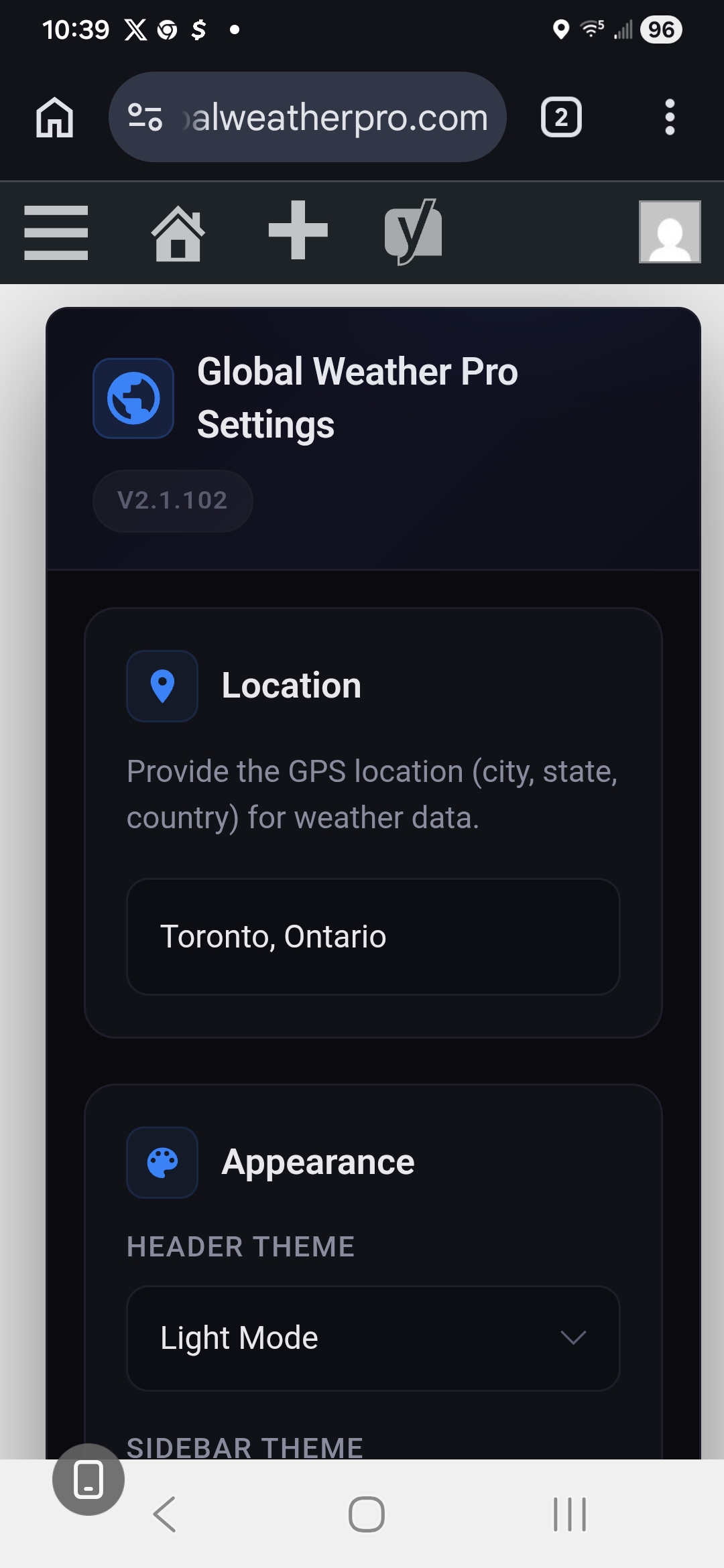
- Go to Settings > Global Weather Pro and save the location you want the weather widget to display.
- Add the weather widget to your site using whichever method suits your theme:
- Block editor or Full Site Editing theme: Edit any post, page, or template, click the block inserter, search for “Weather Widget,” and place the block. In the block sidebar you can choose the header or sidebar layout and, optionally, override the location and color theme for that block only.
- Classic theme: Navigate to “Appearance” > “Widgets” and add either the “Global Weather Pro Header” or “Global Weather Pro Sidebar” widget to your desired widget area.
- Shortcode: Use [gwpro_header_weather] to display the header widget, or [gwpro_sidebar_weather] to display the sidebar widget, anywhere shortcodes are accepted.
FAQ
Can I change the font and text size of the weather widget?
Yes. In Settings > Global Weather Pro, the Typography card lets you choose from 18 professional fonts in Sans-Serif, Serif, Monospace and Display styles, and set the text size of the header and sidebar widgets separately, from 12px to 24px (16px is the default). All of a widget’s text, including its severe weather alert window, scales together and keeps its proportions, while the weather animations and icons keep their size. The selected font is applied to every part of both widgets, so your WordPress theme’s own fonts never override it.
Can I load the fonts without contacting Google?
Yes. Click “Download & Self-Host All Fonts” in the Typography card and all 18 font families are saved to your own server, each with its license file. After that, visitors’ browsers never contact Google Fonts, which helps with privacy rules such as the GDPR. Any font not yet downloaded loads from Google Fonts in the meantime, so the widget always displays correctly.
How do I add a weather widget to my WordPress site?
There are three ways, and all of them produce the same widget.
Block editor or Full Site Editing theme: open any post, page, or site template, click the block inserter, and search for “Weather Widget.” Choose the header or sidebar layout in the block settings sidebar.
Classic theme: navigate to “Appearance” > “Widgets” in your WordPress admin panel and add either the “Global Weather Pro Header” or “Global Weather Pro Sidebar” widget to your desired location, such as your header, footer, or sidebar.
Shortcode: embed the widgets directly into your posts and pages using [gwpro_header_weather] for the header widget or [gwpro_sidebar_weather] for the sidebar widget. Note that the original shortcode, [gwpro_global_weather_pro], now functions as an alias for the sidebar widget shortcode for backward compatibility, so any existing instances of the old shortcode continue to work without issue.
Does this weather widget work with Gutenberg and block themes?
Yes. Global Weather Pro registers a native “Weather Widget” block that works in the block editor, inside Full Site Editing templates and template parts, and anywhere else blocks are allowed. The block is server-rendered and reuses the same output pipeline as the classic widgets and the shortcodes, so there is one source of truth for the markup, the scripts, and the weather data.
This matters on a block theme, because block themes have no “Appearance” > “Widgets” screen at all. On those themes, use the block (or a shortcode block) rather than the classic Widgets screen.
Can I show weather for more than one location on the same site?
Yes, using the block. Each Weather Widget block can set its own location, which overrides the location saved in the plugin settings for that block only. A block with no location set simply inherits your global setting. The same applies to the dark and light color themes, so a block placed in a dark page template can differ from the site-wide default.
The classic widgets and the shortcodes always use the location saved under Settings > Global Weather Pro.
Do I need a weather API key?
No. Global Weather Pro routes all API communication through our own dedicated service, so you never have to sign up for, manage, renew, or pay for a weather API key of your own. Install the plugin, save a location, and the forecasts and severe weather alerts start working immediately.
If you would rather use your own key, you can. Enter a key from WeatherAPI.com under Settings > Global Weather Pro, or define GWPRO_WEATHERAPI_KEY in wp-config.php, and your site will request forecasts and alerts from WeatherAPI directly. The key stays on your server and is never sent to visitors’ browsers. Free WeatherAPI plans include a 3-day forecast, so the 7-day strip shows 3 days on a free key.
Does Global Weather Pro use AI to generate the forecasts?
No, and the distinction matters. Global Weather Pro uses artificial intelligence for its visual layer only. Every one of the 60+ weather conditions reported by WeatherAPI (condition codes 1000-1282) has its own AI-generated animation, displayed in the header of the weather widget so the animation always matches the reported condition, including day and night variants. A growing number of conditions have been upgraded to looping video; the rest use animated images until their videos are ready.
The forecasts, air quality readings, and severe weather alerts themselves are not AI-generated or AI-predicted. They come directly from WeatherAPI, a professional meteorological data provider. Your visitors see AI-created artwork paired with real, trusted weather data.
Do the AI weather animations slow down my site?
No. All AI-generated animation files are bundled with the plugin and served from your own site, so displaying them requires no third-party image service, no AI API key, and no per-request AI costs. Nothing is generated on the fly at page load. The artificial intelligence work was done in advance, so the animations add no latency. Each animation is a small, muted video that is downloaded only when the widget is close to being scrolled into view and pauses while out of view. Visitors who have asked their device for reduced motion, or turned on a data saver, see a still image instead unless they press play.
How does the widget display severe weather alerts?
Severe weather alerts are sourced from WeatherAPI and displayed prominently inside the widget so visitors see them immediately. Alerts appear alongside current conditions in the header widget, the sidebar widget, and the block, and no configuration is required. Alerts for the widget’s location surface automatically whenever the provider issues them.
Is Global Weather Pro good for SEO?
Global Weather Pro is built not to hurt your SEO, and to give search engines real content to read. Each widget’s forecast is included in the page’s HTML as plain text (location, current conditions, and a short outlook), so crawlers can read it without running JavaScript. The space for the widget is reserved while the page loads, so it does not cause layout shift, which is one of Google’s Core Web Vitals. The forecast data is cached on your server and sent with the page, so the widget makes no weather API requests from your visitors’ browsers.
Does this weather widget work with my WordPress theme?
Global Weather Pro is designed to work with most WordPress themes, classic and block-based alike. If you experience any issues, please create a topic on our official WordPress support forum so our team and the community can assist you: Official Plugin Support Page
Screenshots


Changelog
For the complete version history (all releases), see the readme.txt revision log: https://plugins.trac.wordpress.org/log/global-weather-pro/trunk/readme.txt
2.15.0 – 2026-11-05
- Fix: The Header Widget Now Fits a Normal Page Column. In a typical post or page column (about 600-700px wide, such as Twenty Twenty-Five’s default), the Visibility, UV Index and AQI tabs were cut off, the Wind tab sat behind the 7 Day button, and the last day of the 7-day forecast was clipped. In narrower cards the eight tabs now sit in two rows of four, the 7 Day / Hourly buttons move to their own line, and the seven days share the width. Wide placements look exactly as before.
- Fix: Widget Styles No Longer Affect Your Theme. About 270 style rules used common class names such as
.modal-overlay,.modal-contentand.flex-row. On pages showing a widget, a theme or plugin using the same names could have its popup hidden or its boxes restyled. Every rule now applies only inside the widgets and their alert window. Element ids and script functions with common names (for exampleopenTabandformatDate) now carry agwproprefix too, so they cannot collide with your theme’s. - Fix: Header and Sidebar Widgets on the Same Page Showed the Same Location. Both widgets stored their data in one shared variable, so the second one on a page replaced the first; a header block set to its own location showed the sidebar’s location instead. Each widget now keeps its own data.
- Improvement: Much Lighter Pages. Each forecast was printed into the page twice, along with fields the widgets never use (including 168 hourly readings inside the 7-day forecast). Each forecast is now printed once, trimmed to what is displayed. In testing, a page with the header widget went from about 440 KB of HTML to about 95 KB.
- Improvement: A Slow Weather Service Can No Longer Stall a Page for 15 Seconds. When no forecast was saved yet and the weather service stopped answering, three requests waited 5 seconds each, one after another. They now share a single 5-second limit, and once one fails the others are skipped for that page view.
- Improvement: No More Requests to a Weather Service From Visitors’ Browsers. The hourly and 7-day forecast icons were loaded from WeatherAPI’s servers. They now use the icon set bundled with the plugin, the same one the sidebar widget uses.
- New: Live Preview in the Block Editor. The header and sidebar blocks now show the current forecast for their location in the editor instead of a grey placeholder.
- Changed (Admin): Quieter Notices. The getting started card now appears only on the Dashboard and Plugins screens, and is about 40% shorter. The review request appears only on the Dashboard, Plugins and the plugin’s settings screen, and its close button now dismisses it for good; use “Maybe later” to be asked again in a week.
- Fix: Clean Deactivation and Removal. Deactivating the plugin now stops its scheduled background refresh, and deleting the plugin also removes its saved forecasts.
- Accessibility: Settings Screen Contrast. Links, buttons and help text on the dark settings screen now meet the WCAG 4.5:1 contrast ratio. All text on the settings screen can now be translated.
- Fix: Dashboard Card Artwork for Freezing Drizzle. The dashboard cards showed the freezing rain animation for freezing drizzle conditions; they now match the header widget.
2.14.0 – 2026-10-29
- New: Every Condition Now Plays as Video. The gradual switch to video is complete. All 60+ WeatherAPI weather conditions, including their day and night variants, now have their animation as a small, muted, looping video in the header widget. Conditions that were still showing an animated image switch to their video automatically when you update; there is nothing to change in your settings.
- Improvement: The Same Playback Everywhere. Because every condition now uses video, the header widget behaves the same whatever the weather: the animation downloads only when the widget is close to being scrolled into view, pauses while it is out of view, and has the same pause button in every condition.
- Accessibility: Reduced Motion and Data Saver Apply to Every Condition. Visitors who have asked their device for reduced motion, or turned on a data saver, now see a still image for every condition until they press play, instead of this applying only to the conditions that already had a video.
2.13.0 – 2026-10-26
- New: Font Size Setting. The Typography card in Settings > Global Weather Pro now has a font size for each widget, next to the font family. Choose any size from 12px to 24px for the header widget and the sidebar widget separately; 16px, the size the widgets were designed at, is the default. All of the widget’s text scales together and keeps its proportions: the location name, temperature, weather details, forecast tabs and strips, and the severe weather alert window. Images, videos and icons keep their size. Widgets left at 16px look exactly as before.
- Improvement: The Small Sidebar Labels Follow the Widget’s Size. The F/C unit toggle and the small uppercase labels in the sidebar widget were sized from the page’s root font size rather than the widget’s, so they ignored the widget’s own sizing. They are now sized from the widget like the rest of its text.
- Improvement: No Page Jump at Any Font Size. The space reserved for the widget while the page loads now grows and shrinks with the chosen font size, so content below the widget still stays put.
- Fix: The Header Widget Squeezed the Location Name in Narrow Columns. On desktop screens, a header widget placed in a narrow content column kept its side-by-side layout, and with larger text the weather details took up the whole row, leaving the location name one letter wide. When the widget is too narrow for the side-by-side layout, the location and temperature now take the full width with the weather details beneath them.
- Fix: The F/C Unit Toggle Could Not Be Clicked at Larger Font Sizes. On desktops and laptops, the row holding the condition animation, temperature and F/C toggle could not wrap. When the location column became narrower than that row, mostly at larger font sizes, the row spread underneath the weather details beside it, which covered the F/C buttons (often under today’s low temperature). The temperature and toggle now move below the animation when space is short, so they always stay clickable.
- Fix: The Hourly Button Was Cut Off on Phones. The 7 DAY and HOURLY buttons kept their full width however narrow the screen was, so at larger font sizes the HOURLY button ran past the right edge of the card. On phones the two buttons now share the width of the card equally, and on any other narrow layout they wrap onto a second line instead of being cut off.
- Accessibility: “Show Forecast” Button Contrast on Phones. In the dark theme, the phone-only “Show forecast” button took its text color from the active WordPress theme, which on most themes is dark text on the dark card. It now uses the widget’s own text color in both themes.
For older releases, see changelog.txt.