


Description
GlowReviews is an all-in-one customer feedback and testimonial plugin for WordPress. Effortlessly collect genuine 1-5 star ratings, manage submissions through an intuitive moderation queue, and showcase social proof in responsive grids, sliders, marquees, masonry tiles, or custom drag-and-drop layouts.
Whether you build with the modern Block Editor (Gutenberg / FSE), Elementor, Divi, Bricks, or classic themes, GlowReviews gives you full creative freedom without touching code or slowing down your website.
Watch video tutorial: https://youtu.be/-x1Lrh0HIPQ
🌟 Why Choose GlowReviews?
- Native Gutenberg Blocks: Insert testimonial showcases or feedback forms with real-time in-editor previews and live sidebar controls. Search
/testimonialor/reviewin the block inserter. - 1-Click Sample Testimonials: Cold-start solved! Load 5 curated, high-converting sample testimonials with 1 click to preview layouts immediately, and clean them up anytime.
- Visual Drag-and-Drop Layout Builder: Build custom testimonial cards with live desktop, tablet, and mobile previews.
- 14+ Designer Presets: Instant access to modern design styles including Glassmorphism, Gradient Border, Social Proof, Rating-First, Minimal, and Corporate.
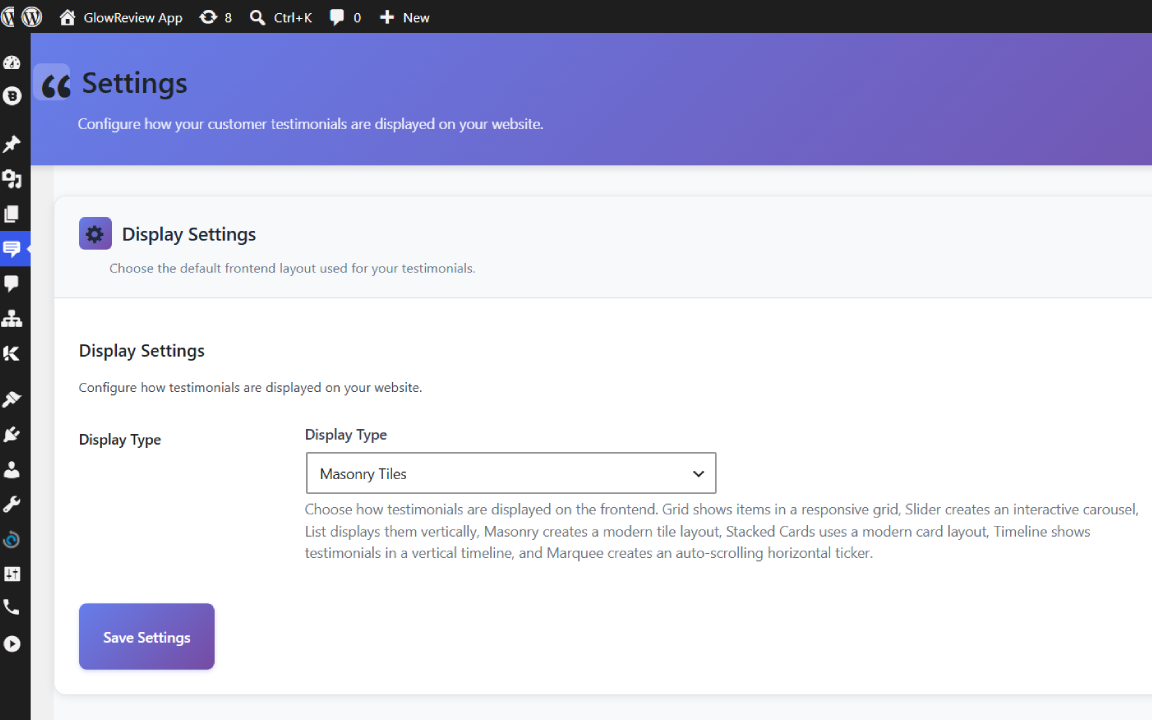
- Multiple Display Layouts: Grid, Slider / Carousel, Marquee (auto-scrolling ticker), Masonry, Stacked, Timeline, and List.
- Anti-Spam & Fraud Protection: Multi-layered defense with honeypot fields, submission timing checks, IP rate limiting, nonce validation, and duplicate-email review updates.
- 100% Lightweight & Core Web Vitals Friendly: Built with clean native WordPress APIs and modular CSS. Zero heavy external dependencies or CDN trackers.
🧱 Native Gutenberg Block Editor Support
GlowReviews provides two first-class blocks for modern WordPress and Full Site Editing (FSE):
-
Testimonials Showcase (
glowreviews/display-testimonials):- Live real-time visual preview in the editor.
- Switch between Grid, Slider, Marquee, Masonry, Stacked, Timeline, and Custom layouts.
- Dynamically select custom designs created in the Layout Builder.
- Real-time column slider (1–4 columns) and count limit.
- Filter testimonials by category.
- Toggle star ratings, avatars, reviewer company names, job titles, and dates.
-
Customer Feedback Form (
glowreviews/feedback-form):- Interactive review submission form preview.
- Inspector controls for form title, title visibility, and custom CSS classes.
🎨 Multiple Display Layouts & Visual Effects
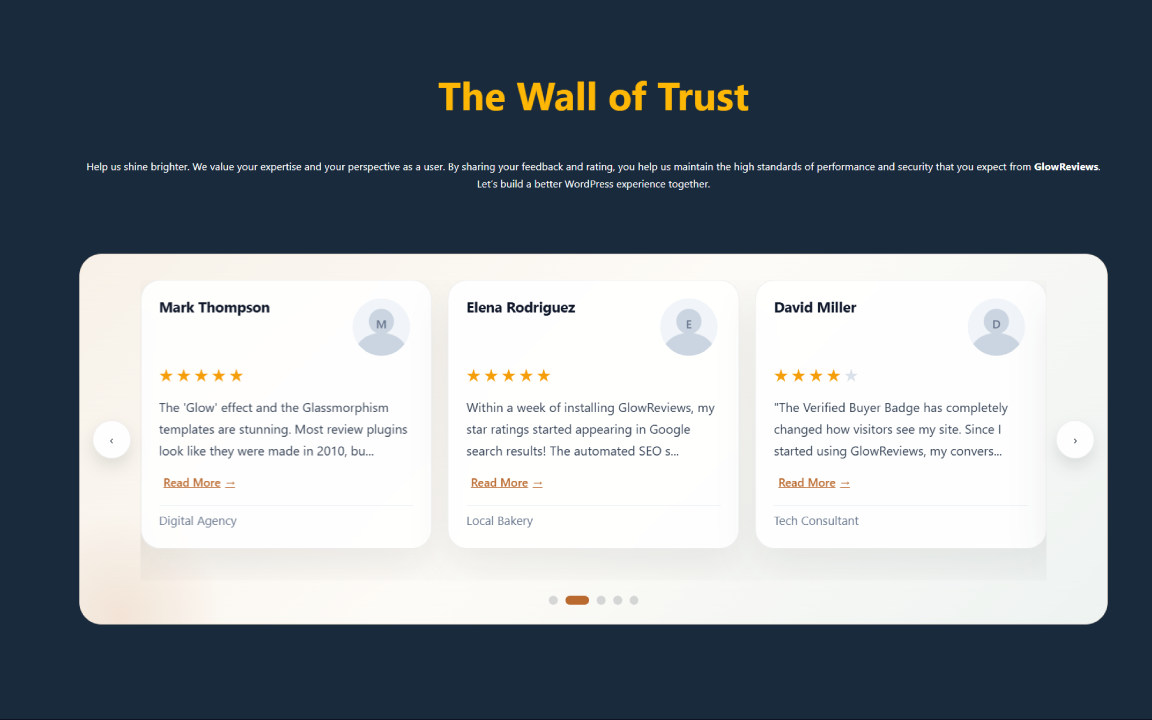
- Slider / Carousel: Touch-friendly testimonial carousel with smooth navigation arrows and pagination.
- Marquee: Seamless, auto-scrolling horizontal ticker for modern landing pages.
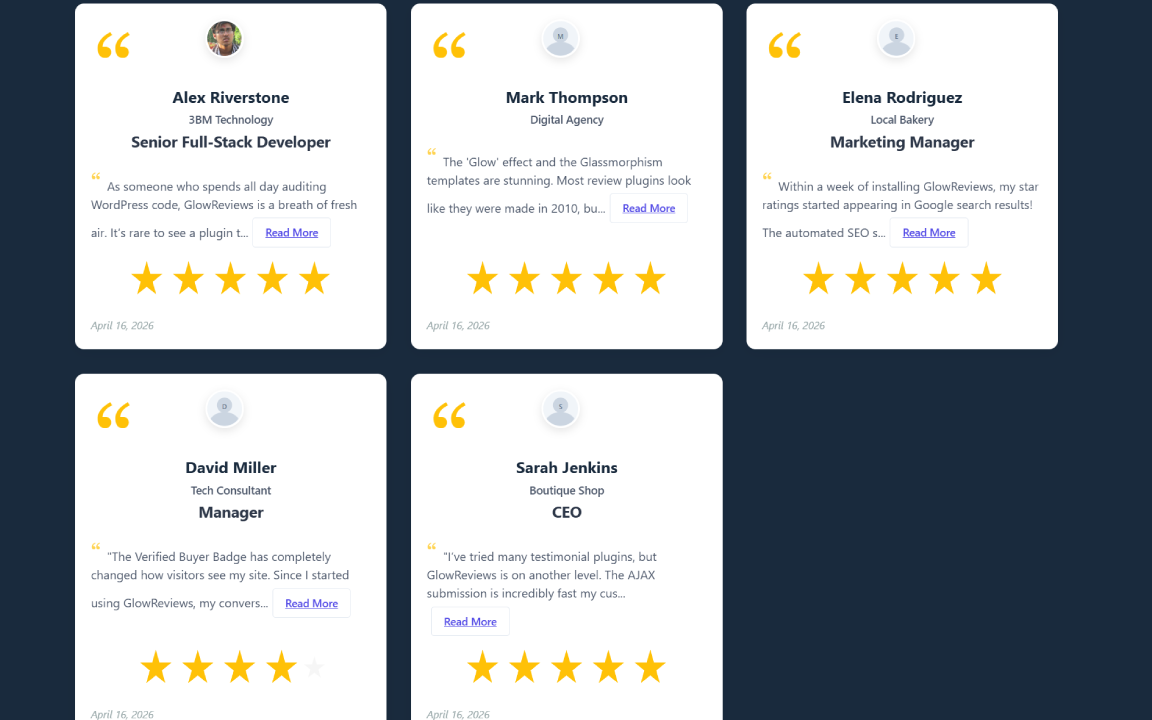
- Grid: Clean responsive grid with 1 to 4 customizable columns.
- Masonry: Dynamic Pinterest-style layout that adapts naturally to testimonials of varying lengths.
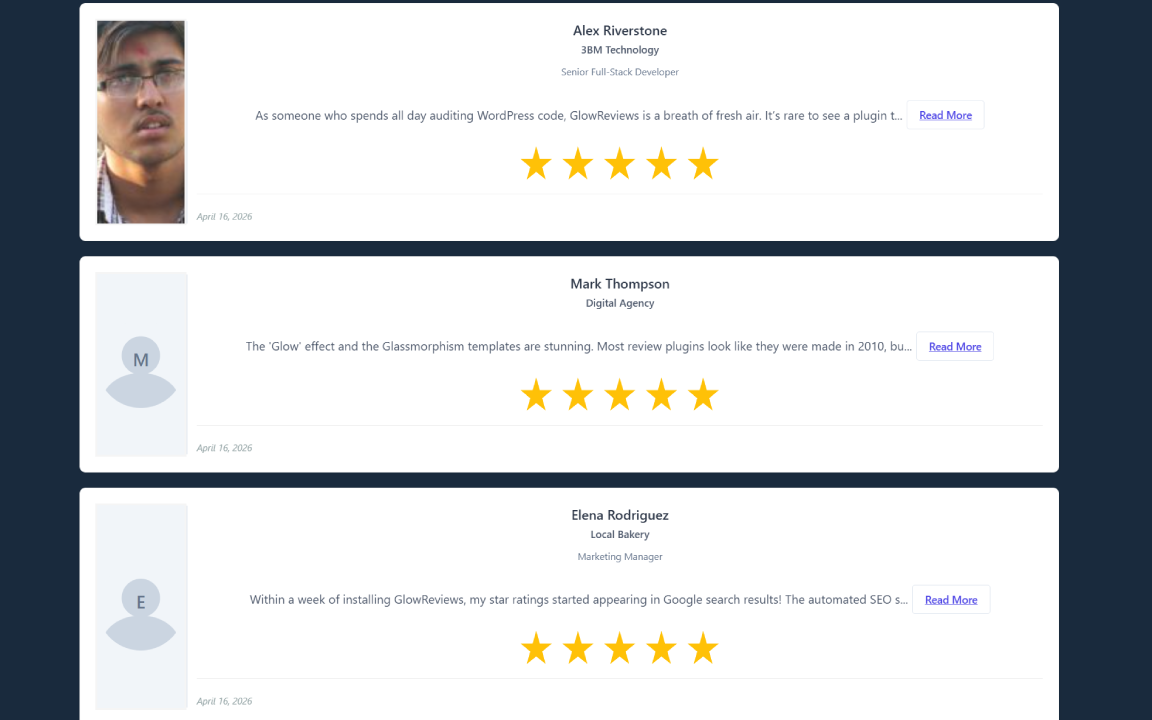
- List: Traditional vertical layout ideal for detailed case studies.
- Stacked: Modern stacked card design for high-impact social proof.
- Timeline: Chronological story-driven testimonial feed.
- Custom Layouts: Create and save unique designs with our drag-and-drop card builder.
🛡️ Smart Feedback Collection & Moderation
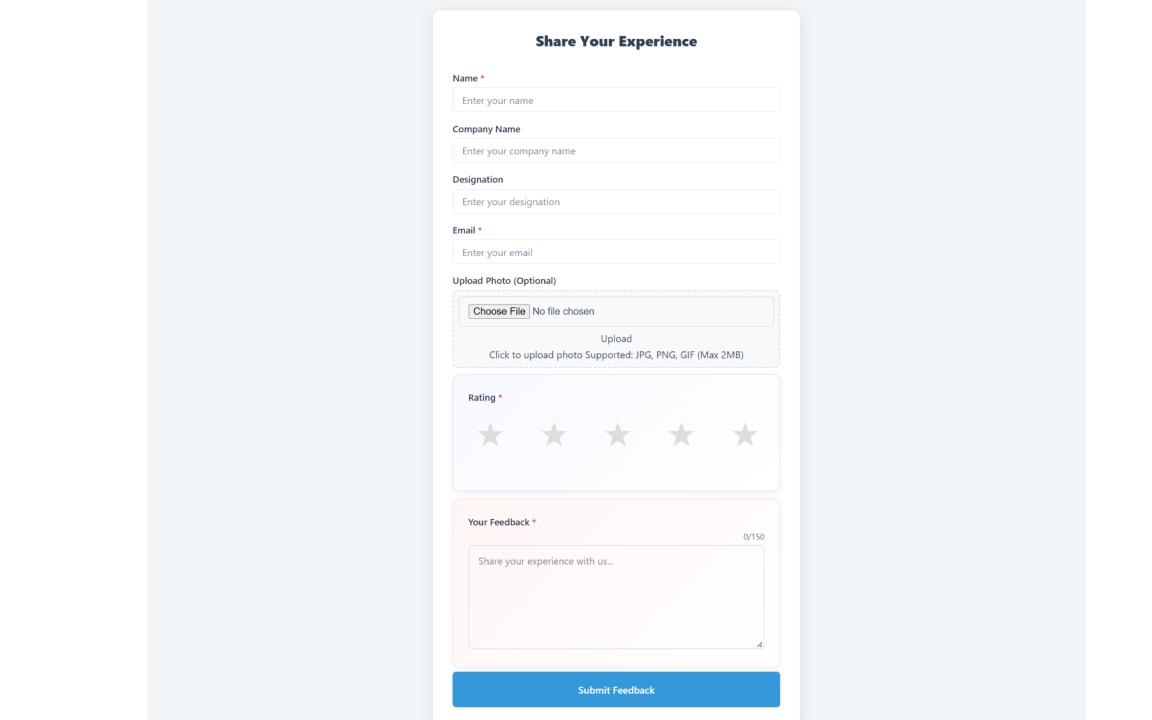
- Frontend Submission Form: Clean 1-5 star rating selector, name, company, designation, email, customer photo upload (up to 2MB), and testimonial text.
- Duplicate Email Protection: If an existing reviewer submits feedback with the same email, GlowReviews allows them to update their existing testimonial rather than creating spam duplicates.
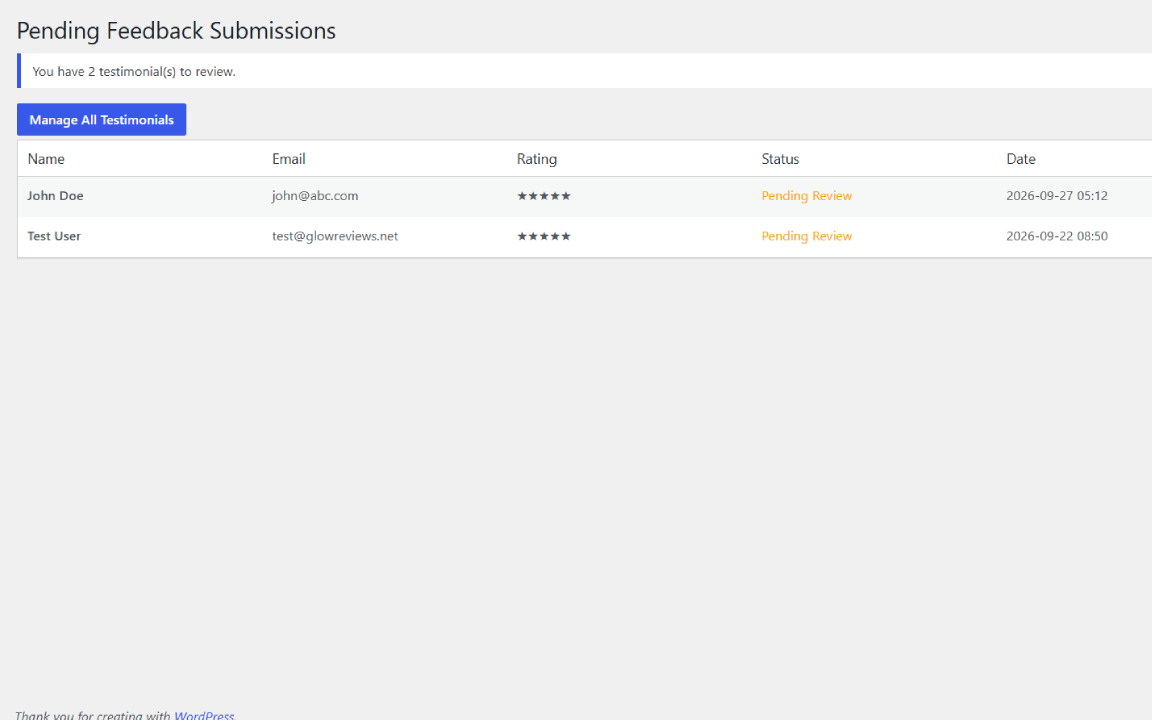
- Pending Moderation Queue: All submissions are queued under
GlowReviews > Pending Feedbackwhere site administrators can review, approve, edit, or reject entries before they go public. - Avatar Fallbacks: Supports customer photo uploads, WordPress user profile avatars, Gravatars, or clean inline SVG initials for non-photo reviewers.
- Expandable Content: Testimonial text longer than 120 characters features an automatic
Read More/Read Lessexpander to keep card heights uniform.
🚀 Key Features Summary
- Collect feedback with 1-5 star ratings
- Native Gutenberg Blocks with live in-editor previews (
/testimonial,/review) - 1-Click sample testimonial generator and 1-click removal
- Advanced drag-and-drop layout builder with live responsive device preview
- 14+ preset layout templates (Glassmorphism, Gradient Border, Social Proof, Rating-First)
- Display approved testimonials in grid, slider, list, masonry, stacked, timeline, marquee, or custom layouts
- Touch-enabled carousel slider with navigation controls
- Smooth continuous auto-scrolling marquee ticker
- Show
Read More/Read Lesstoggles for longer reviews - Customer image upload validation (JPG, JPEG, PNG, GIF up to 2MB)
- Avatar fallbacks for WordPress profile photos, Gravatar, and SVG initials
- Dedicated Pending Feedback moderation screen with approve/reject actions
- Spam protection: honeypots, nonce verification, form timing validation, and IP rate limiting
- Duplicate email detection with review update flow
- Fully compatible with Elementor, Divi, Beaver Builder, Bricks, and classic themes via shortcodes
- Uses WordPress Object Caching APIs to minimize database queries
- Scroll reveal entry animations
- Clean WordPress Coding Standards (WPCS) compliance
Installation
- Upload the
glowreviewsfolder to your/wp-content/plugins/directory, or search for Glow Reviews in Plugins > Add New in your WordPress dashboard. - Activate the plugin through the Plugins menu in WordPress.
- Navigate to GlowReviews in your admin sidebar.
- Click Load 5 Sample Testimonials on the empty state banner to preview layouts immediately, or launch the Layout Builder under
GlowReviews > Layout Builder. - Insert testimonials or feedback forms on any page using:
- Gutenberg Blocks: Search for
/testimonialor/reviewin the block inserter. - Shortcodes: Add
[glowrev-display-testimonials]or[glowrev-feedback-form]anywhere.
- Gutenberg Blocks: Search for
FAQ
Does GlowReviews support the Block Editor (Gutenberg) and Full Site Editing (FSE)?
Yes! GlowReviews provides two native Gutenberg blocks with live in-editor previews and inspector controls:
* Testimonials Showcase (glowreviews/display-testimonials) – Select layout (Grid, Slider, Marquee, Masonry, Custom), columns, category, and display toggles directly in the block sidebar.
* Customer Feedback Form (glowreviews/feedback-form) – Embed an interactive 1-5 star feedback form with custom title controls.
Search for /testimonial, /review, or /glow in the Block Inserter to add them.
How do I collect feedback?
You can insert the review form using the native Gutenberg block Customer Feedback Form or with the shortcode:
[glowrev-feedback-form]
Available form shortcode attributes:
* title – Form title. Default: Share Your Experience
* show_title – Show or hide the title (yes or no). Default: yes
* class – Add a custom wrapper CSS class
What fields are included in the feedback form?
- Reviewer Name
- Company Name
- Job Title / Designation
- Email Address
- 1-5 Star Rating
- Optional Customer Photo / Avatar upload (JPG, PNG, GIF up to 2MB)
- Testimonial Text
How do I display testimonials on my site?
Insert the Testimonials Showcase block in the Block Editor, or use the display shortcode:
[glowrev-display-testimonials]
Supported shortcode attributes:
* layout – grid, slider, list, masonry, stacked, timeline, marquee, or custom
* limit – Number of testimonials to display. Default: -1 (all)
* columns – Columns for grid/masonry layouts (1 to 4). Default: 3
* category – Filter by category slug(s), comma-separated
* custom_layout – ID of a custom layout created in the Layout Builder
* orderby – date, title, or rand. Default: date
* order – DESC or ASC. Default: DESC
* show_rating – yes or no. Default: yes
* show_image – yes or no. Default: yes
* show_company – yes or no. Default: yes
* show_designation – yes or no. Default: yes
* show_date – yes or no. Default: yes
* show_excerpt – yes or no. Default: yes
Example for a 6-item slider:
[glowrev-display-testimonials layout=”slider” limit=”6″ show_rating=”yes” show_company=”yes”]
Example for a marquee ticker:
[glowrev-display-testimonials layout=”marquee” limit=”10″]
Example for a custom layout created in the builder:
[glowrev-display-testimonials layout=”custom” custom_layout=”123″]
How does the Layout Builder work?
Access the Layout Builder directly from GlowReviews > Layout Builder in wp-admin:
* Drag-and-Drop Interface: Drag identity, star rating, avatar, quote, and date fields into sections.
* 14+ Presets: Select from ready-made presets (Glassmorphism, Gradient Border, Social Proof, Rating-First, Minimal, Corporate).
* Live Responsive Preview: Test your layout in real time across desktop, tablet, and mobile viewports.
* Shortcode Generator: Easily copy the generated shortcode for any saved layout.
Can customers update an existing feedback entry?
Yes. If a submission uses an email address that already exists in the database, GlowReviews detects it and allows the customer to update their existing testimonial rather than creating a duplicate. Updated submissions return to pending moderation for admin review.
Do testimonials appear automatically after submission?
No. All frontend submissions enter a pending moderation state to protect your site against spam and inappropriate content. You can review and approve them under GlowReviews > Pending Feedback.
How do I moderate submissions?
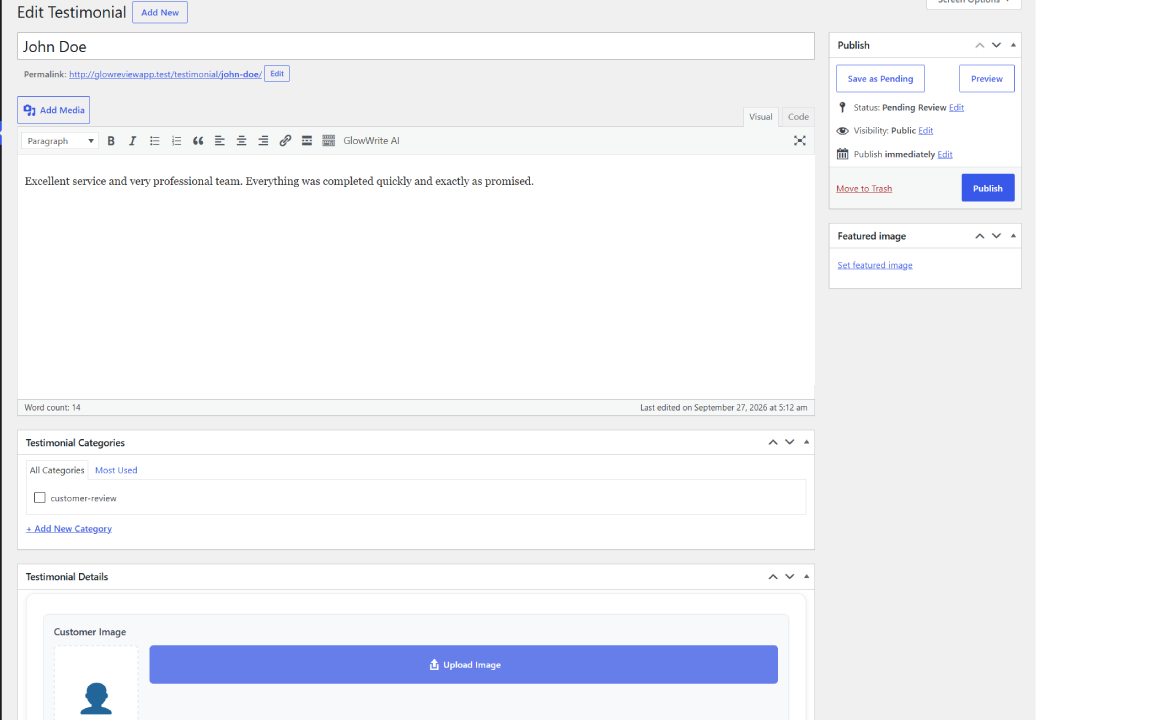
Go to GlowReviews > Pending Feedback where you can:
* Review customer ratings, messages, and uploaded photos.
* Approve testimonials to display immediately on your site.
* Reject testimonials (moves them to trash).
* Edit testimonial content and metadata before publishing.
Is GlowReviews compatible with Elementor, Divi, Beaver Builder, and Bricks?
Yes! In addition to native Block Editor (Gutenberg) blocks, GlowReviews works seamlessly with Elementor, Divi, Beaver Builder, Bricks, and classic themes. Simply drop [glowrev-display-testimonials] or [glowrev-feedback-form] into any page builder’s Shortcode or HTML widget.
Is GlowReviews optimized for speed and Core Web Vitals?
Yes. GlowReviews is built using native WordPress APIs and modular CSS. It introduces zero external CDN dependencies, avoids heavy JavaScript libraries on frontend display, and utilizes WordPress object caching to keep database queries minimal.
What spam and fraud protections are included?
- WordPress nonce verification
- Invisible honeypot trap fields for bots
- Submission timing validation
- IP-based rate limiting (3 submissions per hour, 10 per day per IP)
- Duplicate email detection
- Strict file type (JPG, PNG, GIF) and file size (max 2MB) validation
- Complete sanitization and escaping across all inputs and outputs
Screenshots

Changelog
1.2.1
- Added native Gutenberg Blocks: Testimonials Showcase (
glowreviews/display-testimonials) and Customer Feedback Form (glowreviews/feedback-form) with real-time in-editor previews and sidebar controls - Added 1-Click Sample Testimonials generation and one-click removal to eliminate the empty-state cold start
- Unified admin menu architecture: relocated Layout Builder directly under the primary GlowReviews menu and added legacy redirects
- Added modern, dismissible Welcome & Quick-Start guide upon activation
- Updated WordPress Playground blueprint with automatic active preview landing page and pre-seeded sample data
- Optimized WordPress.org keyword tags and short description for long-tail discovery
- Added value-triggered social proof review prompt for satisfied users
- Added Update Log & Version History to the built-in documentation page
1.2.0
- Added advanced drag-and-drop Layout Builder with preset designs
- Added gallery view for browsing and selecting preset layouts
- Added live preview with device switching (desktop, tablet, mobile)
- Added scroll reveal animations for enhanced user experience
- Added marquee layout for auto-scrolling testimonial display
- Added inline SVG avatar fallback for testimonial authors
- Improved custom layout rendering with template system
- Added device-responsive preview in layout builder
- Updated documentation with video tutorial link
- Enhanced preset layout templates with modern designs
1.1.1
- Added a masonry tile display for testimonials
- Improved WordPress coding standards compliance
- Streamlined plugin structure for better performance
1.1.0
- Added
Read More/Read Lesstoggle for testimonial text longer than 120 characters across grid, list, and slider layouts - Improved slider navigation positioning and rating display behavior
- Centered testimonial text in the grid layout
- Standardized plugin-facing prefixes for settings, cache groups, filters, and shortcode documentation
- Improved readme, shortcode examples, and documentation to match the current plugin usage
- Replaced the duplicate-email
meta_querylookup with a prepared cached email lookup for smoother submissions - Improved WordPressCS and PHPCS compliance for escaping, translators comments, nonce verification, line endings, BOM handling, and naming conventions
- Added duplicate email detection and customer review update flow
- Added dedicated Pending Feedback admin screen with approve and reject actions
- Improved frontend form validation and secure submission handling
- Added honeypot fields, form timing checks, and IP-based rate limiting
- Added file upload validation for allowed image types and maximum size
- Improved logged-in user avatar support and testimonial image handling
- Added migration helpers for older CLVO settings, post types, and admin URLs
- Improved caching for testimonial queries and taxonomy term lookups
- Added plugin documentation and streamlined admin settings access
1.0.0
- Initial public release