


Description
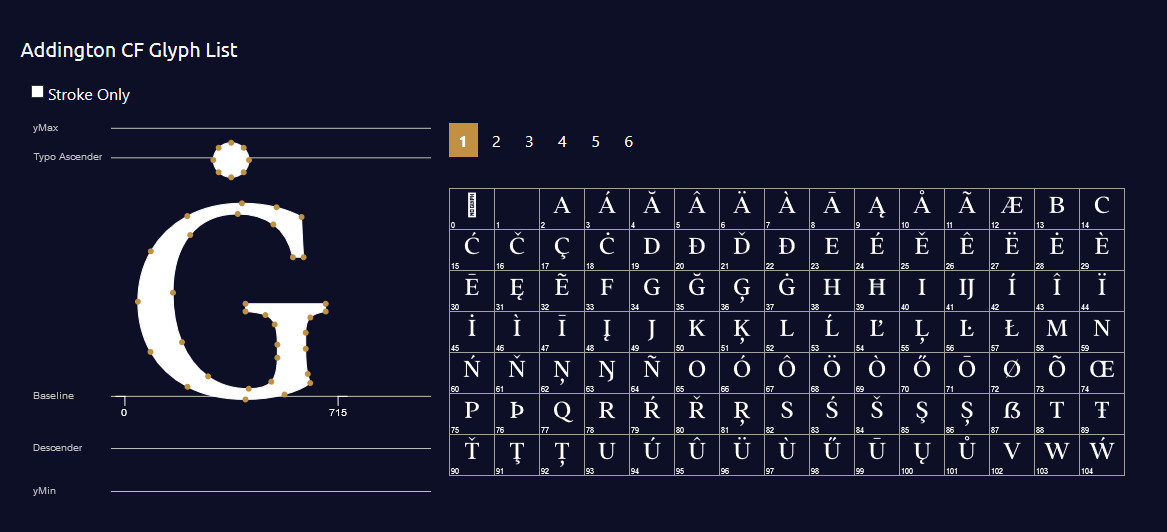
Generate your font glyph in your page with simple shortcode. Showcase your font to your client with hidden glyph
Installation
- Upload
glyph-generator.zipto the/wp-content/plugins/directory - Activate the plugin through the ‘Plugins’ menu in WordPress
- Use [draglyph] shortcode in your page / post / product page.
- Include Options into your shortcode. eg. [draglpyh url=’your-font-url’ glyph=’#000′ stroke=’#red’]
FAQ
What Attributes that I can use ?
- fonturl => Your font url (default : use Roboto-Black)
- fill => Color for glyph and glyph items (default: #000)
- stroke => Color of glyph’s stroke (default: #fff)
- numpage => How many glyph items do you want to show in a page (default : 100)
- upfont => Enable visitor to check their own font (default:1) ~ value: 1 = allow – 0 = false
Is it support Woocommerce
Just put the shortcode in product description or additional tabs, and it’s ready to action
Do you have Demo
You can see the plugin in action at https://indras3hat.com/glyph-generator
Can I contact you for support ?
Yes! you can send your questions to ask@indras3hat.com
Screenshots

Changelog
1.0.0
- Initial Release
Library use :
Opentype.js