

Description
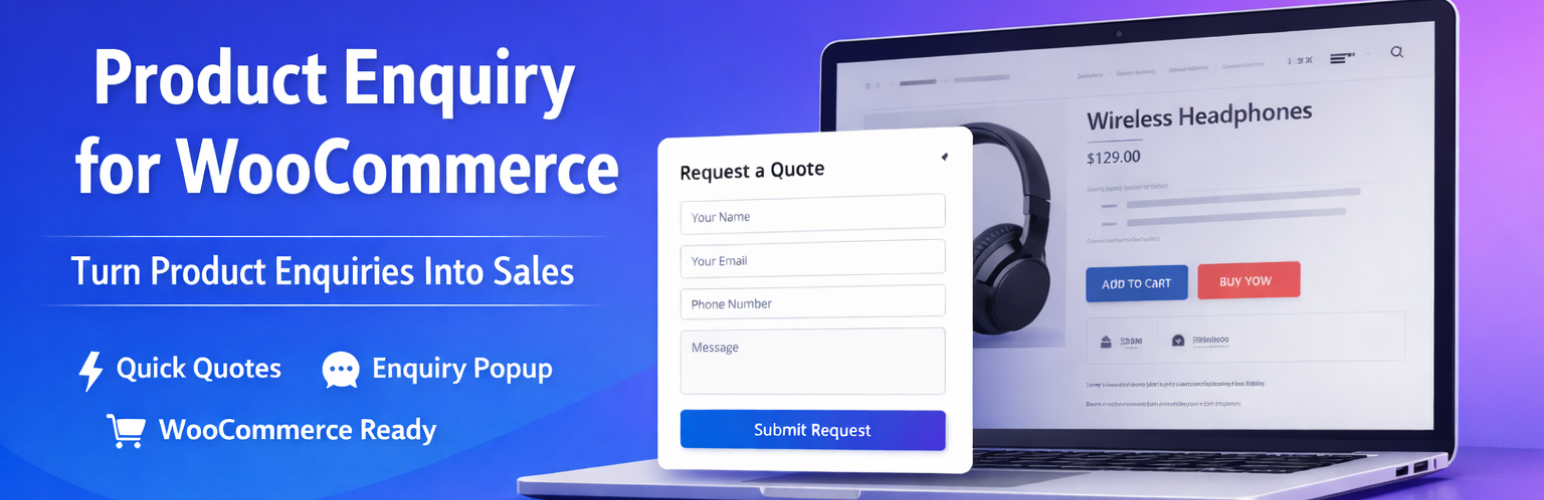
Turn your WooCommerce store into a powerful Request a Quote and Product Enquiry system.
Product Enquiry for WooCommerce allows customers to ask questions, request custom pricing, or submit quote requests directly from product pages — without going through the standard checkout process.
Perfect for B2B stores, wholesalers, manufacturers, distributors, and businesses that need flexible pricing or catalog mode functionality. Capture high-intent leads and convert price-sensitive visitors into serious enquiries.
🔗 Documentation | 🔗 Demo | 🔗 Pro Version | 🔗 Support
Why Use This Plugin?
- Add a “Request a Quote” button on your product pages
- Collect structured enquiry information via a custom form
- Allow customers to submit bulk quote requests for multiple products
- Increase B2B lead generation with every product page visit
Whether you need a simple “Ask a Question” button or a complete WooCommerce quote system, this plugin gives you full control.
Free Features
Quote Request & Enquiry Button
- Add a “Request a Quote” or “Product Enquiry” button to product pages
- Replace or hide the Add to Cart button
- Custom button placement on the product page
- Enquiry cart for submitting bulk quote requests across multiple products
Form Builder
- Edit, reorder, enable and require the built-in fields (name, email, subject, mobile, message)
- Add your own Text and Textarea fields
- Required field validation
- Custom labels and placeholder text
- Google reCAPTCHA v2 and v3 support to prevent spam
Email Notifications
- Instant admin email notification on every new enquiry
- Automatic customer confirmation email after submission
- Customizable email subject and body content
- Dynamic placeholders to include product name, customer details, and form data
Display Rules & Visibility Controls
- Show the enquiry button for all visitors or logged-in users only
- Include or exclude specific product categories
- Show the enquiry button for out-of-stock products
- Flexible per-product visibility settings
Design & Customization
- Customize button colors and styling
- Add custom content before or after the enquiry form
- Choose between label or placeholder display modes
- Fully responsive layout for mobile and desktop
Management & Reporting
- View all enquiries in a dedicated WordPress dashboard panel
- Filter enquiries by date range
- Export all enquiry data to CSV
- Track and manage customer requests from one place
Translation & Compatibility
- Fully translatable with .pot file included
- Compatible with WPML and other multilingual plugins
- RTL and LTR layout support
- Works with most WooCommerce themes
Pro Features
Upgrade to the Pro version for advanced controls and extended functionality:
- Advanced Category Rules — Fine-grained category-based display logic with include/exclude conditions
- Extended Form Builder — Additional field types and conditional logic for more powerful forms
- Enhanced Email Customization — Advanced email templates with HTML support and more dynamic placeholders
- Enhanced Catalog Mode — More granular control over which products show prices or Add to Cart
- Conditional Visibility — Show or hide the enquiry button based on user role, product type, stock status, and more
Perfect For
- Wholesale and B2B WooCommerce stores
- Manufacturers and distributors
- Custom pricing and negotiable-price businesses
- Catalog-only stores with no public pricing
- Call-for-price product pages
- High-value or configurable products
- Stores that need lead capture before selling
Shortcodes
Display the enquiry cart anywhere on your site:
[gm_woo_enquiry_cart]
Display the enquiry button on a product page:
[gmwqp_enquiry_single_product]
Display the enquiry button for a specific product by ID:
[gmwqp_enquiry_single_product id=”123″]
Developer Hooks
A custom JavaScript event is triggered after a successful enquiry submission, allowing you to run custom code or fire analytics events:
window.addEventListener('Gm_enquiry_submitted', function(event) {
    console.log('Enquiry submitted!');
    console.log(event.detail);
});
Source Code
The JavaScript and CSS in the build folder are compiled from the readable sources in src-admin and src-frontend (React + SCSS), included in this plugin. Build with npm install then npm run build:admin and npm run build:frontend.
External Services
- Google reCAPTCHA (optional): if you enable reCAPTCHA in the settings, the enquiry form loads Google’s script and sends the visitor’s response token to Google for verification. See Google’s Terms and Privacy Policy.
Installation
Automatic Installation (Recommended)
- Log in to your WordPress dashboard.
- Go to Plugins > Add New.
- Search for Product Enquiry for WooCommerce.
- Click Install Now, then click Activate.
Manual Installation
- Download the plugin .zip file from the WordPress Plugin Directory.
- In your WordPress dashboard, go to Plugins > Add New.
- Click Upload Plugin and select the downloaded .zip file.
- Click Install Now, then click Activate.
After Activation
- Go to WooCommerce > Product Enquiry Settings in your dashboard.
- Configure your display options — choose which products or categories show the enquiry button.
- Set up your enquiry form fields using the drag-and-drop form builder.
- Configure admin and customer email notification settings.
- Save your settings and test the button on a product page.
FAQ
Does this plugin require WooCommerce?
Yes. WooCommerce must be installed and active for this plugin to work. The enquiry button and form are displayed on WooCommerce product pages.
Can I use this plugin to enable Catalog Mode?
Catalog mode (hiding prices and the Add to Cart button) is part of the Pro version.
Can I replace the Add to Cart button with a quote button?
The Lite version adds an enquiry button alongside the Add to Cart button. Hiding Add to Cart and prices is a Pro feature.
Can customers request quotes for multiple products at once?
Yes. The enquiry cart feature allows customers to add multiple products to an enquiry list and submit a single bulk quote request for all of them.
Can I customize the enquiry form fields?
Yes. The built-in form builder lets you edit, reorder and require fields and add your own Text and Textarea fields. Select, Radio and Checkbox fields are available in Pro. You can set required fields, custom labels, and placeholder text.
Does it support Google reCAPTCHA?
Yes. The plugin supports both Google reCAPTCHA v2 (checkbox) and v3 (invisible) to protect your enquiry form from spam submissions.
Will I receive an email when a customer submits an enquiry?
Yes. An email notification is sent to the admin immediately after each enquiry submission. A confirmation email is also sent to the customer. Both emails are fully customizable with dynamic placeholders.
Where are enquiries stored?
All enquiries are saved to your WordPress database and are accessible from a dedicated panel in your dashboard. You can filter by date and export all entries as a CSV file.
Can I show the enquiry button only to logged-in users?
Yes. The visibility controls let you choose whether the enquiry button is shown to all visitors or only to logged-in users.
Is the plugin translation-ready?
Yes. The plugin includes a .pot translation file and is compatible with WPML and other multilingual plugins. RTL layouts are also supported.
Where can I get support?
Visit the support page or post in the WordPress support forum.
Screenshots


Changelog
3.2
- New admin interface and popup design, built with the plugin’s own React components.
- Cache-friendly: settings and security token are loaded at runtime, so page caching plugins work.
- Stability improvements.
3.1
- Added Google reCAPTCHA v3 (invisible) support.
- Improved webhook POST request reliability.
- Bug fixes for enquiry cart on variable products.
3.0
- Major update: introduced drag-and-drop form builder.
- Added enquiry cart for bulk product quote requests.
- Added CSV export for enquiry entries.
- Added webhook integration support.
2.0
- Added WooCommerce Catalog Mode support.
- Added per-category display rules.
- Added customer confirmation email notifications.
- Added dynamic email placeholders.
1.0.0
- Initial release.