

Description
Graphics Cove Shop Pause & Hours gives a WooCommerce store two things that should always have been simple:
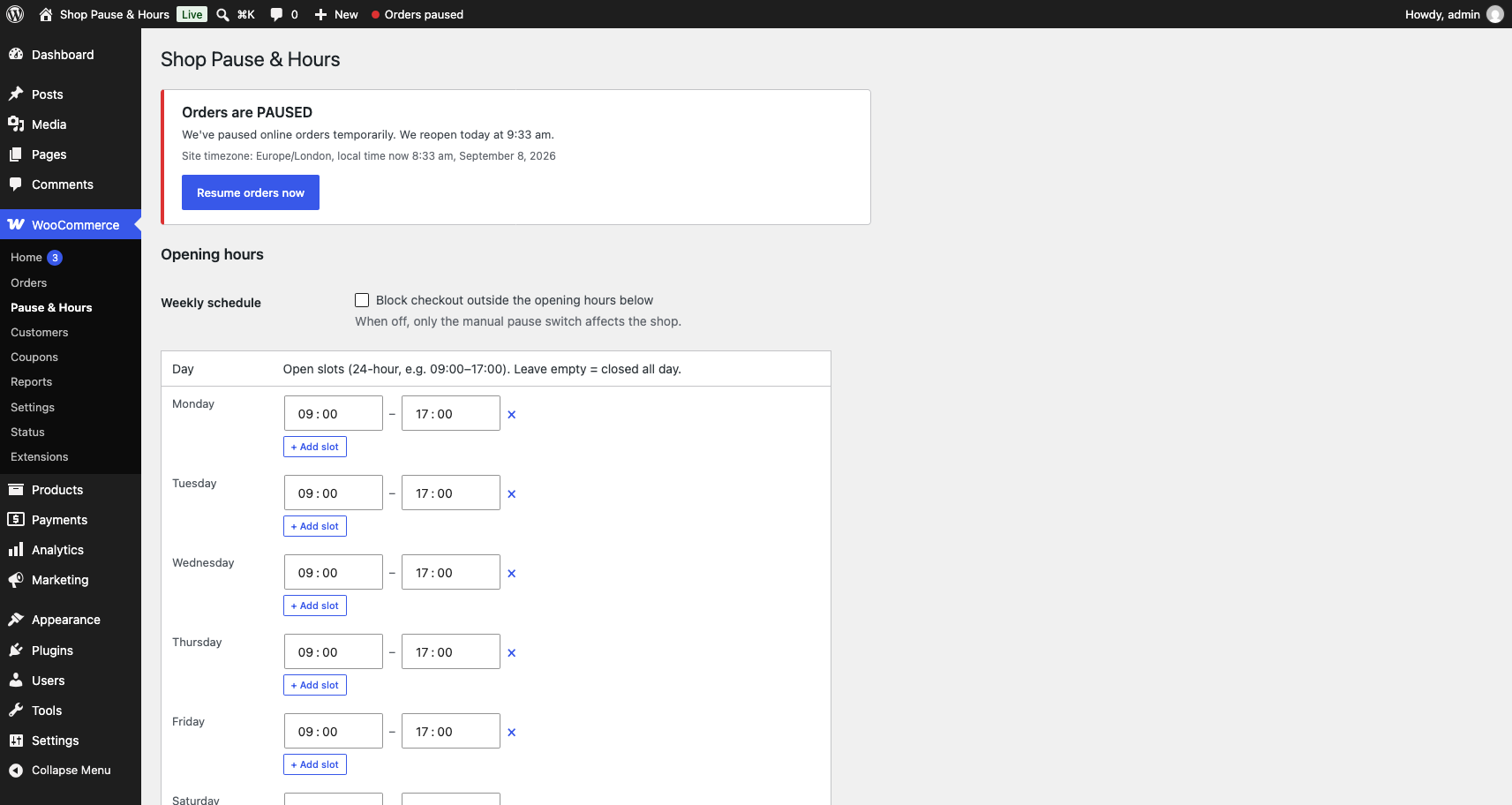
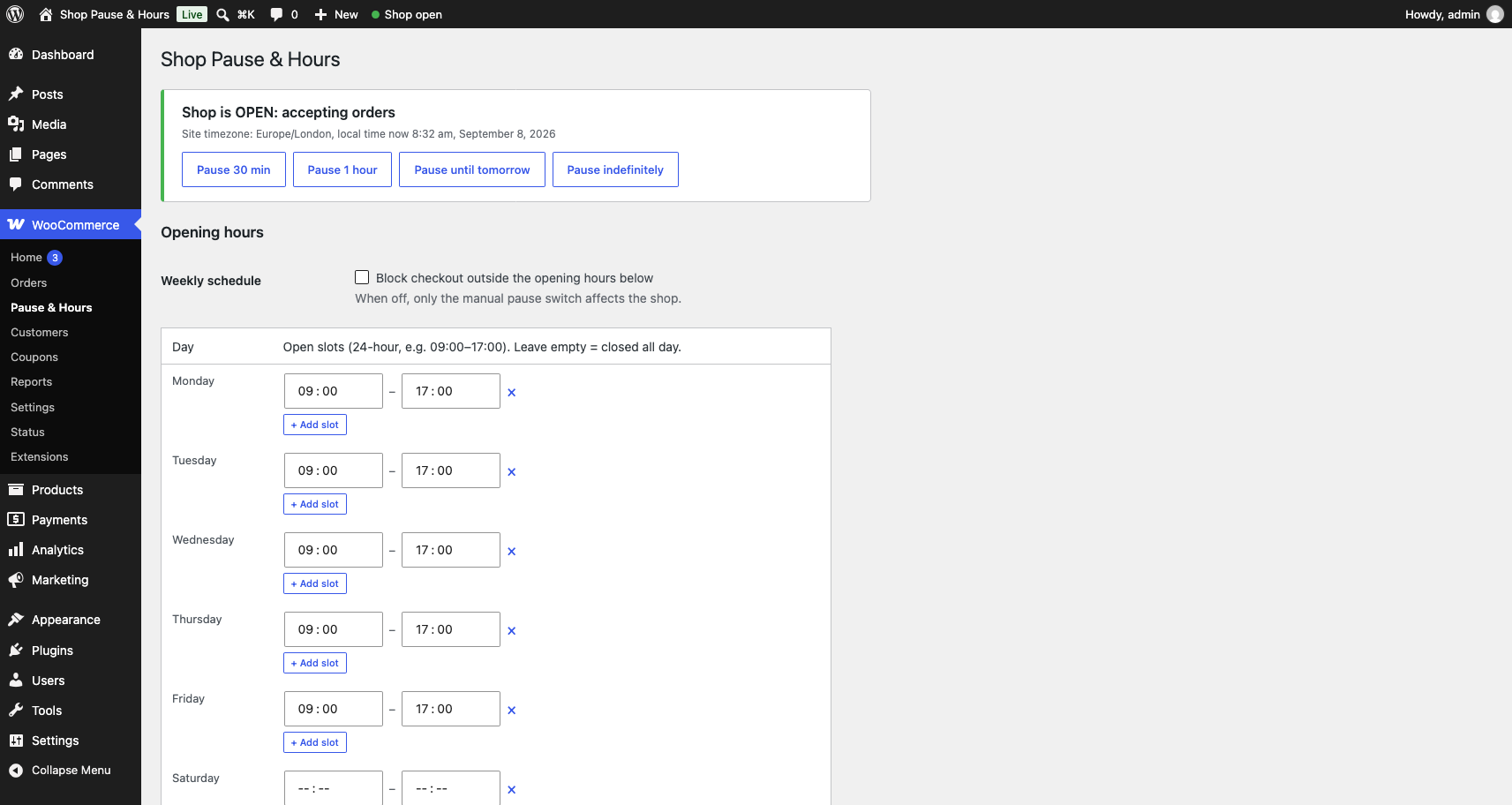
- A pause switch in the toolbar. One tap to stop taking orders: for 30 minutes, an hour, until tomorrow, or until you turn it back on. Resume in one tap.
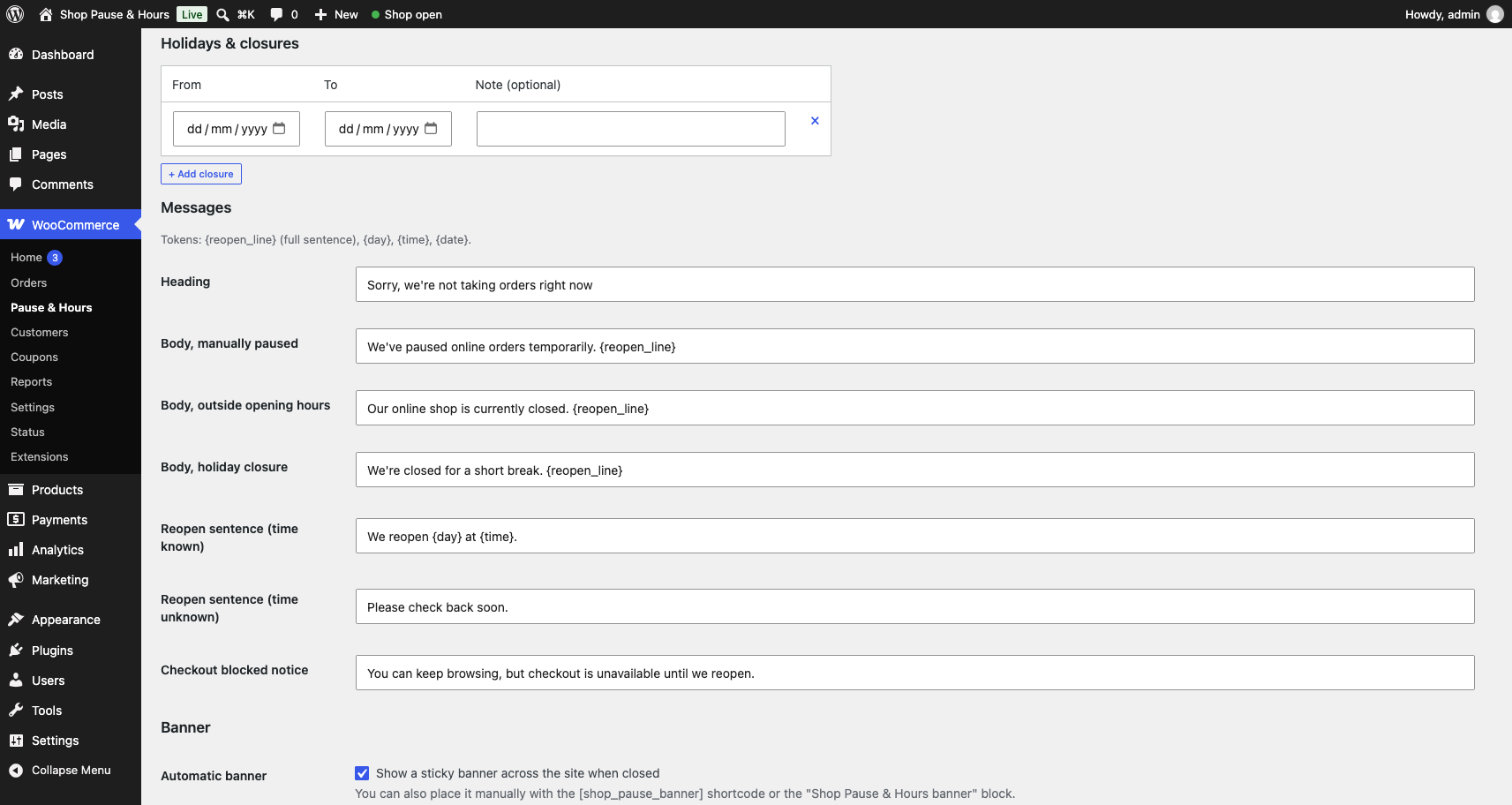
- A weekly opening-hours schedule with multiple slots per day (open for lunch, close, open again for dinner), overnight slots, and holiday date ranges.
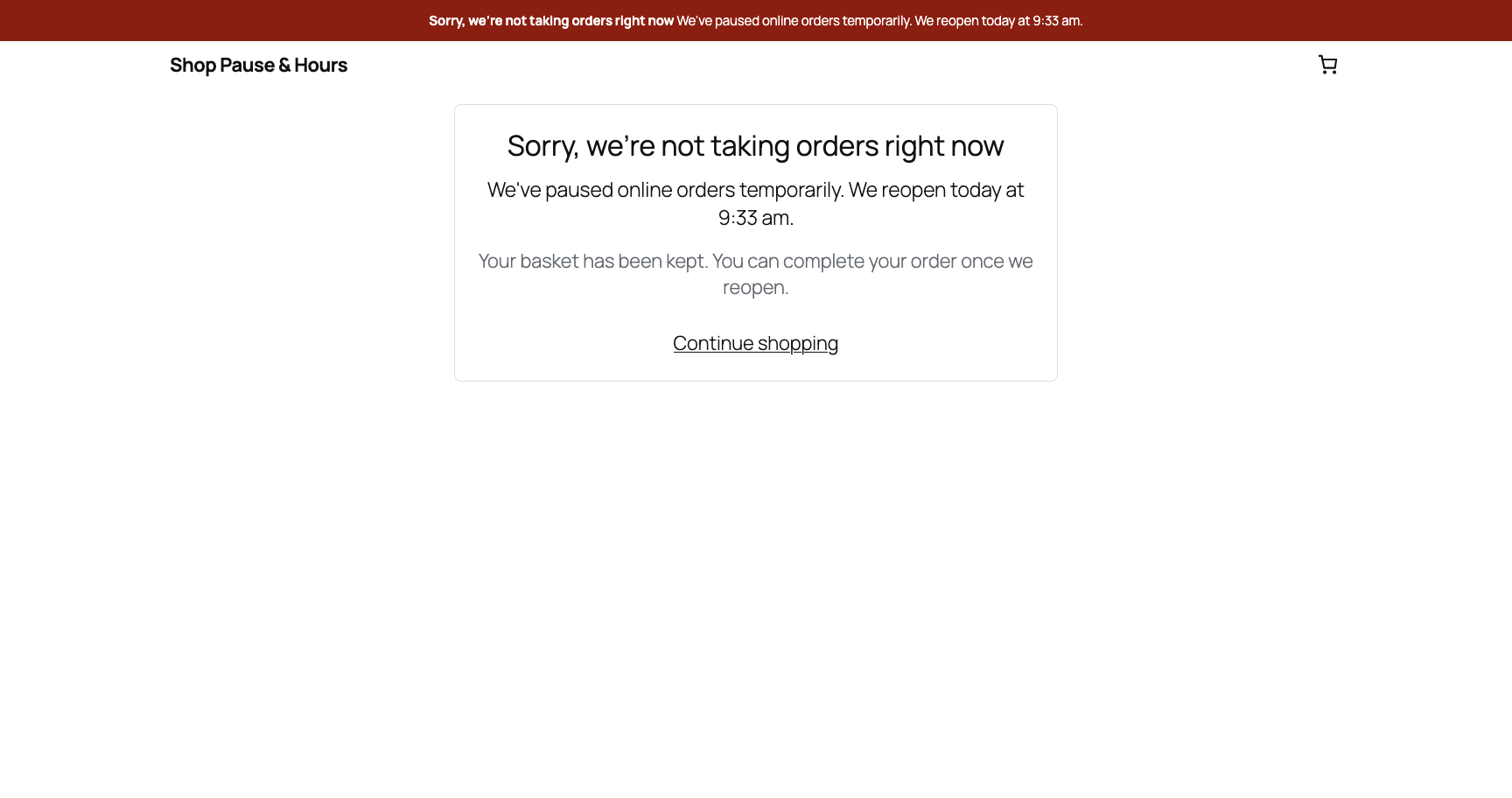
When you are paused or closed, customers can still browse and build a cart, and only checkout is blocked, with a clear “we reopen {day} at {time}” notice and banner. Popular with takeaways, cafés, bakeries and florists taking orders on their own site, but useful for any shop that closes.
Built to be reliable
The common complaint about existing hours/vacation plugins is that they get stuck: the store closes and never reopens, or orders slip through anyway. Those are symptoms of running a time-critical control on WP-Cron and page caches. This plugin avoids that:
- No WP-Cron. A pause has an end time; when it passes, it simply stops applying. There is no scheduled job that can fail to fire and leave you closed.
- Server-time check on every checkout. The block is enforced by a fresh check at the moment the order is submitted, on both the classic checkout and the block (Store API) checkout. It is not a cached flag.
- DST-safe. All schedule maths runs in your site timezone via PHP’s date handling. No manual offsets.
- Cache-aware. While gated, cart and checkout signal page-cache plugins to bypass them (
DONOTCACHEPAGE+ no-cache headers), and the banner re-checks a no-store status endpoint on load, so it still appears on a page that was cached while you were open. - Never a dead end. The pause switch and the “open now” override are separate controls, and each clears in one tap.
Free, with no account
Everything above works with no sign-up and no external service: hours, holidays, banner, shortcode, block and checkout gating. The plugin makes no external HTTP requests and stores no personal data.
Shortcode & block
- Shortcode:
[gcsph_banner] - Block: “Shop Pause & Hours banner”
Both show the closed/reopening notice only when the shop is closed or paused.
Installation
- Upload the plugin to
/wp-content/plugins/or install it through the Plugins screen. - Activate it.
- Go to WooCommerce > Pause & Hours to set your opening hours and messages.
- Use the toolbar toggle to pause and resume orders at any time.
- To check what customers see, view your shop in a logged-out / incognito window. While you are logged in as a shop manager, “Staff bypass” (on by default) lets you through to checkout even when closed.
FAQ
I paused the shop but I can still reach the checkout. Is it broken?
Almost always one of two things:
- You are logged in as an administrator or shop manager. The “Staff bypass” setting (Access section, on by default) lets logged-in shop staff reach checkout while closed, so you can test payment and delivery. This is only your view. Logged-out customers are always blocked. To see exactly what a customer sees, open your shop in a private / incognito browser window where you are not logged in.
- The pause has expired. A “Pause for 30 minutes” pause ends after 30 minutes. Check the toolbar, or WooCommerce > Pause & Hours: it should say “Orders are PAUSED” or “Shop is CLOSED”. If it says “Shop is OPEN”, set a fresh pause.
If checkout is still reachable in a logged-out window while the status clearly shows closed, please open a support thread with your theme name and whether your Checkout page uses the Checkout block or the [woocommerce_checkout] shortcode.
Does it block people from browsing the shop?
No. Only checkout is blocked. Customers can browse and add to cart. On the checkout page the order form is replaced with a notice explaining when you reopen; their basket is kept.
What about the WooCommerce block checkout?
Supported. The Checkout block is replaced with the same “we reopen at…” panel, and order placement is blocked on the Store API request as well as the classic checkout.
Will it get stuck closed like other plugins?
That is the thing this plugin is designed to avoid. Pauses expire on their own and the schedule is evaluated fresh on each request: there is no cron flag to get stuck.
Can staff still test checkout while closed?
Yes. With “Staff bypass” enabled (default), any logged-in user who can manage WooCommerce reaches a normal, working checkout even while the shop is closed, so you can place test orders. Everyone else is blocked. Turn “Staff bypass” off if you want the block to apply to you as well. Either way, always confirm the closed state in a logged-out / incognito window, since your own admin session does not reflect what customers see.
Does it work with page caching?
Yes. While gated, cart and checkout tell page-cache plugins to bypass them, and the banner self-corrects on load via a no-store status endpoint (so it appears even on a page that was cached while you were open). Edge or proxy caches (Varnish, Cloudflare, etc.) may need a rule to skip caching on the cart and checkout pages, which is standard for WooCommerce.
Screenshots

Changelog
1.0.0
- Initial release: toolbar pause switch, weekly schedule, holidays, banner (auto/shortcode/block), classic + block checkout gating, REST status endpoint.