

Description
HantarSMS connects your WordPress site to HantarSMS, a Malaysian SMS service that sends from a short code to Maxis, CelcomDigi, U Mobile, Unifi Mobile and YES numbers. Prepaid, from RM0.20 per SMS, no monthly fee.
One plugin covers the three reasons a Malaysian site sends SMS:
1. OTP login and sign-up
Tick a few boxes, no code needed:
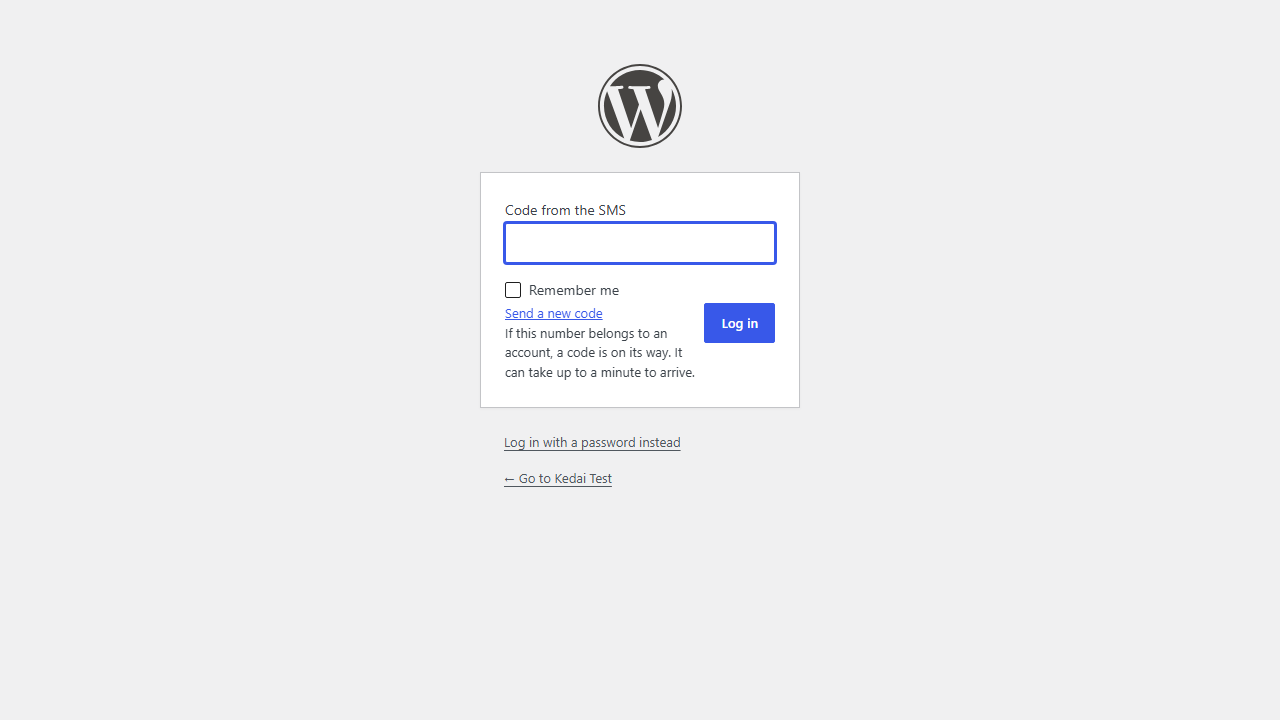
- “Log in with an SMS code” on the WordPress login page and on the WooCommerce My Account page, or anywhere (Elementor, any page builder) with the
[hantarsms_otp_login]shortcode. - One-step sign-up: a new number that verifies by SMS gets a customer account and is logged straight in. Optional.
- Verify the mobile number on the WordPress registration form and the WooCommerce registration form: a “Send code” button, and the account is only created when the code is right. One number, one account.
- Registration plugins that use the standard WordPress registration form get the same check.
- Codes are random, stored only as a keyed hash, expire after a few minutes and allow five attempts.
- Limits per phone number, per IP address and per day for the whole site stop bots from running up your SMS bill through your login form.
- With one-step sign-up off, the login form does not reveal whether a number belongs to an account, and no SMS is sent (or paid for) when it does not.
- Administrators cannot log in with an SMS code alone, by default.
- Developers can use
hantarsms_otp_send()andhantarsms_otp_verify()in their own forms.
2. WooCommerce order SMS
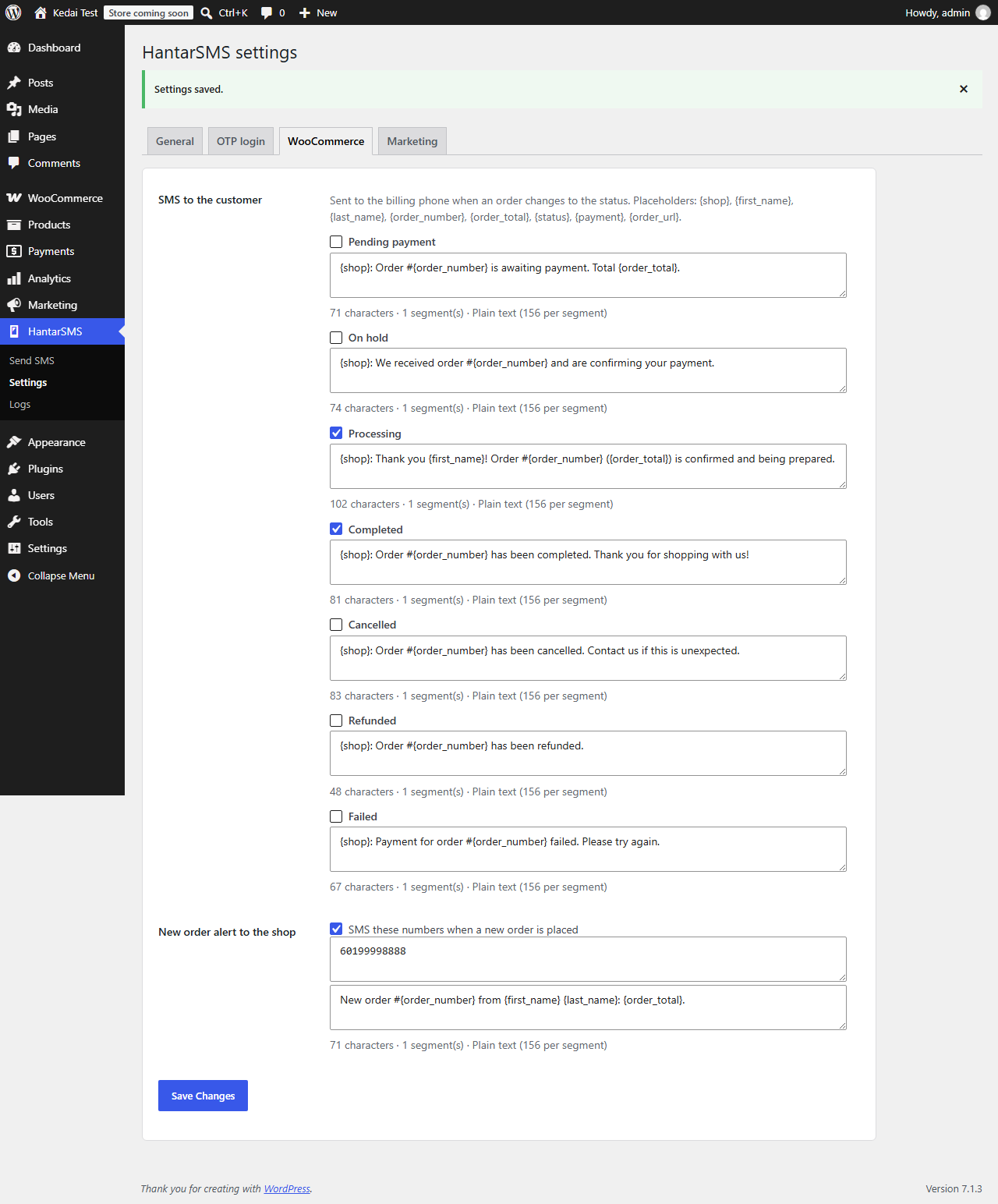
- An SMS to the customer when an order becomes Processing, Completed, Cancelled, Refunded and more — each status with its own editable template.
- A new-order alert to your own phone numbers.
- Placeholders such as
{first_name},{order_number},{order_total}and{shop}. - Sent in the background with Action Scheduler, so checkout is never slowed down. Each SMS is noted on the order.
- Compatible with High-Performance Order Storage and the block-based checkout.
3. SMS marketing campaigns
- An optional, unticked “Send me offers by SMS” checkbox at checkout (classic and block checkout), and a consent setting on each user profile.
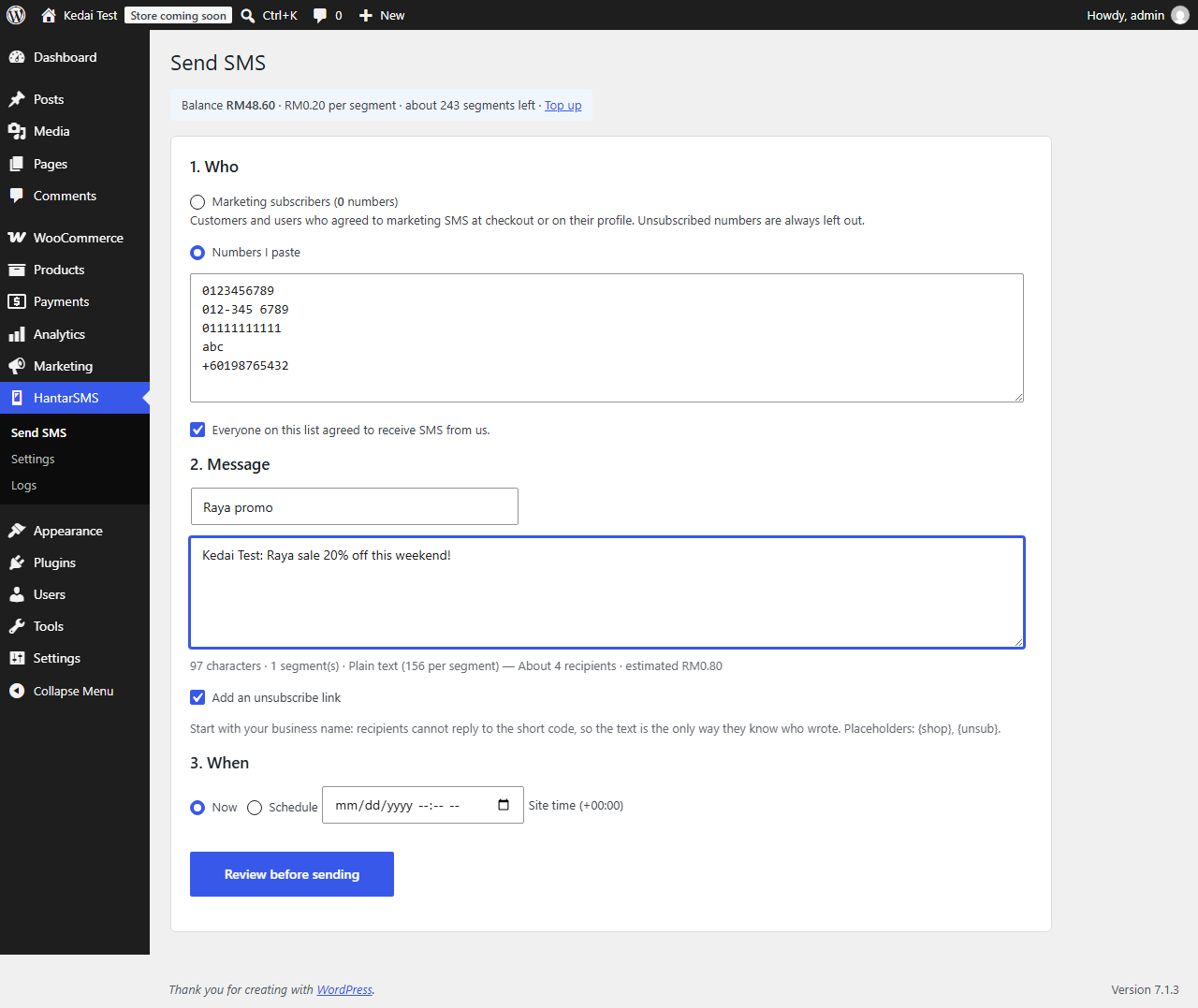
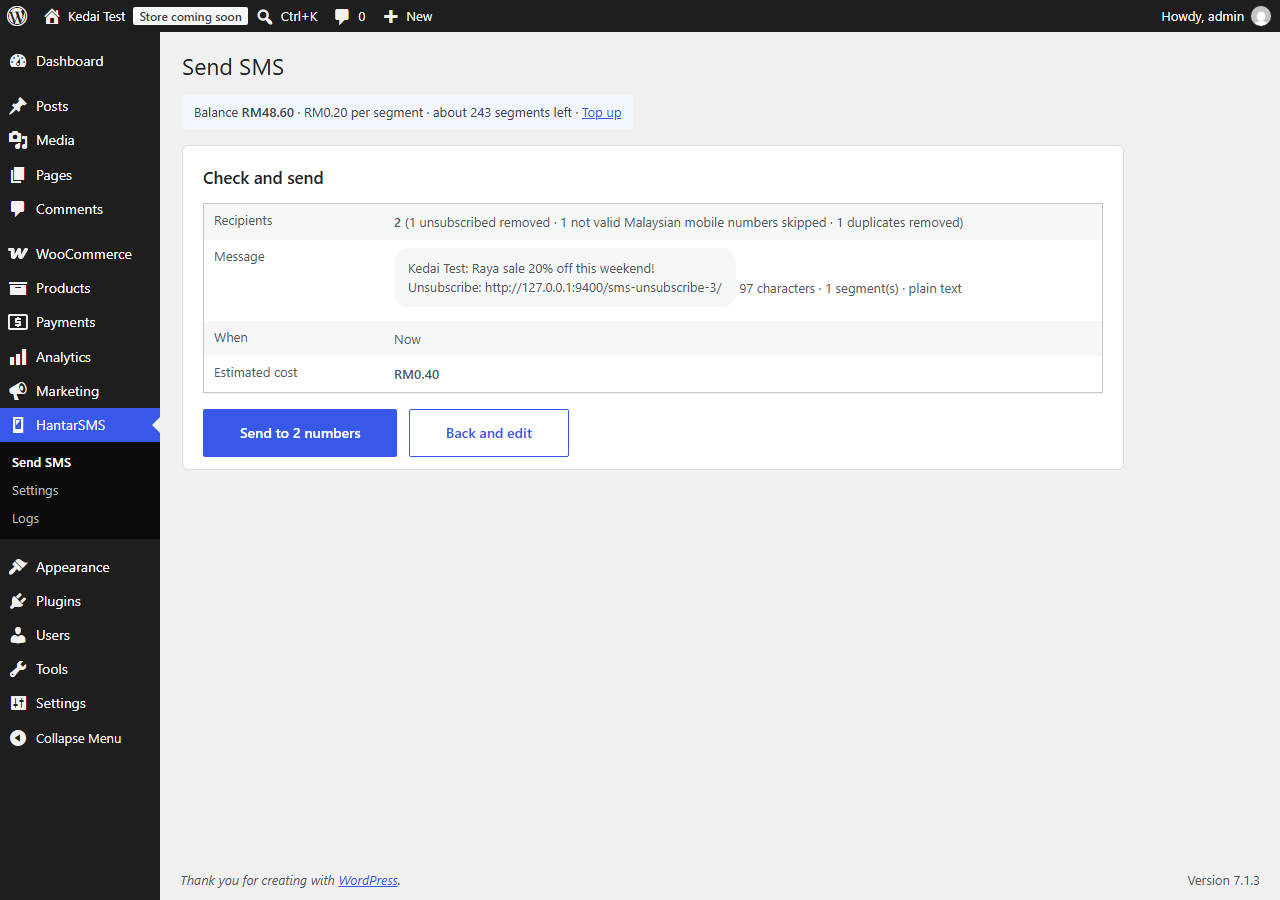
- Write a campaign, see the character count, number of segments and estimated cost while you type, review, then send now or schedule it.
- Send to everyone who agreed to marketing SMS, or paste your own list (you confirm you have consent).
- Unsubscribe built in: recipients cannot reply to a short code, so the plugin creates an unsubscribe page and can add its link to every campaign. Unsubscribed numbers are removed from every marketing send.
- Batches of up to 10,000 numbers per request, each with an idempotency key, so a retry never sends the same campaign twice.
Also included
- Balance and price per SMS on the settings screen, and a test SMS button.
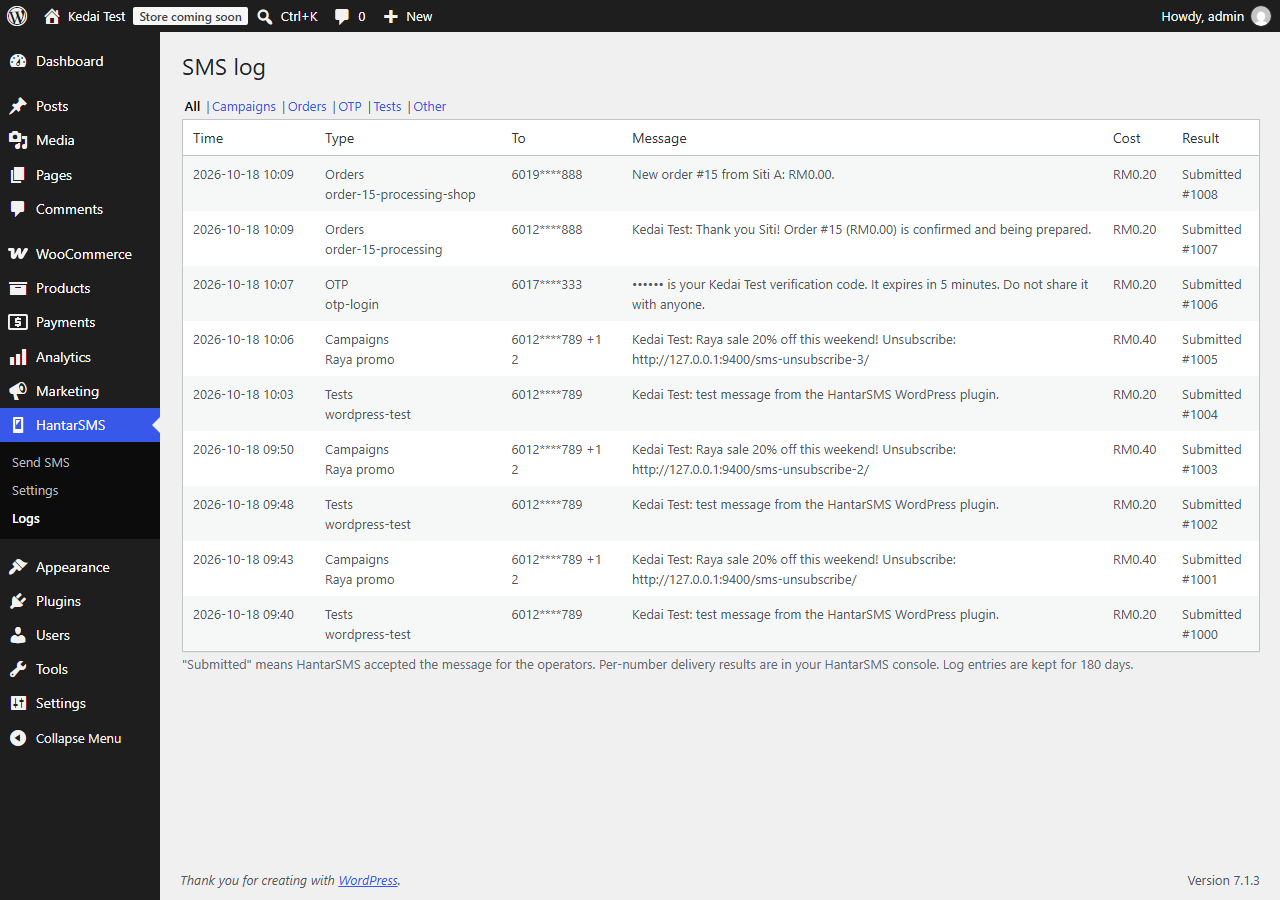
- A log of every send with cost and any error, kept for 180 days. Phone numbers in the log are masked and OTP codes are never stored.
hantarsms_send_sms( $to, $text )for developers, plus filters and actions to change messages and recipients.
Numbers can be typed in any Malaysian format: 0123456789, 012-345 6789, 60123456789 or +60123456789. Only Malaysian mobile numbers are supported.
External services
This plugin sends SMS through the HantarSMS API, operated by HantarSMS (https://hantarsms.com/). It does nothing until you enter an API key from your HantarSMS account.
What is sent, and when:
- When an SMS is sent (an OTP code, an order update, a campaign or a test), the plugin sends the recipient phone number(s), the message text and a short reference (such as “order-123-processing”) to
https://hantarsms.com/api/v1/messages, together with your API key. - When you open the plugin’s admin screens, it requests your account balance from
https://hantarsms.com/api/v1/balance, together with your API key.
No other data about your site or its visitors is sent. HantarSMS passes the phone numbers and message text to Malaysian mobile operators to deliver the SMS.
- Terms of Service: https://hantarsms.com/en/terms
- Privacy and data protection: https://hantarsms.com/en/pdpa-sms-compliance-malaysia
Installation
- Install and activate the plugin.
- Create a HantarSMS account at https://hantarsms.com/ and add credit. New accounts can ask for free trial credit on WhatsApp.
- In the HantarSMS console, open API keys and create a key.
- In WordPress, go to HantarSMS → Settings, paste the key and save. Send yourself a test SMS.
- Turn on what you need: under Login & sign-up tick where customers can log in or sign up with an SMS code, under WooCommerce pick the order SMS, and under Marketing create the unsubscribe page.
You can also put the key in wp-config.php instead of the database:
define( 'HANTARSMS_API_KEY', 'sk_live_...' );
FAQ
Which numbers can I send to?
Malaysian mobile numbers only (60 1X…). Numbers in other formats are skipped and shown as invalid before you send.
How much does it cost?
You pay HantarSMS per SMS segment, from RM0.20, from prepaid credit that does not expire. The plugin itself is free. One segment holds 156 characters of plain English, or 66 characters if the message contains Chinese, emoji or other special characters. The send screen shows the segment count and estimated cost before you confirm. See https://hantarsms.com/en/pricing.
Can recipients reply, or reply STOP?
No. Messages come from a shared, send-only short code (66886). That is why the plugin has an unsubscribe page, and why every message should start with your business name.
Do I need consent to send marketing SMS?
Yes. Under Malaysia’s Personal Data Protection Act you need consent for direct marketing and must stop when someone asks. The plugin only sends campaigns to people who ticked the consent box (or to a list you confirm has consented), and always removes unsubscribed numbers. Order updates and OTP codes are not marketing.
How do users log in with an SMS code?
Their number must be saved on their account: the “Mobile number (SMS)” field on the WordPress profile, or the WooCommerce billing phone. Numbers verified at sign-up are saved automatically. If two accounts share a number, SMS login is refused for that number.
Can customers sign up with just their phone number?
Yes. Turn on “Create an account automatically when a new number logs in with an SMS code”. The customer types their number and the code, and is logged in to a new account (role: customer with WooCommerce, otherwise your default role, never an admin role). They can add an email address later in their account.
Does it work with my registration plugin?
The number check is added to the standard WordPress registration form and the WooCommerce My Account registration form. Plugins that show the standard WordPress form (for example custom login page plugins) get it too. Plugins with their own form builders do not; for those, put the [hantarsms_otp_login] shortcode on your sign-up page with one-step sign-up turned on, or call hantarsms_otp_send() / hantarsms_otp_verify() from your form.
Does it work with Shopify?
No. This is a WordPress plugin. Shopify stores can send SMS through the HantarSMS API.
Can I use the OTP functions in my own forms?
Yes:
$sent = hantarsms_otp_send( $phone, 'my-form' );
$ok = hantarsms_otp_verify( $phone, $code, 'my-form' );
Both return true or a WP_Error. The purpose (‘my-form’) makes sure a code sent for one form cannot be used in another.
My site is behind Cloudflare or a proxy. Are the IP limits correct?
By default the plugin uses REMOTE_ADDR, because forwarded headers can be forged. If your server sees the proxy’s address, return the real visitor IP with the hantarsms_client_ip filter.
Where are delivery reports?
The plugin log shows whether HantarSMS accepted each send. Per-number delivery results are in your HantarSMS console.
Screenshots
Changelog
1.1.0
- New: verify the mobile number by SMS on the WordPress and WooCommerce registration forms.
- New: one-step sign-up, where a new number that verifies by SMS gets a customer account.
- New: “Log in with an SMS code” on the WooCommerce My Account page.
- New: a daily limit on codes for the whole site.
- Clearer setup steps and settings.
1.0.0
- First release: OTP login, WooCommerce order SMS, SMS marketing campaigns with consent and unsubscribe, send log.