


Description
Quote Requests & Deals for WooCommerce lets a customer ask for a price instead of paying the catalog price. The store replies with a custom price, shipping, discount, and tax. The customer accepts, and WooCommerce checkout charges the agreed total.
Use it for wholesale, B2B, made-to-order products, and any catalog where the price is confirmed before payment.
Quotes live in their own tables. Order reports stay limited to real orders, and High-Performance Order Storage stays compatible.
Features
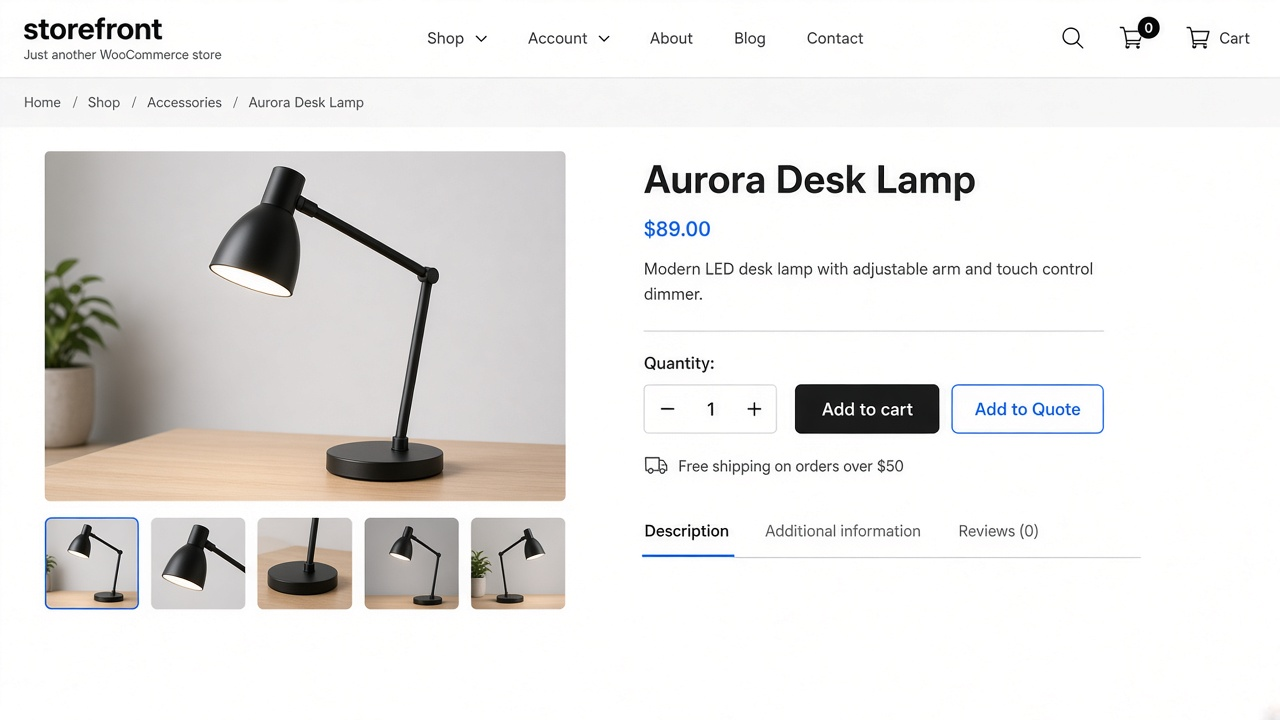
- Add to Quote button on product, shop, and category pages, for simple products and variations
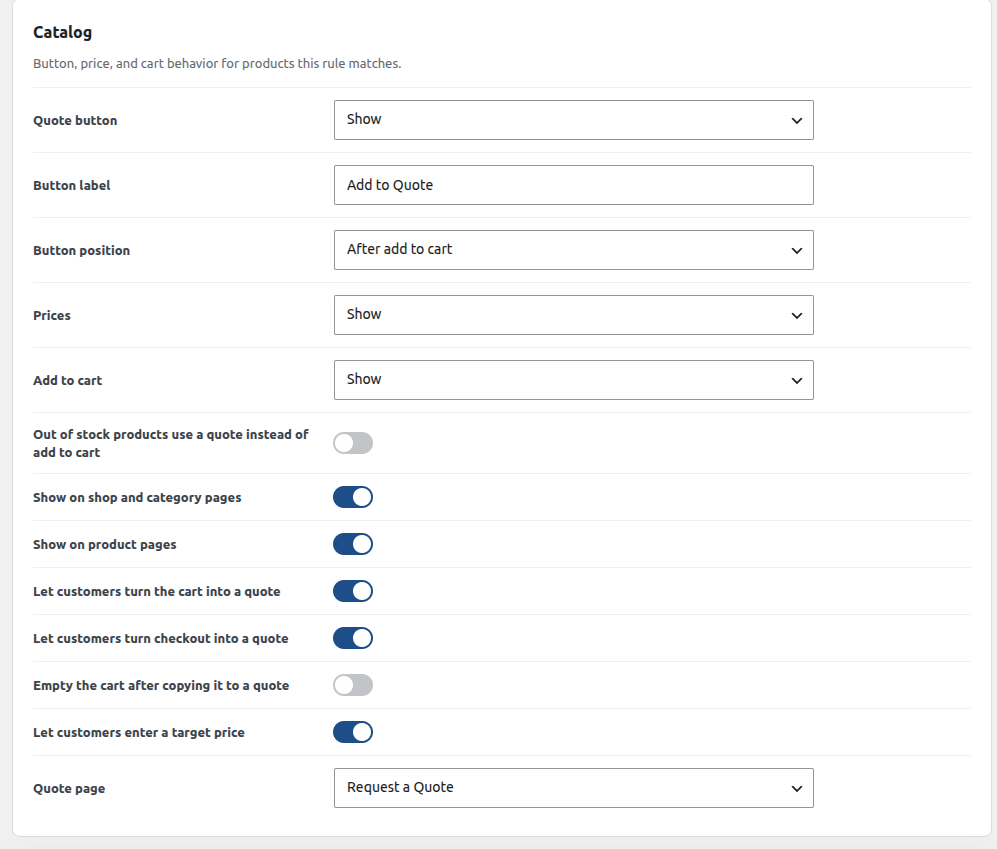
- Show, hide, or replace the price and the Add to cart button
- Quote instead of selling out-of-stock products
- Cart and checkout can be turned into a quote
- Target price so the customer can say what they hope to pay
- One rule for the whole catalog, under Quote Requests → Rules
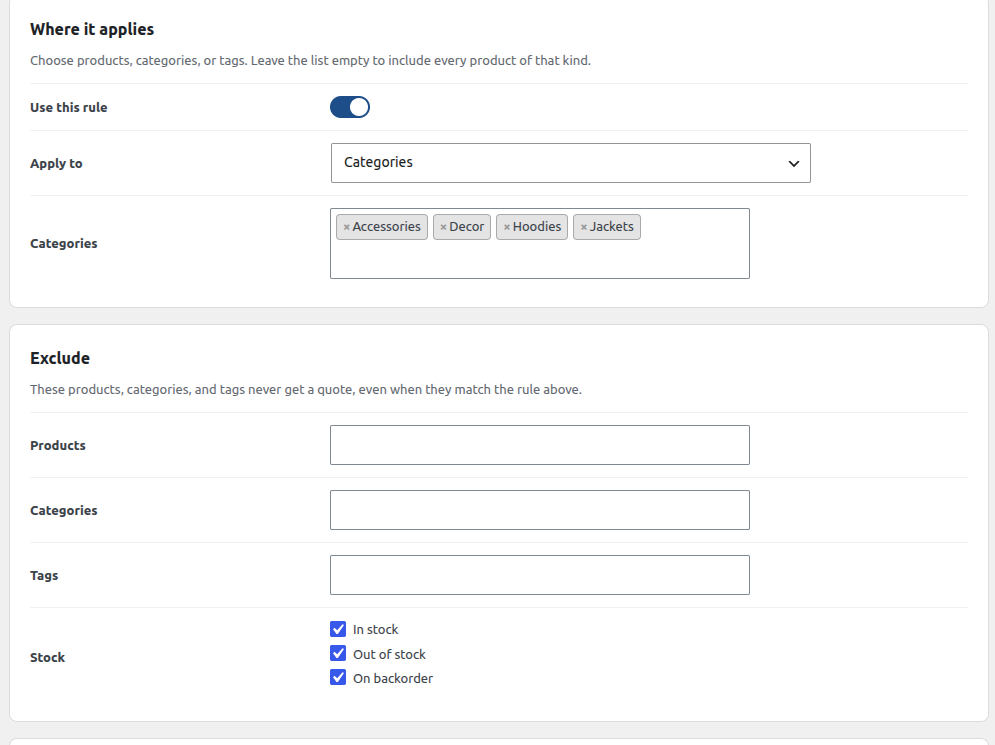
- Apply the rule to all products, or to selected products, categories, or tags
- Exclude products, categories, and tags that should never be quoted
- Stock filter with checkboxes for in stock, out of stock, and on backorder
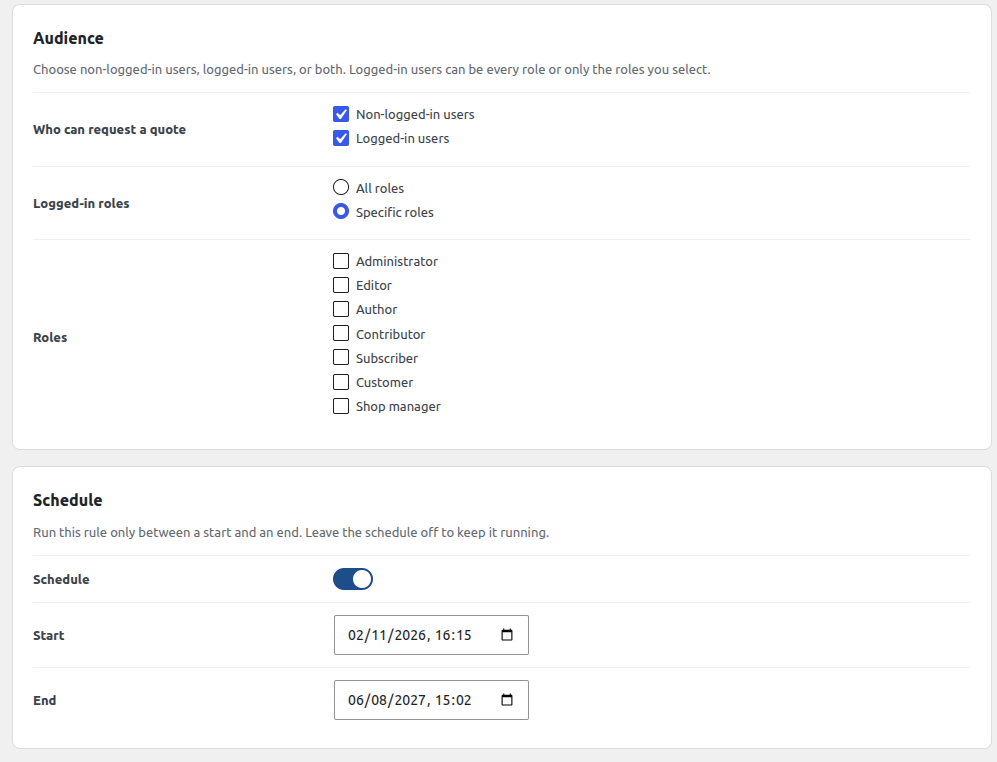
- Audience checkboxes for non-logged-in users and logged-in users
- All roles or specific roles for logged-in customers
- Schedule with a start and an end, checked so the end is after the start
- Separate admin screens for Analytics, Rules, Quotes, and Settings
- After submit, send the customer to the current page, any site page, a custom URL, or the quote
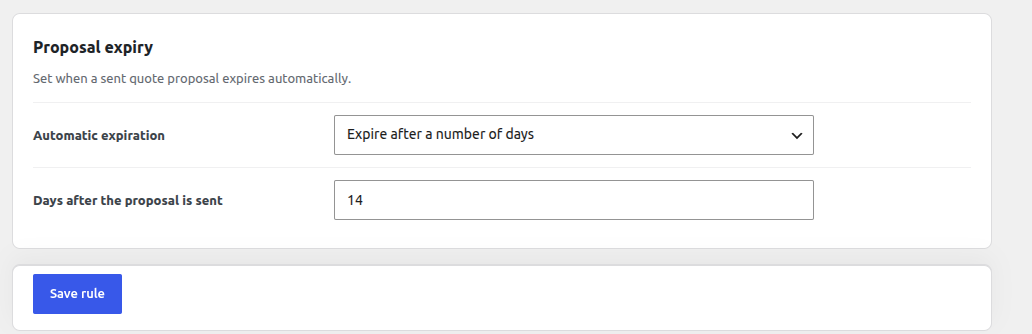
- Automatic proposal expiry after a number of days, on a chosen date, or never
- Quote form with steps, conditional fields, a product dropdown, and file upload
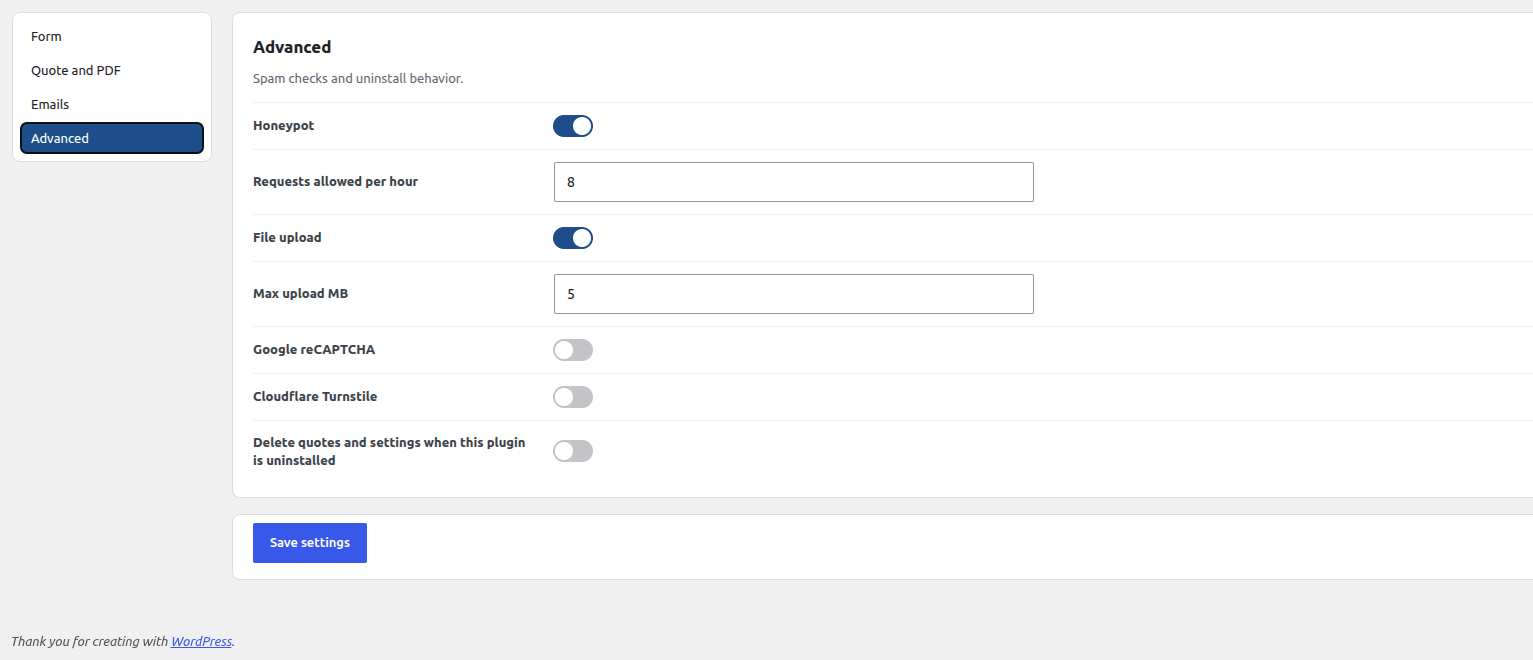
- Spam checks: honeypot, rate limit, Google reCAPTCHA, and Cloudflare Turnstile
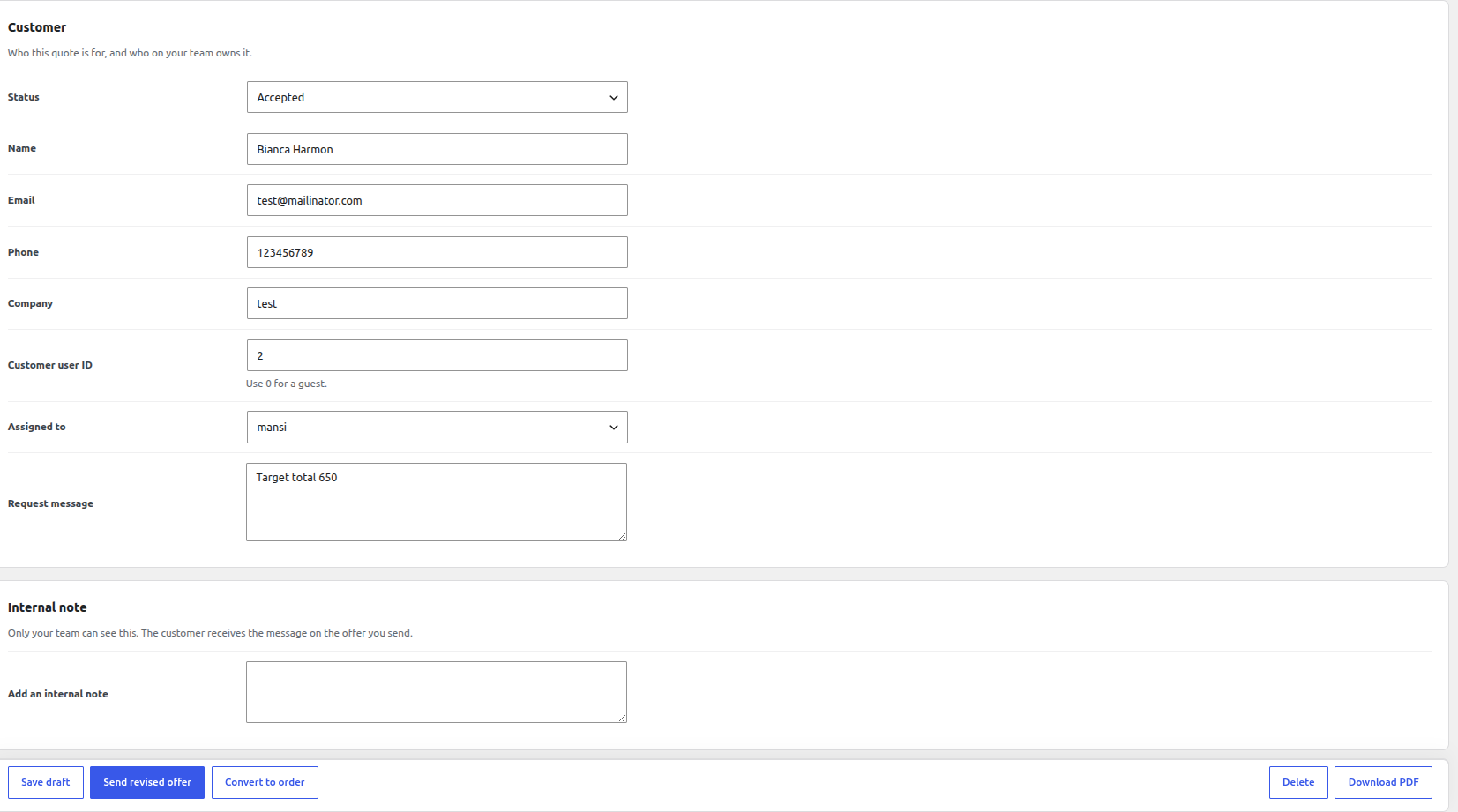
- Store tools: manual quotes, custom prices, discounts, shipping, tax, notes, staff assignment, and CSV export
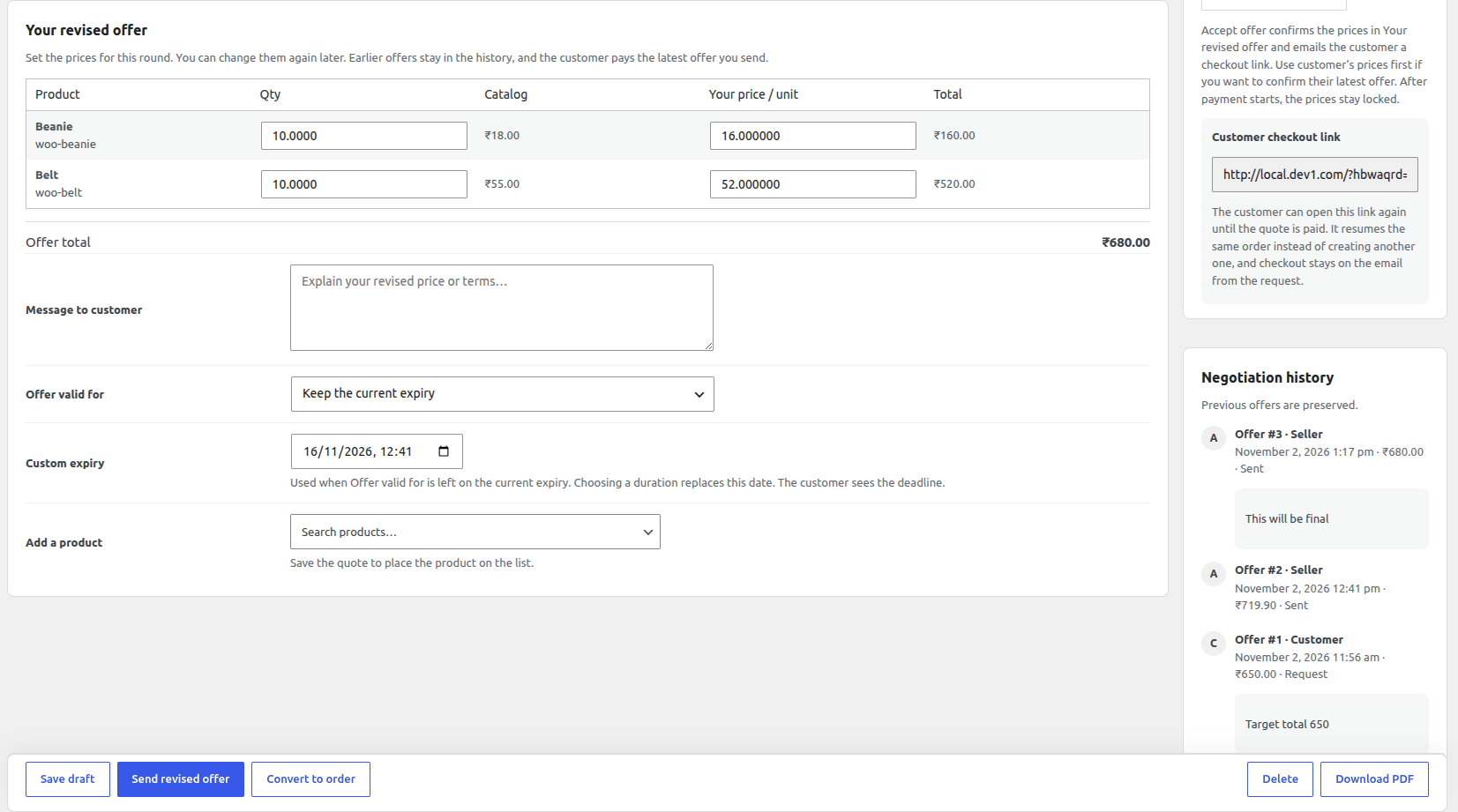
- Customer account list, private guest links, accept and pay, decline, or send a counter-offer
- Locked checkout so the agreed price, address, shipping, and allowed payment methods stay in place
- PDF and print with logo, quote number, totals, and terms
- Emails for each status, with a visual editor, a default draft, and shortcodes for the quote, customer, totals, and links
- Shortcodes and a block:
[hbwaqrd_request_quote],[hbwaqrd_quote_button], a mini-basket, and a REST API
How a quote moves from request to payment
- The customer adds products with Add to Quote. The list is a quote basket, not the WooCommerce cart.
- They send their details from the quote page.
- The store prices the request and emails the offer, including a PDF.
- The customer accepts and pays, declines, or sends a counter-offer.
- A WooCommerce order is created only when the quote is converted or paid.
External services
This plugin can connect to the services below. Each one is off until a store manager turns it on in Quote Requests → Settings and saves the credentials that service requires. No data is sent while the feature is disabled.
Google reCAPTCHA
Used to check that a quote request was submitted by a person. When reCAPTCHA is enabled, the quote form loads the reCAPTCHA script from Google and, on submit, sends the reCAPTCHA token and this site’s secret key to Google for verification. Google may also receive the visitor’s IP address and browser data as part of that check.
This service is provided by Google: terms of service, privacy policy.
Cloudflare Turnstile
Used as an alternative spam check on the quote form. When Turnstile is enabled, the quote form loads the Turnstile script from Cloudflare and, on submit, sends the Turnstile token and this site’s secret key to Cloudflare for verification. Cloudflare may also receive the visitor’s IP address and browser data as part of that check.
This service is provided by Cloudflare: terms of use, privacy policy.
Installation
- Install and activate WooCommerce.
- Upload the
hbwa-quote-requests-deals-for-woocommercefolder to/wp-content/plugins/, or install it from Plugins → Add New. - Activate Quote Requests & Deals for WooCommerce.
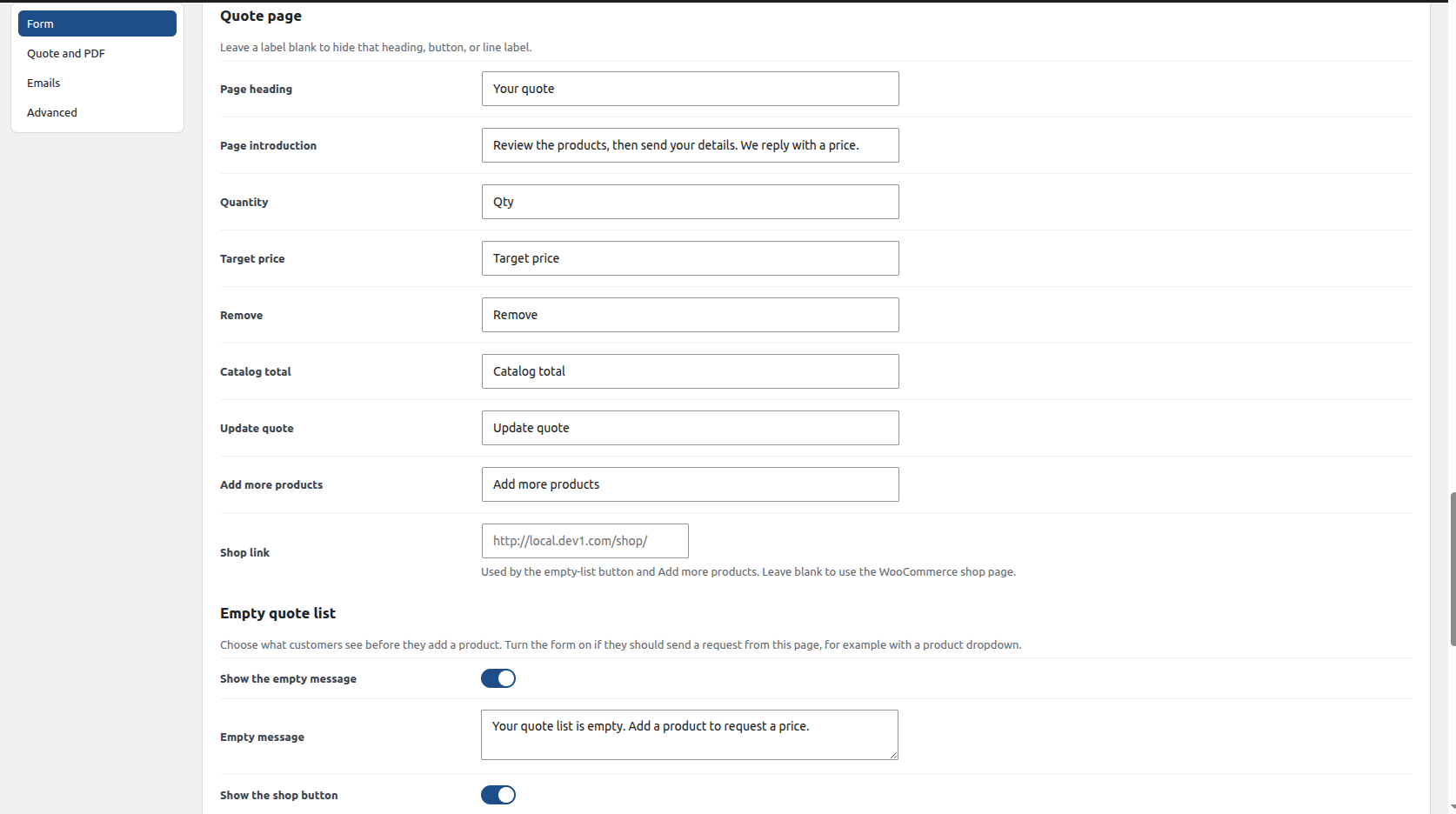
- Open Quote Requests → Rules for the button, audience, and schedule, then Settings for the form, emails, and PDF.
- Put
[hbwaqrd_request_quote]on a page, or use the Request a Quote page created on activation.
Page builders can place [hbwaqrd_quote_button] where the product template does not call WooCommerce hooks.
FAQ
How do I add a request a quote button in WooCommerce?
Activate the plugin, then open Quote Requests → Rules. Choose where the button appears and whether it sits before, after, or in place of Add to cart. The product, shop, and category templates show it through WooCommerce hooks. A page builder can use the shortcode [hbwaqrd_quote_button].
Can customers negotiate a price?
Yes. Customers can enter a target price when that option is on. After you send an offer, they can accept and pay, decline with a reason, or send a counter-offer with a message and an optional file.
Does this plugin create a WooCommerce order when someone requests a quote?
No. A request is stored in the plugin’s own tables. A WooCommerce order is created only when you convert the quote or the customer pays the accepted offer.
Is it compatible with High-Performance Order Storage?
Yes. Quotes are not WooCommerce orders, so they do not depend on the posts-based order store. The order created at payment uses the normal WooCommerce checkout APIs.
Can guests request a quote without an account?
Yes, when Non-logged-in users is checked under Quote Requests → Rules. The quote list uses the WooCommerce session. A guest later opens the offer from a private link, and that quote is attached to their account when they log in with the same email.
Can I hide prices and replace Add to cart?
Yes. On the rule screen, prices can stay visible or be hidden, and Add to cart can stay, be hidden, or be replaced by the quote button. Out-of-stock products can use a quote instead of Add to cart.
Where are quotes stored?
In custom database tables created by the plugin. They are not WooCommerce orders until you convert them or the customer pays.
How do PDF quotes work?
After a quote is priced, the customer and the store can download a PDF with the quote number, line items, totals, your logo, and your terms. A printable view is included. Customers can be blocked from the PDF in settings.
Can you add product type field when browse product is enabled?
No you can add product type field only when add to quote option is disabled and allow to select the product from form itself.
Screenshots




Changelog
1.0.1
- Email subjects and bodies can be edited, with a default draft and quote shortcodes.
- WordPress.org screenshots now cover the rule screen and settings.
- An accepted quote stays marked payment due or payment pending until the order is paid.
- The checkout link can be opened again and returns to the same order.
1.0.0
- First release.