
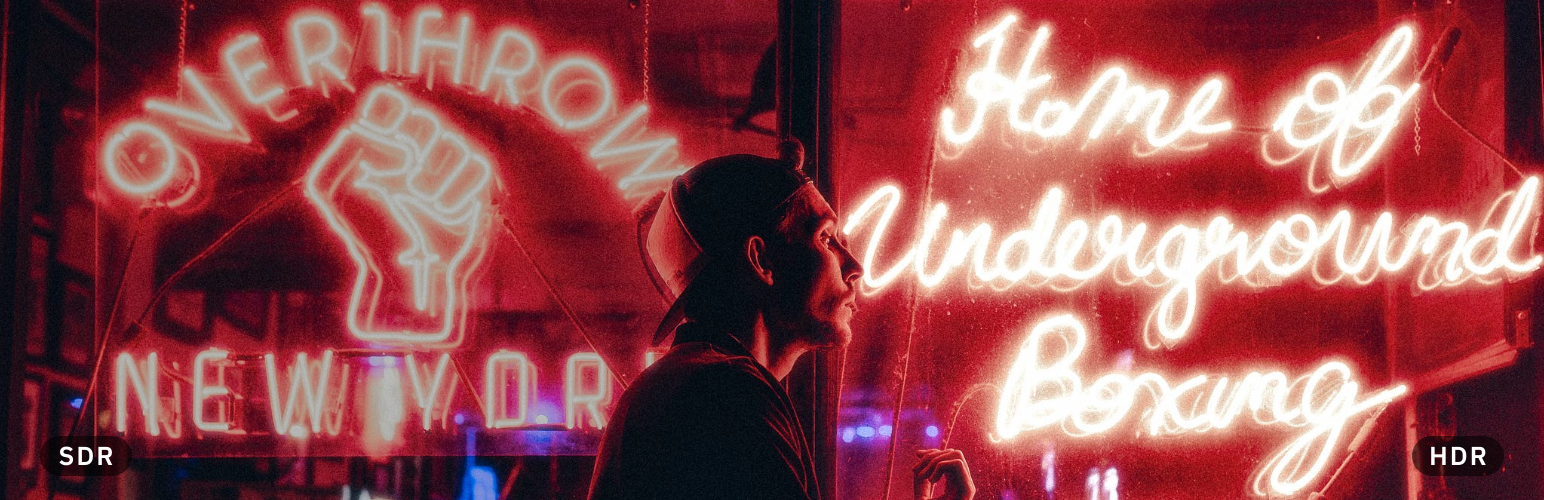

Description
Photos taken on recent iPhones and Android phones are HDR: their highlights are brighter than white on an HDR screen. Upload one to WordPress and that is usually lost. WordPress turns HEIC uploads into a standard JPEG, and the sizes it makes of a gain map JPEG keep the HDR only when you upload from Chrome or Edge.
This plugin sends the photo you uploaded to HDRJPG, which converts it into web-ready files that keep the HDR:
- a gain map JPEG, at each width you choose, shown in HDR by Chrome, Edge and Safari 26, and as a normal photo everywhere else;
- an AVIF, smaller, for the browsers that show HDR AVIF;
- a short, silent HDR MP4, for Firefox and Safari on a Mac, which play HDR video but show no HDR image;
- the same MP4 in 10-bit HEVC, with smoother gradients and more accurate color, for the browsers that play HEVC. The others get the first MP4.
Wherever the photo appears in your posts and pages, in an Image block, in a gallery, as a featured image or inline, the plugin serves these files with the HDRJPG markup. Each visitor’s browser gets the version it shows in HDR. On a screen without HDR, visitors see a normal photo.
How to use it
- Create an account at hdrjpg.com and copy your API key.
- In WordPress, go to Settings > HDRJPG and paste the key.
- Open an HDR photo in the Media Library and press Convert to HDR. To convert several, select them in the list view and choose Convert to HDR from the bulk actions. You can also have new uploads converted automatically.
A conversion takes a minute or two. The photo keeps its normal version on your site until it is done.
What it costs
Each photo converted counts as one conversion, whatever the number of sizes and formats. The free plan includes 300 conversions a month, and the photos carry an HDRJPG watermark. The paid plan has no watermark and no cap. See hdrjpg.com/pricing.
External service
This plugin uses the HDRJPG API, a service run by Tin.cat, to convert photos. When you convert a photo, the original file you uploaded is sent to https://api.hdrjpg.com together with your API key, and the converted files are downloaded back into your uploads folder. Nothing is sent until you add an API key and convert a photo, or turn on automatic conversion. Visitors to your site load the converted files from your own server; they never contact HDRJPG.
FAQ
Which photos can it convert?
iPhone and iPad HEIC photos, Android Ultra HDR JPGs and other JPGs with a gain map (from Lightroom, Photoshop or Camera Raw, for example), and EXR files.
It also converts photos that have no HDR, such as normal JPGs. Their brightness range is expanded artificially to HDR: they look like the original, with brighter highlights on HDR screens. To turn this off, untick “Convert SDR photos to HDR” in Settings > HDRJPG. A photo without HDR then fails to convert and does not count against your conversions.
Why does Firefox get a video?
Firefox shows no image format in HDR, but it plays HDR video on macOS and Windows. Safari on a Mac shows HDR images only from macOS 26, and the browser does not tell which macOS it runs on, so it gets the video too. The video is muted, plays inline and looks like the photo.
What is the HEVC MP4?
A second version of the video, in 10-bit HEVC (H.265). Gradients such as skies stay smooth, and colors are more accurate. Not every browser plays HEVC, so the plugin also keeps the standard MP4, and each browser gets the one it can play. You can turn it off in Settings > HDRJPG. Photos converted before version 1.3.0 keep their standard MP4 until you convert them again.
Where are the converted files?
In wp-content/uploads/hdrjpg/, in a folder per photo. They are deleted when you delete the photo from the Media Library.
Does it change my original photo?
No. The upload and the sizes WordPress made of it stay as they are, and the plugin stops serving the HDR files as soon as you deactivate it.
Changelog
1.3.0
- Better image quality: HDRJPG’s conversions now keep the colors of your original photo in every file. Videos no longer look dull in browsers that show them without HDR, and the standard JPEG keeps the original’s saturation. Photos converted from now on get it.
- New: each photo also gets a 10-bit HEVC MP4, with smoother gradients and more accurate color. Browsers that play HEVC show it instead of the standard MP4. It is on by default, also after the update, unless you had turned off the MP4 video. You can turn it off in Settings > HDRJPG.
- With the default settings each photo becomes 6 files, which the free plan now allows.
- If a browser says it plays HEVC but then cannot, the standard MP4 plays instead, and the photo shows again if that fails too.
1.2.0
- New: until you add your API key, Settings > HDRJPG explains how to get a free one, with links to sign up and to example photos, and a box to paste the key.
- New: a notice on the Plugins page, the dashboard and the Media Library reminds you to add your API key. It goes away once the key is saved.
1.1.0
- New: photos without HDR, such as normal JPGs, are converted too. Their brightness range is expanded artificially to HDR. You can turn this off in Settings > HDRJPG.
- New: with automatic conversion on, normal JPG uploads are converted too, as long as SDR photos are converted to HDR.
- New: the photo’s preview in the Media Library shows the HDR version, as it shows on your site.
- Fix: conversions failed with “HDRJPG answered 202: Accepted”.
- Fix: automatic conversions stayed at “Converting” and never finished.
- Fix: the HDR field in the Media Library lines up with its label.
1.0.0
- First release.