
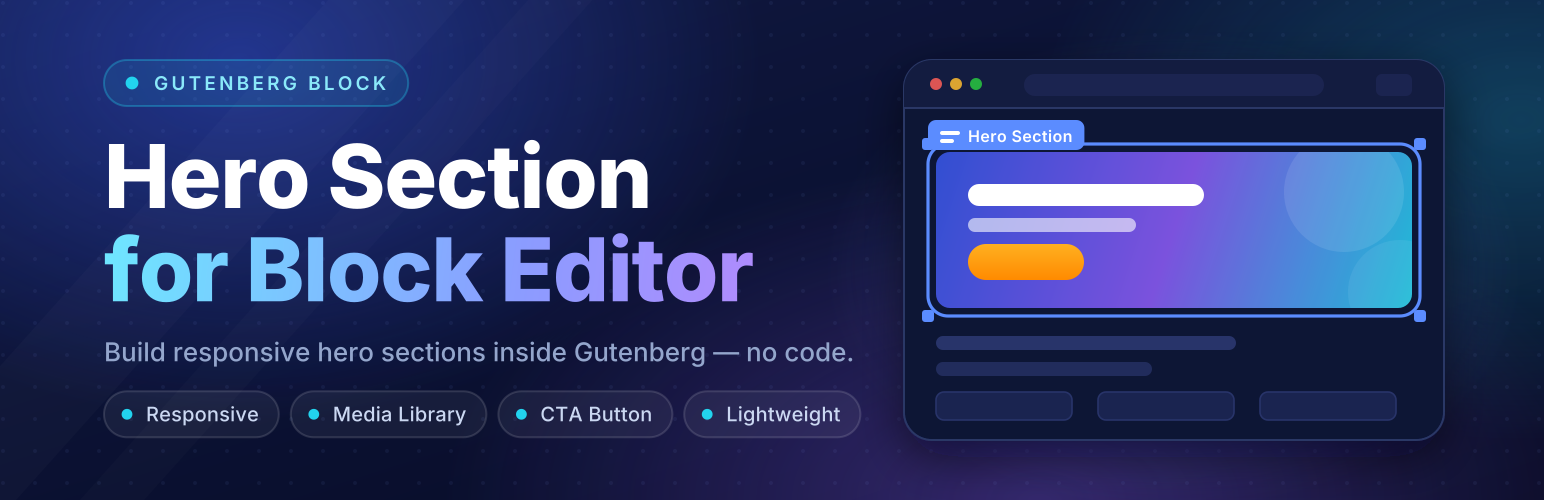

Description
Hero Section Block helps you build the first thing visitors see: a clean, responsive hero section with a strong headline, a short message and a clear call to action. It works right inside the WordPress block editor (Gutenberg), so you edit the text on the page and see the result as you go, without writing any code.
Pick a ready-made design, change the words, swap in your own images and publish. Every hero is mobile-friendly and looks right on desktop, tablet and phone.
What you can build
- Hero section for your home page, with a headline, description and buttons.
- Hero banner with a full-width background image and overlay.
- Landing page header for a product, app, course or campaign.
- About section or personal intro for a portfolio, freelancer or team.
- Call-to-action section with signup, newsletter or search forms.
- Event and launch banners with a live countdown timer.
Who it’s for
SaaS and startups, agencies, freelancers and portfolios, online shops, real estate, restaurants, fitness studios, healthcare, education and coaching, events, finance, photography and video studios, and anyone who wants a professional-looking page header without hiring a designer.
Works the way you already work
- Insert it like any other block: search for “Hero”, “Banner” or “About” in the block inserter.
- Edit text directly on the canvas, or use the sidebar.
- Show the same hero anywhere with the
[hero_section_block]shortcode, including the Classic Editor, widgets and page builders.
Your own images are selected from the WordPress Media Library. Some themes show sample images and fonts from third-party services until you replace them; see “External Services” below.
Free Features
- Clean, responsive Default (Classic) hero theme.
- Edit the heading and description directly on the canvas or in the sidebar.
- Call-to-action button with custom text and link (any URL or page, with “Open in new tab”).
- Background image selected from the WordPress Media Library.
- Heading, description and button color controls.
- Adjustable background overlay strength for readable text on any image.
[hero_section_block]shortcode to show a hero anywhere shortcodes work.- Saved shortcodes: create, list and copy them from Hero Section → Shortcodes.
- Fully responsive across desktop, tablet and mobile.
- 100% backward compatible with existing Hero Section block installations.
- Lightweight and performance-friendly with scoped styles.
- SEO-friendly structure.
Pro Features
- 30 professionally handcrafted industry hero themes (01–30): SaaS, AI, agency, portfolio, e-commerce, real estate, restaurant, fitness, events, fintech and more.
- Browse Themes gallery with previews, search and categories, in both the block toolbar and the sidebar.
- Each theme keeps its own content and styles, so switching themes never loses your edits.
- Edit every element of every theme: badges, highlighted words, secondary buttons, cards, stats, lists, tabs, forms and more.
- Replace every image and its alt text: portraits, product shots, avatars, galleries and section backgrounds.
- Show or hide any element or list item.
- Interactive theme elements: live countdown timers, ROI calculators, developer code switchers, currency converters and simulated AI prompt runners.
- Form actions, countdown end dates and CTA links for signup, search and newsletter forms.
- A separate style panel for every element of a theme.
- Full typography control: font family, size, weight, style, line height, letter spacing, transform and decoration.
- Solid and gradient colors and backgrounds, plus gradient text fill for highlights.
- Hover styles for text, background, border and shadow.
- Borders, border radius and shadows.
- Padding, margin and alignment.
- Responsive controls: separate desktop, tablet and mobile values for sizes and spacing.
- Image size, object fit and opacity.
- Section background (color, gradient or image), minimum height and content width.
External Services
This plugin connects to the following third-party services. Each one is listed with what it is used for, what data is sent and when, and links to its terms and privacy policy.
Freemius (licensing, updates and checkout)
The plugin uses the Freemius SDK for license activation, plugin updates, the optional usage opt-in and the checkout.
- What is sent and when: nothing is sent until you opt in or activate a license. When you opt in or activate a license, your site URL, site name, WordPress and PHP versions, plugin version, site language, the admin user’s name and email address and, if used, your license key are sent to Freemius (api.freemius.com). You can skip the opt-in and still use the plugin.
- Checkout: the “Buy Now” buttons open the Freemius checkout (checkout.freemius.com) in your browser. Anything you enter there, such as your email address and payment details, is sent directly to Freemius.
- Terms of Service: https://freemius.com/terms/
- Privacy Policy: https://freemius.com/privacy/
Unsplash (sample images)
Several themes (01–30) show sample photos hosted on Unsplash (images.unsplash.com) until you replace them with your own images from the Media Library.
- What is sent and when: when a page, the block editor or the theme gallery shows a theme with a sample image, the visitor’s browser loads the image from Unsplash, which receives the visitor’s IP address, browser user agent and the referring page URL. Replacing every sample image with a Media Library image stops these requests.
- Terms of Service: https://unsplash.com/terms
- Privacy Policy: https://unsplash.com/privacy
- License of the images: https://unsplash.com/license
Google Fonts (theme fonts)
The themes’ typefaces (for example Inter, DM Sans and Cormorant Garamond) are loaded from Google Fonts (fonts.googleapis.com and fonts.gstatic.com).
- What is sent and when: whenever a page or the block editor loads the hero block’s styles, the visitor’s browser requests the fonts from Google, which receives the visitor’s IP address, browser user agent and the referring page URL.
- Terms of Service: https://policies.google.com/terms and https://developers.google.com/fonts/terms
- Privacy Policy: https://policies.google.com/privacy (see also the Google Fonts privacy FAQ: https://developers.google.com/fonts/faq/privacy)
Development / Build
This plugin uses modern JavaScript tooling and follows WordPress block development standards.
Installation
- Upload the plugin folder to the
/wp-content/plugins/directory, or install the plugin directly from the WordPress Plugins screen. - Activate the plugin through the “Plugins” menu in WordPress.
- Open the Block Editor and insert the Hero Section block.
FAQ
How do I add a Hero Section?
Open the WordPress Block Editor, click the block inserter, and search for “Hero Section”.
Does the plugin use external images, fonts or services?
Yes. Some themes show sample images from Unsplash and load their fonts from Google Fonts, and the plugin uses Freemius for licensing, updates and checkout. Images you add yourself always come from your Media Library. See “External Services” for what is sent, when, and links to each service’s terms and privacy policy.
Screenshots


Changelog
2.0.1
- Improved: Updated pricing plans and licensing options on the Pricing page.
- Improved: Theme-specific color palettes and button visibility across themes.
- Fix: Prevent button and text color inheritance conflicts when switching themes.
2.0.0
- New: 30 professionally designed hero themes (01–30) alongside the Default theme.
- New: Browse Themes gallery with previews, search and categories, in the sidebar and the block toolbar.
- New: Edit every element directly on the canvas or in the sidebar. Each theme keeps its own content and styles.
- New: Style panel for every element: typography, colors, gradients, hover states, borders, shadows, spacing and responsive (desktop, tablet, mobile) controls.
- New: Show or hide any element or list item, and replace any image from the Media Library.
- New:
[hero_section_block]shortcode and the Hero Shortcodes manager (Hero Section → Shortcodes / Add New Shortcode). - New: Admin dashboard with Welcome, Demo, Feature Comparison, Pricing and Documentation pages.
- New: Pro version with license activation, powered by Freemius.
- Improved: Existing 1.0.0 hero blocks keep working without changes.
1.0.0
- Initial release.