


Description
Herodotus is an On This Day WordPress plugin for displaying historical events, anniversaries and birthdays on their recurring calendar dates. Build a This Day in History section for a history blog, museum, school, music website or community archive.
Who is Herodotus for?
- History blogs – highlight historical events and their anniversaries on the relevant calendar dates.
- Schools and museums – present educational milestones, historical collections and events connected to your subjects or exhibits.
- Anniversary trackers – keep a recurring record of birthdays, founding dates and other annual milestones.
- Music and art sites – feature premieres, album releases, exhibitions and artists’ birthdays on their anniversaries.
The free plugin works on its own. Herodotus Pro is an optional paid add-on for importing event archives, adding more layouts and customizing their presentation.
Herodotus Pro: archive import, layouts and customization
Explore Herodotus Pro and live demos
Use Herodotus Pro to build a larger This Day in History archive from your existing files and present it in more layouts:
- CSV and TXT import – bring events from spreadsheets and text files, with an import preview, duplicate checks and progress tracking.
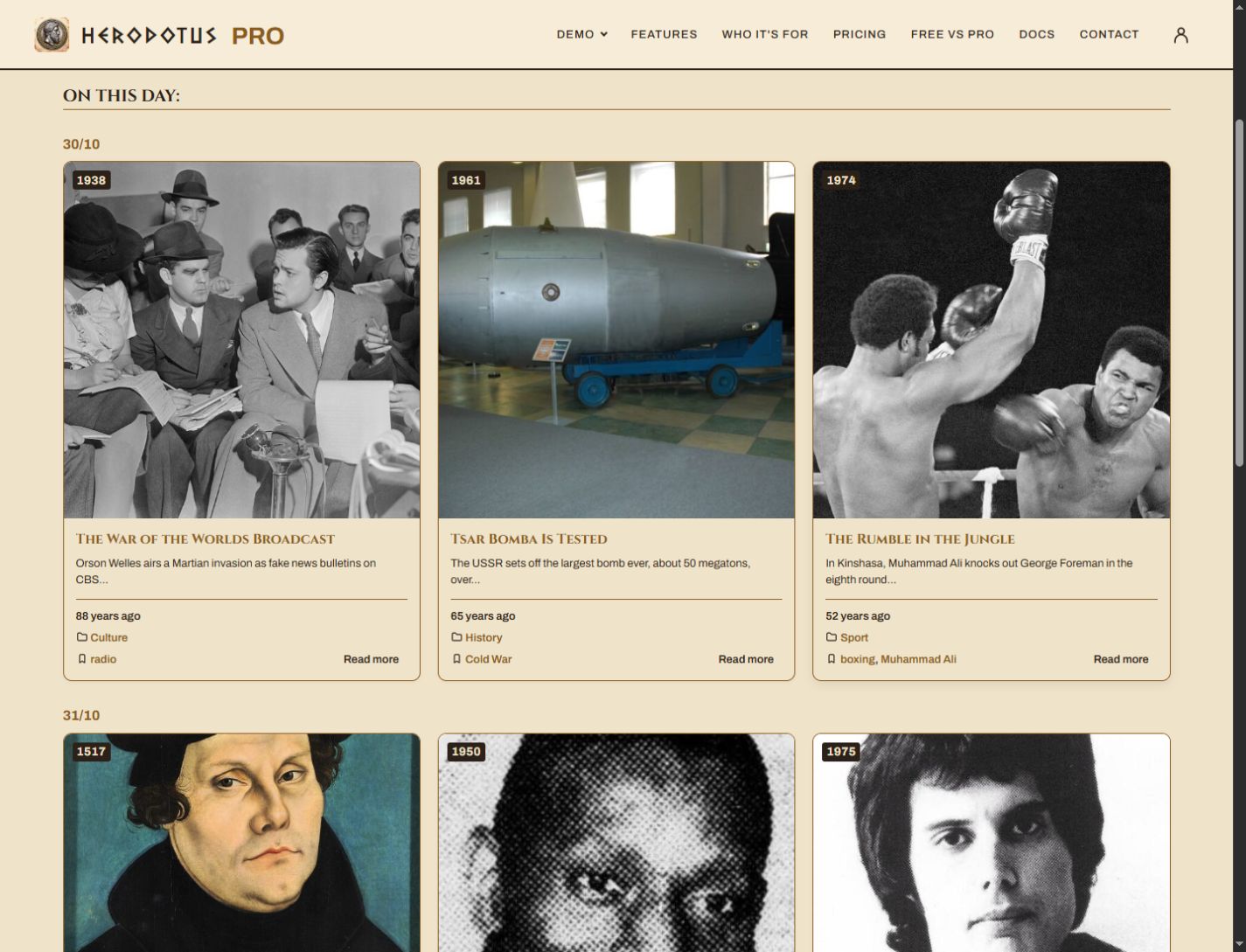
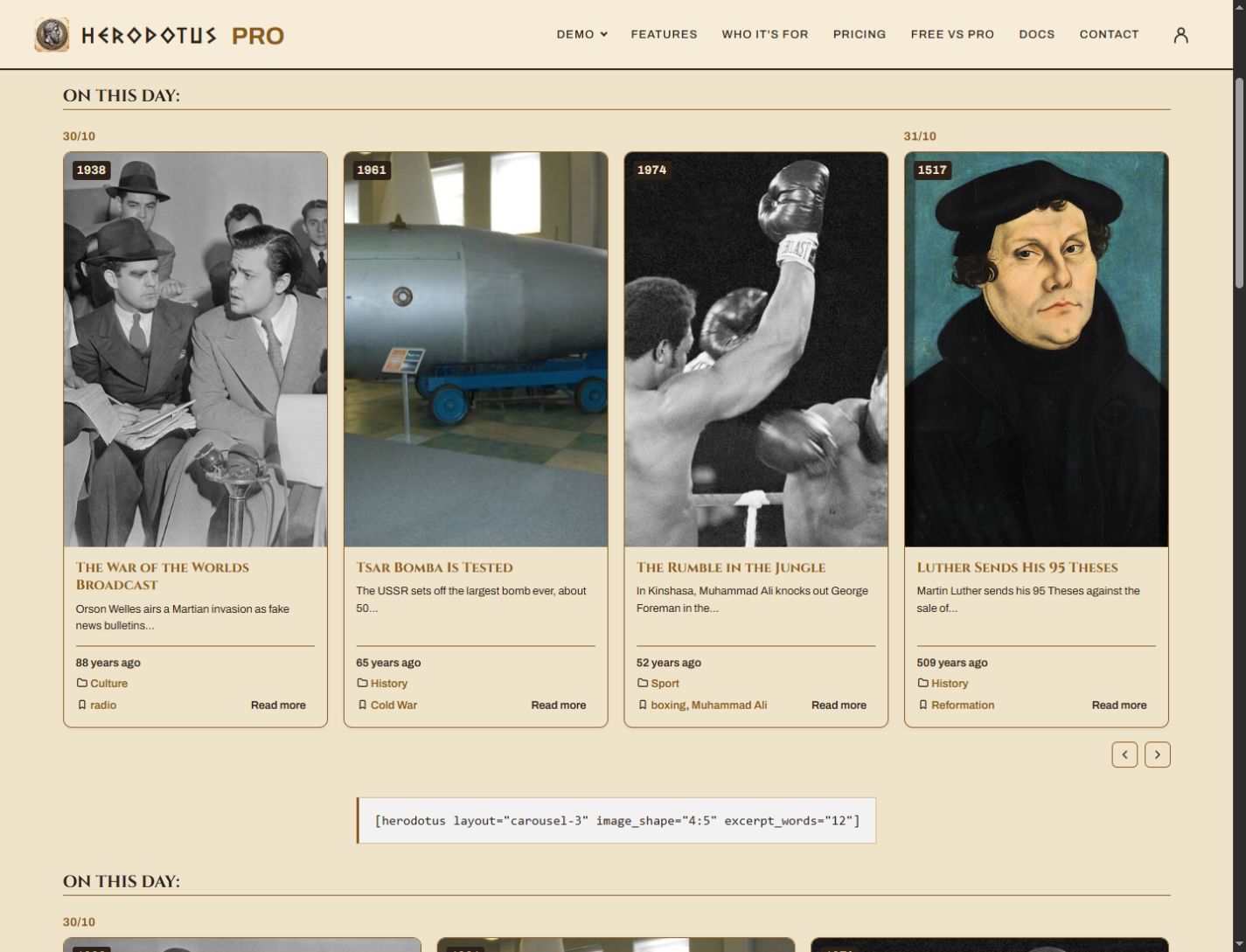
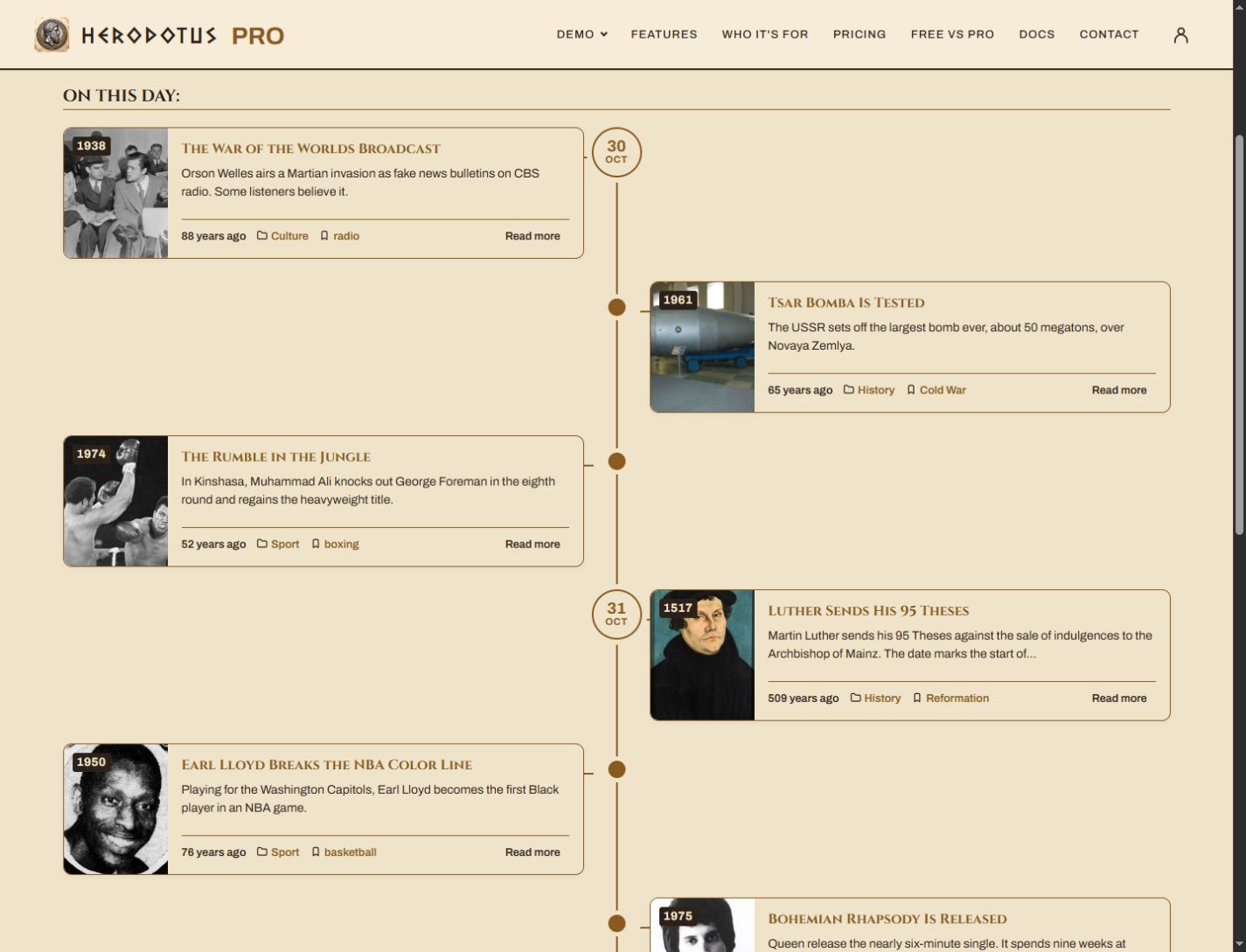
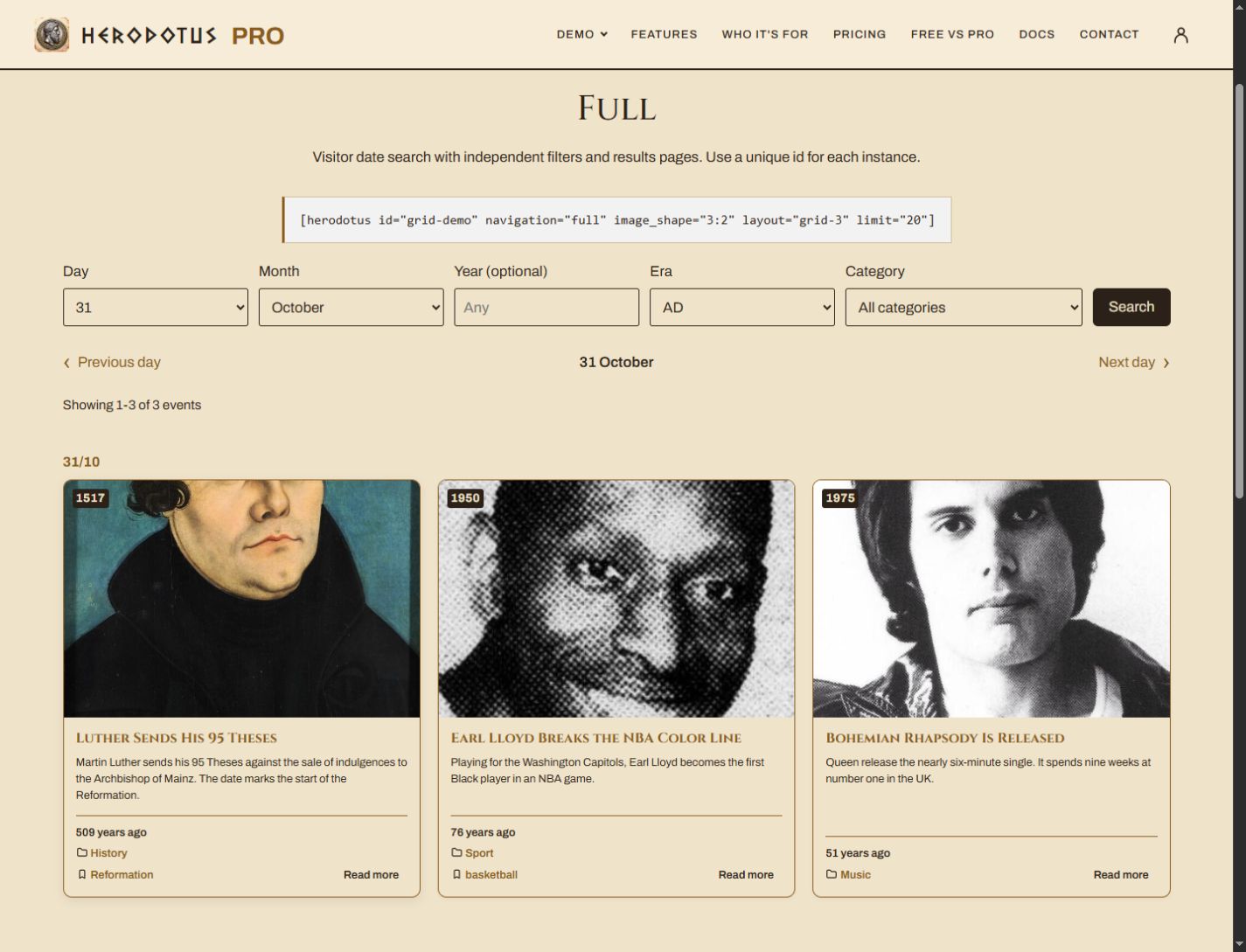
- Pro layouts with live demos – display event cards in columns with Grid, in a horizontal Carousel or along a dated Timeline.
- Upcoming events – show selected events before their recurring date, with a countdown.
- Appearance controls – adjust colors, font sizes, borders and image shape, crop and placement.
- Sources and locations – attach source references and record where an event happened, including coordinates and a map link.
- Categories, tags and priorities – combine categories and tags, exclude categories and give important events priority.
- Date modes – display a chosen calendar date or events around today.
- Data tools – export and import events and settings as JSON, or retrieve events through the Pro REST API endpoint.
Herodotus Pro requires this free plugin to remain installed and active. A 7-day Pro trial is available without a credit card.
Your first purchase is protected by a 14-day money-back guarantee. No questions asked. Refund Policy
Included in the free plugin
- Automatically display events matching today’s day and month in the site’s timezone.
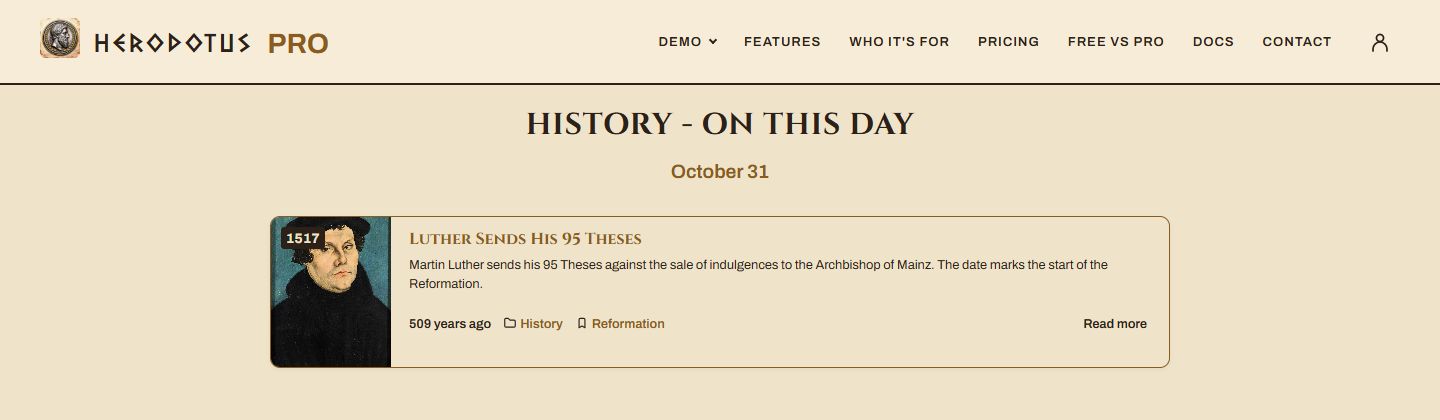
- Choose list, compact or text layouts for pages, posts and sidebars.
- Add events through the WordPress editor and display them with a shortcode or Gutenberg block.
- Show featured images, excerpts, historical year badges and anniversary counters, with BC/AD support.
- Organize events into categories and filter a display by category.
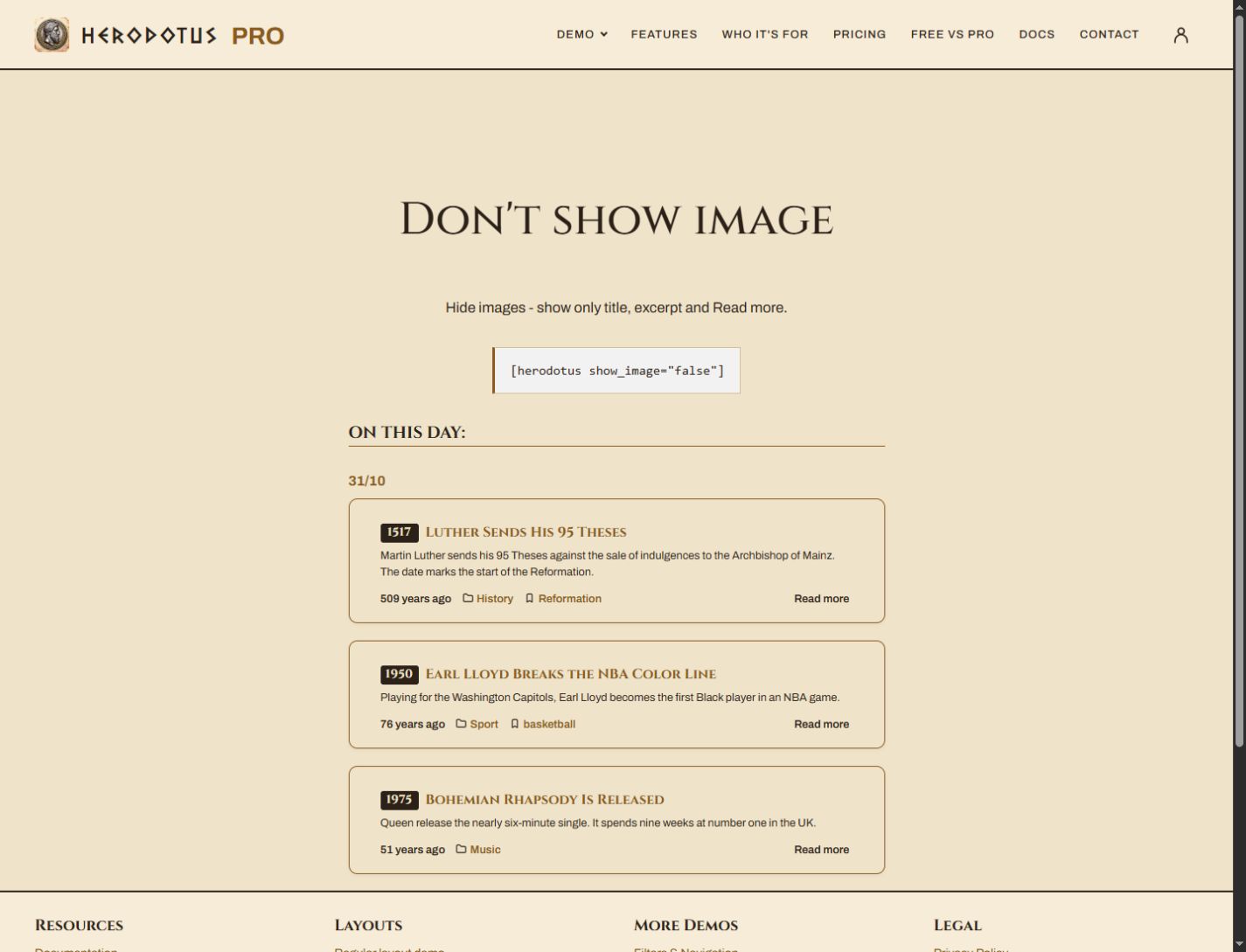
- Adjust event limits, excerpt length and sort order; hide images when needed.
- Use Quick Edit to update dates directly in the events list.
- Include a random selection of today’s events with the random shortcode.
- Offer a daily RSS feed of today’s events.
How to create your history section
- Install and activate Herodotus.
- Create an event under Herodotus – On This Day and set its day, month and historical year. All three fields are required.
- Add [herodotus] to a page or insert the Herodotus block.
You supply the event content. Herodotus displays entries on their assigned dates; it does not include a ready-made historical database.
For birthdays, anniversaries or a daily historical feature, create your archive once and let its recurring dates determine what appears each day.
Installation
- Upload the entire
herodotusfolder to the/wp-content/plugins/directory. - Activate the plugin through the Plugins menu in WordPress.
- A new Herodotus – On This Day menu item will appear in your WordPress admin sidebar.
- Go to Herodotus → Add New and create your first historical event.
- In the editor, use the Herodotus Date metabox (right sidebar) to set the day, month and year.
- Place the shortcode
[herodotus]or the Herodotus Events Gutenberg block on any page or widget area.
FAQ
What is Herodotus for?
Herodotus is designed for creating “On This Day in History” sections on your website. You create posts tied to a specific day and month, and they automatically appear every year on that date. It is ideal for history blogs, music, art & educational sites, museum websites, anniversary trackers, and birthday calendars.
Does this plugin modify my existing posts or pages?
No. Herodotus uses its own dedicated Custom Post Type (herodotus_post). Your standard WordPress Posts, Pages, and any other content remain completely untouched.
How is this different from regular WordPress posts?
Regular WordPress posts are tied to the date they were published and appear in chronological order. Herodotus posts are tied to a recurring day and month – they have no “publication date” in the traditional sense and will appear automatically every year on the same day.
Does it support leap years (February 29th)?
Yes. You can set February 29th as the date. On non-leap years, this post will not be shown, which is the correct and expected behavior.
How do I display today’s events on my site?
Use the shortcode [herodotus] in any post, page or text widget. Alternatively, use the included Herodotus Events Gutenberg block which you can find in the block inserter.
Can I show events from a specific category only?
Yes. Use the category attribute with the category slug: [herodotus category="science"]. You can create and manage categories under Herodotus → Categories.
What is the compact layout and when should I use it?
The compact layout ([herodotus layout="compact"]) shows posts with a small square thumbnail, title and a short excerpt – without the category label or Read more button. It is designed specifically for sidebar widgets where space is limited.
Can I hide images and show only text?
Yes, in two ways. [herodotus show_image="false"] hides all images including the default placeholder, but keeps the card styling – background, border and rounded corners. [herodotus layout="text"] goes further: no images and no card chrome either, just a plain list of events separated by thin lines. Use the first when you want cards without pictures, the second when you want the events to blend into your page text.
What happens if a post has no featured image?
By default, a placeholder “No Image” graphic is shown. You can replace this placeholder with any image of your choice by going to Herodotus – On This Day → Settings and uploading a custom Default Image.
How does the random event shortcode work?
[herodotus_random] shows a random pick out of the events for the current day. Where [herodotus] lists all of them, this one highlights a single event – useful for a sidebar block or a spot where only one item fits. Use limit for more than one, for example [herodotus_random limit="3"]. It accepts the same category, layout, excerpt_words and show_image attributes as the main shortcode. A new pick is made on every page load; if you use a full-page caching plugin, the pick will stay the same until that page cache expires.
Is there an RSS feed?
Add show_rss="true" to [herodotus] or [herodotus_random], or enable Show RSS subscription in the Gutenberg block’s Display Settings, to display a compact RSS menu beside its heading. Visitors can choose a category, copy its subscription link or open the feed. The menu is off by default and works with all layouts. Enable RSS Subscription under Settings -> General to show it by default. An explicit show_rss="false" or a block setting overrides the global option.
Yes. The RSS2 feed is available at /herodotus/feed/, for example https://example.com/herodotus/feed/. Each item contains the title, Featured Image when present, a short teaser and the original event link. Categories and tags are supplied as standard RSS metadata; their display depends on the reader. The teaser does not repeat the date or taxonomy labels. The standard item link opens the original event; there is no extra Read more link in the teaser. Image display depends on the reader.
The default is today’s events in the WordPress site timezone, independently of Pro’s Around today or Upcoming Days settings. Add hd_category=sport or hd_tag=rugby to subscribe to a single category or tag. The two filters can be combined and match their intersection. Add hd_days=7 for the last seven calendar days including today, or hd_days=30 for thirty days. The supported range is 1 to 31 days. The window uses the recurring event date, rather than when the post was published. Newest occurrences come first, including across New Year. The subscription’s own URL is preserved in the feed.
Posts Limit caps the total number of events in the feed, including multi-day windows. Teasers follow Excerpt Length up to a maximum of 20 words. A short body is shortened further instead of being published in full; a manually written excerpt is treated as the author’s teaser. Only public, published events without a password are included. Days or filters without events return a valid empty feed. Invalid period/filter types return HTTP 400 without falling back to an unrestricted feed. An occurrence keeps the same dated identifier and publication date in the daily and multi-day feeds, so it does not become new each time the rolling window refreshes. It receives a new identifier next year. Conditional HTTP caching refreshes at local midnight; external page caches or CDNs that override cache headers should exclude this feed or expire it by midnight. No scheduled task is required.
Can I use multiple shortcodes on the same page?
Yes. Each shortcode instance is independent and can have its own layout, category, limit and other settings.
How does caching work?
Herodotus uses WordPress transients to cache query results. The default cache lifetime is 3600 seconds (1 hour). You can adjust this under Herodotus – On This Day → Settings → Advanced, or set it to 0 to disable caching entirely. The same screen has a Clear Cache Now button. The cache is automatically cleared whenever a Herodotus post is saved or deleted.
Is the plugin compatible with WPML and Polylang?
Yes. The plugin includes a wpml-config.xml file which automatically configures WPML to handle the custom post type, taxonomy and date meta fields correctly. Polylang works automatically as well since the CPT and taxonomy are registered with standard WordPress hooks. The cache key includes the current locale so different language versions are cached separately.
Is the plugin translation ready?
Yes. The plugin is fully internationalized. Translations are included for: Georgian (ka_GE), Russian (ru_RU), Ukrainian (uk), French (fr_FR), German (de_DE), Spanish (es_ES), Italian (it_IT) and Turkish (tr_TR). Additional translations can be contributed via the WordPress.org translation system (GlotPress).
I see a red warning in the post editor – what does it mean?
The red warning appears when a Herodotus post does not have a day, month or year set. All three fields are required – posts without a complete date will never appear on the frontend. Simply click the date field in the Herodotus Date metabox (right sidebar) to set the date.
I see a warning icon (âš ) in the posts list – what does it mean?
The âš icon in the Herodotus Date or Year column means that post is missing date information and will not be shown on the frontend until the date is set.
Can I change a date without opening the editor?
Yes. Hover a row in the events list and click Quick Edit – the day, month, year and era appear next to the standard WordPress fields, already filled with the current values. This is the fastest way to correct dates when entering many events. Bulk Edit intentionally leaves the dates untouched, since a single date for several events is almost never what you want.
Can I sort events within the same date?
Yes. Under Herodotus – On This Day → Settings → General you can choose between A → Z (alphabetical) and Z → A (reverse alphabetical) sorting. Events are always grouped by date first, then sorted by your chosen order.
What data does the plugin store and what happens when I uninstall it?
The plugin stores Herodotus posts (as a custom post type), categories (as a custom taxonomy), plugin settings (in wp_options) and temporary cache (as transients). By default, all data is kept when the plugin is uninstalled. If you want all data to be permanently deleted on uninstall, enable the Remove Data on Uninstall option under Herodotus – On This Day → Settings → Advanced.
Does the plugin add Open Graph or Schema.org markup?
Yes. Herodotus automatically adds Open Graph and Twitter Card meta tags on single event pages and category archive pages, enabling rich previews when sharing links on Facebook, Twitter/X, Telegram and other platforms. It also outputs JSON-LD Schema.org structured data (Article, Event, CollectionPage) to help search engines understand your content. If Yoast SEO, RankMath, AIOSEO or The SEO Framework is active, Herodotus automatically skips its own tags to avoid duplicates.
Is the plugin compatible with page builders (Elementor, Divi, Beaver Builder)?
The shortcode [herodotus] works in any environment that supports standard WordPress shortcodes, including Elementor text/shortcode widgets, Divi Code modules and Beaver Builder HTML modules.
Does the plugin work with caching plugins (WP Super Cache, W3 Total Cache, LiteSpeed Cache)?
Yes. Herodotus has its own internal caching layer. It works alongside page-level caching plugins without conflict. Note that if you use aggressive full-page caching, the displayed date may be cached at the page level – consider excluding the pages with [herodotus] from full-page caching, or using a shorter cache TTL.
Screenshots



Changelog
1.7.0
- Fixed: the heading and RSS control align vertically, and the heading rule spans the full event display when RSS is enabled. Compact headings keep a suitable size instead of inheriting oversized sidebar heading styles.
- New: an optional compact RSS subscription menu on each shortcode or Gutenberg block. Enable it with
show_rss="true"or the block’s Show RSS subscription toggle. Visitors can choose a category and copy or open its daily feed. A global RSS Subscription checkbox in General settings controls the default for all event displays; explicit shortcode and block settings take priority. Existing displays remain unchanged by default. - Improved: the RSS2 feed includes Featured Images, standard category/tag metadata and links to the original event, with teasers limited to 20 words. The teaser does not repeat the date or taxonomy labels. Full event texts and a duplicate Read more link are not published.
- New: independent category/tag subscriptions and rolling windows of 1 to 31 calendar days, using the feed URL parameters
hd_category,hd_tagandhd_days. Newest occurrences come first across month/year boundaries; occurrence identifiers remain stable across subscription types. - Fixed: RSS items use a dated identifier and current occurrence publication date, allowing recurring events to appear again next year. HTTP cache validation follows the site’s local midnight.
- Fixed: the daily feed stays on today’s events even with Pro’s Around today or Upcoming settings, honours Posts Limit instead of WordPress’s general RSS limit and excludes password-protected events.
- Fixed: event cards used a small medium-size thumbnail even when displayed across the full page. Featured images now include responsive sources so the browser can select a sharp version for each card.
- Changed: image source selection follows the actual image size and crop, including custom container widths, responsive layouts and high-density screens. Existing image filters and fallback images are preserved.
- Changed: initial image sizes follow the layout and its breakpoints before JavaScript refines the value, reducing unnecessary large-image downloads.
- New: the event date (day, month, year and optional era) is available under
metain authenticated REST API requests withcontext=edit, for users who can edit the event. Invalid field values are rejected. - Fixed: an event whose date was set outside the editor, for example through the REST API or WP-CLI, did not appear on its day. The keys the query matches on are now recalculated whenever the date changes, wherever the change comes from.
- Changed: pending date keys are synchronized before a completed REST write response or the next event query, with a shutdown fallback for other metadata writes.
- Fixed: query, random-pool and related-event caches now invalidate together after changes, including when an object cache holds the previous transient values.
1.6.7
- Fixed: the gap between an event title and its description differed from site to site, because the theme’s own heading and paragraph margins reached into the card. Both are now spelled out, and the title no longer holds a fixed height.
- Changed: in the compact layout the text starts at the top of the card instead of floating below the middle.
- Fixed: on a block theme the category archive came out bare, with none of the theme’s header or footer. Those are now asked for as template parts.
1.6
- Changed: the event title in the list layout no longer sits on a grey band.
- New: add-ons can add their own tab to the settings page through the
herodotus_admin_tabsfilter, and fill it throughherodotus_admin_tab_{id}. - New:
herodotus_admin_saveable_tabsdecides which tabs show the Save Changes button.
1.5.5
- New: a panel on the settings page listing what the Herodotus Pro add-on adds.
- The Cinzel font used by that panel ships with the plugin, so nothing is loaded from an outside server.
1.5.0
- New: Related events – an “Also on this day” block at the bottom of every single event page, listing other events that share the same date.
- New: Random event shortcode –
[herodotus_random]highlights a random pick out of today’s events. Acceptslimit,category,layout,excerpt_wordsandshow_image. - New: Text layout –
[herodotus layout="text"]renders a plain list with no images and no card styling. - New: Quick Edit – the day, month, year and era can be changed straight from the events list, without opening the editor.
- New: Dashboard widget – today’s events on the WordPress dashboard, with links to add a new event or view them all.
- New: RSS feed –
/herodotus/feed/now delivers the events of the current day instead of the most recently published ones. - New: Anniversary counter – “X years ago” on event cards and on the single event page. BC dates are counted across the missing year zero.
- New: Clear Cache button under Advanced, to clear the plugin cache without waiting for it to expire.
- Changed: the settings page moved from Settings to Herodotus – On This Day → Settings, next to the events themselves.
- Changed: the empty state now reads “No events for today.” instead of “No posts found for this date.”
- Changed: plugin author is now Igrika.
- Fixed: long titles in the compact layout are truncated with an ellipsis instead of overflowing the widget.
- Fixed: the meta block on single event pages is passed through an allow-list before being returned by the content filter.
- Performance: events are now matched through a single combined day+month key instead of one database join per date. Existing events are converted automatically on the first page load after the update.
- Fixed: a date range that runs from December into January now keeps its events in chronological order instead of putting next year’s dates first.
- Updated translations for all eight bundled languages: German, Spanish, French, Italian, Georgian, Russian, Ukrainian and Turkish.
- Compatibility: the date picker in the editor now reads the selected date through the public jQuery UI API, so it keeps working with the jQuery UI 1.14 update shipped in WordPress 7.1.
- Tested up to WordPress 7.1.
1.0.0
- Initial public release.
- Dedicated Custom Post Type (
herodotus_post) and Custom Taxonomy (herodotus_category). - Shortcode
[herodotus]with attributes:layout,limit,category,excerpt_words,show_image,order. - Two layouts:
list(standard page layout) andcompact(sidebar/widget layout). - Compact layout: long titles are truncated with ellipsis to keep the sidebar widget tidy.
- Gutenberg block support.
- Custom date metabox with day, month and year fields.
- BC/AD era field in metabox – mark events as BC or AD. Chronological sorting: BC events sort before AD events using a signed sort key. The “AD” suffix is shown in the year badge when era is set to AD.
- Red warning in metabox and âš icon in posts list for posts missing date.
- Built-in transient caching with configurable lifetime.
- WPML compatibility via
wpml-config.xml. - Polylang compatibility – cache key includes locale.
- Plugin settings page: posts limit, sort order, excerpt length, default image, cache TTL, uninstall behavior.
- Translation ready – includes translations for: French, German, Spanish, Italian, Turkish, Georgian, Ukrainian, Russian.