

Description
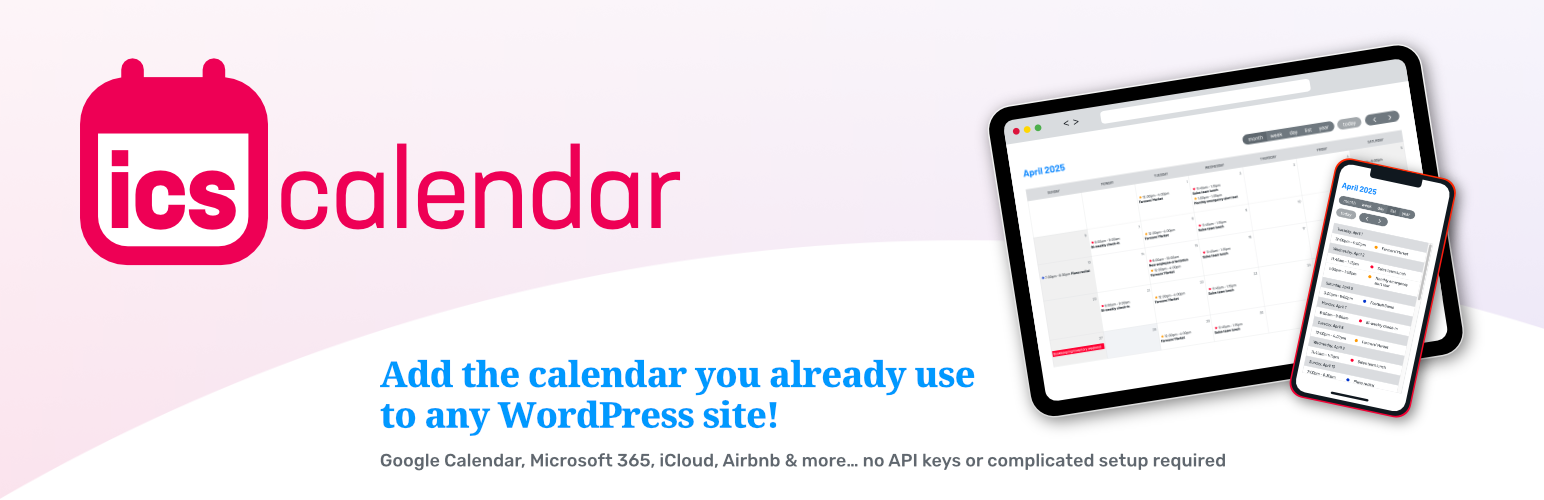
Add the calendar you already use to any WordPress site! Google Calendar, Microsoft 365, iCloud, Airbnb and more… no API keys or complicated setup required.
Using a simple shortcode, you can turn any iCalendar subscription (ICS) feed (Google Calendar, Microsoft Office 365, Apple iCloud, Airbnb, Vrbo, and many more) into a seamlessly integrated, auto-updating, zero-maintenance WordPress calendar.
Continue to manage your events in the calendar software you’re already using! You’ll automatically have an up-to-date calendar in your WordPress website with no extra work.
Display your calendar in month, list or week view. Many additional customization options are available. See our User Guide for full details.
No API keys required!
Works with ANY calendar software that generates a public iCalendar subscription link.
Live Preview
You can preview your own calendar in any ICS Calendar view at our website: icscalendar.com/preview
Shortcode Builder
We’ve made it easier than ever to get started using ICS Calendar with our new online shortcode builder: icscalendar.com/shortcode-builder
Language Support
All date strings (days of the week, months, etc.) are automatically translated into your site’s configured language (under Settings > General > Language) and date/time formats using core WordPress functionality. All text content for the calendar itself is displayed as-is from the feed.
ICS Calendar includes built-in translation files for the following languages: Chinese, Czech, Danish, Dutch, Estonian, Finnish, French, German, Greek, Hungarian, Icelandic, Italian, Japanese, Korean, Latvian, Lithuanian, Norwegian, Polish, Portuguese, Romanian, Russian, Serbian, Slovakian, Slovenian, Spanish, Swedish, Turkish, and Ukrainian.
Please contact us if you would like us to add support for your language!
This plugin includes the PHP ICS Parser library by Jonathan Goode, John Grogg and Martin Thoma (MIT license).
Installation
Once the plugin is installed and activated, use the shortcode below (adding your own ICS feed URL between the quotation marks) to insert a calendar into your pages. Use our online Shortcode Builder to easily create a customized shortcode, or consult the User Guide for more information.
[ics_calendar url=""]
Be sure you are using the iCalendar subscription (ICS) URL (i.e. for importing into a calendar program), not the URL for viewing a calendar in a web browser. To test if you have the correct URL, paste it directly into your browser address bar. It should download an .ics file, not display the calendar in the browser.
FAQ
How do I find my calendar’s ICS feed URL?
Different calendar systems have different ways to obtain the feed URL. You may need to consult your calendar software’s documentation for assistance. Find instructions for commonly used calendars below.
You will also need to make sure that your calendar is public. Private calendars cannot be accessed by this plugin.
Documentation quick links:
How do I insert a calendar into my page?
Use this shortcode, inserting your ICS feed URL between the quotation marks:
[ics_calendar url=""]
Be sure you are using the iCalendar subscription (ICS) URL (i.e. for importing into a calendar program), not the URL for viewing a calendar in a web browser. To test if you have the correct URL, paste it directly into your browser address bar. It should download an .ics file, not display the calendar in the browser.
Can I combine multiple calendars?
Yes! You can combine multiple calendars by including more than one feed URL in the url parameter. Separate the calendar URLs with one space or a pipe | character. Do not include any other delimiter characters, as they will be interpreted as part of the URL.
Why isn’t my calendar loading?
This may be due to your server’s configuration. This plugin requires either the PHP cURL extensions, or the allow_url_fopen PHP setting to be turned on. Check your PHP configuration or your server administrator if you think this may be the issue. You can also use the ICS Feed URL Tester utility on the ICS Calendar admin page to check if your server is able to connect to the calendar source.
Why isn’t my calendar updating?
For performance, this plugin uses WordPress transients to store retrieved calendar data for one hour between requests to the calendar source server. If you have updated events that are not showing up in your page, visit the ICS Calendar page in your site admin and click the Clear Cached Calendar Data button.
Third-party caching plugins may interfere with ICS Calendar’s feed syncing. ICS Calendar uses AJAX to work around most caching conflicts, but your caching plugin may require you to add the wp-admin/admin-ajax.php path to its list of exclusions in order for AJAX to function properly.
Why are event times an hour off after Daylight Saving Time begins?
PHP has two different ways of defining timezones: as a number of hours offset from GMT/UTC (e.g. “UTC-5”), or as a continent/city combination (e.g. “America/Chicago”). Timezones using UTC offsets do not handle Daylight Saving Time correctly (as noted in the PHP documentation). Please check your WordPress timezone settings (Settings > General > Timezone). If it is set to a UTC offset, change it to the city closest to your location, in the same timezone. You can also set the timezone within the shortcode using the tz parameter. (Again, be sure to use a named region/city timezone, not a UTC offset.)
Additional documentation and support
Our User Guide includes extensive documentation of all features of the plugin, is frequently updated, and is translated into all languages supported by the plugin.
Feature requests
The paid ICS Calendar Pro add-on includes additional layout options, tools for customizing the calendar’s appearance more easily than directly editing CSS, an improved insertion tool, and more. We are also constantly adding new features and refinements to both the free and paid versions. If you have suggestions for features you’d like to see or any other additional input, please let us know by following the support link on the admin page or in the WordPress support forums! The base plugin will always be free to use.
Changelog
12.3.0 – 2026.10.28
- Admin:
- Added List All ICS Calendar Shortcodes in Use utility, providing a way to quickly locate all instances of ICS Calendar throughout your site content.
- Minor interface tweaks.
- Miscellaneous:
- Fixed logic that would cause the
r34ics_enqueue_conditional_scriptsaction to run when calendars are paused. - Bumped minimum PHP requirement to 8.1. While this version of ICS Calendar has not specifically implemented code changes that require PHP 8.x, this change was made due to the security vulnerabilities identified in earlier PHP versions in October 2026. If your server is running an earlier version of PHP, please update immediately!
- Removed older changelog entries from
readme.txt. Full changelog is available inchangelog.txt.
- Fixed logic that would cause the
- i18n:
- Updated translation strings.
12.2.1 – 2026.10.23
- Miscellaneous:
- Updated
r34ics_recurrence_description()function’s output to include “until (date)” when theRRULEincludes anUNTILvalue.
- Updated
- Vendors:
- ics-parser:
- Merged v. 3.6.0 changes into customized version of library.
- Added a modification to how the
DURATIONproperty is handled, to account for malformed values observed in feeds from some sources (e.g. TeamSnap). TheDURATIONproperty should not end with aT; it is supposed to be followed by one or more digit-letter pairs representing hour/minutes/seconds. This workaround strips any trailingTfromDURATION, allowing the parser to properly handle the remaining value.
- i18n:
- Updated translation strings.
12.2.0 – 2026.10.18
- Basic view:
- Changed default
countvalue from0(unlimited) to10.
- Changed default
- JavaScript:
- Refactored
script.jscode to replace most uses ofvarwithconstorlet, as appropriate.
- Refactored
- Miscellaneous:
- Added support for
uaparameter when using legacy feed request method. - Added fallback value to avoid possible
PHP Warning: Undefined array key "TZID"messages in error logs.
- Added support for
12.1.4.2 – 2026.10.05
- AJAX:
- Added exceptions in custom sanitization code to allow backslashes in selected shortcode parameters (currently only
timeformat) because they are a necessary part of the string, e.g. for the French date format codeG\hi.
- Added exceptions in custom sanitization code to allow backslashes in selected shortcode parameters (currently only
- Miscellaneous:
- Modified
r34ics_organizer_format()function to support line breaks.
- Modified
12.1.4.1 – 2026.09.21
- Fixed regression in
r34ics_time_format()introduced by the refactoring in version 12.1.4 that would cause a literal “T” to display in addition to the timezone abbreviation when usingTin the time format string. This change also allows theTto appear anywhere in the string, rather than just at the end. - Removed
r34ics_hour_format()function, as it is no longer in use. (This function existed solely for Grid view, which was removed in ICS Calendar Pro version 6.0.0.) - Removed deprecation notice for Use legacy feed request method setting because it clearly is still needed on many servers. (Instances of sites needing to use this option seem to have increased recently, perhaps related to an as-yet unidentified change in WordPress core 7.x, or another environmental factor.)
- i18n: Updated translation strings.
12.1.4 – 2026.09.17
- ics-parser Library:
- Added
#[AllowDynamicProperties]to prevent deprecation warnings in logs for PHP 8.2 and later.
- Added
- Miscellaneous:
- Refactored functions in the
functions.phpfile:r34ics_boolean_check(),r34ics_color_hex_sanitize(),r34ics_color_key_allowed()andr34ics_time_format().
- Refactored functions in the
- i18n:
- Corrected translations of the phrase “All Day” in Portuguese.
12.1.3.2 – 2026.09.03
- Miscellaneous:
- Fixed “Warning: Undefined variable
$ics_data” error on views that use early rendering. - Bumped ‘tested up to’ to 7.1.
- Fixed “Warning: Undefined variable
12.1.3.1 – 2026.08.04
- Week view:
- Corrected a long-standing CSS bug that had no noticeable effect until the changes in 12.1.2 were introduced.
12.1.3 – 2026.07.28
- Basic view:
- Fixed a bug that prevented toggle from working when user clicks on an event title. (Clicking the date or time worked, but the title itself did not.)
- List and Basic views:
- Fixed pagination error when “today” has multiple pages’ worth of events.
- Miscellaneous:
- Added new date-specific CSS class to events.
- Resolved conflicting
z-indexvalues for event hover.
12.1.2 – 2026.07.14
- Week view:
- Fixed issue that prevented events from displaying when displaying the current week only or limiting the display to fewer than 8 days.
- CSS:
- Changed
z-indexon event hover to avoid conflict with Modern Events Calendar plugin.
- Changed
- Miscellaneous:
- Modified
R34ICS::parse_attach_array()method to support returning an array in addition to the default string output option.
- Modified
12.1.1.1 – 2026.07.01
- AJAX:
- Adjusted minimum refresh time from 5 minutes to 2 minutes, and added a 10-second delay, to account for any lag in clearing the cache. (Actual refresh rate is based on the Transient (cache) expiration setting.)
- Print:
- Added restrictions on allowed HTML attributes passed into print wrapper.
12.1.1 – 2026.06.26
- Admin:
- Fixed issue of a large number of irrelevant, version-related admin notices appearing on initial installation.
- Modified
r34ics_admin_full_access()function, adding the$multisite_checkparameter. This allows for conditionally checking for Multisite Super Admin access. Prior to this change, in a Multisite configuration, only network Super Admins could access ICS Calendar settings. All settings are site-specific, so site-specific Administrators should be allowed to access them. The conditional retains the ability to check for Super Admin access if needed. (Presently this is only needed for the License tab in the Pro version.)
- Appearance settings:
- Added “Give ICS Calendar credit” option. (This is turned OFF by default.) Adds a small “Powered by ICS Calendar” credit link below each calendar. Thank you for your support!
- Shortcode parameters:
- Added
eventdescdateformatparameter to allow different formatting for dates in the event description hover box/lightbox than in the main calendar view. If omitted, will fall back toformatvalue or default for the view.
- Added
- Miscellaneous:
- Added
r34ics_display_calendar_before_render_templateandr34ics_display_calendar_hooks_render_templateon early render.
- Added
- i18n:
- Updated translation strings.
12.1.0 – 2026.06.20
- Script loading:
- Re-introduced conditional enqueuing of static assets (JavaScript and CSS files), which had been removed in an earlier update due to inconsistent behavior. This new method has been tested against the 40 most popular themes in the repository and appears to work reliably in all cases.
- Added
r34ics_enqueue_conditional_scriptsaction toR34ICS::enqueue_scripts()method, to provide a way for view-specific scripts to still be enqueued when the remainder of the method is being bypassed because the general scripts have already been enqueued. - Modified script loading in
print.phptemplate to account for the above changes.
Full Changelog
Changelog truncated here due to WordPress repository requirements. Please see changelog.txt for older logs.