


Description
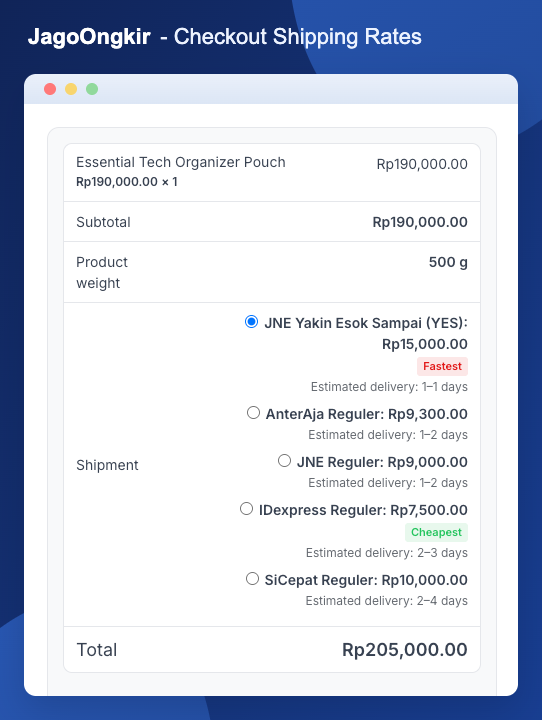
JagoOngkir is an Indonesian shipping cost plugin for WooCommerce. It shows the available couriers and calculates the shipping cost to your customer’s address, right on the Cart and Checkout pages.
Shipping costs are fetched through the API of your chosen provider: api.co.id, RajaOngkir, Biteship, or Binderbyte. You use your own provider account and API key, and you can switch providers at any time without redoing your setup.
What you can do with it
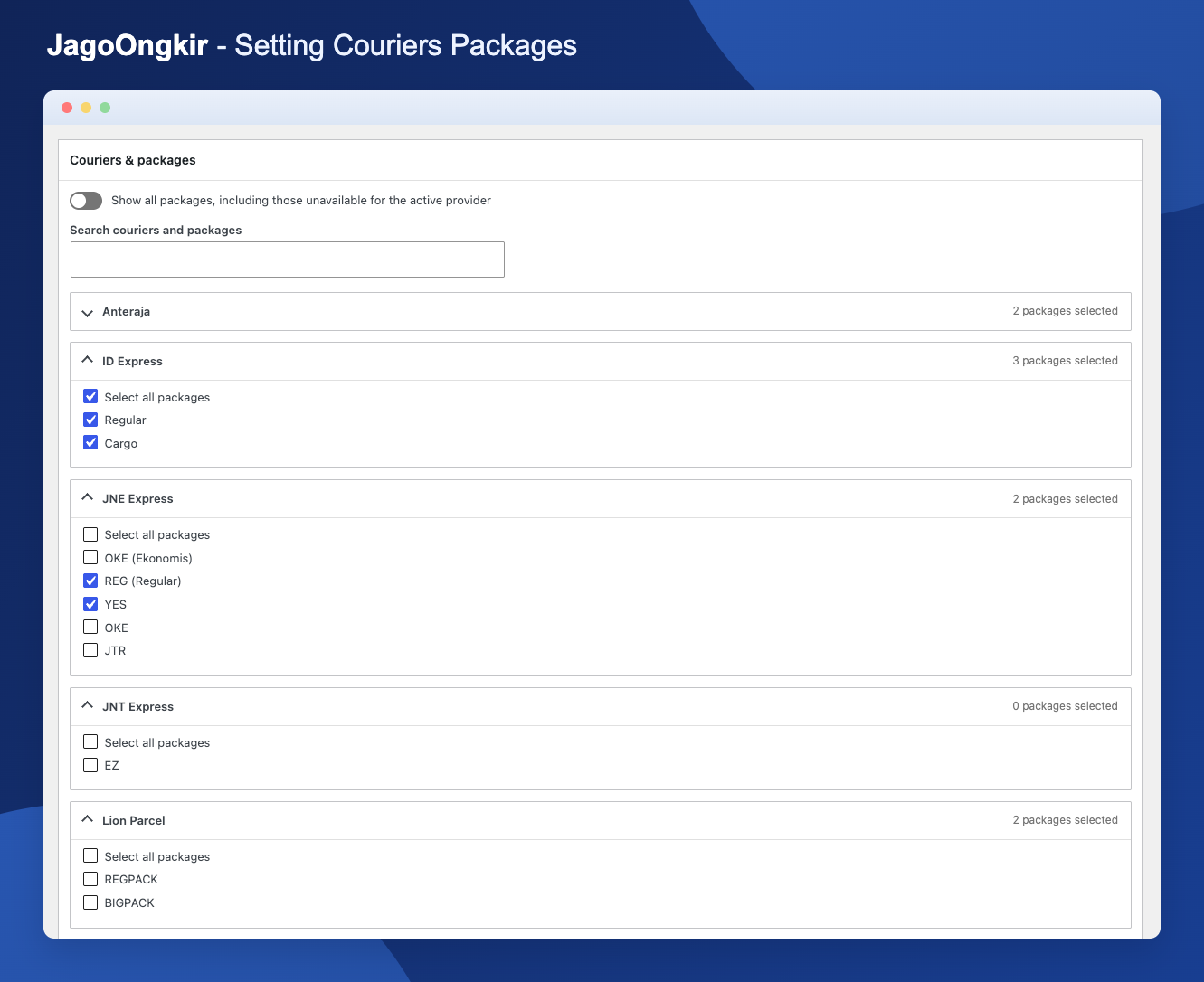
- Show rates only for the couriers and services you pick.
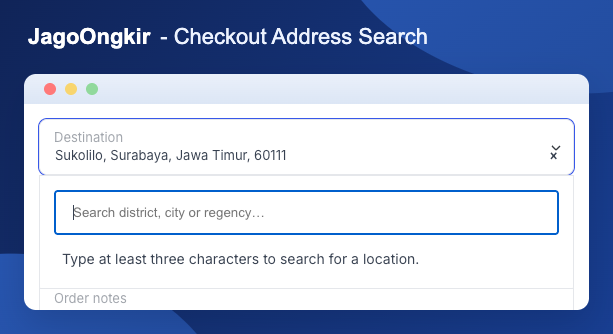
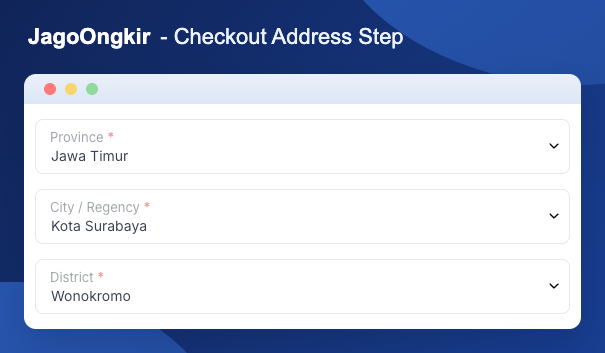
- Let customers choose a destination through dropdowns or a search box (depending on the provider).
- Mark the cheapest and fastest options with badges, and sort rates the way you prefer.
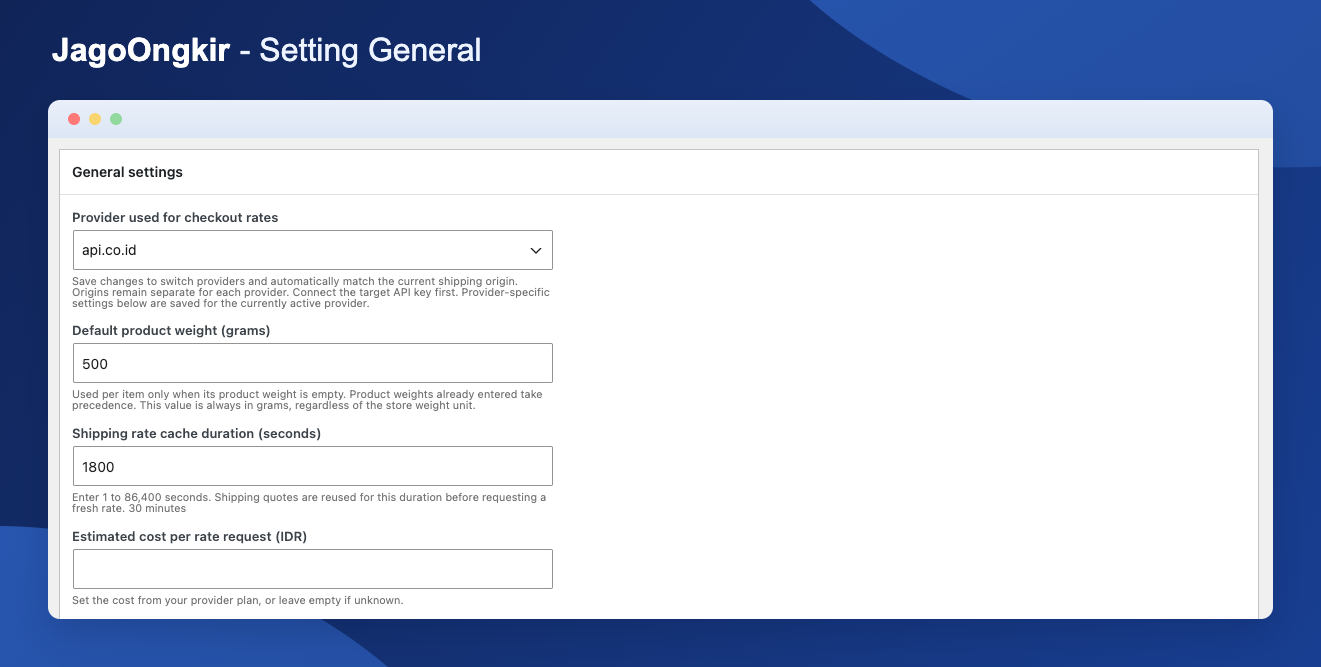
- Set a default weight for products that don’t have one.
- Keep each provider’s API key, origin, limits, usage counters, and cache separate.
- Track daily and monthly API requests with estimated costs, and get a warning email before you hit your limit.
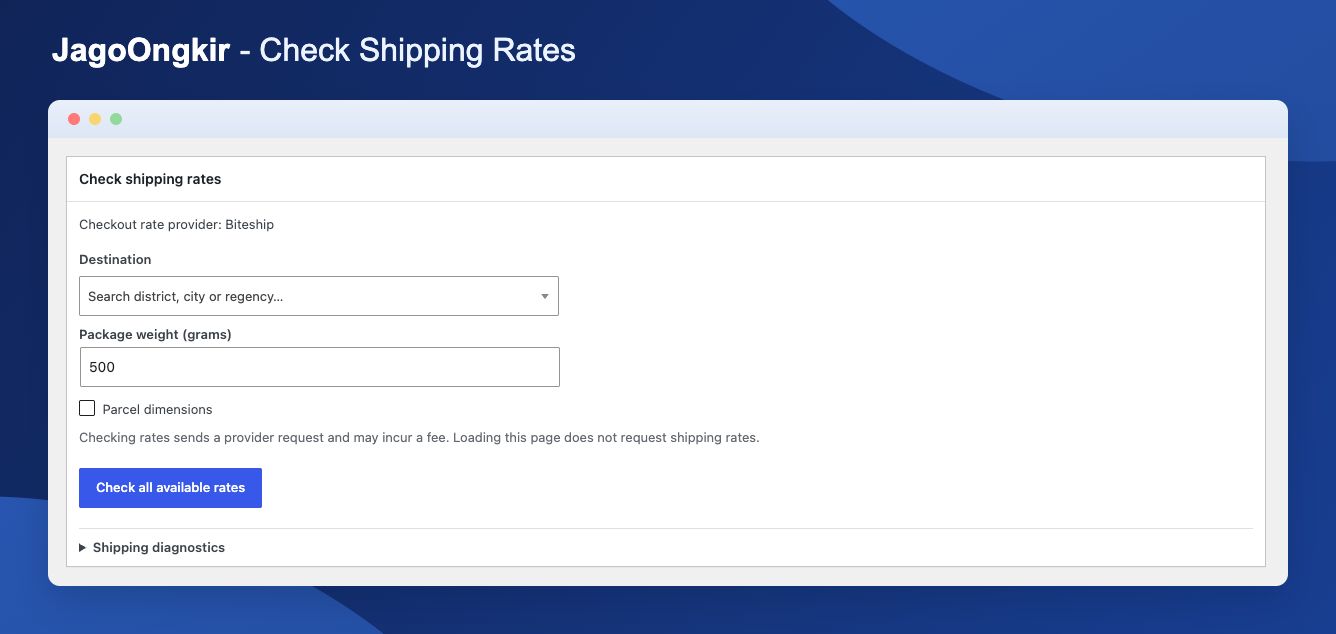
- Test a rate, clear caches, and import or export settings from the Tools tab (API keys are never exported).
What it doesn’t do
JagoOngkir only calculates shipping rates. It doesn’t book shipments, arrange pickups, or track parcels. It also works with the classic shortcodes [woocommerce_cart] and [woocommerce_checkout], not the Cart and Checkout Blocks.
About the rates
JagoOngkir is an independent plugin and isn’t affiliated with any provider or courier. Prices and availability come straight from the provider’s API, so they can differ from one provider to another, or from what the courier quotes at the counter. The courier sets the final charge when your parcel is processed. API fees and quotas depend on your provider account, so check their terms before you go live.
Requirements
- WordPress 6.3 or later
- PHP 7.4 or later
- WooCommerce 8.2 or later (HPOS supported)
- Store currency set to IDR
- A provider account with access to the shipping rate and location APIs
External services
Once you add an API key, JagoOngkir talks to the provider you selected. It does this to test the connection, search and validate locations, match your shipping origin, and calculate rates. Location lists may also be prepared in the background.
What gets sent: your API key, location queries or IDs, and the package weight. Depending on the provider, courier codes, item values, quantities, and dimensions are included too. Providers also see your server’s IP address and standard HTTP metadata. Customer names, emails, phone numbers, and street addresses are never sent. Provider fees and terms apply.
- api.co.id:
https://api.co.id/integrasi-api-pengiriman/(Website, Documentation, terms, privacy) - RajaOngkir:
https://rajaongkir.com/(Website, Documentation, terms, privacy) - Biteship:
https://biteship.com/en/product/api(Website, Documentation, terms, privacy) - Binderbyte:
https://binderbyte.com/(Website, Documentation, terms)
jQuery comes from WordPress. SelectWoo and its stylesheet come from WooCommerce.
Privacy
Settings and API keys are stored in WordPress options. Location caches are kept per provider account and expire within seven days. Rate caches last as long as you set, from 1 to 86,400 seconds. Addresses and shipping metadata are saved through WooCommerce as usual.
Daily usage records are kept for 90 days, and monthly summaries for the last 13 recorded months.
To limit location requests, the plugin stores a hashed version of the visitor’s IP address on your site until the next request updates it. The raw IP is never forwarded to providers. Optional usage warnings are sent through WordPress to the email address you set.
Remember to mention these providers in your store’s own privacy policy.
Installation
- Install and activate WooCommerce, then upload the
jagoongkirfolder to/wp-content/plugins/and activate JagoOngkir. - Go to WooCommerce > Ongkos Kirim > API Connection and enter your provider’s API key.
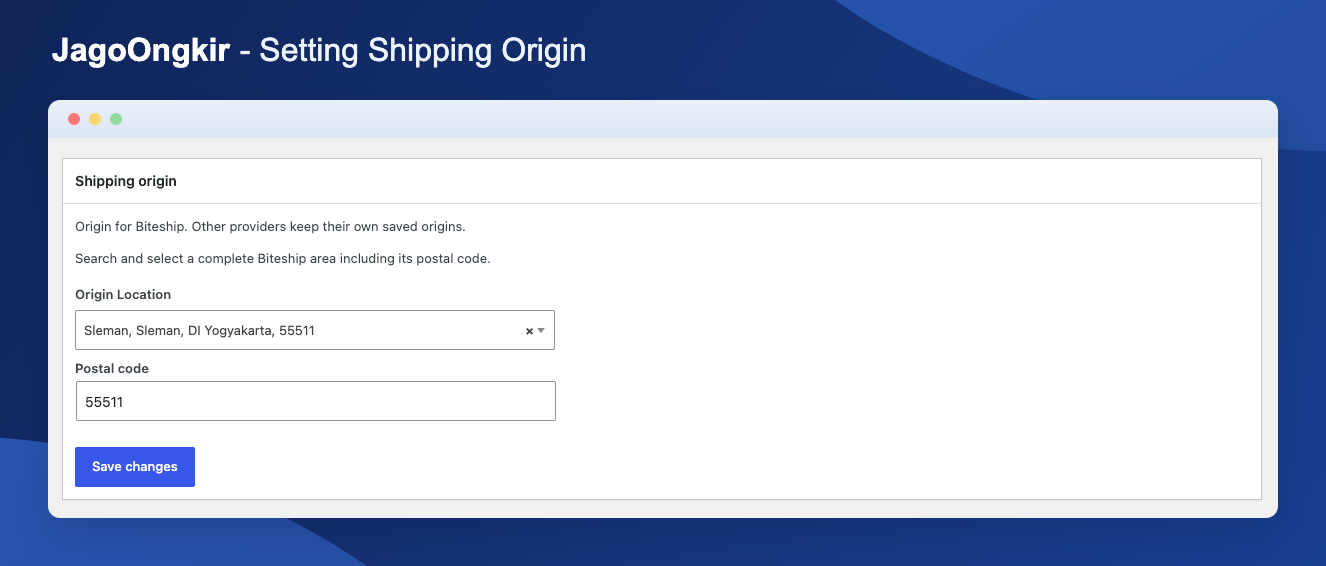
- In General, choose your active provider. Then open Shipping Origin and set where you ship from.
- Pick your courier services and set a default product weight.
- In Checkout, adjust destination selection, badges, and sorting to taste.
Once the API key and origin are set, shipping rates appear automatically.
FAQ
Do I need an API account?
Yes. Sign up with api.co.id, RajaOngkir, Biteship, or Binderbyte and grab an API key.
Are there API fees?
That depends on the provider and the plan you choose. These fees are separate from what couriers charge for delivery, so check your provider’s current pricing.
Is JagoOngkir affiliated with the providers or couriers?
No. It’s an independent plugin that connects WooCommerce to third-party shipping APIs.
Why are no shipping rates showing?
Go through this list:
- Is your API key correct, and do you still have balance or quota?
- Are the origin and destination set?
- Do your products have weights (or is a default weight set)?
- Did you select at least one courier service?
- Does the courier actually serve that route? Providers can also have outages.
If you just switched providers, ask the customer to select the destination again so the new provider can verify it.
Why do rates differ between providers, or from the courier’s own quote?
Providers use different data sources and calculation methods. Weight rounding, package dimensions, coverage, and update timing all play a part. The courier’s final calculation is what counts when the parcel is processed.
Can I switch providers without losing my settings?
Yes. Each provider keeps its own profile and caches, and shared courier and service selections carry over (only services the new provider supports will return rates).
The plugin also tries to match your saved origin automatically, using province, city or regency, and district names (plus postal code for Biteship). If it can’t find a single clear match, it keeps your current provider and origin so nothing breaks. Binderbyte matching uses the full location hierarchy, and if a district result has no postal code, your previous origin postal code is kept.
How does the plugin handle package size and volumetric weight?
It depends on the provider:
- RajaOngkir: The plugin works out volumetric weight itself (length × width × height ÷ divisor) and sends whichever is greater, actual or volumetric weight. The divisor defaults to 6000 and can be changed in General (the field only appears when RajaOngkir is active). It applies to all couriers.
- api.co.id: It receives the physical weight and an estimated parcel size in whole centimeters, and calculates volumetric rates on its side. If product dimensions are incomplete, only the weight is sent.
- Biteship: It receives each item’s dimensions and quantity.
- Binderbyte: Volumetric weight isn’t calculated by the plugin.
For api.co.id and RajaOngkir, the parcel is estimated from the largest item’s length and width, plus the combined height of all items. Everything is converted to centimeters first.
Does it split big orders into several parcels or simulate packing?
No. The size is a simple estimate and doesn’t account for packaging material or how items fit in a box. Final measurements and charges follow the courier.
Which weights are shown at Cart and Checkout?
Turn on “Show product and shipping weights below subtotal” in the Checkout settings. It shows the total physical product weight (including the default weight for products without one) and, for RajaOngkir, the weight after the volumetric calculation. Courier rounding and minimum billing rules aren’t included.
With api.co.id and Biteship, dimensions are calculated remotely, so only the physical weight is shown.
Is customer information sent to the provider?
No personal details. Names, emails, phone numbers, and street addresses are never sent. Only the origin and destination location, plus the package details needed for a quote, go out. See “External services” below.
Can JagoOngkir book or track shipments?
No. It only shows rates.
Does it work with Cart and Checkout Blocks?
Not yet. Please use the classic [woocommerce_cart] and [woocommerce_checkout] shortcodes.
Where can I read each provider’s terms and privacy policy?
- api.co.id: Terms and Privacy policy
- RajaOngkir: Terms and Privacy policy
- Biteship: Terms and Privacy policy
- Binderbyte: Terms. Binderbyte doesn’t publish a separate privacy policy, so please ask them about data handling before connecting.
Screenshots
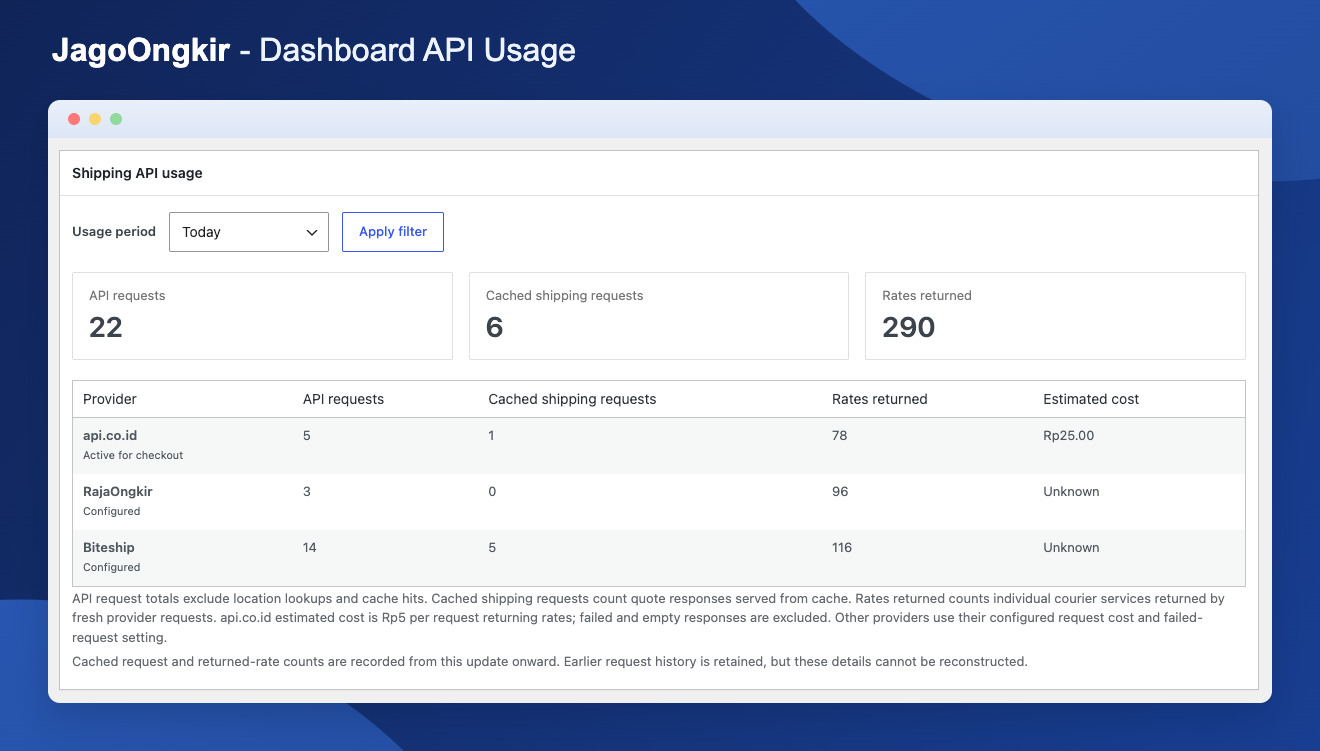
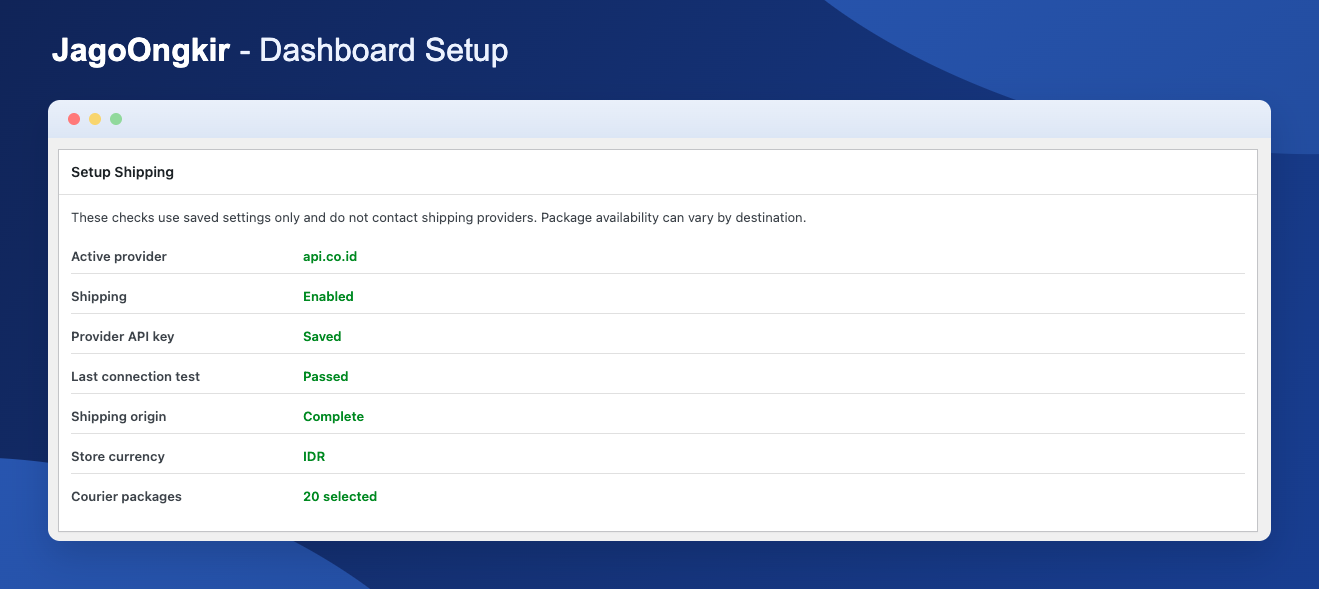
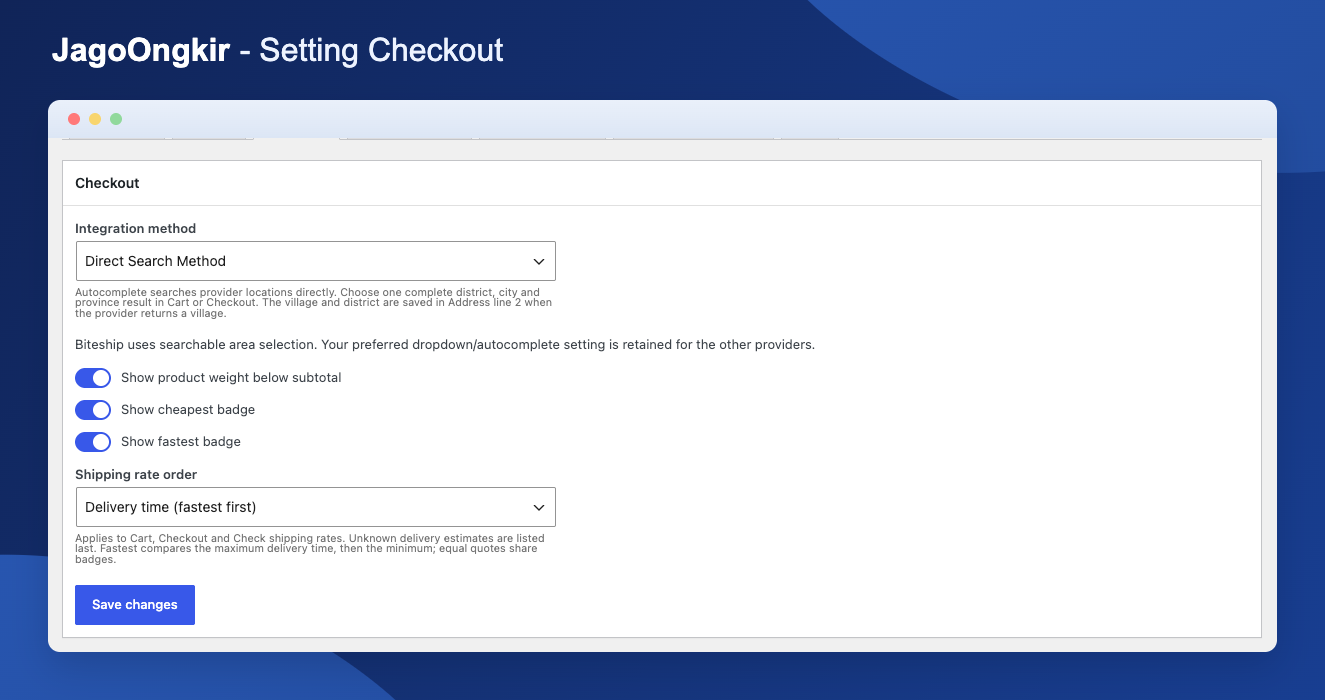
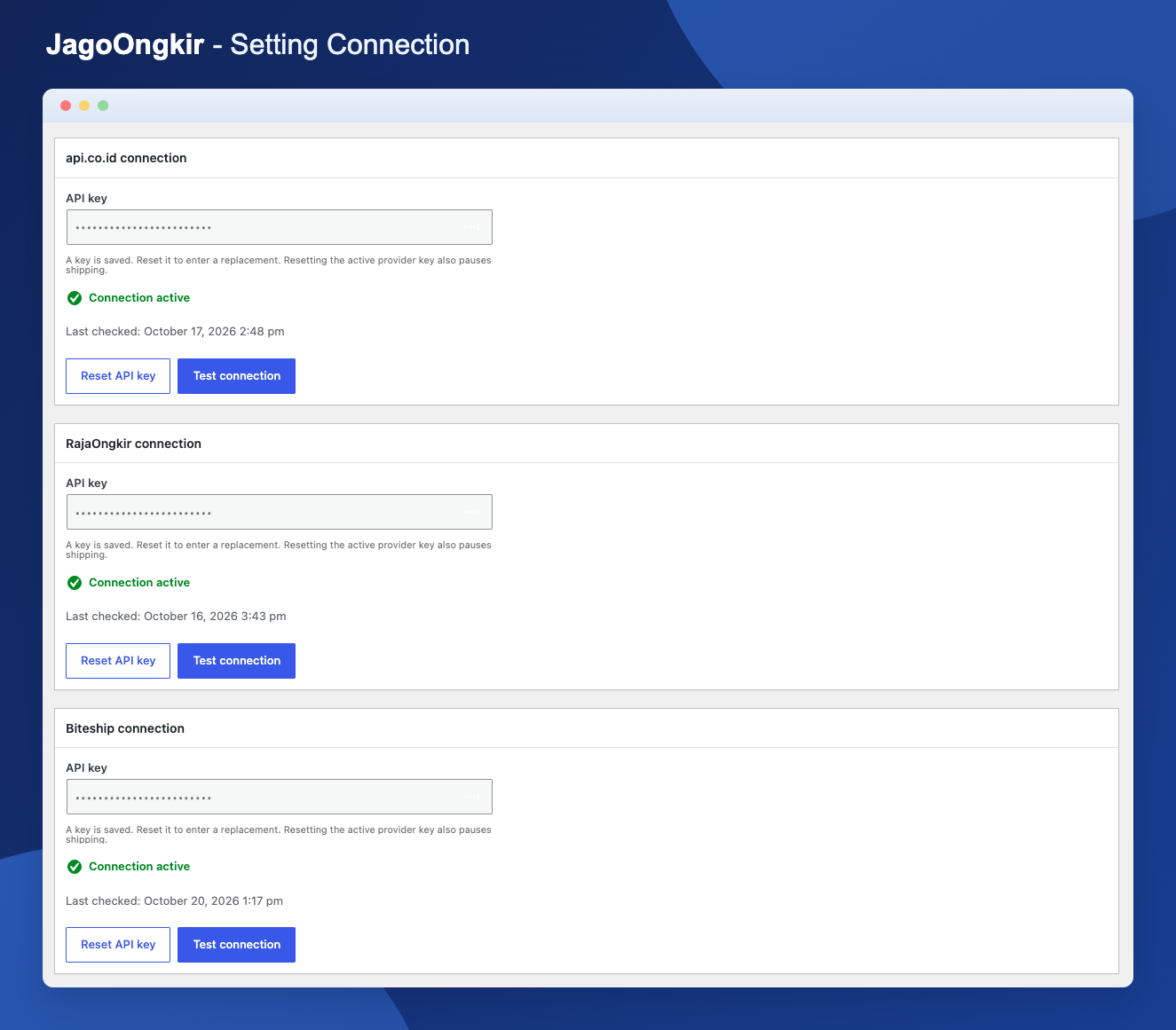
Changelog
1.2.0
- New: Binderbyte is now available as a shipping provider, with village and district search.
- Improve: Binderbyte courier and service choices use familiar names without duplicate packages.
- Improve: When you switch to Binderbyte, your saved shipping origin is matched automatically and its postal code is kept when the provider doesn’t return one.
1.1.0
- fix: Show the effective Direct Search method for Biteship and disable its unsupported Step-by-Step option, while retaining the saved method preference for other providers.
- new: Add administrator shipping diagnostics in Tools, optional test parcel dimensions, cache reuse, and store-selection indicators for returned services. Diagnostics exclude API keys and raw provider responses.
- new: Add automatic volumetric weight calculation for RajaOngkir using combined parcel dimensions. Send the greater of actual and volumetric weight to the API.
- new: Add a configurable RajaOngkir volumetric weight divisor in General, defaulting to 6000 for all couriers and services.
- improve: Automatically match the saved shipping origin when switching providers, keeping separate origin profiles and provider-specific IDs. Preserve the active provider if matching fails.
- fix: Exclude bundled translation catalogs from the WordPress.org release package so translations can be distributed through translate.wordpress.org.
1.0.0
- new: Initial release.