
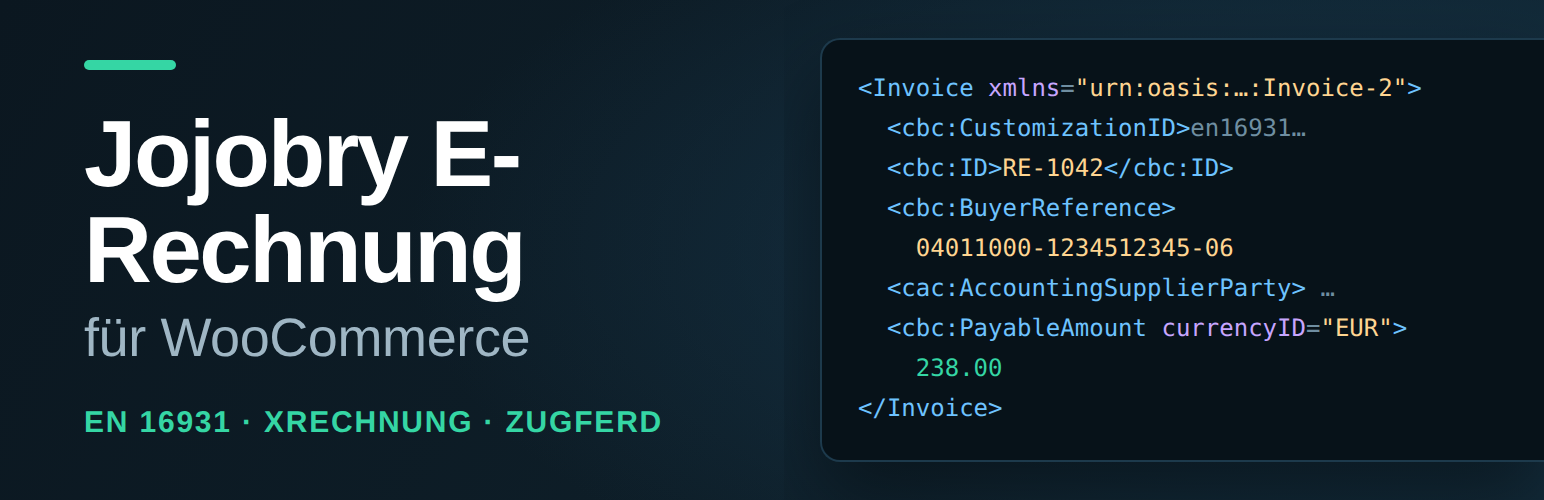

Description
Germany phases in mandatory B2B electronic invoicing in 2027 and 2028; the obligation to receive electronic invoices has been in force since 1 January 2025. This plugin turns any WooCommerce order into a structured invoice in the EN 16931 format — no external service, no account, no running costs. Everything happens on the shop’s own server.
The interface and the generated documents are German, because the formats this plugin implements (XRechnung, the Leitweg-ID routing identifier, the BR-DE business rules) are the German national implementation of EN 16931.
What the plugin does
- Produces an XRechnung in UBL 2.1 from an order — the standard format for invoices to public authorities and large customers.
- Produces, instead or in addition, the UN/CEFACT CII syntax used by ZUGFeRD and Factur-X.
- Attaches the XML file to the WooCommerce invoice e-mail automatically.
- Adds a download button per format to the order screen.
- Freezes an invoice that has been issued, so the document that went out can still be downloaded unchanged after the order has been corrected.
- Collects the Leitweg-ID per order — at checkout, and editable afterwards on the order screen.
- Collects the customer’s VAT identification number and derives reverse-charge cases from it.
- Validates before output against the mandatory fields of EN 16931 and the German rule set (BR-DE), and says in plain language which field is missing and where to enter it.
Why valid EN 16931 XML is not yet an XRechnung
EN 16931 is the European semantic core of an electronic invoice. XRechnung is the German implementation of it, and it adds a rule set of its own — BR-DE — on top of the European rules. Which of the two a validator applies is decided by a single field in the file, the specification identifier BT-24. A file carrying the plain European identifier urn:cen.eu:en16931:2017 is measured against the European rules only; the German rules are never applied to it, no matter how correct it is. That is why software can write XML a validator accepts and still not produce an XRechnung.
This plugin writes the XRechnung 3.0 identifier and fills the fields the German rules then demand, among them:
- BT-10 — the Leitweg-ID as the buyer reference, collected per order; for customers who are not a public authority the order number takes its place.
- BT-41 and BT-42 — a seller contact point and a seller telephone number inside the XML, not only on a printed invoice.
- BT-72 — the delivery or service date, always present.
- BT-23 — the business process identifier, and the electronic addresses of seller (BT-34) and buyer (BT-49).
A file that is missing these is rejected the moment it claims to be an XRechnung — which is exactly what a German authority asks for.
What the plugin deliberately does not do
It does not create a PDF and does not embed anything into a PDF/A-3. A complete ZUGFeRD document is a PDF with embedded XML; this plugin delivers the XML. If you need a PDF, combine it with an invoice PDF plugin.
Data and requests
The plugin makes no outbound HTTP requests at all: no update check, no telemetry, no validation service, no CDN. Nothing about an order or about the shop leaves the server. The XML is built in memory; only the e-mail attachment needs a file on disk, and that one is written to the server’s temporary directory with owner-only permissions and deleted again as soon as WooCommerce has handed the mail over. On a host whose temporary directory is not writable the file falls back to a locked-down subdirectory of the uploads folder — on Apache the .htaccess deny there blocks access, on nginx such a deny has no effect and the file is instead protected only by its random name for the seconds it exists.
Everything the plugin stores lives in WordPress options and order meta, all prefixed wc_erechnung_, and uninstalling removes every one of them.
A refund booked in WooCommerce does not change the e-invoice itself — the file keeps showing the full amount — but it gets its own credit note (BT-3 = 381) with a reference to the original invoice (BG-3), downloadable per format right next to the invoice on the order screen. A wrongly issued invoice is handled the other way round: correct the order, then tick Rechnung berichtigen on the order screen and the plugin writes a corrected invoice (BT-3 = 384) that names the superseded document in BG-3 and states that it is not to be paid.
An invoice that has gone out stays reproducible. The first time an invoice is really issued — the moment its number is drawn, which is what a download and the e-mail attachment do and what the preview deliberately does not — the plugin freezes the XML of both syntaxes on the order. Every later request returns that copy byte for byte, even after the order has been corrected, and the order screen says since when. So the shop can still produce the document it actually sent, which is what an audit asks for; a changed state is a correction with a number of its own, not a rewritten invoice.
Conformance
The generated files are checked against the official KoSIT validator using the “Validator Configuration XRechnung 3.0.2” configuration. All bundled test cases — standard invoice, small-business exemption, reverse charge, mixed tax rates, prepayment, minimal invoice, credit note, corrected invoice — are rated ACCEPTABLE in both syntaxes.
Which scenario the validator picks is part of the test, not just the verdict: every one of the 48 documents the test suite generates is matched to an XRechnung scenario — EN16931 XRechnung (UBL Invoice), EN16931 XRechnung (UBL CreditNote) or EN16931 XRechnung (CII) — and therefore measured against the BR-DE rules, not only against the European ones. A file that landed in the plain EN16931 scenario would fail the test suite even if the validator accepted it.
Installation
- Install and activate the plugin. WooCommerce has to be active.
- Open WooCommerce → Settings → E-Rechnung.
- Fill in the seller details under Stammdaten (master data). The top of the page permanently lists the mandatory fields that are still missing.
- Under Ausgabe & Versand (output and delivery) choose the format and decide whether the XML file is attached to the invoice e-mail.
- Place a test order and download the file from the E-Rechnung box on the order screen.
FAQ
My invoice plugin already writes EN 16931 XML. Do I need this one?
Check the specification identifier (BT-24) of a file it produced. If it reads urn:cen.eu:en16931:2017, the file is a European invoice and the German BR-DE rules were never applied to it — a recipient who asks for an XRechnung will reject it, and setting the identifier by hand does not fix it, because the fields those rules require are then missing: Leitweg-ID (BT-10), seller contact point and telephone (BT-41, BT-42), delivery date (BT-72), business process (BT-23), electronic addresses (BT-34, BT-49). This plugin writes urn:cen.eu:en16931:2017#compliant#urn:xeinkauf.de:kosit:xrechnung_3.0 and fills those fields. If all you need is a European EN 16931 file, you do not need this plugin.
Do I need a VAT identification number?
No. A tax number (BT-32) is enough. Businesses using the German small-business exemption enter their tax number and leave the VAT identification number empty.
What is the Leitweg-ID and do I need it?
The Leitweg-ID addresses an invoice at a German public authority, for example 04011000-1234512345-06. Authorities hand it out. For invoices to ordinary business customers the field is not needed — the plugin puts the order number in as the buyer reference instead.
Why can’t I generate an invoice for an order?
Then a mandatory field is missing. The E-Rechnung box on the order screen names every missing entry together with its rule number, and links straight to the settings when the problem is in the master data.
I refunded an order. Does the e-invoice change?
The invoice itself stays unchanged and keeps showing the original amount — that’s correct, EN 16931 corrects a refund with a separate document, not by editing the invoice. The E-Rechnung box on the order screen shows the refunded amount and a download button per format for the credit note (BT-3 = 381) that belongs to it.
I issued an invoice with wrong data. What now?
Correct the order first — address, company name, items — and then tick Rechnung berichtigen in the E-Rechnung box and save. The plugin writes a corrected invoice (BT-3 = 384) that carries the corrected state, names the superseded invoice in BG-3 and says in the payment terms that the superseded invoice is not to be paid. Correct again and the second correction supersedes the first, so there is always exactly one document that is valid. The original invoice is not touched by any of this: it was frozen when it went out and keeps returning the wrong data on purpose, because that is what the customer received.
Can I still download the invoice I actually sent?
Yes. An invoice is frozen the first time it is really issued, in both syntaxes at once, and every later download returns that copy unchanged — the order screen names the date and time it was frozen. Correcting the order afterwards does not rewrite it; that is what the corrected invoice (BT-3 = 384) is for. One limit: invoices issued before version 0.1.4 have no frozen copy, so for those the download still renders today’s state of the order. The order screen says so, per order.
Does this work with the block checkout?
Yes. The Leitweg-ID and the VAT identification number are registered for both the classic and the block checkout, and end up on the same order.
Is HPOS supported?
Yes, the WooCommerce order tables (High-Performance Order Storage) are supported.
Screenshots


Changelog
0.1.4
- An invoice that has been issued is now frozen: the first time its number is drawn — a download or the e-mail attachment, never the preview — the XML of both syntaxes is stored on the order, and every later request returns that copy byte for byte. Correcting the order afterwards no longer changes the document that went out, so the shop can still produce what the customer received. The corrected invoice (BT-3 = 384) and the credit note (BT-3 = 381) are deliberately not frozen: they have to carry the corrected state.
- Both syntaxes are frozen together, from one invoice. A shop that switches from UBL to CII afterwards therefore does not get a CII document built from a newer order state — two formats of “the same” invoice that disagree with each other.
- The E-Rechnung box on the order screen now says whether an invoice is frozen and since when, and names the one case in which it is not: a number drawn before this version, whose next download still renders today’s state of the order.
- Editing an order after its invoice went out no longer takes the invoice away. The download button and the mail attachment hand out the frozen document even when the order would no longer render a valid invoice today; the box says so separately, as a problem of the order and not of the document that was sent.
- The validity line of an issued invoice now judges the document that was actually delivered. The verdict is recorded when the invoice is frozen, together with a SHA-256 of each stored file, so a later change to the archived XML invalidates the verdict instead of silently carrying it over.
- Translation-ready: every string in the interface goes through the text domain
jojobry-e-rechnung-for-woocommerceandlanguages/carries the POT file. The interface texts themselves stay German, because the format is the German implementation of EN 16931.
0.1.3
- A wrongly issued invoice can now be corrected: correct the order, tick Rechnung berichtigen in the E-Rechnung box, and the plugin writes a corrected invoice (BT-3 = 384) that names the superseded document in BG-3 (BT-25/BT-26) and states that it is not to be paid. A download button per format appears next to each correction, and a second correction supersedes the first, not the original invoice.
- The correction is an invoice document, not a credit note: UBL’s credit note code list does not contain 384, so a correction inside
<CreditNote>is rejected by BR-CL-01. Both syntaxes of the new corrections are rated ACCEPTABLE by the KoSIT validator. - Documented the limit that remains: the plugin renders every document from the order as it stands now and keeps no snapshot, so after a correction the original invoice can no longer be reproduced.
0.1.2
- Refunds now get their own credit note (BT-3 = 381, with a BG-3 reference to the original invoice): a download button per format appears in the E-Rechnung box next to each refund.
- Removed the refund limit notice — it described a gap that is now closed. Corrected invoices (BT-3 = 384) remain unimplemented.
- Security: the XML written for an e-mail attachment now goes to the server’s temporary directory with owner-only permissions instead of the uploads folder, where an
.htaccessdeny is silently ineffective on nginx. The uploads folder stays as a fallback and now carries deny rules for both Apache 2.2 and 2.4. - Documented what the plugin does and does not send anywhere: no outbound requests of any kind.
0.1.1
- The order screen now names the refund limit: an order with a refund in WooCommerce shows the refunded amount and the note that the e-invoice keeps the full amount, because credit notes are not implemented.
- Documented the same limit in the description and the FAQ.
0.1.0
- First release: UBL 2.1 and UN/CEFACT CII, master data validation against EN 16931 and BR-DE, Leitweg-ID at checkout and on the order screen, XML attachment on the invoice e-mail, download per format.