

Description
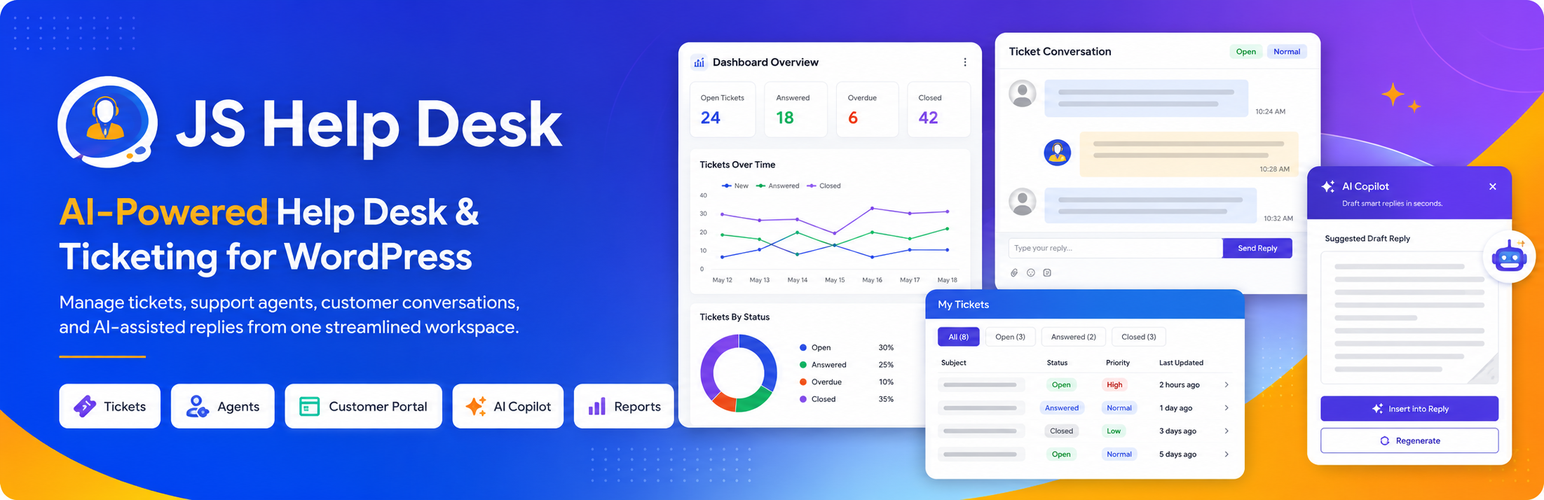
JS Help Desk turns your WordPress site into a complete customer support desk. Customers open tickets from your website – signed in or as guests – and your team answers them from one clear queue. Tickets, replies, attachments and customer details stay in your own WordPress database.
There are no limits on tickets, agents or departments, no per-agent monthly fee and no outside service to sign up for. Install it, add a support page, and start answering.
Trusted since 2014 – nearly 700,000 downloads and more than 7,000 sites answering their customers with JS Help Desk.
New: JS Help Desk 5.0
5.0 is the biggest release in the plugin’s history.
- 12 paid features are now free, for good. Ticket history, internal notes, canned responses, help topics, email ban, auto cleanup, ticket limits, export, dashboard widgets, user options, ticket actions and AI Powered Reply moved from paid add-ons into the free plugin.
- An AI Agent that answers from what you have already written (add-on). It reads your knowledge base, FAQs and past replies, shows its sources, says how sure it is, and hands over to a person whenever it should. You choose how far to trust it – suggestions only, drafts for an agent to approve, or answering on its own – and whether it runs on your server, on your own model or with a hosted provider.
- Live chat (add-on). A chat window on your site that answers from your approved content and brings in an agent the moment the customer asks.
- Nine add-ons instead of more than thirty. Grouped by the job you want done, and every paid plan includes all nine.
- Companies are free. Group customers by organisation and email domain.
- The help desk speaks your language. Translated into 17 languages, and the right translation installs itself.
- A cleaner admin. Menus grouped by subject, better keyboard and screen-reader support, and a block for every portal screen.
- Upgrading is safe. Tickets, settings and your old add-ons keep working, and nothing new is switched on for your visitors until you choose.
Who it is for
- Online shops that want order questions, returns and complaints in one place instead of an overflowing inbox.
- Software, plugin and theme sellers who support customers by product, license or purchase code.
- Agencies and freelancers looking after many clients, each with their own tickets.
- Schools, clubs and internal teams – IT, HR or facilities – who need requests tracked and answered, not lost in email.
Why JS Help Desk
- Your data stays yours. Everything lives in your own WordPress database, not on someone else’s servers.
- Free means free. Unlimited tickets, agents and departments in the free plugin. No trial, no time limit.
- Made for WordPress. Shortcodes and blocks, WordPress roles for your agents, the WordPress privacy tools, and it works with your theme.
- Grows with you. Start free. Add service levels, email piping, a knowledge base, an AI agent or WooCommerce support when you need them.
Useful links
Everything in the free plugin
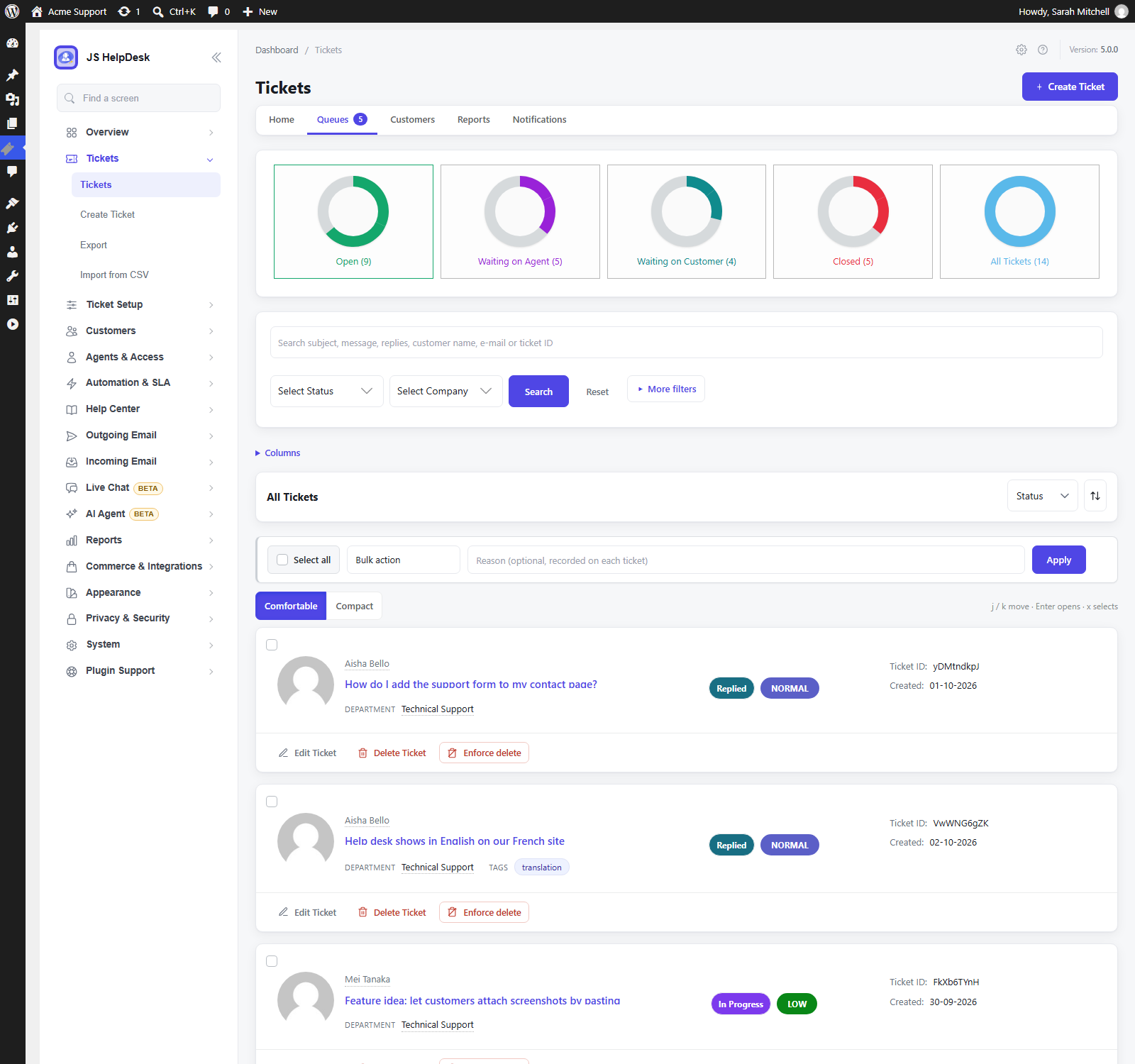
Tickets and the queue
- Unlimited tickets, agents and departments.
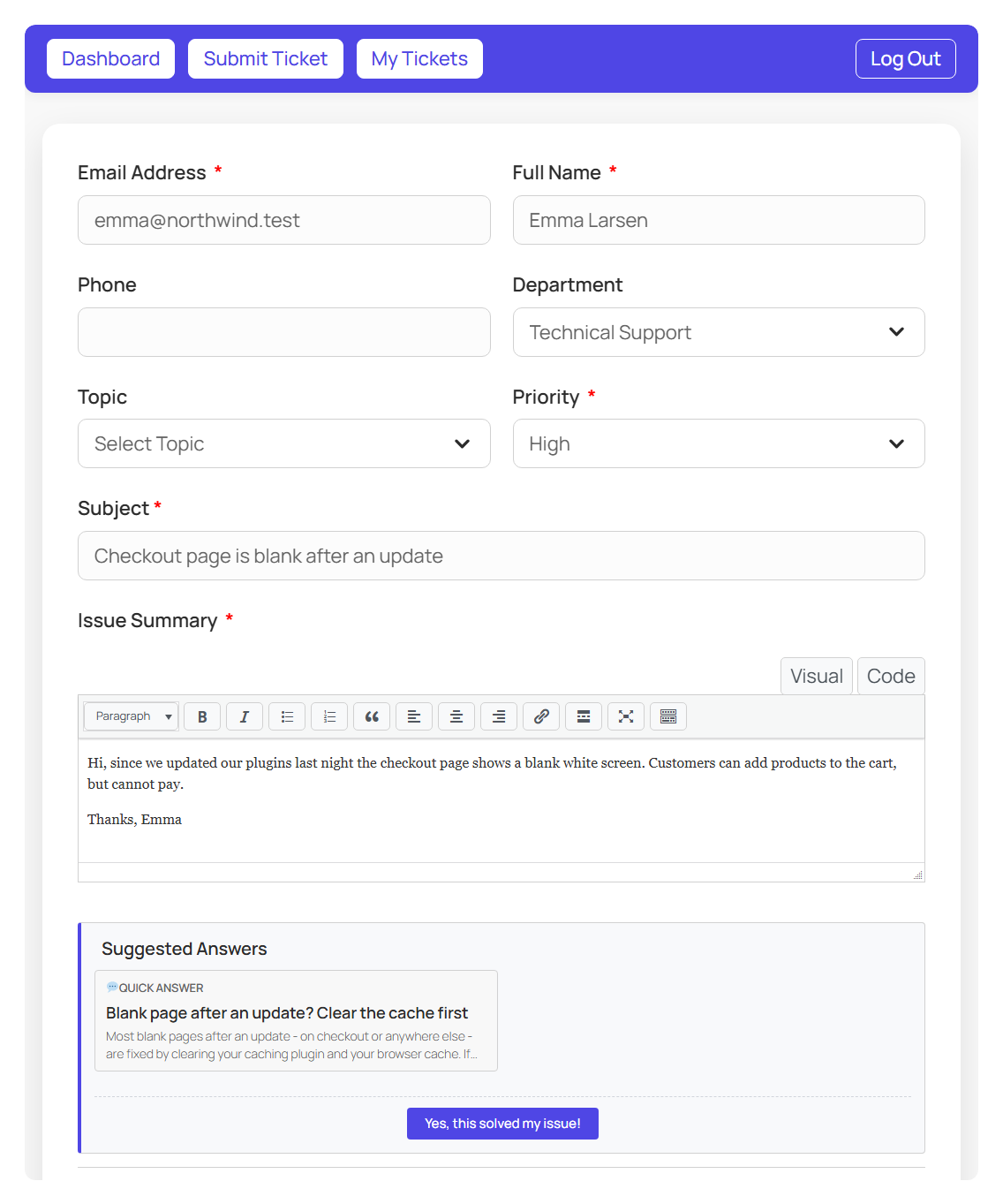
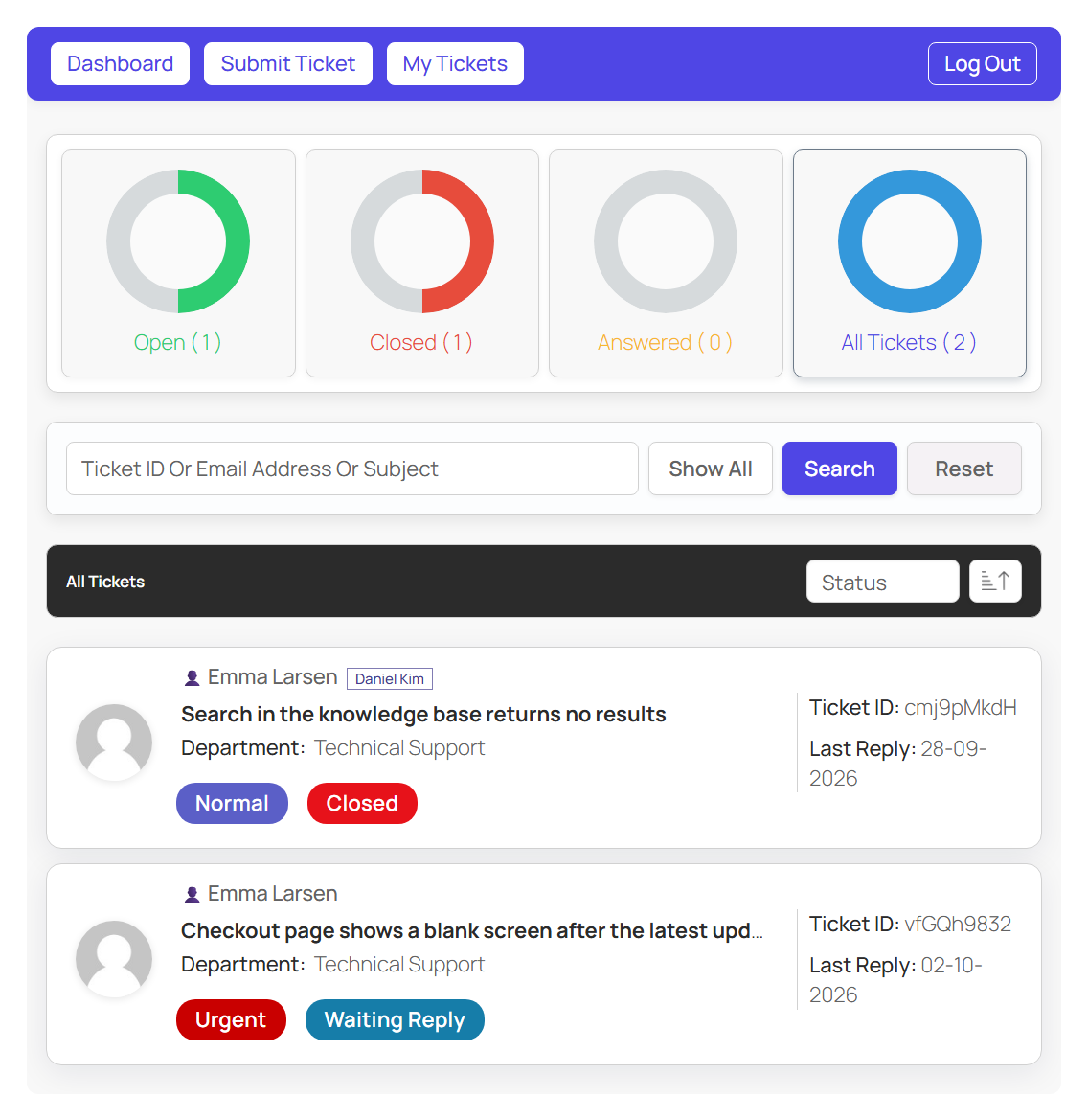
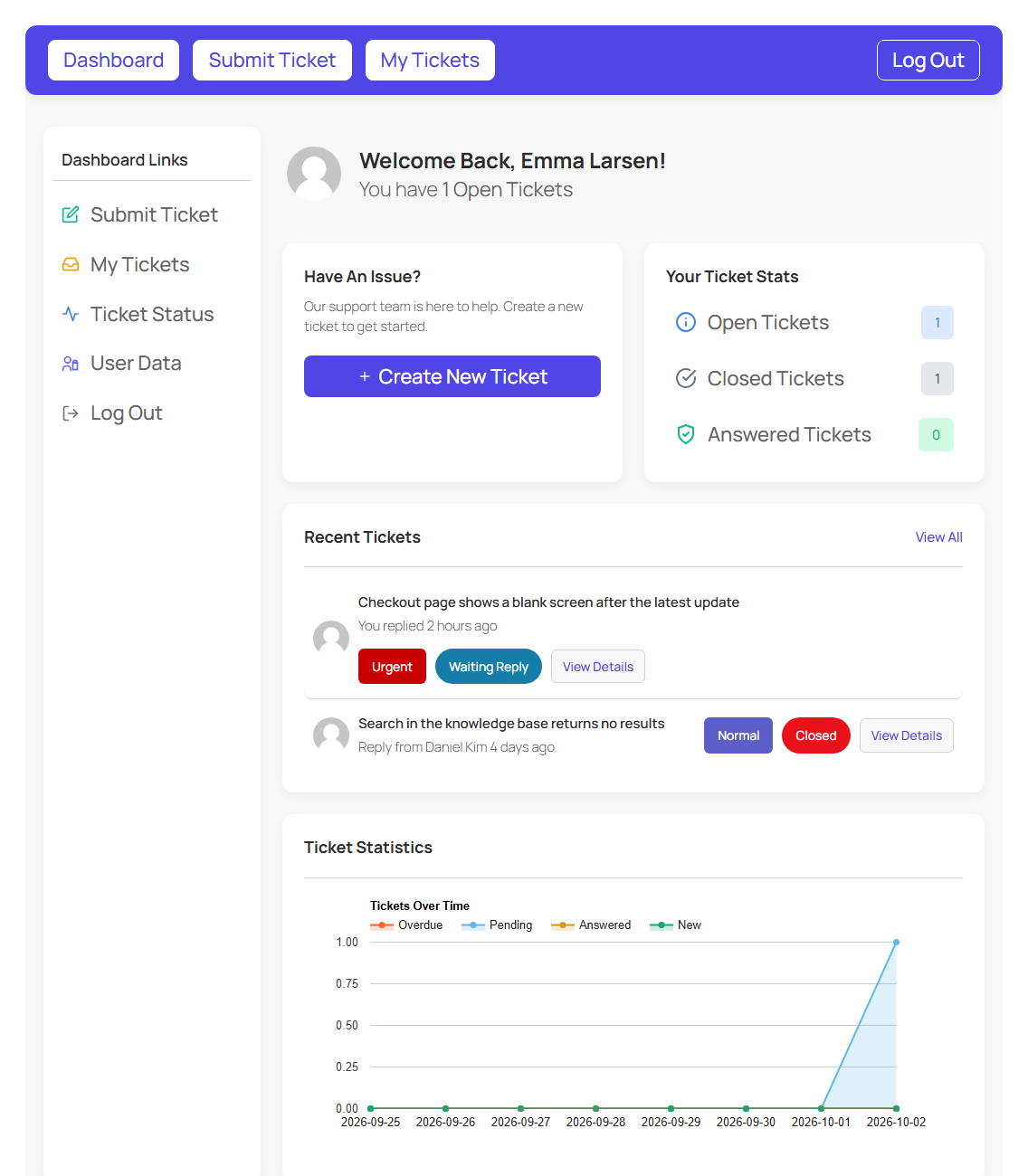
- Customer portal: customers open, follow and reply to their tickets on your site, without ever seeing the WordPress dashboard.
- Guest tickets: let visitors write in without creating an account.
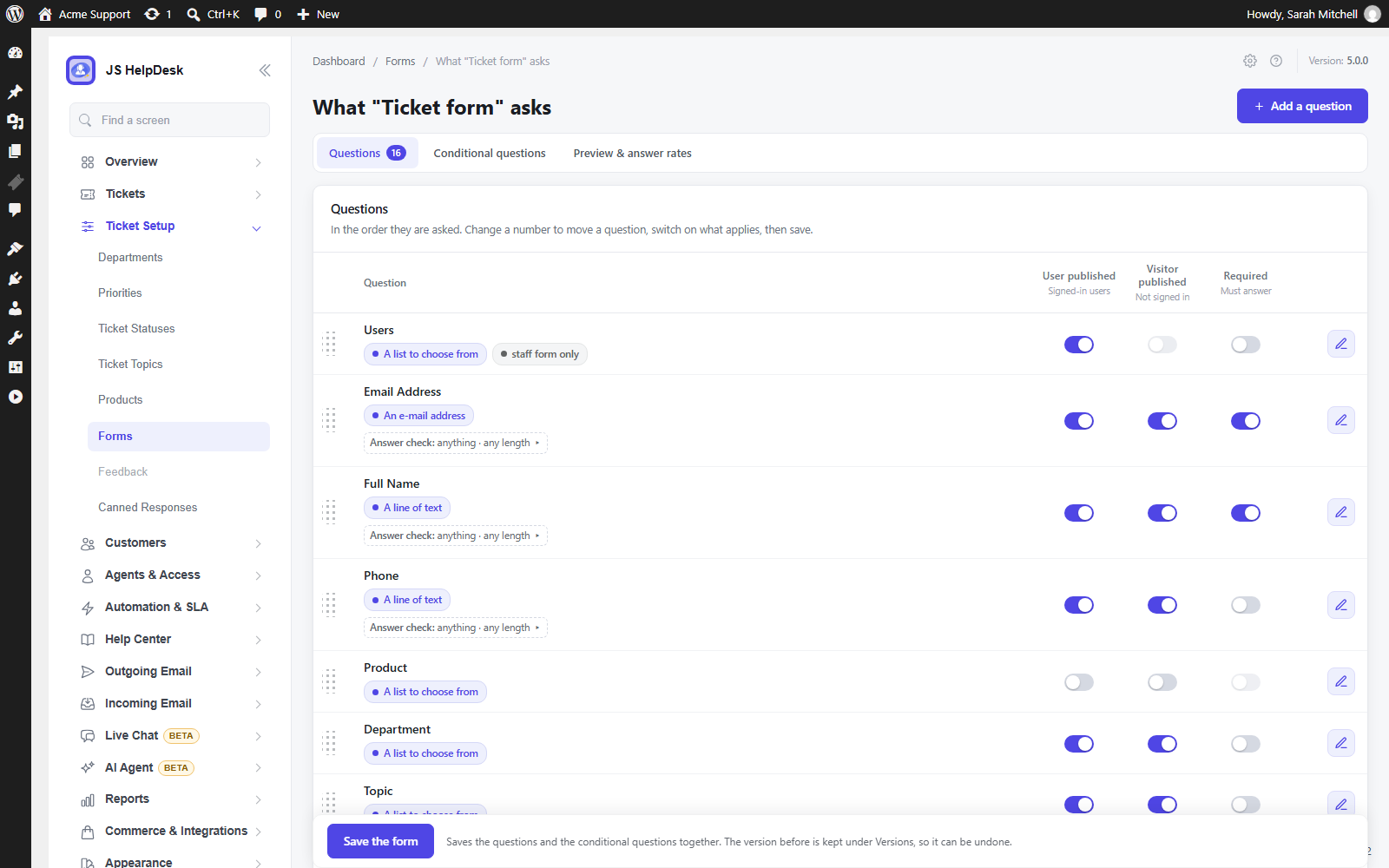
- Priorities, statuses and custom fields on the ticket form, so you ask exactly what you need to know.
- Waiting on Agent / Waiting on Customer queues, worked out from who replied last.
- Find anything fast: search across subjects, messages, customers and ticket numbers; tags; saved views; keyboard shortcuts.
Answering faster
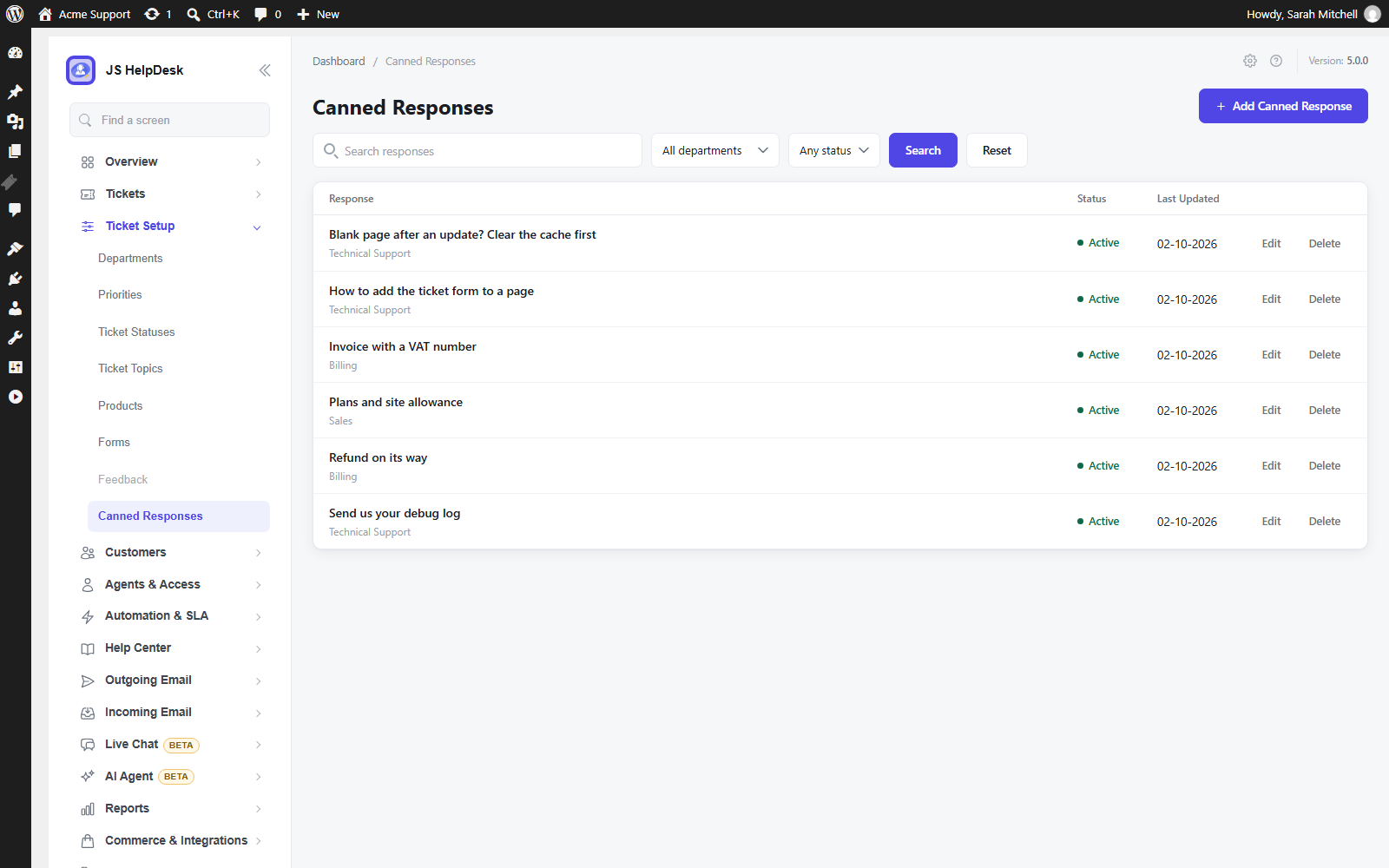
- Canned responses for the answers you write every week.
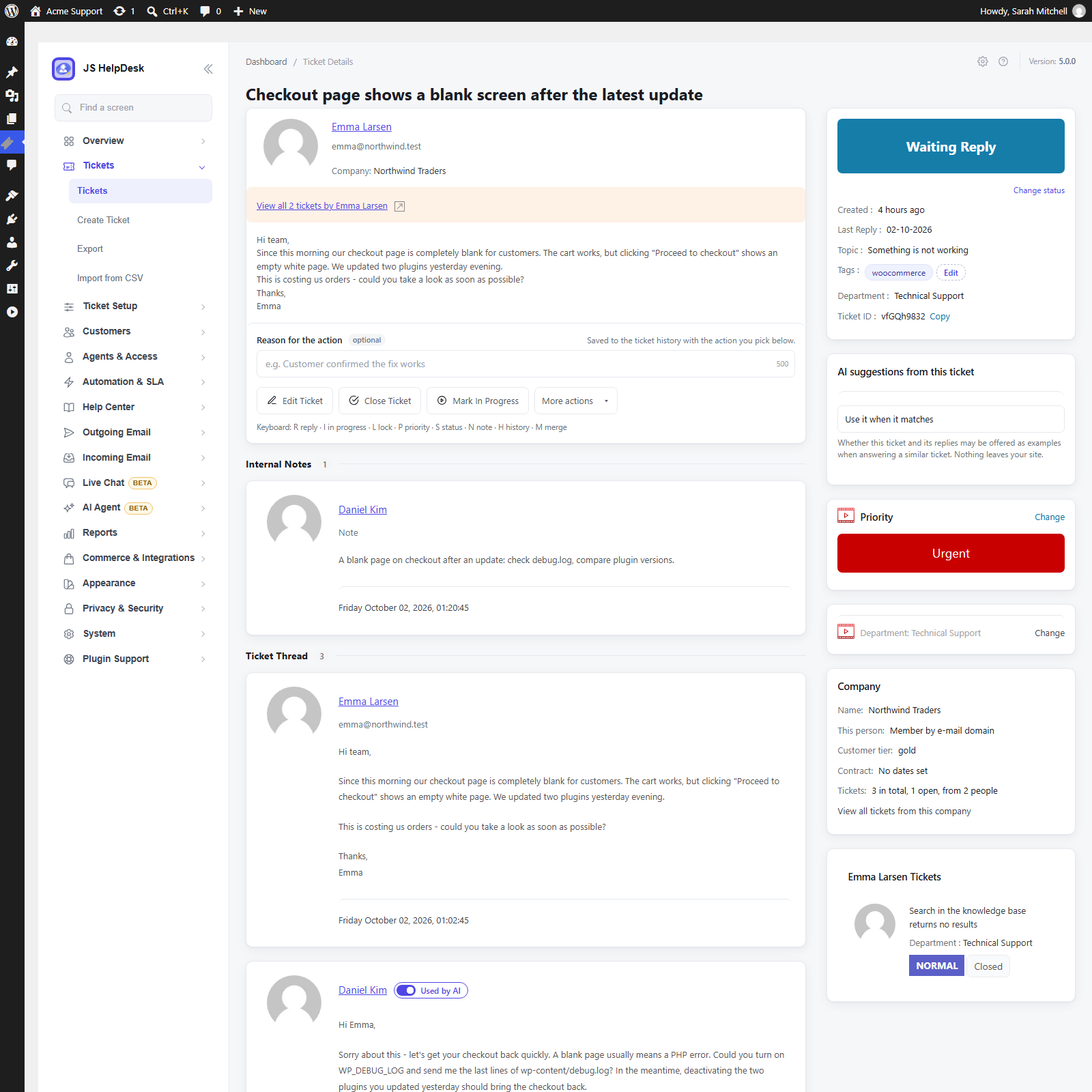
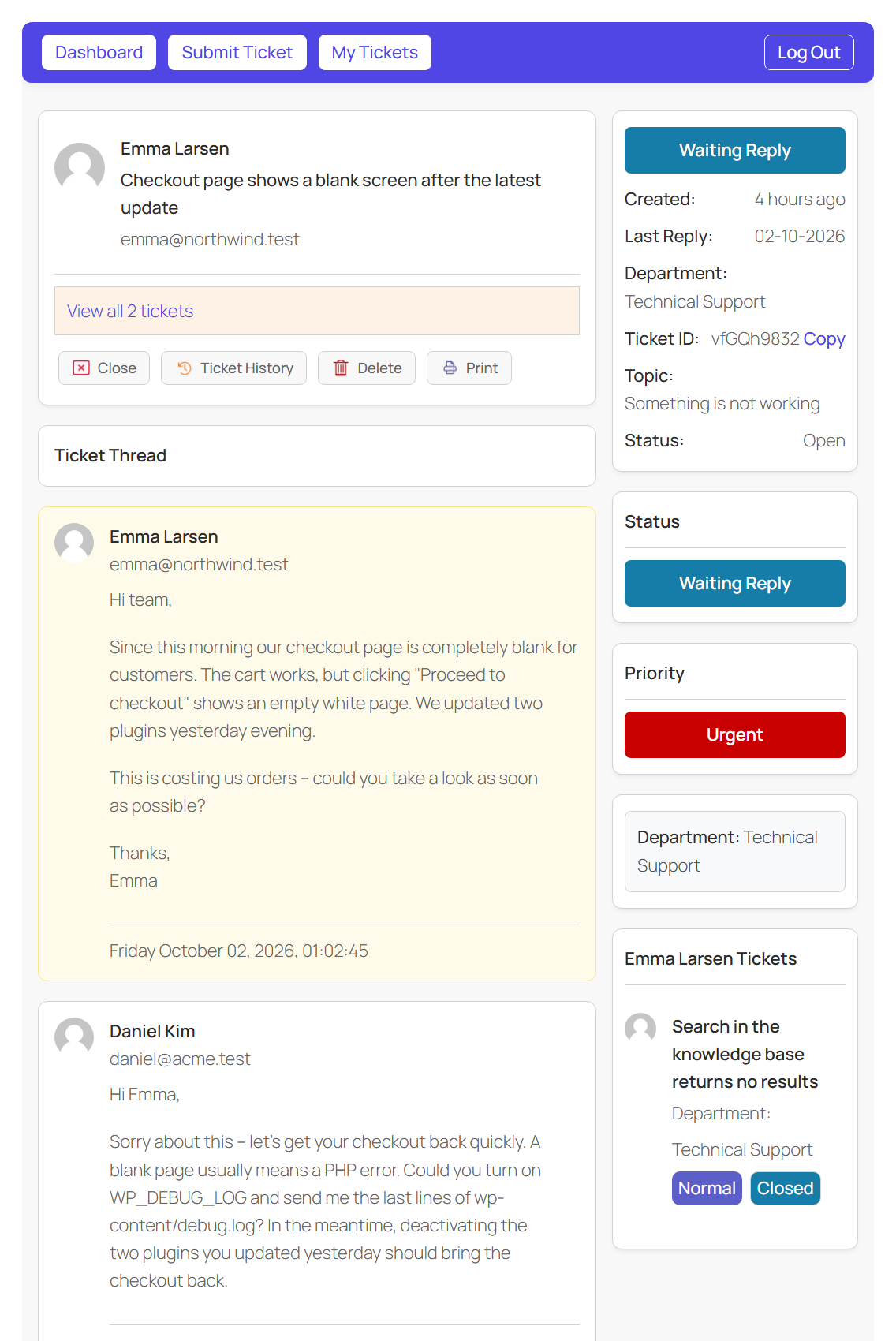
- Internal notes your customers never see.
- AI Powered Reply suggests answers from replies your team has already written – no AI account needed.
- AI Copilot drafts replies, summarises long threads, pulls out the details and translates, with your own Zywrap key.
- Instant answers: matching help appears while the customer is still typing, so simple questions are solved before a ticket is filed.
- No double replies: see who else is viewing or typing on a ticket, and drafts are saved as you write.
- Help topics that route each ticket to the right department and priority.
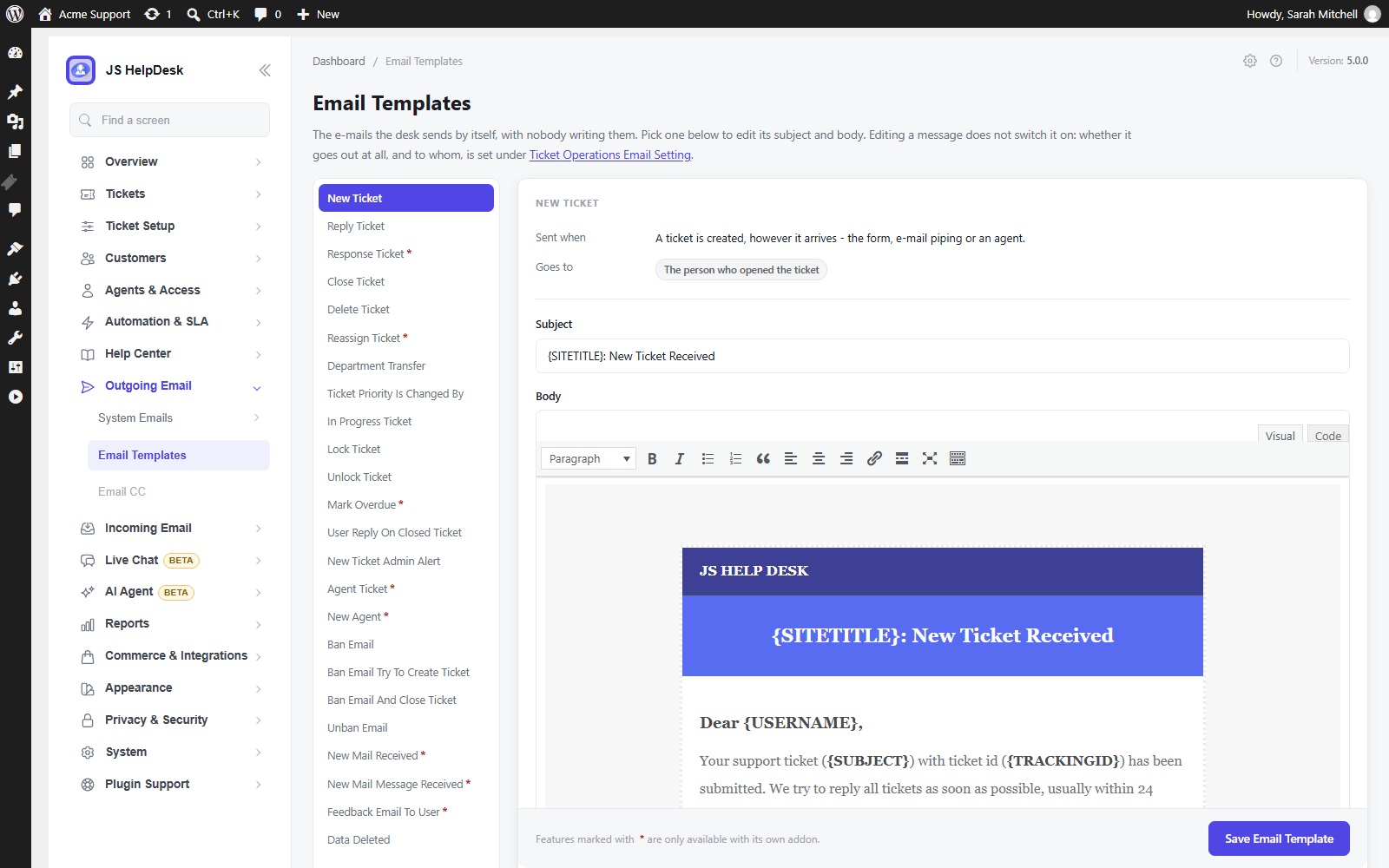
- Email notifications with editable HTML templates.
Your team
- Two agent levels on ordinary WordPress roles: Help Desk Agent for full queue work, and Help Desk Light Agent, who can read tickets and write internal notes but never reply to the customer.
- Agent Access: one screen showing who can reach the help desk, and why.
- Companies for customers who belong to an organisation.
Keeping it tidy
- Ticket history and an activity timeline for every ticket.
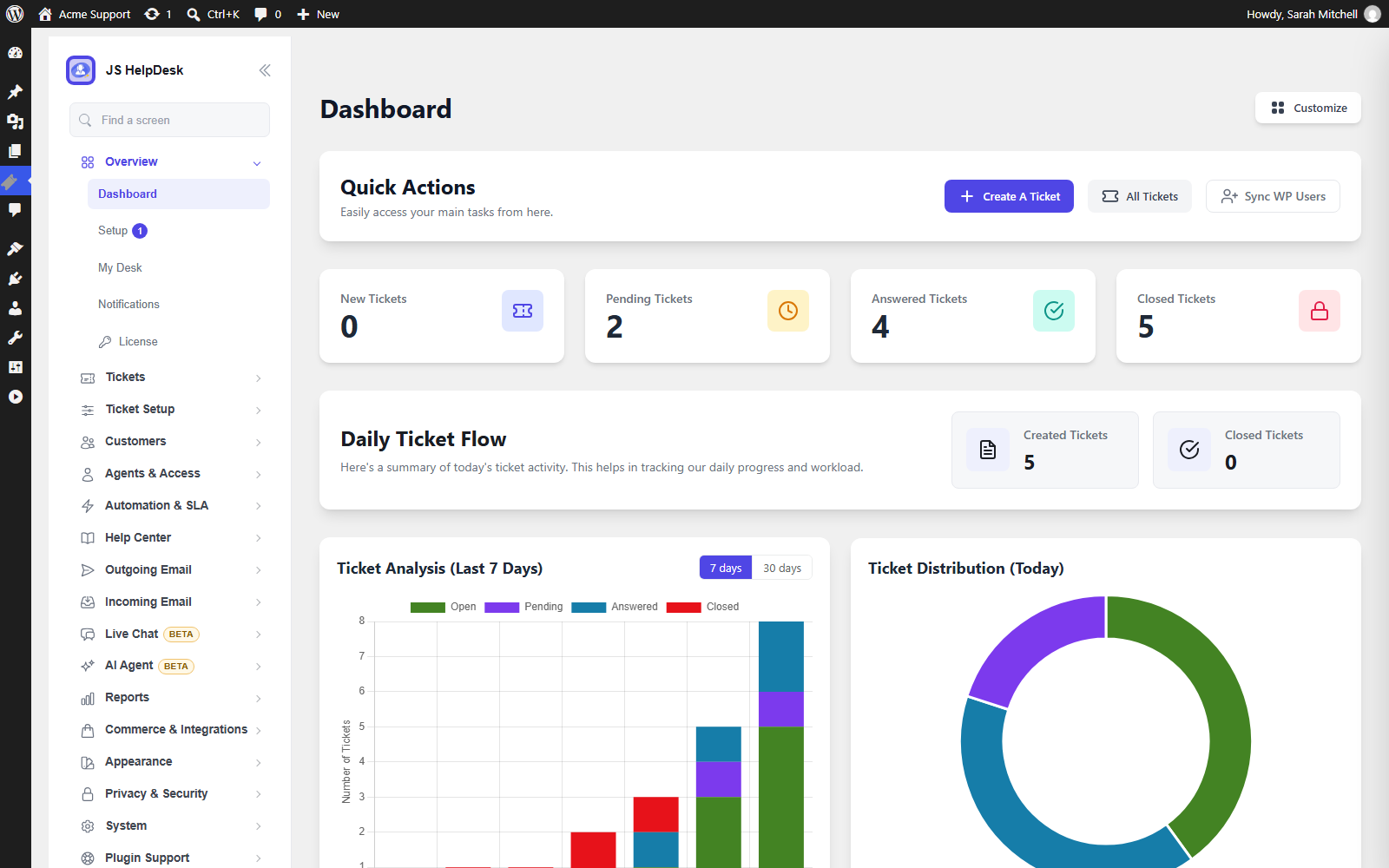
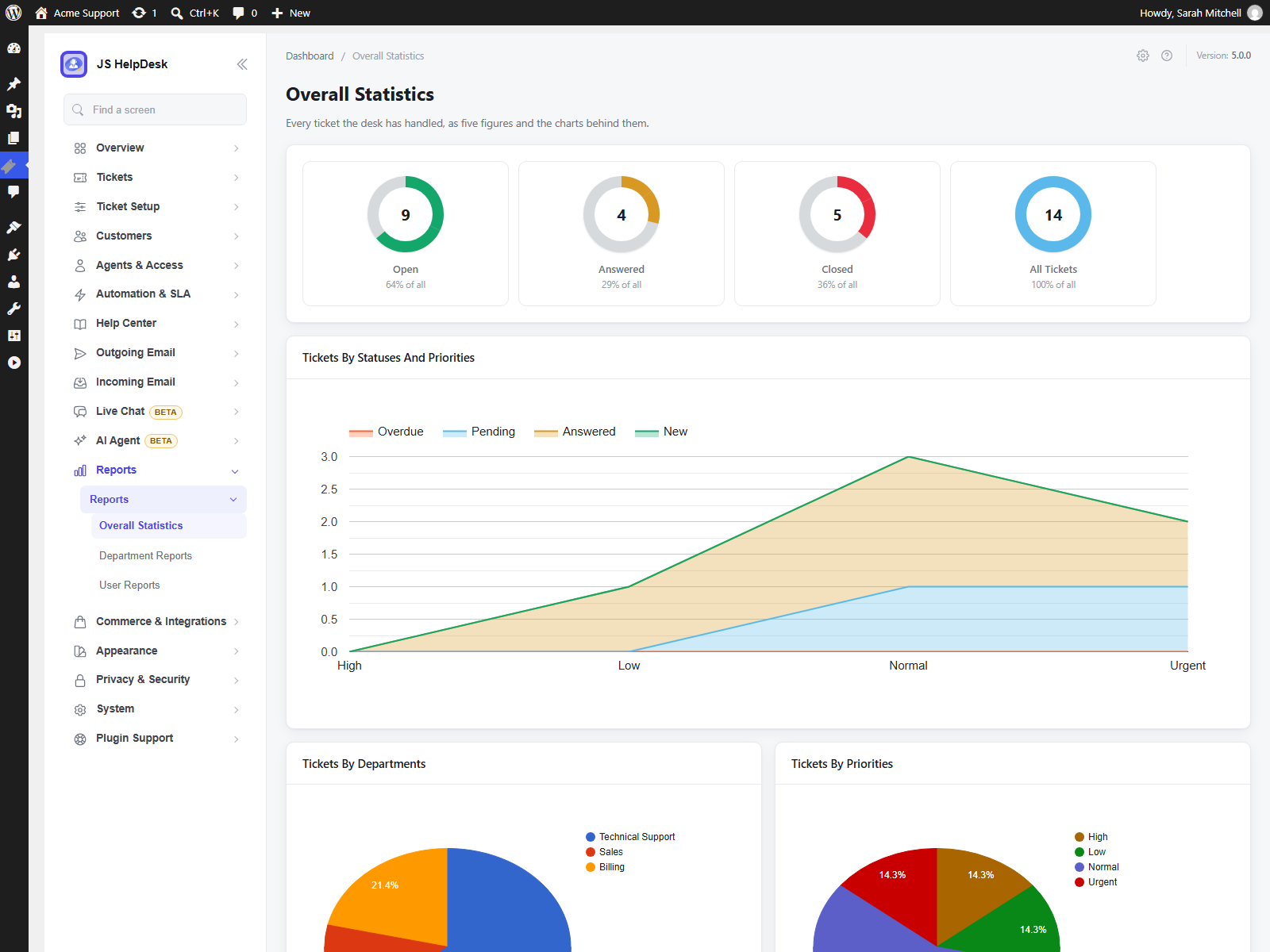
- Reports by agent, department, priority and status, plus dashboard widgets.
- CSV export, filtered the way you need.
- Auto cleanup of old tickets, with a preview before anything is deleted.
- Email ban for addresses or whole domains, and ticket limits per customer.
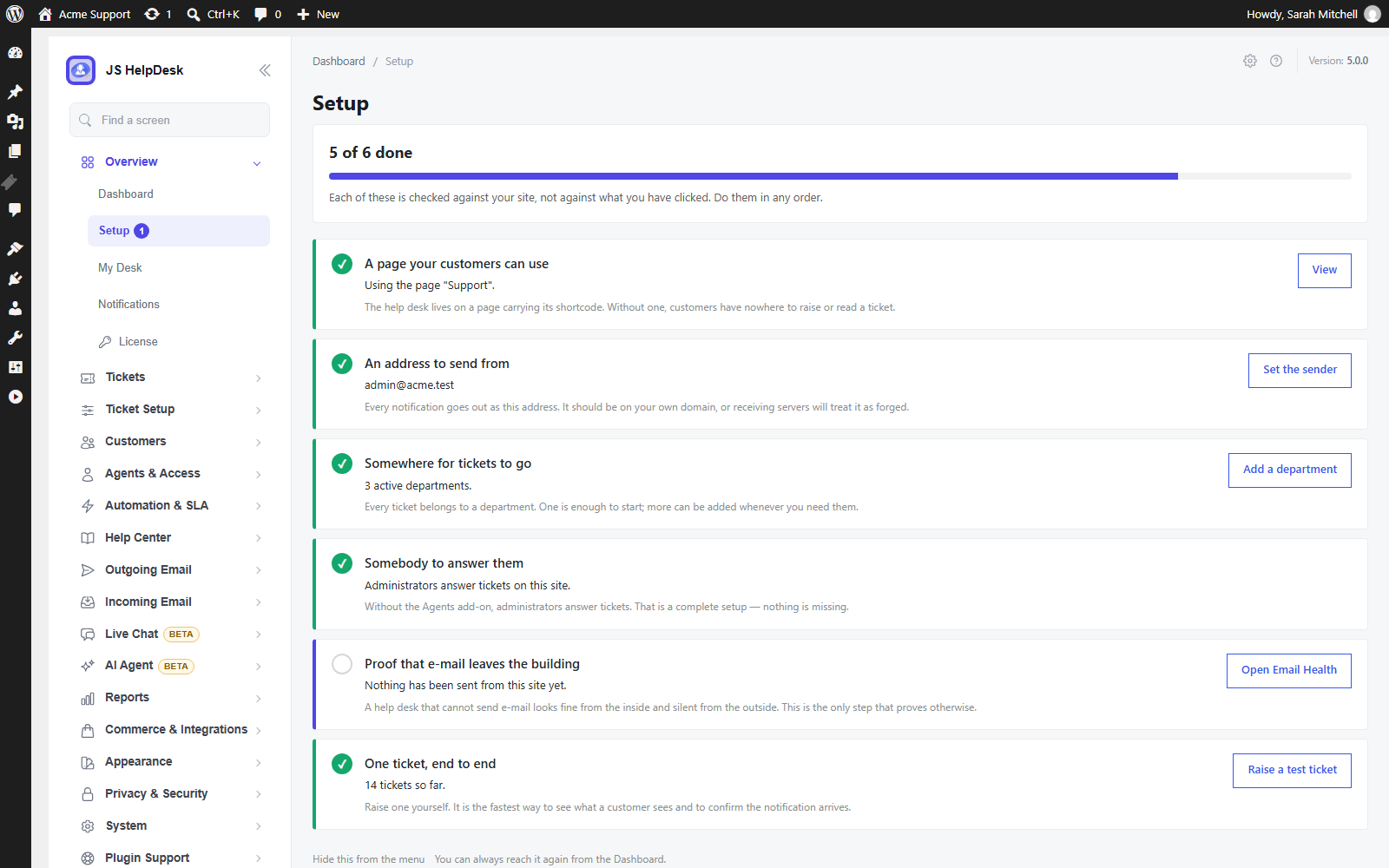
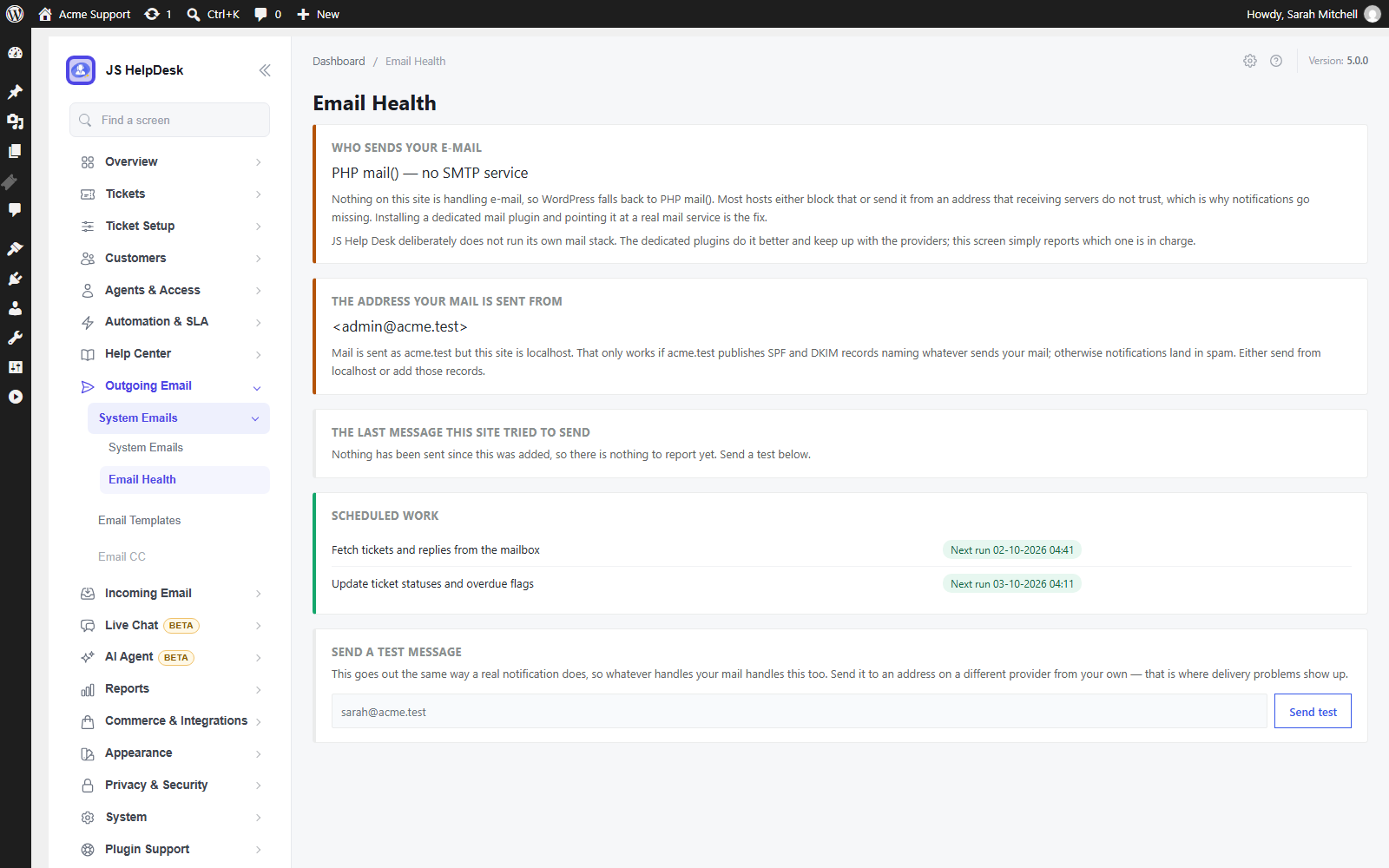
- Setup checklist, Email Health and System Status screens that tell you what to fix – including whether your email is actually being sent.
Trust and privacy
- GDPR tools: works with WordPress’s own Export and Erase Personal Data.
- Spam protection that needs no outside service, or Cloudflare Turnstile, hCaptcha or Google reCAPTCHA if you prefer, plus submission rate limits.
- Safe attachments: checked by their content, and never reachable by a public link.
- Terms and conditions checkboxes on the ticket form.
Fits your site
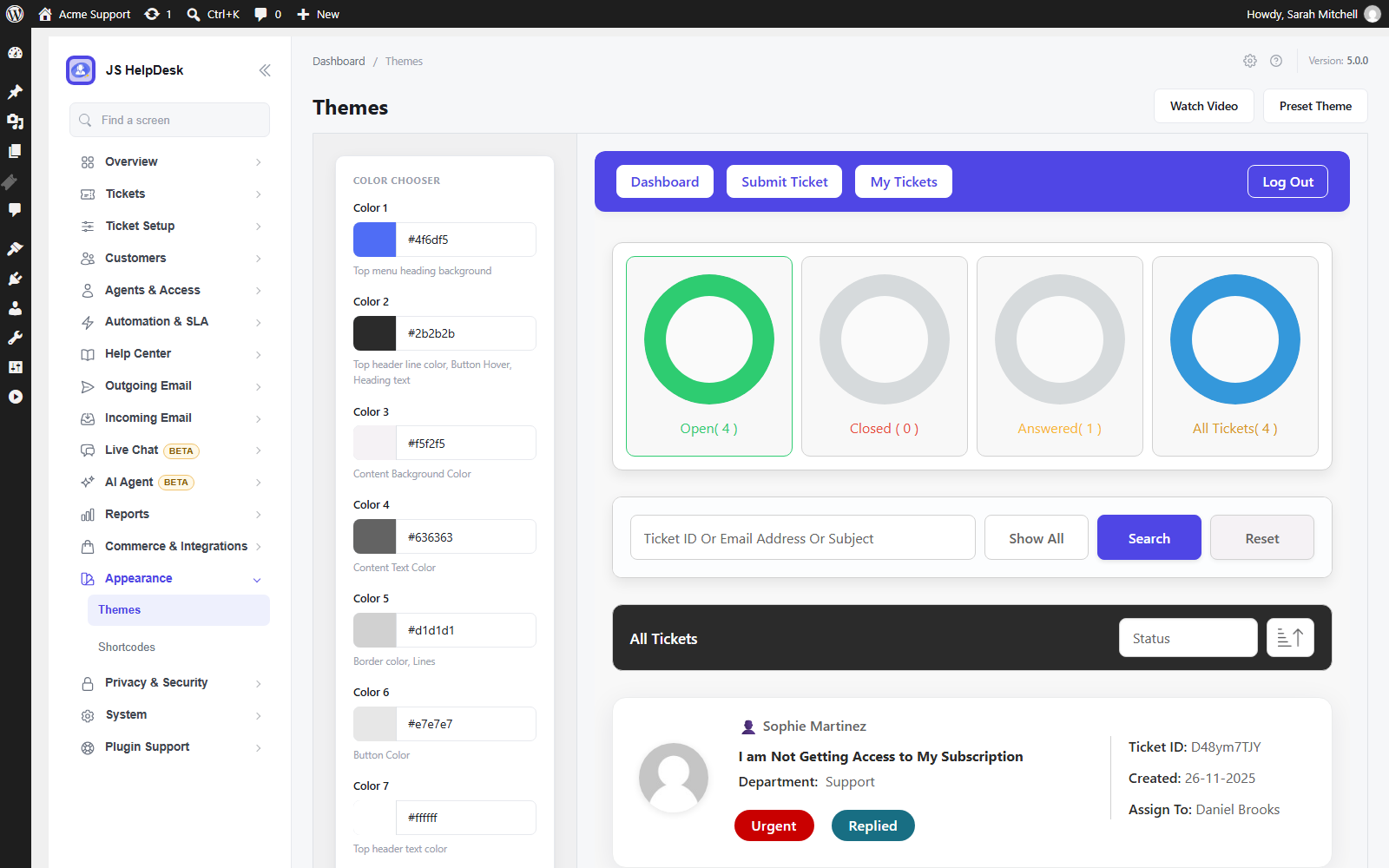
- Colour themes to match your brand.
- 17 languages, installed automatically, and full right-to-left support.
- Shortcodes and blocks for every portal screen.
- Moving from another help desk? Import from SupportCandy, Awesome Support and Fluent Support.
Add-ons: nine packs, all in every plan
When you need more, the paid plans add nine packs. Every plan includes all nine – plans differ only by the number of sites: Pro (1 site, $99 a year), Business (5 sites, $149) and Agency (25 sites, $249). Every plan comes with a 14-day refund. Compare plans.
- Agents & Teams – Roles and permissions, teams, automatic assignment, collaboration, time tracking and a credential vault.
- Service Levels & Automation – Response and resolution targets with business hours, escalation, automation rules, auto close and recurring tickets.
- Email – Turn incoming email into tickets, CC, Gmail and Microsoft sign-in, and templates in every language.
- Knowledge & Self-Service – Knowledge base, FAQs, downloads and announcements, so customers help themselves.
- AI Agent – Answers from your own content with sources and confidence, a review mode, a master switch, and usage and cost limits.
- Customer Experience – Multiple ticket forms, live chat, satisfaction surveys, your own branding and an installable portal.
- Commerce – WooCommerce and Easy Digital Downloads orders in the ticket, Envato purchase codes, paid support and support credits.
- Integrations – REST API, webhooks, Slack, Microsoft Teams, Google Chat, Telegram, Discord and browser notifications.
- Reporting & Compliance – Analytics, scheduled Excel and PDF exports, retention rules and legal holds.
Already running the older individual add-ons? They keep working after the update. When your license includes the pack that replaces them, License & Add-ons > Finish upgrade installs it and switches the old ones off. Nothing is deleted, and your settings are kept.
Shortcodes and blocks
Each of these is available as a shortcode and as a block in the “JS Help Desk” block category:
[jssupportticket]– the whole customer portal[jssupportticket_addticket]– the ticket form on its own[jssupportticket_mytickets]– the customer’s own tickets
Knowledge base, FAQs and Announcements blocks appear when the Knowledge & Self-Service pack is installed.
Privacy & Third-Party Service Disclosure
JS Help Desk runs on your own site. The services below are the only ones it ever contacts, and each one only in the situation described.
Translations (jshelpdesk.com)
JS Help Desk does not ship its translations inside the plugin. When your site uses a language other than English, the plugin downloads that language’s translation from jshelpdesk.com and saves it in wp-content/languages/plugins/, the folder WordPress uses for plugin translations.
- When: when the plugin is installed or updated, when the site language changes or WordPress installs a new language, and once a day to check for an improved translation.
- What is requested: a list of available translations (https://jshelpdesk.com/translations/v5/index.json) and, when one is needed, a .zip file containing a .po and a .mo file. These are translation data, never code.
- What is sent: nothing about your site. The requests are plain downloads, and the user agent does not include your site address.
- Turning it off: add
define('JSST_TRANSLATIONS_AUTO', false);to wp-config.php. You can then install a language yourself from Help Desk > Configurations > Translations, or download the files there and upload them to wp-content/languages/plugins/. - jshelpdesk.com Privacy Policy, Terms
License and add-on updates (jshelpdesk.com)
Only when an administrator enters a license key for the paid add-ons, the plugin contacts jshelpdesk.com to activate the license, check it, and download and update the add-ons it includes.
- What is sent: the license key, your site’s address, and the WordPress, PHP and JS Help Desk versions and site language. No tickets, customers or other content.
- Without a key nothing is sent. The free plugin never needs a license.
- jshelpdesk.com Privacy Policy, Terms
AI services (Zywrap, Anthropic, OpenAI)
The AI features that write text can use an outside AI service. All of them are off until an administrator turns them on and enters their own API key or connects an account.
- AI Copilot (Zywrap): when an agent clicks an AI action such as “Generate Reply”, “Summarize”, “Extract Details” or “Translate”, the text of that ticket thread is sent to the Zywrap API (api.zywrap.com) to produce the result. Zywrap Privacy Policy
- Creating or connecting a Zywrap account: Zywrap is run by WiselyHub LLC. Nothing is sent until an administrator, under AI Agent > Settings > Engine & key, ticks the consent box and presses “Create my free account”, or chooses “Connect with zywrap.com instead”.
- Asking for a code sends the e-mail address and optional name typed into the form, your site’s address and a one-time security value (a PKCE challenge, which contains no personal data) to api.zywrap.com, and Zywrap e-mails a 6-digit code. Entering the code sends it, the matching security value and your site’s address.
- Connecting on zywrap.com puts your site’s address and name, the wp-admin address to come back to and two one-time security values in the link. The one-time code zywrap.com sends back is exchanged at api.zywrap.com the same way. Anything typed on zywrap.com goes to Zywrap under its own terms.
- Zywrap returns an API key for this site, the account’s e-mail address, the key’s name and the credit balance, stored in your WordPress database (options
jsst_ai_key_zywrap,jsst_zywrap_api_keyandjsst_zywrap_account). Disconnect deletes them; the key stays valid on Zywrap until you revoke it there. Zywrap Terms of Service, Zywrap Privacy Policy
- Hosted AI engine (Anthropic): if an administrator chooses Anthropic as the AI engine and enters their own key, the question and the passages needed to answer it are sent to api.anthropic.com. Credentials stored in the help desk are never sent, and outgoing text can be redacted further in the AI settings. Anthropic Privacy Policy
- Hosted AI engine (OpenAI): if an administrator chooses OpenAI as the AI engine and enters their own key, the question and the passages needed to answer it are sent to api.openai.com, with the same redaction. Requests ask OpenAI not to store them for later viewing (
store: false); OpenAI says it may keep API data for up to 30 days to detect abuse and does not train on it unless you opt in. The key is stored in your WordPress database (optionjsst_ai_key_openai). OpenAI Services Agreement, OpenAI enterprise privacy - On your own server: the AI engine can instead run without any outside service, or on a model you host yourself (for example Ollama or LM Studio), in which case nothing leaves your infrastructure. A model address on the internet is treated as a hosted service.
- AI Powered Reply, in the free plugin, searches replies already written on your site and contacts no one.
Marketing consent (Mailchimp)
If an administrator connects a Mailchimp account and a customer ticks the newsletter consent box, that customer’s name and email address are sent to the administrator’s own Mailchimp list (api.mailchimp.com). Nothing is sent without the customer’s consent or without a Mailchimp key. Mailchimp Privacy Policy
Spam Protection (CAPTCHA)
JS Help Desk can verify that a ticket submission was made by a person. It ships with a self-hosted verification method, and optionally supports four third-party CAPTCHA services.
- The default makes no external requests. Out of the box the plugin uses its built-in check – a honeypot field, submission timing, and a small proof of work performed in the visitor’s browser. Nothing is loaded from a third party and no data leaves your site.
- Third-party services are opt-in. Cloudflare Turnstile, hCaptcha, Google reCAPTCHA v3 and Google reCAPTCHA v2 are offered as alternatives. One is used only after an administrator selects it and enters the site key and secret key of their own account with that provider. If either key is missing, the plugin falls back to the built-in check rather than blocking submissions.
- Why the provider’s own domain is used. A CAPTCHA is an anti-abuse service that issues a token at its own edge and validates that token against its own records. The challenge script therefore cannot be served from your site, and the response cannot be verified locally – both requests are required for the feature to function. When a provider is selected, its script is loaded on the ticket form and the visitor’s response is verified server-to-server:
- Cloudflare Turnstile – challenges.cloudflare.com (Terms, Privacy Policy)
- hCaptcha – js.hcaptcha.com, api.hcaptcha.com (Terms, Privacy Policy)
- Google reCAPTCHA v2 and v3 – www.google.com/recaptcha (Terms, Privacy Policy)
- What is transmitted. Only the challenge token generated in the visitor’s browser, your secret key, and the visitor’s IP address are sent to the selected provider’s verification endpoint. Ticket content, subjects, names and e-mail addresses are never sent to a CAPTCHA provider.
- Choosing none of them. Administrators who do not want any third-party request can leave the built-in provider selected, or turn verification off entirely.
Installation
- In your WordPress dashboard, go to Plugins > Add New, search for “JS Help Desk” and click Install Now, then Activate.
- Open Help Desk in the admin menu. The setup checklist walks you through the rest: your support page, a sending address and your first agent.
- Send yourself a test ticket – the checklist confirms that email really leaves your site.
To install by hand, upload the plugin folder to /wp-content/plugins/ and activate it on the Plugins screen.
FAQ
Is JS Help Desk really free?
Yes. The free plugin is a complete help desk with no limit on tickets, agents or departments, and no time limit. The paid plans add nine packs for bigger teams and more advanced needs – see “Add-ons” above.
What is new in 5.0?
Twelve features that used to be paid are now free, the add-ons are regrouped into nine packs that every plan includes, and there is a new AI Agent and live chat. The full list is in the changelog.
Is it safe to update from 4.x?
Yes. Your tickets, settings and old add-ons keep working, and nothing new is switched on for your visitors by the update. If your license includes the new packs, License & Add-ons > Finish upgrade moves you over in one step. As with any major update, take a backup first.
I already run some of the older individual add-ons. Do I have to change anything?
No. They keep working after the update. When your license includes the pack that replaces them, License & Add-ons > Finish upgrade installs it and switches the old ones off. Their settings are kept.
Can customers open tickets without an account?
Yes. Guest tickets are part of the free plugin, and customers can follow and reply to their tickets from your site.
Can customers reply by email?
Every ticket sends email notifications in the free plugin, and customers reply from your site. With the Email pack, customers can also open tickets and reply simply by answering the email – from Gmail, Microsoft 365 or any IMAP mailbox.
Can agents work without access to wp-admin?
Yes, with the Agents & Teams pack, which adds a staff panel on the front end of your site. In the free plugin, agents work from a simple tickets-only menu in wp-admin.
Do I need an account with an outside service?
No. The help desk runs entirely on your own site. Outside services are used only for features you switch on yourself – see the Privacy section below.
What is the difference between the AI Copilot and the AI Agent?
The Copilot writes: it drafts a reply, summarises a long thread, pulls out the details or translates, and the agent decides what to send. It is free and works with your own Zywrap key. The AI Agent (a paid pack) answers from what you have already written – your knowledge base, FAQs and past replies – and can suggest, draft or answer on its own, depending on how far you choose to trust it.
Is it GDPR compliant?
JS Help Desk works with WordPress’s own Export and Erase Personal Data tools, keeps every ticket in your own database, and adds a privacy policy section for you. Cleanup rules delete old tickets on a schedule you choose, with a preview first.
Which languages does it support?
The plugin is translated into 17 languages, and the translation for your site’s language installs itself. Right-to-left languages such as Arabic and Hebrew are fully supported. You can download or edit any translation from Help Desk > Configurations > Translations.
Can I move my tickets from another help desk?
Yes. You can import from SupportCandy, Awesome Support and Fluent Support, with a preview of what will be imported first.
Does it work with WooCommerce?
Yes. With the Commerce pack, an agent sees the customer’s WooCommerce or Easy Digital Downloads orders inside the ticket, and you can sell paid support or support credits.
Will it work with my theme?
Yes. The portal takes its fonts, colours and widths from your theme, and you can set the help desk’s own colours to match your brand.
Can I put the ticket form in the block editor?
Yes. The portal, the ticket form and the customer’s ticket list are blocks as well as shortcodes, in a “JS Help Desk” category of the inserter.
Can I try the paid plans risk-free?
Yes. Every plan comes with a 14-day refund, and the free plugin keeps working whatever you decide.
Where do I get help?
The documentation covers setup and every add-on, and there is a demo you can try first. Free-plugin questions are answered in the WordPress.org support forum; paid plans include priority support on jshelpdesk.com.
Screenshots
Changelog
5.0.7
Security release from a second full review of the plugin and its add-ons. Update the plugin and your add-ons promptly. Full details are in changelog.txt.
- Security: a ticket message written to look like an image-viewer link could run code when an agent or administrator opened the ticket (introduced by the 5.0.6 viewer fix).
- Security: the help desk refuses an Agents add-on request that, without signing in, could delete files on the server; sites still running an older Agents add-on are protected by this update.
- Security: an edit form could change which database table a save went to; only a table’s own columns are saved now.
- Security: customers and guests can no longer set the assignee, status, due date or merge state of the ticket they open, or attach a WooCommerce order or Easy Digital Downloads purchase or licence that is not theirs.
- Security: an account must confirm its e-mail address before the REST API treats it as the owner of guest tickets from that address, and before a newsletter sign-up is recorded.
- Security: agents see and act only on tickets they may open when using the edit form, canned-response placeholders, ticket export, replies, notes and watchers.
- Security: a customer can download only the files their ticket’s file fields name, never an internal note’s file; attachment types are matched exactly on every upload; report charts escape department and priority names.
- Security: looking a ticket up by e-mail and tracking number is always rate-limited, and the public cron address runs each job at most once a minute.
- Fixed: random tracking numbers are checked for duplicates again.
- Fixed: on sites with WooCommerce, agents set up by WordPress role (Help Desk Agent, Light Agent) were sent to My Account instead of the help desk in wp-admin.
- Fixed: PHP 8 notices when the ticket status page or sign-up form is opened without an e-mail address.
5.0.6
Security and bug-fix release. Update promptly. Full details are in changelog.txt.
- Security: ticket messages can no longer carry markup that the attachment image viewer acts on.
- Security: tickets sent as a guest are added to an account only after the account confirms that e-mail address (a confirmation link is e-mailed); the same applies to company supervisors.
- Security: the search saved between pages of a list can no longer be altered by the visitor.
- Security: links in ticket messages can no longer run code on the admin ticket page.
- Security: replies that arrive by e-mail are filtered like replies written on the site.
- Fixed: answers to custom ticket fields that contained quotation marks were lost.
- Fixed: agents with the Help Desk Agent or Light Agent role who are not on the Agents screen can now open reply images in the viewer and use “Download all”.
5.0.5
Security release from a full review of the plugin and its add-ons. Update the plugin and your add-ons promptly. Full details are in changelog.txt.
- Security: the help desk now refuses requests that older Agent and Knowledge Base add-ons accepted without the right checks, so a site still running an older add-on is protected as well.
- Security: agents work only on tickets they may open when they download attachments, edit replies, change status, tag tickets, ban e-mail addresses or use AI reply tools.
- Security: notes, replies and time entries are only ever added; a form can no longer write over an existing one. A customer’s reply can no longer pose as an automatic answer.
- Security: the link that opens a ticket without an account can no longer be made up, and guessing it is limited in the same way as the ticket status form.
- Security: agent names are escaped in the overall report, the GDPR export only ever contains your own data, attachment types are matched exactly, and Zywrap bundle downloads go only to Zywrap.
- Fixed: on WordPress Multisite, a help desk on any site but the main one could not find its users: “Select User” on Add Agent and the customer picker said “No Record Found”, and reports and exports read the wrong site’s data.
- Fixed: with the Email add-on, help desk e-mails were no longer sent through the SMTP server set on System Emails – they went out through WordPress’s default mailer (or another mail plugin) and the SMTP fields disappeared from the System Email form. A site that still had the old SMTP add-on switched on sent every notification twice. Both fixed; the SMTP settings themselves were never lost.
- Fixed: “Update” on License & Add-ons could say “Updating…” and leave the add-on on its old version without a message, when WordPress’s own update list did not hold the update (no update check yet, or another plugin filtering updates). The button now installs what the license server offers, and says why when it cannot.
- Fixed: attachments that came in by e-mail through the old Email Piping add-on could not be downloaded when their name had spaces or accented letters (“This attachment’s file is missing on the server”). They download again, including on old tickets, and new ones are recorded under the name they are saved as.
- Fixed: the agent reports with time tracking no longer write PHP “Deprecated: Implicit conversion from float” notices to the error log on PHP 8.1 and later.
5.0.4
Security and AI release: two permission fixes, Zywrap accounts from wp-admin, monthly Zywrap credits with paid licenses, an OpenAI engine, and Claude fixed. Full details are in changelog.txt.
- Security: a customer, or a guest with their own ticket link, can no longer overwrite or move another user’s reply, a GDPR erase request can no longer be pointed at another user, and the e-mail confirming an erasure goes to the person who asked for it.
- Security: AI suggestions, Copilot and AI drafts check that the agent may see the ticket, and visitors who are not logged in can no longer search agent-only answers. Zywrap screens are for administrators, and text sent to Zywrap is masked like every other AI request.
- Zywrap: create a free account (10,000 credits) or connect an existing one under AI Agent > Settings, with no key to copy. Choose the model Zywrap uses; the credit balance and each request’s credits are shown.
- Paid licenses include Zywrap credits every month: Pro 50,000, Business 200,000, Agency 500,000. Connect a Zywrap account and click “Claim them for this account”; you are e-mailed when they run low.
- OpenAI engine: use your own OpenAI key under AI Agent > Settings > Engine & key. GPT-6 Luna is the default model; the price of each is shown in the list. Anthropic and OpenAI each keep their own model choice.
- Claude (Anthropic engine): automatic answers and drafts no longer fail.
- AI Agent: automatic answers keep only your own or cited links and no images; an answer approved twice is sent once; answers waiting for approval close when a person replies.
- AI requests stop after 60 seconds, try once more when the provider is busy, and a cut-off answer is never sent.
- Copilot Summarize uses Zywrap’s ticket summary; a model Zywrap has retired falls back to Zywrap’s own choice.
- “Local model”: an address on the internet is treated as a hosted service.
- “Pass to a person” links in e-mails ask for confirmation, so mail scanners no longer reopen tickets.
- The “Good news” banner about add-ons your license now includes has a “Got it” link that puts it away for good.
- Fixed: on sites with page caching, only the first visitor could send the ticket form (“This form has already been submitted”). Each visitor now gets a fresh security check.
- Fixed: attachment forms show the name and size of each chosen file, so you can see a file is attached; a refused file no longer moves the internal note’s attachment to the reply.
- Fixed: WooCommerce customers can pick orders that are still processing or on hold, “Get Help” on an order opens the ticket form with that order chosen, and tickets show the shop’s order number.
- Fixed: the agent ticket list is readable on phones; the ticket details were squeezed into a sliver beside the photo.
5.0.3
Security and reliability release. Full details are in changelog.txt.
- Security: fixed a script injection in the ticket image viewer (reported through Wordfence).
- Security: stricter permission checks on ticket actions, time logs, internal mail and guest links; files received by e-mail are checked like uploads.
- Changed: the wp-admin help desk is for administrators and the Help Desk Agent roles only, and the Attachment, Release Ticket, Mail To Agent and Assign Role To User permissions now take effect.
- Sites upgraded from older versions: a damaged settings table that slowed down wp-admin is repaired automatically.
- Attachments download on every host, and videos play in the ticket.
- Quick answers on the ticket form open in full, and are suggested even when there are only a few.
- “Finish upgrade” no longer repeats without end; it says why an add-on cannot start yet.
- AI Agent: clearer screens, “never automate” words match whole words, and usage shows real token counts.
- Faster: help desk styles and scripts load only on help desk pages. Plus smaller fixes; see changelog.txt.
5.0.2
Fixes for 5.0.1.
- Security: fixed a file deletion issue in the settings that an administrator account could misuse (reported through Wordfence).
- With the WordPress login page chosen for the help desk, customers return to the help desk after logging in, instead of landing in the WordPress dashboard, and the “You are not logged in” message shows its Login button again.
- “View all N tickets by …” on a ticket now lists all of that customer’s tickets, closed ones included.
- The “View ticket” link in e-mails opens on the help desk page it was clicked from, even if the Ticket Default Page setting points somewhere else.
- Tickets whose status was deleted are listed again (as “Unknown status”) instead of only being counted.
- The E-mail Templates and Forms screens no longer show “Unknown column ‘ordering'” on sites that used an early Multi Form add-on.
5.0.1
Fixes for 5.0.0.
- Help Desk Agents without the Agents & Teams pack can reply to customers’ tickets again.
- Closing a ticket updates the Tickets screen’s counts straight away.
- Overdue options no longer appear on sites without Service Levels & Automation.
- The slug editor shows and saves the slug correctly.
- Create Ticket in the WordPress menu opens the form picker; the dashboard’s add-on pictures are back.
- Form conditions offer lists of products, including WooCommerce and Easy Digital Downloads products, instead of asking for an id.
- Translations updated in all 17 languages.
5.0.0
The biggest release in JS Help Desk’s history.
Highlights
* 12 features that used to be paid are now in the free plugin: ticket history, internal notes, canned responses, help topics, email ban, auto cleanup, ticket limits, export, dashboard widgets, user options, ticket actions and AI Powered Reply.
* New AI Agent (pack): answers from your knowledge base, FAQs and past replies, with sources, confidence, a review mode and a master switch.
* New live chat (pack) that answers from approved content and hands over to an agent.
* The paid add-ons are regrouped into nine packs, and every paid plan includes all nine.
* Companies are now free.
* 17 languages, installed automatically.
* A regrouped admin menu, accessibility improvements and blocks for every portal screen.
* Safe to update: tickets, settings and old add-ons keep working, and nothing new is switched on for your visitors.
New in the packs
* Agents & Teams: teams with working hours, time off and cover, roles that decide what each agent sees, four ways to assign tickets automatically, @mentions, a notification centre, and a credential vault encrypted with a key kept outside the database.
* Service Levels & Automation: response and resolution targets on business hours, warnings before a breach, an escalation ladder, and automation rules that start in a safe rehearsal mode.
* Email: Gmail and Microsoft sign-in for mailboxes (beta), smarter threading, emails in each customer’s own language, and mail loops, out-of-office replies and bounces kept out of your queue.
* Integrations: a REST API and signed webhooks (beta).
* Reporting & Compliance: analytics, scheduled Excel and PDF exports, legal holds and approved deletions.
* Commerce: the customer’s WooCommerce orders inside the ticket, support credits and quotas.
Improved
* Easier-to-read status and priority colours.
* Better keyboard and screen-reader support, and a customer portal that works well on phones.
* The download is about 12 MB smaller: translations now install themselves from jshelpdesk.com.
Fixed
* A department-restricted agent could see every ticket in the wp-admin queue.
* Several screens that could stop with an error – the ticket page when a stored credential could not be decrypted, and the WooCommerce order panel – now work.
4.0.0
- See who else is viewing or replying to a ticket, and drafts that save themselves as you type.
- Setup checklist, Email Health and System Status screens that tell you what needs fixing.
- Ticket tags, saved views, Waiting on Agent and Waiting on Customer queues, better search and keyboard shortcuts.
- Help topics nested up to three levels, routing each ticket to the right department and priority.
- Became free: help topics, ticket actions, canned responses, internal notes, ticket history, CSV export, dashboard widgets, email ban, ticket limits and auto cleanup.
- Two agent levels on ordinary WordPress roles: Help Desk Agent and Help Desk Light Agent.
- Invisible spam protection with no outside service, plus Cloudflare Turnstile, hCaptcha and reCAPTCHA, and submission rate limits.
- Attachments are checked by their content and can no longer be opened by a public link; WordPress’s privacy tools are supported.
Earlier versions
See the full changelog.