

Description
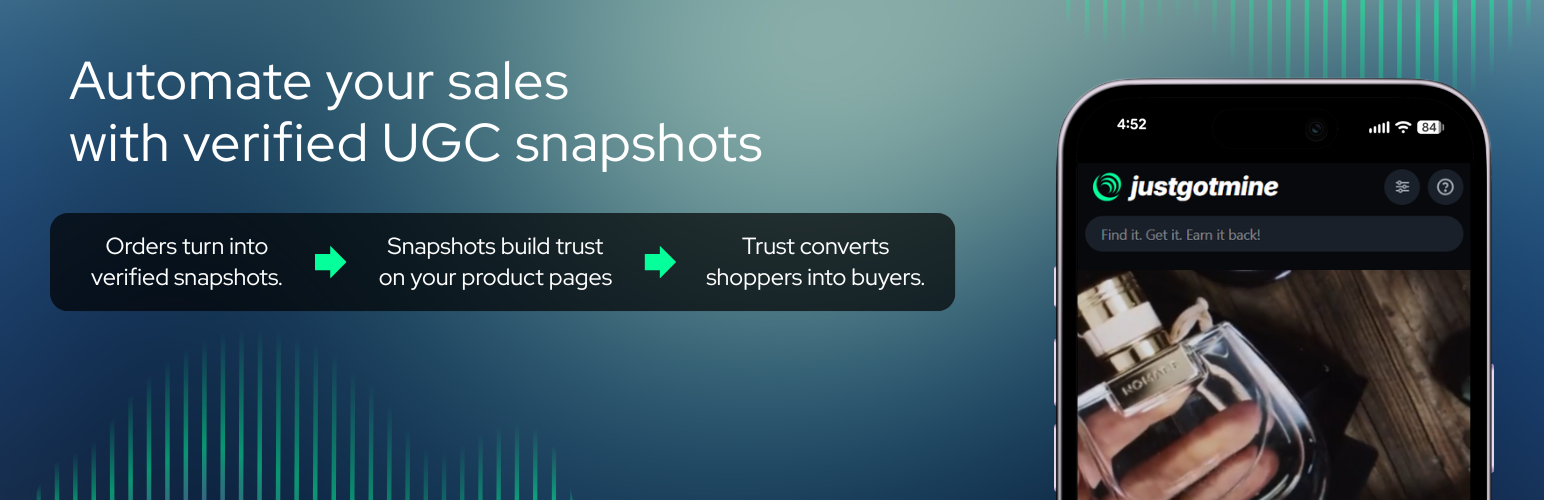
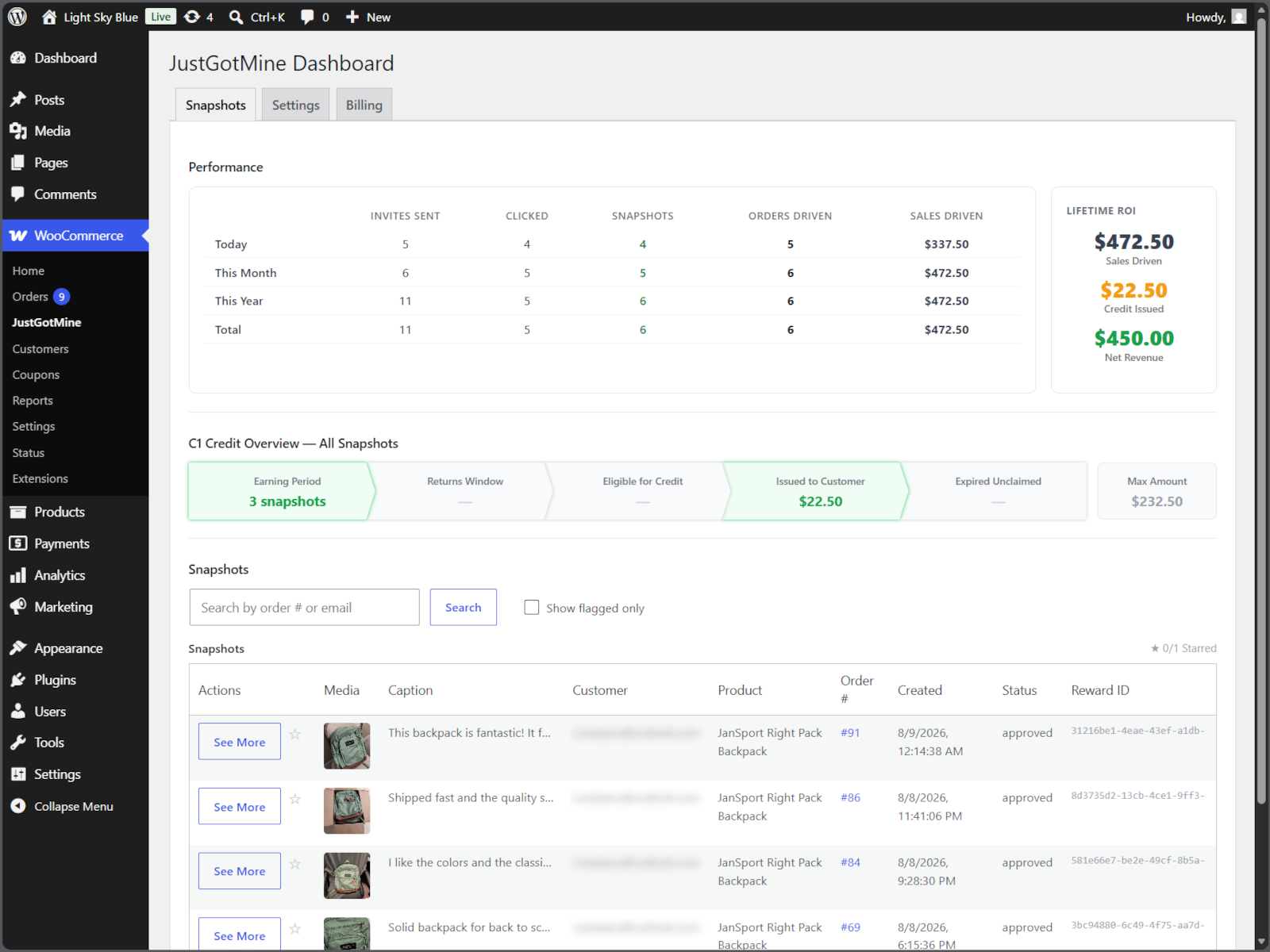
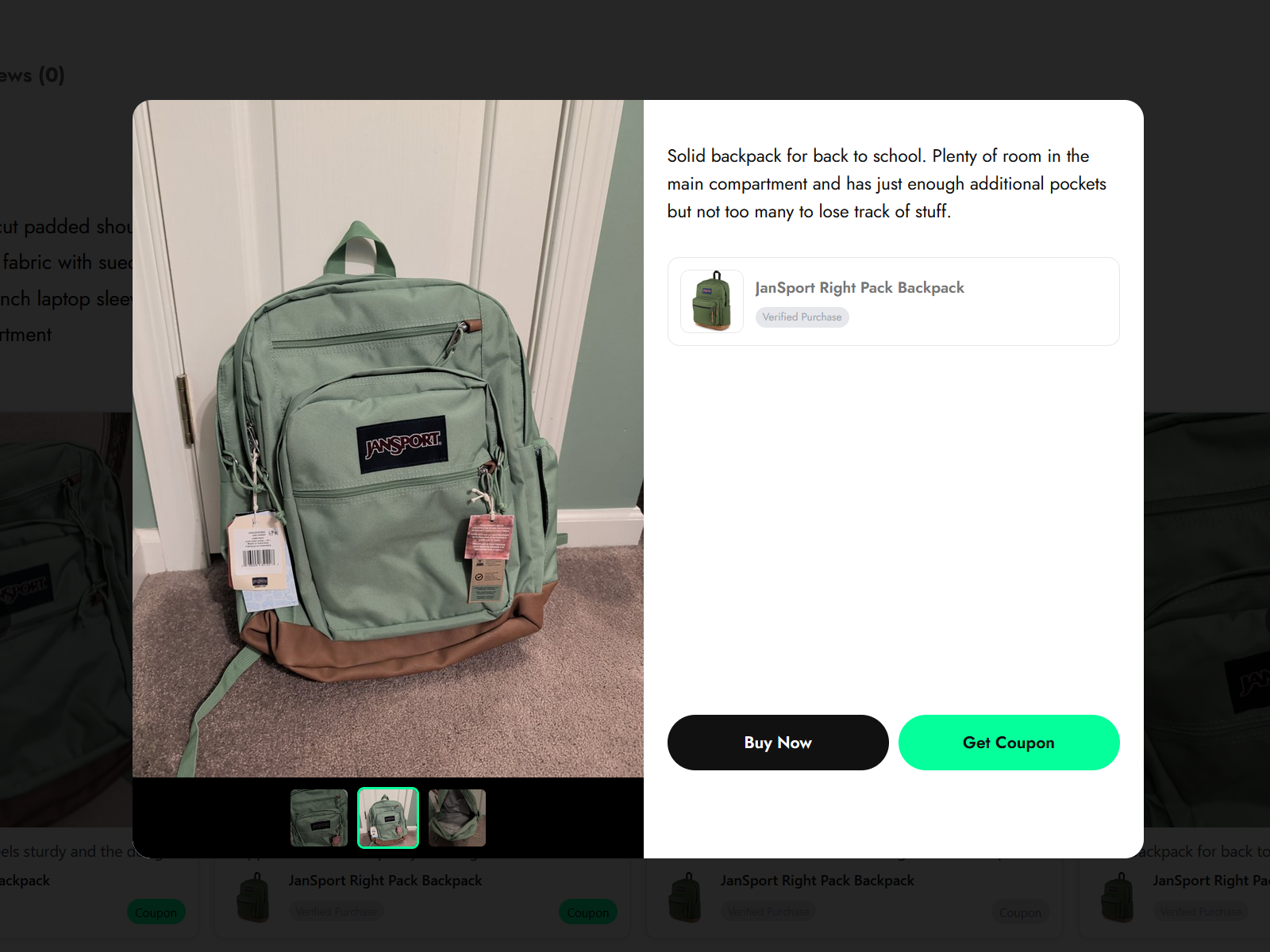
JustGotMine turns your customers into your best marketing asset. After a purchase, it invites the customer to submit a quick photo or video “snapshot” of the product they bought. Once approved, the snapshot appears on your store’s widgets and on the JustGotMine public feed alongside a single-use dynamic discount code. When another shopper uses that code to buy the same product, the original customer earns store credit — always capped at their original order value, and only ever issued once the snapshot has actually driven a sale.
This plugin is the connector between your store and your JustGotMine account. It:
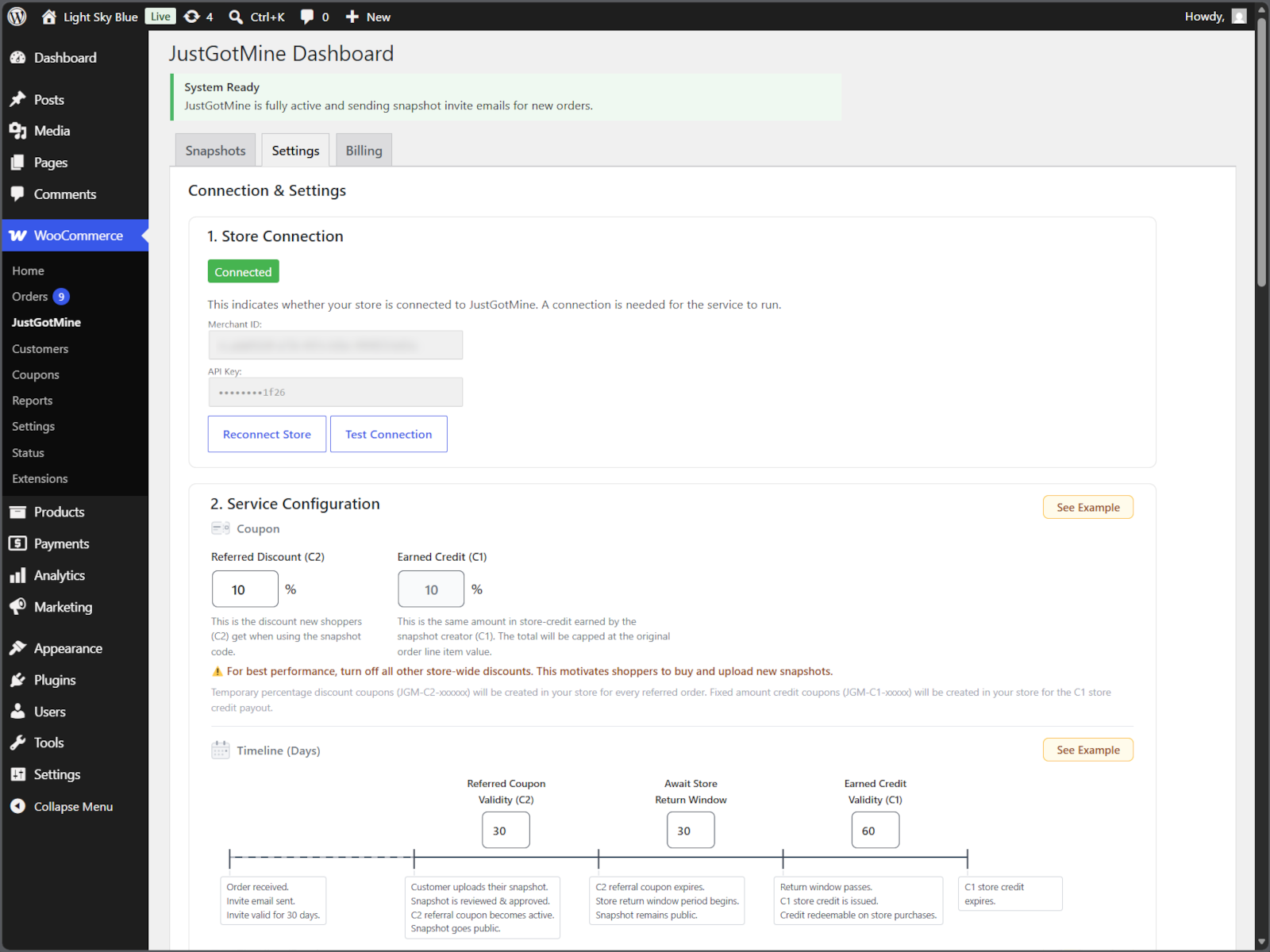
- Listens for new WooCommerce orders and notifies JustGotMine so a submission invite can be sent to the customer.
- Generates standard WooCommerce coupons for approved snapshot rewards.
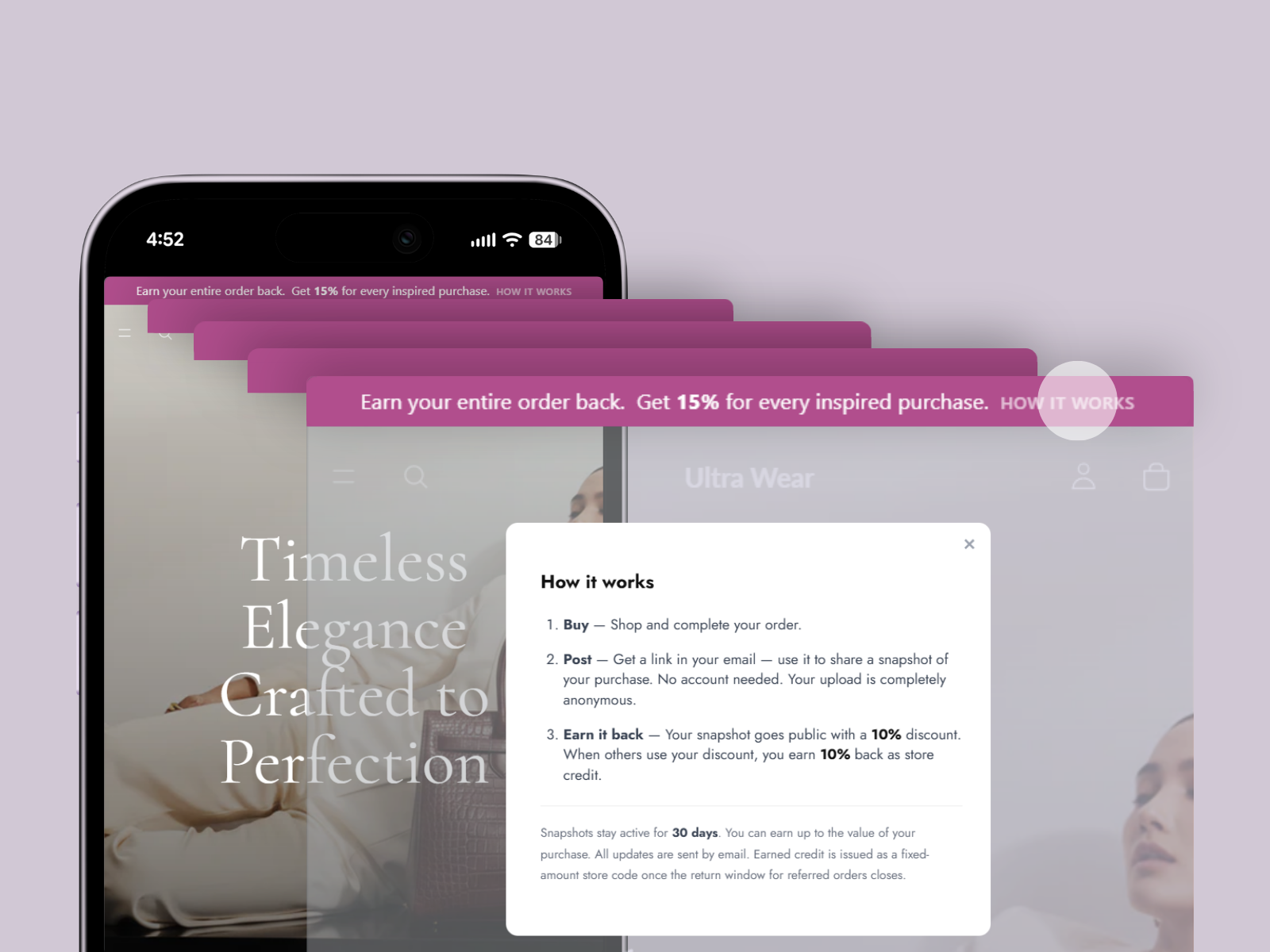
- Displays the JustGotMine snapshot widget and promotional top bar on your storefront.
- Syncs your store settings (reward windows, discount rules) with your JustGotMine account.
A JustGotMine account is required to receive submissions and issue rewards — clicking Connect creates one for you automatically, with no separate signup step. Learn more at justgotmine.com. See “External services” below for what data this plugin sends and to whom.
External services
This plugin connects your store to the JustGotMine service, which provides its core functionality: it stores customer-submitted photo/video snapshots, runs AI-assisted content moderation, calculates and issues referral rewards, and hosts the public snapshot feed shown on your storefront widget and top bar. No data is sent to JustGotMine before you click “Connect Store” in the plugin’s settings page — the plugin does nothing in the background until then.
Once connected, it sends:
- Order and line-item data (order number, product, line-item value) for each new order, so a reward invitation can be generated.
- The customer’s email address, so the reward invitation and any follow-up emails can be delivered.
- Store settings (discount percentage, coupon validity windows, top bar configuration) whenever you save them on the settings page.
- Customer-submitted photos/videos, uploaded directly by the customer when they respond to a reward invitation.
- Refund data, via WooCommerce’s own refund hook, so an in-progress reward can be adjusted or cancelled to match.
This service is provided by JustGotMine, operated by Motivantage LLC: Terms and Conditions, Privacy Policy, Data Processing Agreement.
This plugin also uses Stripe (via Stripe.js, loaded from https://js.stripe.com/v3/) on the settings page to securely collect billing card details if you set up paid billing. Card details are entered directly into Stripe’s own hosted form and sent directly to Stripe — they never pass through your store or JustGotMine’s servers.
This service is provided by Stripe, Inc.: Terms of Service, Privacy Policy.
Installation
- Upload the plugin files to
/wp-content/plugins/justgotmine-for-woocommerce, or install the plugin through the WordPress plugins screen directly. - Activate the plugin through the “Plugins” screen in WordPress.
- Go to WooCommerce > JustGotMine in your WordPress admin.
- Click “Connect Store” and accept the data processing agreement — this creates your JustGotMine account automatically in the background, no separate signup needed.
- Once connected, configure your reward, top bar, and widget settings right here on this settings page.
FAQ
Do I need a JustGotMine account?
Yes, but you don’t need to create one yourself — clicking Connect in the plugin’s settings page creates your JustGotMine account automatically. You can install and activate the plugin, and view its settings page, without connecting, but submissions and rewards require it.
Does this plugin work without WooCommerce?
No, WooCommerce must be installed and active.
What happens to my settings if I uninstall the plugin?
Uninstalling the plugin removes its local WordPress options. Your JustGotMine account and its data remain on justgotmine.com and are not affected.
Does this hurt my margins?
No. Rewards are always issued as store credit, never cash, and are capped at the original order value. Credit is only issued once a snapshot’s coupon actually drives a sale — never upfront.
How does billing work?
You’re only charged when a JustGotMine coupon is applied at checkout: 2.9% per order line where the discount was used. If a snapshot never drives a sale, you pay nothing. Your first-ever sale is completely free — that’s also when you’ll be asked to add a payment card to keep the rewards flowing for future sales.
What happens if a customer returns or partially refunds their order?
If an order is refunded, the corresponding credit is automatically canceled. If it’s partially refunded, the customer’s potential credit is reduced to match the final order value, so rewards always track real, completed revenue.
Is customer data safe?
Yes. Only the snapshot media, its coupon, and the store link it relates to are made public. No personal information is ever shared or exposed.
Does this plugin add a “justgotmine” link to my store?
No, not by default. A small “justgotmine” attribution link can appear in the top bar and snapshot widget’s lightbox, but it’s off unless you opt in via a toggle in WooCommerce > JustGotMine > Settings.
Screenshots


Changelog
1.3.3
- Redesigned the empty-state shown before any snapshots exist: added the “Customer Snapshots” title above it, removed the logo icon, and centered the “Be the first to share…” text with the “How it works” button (button wraps to its own line on mobile).
- Documented the
show_titleshortcode parameter in the settings page’s shortcode reference table. - Fixed a layout-shift cache key so a page’s cached widget height correctly accounts for whether the title is shown.
1.3.2
- Fixed description and FAQ text on the WordPress.org listing page rendering with broken mid-sentence line wraps.
- Updated tested-up-to compatibility: WordPress 7.1, WooCommerce 11.2.
1.3.1
- Fixed the Settings page’s top-bar message preview: “HOW IT WORKS” and “GET COUPON” now render at the same caption size (both were meant to match the live top bar’s styling, but “HOW IT WORKS” had been left as plain text). Also lightened the “(shown once you have approved snapshots)” note to a subtler grey.