

Description
-
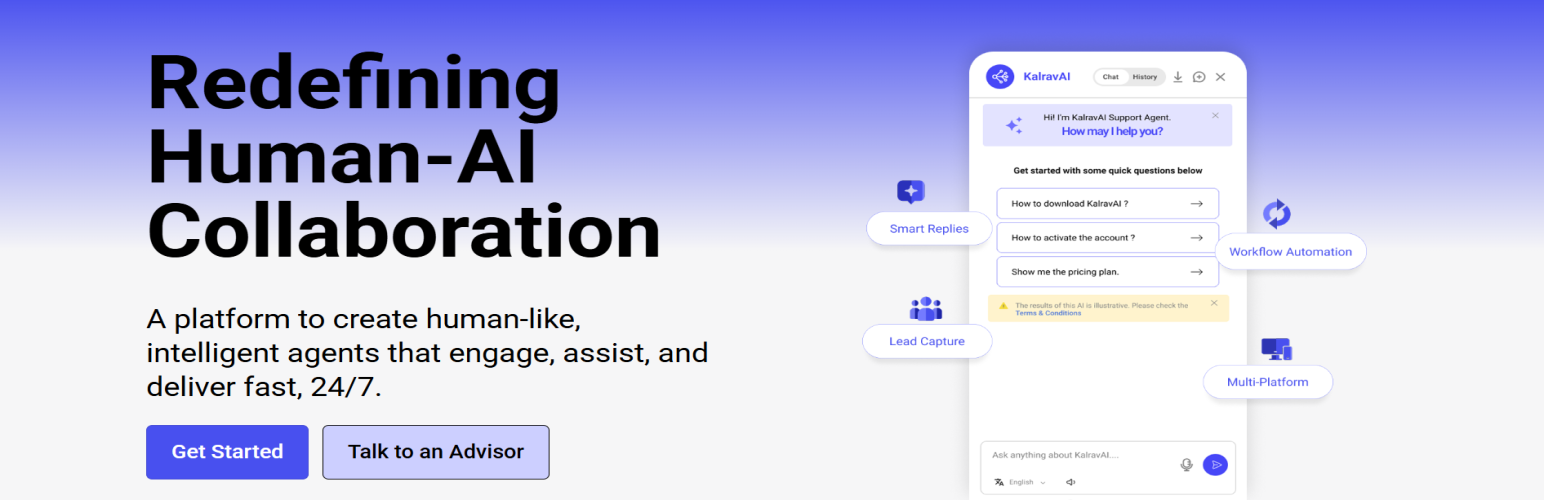
Interactive Chat Interface – A modern, fully customizable chat window that integrates beautifully with your website’s layout and style.
-
Quick & Easy Setup – Simply install, activate, and start chatting — your AI assistant is ready within minutes, no coding needed.
-
Intelligent Conversations – Engage visitors with fast, natural, and context-aware responses powered by advanced AI technology.
-
Flexible Customization – Personalize Common questions, icons, and greetings to perfectly reflect Kalrav AI identity.
-
Smart Engagement Triggers – Automatically welcome visitors, collect leads, or reply to common questions with ease.
-
Lightweight & Secure – Built for speed, stability, and privacy, ensuring smooth performance across all devices.
External Services
The external service used:
- Service Name: Kalrav.ai
- Purpose: To process and respond to user messages in the chat widget.
- Data Sent: User message, session ID (anonymous), and site identifier.
-
Data Received: AI-generated response content.
Please check our privacy policy and terms of services:Privacy policy : https://kalrav.ai/privacy-policy/
Terms Of service : https://kalrav.ai/terms-of-services/
No personal data is stored or shared with third parties.
License
GPLv2 or later. See license.txt.
Installation
Install using the WordPress built-in plugin installer, or manually extract the ZIP file and upload the contents to the /wp-content/plugins/ directory of your WordPress installation.
- Log in to WordPress admin.
- Go to Plugins → Add New → Upload Plugin in your WordPress dashboard.
or
Find KalravAI Plugin and click to Install. - After installation, click Activate.
You will find KalravAI settings in your WordPress admin screen.
For basic usage, have a look at the plugin’s website.
FAQ
What is KalravAI Agent?
KalravAI Agent is a powerful, customizable AI plugin that adds a floating chat widget to your WordPress site, enabling real-time AI-powered conversations to help visitors get quick answers and engage with your services.
Is KalravAI Agent is free to use?
Yes, we offer a free plan with core features. Premium plans with additional Features.
Can I customize the chat widget’s appearance?
Yes, you can customize the chat widget’s look and feel by overriding the default CSS in the settings.
Is KalravAI Agent compatible with all WordPress themes?
KalravAI Agent is designed to work smoothly with most WordPress themes. However, some themes with custom scripts or styles may require minor adjustments for optimal display.
Does KalravAI Agent collect user data?
KalravAI Agent processes user interactions in real-time to provide responses but does not store personal data unless explicitly enabled through plugin settings.
Screenshots


Changelog
3.0.13
- Fixed minor UI issues.
3.0.12
- Introduced Agent Expiry Information in the Settings page.
- Enhanced the E-commerce interface and improved overall UI.
3.0.10
- Made minor UI improvements.
3.0.8
- Added Quick Links to the E-commerce section.
- Improved overall UI and security.
3.0.6
- Updated plugin screenshots.
- Improved UI.
3.0.5
- Fixed security-related issues.
- Improved the E-commerce product display with a better-structured UI.
3.0.4
- Fixed security-related issues.
- Improved the E-commerce product display UI.
3.0.0 – 3.0.3
- Fixed various issues.
- Improved overall performance and stability.
2.8.0 – 2.9.6
- Added support for plugin versions from 2.8.0 to 2.9.6.
- Introduced Central System Settings for improved configuration management.
- Added a customizable disclaimer to the footer.
- Made all text in the Kalrav window fully customizable.
- Improved the overall user interface and user experience.
2.7.0
- Added drag-and-drop widget functionality.
2.5.0 – 2.6.0
- Improved language transition when switching between selected languages.
2.4.4
- Resolved chat history issues.
2.4.0
- Added Lead Email functionality.
- Added the Product Menu.
2.3.6 – 2.3.8
- Added WooCommerce product integration.
- Added Zoho integration.
- Added the Product Menu.
- Fixed various UI issues.
2.2.0
- Resolved speaker-related issues.
- Improved the user interface.
2.1.0
- Resolved the language selection issue.
- Added the attachment button for the upcoming attachment feature.
2.0.0
- Fixed known UI issues.
- Resolved send button issues.
1.9.0
- Improved the overall UI, including font sizes and colors.
- Added multi-language support.
1.8.0
- Introduced session usage for continuous conversations.
- Further improved the feedback UI.
1.7.0
- Added voice input and voice output for chat.
- Updated the feedback UI design.
1.5.0
- Introduced new feature enhancements.
- Added feedback functionality.
- Improved the UI.
1.4.0
- Added a logo icon.
1.3.0
- Introduced new feature enhancements.
- Added the option to download conversation history.
- Updated the UI for improved usability.
1.2.0
- Enhanced the user interface.
1.1.0
- Added basic features.
- Improved message response performance.
- Fixed minor styling issues.
1.0.0
- Initial release.