
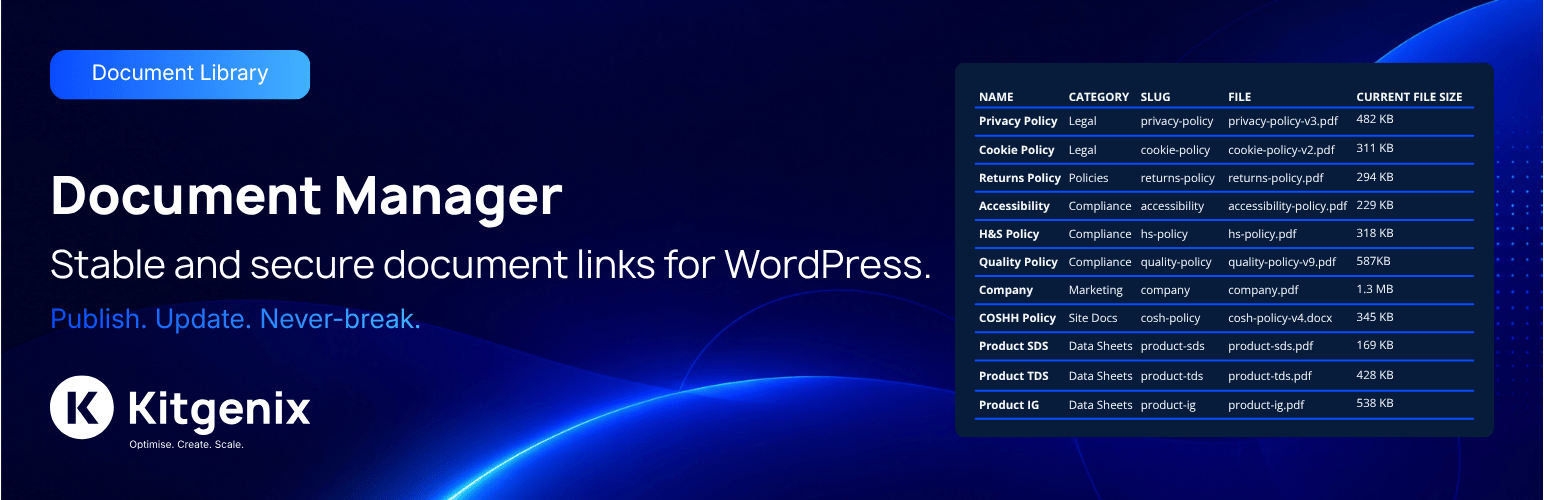

Description
Kitgenix Document Manager is a WordPress document management and document library plugin for publishing, protecting, replacing, sharing and tracking downloadable files. It adds a managed document layer around WordPress attachments so a document can keep one stable URL while the physical file behind it changes over time.
This is useful for policy documents, product manuals, technical downloads, specification sheets, price lists, application forms, certificates, reports, staff resources, membership files and other documents that need more control than a raw Media Library URL.
A published document uses a stable route similar to:
/kitgenix-document-manager/{slug}/
Replace the current attachment later and the document route can remain the same, so old links in pages, emails, QR codes, bookmarks and external documentation do not need to be replaced.
Built by Kitgenix.
Document Management Features
- Stable managed URLs independent of the current physical attachment URL.
- Public, Private and Restricted visibility modes.
- Access rules using WordPress roles, capabilities and specific user IDs.
- Time-limited signed share links for people without a WordPress account.
- Optional maximum-use limits on signed links.
- Revoke and signing-secret regeneration controls.
- Available-from, archive and expiry scheduling.
- Optional document version history.
- Restore or delete historical versions.
- Hierarchical document categories.
- Batch upload and bulk administration tools.
- Existing Media Library attachment selection.
- Frontend document-card and text-link shortcodes.
- Searchable, filterable public document library that only lists documents each visitor can access.
- Admin Shortcode Builder for locating documents and generating markup.
- Local aggregate document views/download analytics.
- REST metadata access subject to document permissions.
- Single HTTP byte-range support for compatible downloads/media seeking.
- Conditional ETag/Last-Modified responses for eligible public files.
- Attachment access guards for protected managed files.
- Site Health tests for the dedicated document upload directory, including a check that its files cannot be downloaded directly (with the nginx rule to add if they can).
- Unguessable stored filenames, so documents cannot be fetched by guessing their URL even on servers that ignore
.htaccess. - Settings/category portability without exporting protected files or share secrets.
- Capped local event log for operational diagnostics.
Stable WordPress Document Links
The plugin separates the logical document from the current file. Pages and users link to the document’s stable endpoint; the document record then decides which attachment is current and whether the requester is allowed to receive it.
This model is particularly useful for frequently revised documents. A “Product Manual” or “Terms and Conditions” link can remain consistent while administrators replace the actual PDF or Office file as revisions are released.
Public, Private and Restricted Documents
Each document has a visibility mode and can also carry more granular rules. Access can be evaluated using WordPress roles, a required capability, explicitly allowed user IDs or a valid signed share link.
The same access decision is applied across the managed delivery endpoint and the plugin’s own output paths. The code also includes guards designed to prevent protected managed attachments being casually exposed through Media REST responses or normal attachment permalinks to a visitor who does not have document access.
For unauthenticated protected requests, the configured behaviour can send the visitor to login or return a forbidden response according to the site setting.
Signed File Sharing
A signed URL can grant temporary access to a protected document without creating a WordPress account for the recipient. Signed links can have an expiry time and an optional maximum-use count.
Administrators can revoke a share link or regenerate the document’s signing secret. The signature is bound to document-specific values including the current attachment and document slug, so changing the underlying file affects the validity context rather than creating a permanent backdoor to every future version.
Lifecycle Scheduling
Documents can have an Available from time, an Archive at time and an Expires at time. These fields allow a file to become available automatically or to stop normal access without an administrator having to remember the exact campaign/compliance deadline.
The lifecycle layer can represent states such as Draft, Scheduled, Live, Restricted, Archived or Expired. An hourly WordPress cron event checks scheduled documents so state transitions can be observed even when the document is not being requested continuously.
Version History
When versioning is enabled, replacing a document can retain the superseded attachment as a historical version. Version records can include a label or note, and authorised users can restore an older file or delete old versions.
Stores/sites that do not want historical copies can disable version retention and configure replacement behaviour accordingly.
Document Library Organisation
Documents are stored in a private plugin post type and can be grouped with the plugin’s hierarchical document-category taxonomy. The plugin’s own admin screens provide search and filters for document status, visibility and file type, together with batch upload and bulk actions.
Bulk operations can change visibility, assign or clear categories, archive documents, clear lifecycle schedules or move selected documents to the trash depending on the action chosen.
Frontend Shortcodes
A lightweight link can be rendered with:
[kitgenix_document_manager_link slug="my-document"]
A card can be rendered with:
[kitgenix_document_manager_document slug="my-document"]
The card shortcode can also display several comma-separated document slugs and supports presentation attributes for button labels/styles, image size, alignment, target behaviour and the visibility of file metadata/description.
A searchable, filterable document library can be rendered with:
[kitgenix_document_manager_library]
The library lists every live document the current visitor is allowed to access, with a search box (title and description), category and file-type filters, sorting and pagination. It can be limited to specific categories with category="slug-a,slug-b", and supports per_page, columns, orderby (title, newest, updated), show_search, show_category_filter, show_type_filter, show_sort, empty_message and the same presentation attributes as the card shortcode. Filtering works without JavaScript and updates in place when JavaScript is available.
Protected documents are not revealed by the shortcodes to visitors who fail the document’s access rules. The library also hides categories and file types that only contain documents the visitor cannot access.
Local Document Analytics
The plugin records aggregate counts for views/downloads, signed-link usage and recent daily activity in WordPress metadata. It also retains the most recent access timestamp/type for administrative reporting.
The analytics implementation does not create visitor profiles and does not intentionally store visitor IP addresses, user agents, referrers or tracking cookies. Older daily buckets are pruned while cumulative totals remain available.
File Delivery, Range Requests and Caching
Managed files are served through WordPress after access checks. The endpoint supports single byte-range requests, which can help resumable downloads and seeking in compatible browser-displayed content.
Eligible public responses can use ETag and Last-Modified revalidation. Protected responses are handled with private/no-store style cache controls so a shared intermediary is not encouraged to cache restricted content.
REST and Site Health
A plugin REST route can return permitted document metadata by slug. Permission/access checks still apply; it is not intended as an anonymous route for enumerating protected documents.
The Site Health integration checks the dedicated Document Manager uploads directory and can flag directory/writability problems that would prevent file management from working correctly.
Settings Portability
Administrators can export/import plugin configuration and document-category structure as JSON. This portability workflow deliberately does not package the document files themselves, signed-link secrets or analytics history.
Typical Uses
- Product manuals and technical PDFs that receive frequent revisions.
- Policy, compliance and governance documents with expiry dates.
- Member-only or staff-only downloads.
- Customer documents restricted by WordPress account/role.
- Temporary secure sharing with an external recipient.
- Download libraries organised by document category.
- Stable links for QR codes, printed brochures and long-lived email templates.
REST API and Developer Hooks
The plugin registers this read-only metadata route:
GET /wp-json/kitgenix-document-manager/v1/doc/{slug}
For an allowed request, the response includes the document slug, title, modified date, visibility, schedule status, lifecycle state, and stable URL. The endpoint applies Document Manager access checks before returning metadata.
Available extension points include:
kitgenix_document_manager_user_has_document_access– provide a custom access decision after the built-in role/capability/user checks have been evaluated.kitgenix_document_manager_share_link_url– filter a generated signed share URL.kitgenix_document_manager_rest_document_response– customise an allowed REST metadata response.kitgenix_document_manager_document_served– runs after a document file has been successfully streamed.kitgenix_document_manager_lifecycle_status_changed– runs when the effective lifecycle state changes after an existing state has previously been observed.
Internal storage uses the private kitgenix_dm_doc post type and the hierarchical kitgenix_dm_cat taxonomy. These implementation details are provided for developers and should not be treated as permanent public URLs.
External Services
The plugin contains two external-service/network behaviours that can occur in wp-admin. They are not used to upload or process your document files.
WordPress.org Plugin API
The shared Kitgenix Hub can request public information about Kitgenix plugins from WordPress.org through WordPress core’s plugins_api() function. These requests are used for information shown in the Kitgenix admin interface and are cached locally with WordPress transients.
Data sent: plugin slugs required to look up public plugin-directory information. The plugin does not intentionally include document contents, document access rules, Document Manager analytics, or visitor information in these API lookups.
Service: https://wordpress.org/plugins/
Terms: https://wordpress.org/about/terms/
Privacy: https://wordpress.org/about/privacy/
Google Fonts
The Kitgenix admin interface stylesheet imports the Inter and Manrope font families from Google Fonts. When an authorised administrator opens a plugin screen that loads this stylesheet, the administrator’s browser may contact fonts.googleapis.com and fonts.gstatic.com to retrieve font CSS/files. As with ordinary web requests, Google may receive technical request information such as the requesting IP address and browser/network headers.
Google Fonts is used for admin-interface typography only; it is not required for document delivery and the plugin does not send document files to Google Fonts.
Service: https://fonts.google.com/
Google Fonts privacy information: https://developers.google.com/fonts/faq/privacy
Google Terms: https://policies.google.com/terms
Google Privacy Policy: https://policies.google.com/privacy
The plugin includes links to Kitgenix documentation, support, community/social pages, WordPress.org reviews/support, and PayPal donation pages. Those destinations are only contacted if an administrator chooses to open the relevant link; Document Manager does not automatically upload document data to Kitgenix.
Privacy
Kitgenix Document Manager stores its operational data in the site’s own WordPress database and uploads directory.
Document analytics are aggregate counters and timestamps. The plugin’s analytics implementation does not store visitor IP addresses, user agents, referrers, cookies, or a per-visitor identifier.
The local activity log stores a timestamp, event context, outcome, a plain-English note, and an optional event code. It is capped at 100 entries. The log does not intentionally store IP addresses or document file contents.
Document access configuration may contain WordPress role names, a required capability, and WordPress user IDs selected by the site administrator. Version attribution uses the WordPress attachment author’s existing account/display-name information.
Signed sharing stores a per-document secret, expiry information, maximum-use setting, and use counter in WordPress post meta. The signing secret is not included in the settings/category export.
See External Services for the network connections made by the admin interface.
Support and Development
Documentation and support resources are available from Kitgenix and from the plugin’s WordPress.org support forum.
If the plugin is useful to your site, you can also use the Donate link at the top of this readme to support continued maintenance and development.
Installation
- Install and activate Kitgenix Document Manager through WordPress, or upload the plugin folder to
/wp-content/plugins/. - Go to Kitgenix → Document Manager.
- Add a document and upload a permitted file, or select an existing Media Library attachment.
- Choose its visibility and, if required, configure role/capability/user access, signed sharing, version history, and lifecycle dates.
- Copy the stable document link or use one of the included shortcodes on a page or post.
- If a stable document URL returns 404 after activation or migration, visit Settings → Permalinks and save the page once to refresh rewrite rules.
FAQ
Does replacing a document change its public link?
No. The stable document URL points to the document record rather than directly to a particular attachment. Replacing the current file keeps the same stable URL.
Can I restrict documents to logged-in users?
Yes. Set the document to a protected visibility mode. You can also narrow access using roles, a required capability, or specific user IDs.
Can I share a protected file with somebody who does not have an account?
Yes. Generate a signed share link with an expiry date. You can optionally set a maximum-use count, revoke the link, or regenerate the signing secret to invalidate previously issued links.
Can documents automatically go live or expire?
Yes. Each document can have an available-from time, archive time, and expiry time. Access checks enforce those lifecycle dates across the stable URL, shortcode output, and plugin REST endpoint.
Can I keep old versions when I replace a file?
Yes. Version history can retain old attachments. Saved versions can have optional labels/notes and can later be restored or deleted.
Can I display several documents together?
Yes. Use the slugs attribute on [kitgenix_document_manager_document] with a comma-separated list of document slugs.
Does the plugin support PDFs?
Yes. PDF is allowed by default and can be served inline when the global serving mode is set to inline. Browser support determines whether a compatible file is displayed or downloaded.
Is WooCommerce required?
No. The plugin works without WooCommerce. If WooCommerce is active, the Shop Manager role is granted the Document Manager capability on activation so store managers can be permitted to manage documents.
Are existing Media Library files fully hidden from their original URL?
Not necessarily. Existing Media Library attachments remain in their original location. The plugin guards their WordPress REST-media exposure and attachment permalink when access is denied, but an already-known raw uploads URL may still be directly reachable depending on server configuration. See Security and File Protection above.
What is included in settings export/import?
Plugin settings and document categories. Documents, uploaded files, analytics, and signed-link secrets are intentionally excluded.
What happens when I uninstall the plugin?
Plugin settings/log data are removed during uninstall. Document posts and managed attachments are retained by default. If Delete data on uninstall is enabled before uninstalling, the plugin also deletes its document records and associated current/version attachments.
Screenshots


Changelog
2.2.0 (30 October 2026)
- Fix: Viewing a document inline no longer inflates its view count or exhausts a signed share link’s use limit. Browsers stream PDFs and other inline-viewable files as many separate byte-range requests, and every one of them was previously counted as a full view or download, so a single open could add dozens of views and a link set to “1 use” could be exhausted by the first fraction of a second of loading, 403-ing the rest of the file for the person it was sent to. Only the first byte-range request of a transfer (or a plain, non-range request) is now counted, and repeat countable requests for the same document from the same visitor within a 30-minute window are deduplicated so one view or download is never counted twice, using a hashed visitor fingerprint plus a short-lived, self-verifying session cookie – neither of which is stored or usable for access control.
- Security: Uploaded documents are now stored under an unguessable filename (a random suffix is added before the extension, e.g.
report-kdm-<random>.pdf). On servers that ignore the folder’s.htaccessrules, such as nginx, a protected document could previously be downloaded directly by guessing its URL, bypassing visibility, role and share-link checks. - Security: Documents uploaded by earlier versions are renamed the same way automatically, in small batches while you use wp-admin, including any generated preview images. A file that cannot be renamed is left in place and recorded in the Log tab.
- New: Added a Site Health test that checks whether files in the documents folder can be downloaded directly, and shows the nginx rule needed to block the folder if they can.
- New: Added a searchable public document library shortcode,
[kitgenix_document_manager_library]. It lists every live document the current visitor is allowed to access, with search across titles and descriptions, category and file-type filters, sorting (title, newest, recently updated) and pagination. Restricted, private, scheduled, archived and expired documents are never listed, and categories or file types that only contain them are not offered as filters. A signed share link in the page URL never adds documents to the listing. - New: The library can be limited to one or more categories (including child categories) with
category="...", and supportsper_page,columns,orderby, filter visibility toggles, a custom empty message and all document card presentation attributes. - New: Library filtering works as a plain form without JavaScript; with JavaScript, results update in place as visitors type or change a filter.
- New: Added a Document Library card with a copyable shortcode to the Frontend tab.
- Improved: Download filenames, the Documents list, the document editor and version history continue to show the original filename without the random suffix.
- Fix: The document post type mapped its singular
edit_post/read_post/delete_postcapabilities to the same flat management capability used everywhere else, which made WordPress treat every check of that capability as adelete_postcheck missing a post ID and log a “called incorrectly” notice on the Kitgenix admin menu and the plugin’s own settings page. Those singular capabilities are no longer set explicitly, so WordPress derives them safely instead. - Improved: Raised the minimum PHP version to 8.2 (
Requires PHP: 8.2). - Improved: Tested up to WordPress 7.4, and reviewed for compatibility with PHP 8.2 to 8.5. The full codebase passes syntax checks on PHP 8.5 and a PHPCompatibility scan for PHP 8.2–8.5, and uses no dynamic properties or functions deprecated in PHP 8.2–8.5.
- Dev: Corrected the WordPress coding-standards (PHPCS) suppression comments on the filename-migration’s
rename()calls so they match the sniff’s actual code; no behaviour change. - Dev: Removed the PluginScore verification code from the readme, as Kitgenix Plugin Score has been discontinued.
- Dev: Bumped the version to 2.2.0 across the plugin.
- Dev: Added the
kitgenix_document_manager_library_query_argsandkitgenix_document_manager_library_query_limitfilters. - Dev: Card option handling is now shared between the card and library shortcodes through
Shortcode::resolve_card_options()andShortcode::render_card(). - Documentation: Regenerated the
.pottranslation template for 2.2.0. - Documentation: The readme changelog now lists only the current release. The full release history is in
CHANGELOG.md.
Full release history is available in the plugin’s CHANGELOG.md file.