
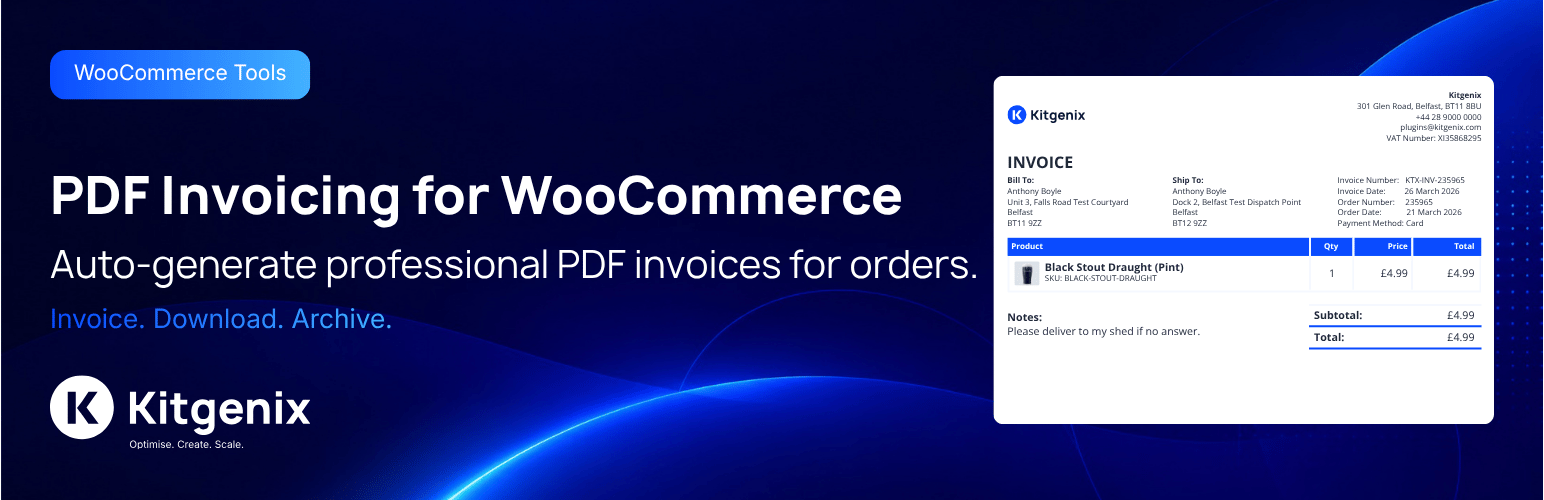

Description
Kitgenix PDF Invoicing for WooCommerce turns WooCommerce orders into PDF documents: invoices, receipts, credit notes, pro forma invoices, packing slips, delivery notes and an order activity summary. Documents are rendered on your own server with the bundled Dompdf library – no external PDF service, account or API key.
Every figure comes from WooCommerce’s own order, tax, refund and currency data. The plugin does not recalculate tax, change stored totals, or present information WooCommerce does not record (such as payment allocations or account balances) as fact.
Developed by Kitgenix.
Document types
- Invoice – the invoice number is issued once, from its own sequence if you like, and never changes. Shows the real payment state: “Paid in Full”, “Amount Due” (with an optional due date, payment terms and payment instructions), “Part Paid” when an extension reports verified part payments, or “Payment Pending” for cash on delivery orders that are not yet completed.
- Receipt – only produced once money has actually been received. Shows the amount received, payment date, method and reference, and lists later refunds without rewriting the payment.
- Credit Note – one per WooCommerce refund, each with its own number, the refund date, reason, refunded items and the tax credited per rate. A refund entered as an amount only is labelled as such; no tax split is invented for it.
- Pro Forma Invoice – its own numbering, clearly “not a tax invoice”. Choose whether it is for information only or requests payment in advance (with your payment instructions).
- Packing Slip – an internal picking list: quantities still to pack after refunds, tick boxes, a “Picked” column and sign-off lines. No prices, totals or payment details, and only the contact details delivery needs.
- Delivery Note – the goods and quantities for the recipient, with an optional proof-of-delivery block. Shows a dispatch date and tracking number only when WooCommerce Shipment Tracking (or a filter) provides them.
- Order Activity Summary – the orders on a customer’s account in a period, with totals, refunds and payment state. It is deliberately not a statement of account and shows no balance, because WooCommerce does not keep an account ledger. A store with a real ledger can supply it through a filter to produce a reconciled Statement of Account.
Tax details
- Tax summary per rate: taxable amount and tax for each WooCommerce tax rate, plus any amount that carried no tax.
- Seller’s trading name, registered legal name, address, tax registration number and company registration number.
- Customer’s VAT/tax number, read from the order meta keys common VAT-number plugins use (or one you set).
- Optional supply date / tax point, taken from the WooCommerce date you choose – never guessed.
- Optional reverse-charge note, in your own wording, on VAT-exempt orders where the customer gave a tax number.
- ISO currency codes, and reporting-currency figures when an extension supplies the exchange rate and its source.
- Terminology presets for Standard / Generic, UK VAT, EU VAT, US Sales Tax, Canada GST/HST and Australia GST, with label overrides for any other country. Under the UK, EU, Canada and Australia presets, tax figures always stay on invoices and credit notes for orders that carry tax.
- A “Document Checks” panel flags missing details that tax invoices commonly need for the selected preset.
Presets change wording and which tax details are always shown. They do not by themselves make documents meet any country’s invoicing rules – that also depends on your business details, numbering and how you invoice. Check your local requirements.
Eight template families
Standard, Simple, Modern, Business, Luxury, Bold, Compact and Trade. Every family shows the same information for all seven document types, uses your logo and brand colours, and can be chosen globally or per document type. A visual designer adjusts alignment, logo size, density, panels, table style, totals emphasis and footer without editing templates. Theme overrides are supported for whole documents or single parts.
Fonts and character coverage
Documents use only the DejaVu fonts bundled with Dompdf – DejaVu Sans for text, DejaVu Serif for Luxury headings and DejaVu Sans Mono for SKUs – embedded in every PDF. They cover Latin (including Central and Eastern European languages), Greek, Cyrillic, Armenian, Georgian and most currency symbols (£ € $ ¥ ₹ ₺ ₽ ₩ ₪ ₫ ₦ ₱ ₴ ₸). See the FAQ for scripts that are not supported.
Numbering
Token-based number formats ({prefix}, {sequence}, {order_number}, {year}, {fiscal_year} and more) with padding and calendar- or fiscal-year resets. Numbers come from an atomic database sequence and are assigned under a per-order lock, so concurrent requests never produce duplicates. A number is stored on the order the first time a document is produced and kept from then on, whatever the settings say later. Formats that could repeat numbers are refused.
Secure downloads and storage
- Customers download their own invoices, receipts and credit notes from My Account. Guests can open a guest order’s documents with WooCommerce’s order key; the key never opens a registered customer’s documents or any account-wide information.
- Packing slips, delivery notes and other customers’ documents are staff-only.
- Issued documents are archived unchanged, under unguessable filenames, in a folder protected for Apache, LiteSpeed and IIS. System Status tests whether your server blocks direct access, and explains how to block it on nginx or move storage outside the web root with one constant.
- Re-issuing a document requires a reason, keeps the earlier PDF as a revision and is recorded in its history.
Also included
- Automatic attachments for WooCommerce emails, with a preview and test-send tool.
- Bulk ZIP export from the orders list.
- Order-list filter by document state.
- HPOS (High-Performance Order Storage) compatibility.
- Settings import/export and an event log.
- Developer filters and actions throughout.
External Services
This plugin includes a shared “Kitgenix hub” component in wp-admin (a single top-level “Kitgenix” menu page shared across all installed Kitgenix plugins) which may fetch publicly available plugin metadata – active install counts, star ratings, and icon/banner artwork – from WordPress.org using WordPress core’s plugins_api() function. This request is only made when an administrator views the Kitgenix hub page, sends only the relevant plugin slugs, and is cached for up to 24 hours using WordPress transients to minimise repeat calls:
- Transient:
kitgenix_hub_wporg_active_installs_v1 - Transient:
kitgenix_hub_wporg_ratings_v1 - Transient:
kitgenix_hub_wporg_media_v1
No order data, customer data, or store content is ever sent as part of these requests. WordPress.org’s API is governed by the WordPress.org privacy policy (https://wordpress.org/about/privacy/).
The System Status tab’s storage check makes one request from your site to its own uploads URL (a temporary test file, deleted straight away) to see whether the archive folder can be fetched directly. It goes to your own server only.
Aside from this, PDF generation happens entirely on your own server using the bundled Dompdf library. No order or customer data is sent to any third-party PDF generation, invoicing, or storage service, and the admin screens load no web fonts or other files from external services.
Developers
Text domain:
kitgenix-pdf-invoicing-for-woocommerce
Architecture:
– Modular plugin with Admin/Settings/Invoicing/Email/Frontend modules
– Document types registry (extendable) with built-in invoice, receipt, packing slip, credit note, pro forma invoice, delivery note and order activity summary (statement) types
– Template system with theme overrides + HTML/CSS filters
– Download endpoints with nonce, ownership, capability and order-key checks in one access decision (InvoicingModule::user_can_access_document())
– Token-based numbering engine using an atomic database sequence table (with a locked option-based fallback)
– Rule-based document availability controls by type, order status, and confirmed payment state
– Document status (issued/voided) and per-document history log, independent of the archived PDF file
Numbering tokens available in settings:
– {prefix}
– {order_number}
– {order_id}
– {sequence}
– {refund_sequence}
– {year}
– {yy}
– {month}
– {day}
– {country}
– {billing_country}
– {shipping_country}
– {fiscal_year}
– {fiscal_year_short}
– {fiscal_year_start}
– {fiscal_year_end}
Financial data filters:
– kitgenix_pdf_payment_records – verified payments from a deposits/part-payment/accounting extension (amount, date, method, reference)
– kitgenix_pdf_payment_summary – the computed payment state (prefer kitgenix_pdf_payment_records)
– kitgenix_pdf_deferred_payment_methods – payment methods counted as received only once the order is completed (default: cod)
– kitgenix_pdf_receipt_requires_payment – default true
– kitgenix_pdf_account_ledger – an authoritative ledger (opening balance, entries, closing balance) for a Statement of Account; rejected unless it reconciles
– kitgenix_pdf_statement_context, kitgenix_pdf_statement_period_days, kitgenix_pdf_activity_summary_statuses, kitgenix_pdf_activity_summary_max_orders
– kitgenix_pdf_reporting_currency – figures in a second currency with the rate and its source
– kitgenix_pdf_supply_date, kitgenix_pdf_tax_disclosure_required, kitgenix_pdf_is_reverse_charge
– kitgenix_pdf_customer_tax_id_meta_keys, kitgenix_pdf_customer_tax_id
– kitgenix_pdf_shipment_info – dispatch date and tracking for delivery notes
– kitgenix_pdf_localization_packs – add or change terminology presets
– kitgenix_pdf_configuration_warnings
Access and storage filters:
– kitgenix_pdf_document_user_can_download – final access decision (security-sensitive)
– kitgenix_pdf_order_key_allows_registered_orders – default false
– kitgenix_pdf_may_email_account_summary
– kitgenix_pdf_private_storage_dir (or the KITGENIX_PDF_INVOICING_STORAGE_DIR constant)
– kitgenix_pdf_persistent_archive_enabled
– kitgenix_pdf_archive_relative_root
– kitgenix_pdf_dompdf_chroot
– kitgenix_pdf_fulfilment_show_billing_address – default false
Other filters:
– kitgenix_pdf_invoicing_modules
– kitgenix_pdf_document_types
– kitgenix_pdf_document_enabled
– kitgenix_pdf_document_filename
– kitgenix_pdf_batch_archive_filename
– kitgenix_pdf_invoice_filename (back-compat)
– kitgenix_pdf_document_attachment (inline vs download)
– kitgenix_pdf_document_template_path
– kitgenix_pdf_document_html
– kitgenix_pdf_invoice_html (back-compat)
– kitgenix_pdf_document_custom_css
– kitgenix_pdf_document_lang
– kitgenix_pdf_document_title
– kitgenix_pdf_document_body_class
– kitgenix_pdf_paper_size
– kitgenix_pdf_show_shipping_address
– kitgenix_pdf_document_meta_rows
– kitgenix_pdf_show_page_numbers
– kitgenix_pdf_payment_instructions
– kitgenix_pdf_pro_forma_notice
– kitgenix_pdf_packing_slip_show_checklist
– kitgenix_pdf_packing_slip_show_signoff
– kitgenix_pdf_packing_slip_show_picked_column
– kitgenix_pdf_delivery_note_show_signature
– kitgenix_pdf_delivery_note_instructions
– kitgenix_pdf_delivery_note_quantity_note
– kitgenix_pdf_template_families
– kitgenix_pdf_email_document_map
– kitgenix_pdf_email_attach_document
– kitgenix_pdf_document_identifier
– kitgenix_pdf_document_number_context
– kitgenix_pdf_document_number_format
– kitgenix_pdf_sequence_use_table
Key actions:
– kitgenix_before_stream_pdf_document
– kitgenix_after_stream_pdf_document
– kitgenix_before_stream_pdf_invoice (back-compat)
– kitgenix_after_stream_pdf_invoice (back-compat)
– kitgenix_pdf_document_archived
– kitgenix_pdf_document_regenerated
– kitgenix_pdf_document_void_status_changed
– Template hooks:
– kitgenix_pdf_before_document / kitgenix_pdf_after_document
– kitgenix_pdf_before_document_wrapper / kitgenix_pdf_after_document_wrapper
– kitgenix_pdf_after_notes
– kitgenix_pdf_after_order_data_rows
This plugin does not register any shortcodes, REST API routes, custom post types, or custom taxonomies. Integration is entirely via the WordPress action/filter hooks listed above, WooCommerce order meta boxes and order actions, and the My Account area.
Data Handling
- Plugin settings stored in a single option:
kitgenix_pdf_invoicing_settings. - Admin activity/event log (settings saves, generation failures, skipped documents, failed attachments; no customer details) stored in:
kitgenix_pdf_invoicing_event_log, pruned after 7, 14 or 30 days. - Anonymous generation metrics (counts only) stored in:
kitgenix_pdf_invoicing_for_woocommerce_metrics. - Fallback numbering counters (used only if the sequence table cannot be created) stored in:
kitgenix_pdf_invoicing_for_woocommerce_number_sequences. - Atomic numbering counters stored in a dedicated database table (
{$wpdb->prefix}kitgenix_pdf_sequences). - Upgrade/migration version marker stored in:
kitgenix_pdf_invoicing_for_woocommerce_db_version. - Document numbers, dates and history stored on the order so issued documents stay stable:
_kitgenix_pdf_invoicing_for_woocommerce_invoice_number/_invoice_date_kitgenix_pdf_invoicing_for_woocommerce_receipt_number/_receipt_date_kitgenix_pdf_invoicing_for_woocommerce_packing_slip_number/_packing_slip_date_kitgenix_pdf_invoicing_for_woocommerce_pro_forma_number/_pro_forma_date_kitgenix_pdf_invoicing_for_woocommerce_delivery_note_number/_delivery_note_date_kitgenix_pdf_invoicing_for_woocommerce_credit_note_refund_map(plus the legacy_credit_note_historyand_credit_note_count)_kitgenix_pdf_invoicing_for_woocommerce_archived_documents
- Issued PDFs are archived in
wp-content/uploads/kitgenix-pdf-invoicing-for-woocommerce/archive/, or in the folder set byKITGENIX_PDF_INVOICING_STORAGE_DIR. They contain the order’s customer details and are served only through the access-checked download links. The Order Activity Summary is produced fresh each time and not archived. - Email attachments and batch ZIP exports are temporary files, deleted at the end of the request.
- Nothing is deleted automatically after a retention period: invoices, receipts and credit notes are financial records your business may be required to keep. Decide your own retention period and delete old archives yourself when it ends.
- No customer data is sent to a third-party service; rendering happens locally using the bundled Dompdf library.
Security & Privacy
- Document downloads check the order, the requester and the document type in one place: staff by WooCommerce order capabilities, customers by ownership of their registered account, and guests by the order key (for that guest order’s own documents only).
- An order key never opens account-wide information or a registered customer’s documents. The Order Activity Summary covers only orders on the customer’s own registered account – never orders matched by billing email – and is only emailed when the order’s billing email is the account’s email.
- Signed-in requests must carry a valid nonce; an unknown order and a wrong key get the same response, so order IDs cannot be probed.
- Stored archive paths are checked against the archive folder before any file is served.
- Dompdf runs with remote fetching, embedded PHP and PDF JavaScript disabled, http/https removed from its allowed protocols, and file access limited to the plugin’s templates and your logo’s folder. These cannot be turned on.
- Admin actions are protected with nonces and capability checks; inputs are sanitised and output escaped.
Security identifiers (exact):
– Admin meta box downloads use admin-post.php actions kitgenix_admin_stream_invoice, kitgenix_admin_stream_receipt, kitgenix_admin_stream_packing_slip, kitgenix_admin_stream_credit_note, kitgenix_admin_stream_pro_forma_invoice, kitgenix_admin_stream_delivery_note, and kitgenix_admin_stream_statement, protected by query arg nonce created/verified with nonce action kitgenix_admin_pdf.
– Document status actions (re-issue/void) use admin_post_kitgenix_admin_regenerate_document and admin_post_kitgenix_admin_void_document, gated on manage_woocommerce and a type-and-order-scoped nonce.
– Frontend document downloads use _wpnonce created/verified with nonce action kitgenix_download_{doc_type}_{order_id}, or a guest order’s key.
– Storage tools use admin_post_kitgenix_pdf_invoicing_test_archive_access and admin_post_kitgenix_pdf_invoicing_delete_legacy_fonts, gated on manage_woocommerce and nonces.
– WooCommerce order action key: kitgenix_download_pdf_invoice (hook: woocommerce_order_action_kitgenix_download_pdf_invoice).
– WooCommerce bulk action keys: kitgenix_pdf_batch_export_{document type}.
Admin page hook suffix:
– kitgenix_page_kitgenix-pdf-invoicing-settings
Uninstall
Uninstall removes the plugin settings option (kitgenix_pdf_invoicing_settings), the event log and its retention setting, the metrics option, the fallback numbering counters, the atomic numbering sequences database table, the legacy custom-fonts list, the upgrade/migration version marker (kitgenix_pdf_invoicing_for_woocommerce_db_version) and the plugin’s transients.
It does not delete files or order data. Order meta (document numbers, dates and history), archived PDFs and any font files uploaded with versions before 2.2.0 are kept, because invoices, receipts and credit notes are financial records you may be required to retain. Delete wp-content/uploads/kitgenix-pdf-invoicing-for-woocommerce/ (and any KITGENIX_PDF_INVOICING_STORAGE_DIR folder) yourself once you no longer need them.
Support Development
If this plugin helps you generate clean WooCommerce PDFs and reduces admin work, you can support ongoing development with a one-off donation via PayPal:
https://www.paypal.com/donate/?hosted_button_id=KALF36K6JJ9B2
Third-Party Libraries
This plugin bundles, with their namespaces prefixed to Kitgenix\PDF_Invoicing\Vendor\ so they cannot clash with other plugins:
- Dompdf 3.1 (LGPL-2.1) – https://github.com/dompdf/dompdf
- php-font-lib (LGPL-2.1-or-later) and php-svg-lib (LGPL-3.0-or-later), by the Dompdf project
- html5-php (MIT) – https://github.com/Masterminds/html5-php
- PHP-CSS-Parser (MIT) – https://github.com/MyIntervals/PHP-CSS-Parser
- DejaVu fonts (Bitstream Vera and Arev font licences; DejaVu changes are public domain) – https://dejavu-fonts.github.io/
Each library’s licence file is included beside it in vendor-prefixed/, and the DejaVu font licence in licenses/ and vendor-prefixed/dompdf/dompdf/lib/fonts/. The plugin’s own code is GPLv3 or later.
Credits
Built with ❤︎ by @kitgenix – https://kitgenix.com
Bundled libraries: see Third-Party Libraries.
Installation
- Install via Plugins → Add New (search for “Kitgenix PDF Invoicing”), or upload the plugin ZIP file.
- Activate the plugin. WooCommerce must already be installed and active – the plugin will deactivate itself with a notice if it isn’t.
- Go to Kitgenix → PDF Invoicing. Enter your company details, choose the terminology preset for your country and review the Document Checks panel.
- Choose your number formats, template family and which documents to attach to which emails.
- Open any order to find the “Kitgenix PDF Invoicing” box with its document downloads.
- Recommended on nginx: open the System Status tab and follow the storage advice if it reports the archive folder as exposed.
PDFs are rendered with the bundled Dompdf library; no external service or API key is required. Batch ZIP export uses the PHP zip extension when available, with an automatic fallback to WordPress’s built-in ZIP support if it isn’t.
FAQ
Does this plugin require WooCommerce?
Yes. WooCommerce must be installed and active. Every document type, download, and email attachment is generated from WooCommerce order data.
Are PDF invoices generated automatically?
Documents are generated on demand – when downloaded, or when a WooCommerce email is sent with that document type mapped to it. Each document is numbered and archived the first time it is produced and the same copy is reused afterwards.
Will my invoices meet my country’s legal requirements?
The plugin provides the details tax invoices commonly need – seller and buyer details, registration numbers, unique sequential numbering, issue and supply dates, tax per rate, credit notes referencing the original invoice – and terminology presets for several countries. It cannot know your obligations: requirements differ by country, by the kind of sale and by your registration status. Review the Document Checks panel, check your local rules or ask an accountant, and test your documents before relying on them.
Why is there no receipt for some orders?
A receipt confirms money received, so it is only produced once WooCommerce records a payment. Unpaid orders get none, and cash on delivery orders get one once completed (WooCommerce marks them “processing” before any money is collected). The order screen shows the reason.
Does the plugin handle part payments or deposits?
WooCommerce itself records an order only as paid or not paid. A deposits or part-payment extension can supply its verified payments through the kitgenix_pdf_payment_records filter; invoices then show the amount paid and due, and receipts the amount received. If an order has both part payments and refunds, no balance is printed, because WooCommerce does not record whether a refund returned money or reduced the balance.
Why is the “Statement” an Order Activity Summary?
A true statement of account needs a ledger of payments, allocations, credit notes and opening balances, which WooCommerce does not keep. The summary lists orders, refunds and payment states for the customer’s own account without inventing a balance. If your store has an accounting ledger, supply it through the kitgenix_pdf_account_ledger filter to produce a reconciled Statement of Account.
Can customers download their own invoices?
Yes. Signed-in customers can download invoices and, once refunds exist, each credit note from the order details screen and the My Account Orders table. Guests can open a guest order’s invoice, receipt, pro forma and credit notes with the order key WooCommerce gives them.
Which fonts are used, and which languages are supported?
Only the DejaVu fonts bundled with Dompdf: DejaVu Sans, DejaVu Serif (Luxury headings) and DejaVu Sans Mono (SKUs). They cover Latin including Central and Eastern European languages, Greek, Cyrillic, Armenian and Georgian, and most currency symbols. They do not cover Chinese, Japanese, Korean, Thai, or Indic scripts such as Devanagari (these print as empty boxes), nor the Bitcoin (₿), Azerbaijani manat (₼) and Georgian lari (₾) signs. Where DejaVu Serif or Sans Mono lacks a character that DejaVu Sans has (for example ₩ ₪ ₫), it is taken from DejaVu Sans. Hebrew and Arabic letters exist in the fonts, but Dompdf does not lay out right-to-left text, so they print in the wrong order and Arabic letters are not joined. Custom font uploads were removed in 2.2.0.
I uploaded custom fonts in an earlier version. What happens to them?
Documents now use the bundled DejaVu fonts, and any saved font choice is ignored. Archived PDFs are unaffected, because fonts are embedded in each PDF. The uploaded font files are not deleted automatically: System Status lists them with a “Delete legacy font files” button, or you can delete wp-content/uploads/kitgenix-pdf-invoicing-for-woocommerce/fonts/ yourself.
Can I bulk-generate or bulk-download invoices?
Yes. From the WooCommerce orders list, select orders and run a batch ZIP export for any document type. Credit note exports include every refund’s credit note.
Where are the generated PDFs stored, and are they safe on nginx?
In wp-content/uploads/kitgenix-pdf-invoicing-for-woocommerce/archive/, protected by .htaccess (Apache/LiteSpeed) and web.config (IIS) rules and unguessable filenames. nginx ignores those rule files: the System Status tab tests your server and gives an nginx rule to add. For the strongest protection, store archives outside the web root by defining KITGENIX_PDF_INVOICING_STORAGE_DIR in wp-config.php.
Can I customise the invoice template?
Yes. Choose from eight bundled template families, fine-tune the layout with the visual designer, or copy a document template from the plugin’s templates/shared/ folder into your theme at kitgenix-pdf-invoicing-for-woocommerce/{style}/. A single part of the layout (such as the header or totals) can be overridden at kitgenix-pdf-invoicing-for-woocommerce/{style}/partials/.
Can I show custom order fields, such as tracking numbers?
Yes. Add custom order meta rows in settings using one entry per line in the format meta_key|Label.
Is this compatible with WooCommerce HPOS (High-Performance Order Storage)?
Yes. The plugin declares HPOS compatibility and uses WooCommerce’s order APIs throughout, so it works with both HPOS and legacy post-based order storage.
How does credit note numbering work?
Each refund gets its own credit note number, assigned against the refund itself (not its position in a list), so deleting or reordering refunds can’t desynchronise or duplicate numbers. Every credit note stays available individually.
Can documents be corrected?
An issued document is never changed silently. Staff can re-issue it from the order’s current data, which requires a reason, keeps the earlier PDF as a separate revision and records the change in the document’s history; or void it, which only flags it. Many tax authorities expect a credit note and a new invoice to correct an invoice instead – check your local rules.
Can I attach PDFs to WooCommerce emails?
Yes. Map document types to WooCommerce emails in settings, preview which documents an order would get, and send a test email with the PDF attachments. The refund email attaches the credit note for that refund.
Does this plugin add any shortcodes or REST API endpoints?
No. All functionality lives in the WooCommerce order screen, plugin settings, and My Account area, and is extendable via the actions and filters listed in the Developers section.
What happens to my invoices if I uninstall the plugin?
Archived PDF files, document numbers, history and order meta are kept, so you don’t lose financial records. Only the plugin’s own settings, log, counters and sequence table are removed. Delete the archive folder yourself when you no longer need it.
Screenshots


Changelog
2.2.2 (30 October 2026)
- Fix: Documents could print with the pre-2.2.0 layout under the new stylesheet – blank first pages, an oversized logo and unstyled tables – on sites updated from an earlier version. Template files from before the 2.2.0 redesign were left in the Standard, Business, Modern and Simple template folders, and the plugin used them in preference to the shared templates. Those files are removed, and the plugin now only ever uses its shared templates (or your theme’s overrides), so a leftover file can no longer change your documents.
- Removed: The unused
FontManagerclass, left behind from the custom-font feature removed in 2.2.0.
2.2.1 (30 October 2026)
- Fix: Fixed a CSS issue not rendering correctly in 2.2.0.
2.2.0 (30 October 2026)
- Security: The Statement could reveal other people’s orders. It listed every order with the same billing email address, so anyone could place a guest order using someone else’s email, open its Statement with the order key from their own order confirmation, and see that person’s order history, invoice numbers and totals. The account-wide document now covers only orders on the customer’s own registered account (never matched by email), a guest order’s covers that order alone, and an order key can no longer open it at all.
- Security: An order key no longer opens a registered customer’s documents – the customer signs in – and never opens account-wide information. Guests keep access to their own order’s invoice, receipt, pro forma invoice and credit notes with the key. All access is now decided in one place (
InvoicingModule::user_can_access_document()), and an unknown order and a wrong key get the same response, so order IDs cannot be probed. - Security: The document download handler could be made to stream any file the web server can read (such as
wp-config.php) if a stored archive path in order meta was altered, which anyone with REST API access to orders can do. Stored paths are now checked to be a PDF inside the archive folder before anything is served. - Security: Archives can be stored outside the web root by defining
KITGENIX_PDF_INVOICING_STORAGE_DIRinwp-config.php. Archive folders now also getweb.config(IIS) andindex.htmlguards, and System Status tests whether your server actually blocks direct access to them, with an nginx rule to add when it does not. Existing archives stay where they are. - Security: Dompdf now runs with http/https removed from its allowed protocols, PDF JavaScript disabled, and local file access limited to the plugin’s templates and your logo’s folder (previously the whole uploads folder, including other customers’ archived documents). The
kitgenix_dompdf_enable_phpfilter that could enable PHP execution inside documents has been removed. - Security: An account summary is only attached to an email when the order’s billing email is the customer account’s own email address.
- Security: PDF downloads now send
X-Content-Type-Options: nosniff,X-Robots-Tag: noindexandReferrer-Policy: no-referrer. - Changed: The Statement is now an Order Activity Summary. It listed orders with “Debit”, “Credit”, running and closing balances that WooCommerce cannot support – it records no payment allocations, credit balances or balances carried forward – so its “Closing Balance” was not an amount owed. The summary lists each order’s total, refunds and payment state, with totals, and shows no balance. A store with an accounting ledger can supply it through
kitgenix_pdf_account_ledgerto produce a Statement of Account, which is used only if it reconciles. It covers the last 365 days (filter:kitgenix_pdf_statement_period_days), in the order’s currency only, in batches rather than one unbounded query, and is produced fresh each time rather than archived. - Fix: Receipts could be issued for orders that had not been paid, showing an amount received of zero. A receipt is now only produced once a payment is recorded, and the order screen says why one is unavailable.
- Fix: Cash on delivery orders were treated as paid as soon as they reached “processing”, before any money was collected, so invoices said “Paid in Full”. They now show “Payment Pending” until the order is completed (filter:
kitgenix_pdf_deferred_payment_methods). - New: Part payments. A deposits or part-payment extension can supply verified payments (
kitgenix_pdf_payment_records); invoices show the amount paid and due, and receipts the amount received with each payment’s date, method and reference. No balance is printed when an order has both part payments and refunds, because WooCommerce does not record whether a refund returned money or reduced the balance. - New: Tax summary on invoices, receipts, pro forma invoices and credit notes: the taxable amount and tax for each WooCommerce tax rate, plus any amount that carried no tax. Line tax now shows its rate. Under the UK VAT, EU VAT, Canada GST/HST and Australia GST presets, tax figures stay on invoices and credit notes for orders that carry tax even when “Show tax totals” is off.
- New: Seller’s registered legal name and company registration number; the customer’s VAT/tax number from common VAT-plugin order meta keys (or one you set); an optional supply date / tax point from the WooCommerce date you choose; an optional reverse-charge note in your own wording; reporting-currency figures when an extension supplies the rate and its source (
kitgenix_pdf_reporting_currency). - New: Payment terms for invoices: a due date a set number of days after the invoice date, payment terms text and payment instructions, shown only on invoices with an amount due.
- New: Document Checks on the settings screen flag details that tax invoices commonly need for the selected preset, such as a missing address or tax registration number. They are a guide, not legal advice.
- Changed: The “Standard” preset is now generic (“Tax”, “Tax ID”) instead of assuming VAT, and new installs start with the preset for the store’s country. Existing stores keep their documents’ wording: a UK or EU store on Standard moves to the UK or EU VAT preset, and any other store keeps “VAT” through the label overrides. The EU VAT preset labels the seller’s number “VAT ID”, and US Sales Tax “Sales Tax Permit”.
- Fix: The Australia GST preset titled pro forma invoices “Pro Forma Tax Invoice”, implying a provisional document was a tax invoice. It is now “Pro Forma Invoice”.
- Changed: Pro forma invoices have their own stored number (prefix
PF-, own format) and issue date, and say plainly what they are for: by default for information, not requesting payment and without payment instructions; or, with “Pro forma purpose” set to request payment in advance, the amount payable and your payment instructions. They no longer call the order total an “Estimated Total”. Delivery notes also have their own stored number (DN-). Numbers and dates of pro forma invoices and delivery notes already archived are kept. - New: Each credit note can be opened on its own – from the order screen, My Account and bulk export – and WooCommerce’s refund email attaches the credit note for that refund. Credit notes for refunds made at the same time are numbered in the order the refunds were made.
- Fix: A refund entered as an amount only is now labelled “Refund (amount only)” with a note that no tax breakdown exists, instead of an unlabelled line. A credit note only says the money was returned when WooCommerce refunded it through the payment gateway.
- Changed: Packing slips show the quantity still to pack after refunded units (“2 ordered, 1 refunded”), add a write-in “Picked” column, count items net of refunds and leave out the billing address and email and the general document notes. Delivery notes say their quantities are those on the order, and show a dispatch date and tracking number only when WooCommerce Shipment Tracking (or
kitgenix_pdf_shipment_info) provides them. - Changed: Re-issuing (regenerating) a document now requires a reason, which is recorded in its history, and voiding accepts one. The earlier PDF is always kept; if it cannot be copied, nothing is overwritten.
- Fix: Concurrent requests could issue a document twice with different numbers (for example a customer opening an invoice while an email attached it). Numbers are now assigned under a per-order database lock; the fallback counter used when the sequence table cannot be created is locked too.
- Fix: A number format that cannot give each document a unique number (such as
{prefix}{year}), or a yearly sequence reset with a format that has no year in it, could issue duplicate numbers. Both are now refused with an explanation. - Fix: Saving the Brand & Styling or Email Attachments tab turned off every “Show …” option on the Settings tab and cleared the per-document template choices. Each tab now saves only its own fields. Unticking every email attachment can now be saved.
- Fix: The Document Generation Rules were never shown in settings. They are now on the Settings tab.
- Fix: Importing settings flattened the per-document template choices and removed line breaks from the company address and footer.
- Removed: Custom PDF font uploads. Documents use the DejaVu fonts bundled with Dompdf: DejaVu Sans for text, DejaVu Serif for Luxury headings and DejaVu Sans Mono for SKUs, each falling back to DejaVu Sans for any character it lacks. A saved font choice is ignored and its setting removed on upgrade. Uploaded font files are not deleted automatically; System Status offers to delete them. Archived PDFs are unaffected.
- Fix: Templates named the PDF core fonts Helvetica and Times first. Those are not embedded and cover Windows-1252 only, so names mixed two typefaces and characters such as ₿ or CJK printed as “?” in the text. Every font is now a DejaVu face embedded in the PDF.
- Removed: The settings screens no longer load the Manrope and Inter web fonts from Google Fonts; they use WordPress’s system font stack, so the admin makes no request to an external font service.
- Build:
bin/build-release.shbuilds the WordPress.org ZIP from a clean copy: it bundles the prefixed Dompdf runtime with every package’s licence file and the DejaVu font licence, pre-builds Dompdf’s font metric cache (so a read-only plugin folder is fine), leaves out development files listed in.distignore, then verifies and lints the result. - Dev: Integration tests in
tests/(run against a disposable WordPress + WooCommerce site): payment states, receipts, invoices, tax breakdowns, credit notes, pro forma invoices, fulfilment documents, the activity summary, email attachments, access control, path safety, numbering and concurrency, settings and migrations, PDF checks of all 56 template combinations, and HTTP checks of the download handler. - New: Four new template families: Trade, Compact, Bold and Luxury, joining Standard, Simple, Modern and Business. Trade (industrial charcoal with a safety-amber accent, a monospaced SKU column and emphasised quantities) and Compact (narrow margins, smaller type and tight striped rows, also with a SKU column) are built for wholesale and trade orders. Bold sets the title and headline amount in a solid dark panel with an accent bar across every page. Luxury has a centred serif letterhead, letter-spaced small capitals and gold hairlines on an ivory page.
- Improved: Redesigned every template. All eight families now render the same shared markup (
templates/shared/), so a document shows the same information and fires the same hooks whichever family is selected, and a family is a stylesheet layered on a shared base (templates/shared/base.css). Previously each family had its own copy of every document (64 files) that had drifted apart: different labels, missing features, dozens of near-duplicate translatable strings, and Simple, Modern and Business ignored the visual designer settings entirely. - Improved: Every document follows the structure accounting packages such as Xero, Stripe and Amazon use: a letterhead (your logo and the document title); the parties – Bill To, Ship To and your own details (“From”) with address, contact details, tax and company registration numbers; a key-facts strip led by the headline amount (amount due, invoice number, invoice date, due date, order number, payment and shipping method); the line items, with a VAT/tax rate column whenever tax is shown; and the summary, with the tax summary and “How to Pay” beside the totals. A typical order fits on one page in every family except Luxury, whose wider spacing can run onto a second page.
- Fix: The footer text was cut off after two lines and could run off the page. The footer now grows with its text: the PDF is measured as it is laid out and, when the footer needs more room, rendered again with a taller footer and a matching bottom margin, so the whole footer prints on every page and content never runs underneath it.
- Fix: Brand & Styling and Visual Template Designer settings did not reliably reach every template. The designer options were CSS added after the template that some families’ own rules outranked, so options such as table style or totals emphasis did nothing in those families, and some families never used the accent colour. Options are now applied as document classes styled to outrank every family, every family uses every colour setting, and automated tests check that each colour and each designer option visibly changes all eight families.
- New: “Table header text color” setting. Left empty, header text is black or white, whichever reads on the header background.
- Fix: Line spacing was about a quarter looser than intended (Dompdf spaces lines by the font’s own height, which is taller than a browser’s), wasting space and pushing totals onto a second page.
- Improved: Long document titles (“Pro Forma Invoice”, “Order Activity Summary”) are set smaller beside the logo so they stay on one line.
- Dev: Template stylesheets use short
--kgx-*colour variables; the--kitgenix-pdf-invoicing-for-woocommerce-*variables are still set for custom stylesheets. Designer options addkgx-{option}-{value}classes to<body>(Template_Families::get_body_classes()), and template families have two new layout flags,sellerandfacts_per_row. - Improved: Brand colours are applied with restraint. The primary colour now marks only the document title, the headline total and structural bars; item names, the company name, reference numbers and labels stay in the neutral text colour, so a saturated brand colour no longer turns the whole page that colour.
- Improved: Each document has one headline figure (“Amount Due” on an unpaid invoice, the total on a paid one, “Amount Received”, “Total Credited”); supporting totals are shown plainly instead of competing with it.
- Improved: Filled table-header bars and headline totals are painted as one block, removing the hairline seams PDF viewers showed between columns.
- Improved: “Header alignment” is now a layout rather than text alignment: Left puts the logo on the left and the title on the right, Right swaps them, and Centered stacks a centred letterhead with your details beneath the logo.
- Improved: A SKU column is only shown when at least one item has a SKU, “Ship To” is only shown when it differs from “Bill To”, and “Excl./Incl. VAT” labels are only shown when the order carries tax.
- Improved: A footer background colour forms a band across the full page width; the footer text follows the “Footer alignment” setting.
- Fix: Invoices lost their Subtotal and Total rows when “Show tax totals” was turned off: rows were matched as tax rows after “(Excl. VAT)” had been appended to their labels.
- Fix: The order total was labelled “Total (Excl. VAT)” although it includes VAT. It now reads “Total (Incl. VAT)” when the order carries tax, and “Total” otherwise.
- Fix: Table-header and footer text could be unreadable when only the background colour was set (for example dark text on a navy header). Without a saved text colour, the text is now black or white, whichever reads on the background.
- Fix: The colour pickers’ “Default” button restored the saved colour, so a colour could not be returned to the template’s own. It is now a “Clear” button, and the settings screen explains that a cleared colour uses the selected template’s colour.
- New: Every document type has its own layout. Invoices end on the real payment state (“Amount Due”, or “Paid in Full”) with a Paid / Unpaid / Part Paid badge. Receipts highlight “Amount Received” (never the order total) with a “Remaining Balance” row for part payments. Credit notes show the refund reason and the original invoice’s number and date. Pro forma invoices carry a not-a-tax-invoice notice. Packing slips have a tick box per line and Picked By / Packed By lines. Delivery notes lead with the delivery address and end with a proof-of-delivery signature block. The account-wide document lists the customer’s orders (see the Order Activity Summary entry above).
- New: “Page X of Y” in the footer of any document longer than one page (filter:
kitgenix_pdf_show_page_numbers). - New: A theme can override a single template partial (header, addresses, line items, totals, footer, signatures) at
kitgenix-pdf-invoicing-for-woocommerce/{family}/partials/{name}.phpwithout copying a whole document template. - New: Filters
kitgenix_pdf_document_meta_rows(the key facts) andkitgenix_pdf_packing_slip_show_signoff. - New: Each visual designer option has a new “Template default” choice, now the default, so a family keeps its own design unless an option is deliberately changed. Sites still on the previous defaults are moved to “Template default” automatically; an option that was changed is kept.
- Improved: Text stays legible whatever brand colours are chosen: text on accent and primary fills is set in black or white for contrast, and an accent too pale to read as text (such as yellow) is replaced by the primary colour wherever it would colour text.
- Changed: The Business family no longer prints an “Authorised Signature” line on invoices.
- Fix: The footer appeared only on the last page of multi-page documents. Dompdf repeats a fixed element on every page only when it is a direct child of
<body>, and every template placed it inside the document wrapper. - Fix: Page margins were ignored. Every stylesheet set
html { margin: 0 }, which Dompdf applies in place of the@pagemargins, so documents relied on body padding that does not repeat per page and content could run under the footer from page two onwards. - Fix: Packing slips and delivery notes in the Simple, Modern and Business families failed to generate at all (“Parent table not found for table cell”).
- Fix: Bold, Compact, Modern and Trade printed “?” in place of currency symbols such as ₹ ₺ ₽ ₩ and of non-Western-European letters, for example in Polish, Greek or Cyrillic names and addresses. Their font stacks named fonts Dompdf does not bundle (Inter, Manrope, Arial) and resolved to Helvetica, which only covers Windows-1252. Every family now uses the bundled DejaVu fonts (see above), and Dompdf’s own default font is now DejaVu Sans instead of Times. Bold also rendered product names in Times.
- Fix: The colour settings injected a second stylesheet after every template that forced full grid borders onto every table, overriding each family’s own design. Colours are now applied only through CSS variables.
- Fix: The visual designer’s defaults (including a fixed 12px text size and cell padding) were applied on top of every family even when never changed, flattening their differences.
- Fix: Labels were split mid-word (“TRANSAC TION ID”) because
overflow-wrap: anywherelets Dompdf shrink a column to a single character. Templates now usebreak-word, which only breaks a word that cannot fit. - Fix: Line amounts now show the pre-discount line subtotal, matching WooCommerce’s own order tables. They showed the post-discount amount while the “Subtotal” row beneath was pre-discount, so with a coupon the lines did not add up to the subtotal and the discount appeared to be applied twice.
- Fix: A credit note now documents only the refund its number was issued for. It listed every refund on the order, so an order’s second credit note re-credited the first refund’s lines and amount. Its number and date also come from that same refund, even after a later refund is deleted.
- Fix: Custom document CSS (
kitgenix_pdf_document_custom_css, which also carries the visual designer CSS) was HTML-escaped inside<style>, which corrupted quoted strings and>selectors. Tags are now stripped and</neutralised instead. Stylesheets containing$or backslashes are no longer altered when inlined. - Fix: A theme template override without its own
html-document-wrapper.phpwas rendered with no stylesheet; it now uses the shared wrapper. - Improved: Packing slips and delivery notes never show the payment method or transaction ID, and a pro forma never shows a transaction ID. WooCommerce’s “Payment method” row is no longer repeated in the totals, total labels lose their trailing colon (“Subtotal (Excl. VAT)” rather than “Subtotal: (Excl. VAT)”), and statements show only the general document notes rather than one order’s customer note.
- Dev: Removed CSS that Dompdf does not support and silently ignored: flexbox (inside
@supportsblocks, which Dompdf discards),box-sizingandprint-color-adjust. - Dev: Removed the per-family document files (
templates/{family}/*.php). A family folder now holds only its stylesheet. Theme overrides are resolved as before. - Security: When generating a PDF, an image is now only loaded from disk if it is an image file inside the uploads folder and not inside a server-protected folder such as
woocommerce_uploads. Previously every uploads URL in the document HTML was converted to a local file path, so an image reference that reached an order’s content could embed a private file from the uploads folder into a customer’s document. - Security: Archived PDFs are now stored under an unguessable filename (a random suffix is added, e.g.
invoice-inv_0001-<random>.pdf). Archives were stored at a predictable path built from the order ID and document number, so on servers that ignore the archive folder’s.htaccessrules, such as nginx, anyone could download customers’ invoices, receipts and credit notes directly by guessing the URL, bypassing the order-key, nonce and capability checks. - Security: Documents archived by earlier versions, including superseded
.revNcopies, are renamed the same way automatically: in small batches while an administrator uses wp-admin, and immediately whenever a document is opened, emailed or regenerated. A file that cannot be renamed is left in place and recorded in the Event Log. - Fix: Regenerating a document now overwrites the archived file the order actually points to, rather than recomputing its filename.
- Security: Dompdf and its own dependencies are now bundled with their class and namespace names prefixed (
Kitgenix\PDF_Invoicing\Vendor\…), built with Strauss. Previously Dompdf shipped under its own unprefixedDompdf\namespace, which is also how several competing invoicing plugins bundle it; running two such plugins on the same site risked a fatal “cannot redeclare class” error. The release build (bin/build-release.sh) always produces this prefixed copy, and a new Site Health test (“Kitgenix PDF Invoicing PDF engine”) flags a build that is missing it instead of letting document generation fail with an unclear error. - Fix: Fixed a fatal error on every PDF (“Class … FontLib… not found”) introduced by the Dompdf namespace prefixing above. Dompdf’s embedded font library (
php-font-lib) builds two of its own class names as plain strings at runtime instead of throughusestatements, and derives a font’s type from a hardcoded position in its own class name – none of which a namespace-prefixing tool can see and rewrite automatically. The release build now corrects both after Strauss runs (bin/fix-dompdf-font-lib-namespaces.php), verified by actually loading a TrueType font and rendering a PDF that embeds it. - Hardening: The logo preview on the settings screen is now built with DOM methods instead of joining HTML strings.
- Improved: Raised the minimum PHP version to 8.2 (
Requires PHP: 8.2).composer.jsonnow also requires PHP 8.2. - Improved: Tested with WordPress 7.1.4 and WooCommerce 11.2.1 (HPOS and legacy order storage), and reviewed for compatibility with PHP 8.2 to 8.5. The full codebase passes syntax checks on PHP 8.5 and a PHPCompatibility scan for PHP 8.2–8.5, and uses no dynamic properties or functions deprecated in PHP 8.2–8.5.
- Improved: Declared compatibility with the WooCommerce Cart and Checkout blocks (
cart_checkout_blocks), so WooCommerce no longer lists the plugin as possibly incompatible in the Checkout block editor. - Dev: Removed the PluginScore verification code from the readme, as Kitgenix Plugin Score has been discontinued.
- Dev: Bumped the version to 2.2.0 across the plugin.
- Documentation: Regenerated the
.pottranslation template for 2.2.0. - Documentation: The readme changelog now lists only the current release. The full release history is in
CHANGELOG.md.
Full release history is available in the plugin’s CHANGELOG.md file.