

Description
Kraan AI Assistant is a powerful, modern, and highly customizable AI chat widget for WordPress, built to seamlessly integrate with OpenAI (supporting models like gpt-4o and gpt-4o-mini).
Designed with a premium “app-like” user interface, it not only answers customer questions but also acts as a powerful lead-generation tool. The AI can read your website’s content and even integrate with WooCommerce to check product stock or let logged-in customers securely track their own orders.
🚀 Key Features
-
Smart AI Engine: Powered by OpenAI. You control the “Brain” (System Prompt) to dictate exactly how the assistant should behave.
-
Lead Generation: Optionally ask visitors for their name and email address before starting a chat.
-
Email Transcripts: Automatically send a beautiful HTML transcript of the conversation to your admin email and to the customer (via an opt-in checkbox).
-
WooCommerce Integration: Allow the AI to search for product stock, prices, and let logged-in users check their personal order status securely.
-
Custom Knowledge Base: Select exactly which Custom Post Types (CPTs) or pages the AI is allowed to read to answer company-specific questions.
-
Premium Modern Design: A beautiful, responsive chat widget with fluid animations, app-style chat bubbles, glassmorphism effects, and an extensive emoji picker.
-
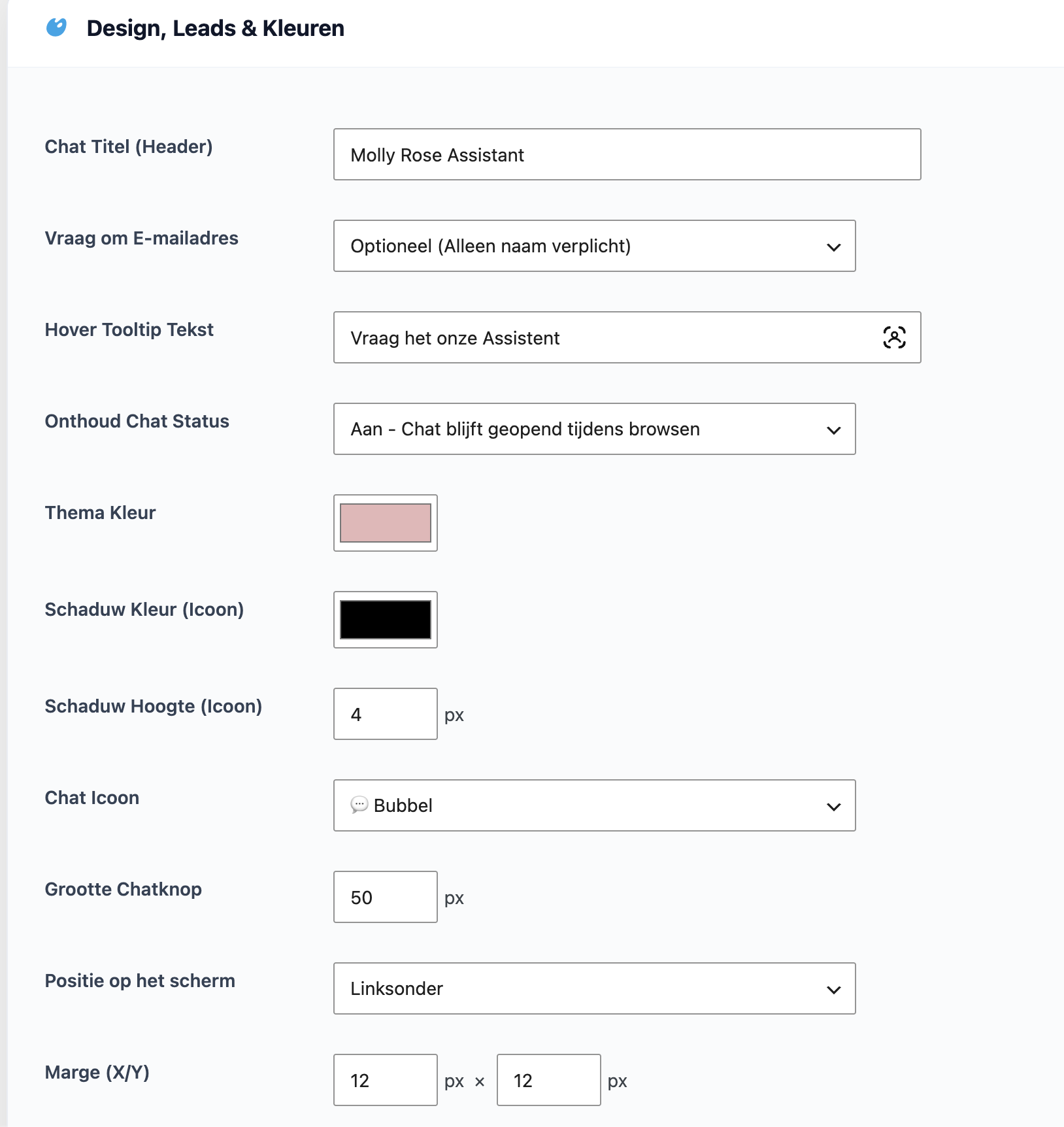
Fully Customizable: Change the primary colors, icon styles (robot, bubble, sparkles, etc.), shadow depth, tooltip text, and screen positioning.
-
Built-in Logbook: View all captured leads and full chat histories directly from your WordPress admin dashboard.
Designed and developed with care by Kraan.net.
Installation
-
Upload the
kraan-ai-assistantfolder to the/wp-content/plugins/directory, or install the plugin directly through the WordPress plugins screen. -
Activate the plugin through the ‘Plugins’ screen in WordPress.
-
Navigate to the Kraan menu in the left-hand admin menu and click on Kraan AI Chat.
-
Go to the OpenAI Connection tab and enter your OpenAI API key.
-
Configure your widget design, select your data sources, and you are ready to go!
FAQ
Do I need an OpenAI API key?
Yes, you need your own OpenAI API key to use this plugin. You can generate one at platform.openai.com.
Can the AI read my products?
Yes! In the settings under the Data Sources tab, you can select ‘Products’ (or any other Custom Post Type) to allow the AI to read them and answer questions about them.
Are WooCommerce customer orders secure?
Absolutely. The AI is strictly programmed to only fetch order data (like Track & Trace or status) if the customer is logged into their account, and it will only retrieve data matching their specific user ID.
How do the email transcripts work?
If enabled, the chat widget will prompt the user with an opt-in checkbox to receive a copy of the chat. Once they close the chat window, a clean HTML email is sent via wp_mail() to both your admin email and the customer.
Screenshots



Changelog
1.2.9
-
Fix: Resolved an issue where database inserts for the chat logbook could fail silently on cached servers.
-
Tweak: Moved the settings page to be a submenu under the main ‘Kraan’ plugin group.
-
Tweak: Added a direct ‘Settings’ action link on the WordPress plugins overview page.
1.2.8
- Enhancement: Stability improvements for the OpenAI REST API communication and database schema.
1.2.4
-
Feature: Added automatic Email Transcripts for both admins and customers.
-
Feature: Added an opt-in checkbox for customers to receive their chat history.
-
UI/UX: Massive redesign of the frontend chat widget (app-style bubbles, pill-shaped inputs, fluid animations).
-
UI/UX: Complete overhaul of the admin settings dashboard to a modern, clean, and tabbed interface.
-
Enhancement: Expanded the frontend emoji picker with dozens of new smileys, objects, and symbols.
-
Enhancement: Added a sleek custom scrollbar to the chat window and emoji picker.
-
Fix: Adjusted z-index and overflow issues for the emoji picker.
1.1.0
-
Feature: Added WooCommerce integration for checking product stock and secure order status retrieval.
-
Feature: Dynamic scanning of Custom Post Types (CPTs) for the AI knowledge base.
-
Enhancement: Better session handling and chat persistence across page loads.
1.0.0
- Initial release of the Kraan AI Assistant.