


Description
Find image issues visitors see, then jump straight to the affected content. Kreativ Broken Image Finder scans posts, pages and public custom post types in background batches and reports exactly where each issue was found.
- Scan post content, excerpts, custom fields and featured images
- Find image URLs and Media Library image IDs in nested custom-field values, including ACF-style data
- Identify missing Media Library originals and generated sizes
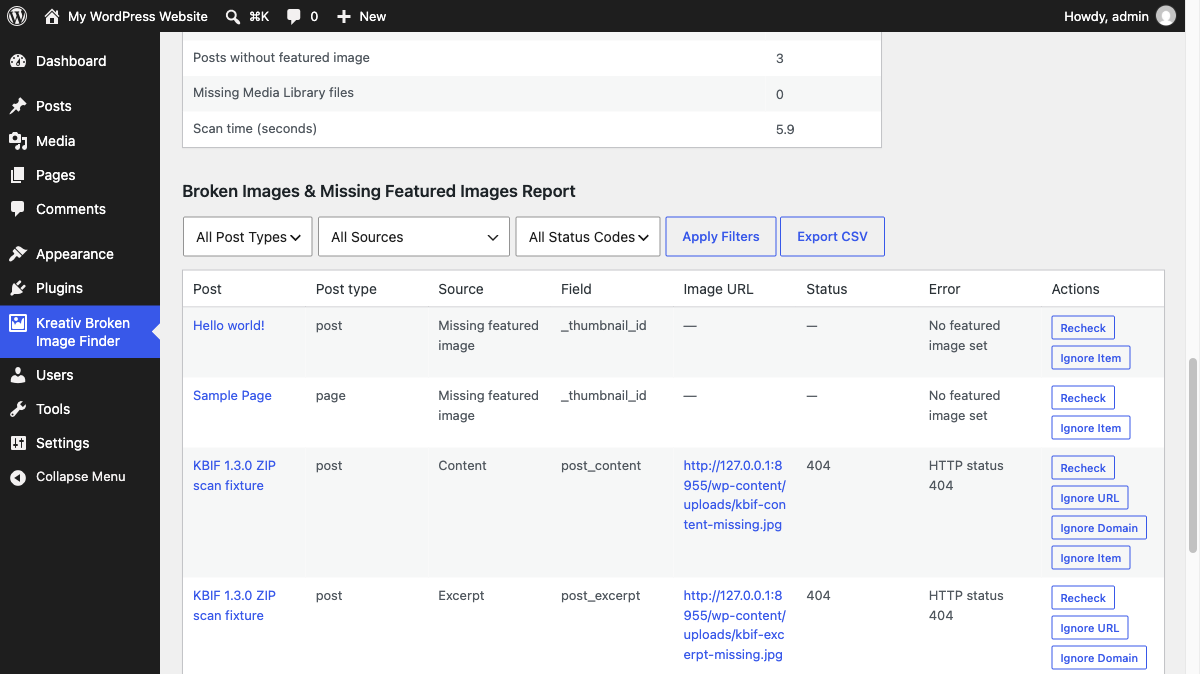
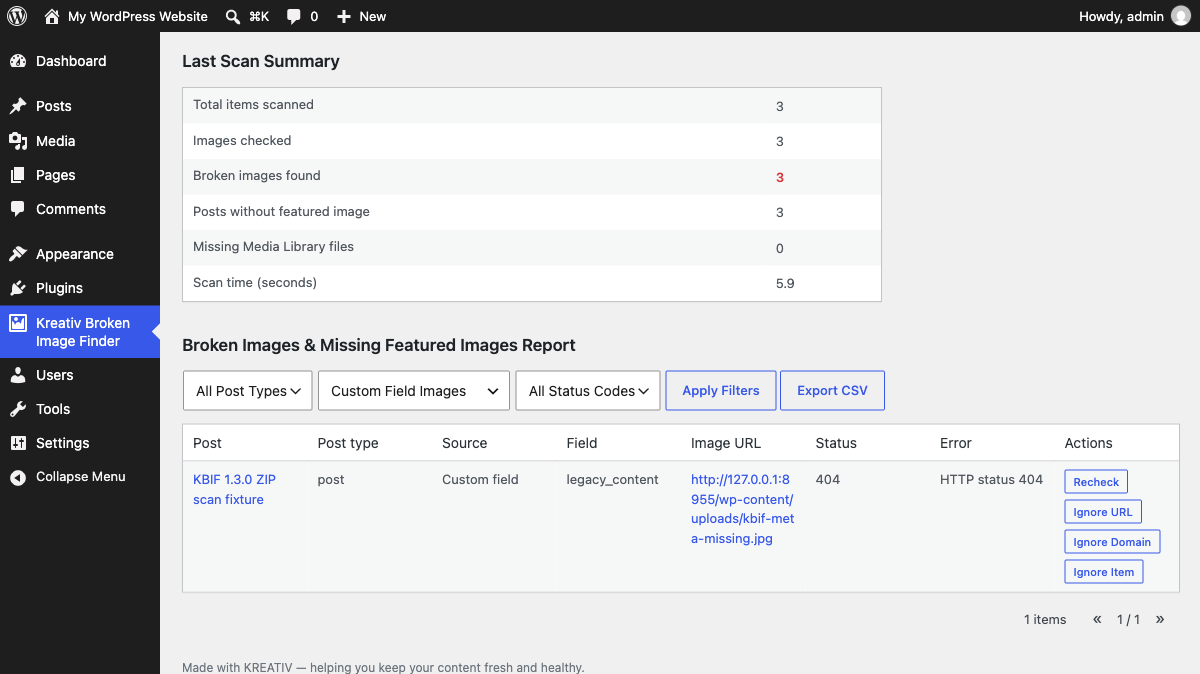
- See the source, field name, URL and HTTP status for each finding
- Filter, recheck, ignore and export the report as CSV
Everything runs on your WordPress site with core APIs: no external service, tracking or cookies.
Features
- Scan posts, pages and public custom post types in background batches
- Detect images in content, excerpts, custom fields,
srcset, lazy-load attributes,<source>elements and CSSurl(...)references - Check featured images and Media Library originals and generated sizes
- Inspect nested custom-field values and attachment IDs
- Filter by post type, source and status; recheck or ignore individual findings
- Export filtered results to CSV and scan from WP-CLI with
wp kbif scan - Use relative and protocol-relative URLs with no external services or tracking
Installation
- Upload the plugin ZIP via Plugins -> Add New -> Upload Plugin.
- Activate Kreativ Broken Image Finder.
- Go to Kreativ Broken Image Finder in the WordPress admin menu.
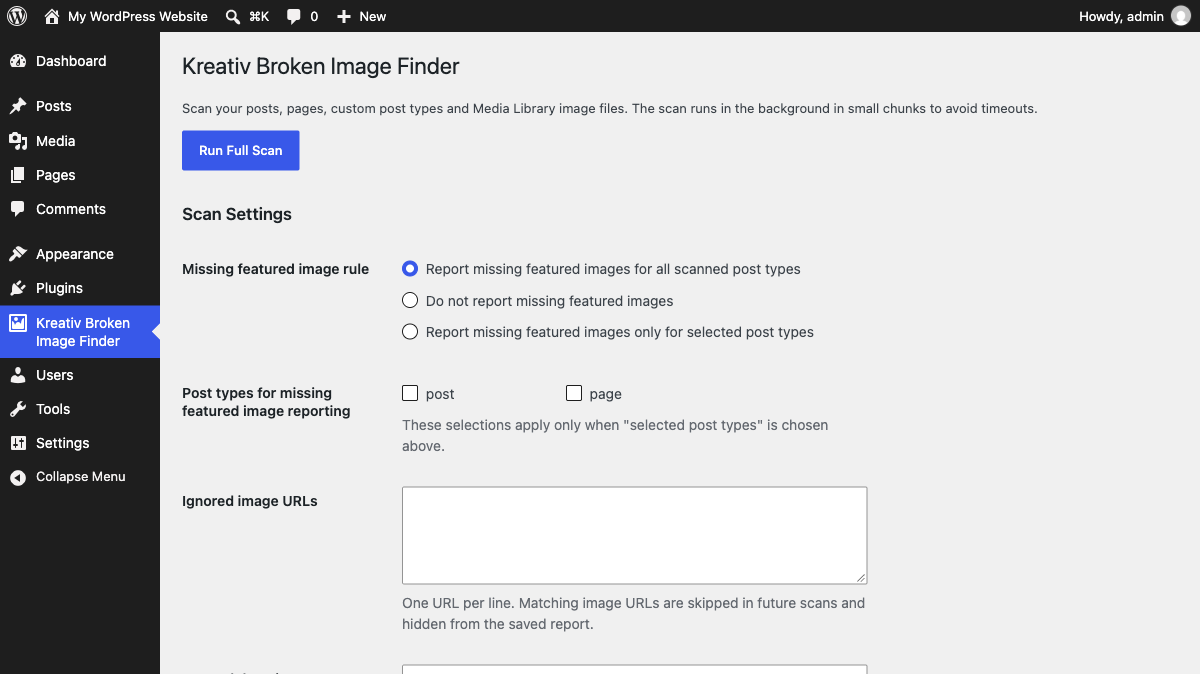
- Optionally configure the missing featured image rule for your post types.
- Click Run Full Scan and wait for the results.
FAQ
Does this plugin automatically fix broken images?
No. The plugin only detects and reports broken images. You can then edit the affected posts and fix or replace the image URLs.
How does the plugin detect broken images?
It scans image references in post content, excerpts and custom fields, including lazy-load attributes, srcset, CSS URLs and nested custom-field values. It checks URLs using WordPress HTTP requests, with fallback handling for servers that do not respond properly to HEAD. It also checks featured image URLs and Media Library file integrity.
Can I control missing featured image reporting?
Yes. You can choose whether missing featured images are reported for all post types, no post types, or only selected post types from the plugin settings screen.
Does it support WP-CLI?
Yes. You can run a full scan from the command line with wp kbif scan. You can also control the batch size with wp kbif scan --batch-size=10.
Does it use any external services or APIs?
No. All checks are performed locally using WordPress core HTTP functions.
Will it slow down my site?
The scan runs only when manually triggered from the admin dashboard and does not affect front-end visitors. On very large sites, the scan may take longer, but it runs in small batches to avoid timeouts.
Screenshots
Changelog
1.3.0
- Added detection for
srcset, lazy-load image attributes,<source>images and CSSurl(...)references. - Added Media Library integrity checks for missing original files and generated image sizes.
- Added scanning for post excerpts and custom field values, including nested values and image attachment IDs.
- Added field names to report rows and CSV exports so findings can be fixed at the source.
- Added ignore rules for image URLs, domains, posts and media attachments.
- Added per-item recheck actions in the report table.
- Added CSV export for the current filtered report.
1.2.3
- Added per-scan URL caching to avoid repeating the same remote image checks across posts.
- Added admin settings to control missing featured image reporting by post type.
- Added a
wp kbif scancommand with configurable batch size.
1.2.2
- Added GET fallback when image hosts reject HEAD requests, reducing false positives.
- Improved support for document-relative image paths in post content.
- Reworked scan batching to avoid loading all published post IDs into a single option during scan startup.
1.2.1
- Updated WordPress.org readme metadata and release notes.
- Synced plugin asset versioning with the current plugin version.
- Added WordPress.org-standard banner and icon asset variants.
1.2.0
- Added top-level admin menu for easier access.
- Added filters and pagination to the results table.
- Improved handling of relative and protocol-relative image URLs.
- Improved scan stability using background batch processing.
- Security hardening for admin actions and AJAX requests.
- General UI and performance improvements.
1.1.0
- Improved scan reliability on larger sites.
- Added scan progress tracking and summary statistics.
- Improved detection of broken featured images.
- Internal performance optimizations.
1.0.0
- Initial version.
- Scan posts, pages and custom post types for broken images in content and featured images.