

Description
KudoMetrics AI Text to Speech is a free text to speech WordPress plugin with a customizable audio player. It lets visitors listen to your articles instead of reading them, using the voices built into their browser, so there is no API key, speech account or subscription to set up.
The free plugin plays speech live in the browser. It doesn’t create audio files, and available voices depend on each visitor’s browser and operating system.
How it works
- You choose where the player appears and which post types get it.
- A visitor presses Play on the player.
- Their browser reads the article aloud using its built-in speech voices.
Free features
- Browser voice – Choose a woman, man or device default voice preference, and use Test Voice Now to try it from the settings page.
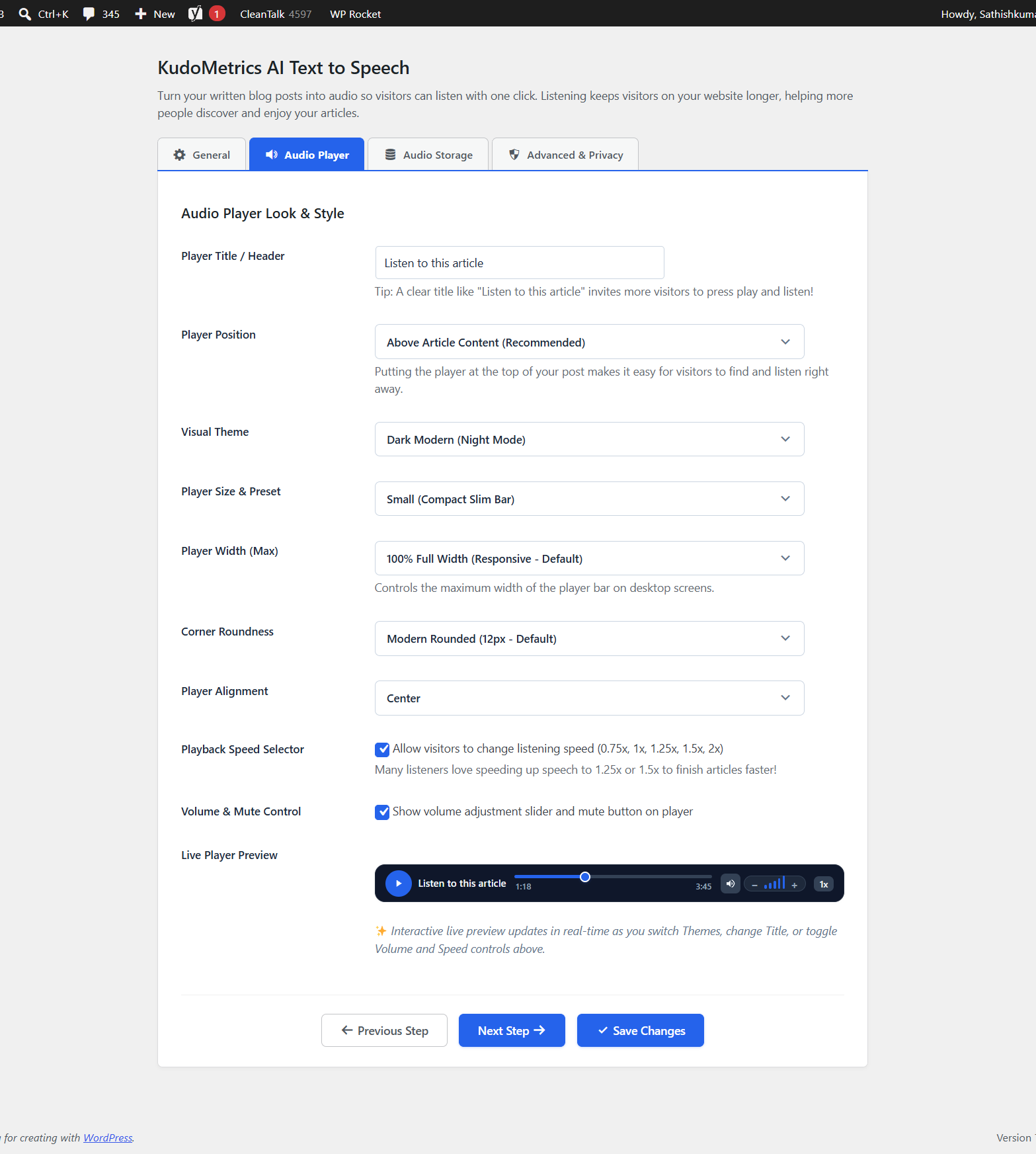
- Audio player controls – Play and pause, playback progress and time, volume and mute, and five speeds: 0.75x, 1x, 1.25x, 1.5x and 2x.
- Four player themes – Clean White, Dark Modern, Compact Mini-Bar and Card with Soft Shadow, plus Custom Colors for the accent, background, text and title, slider track and border.
- Layout options – Set your own player title, choose a size (Standard, Small, Large or Play Button Only), maximum width, corner roundness and alignment, and check the result in the live preview.
- Placement – Show the player above or below your content, or add it anywhere with the shortcode
[ai_tts_player]. The shortcode[kudometrics_player]works too. - Post types – Choose any public post type. Posts are selected by default.
- Automatic Audio on Publish – Make audio ready automatically when you publish a new article.
- Editor integration – See each post’s audio status (Not Generated, Ready, Outdated or Failed) in the block editor panel or the Classic editor box, with Generate Audio, Regenerate Audio and Delete Audio buttons. A post shows Outdated when its content changes after audio was made.
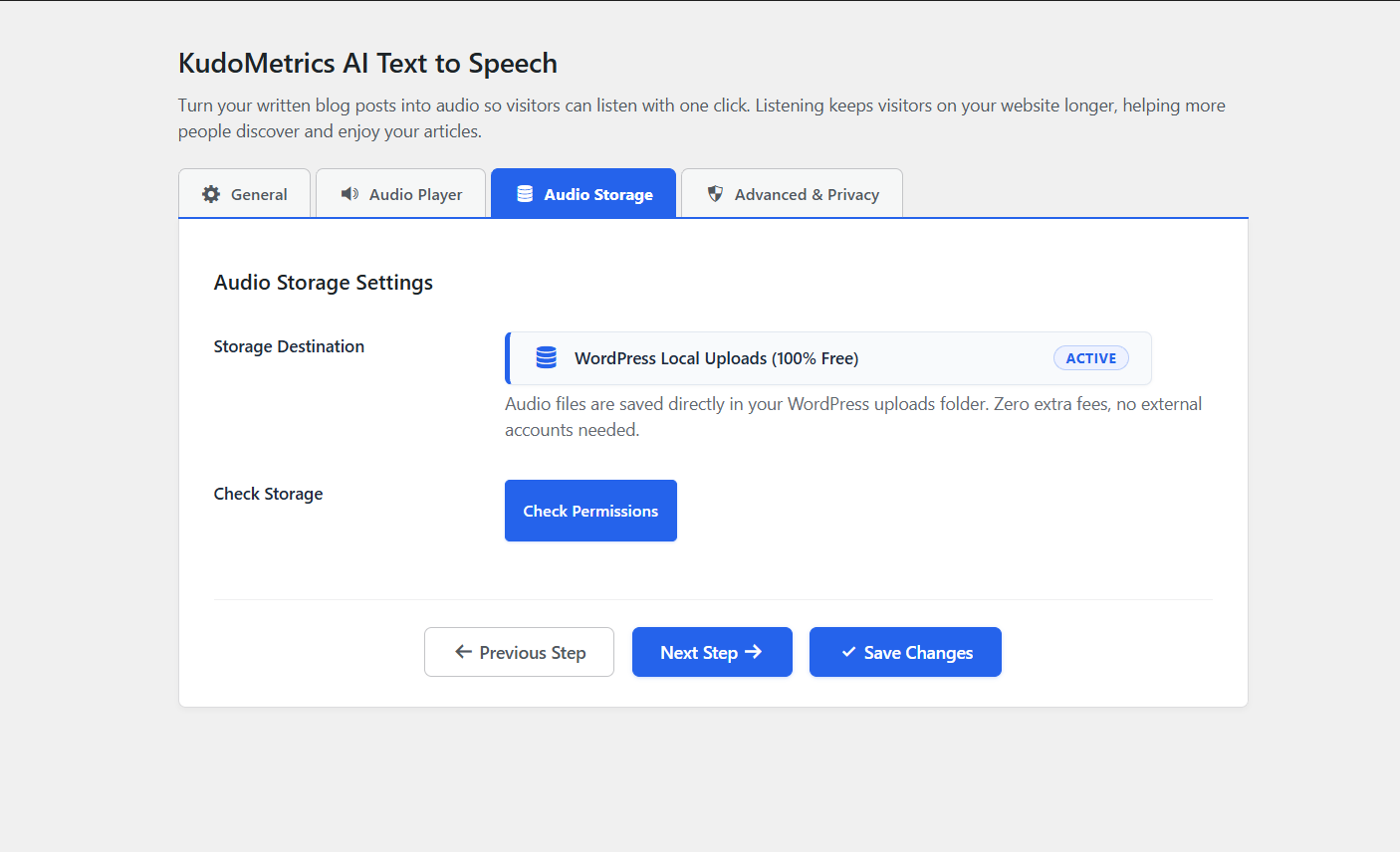
- Storage check – A local storage setting with Check Storage and Check Permissions tools.
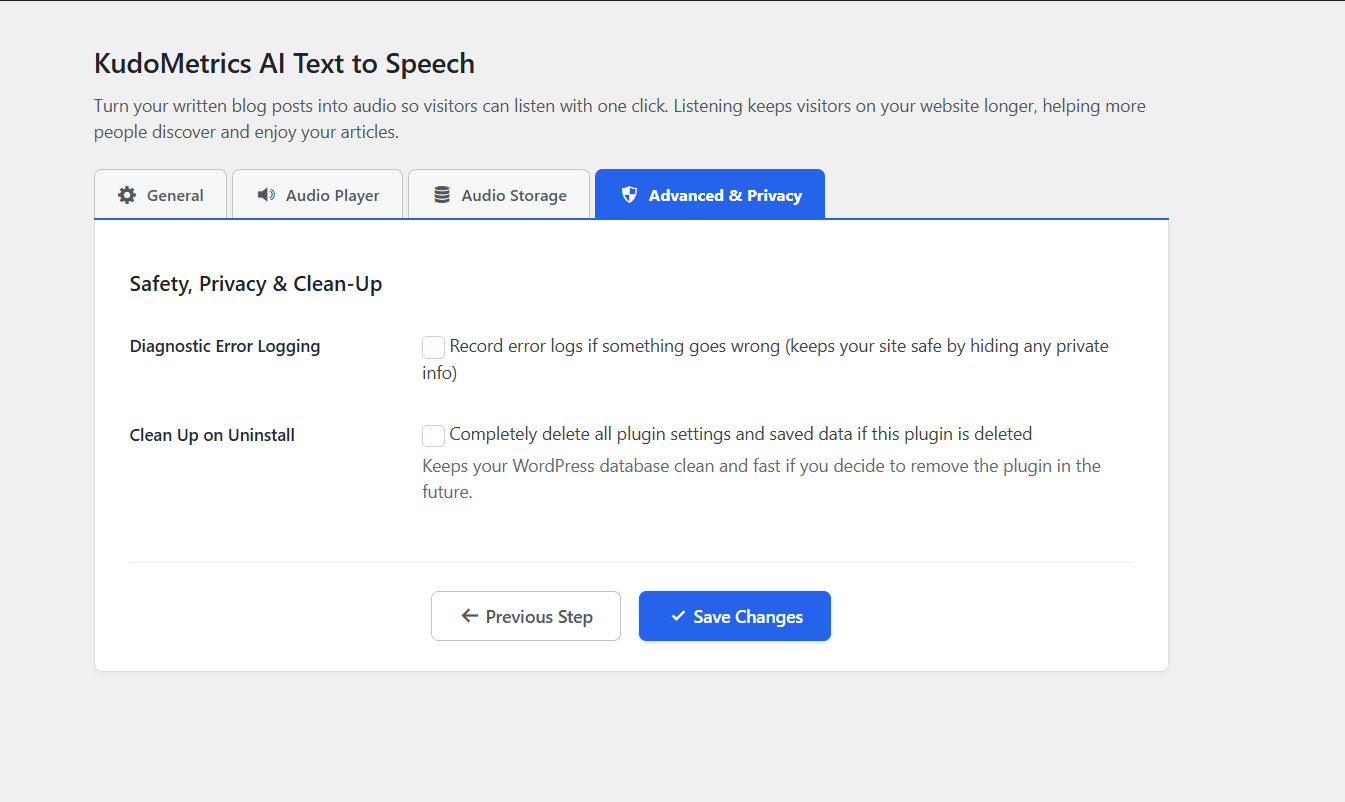
- Diagnostic error logging – Optional, off by default.
- Clean Up on Uninstall – Optional, off by default. When switched on, deleting the plugin removes its settings and saved post data.
Before you start
Browser voices can sound different on different devices. The plugin doesn’t guarantee search rankings, time on page or other engagement results.
Optional: KudoMetrics AI Text to Speech Pro
This free plugin works on its own. If you want AI voices and audio files, KudoMetrics AI Text to Speech Pro is a premium add-on that extends this plugin with OpenAI, ElevenLabs, Google Cloud, Microsoft Azure, Amazon Polly and self-hosted Ollama voices, Amazon S3 and Cloudflare R2 storage, a bulk generation queue, automatic regeneration after edits and play counts.
Pro requires this free plugin to be installed and active. Speech service and storage charges from those providers are separate from your Pro license.
External Services
This plugin doesn’t connect to any external service and doesn’t send your content or visitor data anywhere.
Speech uses the Web Speech API built into the visitor’s browser. Depending on the browser and the voice chosen, the browser itself may process speech on the device or through its own online service. That processing is done by the browser, not by this plugin.
The settings screen contains a link to the Pro add-on page at https://kudometrics.com/wordpress-plugins/ai-text-to-speech. Nothing is sent to that address unless you choose to open the link.
Privacy
The plugin doesn’t set tracking cookies and doesn’t collect visitor data.
It stores your settings in your WordPress database. For each post it stores audio status information: the status, the voice and provider used, a content fingerprint used to detect edits, timestamps and any error message. If you switch on Diagnostic Error Logging, error messages are written to a log on your site. Clean Up on Uninstall removes this data when you delete the plugin.
Installation
- In your WordPress dashboard, go to Plugins > Add New Plugin and search for “KudoMetrics AI Text to Speech”.
- Click Install Now, then Activate. You can also upload the plugin ZIP under Plugins > Add New Plugin > Upload Plugin.
- Open AI Text to Speech in your admin menu.
- On the General tab, choose your voice and check the post types where the player should appear.
- On the Audio Player tab, pick a theme, set the title and placement, and save your changes.
- Visit a post to see the player.
FAQ
Is there a free text to speech plugin for WordPress?
Yes. KudoMetrics AI Text to Speech works with browser voices and needs no API key, speech account or subscription.
How do I add text to speech to WordPress?
Install and activate the plugin, open AI Text to Speech in your admin menu, choose the post types and player style, and save. The player then appears on your posts.
What is the best text to speech plugin for WordPress?
It depends on what you need. If you want a free listen button that works with no setup, browser voices are enough, and this plugin does that. If you want AI voices and stored audio files, the optional Pro add-on adds six AI speech services and Amazon S3 or Cloudflare R2 storage. Compare voice quality, setup, storage and cost before you choose.
What does the audio player do?
The player appears on your posts with play and pause, progress and time, volume and mute, and five speeds. It plays the speech made from your post text.
Does it use AI voices?
No. The free plugin uses the voices built into your visitor’s browser. AI voices are part of the optional Pro add-on.
Does it create MP3 files?
No. Speech plays live in the visitor’s browser, so no audio file is created.
Why do voices sound different on different devices?
Browser voices come from each visitor’s browser and operating system, so they can vary.
Does the plugin send my content to another service?
No. The plugin itself doesn’t connect to any external service. Whether your browser processes a voice on the device or online depends on the browser and the voice, so check your browser’s documentation.
Where are the settings?
Open AI Text to Speech in your WordPress admin menu. The tabs are General, Audio Player, Audio Storage and Advanced & Privacy.
Which post types can have the player?
Any public post type. Posts are selected by default, and you can check others on the General tab.
How do I place the player manually?
Set Player Position to the manual option, then add [ai_tts_player] where you want the player. [kudometrics_player] also works.
Does it work with the block editor and the Classic editor?
Yes. You’ll see each post’s audio status in the block editor panel or in the Classic editor box.
What does Outdated mean in the editor?
The post’s content changed after its audio was made. Use Regenerate Audio to refresh it.
Can visitors change the speed?
Yes. The player offers 0.75x, 1x, 1.25x, 1.5x and 2x, and you can switch the speed button on or off.
Does it work on mobile?
The player uses a responsive layout. Browser voice availability depends on the visitor’s device and browser.
Will audio improve my SEO or time on page?
We can’t promise that. Audio gives visitors another way to enjoy your content, but rankings and engagement depend on many factors.
Do I need the free plugin to use Pro?
Yes. Pro is a premium add-on that extends this plugin. Install and activate this free plugin first, then activate Pro.
What happens to my data if I delete the plugin?
By default, your settings and post data stay. If you switch on Clean Up on Uninstall under Advanced & Privacy, deleting the plugin removes its settings and saved post data.
Screenshots

Changelog
1.0.3
- Fix: Updated the Pro add-on links in settings and readme to point to https://kudometrics.com/wordpress-plugins/ai-text-to-speech.
1.0.2
- Updated plugin documentation, FAQ, and Pro add-on compatibility details.
- Added top-level AI Text to Speech admin menu and Pro active notice bar.
- Cleaned up Free plugin settings and improved Pro extension hooks.
1.0.1
- Updated the description to show that OpenAI, ElevenLabs and Ollama are Pro features.
- Sanitized the $_POST data before passing it to the extension hook.
- Changed the readme contributor username from kudometrics to kudometricsllc.
- Initial public release on WordPress.org.
- Browser Web Speech support with no API key required.
- Audio player and listen buttons for posts and pages.
- Player themes, listening speeds, volume controls and positioning.
- Block editor and Classic editor integration.