


Description
Labinator Minimal Maintenance Mode closes your site to visitors while you build or update it, and opens it again with one click.
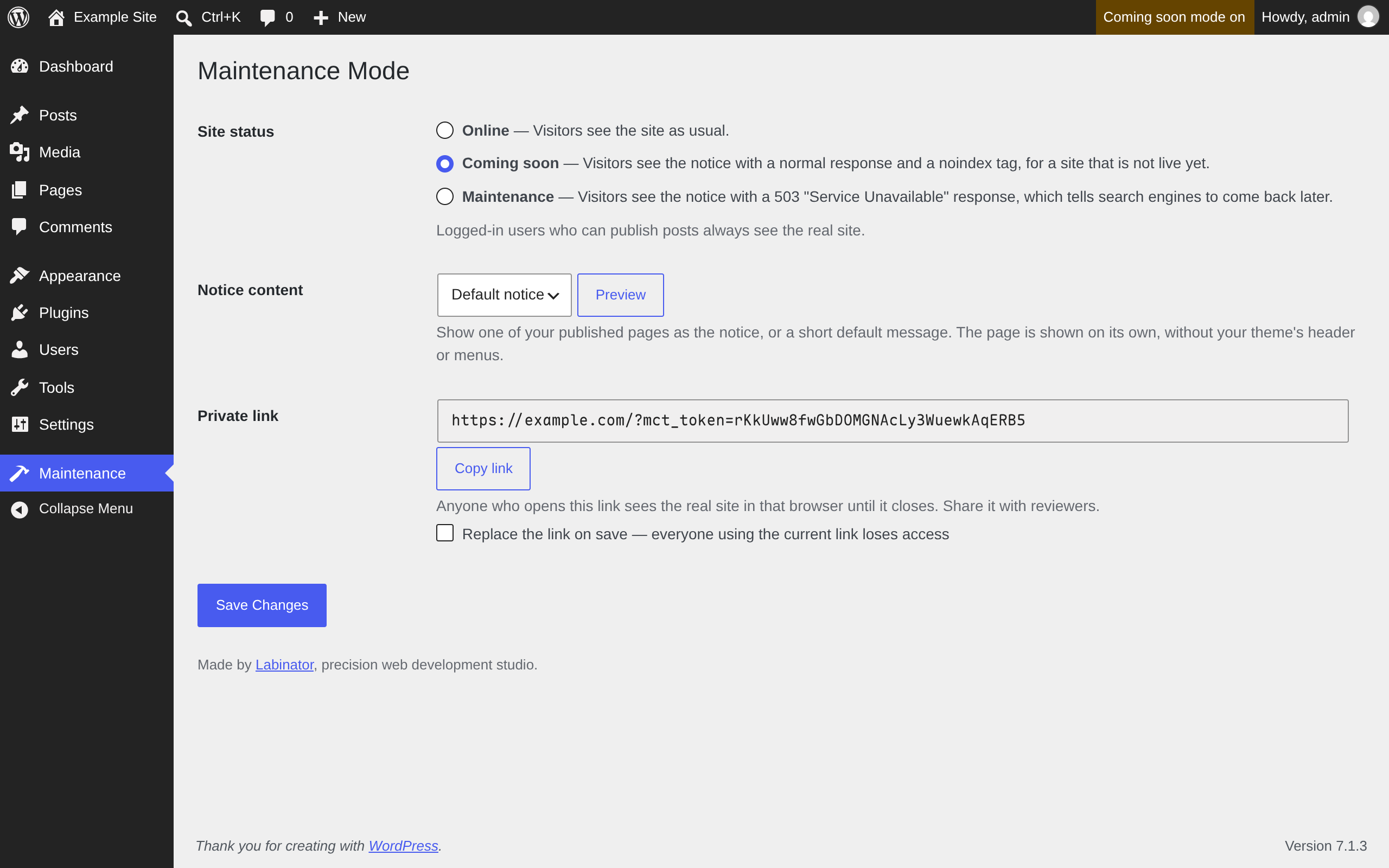
Two modes
- Coming soon: for a site that is not live yet. Visitors get the notice with a normal response and a
noindextag, so search engines do not index it. - Maintenance: for a live site you are working on. Visitors get the notice with a
503 Service Unavailableresponse and aRetry-Afterheader, which tells search engines the outage is temporary.
What it covers
- Every front-end URL: pages, posts, archives, search, feeds and the XML sitemap.
- The REST API, which would otherwise keep serving your content while the site is closed.
-
Full-page caches: the notice is sent with no-cache headers and the
DONOTCACHEPAGEflag, so a caching plugin or CDN does not keep serving it after you reopen.wp-login.php and the dashboard are never blocked, so you cannot lock yourself out.
Who sees the real site
- Logged-in users who can publish posts (Authors and up). The admin bar shows that the site is closed, so nobody forgets.
- Anyone you send the private link to. Opening it lets that browser see the real site until it is closed. You can replace the link at any time, which revokes access for everyone using the old one.
Your own notice
Pick any published page as the notice, or use the built-in one. The notice is a standalone page: it loads only the block styles your page uses, with none of your theme’s menus or other plugins’ scripts. The built-in notice is accessible, works on phones, and follows the visitor’s light or dark preference.
Minimal
One settings screen, three settings, no tracking, no external requests, and no upsells. While the site is online, the front end reads one cached setting and does nothing else.
Installation
- Install the plugin from Plugins → Add New, or upload the plugin folder to
/wp-content/plugins/. - Activate it.
- Go to Maintenance in the dashboard menu, choose a status, and save.
FAQ
Will maintenance mode hurt my search rankings?
Not for a short window. Maintenance mode sends the 503 status and Retry-After header that search engines treat as a temporary outage. Keep the site closed for hours or days, not weeks.
Who can change the setting?
Administrators. Authors and Editors still see the real site while it is closed, but cannot open or close it.
How do I change the built-in notice text?
Choose one of your pages as the notice instead. Developers can also filter the built-in text with labinator_lmm_default_notice.
Are there hooks for developers?
labinator_lmm_bypass_capability: the capability that lets a logged-in user see the site while it is closed. Defaultpublish_posts.labinator_lmm_retry_after: theRetry-Aftervalue, in seconds, sent in maintenance mode. Default3600.labinator_lmm_default_notice: the built-in notice’s heading and message.
Is there a Pro version?
No. The plugin is free and open source, with no paid tier.
Where do I get support?
Use the plugin’s support forum on WordPress.org.
Screenshots
Changelog
2.0.0
Rebuilt from scratch. Your settings and private link carry over.
- New: the REST API is closed along with the site.
- New: no-cache headers and
DONOTCACHEPAGEon the notice, so caches do not keep serving it after you reopen. - New: the admin bar shows when the site is closed, on the front end and in the dashboard.
- New: a chosen notice page now gets its block styles.
- Changed: only Administrators can open or close the site. Authors and Editors still see the real site.
- Changed: new private links are 32 random characters. Existing links keep working.
- Changed: the private link now redirects to a clean URL, so the token does not stay in the address bar.
- Changed:
Retry-Afteris one hour instead of one day. - Changed: reviewers who opened the private link before this update need to open it once more.
- Fixed: the built-in notice now has a language, works on phones, and meets contrast guidelines.
- Fixed: translations now load from WordPress.org.
- Requires WordPress 7.1.3 and PHP 8.5.12.
Earlier versions are listed in changelog.txt.