


Description
Make your WordPress website faster by loading only what it actually needs.
Every WordPress theme and plugin can add its own JavaScript and CSS files to your pages. The problem? Many of these resources are loaded everywhere, even when they are only needed on specific pages.
The result is unnecessary HTTP requests, additional browser processing and slower page rendering.
LC Scripts Optimizer takes a smarter, lightweight approach to WordPress performance optimization.
Instead of adding another complex optimization layer to your website, it gives you direct control over how frontend scripts and styles are handled.
You decide which resources should be loaded, where they are needed and which ones should be excluded from optimization. The plugin can also merge and minify JavaScript and CSS files, reducing HTTP requests and the amount of code browsers need to process.
The result? A leaner frontend, faster page rendering and the potential for significantly better Google PageSpeed Insights and other performance scores.
Why choose LC Scripts Optimizer?
- Lightweight by design: built to optimize your website without becoming another performance problem.
- Full control over scripts: decide exactly which JavaScript and CSS resources should be optimized or excluded.
- Page-specific optimization: prevent scripts and styles from loading on pages where they are not needed.
- Fewer HTTP requests: combine compatible CSS and JavaScript files into optimized static bundles.
- Faster rendering: reduce unnecessary resources and help browsers process your pages more efficiently.
- Simple and straightforward: no complicated setup or unnecessary features. Just the tools you need to optimize your frontend.
- Elementor friendly: works great with Elementor, helping you fine-tune frontend resources on websites built with this popular page builder.
Looking to speed up your Elementor website?
LC Scripts Optimizer is a great companion for Elementor websites. Take control of the scripts and styles loaded by Elementor and your other plugins, reduce unnecessary frontend resources and optimize page loading without adding another heavy optimization layer.
Whether you’re running a simple WordPress website or a feature-rich Elementor installation, you can fine-tune resource loading to keep your frontend lean and efficient.
And because compatibility matters, every optimization feature can be enabled or disabled independently. You can test your configuration before applying it to your visitors’ experience.
Less unnecessary code. Fewer requests. More control. Faster pages.
🌟 Features
- Lightweight optimization engine with minimal overhead
- Full control over frontend JavaScript and CSS resources
- JavaScript and CSS file concatenation into static bundles
- JavaScript minification
- CSS minification
- HTML minification
- Inline JavaScript and CSS optimization
- Page-specific script and stylesheet filtering
- URL-based and regular expression resource filtering
- Individual JavaScript and CSS file exclusions
- CSS @import processing
- Support for async and defer scripts
- Elementor compatibility and page builder integration
- Compatibility options for improved integration with themes and plugins
- Static resource browser caching through HTACCESS rules
- Independent toggles for each optimization feature
- Testing mode to safely evaluate optimizations before applying them to visitors
- Compatibility with popular WordPress caching plugins, including Redis-based solutions, W3 Total Cache and WP Super Cache
📝 How it works
LC Scripts Optimizer scans your website to identify the JavaScript and CSS resources used by your WordPress installation.
From the Scripts Filter interface, you can decide which resources should be optimized and where they should be loaded.
For example, if a gallery plugin is only used on one page, you can prevent its scripts and styles from being loaded throughout the rest of your website.
You can then enable concatenation and minification to reduce the number and size of frontend resources.
Everything is configurable, so you can find the right balance between performance and compatibility.
Important notes:
- Scripts and styles must be properly enqueued using WordPress registration and enqueue functions.
- Static bundle generation requires write permissions in the
wp-contentdirectory. - Results depend on your theme, plugins, server configuration and existing optimization setup.
Installation
- Upload the
lc-scripts-optimizerfolder to the/wp-content/plugins/directory. - Activate the plugin through the WordPress Plugins menu.
- Open the plugin settings under the WordPress Tools menu.
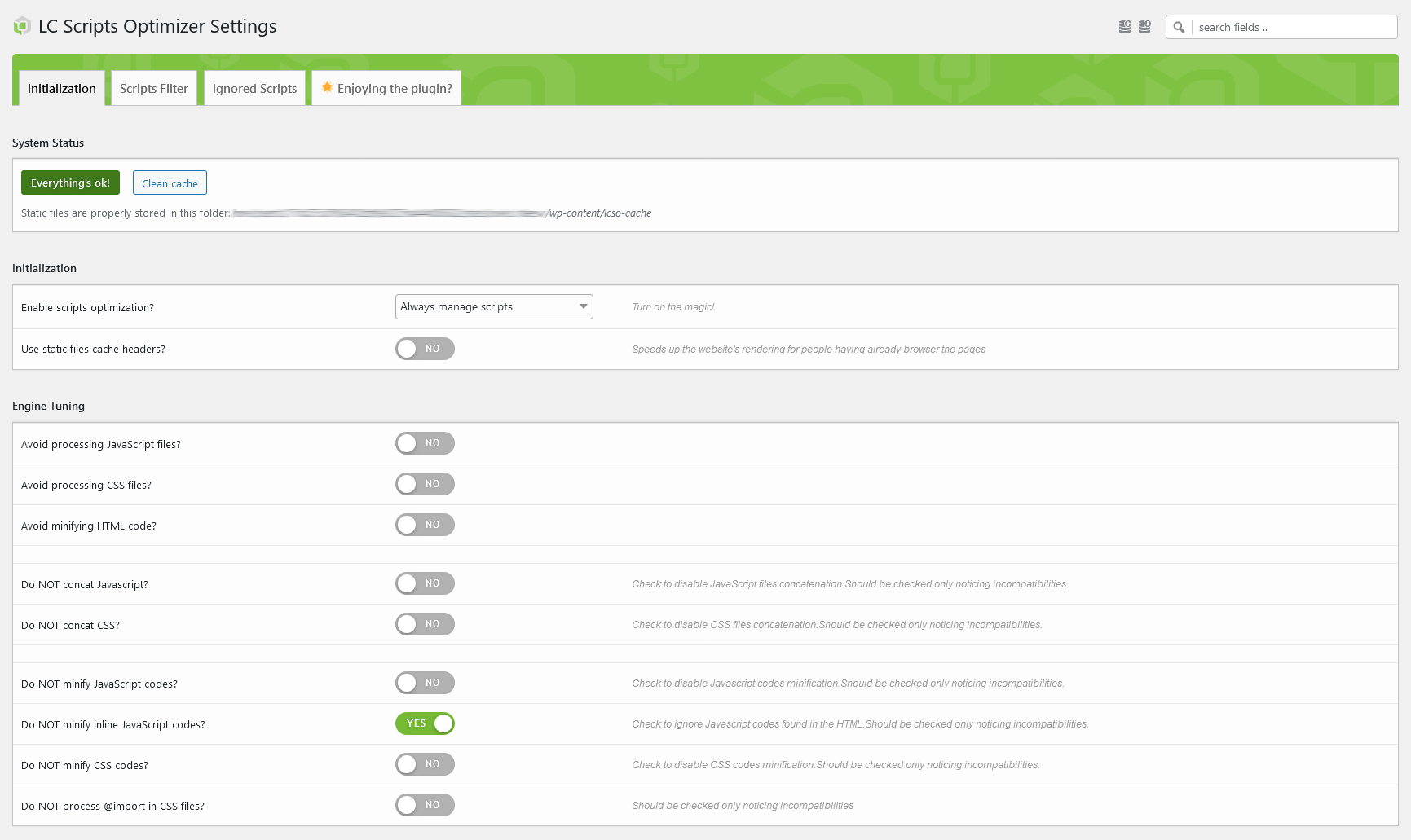
- Check the system status and grant the required write permissions if necessary.
- Open the Scripts Filter tab and click Fetch Again to scan and store your website’s scripts. If your website cannot be accessed through cURL, simply browse its pages to let the plugin detect the resources in use.
- Configure the optimization settings according to your needs and save.
- It is strongly recommended to start with Test Mode enabled and keep your browser’s developer console open to identify potential JavaScript errors or compatibility issues.
Screenshots


Changelog
2.2.0
- new: JavaScript minification with a tokenizer aware of strings, template literals and regular expressions
- new: inline style blocks are minified too
- new: unreachable sources are loaded client-side and the bundle rebuilt, instead of being cached broken
- new: atomic cache writes, automatic pruning, immutable headers and compression in the HTACCESS tweak
-
new: French, Spanish and German localizations
-
updated: async scripts are no longer merged into the bundle, keeping them non-blocking
- updated: write permissions no longer tested by creating a file on every page view
- updated: AJAX endpoints require the install_plugins capability, scripts storing requires a one-shot token
-
updated: italian localization
-
fixed: cache cleanup deleted the files in wp-content root instead of the cached ones
- fixed: concatenated JavaScript merged with no separator – a trailing line comment hid the next file
- fixed: inline JavaScript minification could eat the closing script tag
- fixed: HTML minification glued together words and tag attributes sitting across a line break
- fixed: HTML minification altered script templates, JSON-LD and non-HTML responses such as feeds
- fixed: CSS URL handling, including SVG references, root-relative and uppercase paths
- fixed: @font-face duplication and @import media query handling
- fixed: media attribute of concatenated stylesheets lost, so print rules applied on screen
- fixed: ignored dependencies never reached the page, breaking dependent scripts
- fixed: stale bundles and local edits not invalidating the cache
- fixed: is_plugin_active() called on the frontend, scripts filter failing on subfolder installations
2.1.0
- new: more file types covered by HTACCESS static files cache headers
- new: better integration with Elementor builder mode
- new: now recognizing data:text/javascript
- fixed: HTACCESS static file headers not managed on settings saving
- fixed: inline style/script codes ignored during the scripts parsing
2.0.0
- new: complete plugin code revision and overhaul
- new: settings engine
- new: scripts filter interface to better orientate among scripts
- new: improved compatibility with popular page builders
- added: creation date attribute for better merged scripts file cache
- added: HTACCESS static file headers system
- added: option to disable minification of merged scripts
- added: compatibility with scripts using async/defer instructions
- added: option to remove fetched scripts from the filter interface
- removed: optimized scripts delivery through static URL
1.4.0
- improved get_options performance (with WP 6.4 compatibility)
- scripts tracked and added to the settings page while navigating the website
1.3.2
- inline JavaScript codes attached to scripts now appended before them
1.3.1
- improved JavaScript for the settings page
1.3
- added URL-based script exclusion options
- improved Elementor compatibility
- improved HTML minification start hook
1.2
- added HTML minification engine
- file_get_contents used to retrieve local files, working with hidden websites
- fixed CSS path composition
- fixed @font-face placement
- fixed existing cached files check
1.1.2
- improved Elementor compatibility
1.1.1
- improved script fetching in Scripts Filter
- Elementor compatibility (requires jQuery to be ignored during optimization)
1.1
- added options to disable CSS and JavaScript concatenation
- added testing mode for administrators
- added sticky settings update button
- improved engine initialization
- minor UI improvements
1.0
- initial release