


Description
Letterness is a complete, free newsletter plugin and email marketing tool for WordPress. Grow your email subscribers with a customizable subscribe popup, sidebar card and inline signup forms, manage your list, then write and send newsletters from your dashboard. There is no third-party account, no monthly fee and no subscriber limit, and your list stays in your own database.
Letterness is designed, developed and maintained by Kamran Kazmi, the creator and owner of the plugin.
Most newsletter plugins make you choose: a nice opt-in popup from one plugin, sending from a paid service, automations behind a paywall. Letterness puts signup forms, subscriber management, email sending, automations and reporting in one lightweight plugin, controlled from a single screen. A guided setup wizard lets you design the popup, sidebar card, buttons and inline form in a couple of minutes.
Why choose Letterness?
- Free and self-hosted. No SaaS account, no per-subscriber pricing, no contact limits. You are only limited by what your host can send.
- All-in-one. Capture, manage, send, automate and measure without stitching plugins together.
- Lightweight. Front-end CSS and JavaScript load only on pages where they are used.
- Privacy-conscious. Optional consent checkbox, double opt-in, a subscriber preference center, and tracking that is off unless a subscriber agrees to it.
- Works with your setup. Classic and block themes, Gutenberg, Elementor, page caches and any SMTP plugin.
Newsletter popup and signup forms
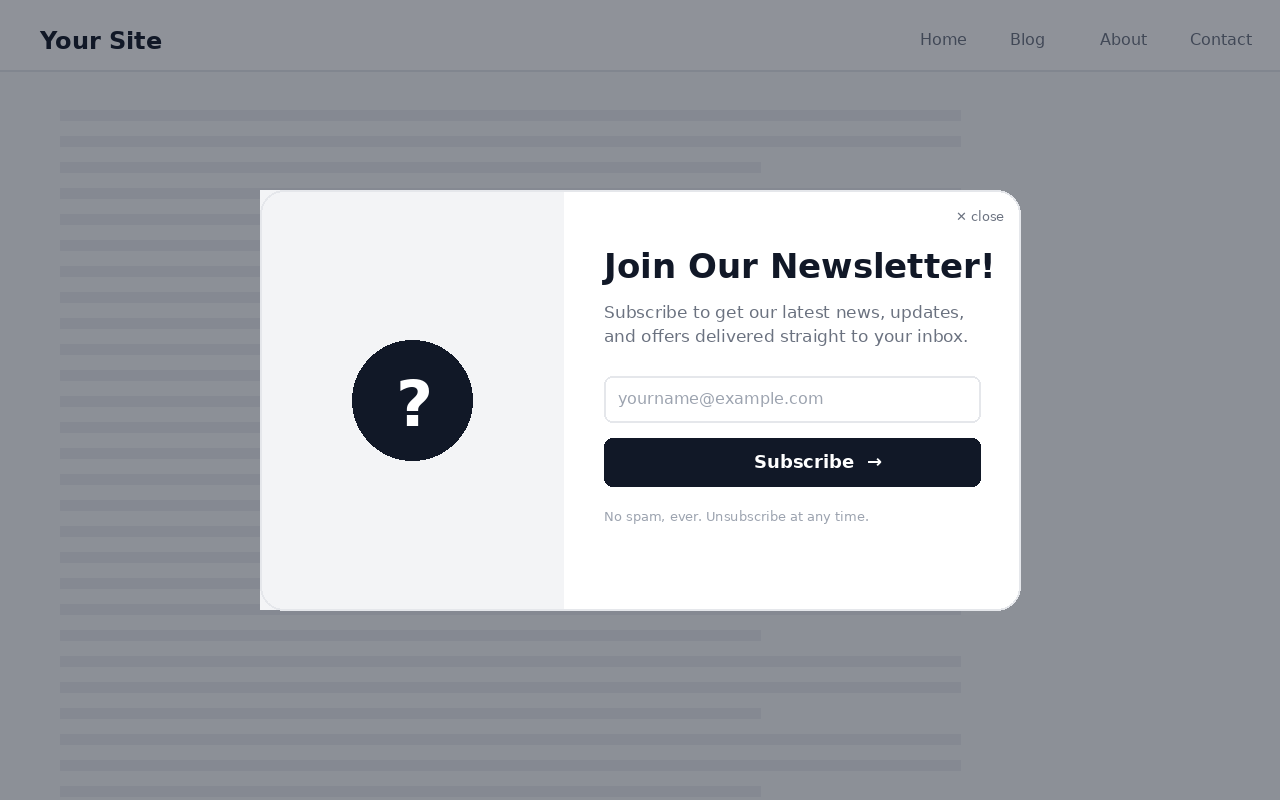
- A responsive newsletter popup in six shapes: circle, hexagon, octagon, minimal, split and stacked.
- Triggers: after a delay, after scrolling a set percentage, or on exit intent, with a “don’t show again for” period.
- Independent mobile and desktop design: colors, shape, size and animations each have an optional mobile override, and one size control scales every element.
- Matches your theme automatically: colors, fonts, heading and button text styles, button shape and light or dark mode are picked from your theme (block and classic themes) for the popup, sidebar card, buttons and inline form, with readable contrast.
- Solid or gradient backgrounds, or your own background image with opacity, plus custom colors, headline, button text, a separate logo, a banner image sized for your chosen shape, and smooth entrance animations.
- Targeting: show everywhere or only on the front page, posts or pages, hide on chosen URLs and on WooCommerce cart and checkout, and show on desktop, mobile or both.
- A sidebar signup card for any widget area, header and footer subscribe buttons for your menus, and an inline form with a shortcode, a Gutenberg block, or automatic placement above, below or inside your content.
- Clear “you’re already subscribed” feedback for existing subscribers.
- Optional “Powered by Letterness” credit, off unless you turn it on.
Subscribers and audience
- Lists, tags and custom fields, with filters and bulk actions.
- Statuses for active, pending, unsubscribed and bounced contacts.
- CSV import with a preview, column mapping, list assignment, duplicate skipping and a resumable, step-by-step run, plus CSV export that is safe to open in spreadsheets.
- Preference center: subscribers use a secure link in each email to update their name, lists, profile fields and language, or to pause by clearing all lists. Email address changes are confirmed at the new address.
- Optional double opt-in with expiring, one-time confirmation links and a resend option.
- Spam protection: invisible honeypot, signup rate limits, an optional block list for addresses and domains, and fresh security tokens so cached pages keep working.
- Optional Contact Form 7 connector that subscribes a person only when they tick a Letterness consent box.
Send newsletters from WordPress
- A block composer with text, image, button, divider and article blocks, plus an optional HTML editor, live desktop and mobile preview, autosave, and the last 10 versions of each campaign to restore.
- Ten responsive email templates (newsletter, blog digest, announcement, welcome, product, simple, minimal, magazine, holiday, featured) and up to 30 reusable templates of your own.
- Add articles by URL: paste one or several links and Letterness fetches each title, featured image and summary into an editable article block. You can also pull the latest items from an RSS or Atom feed.
- Campaign audiences: send to one or more lists and narrow them with tag, language and custom field rules, with a recipient count preview before you send.
- Personalization merge tags such as
{first_name|there},{site_name}and{unsubscribe_url}, with fallbacks so blank values never look broken. - Save drafts, schedule for later or send now, with throttled batch delivery, a live delivery queue and test emails.
- Optional UTM tags added to the links in your campaigns.
- Sends through WordPress
wp_mail(), so any SMTP plugin (WP Mail SMTP, FluentSMTP, Post SMTP and others) works automatically.
Automations
- Welcome email when someone subscribes, immediately or after a delay you choose.
- New-post notifications that email your subscribers when you publish, instantly or as a daily or weekly digest, filtered by post type and category.
Reports
- Subscriber growth chart and a breakdown by signup source.
- Campaign reports showing how many messages your mailer accepted and how many failed, plus opens, clicks, unique counts, rates and top links, with a CSV export.
- Consent-aware tracking: subscribers choose no tracking, anonymous totals only, or individual tracking. Open tracking is approximate by nature, click tracking is exact.
Deliverability and compliance
- Visible unsubscribe link plus List-Unsubscribe and one-click unsubscribe headers (RFC 8058), so Gmail and Yahoo can show a native unsubscribe button.
- Branded unsubscribe confirmation page, re-subscribe option and instant suppression.
- GDPR-style consent checkbox with your own wording and privacy policy link, recorded with each signup.
Built for everyone
- A keyboard-accessible popup with focus management and Escape to close, reduced-motion support and RTL layouts.
- Translation-ready.
- Your data is yours: nothing is deleted when you remove the plugin unless you tick the clean-up option first.
Go further with Letterness Pro
Everything above is free and stays free, with no locked features and no subscriber limits. If you want to grow faster, Letterness Pro is a separate paid plugin that replaces the free one and keeps all your settings, subscribers and newsletters. It adds:
- A/B testing for popups and subject lines, so you can see what actually converts.
- Advanced targeting and trigger rules to show the right popup to the right visitor.
- Advanced automations and drip sequences that go beyond a single welcome email.
- Conditional content and smart segments for more relevant emails.
- Priority support and premium templates.
Pro plans: pay monthly or yearly, and pick the number of sites. One site is $5 a month or $50 a year, 5 sites are $12 a month or $99 a year, and 25 sites are $24 a month or $199 a year. Every Pro plan starts with a 7-day free trial and can be cancelled anytime. See Letterness Pro.
Shortcodes
[letterness_form]– inline signup form.[letterness_card]– sidebar signup card.[letterness_subscribe_button]– subscribe button.
For the best inbox placement on larger lists, pair Letterness with a free SMTP plugin.
Installation
- Upload the
letternessfolder to/wp-content/plugins/, or install through Plugins > Add New and search for “Letterness”. - Activate the plugin through the Plugins screen.
- Follow the short setup wizard, or open Letterness in the admin menu to set up triggers, design, content, newsletters and sending.
- (Optional) Add the signup card under Appearance > Widgets, or place
[letterness_form],[letterness_card]or[letterness_subscribe_button]anywhere. - (Recommended) Install a free SMTP plugin for reliable delivery.
FAQ
Is Letterness really free?
Yes. Every feature described here is free: signup forms, unlimited subscribers stored in your own database, newsletter sending, automations and reports. There is no per-subscriber pricing.
Do I need a third-party email service like Mailchimp?
No. Letterness stores subscribers in your own WordPress database and sends through wp_mail(). For higher deliverability on larger lists we recommend a free SMTP plugin such as WP Mail SMTP or FluentSMTP, which Letterness works with automatically.
Can I import my existing subscribers?
Yes. Upload a CSV, map the columns, choose a list and review the preview. Letterness skips duplicates, flags invalid addresses and runs the import in steps so large files do not time out. You will be asked to confirm that you have permission to email the people you import.
Can I send to only part of my list?
Yes. Pick one or more lists, then narrow the audience with tag, language and custom field rules. A recipient count shows how many people will receive the campaign before you send.
Can I send a welcome email automatically?
Yes. Turn on the welcome automation and choose to send immediately or after a delay in minutes, hours or days.
Can Letterness email my subscribers when I publish a new post?
Yes. New-post notifications can send instantly on publish or collect posts into a scheduled daily or weekly digest, filtered by post type and category.
Can I add articles to a newsletter automatically?
Yes. Paste one or several article links and Letterness builds an editable article block for each, with the title, featured image and summary. You can also pull recent items from an RSS or Atom feed.
Does it track opens and clicks?
Yes, with the subscriber’s consent. Each campaign shows opens, clicks, unique counts, rates and the most-clicked links, and subscribers can choose no tracking, anonymous totals, or individual tracking. Open tracking is approximate, since many email apps block or preload images. Click tracking is exact.
How do visitors unsubscribe or change their preferences?
Every email has a visible, signed one-click unsubscribe link and standards-based List-Unsubscribe headers, so inbox providers can show a native unsubscribe button. A secure preference link also lets subscribers update their details and lists. Unsubscribing shows a confirmation page and immediately suppresses the address.
Is it GDPR-friendly?
Letterness includes an optional consent checkbox with your own wording and privacy policy link, records the consent text with each signup, supports double opt-in, and never sells or shares data. Analytics store a one-way hash of the email rather than the address itself. You remain responsible for your own compliance, so check the rules that apply to you.
Does it protect against spam signups?
Yes. Signup forms include an invisible honeypot and per-address and per-IP rate limits, and you can block specific email addresses or domains. No CAPTCHA or third-party script is loaded.
Can I show a different design on mobile?
Yes. Colors, image, shape, size and animations each have an optional mobile override, so desktop and mobile can look completely different. One size control scales every element responsively.
Does it work with block themes, Elementor and page caches?
Yes. The popup shows via JavaScript and the form block is server-rendered, so it works with classic and block themes, Elementor, Gutenberg and caching plugins. Use the shortcodes or the block to place forms anywhere.
Will it match my theme?
Yes. With “Match my site’s theme” on (the default for new installs), Letterness reads your theme’s colors and styles the popup, sidebar card, header button and inline form to match, then checks text and buttons for readable contrast. You can switch it off and pick every color by hand.
Is the popup accessible?
Yes. The popup is a keyboard-accessible dialog: focus moves into it on open and back on close, focus is trapped inside, Escape closes it, controls are labeled for screen readers, and reduced-motion and RTL are supported.
Is there a Pro version?
Yes. Letterness Pro is a separate paid plugin with A/B testing, advanced targeting, advanced automations and drip sequences, conditional content and smart segments, and priority support. The free plugin stays fully functional on its own. You can see the plans on the Letterness Pro page.
Will I keep my subscribers if I upgrade to Letterness Pro, or go back to Free?
Yes. Free and Pro use the same settings and the same subscriber, newsletter and analytics tables in your own database, so switching in either direction keeps everything. Pro-only data simply stays dormant while you are on Free and comes back if you upgrade again. Deleting Free while Pro is installed never removes your data.
What happens to my data when I uninstall?
Nothing is deleted by default. Your subscribers, newsletters, analytics and settings stay in your database when you delete the plugin, so you can reinstall it or upgrade to Letterness Pro and pick up exactly where you left off. If you want a full clean-up, tick “Delete all Letterness data when the plugin is deleted” in Letterness > General & Triggers before deleting. That removes the settings, the subscriber, newsletter and analytics tables, import data and any scheduled events, and it cannot be undone.
Screenshots
Changelog
4.1.5
- New: monthly plans for every license size (1 site $5, 5 sites $12, 25 sites $24 a month) alongside yearly pricing, with a Monthly or Yearly switch and the full feature list on every plan.
- New: redesigned General & Triggers page with clear sections (Popup, When it appears, Where it appears, Devices, Subscribe buttons, Sidebar card, Inline form, Advanced), icons, a live summary of how your popup behaves, search, and a layout that adapts to every screen and WordPress menu size.
- New: automatic design. Letterness reads your theme (theme.json and Site Editor styles for block themes, the editor palette, Customizer colors and your real headings and buttons for classic themes) and styles the popup, sidebar card, header and footer buttons and inline form to match: colors, site font, heading and button weight, letter spacing and case, button shape and light or dark mode. Text and buttons are checked for readable contrast (WCAG 4.5:1). Turn it on with “Match my site’s theme” in the setup wizard or under Design, where the detected colors are shown with a button to copy them into the manual fields.
- New: separate Logo and Image / banner options for the popup. The logo takes the place of the site name. The image fills the whole image panel at every size, shape and screen width, with a focus point control.
- New: image size guidance. Pick the shape and size first, and Letterness shows the exact image size to use for that layout and checks the file you choose.
- New: a background image with an opacity control for the popup and for the sidebar card.
- New: a separate footer subscribe button, plus default title, text and button text for the sidebar card.
- New: Letterness Pro multi-site plans (1, 5 and 25 sites). The Pricing tab and the last setup step now show every plan in a single row, with what every Pro plan includes right below.
- Improved: the setup wizard now covers the popup look (theme, shape, size, logo and image), the popup message, the sidebar card, header and footer buttons, the inline form and sender details. Long steps scroll instead of being cropped, it appears instantly and it opens right after activation.
- Improved: the popup close button is a transparent icon with no background and can no longer cover the popup text on any layout, including long titles on mobile.
- Improved: popup text now stays inside every shape, size and screen width. When space is very tight, the fine print and subheading step aside so the form is never squeezed or clipped.
- Fixed: popup entrance and exit animations and the signup-to-confirmation transitions now play on the live site and in the preview.
- Fixed: the consent checkbox now lines up with its text at every size.
- Existing sites keep their current colors and image style. Automatic design is on by default only for new installs.
4.1.4
- New: campaign audiences. Send to one or more lists and narrow them with tag, language and custom field rules, with a recipient count preview.
- New: subscriber preference center. Each email includes a secure link to update name, lists, profile fields and language, or to pause campaigns.
- New: tracking choices. Subscribers can choose no tracking, anonymous totals or individual tracking from their preference link. New subscribers start with tracking off, and an optional setting adds a tracking checkbox to signup forms. Signup forms also capture browser language.
- New: block composer with text, image, button, divider and article blocks, desktop and mobile preview, autosave, 10 saved versions, campaign duplication, and up to 30 reusable templates.
- New: add several articles by URL at once as editable article blocks, and insert recent RSS or Atom items.
- New: resumable CSV import with preview, column mapping, list assignment, duplicate skipping and tag mapping. CSV exports are now safe to open in spreadsheets.
- New: optional double opt-in with expiring, one-time confirmation links, a configurable confirmation email and a resend option.
- New: spam protection with an invisible honeypot, signup rate limits, an optional block list and fresh security tokens for cached pages.
- New: campaign reports show mailer-accepted and failed counts, with a CSV export. Optional UTM tags for campaign links.
- New: optional Contact Form 7 connector that requires a consent checkbox.
- New: a guided first-run setup wizard with live preview and a plan overview.
- New: “Delete all Letterness data when the plugin is deleted” setting. It is off by default, so deleting or replacing the plugin keeps your subscribers, newsletters and settings.
- New: optional “Powered by Letterness” credit, off unless you turn it on.
- New: “You’re already subscribed” feedback for existing subscribers.
- Improved: Letterness and Letterness Pro never run together. The free plugin steps aside safely when Pro is active, without touching your data.
- Improved: fetching an article by URL now uses WordPress safe requests and resolves relative image links.
- Improved: confirmation and preference pages load a proper stylesheet instead of inline styles.
- Fixed: the tracking-choice checkbox on the popup and sidebar card was unstyled and looked like a duplicate consent box. It is now hidden unless you turn it on, and when shown it matches the consent checkbox, and the split popup no longer overlaps the close button with the site name.
- Fixed: scheduled newsletters are re-queued if the plugin is deactivated and activated again.
- Changed: the optional “bonus reveal” block on the confirmation screen is no longer shown by default. Sites that want it can enable it with a filter, and any saved text is kept.
- Changed: default popup heading set during setup. The Pricing page compares Free and Pro, and a small, dismissible upgrade hint appears on the main tabs.
4.1.2
- New: build newsletters faster by pasting an article URL, Letterness fetches the title, featured image, and summary and inserts a ready-made article block.
- New: set the popup background to a solid color or a gradient, with independent desktop and mobile controls.
- Improved: field labels now sit inside their inputs consistently (name and email both use in-field labels).
- Improved: cleaner popup header, the site name is centered and the placeholder icon was removed.
- Changed: the default popup heading is now “Join Newsletter” (fully editable as before).
4.1.1
- Fixed: shaped popups (circle, hexagon, octagon) now keep a fixed shape at every size and never distort, clip, or show a scrollbar.
- Fixed: popup content now scales to fit its shape, size, and device automatically, so every element stays responsive on desktop and mobile.
- Fixed: mobile popups are correctly sized to the viewport instead of overflowing.
- Author information updated.
4.1.0
- Design: independent desktop and mobile controls, popup shapes, and a single “size” control that scales every element responsively so shaped popups never clip.
- Targeting: show or hide by page, post type, category, URL, login state, and device.
- Consent and inline forms: consent capture, a
[letterness_form]shortcode, and a Gutenberg form block. - Audience: lists, tags, and custom fields with bulk actions and filters.
- Personalization: merge tags such as {first_name|there}, {site_name}, and {unsubscribe_url}, with fallbacks.
- Templates: ten responsive newsletter templates across common categories.
- Automations: welcome email (immediate or delayed) and new-post notifications (instant or digest) on a lightweight event/delay/action scheduler.
- Analytics: campaign open and click tracking with unique counts, rates, top links, and a per-campaign breakdown. Open tracking is approximate by nature.
- Deliverability: works with any SMTP/ESP plugin via wp_mail(), configurable batch throttling with queue states (queued, processing, sent, failed), Reply-To, and RFC 8058 List-Unsubscribe one-click headers.
- Unsubscribe: visible link, branded confirmation page, one-click support, re-subscribe option, and immediate suppression.
- Hardening: keyboard-accessible popup with focus management and Escape to close, reduced-motion and RTL support, conditional asset loading, and a full security pass (nonces, capabilities, prepared queries, escaping, signed tokens).
4.0.1
- Enqueued the preview highlight styles and script instead of printing them inline.
- Housekeeping and code-quality improvements.
4.0.0
- Public release on WordPress.org.
- Independent desktop and mobile design for the popup.
- Built-in newsletter composer with drafts, scheduling, and batched sending.
- Sidebar signup card, header subscribe button, and shortcodes.
- Secure token-based one-click unsubscribe.
- Subscriber CSV export.