


Description
lnduc Order Notifications via Telegram sends an instant message to Telegram whenever the status of a WooCommerce order changes.
Each message includes:
- Order number
- Customer name
- Old and new order status (translated by WooCommerce)
- Order total, formatted with your store currency settings
- A direct link to the order in your admin area
- Date and time of the update
This is an independent plugin by lnduc. It is not affiliated with, endorsed by or sponsored by Telegram Messenger Inc. or Automattic/WooCommerce. Telegram and WooCommerce are trademarks of their respective owners.
Features
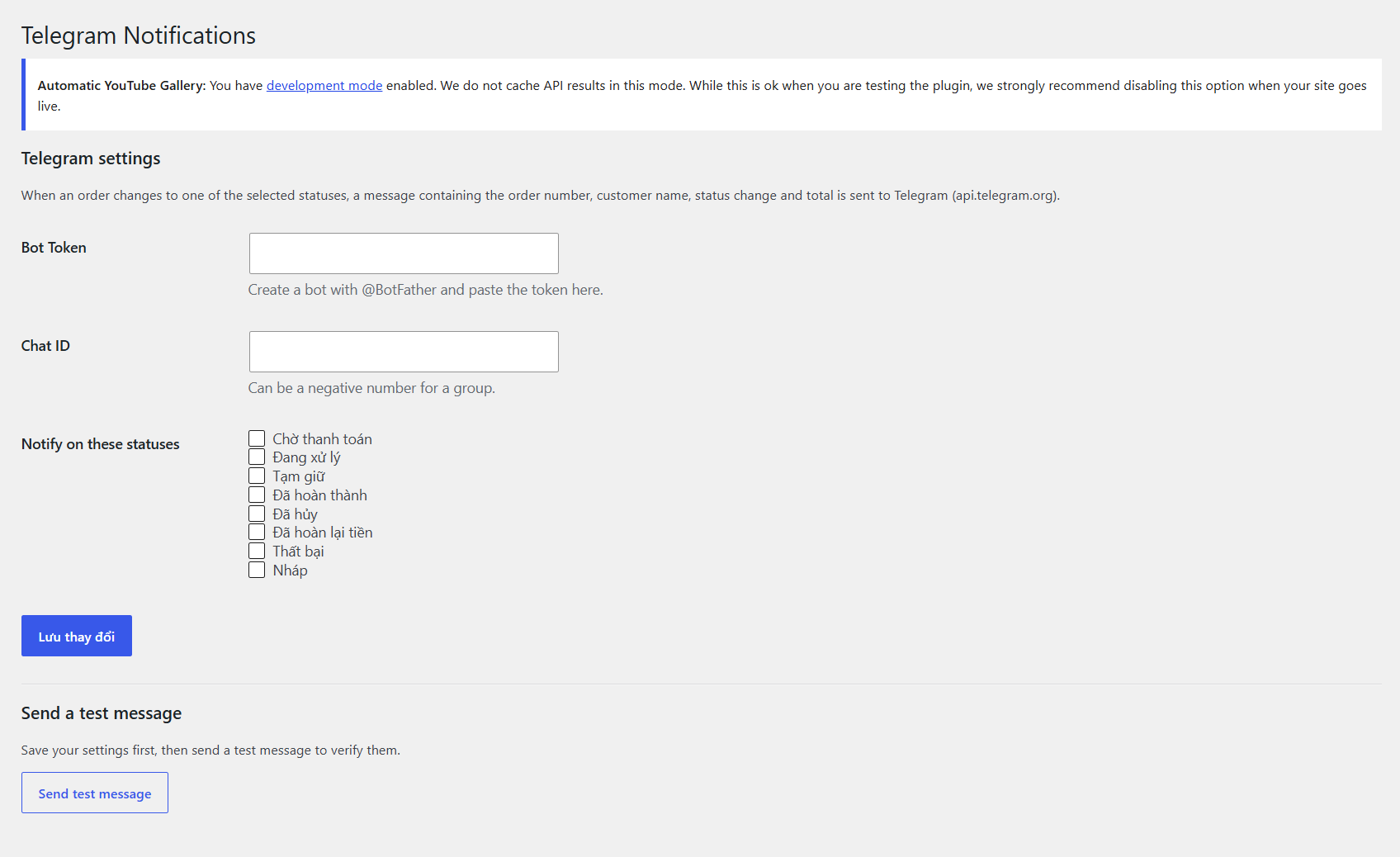
- Choose which order statuses trigger a notification
- Works with private chats, groups and channels
- Sends in the background using Action Scheduler, so checkout is never slowed down
- “Send test message” button to verify your settings
- Compatible with WooCommerce High-Performance Order Storage (HPOS)
External service: Telegram Bot API
This plugin sends data to the Telegram Bot API (https://api.telegram.org) so that notifications can be delivered to your Telegram chat. No data is sent until you enter a Bot Token and Chat ID and select at least one order status.
- What is sent: your Bot Token and Chat ID (to authenticate and address the message), and the notification text: order number, customer billing name, old/new order status, order total and currency, a link to the order in your admin area, and the date/time. A test message is sent when you click “Send test message”.
- When it is sent: each time an order changes to a status you selected in the plugin settings, and when you click “Send test message”.
- Service provider: Telegram Messenger Inc.
- Terms of Service: https://telegram.org/tos
- Privacy Policy: https://telegram.org/privacy
You are responsible for making sure that sending this information to Telegram complies with the privacy laws that apply to your store and with your own privacy policy.
Installation
- Upload the plugin folder to
/wp-content/plugins/, or install it from the Plugins screen in WordPress. - Activate the plugin. WooCommerce must be installed and active.
- Go to WooCommerce → Telegram Notifications.
- Create a bot with @BotFather and paste the Bot Token.
- Enter your Chat ID (a negative number for groups) and select the order statuses to be notified about.
- Save, then click Send test message to check that everything works.
FAQ
How do I get my Chat ID?
For a private chat, send /start to @userinfobot. For a group, add your bot to the group and use the group’s ID, which starts with -. You must send at least one message to your bot first for private chats.
I don’t receive notifications
- Check the Bot Token and Chat ID, and use the “Send test message” button.
- Make sure the order status is ticked in the settings.
- Make sure your server can reach api.telegram.org.
- Check WooCommerce → Status → Logs (source
lnduc-telegram-notifications) for errors.
Does it work with HPOS?
Yes.
Screenshots
Changelog
1.0.0
- Initial release.