

Description
Divi logo switcher will add a new option in your Divi theme customizer> Header And Navigation> Fixed Navigation to upload your logo that will show when you scroll down the page.
Requires
Divi WordPress theme
Tested with WordPress 7.1.4, Divi 4.27.9, and Divi 5.17.0 using native Divi headers.
Features
- Add an option to upload your logo at theme customizer
- Work with divi logo height
- No coding required
Other Plugins by CoderPlus
Data Privacy Manager for WooCommerce (Premium)
Data Privacy Manager is a WooCommerce GDPR plugin that helps you process personal data requests and manage customer permissions and privacy choices. Give your team tools to review requests, manage approvals, follow up with customers, and track outcomes. Keep privacy work organized with permission records, staff access controls, and clear steps for customers.
View on WooCommerce.com
X Scroll To Top – Responsive
Add a lightweight, customizable scroll-to-top button to your site.
🔗 View Plugin
Role‑Based Analytics for WooCommerce (Premium)
Filter WooCommerce sales reports by WordPress user roles analyze order counts, product sales, coupon usage, downloads, and compare top customer groups with built‑in leaderboards.
🔗 View on WooCommerce.com
Woo Subscription Trial Coupon
Enable coupon discounts for trial periods in WooCommerce Subscriptions.
🔗 View Plugin
Installation
Through Dashboard
- Log in to your WordPress admin panel and go to Plugins -> Add New
- Type Divi logo switcher in the search box and click on search button.
- Find Divi logo switcher plugin.
- Then click on Install Now after that activate the plugin.
- Click on setting button & add your logo form theme customizer.
Installing Via FTP
- Download the plugin to your hardisk.
- Unzip.
- Upload the “logo-switcher-divi” folder into your plugins directory.
- Log in to your WordPress admin panel and click the Plugins menu.
- Then activate the plugin.
- Click on setting button & add your logo form theme customizer.
FAQ
How do I change the Divi logo when scrolling?
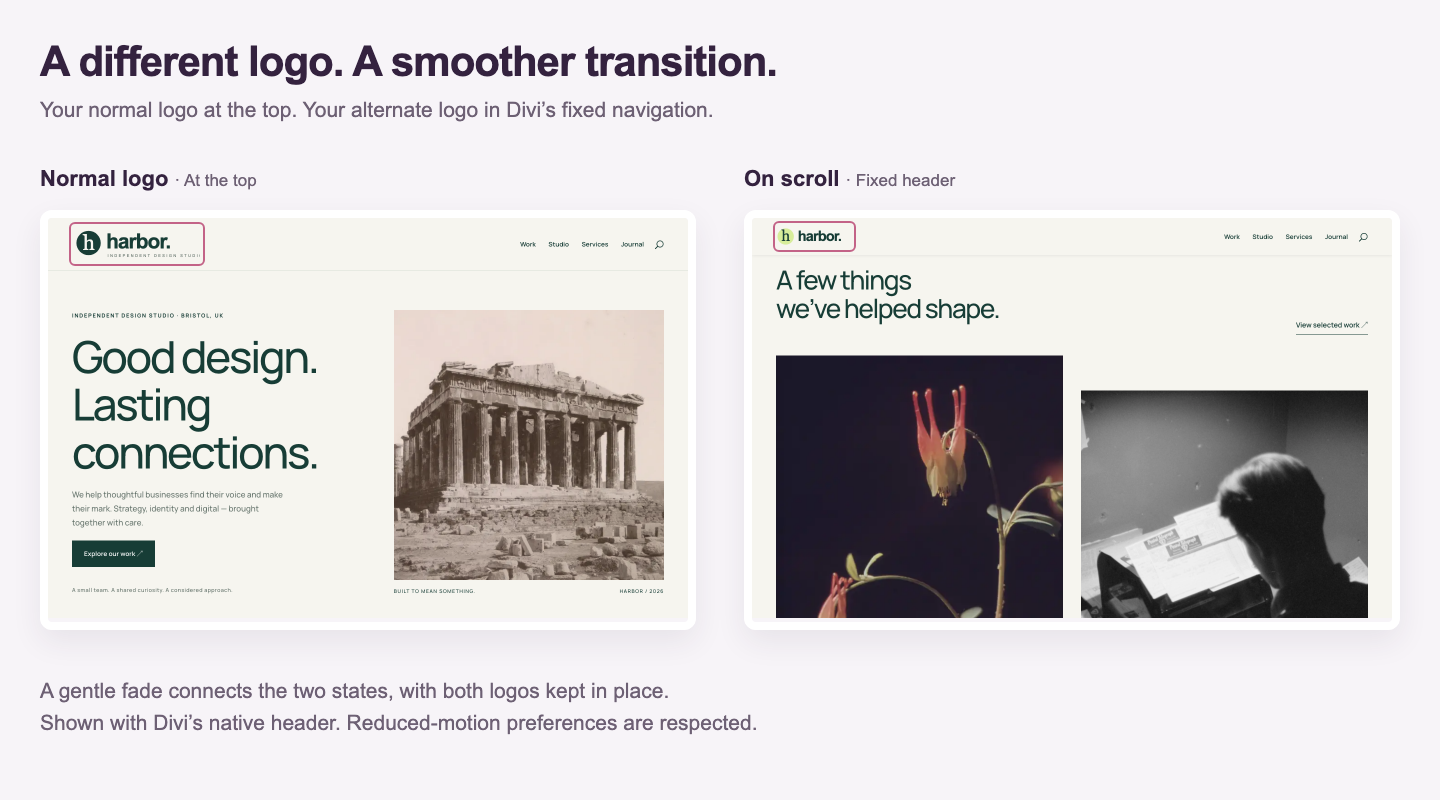
Go to Appearance → Customize → Header & Navigation → Fixed Navigation Settings. Choose your Fixed Navigation Logo, then click Publish. Your alternate logo appears when Divi activates its fixed header; your normal logo returns when you scroll back to the top.
Where do I set my normal Divi logo?
Keep your normal logo in Divi’s main logo setting under Divi → Theme Options. This plugin adds a separate image for the fixed navigation header.
Does Logo Switcher work with Divi 4 and Divi 5?
The logo switch and fade have been checked with Divi 4.27.9 and Divi 5.17.0 using native Divi headers. These checks do not cover every custom header layout or Theme Builder module.
Why is my alternate logo not showing when I scroll?
Check that Divi’s Fixed Navigation Bar is enabled, an image is selected under Fixed Navigation Logo, and your Customizer changes are published. The image must load successfully before the plugin switches logos. Clear your site or browser cache after changing settings. Custom Theme Builder headers may use a different structure from the native Divi header.
Can I use a transparent logo image?
Yes. A transparent PNG can work well over your header background. Choose an image with enough contrast for the fixed header, and trim unnecessary transparent margins so the logo aligns cleanly.
Can visitors who prefer reduced motion use the logo switcher?
Yes. The logo normally changes with a short fade. When a visitor enables reduced motion in their system or browser settings, the fade is disabled and the logo changes immediately.
Does this plugin work without Divi?
No. It requires the Divi theme and integrates with its native header. It does not add a logo switcher to other themes.
Screenshots

Changelog
2.1.1
- Enjoy a smoother logo change with a gentle fade when the Divi fixed header appears or disappears.
- Keep both logos aligned during the transition.
- Wait for the alternate logo to load before switching, avoiding a blank logo.
- Respect visitors’ reduced-motion preferences and keep the hidden logo out of keyboard navigation.
- Updated screenshots show the logo switch and where to choose your fixed navigation logo.
- Refresh the animated plugin icon and banner.
- Requires PHP 8.0 or later.
2.0.2 – October 29, 2026
- Tested with WordPress 7.1.4 and native headers in Divi 4.27.9 and Divi 5.17.0.
- Updated plugin recommendations to include Data Privacy Manager for WooCommerce.
2.0.1 – October 29, 2026
- Fix the admin notice callback when Divi is unavailable.
- Improve logo switching and add automated release packaging.
2.0.0 – July 13, 2024
Restruture plugin files and add autoload
Added language support pot file i18n
1.0.3 – Octobor 26, 2019
- Fix bug
1.0.2 – Octobor 26, 2019
- Improve code
1.0.1 – July 26, 2019
- Fix inline centred logo
1.0.0 – May 25, 2019
- initial release