

Description
Logvia replaces the default WordPress and WooCommerce login and registration forms with clean, fast screens that work in any theme.
What you get
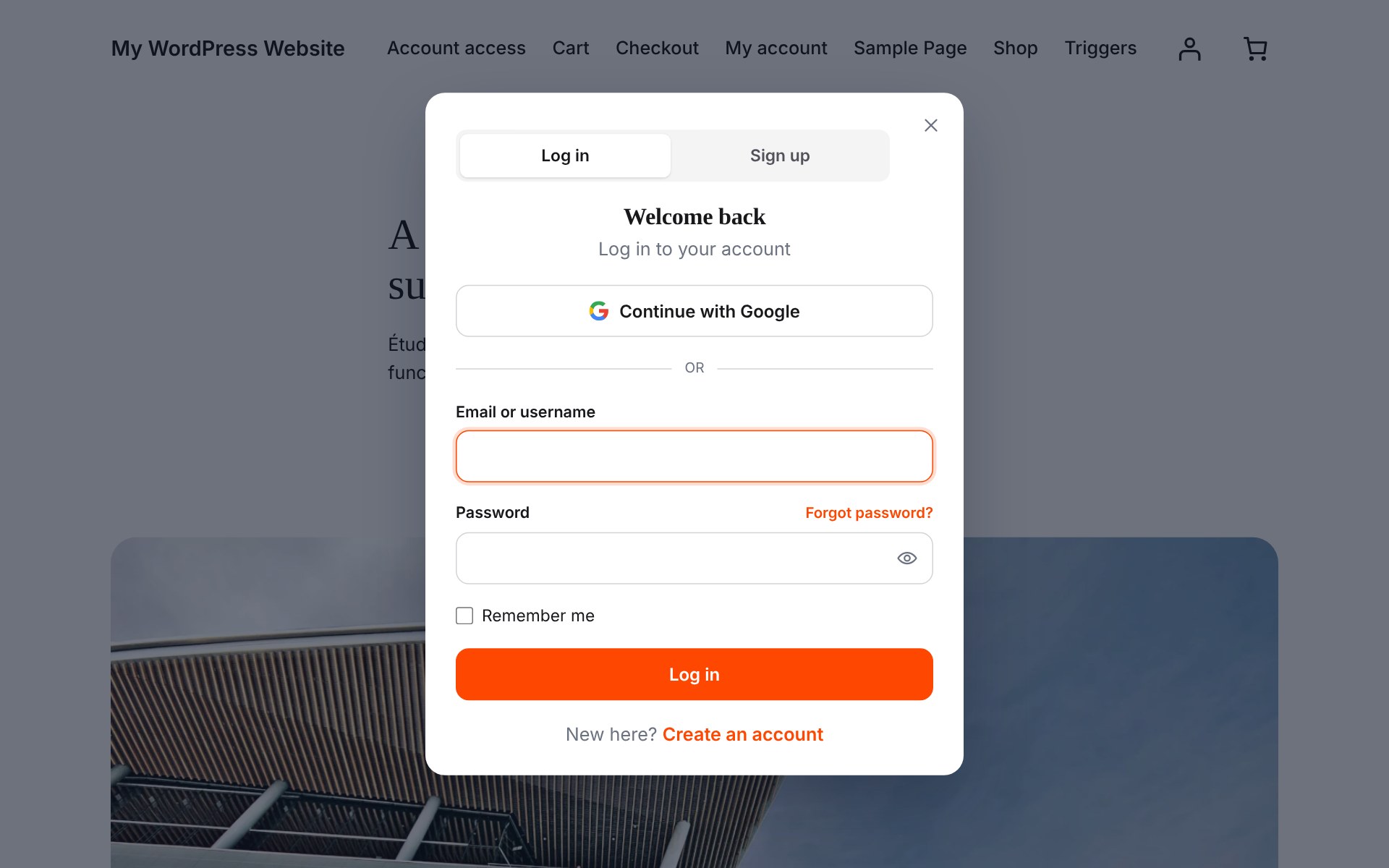
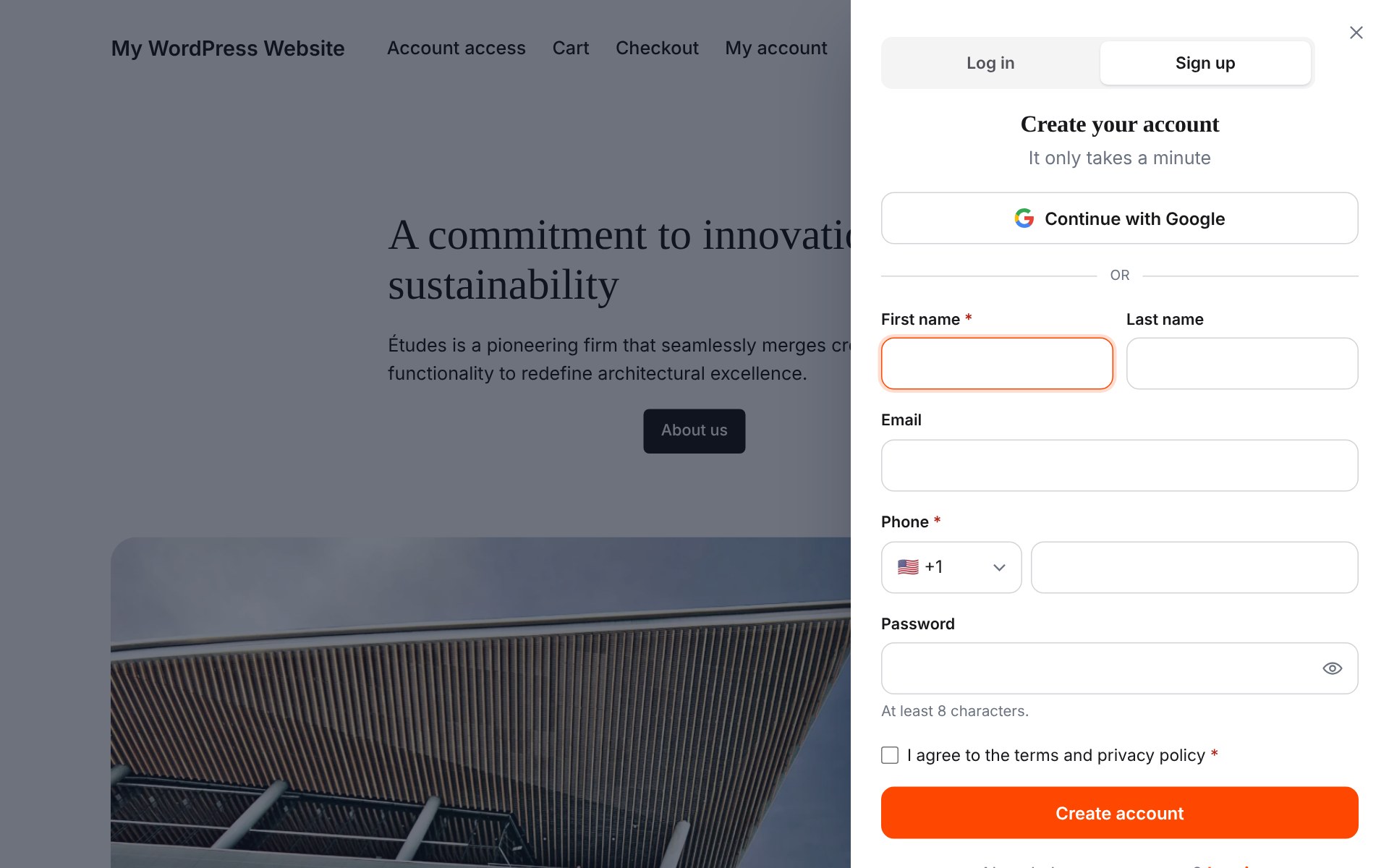
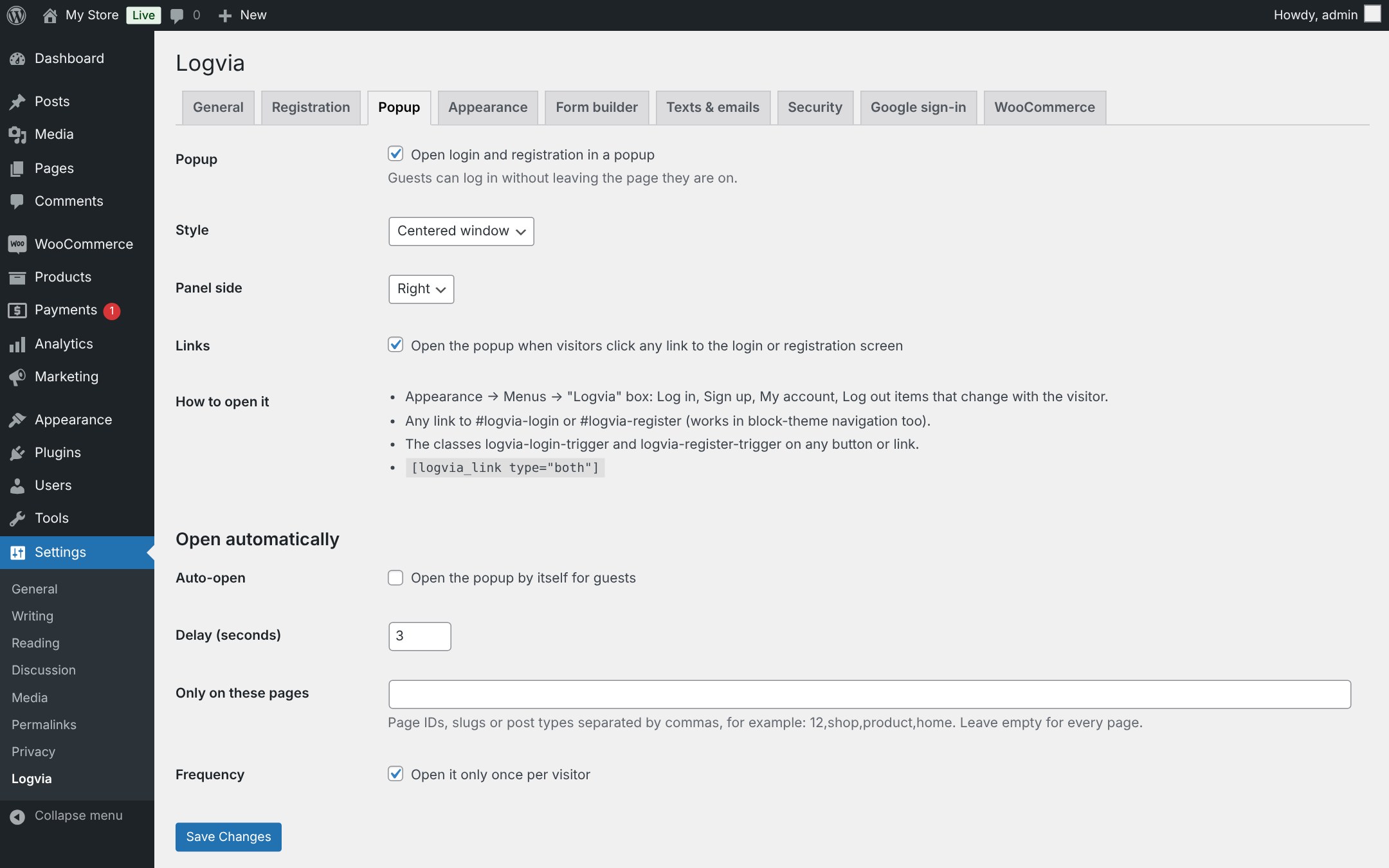
- Popup or slide-in panel with Log in / Sign up tabs. Opens from menu items, any #logvia-login link, a CSS class, the [logvia_link] shortcode, links to the login page, or automatically after a delay.
-
Menu items that change with the visitor: Log in / Sign up for guests, My account / Log out for customers.
-
Login with email or username, “remember me” and errors shown in place, without a page reload.
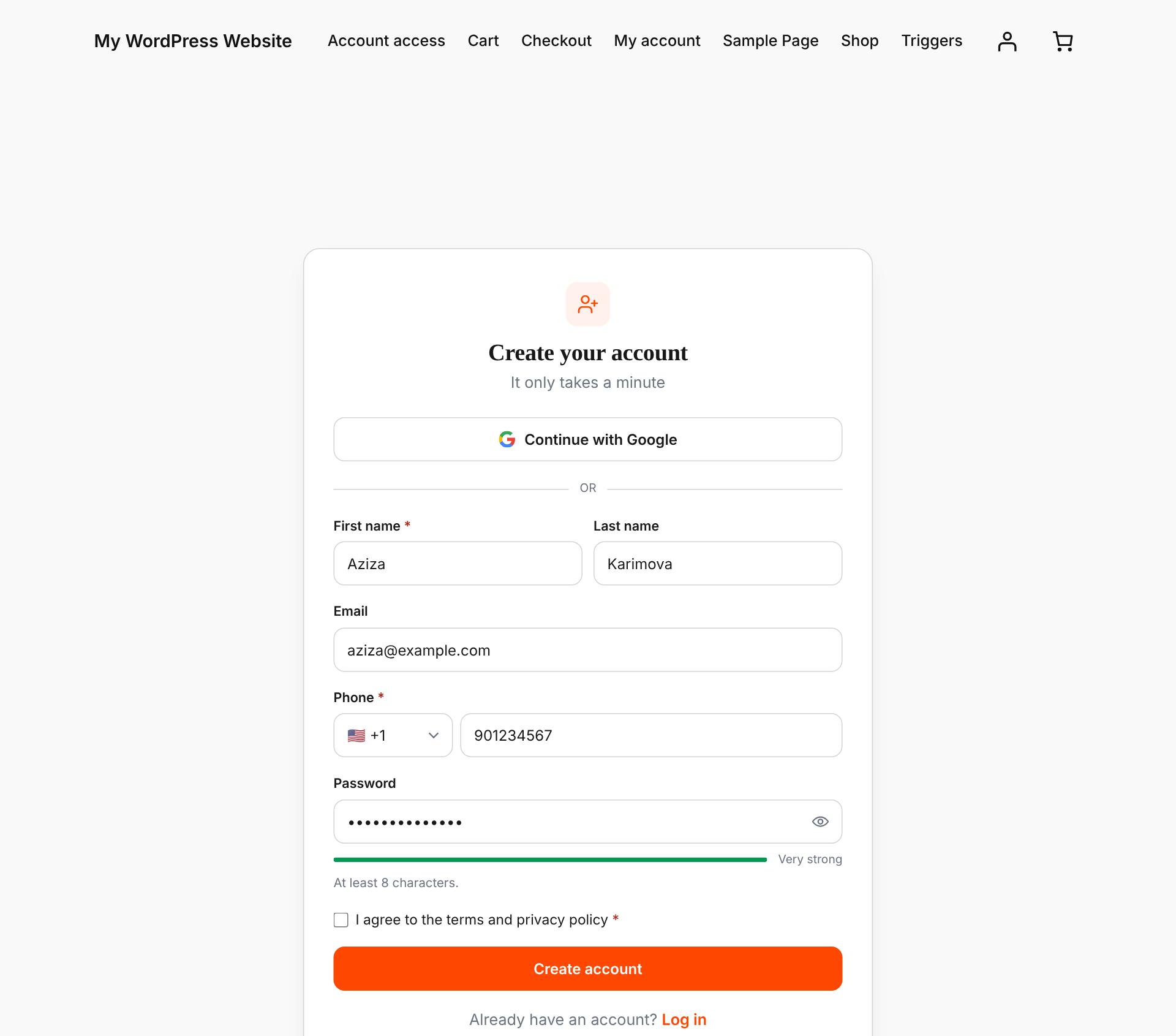
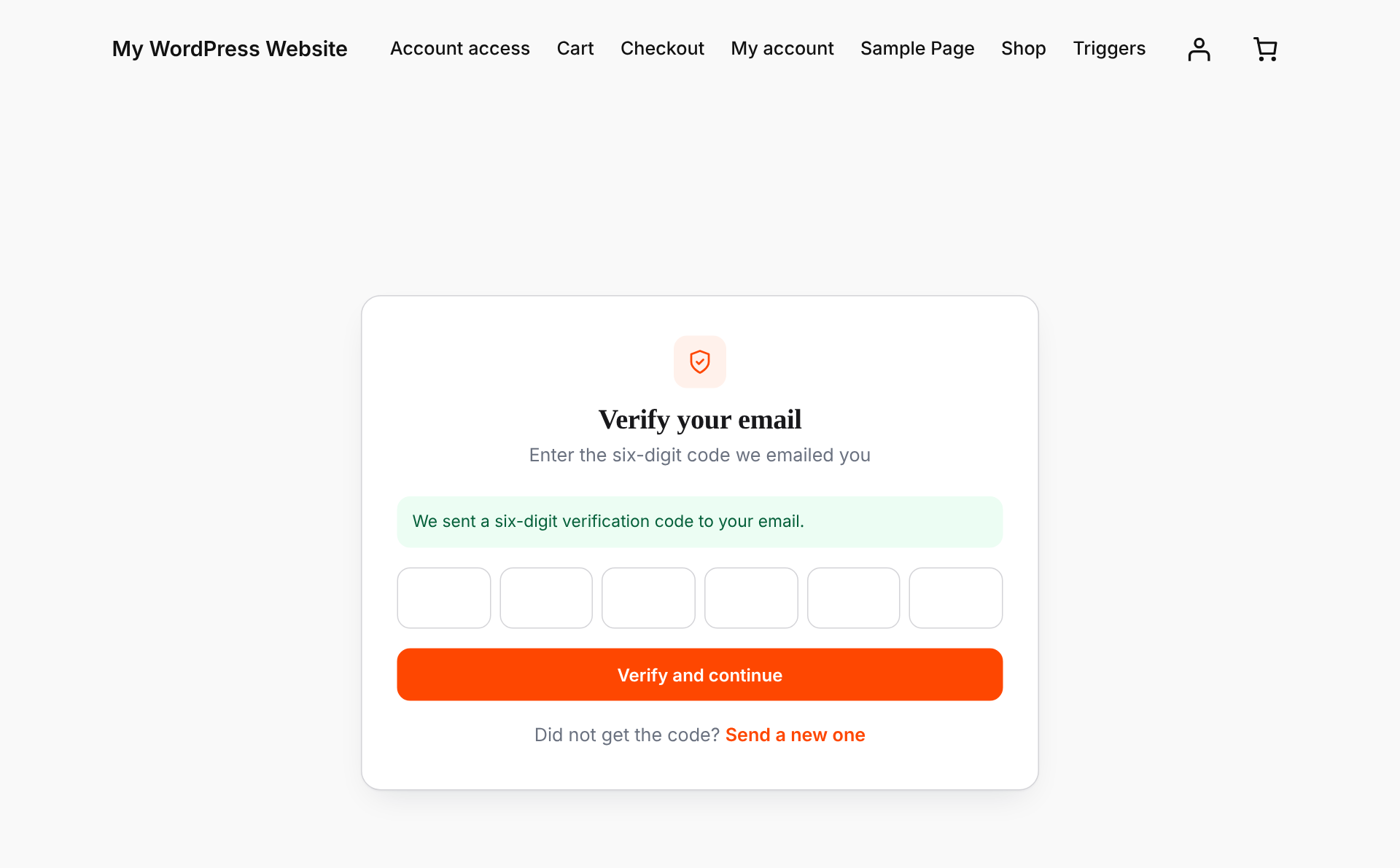
- Registration with email verification. Visitors receive a six-digit code. The account is created only after the code is confirmed, so your store fills up with real customers instead of spam accounts.
- Password reset by link or by six-digit code, on your own branded screen or inside the popup.
- Continue with Google. Uses Google’s official OAuth flow with PKCE. No extra plugin or SDK needed.
- WooCommerce My Account login/register is replaced automatically, and new users get the WooCommerce “customer” role.
- Require an account to check out (optional). Guests fill their cart, log in or register at checkout and come straight back with the cart kept.
- Works with any theme, classic or block. The screens live on a normal WordPress page, so your header, footer and layout stay in place.
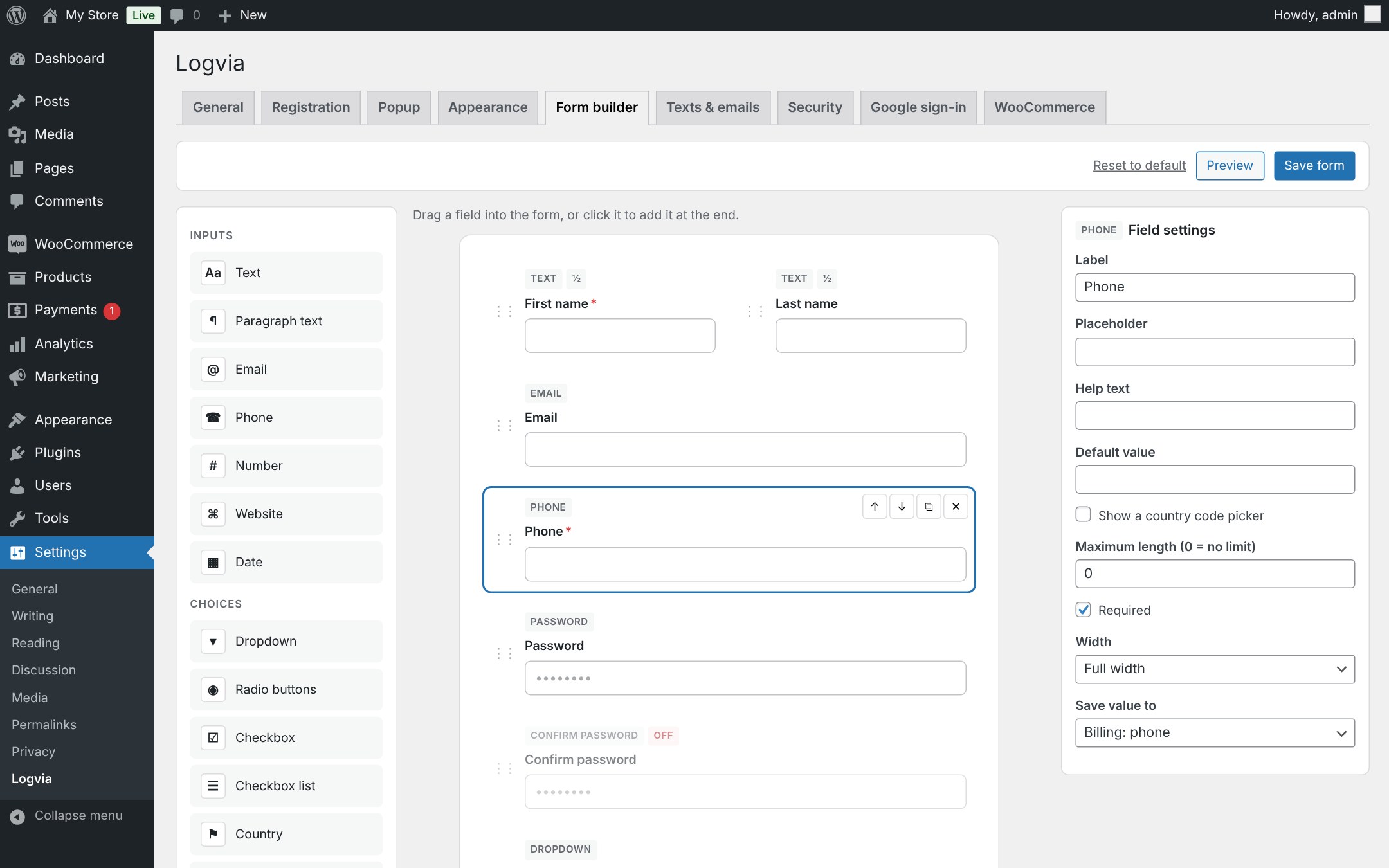
- Drag & drop form builder with 15 field types: name, phone with country code, country and state, dropdowns, radio buttons, checkbox lists, terms checkbox, dates, numbers and more. Save answers to the profile, WooCommerce billing details or custom fields.
- Checkout login: the WooCommerce “Returning customer?” box opens the Logvia popup.
- Bot protection: Cloudflare Turnstile, Google reCAPTCHA v2 and v3, password strength meter and rules, adjustable login lockout.
- Every text is editable: headings, button labels and field labels on all screens, and the subject and text of every email.
- Members-only mode: show a popup that cannot be closed until the visitor logs in, on every page or only on the pages you choose.
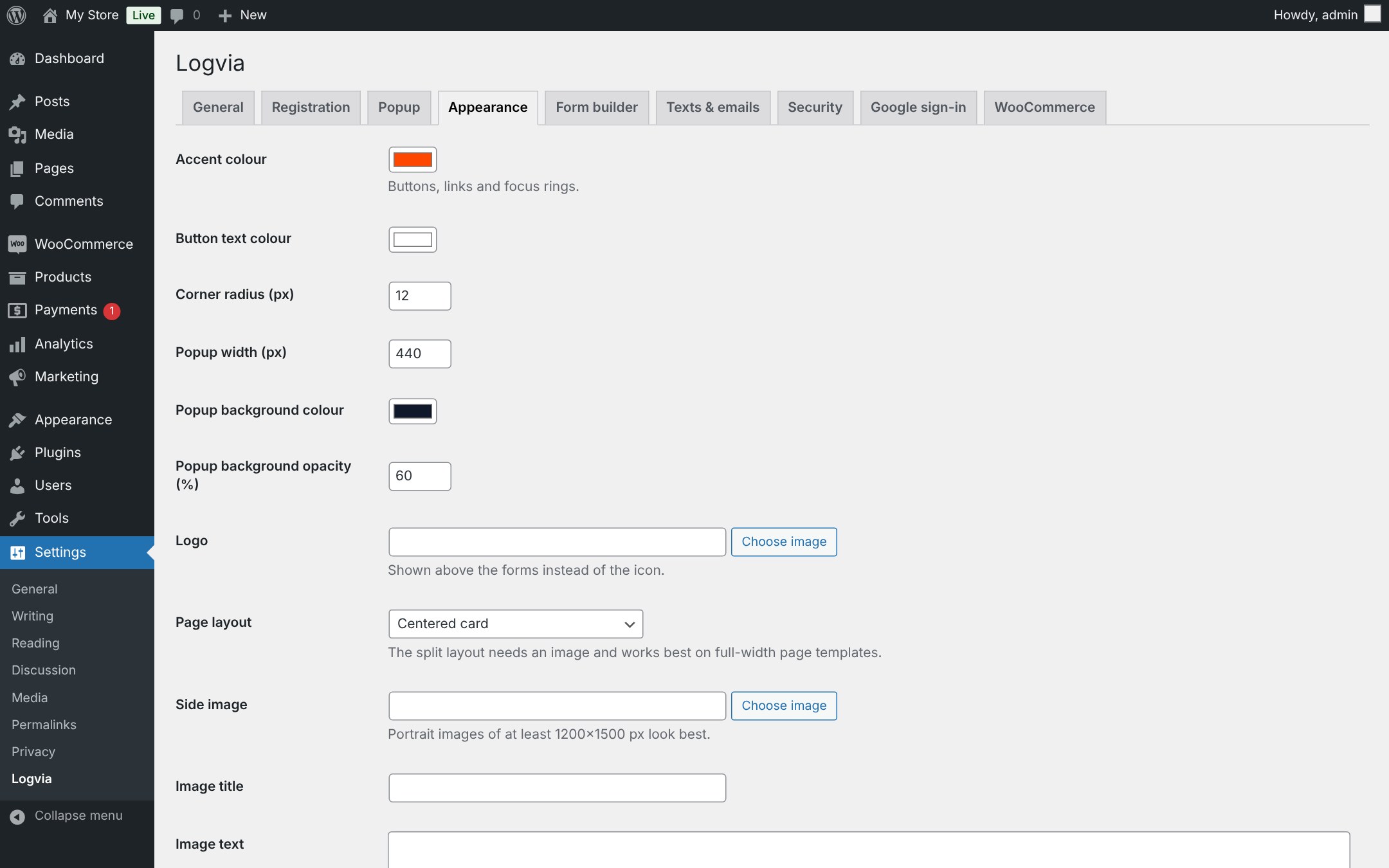
- Your colours. Choose an accent colour and a centered or image-split layout. Developers can override every template from their theme.
Built with security in mind
- Passwords are never stored in plain text, even while the email is being verified.
- Login, code and email requests are rate limited.
- Staff accounts (administrators, editors, shop managers) cannot use Google sign-in unless you allow it.
- Error and success messages are never taken from the URL as text, so nobody can make your site show a fake message.
- Lost-password requests never reveal whether an account exists.
Shortcodes
[logvia]– the full set of screens (used on the account page).[logvia_login],[logvia_register],[logvia_forgot]– a single form anywhere.[logvia_link type="login|register|both|account|logout"]– a link that opens the popup or the account page.
Logvia Pro
Logvia Pro is a separate, optional add-on with features that are not part of this plugin: Google One Tap, exit-intent and scroll-depth popup triggers with display rules (pages, devices, new or returning visitors, frequency), file upload, profile photo, username and account-type fields, manual account approval (B2B and wholesale), “log in to add to cart”, password-less sign-up, and extra fields on My Account and the Users screen. Its features are listed, with a lock icon, at the end of the matching settings tabs; the logvia_show_pro_features filter hides that list. Everything in this plugin works fully without it.
External services
When Google sign-in is enabled and a visitor clicks “Continue with Google”, the plugin connects to Google:
- The visitor is sent to
https://accounts.google.com/o/oauth2/v2/authto choose a Google account. - Your server sends the one-time authorization code, your Client ID and Client secret to
https://oauth2.googleapis.com/token. - Your server reads the visitor’s Google account ID, name, email address and whether the email is verified from
https://openidconnect.googleapis.com/v1/userinfo.
Nothing is sent to Google unless Google sign-in is enabled and the visitor chooses it. Google’s Terms of Service and Privacy Policy apply.
When a captcha is enabled under Settings → Logvia → Security, the forms load the provider’s script and your server checks each answer with the provider, sending the answer token and the visitor’s IP address:
- Cloudflare Turnstile:
https://challenges.cloudflare.com(Terms, Privacy). - Google reCAPTCHA:
https://www.google.com/recaptcha/(Terms, Privacy).
Developers
Filters: logvia_messages, logvia_validate_registration, logvia_default_redirect, logvia_login_redirect, logvia_template, logvia_template_args, logvia_hide_page_title, logvia_client_ip, logvia_rate_limits, logvia_text, logvia_field_types, logvia_field_maps, logvia_validate_fields, logvia_meta_key_allowed, logvia_pre_send_email, logvia_email_html, logvia_purchase_requires_login, logvia_google_user_is_privileged.
Actions: logvia_customer_created, logvia_fields_saved.
Credits
Country flags: circle-flags by HatScripts (MIT License), https://github.com/HatScripts/circle-flags
Installation
- Install and activate the plugin.
- Logvia creates a page called “Account access” at
/auth/with the login, registration and reset screens under it (for example/auth/login/). - Go to Settings → Logvia to choose colours, Google sign-in and WooCommerce options.
- Make sure your site can send email (an SMTP plugin is recommended), because verification codes and reset links are sent by email.
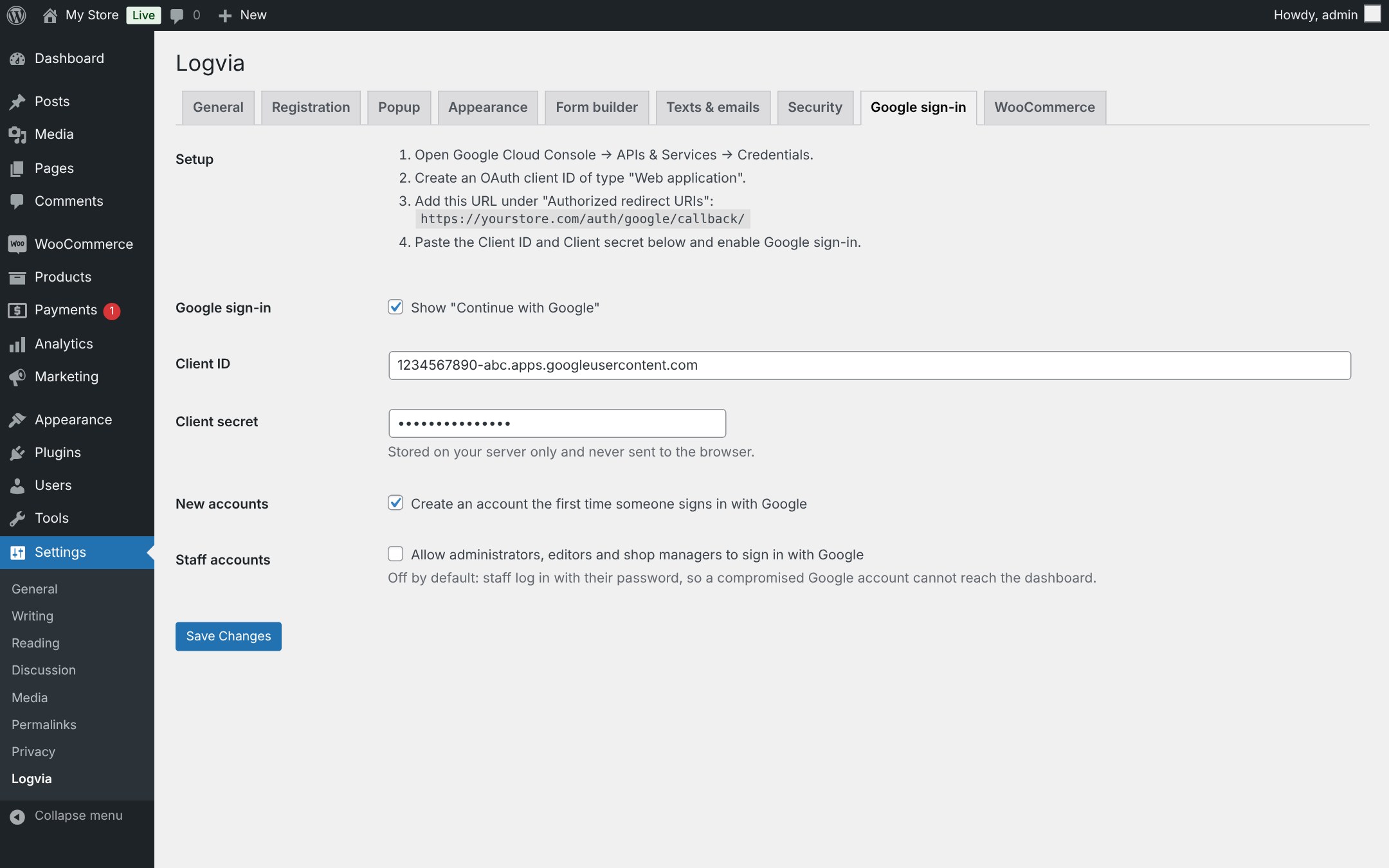
Setting up Google sign-in
- In Google Cloud Console open APIs & Services → Credentials and create an OAuth client ID of type Web application.
- Copy the redirect URL shown on Settings → Logvia → Google sign-in into Authorized redirect URIs.
- Paste the Client ID and Client secret into Logvia and enable Google sign-in.
FAQ
Does it work without WooCommerce?
Yes. Login, registration, password reset and Google sign-in work on any WordPress site. The WooCommerce options appear when WooCommerce is active.
Can I still use wp-login.php?
Yes. By default wp-login.php keeps working. You can optionally send its visitors to Logvia. If you ever get locked out, add define( 'LOGVIA_DISABLE_WP_LOGIN_REDIRECT', true ); to wp-config.php.
How do I change the design?
Pick an accent colour, corner radius and layout under Settings → Logvia → Appearance. For finer changes, add CSS in Appearance → Customize → Additional CSS (classic themes) or in the Site Editor’s Styles (block themes), for example .logvia { --logvia-radius: 4px; }. To change the markup, copy a file from wp-content/plugins/logvia/templates/ to your-theme/logvia/ and edit it.
The verification email does not arrive
Logvia sends email through WordPress (wp_mail). Many hosts do not deliver it reliably; install an SMTP plugin and send a test email.
Does it work with page caching?
The account page sends no-cache headers and the DONOTCACHEPAGE flag, which most caching plugins respect. If yours does not, exclude /auth/ from the cache.
Screenshots
Changelog
1.4.0
- The settings tabs list the features of the optional Logvia Pro add-on (hide the list with the
logvia_show_pro_featuresfilter). - Live Preview on WordPress.org.
- Readme and tag updates.
1.3.3
- New: phone field with round country flags, a searchable country list and the dialling code shown in the field. A pasted “+998 …” number picks the country by itself.
- New: popup tab colour settings (Settings → Logvia → Appearance).
- Fix: theme button hover colours no longer show on the popup tabs and buttons.
1.3.2
- Email texts and members-only mode are now editable in the plugin settings.
- Removed the custom CSS box; use Additional CSS or the Site Editor instead.
1.3.1
- First public release.