


Description
Security that keeps watching after the first block.
Watchdog Security Lite brings serious WordPress protection into one clear workspace: hardening, exploit defense, malware scanning, login protection, trusted-file checks, live change monitoring and WooCommerce-aware protection.
Then it goes further.
It watches the places that are easy to miss after the obvious alert: persistent access, unexpected outbound connections, administrator sessions, meaningful file changes and related activity across the site.
The result is security that feels useful day to day — not just when something goes wrong.
More than a scanner
Watchdog combines protection, visibility and recovery tools that work together:
- WordPress Hardening helps tighten common weak points with a conservative recommended setup.
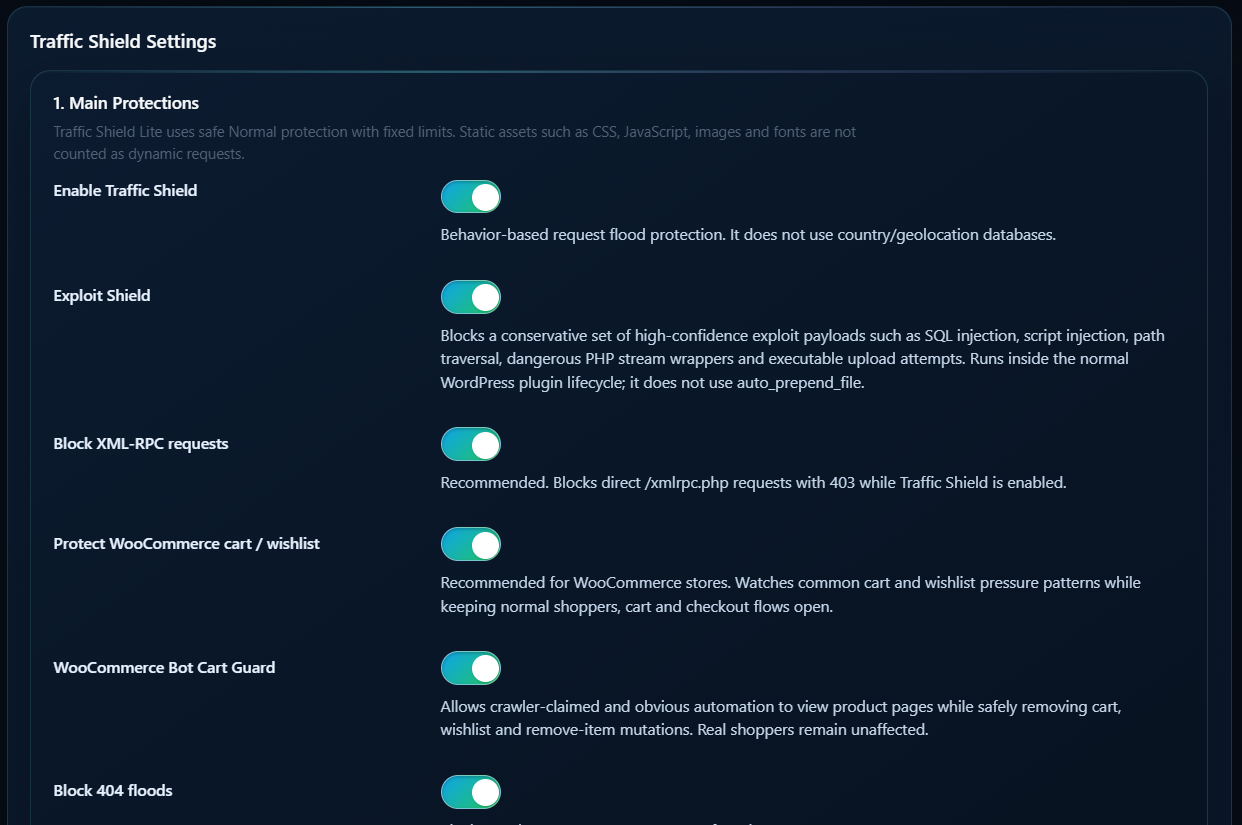
- Exploit Shield blocks high-confidence hostile request patterns before they become application problems.
- Login Guard slows and contains repeated login attacks without turning normal sign-ins into friction.
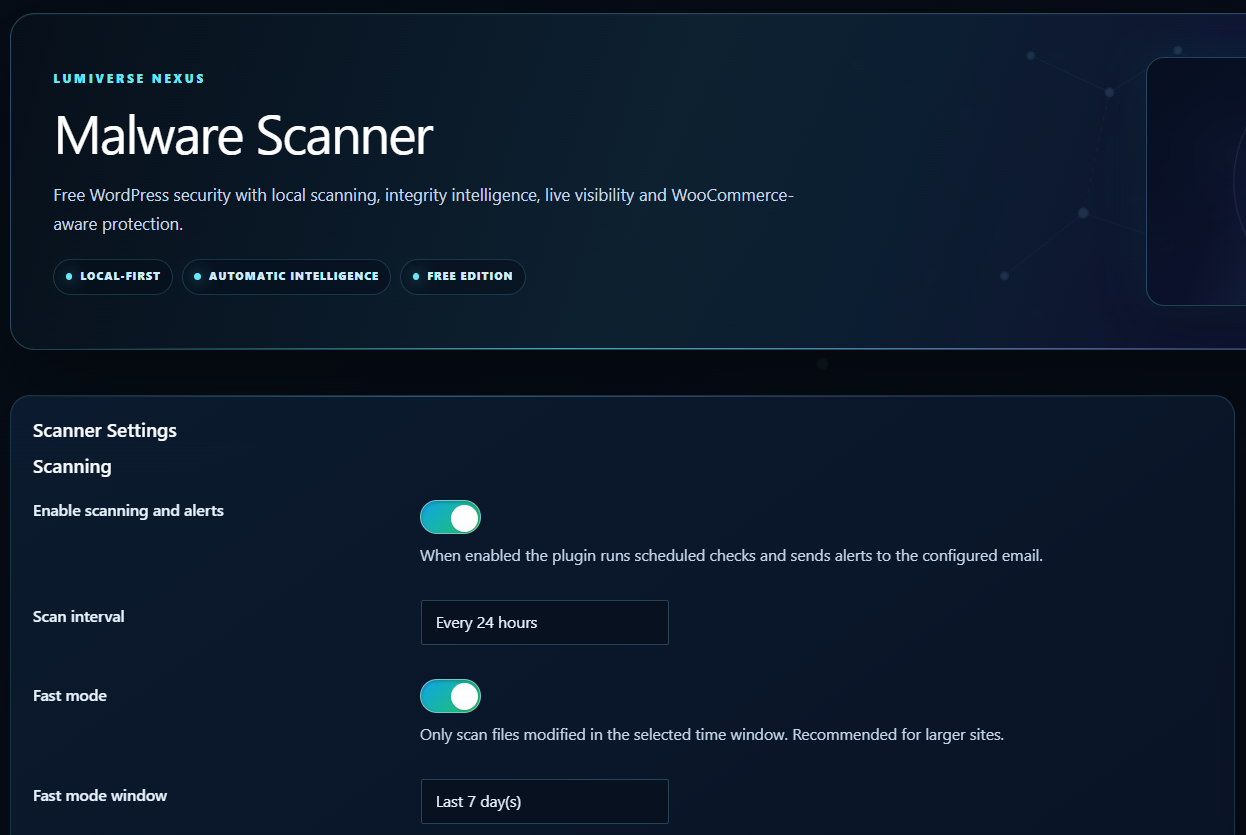
- Malware Scanner uses shared Lumiverse Nexus malware intelligence with context-aware confidence scoring.
- Live Watch keeps recent file changes visible so you can see what actually changed.
- Official File Integrity verifies supported WordPress core, plugin and theme files against trusted sources.
- Vulnerability Watch highlights known vulnerable components that deserve attention.
- Database Threat Scan looks for high-confidence malicious code and persistence indicators in selected database areas.
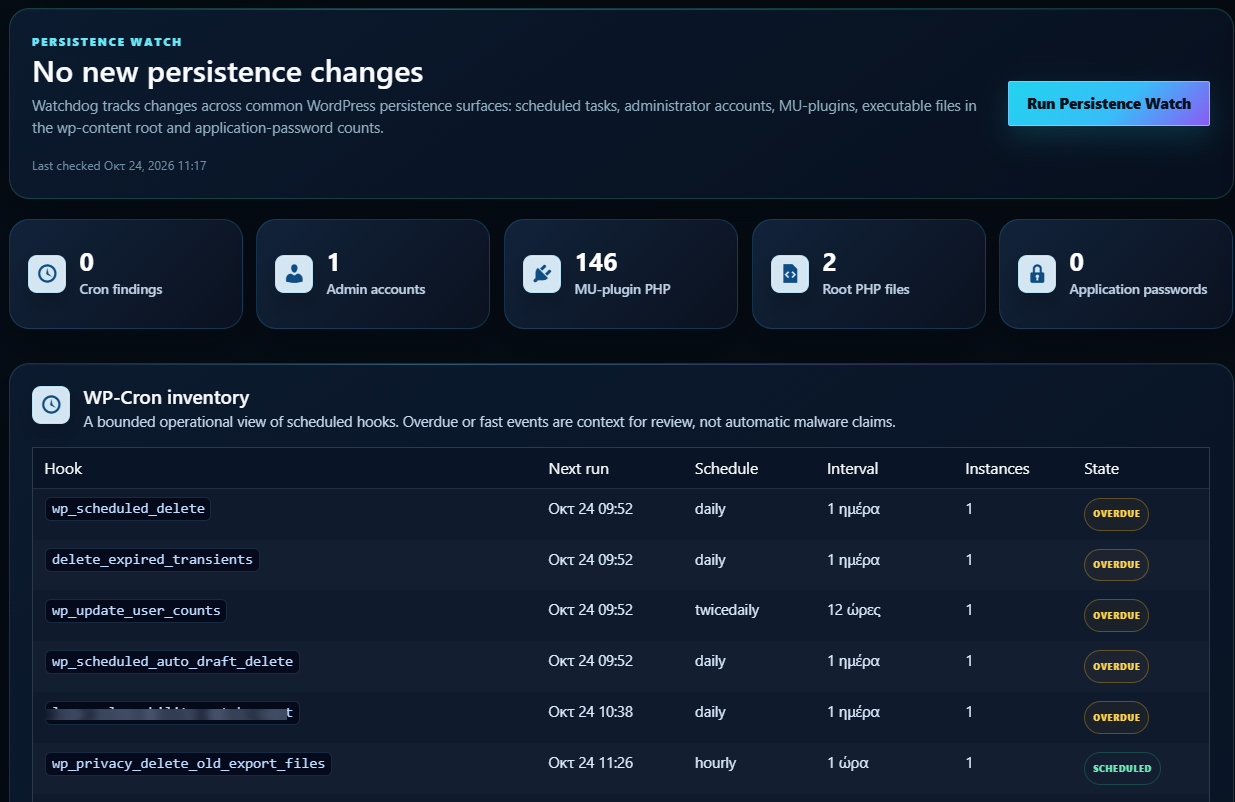
- Persistence Watch watches administrator accounts, MU-plugins, scheduled tasks and other places unwanted access can survive.
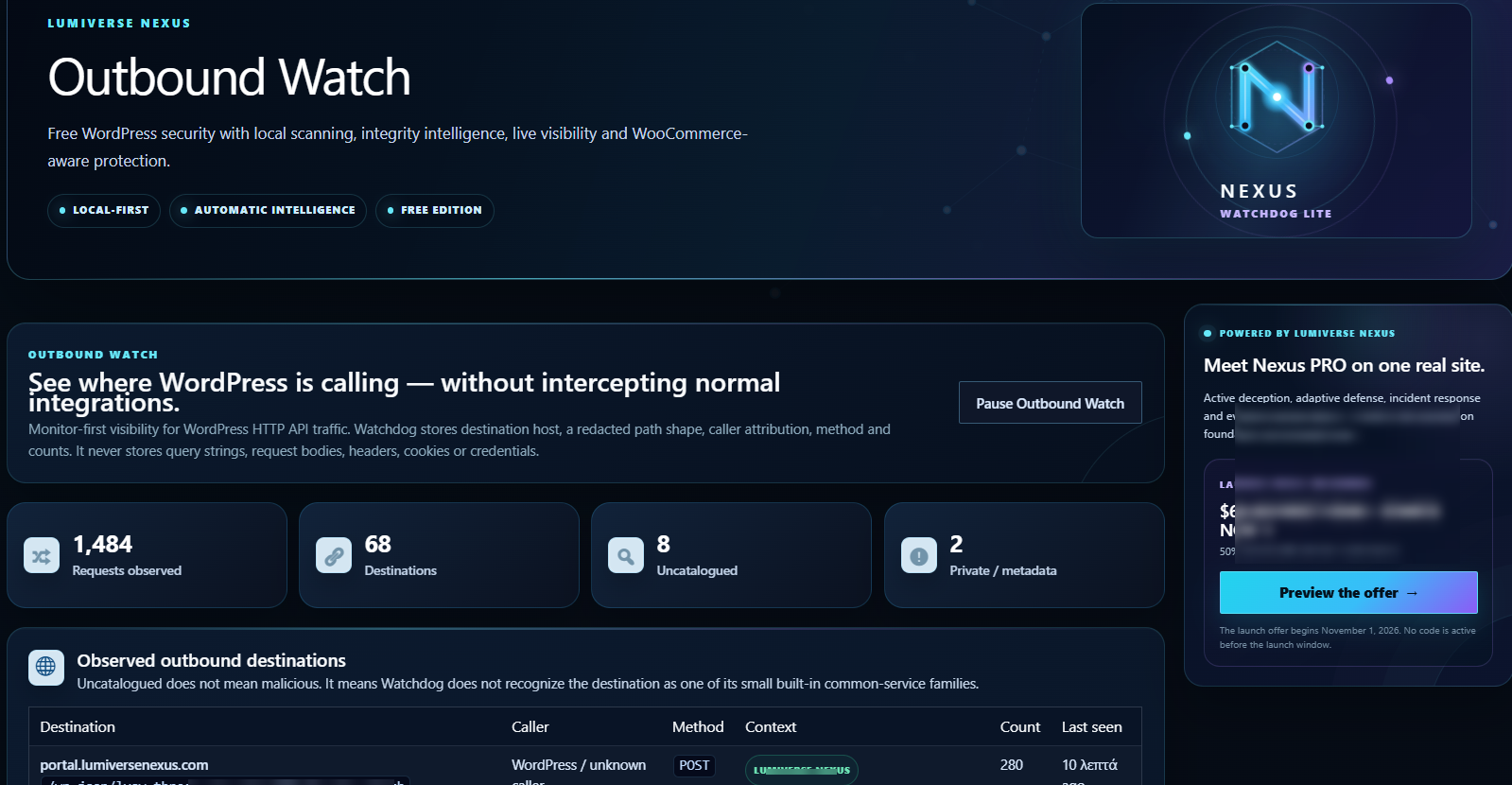
- Outbound Watch shows which WordPress component is connecting to an external destination.
- Administrator Sessions gives you visibility into active administrator sessions and lets you revoke stale access.
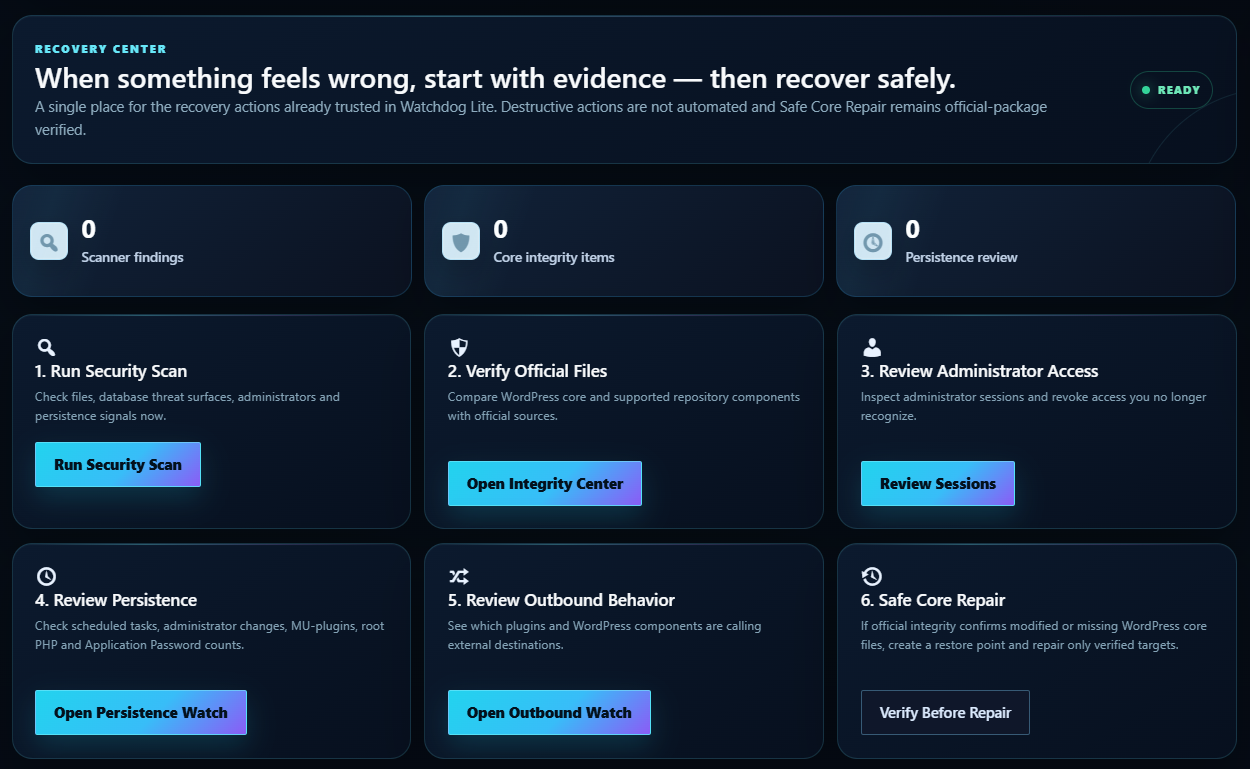
- Recovery Center brings scanning, integrity, persistence, session and recovery actions into one place.
Security findings with context
A security scanner is most useful when it helps you understand what deserves attention.
Watchdog separates review evidence from urgent security findings. Scanner results can keep the exact file path and reason available for inspection without turning every unusual file or legitimate plugin behavior into an emergency.
When stronger evidence is present, Watchdog can escalate it clearly. When the evidence is review-level, it stays visible with the information you need to make the next decision.
See the story, not just the log
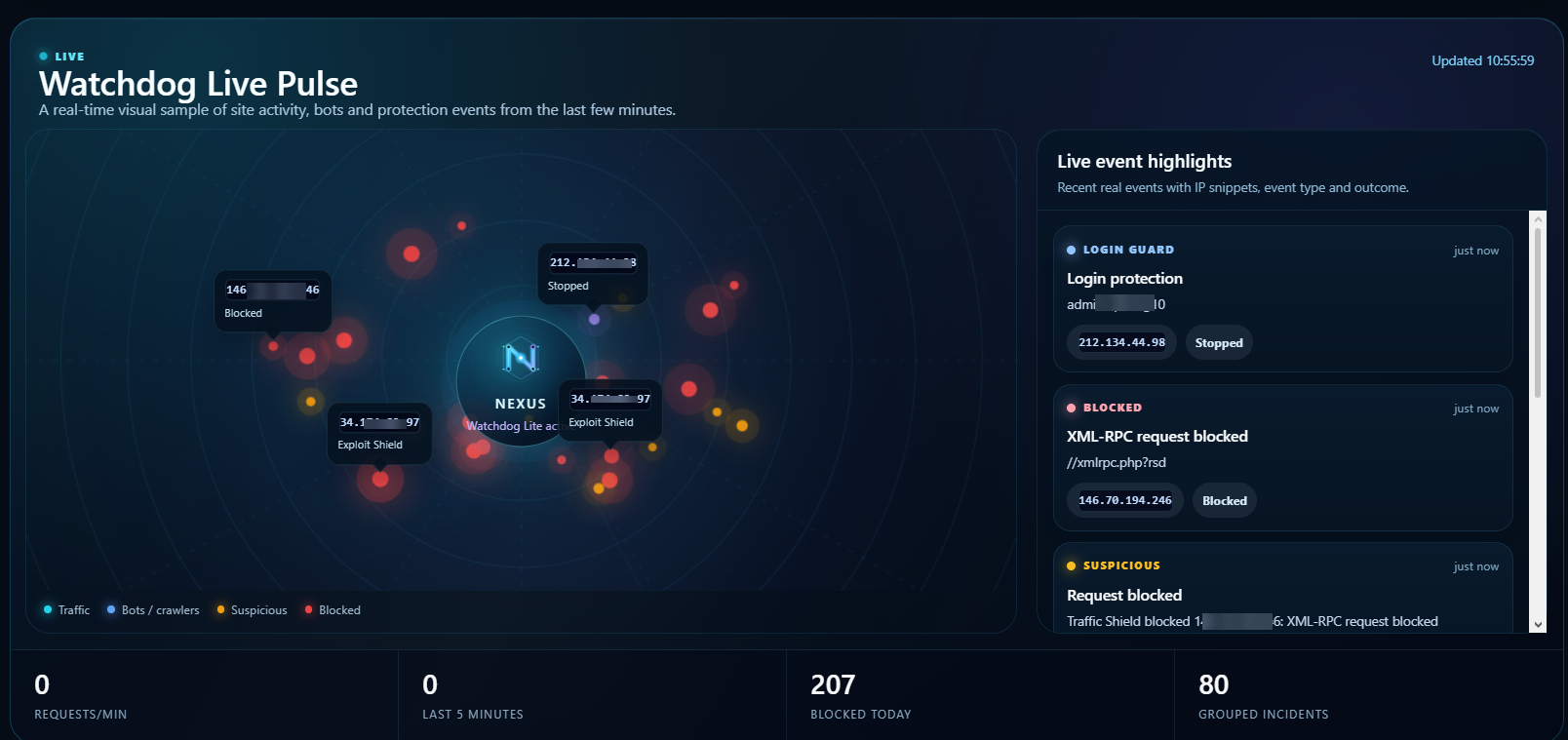
Attack Stories groups related protection activity into readable sequences, while Watchdog Live Pulse gives you a visual view of recent traffic and protection activity.
Protection Coverage brings the plugin together into six areas — Request Defense, Identity Defense, Malware & Integrity, Persistence Watch, Commerce Protection and Security Intelligence — so you can understand your current protection at a glance.
Built for WordPress and WooCommerce
WooCommerce traffic is different from a normal content site. Watchdog understands product browsing, cart activity, AJAX traffic and common automation patterns instead of treating every request the same way.
When WooCommerce is active, WooCommerce Bot Cart Guard adds store-aware protection for supported automated cart and wishlist mutations while public product pages remain available.
Start in about a minute
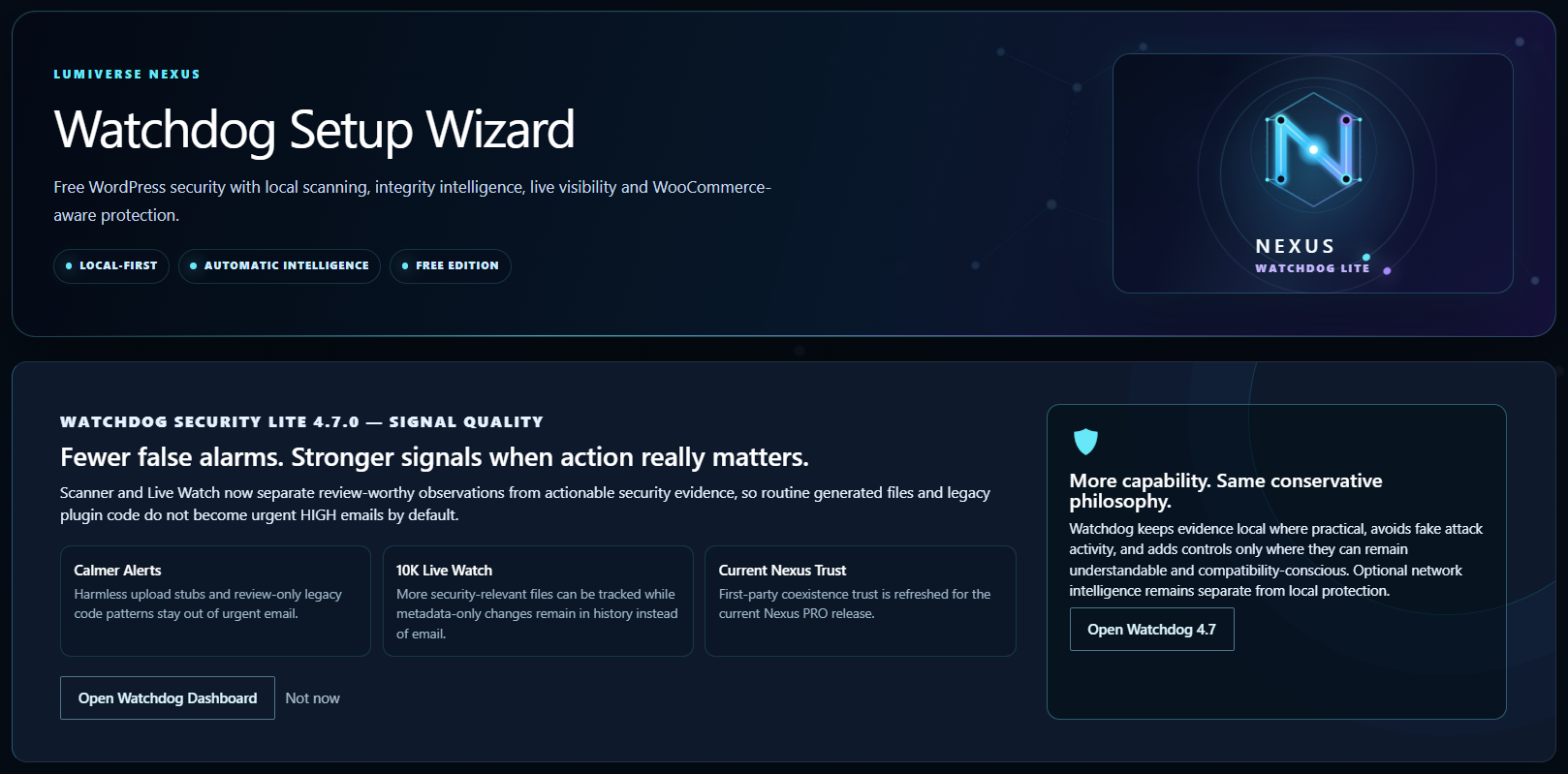
The 60-Second Setup Wizard applies a conservative local protection baseline, detects WooCommerce, offers safe hardening and lets you choose how Watchdog should notify you.
You can reopen it whenever you want.
Powered by Lumiverse Nexus
Watchdog Security Lite is part of the Lumiverse Nexus security platform.
For business-critical WordPress and WooCommerce sites, Nexus PRO adds earlier protection layers, deception, adaptive defense, deeper compromise correlation, Breach Command, REDLINE response, Black Box evidence and Nexus Fleet for multi-site operations.
Learn more at Lumiverse Nexus.
Privacy and Online Services
Watchdog performs routine malware scanning, database threat scanning, Live Watch and integrity checks locally on your WordPress site.
To keep security intelligence current, Watchdog connects to Lumiverse Nexus for malware-signature and vulnerability intelligence. Your website files and database content are not uploaded for routine malware scanning.
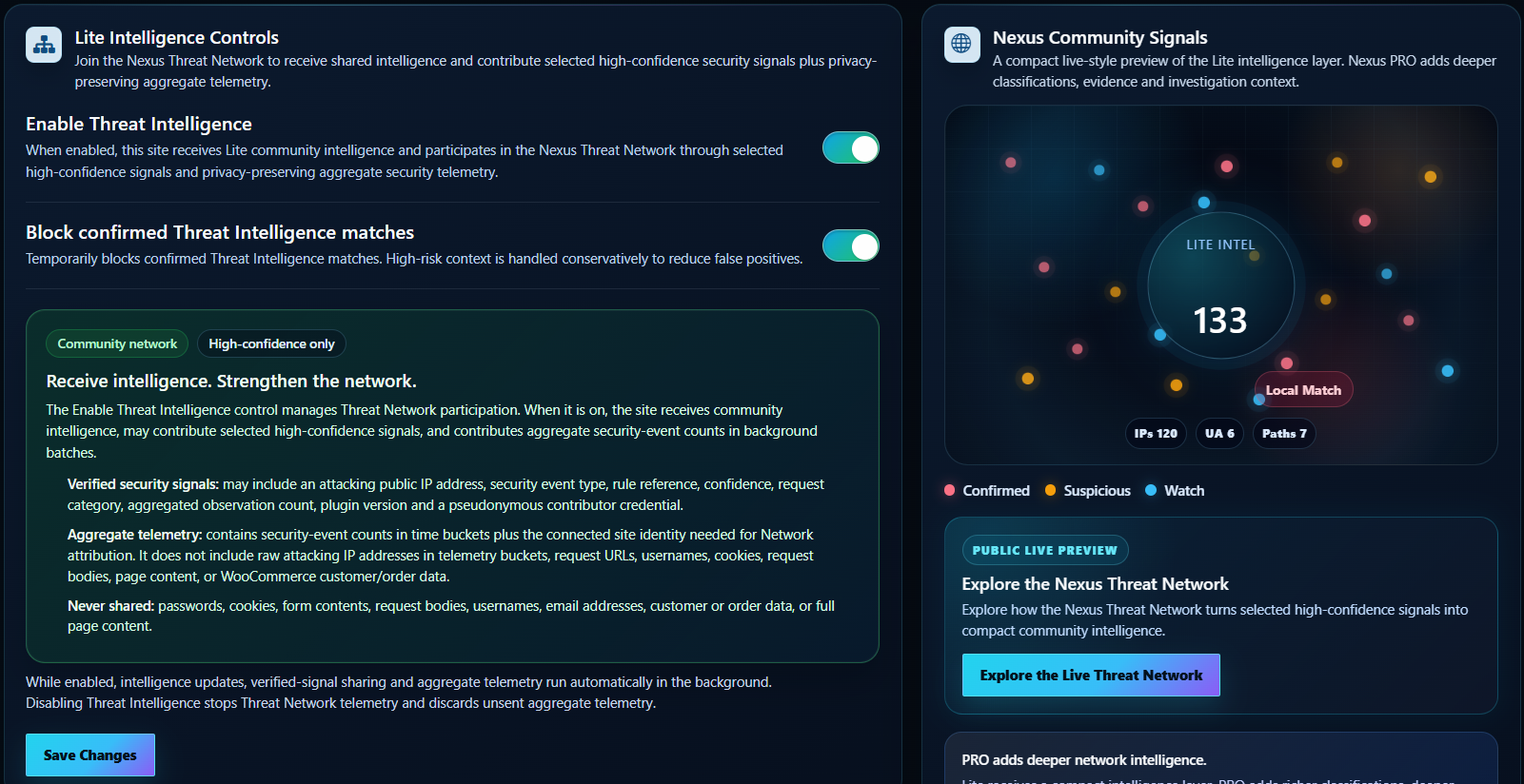
Nexus Threat Network is an optional shared-intelligence service. It is disabled by default and can be enabled by the site administrator. When enabled, it can exchange selected verified security-event metadata used by the service; it does not send passwords, cookies, form contents, WooCommerce customer/order data or page content.
Learn more at Nexus Threat Network. See the Lumiverse Nexus Privacy Notice and Terms of Service.
Installation
- Go to WordPress Dashboard -> Plugins -> Add New.
- Search for “Watchdog Security Lite”.
- Install and activate the plugin.
- Follow the 60-Second Setup Wizard.
FAQ
What makes Watchdog different from other WordPress security plugins?
Watchdog combines the protection you expect with visibility into what happens around it.
Alongside hardening, exploit defense, login protection, malware scanning and trusted-file verification, Watchdog keeps meaningful file changes, persistence points, outbound connections, administrator sessions and related security activity visible in one place.
That means you can move from something happened to what changed, what is related and what should I review next without living inside raw logs.
How does Watchdog decide what needs my attention?
Watchdog uses more than a single pattern match. Scanner evidence can be evaluated with file location, trusted-source integrity, component context, confidence and corroborating signals.
Review-level findings stay available with their file path and evidence. Stronger findings can be escalated as actionable security alerts.
Will Watchdog slow down my website?
Watchdog keeps heavier work such as scanning, file monitoring and reporting away from normal page delivery wherever practical. Work is bounded and scheduled so the Lite feature set remains suitable for normal production sites.
What happens when Watchdog finds something?
The finding stays available with the evidence Watchdog collected. Review items show the exact file or context to inspect, while higher-confidence findings can generate an alert.
Recovery Center then gives you one place to re-scan, verify files, inspect administrator access, review persistence and use supported recovery actions.
Does Watchdog protect WooCommerce stores?
Yes. When WooCommerce is detected, Watchdog adds store-aware traffic protection and Bot Cart Guard for supported automated cart and wishlist activity.
Does Watchdog upload my website files for malware scanning?
No. Routine malware scanning, database threat scanning and integrity work are performed locally on your site. Online intelligence services are described in the Privacy and Online Services section above.
Can Watchdog repair modified files?
Watchdog Lite includes Safe Core Repair for verified WordPress core files and creates a restore point before repair.
What is Lumiverse Nexus PRO?
Nexus PRO extends the Watchdog foundation with deeper protection, deception, adaptive defense, compromise correlation, incident response, evidence preservation and Fleet operations for agencies and multi-site environments.
Learn more at Lumiverse Nexus.
Screenshots
Changelog
4.8.1
- Added clear file paths and evidence for scanner findings that need review.
- Added direct navigation from scan activity to the related review details.
- Updated compatibility for WordPress 7.1.4 and refreshed the public plugin description.
4.8.0
- Added confidence-based malware scanning with stronger context-aware detection.
- Expanded detection for persistence, remote loaders and coordinated WordPress file tampering.
- Refined scanner alert prioritization.
4.7.0
- Improved scanner accuracy, Live Watch coverage and security notifications.
4.6.0
- Added structured unified-signature parsing with Lite scope filtering and last-known-good cache fallback.
- Expanded malware coverage to conservatively inspect top-level executable files without executing them.
- Added high-confidence detections derived from recent real-world WordPress attacks.
4.5.1
- Refined the Incident Inbox so actionable scanner findings include bounded review evidence while routine status remains in Logs.
- Manual Threat Intelligence refresh now runs in the background for a smoother WordPress admin experience.
4.5.0
- Added a 60-Second Setup Wizard that applies conservative local protection and safe hardening while keeping optional network participation separate.
- Added Outbound Watch for privacy-conscious, monitor-first visibility into WordPress HTTP API destinations and caller context without blocking normal integrations.
- Added Recovery Center to bring trusted scanning, integrity, administrator-access, persistence, outbound and Safe Core Repair workflows into one response view.
- Added Administrator Sessions using WordPress core session tokens, with deliberate session-revocation controls and no custom IP-binding requirement.
- Expanded the Hardening Center with Watchdog Header Grade and additional browser security headers while keeping compatibility-sensitive controls manual.
- Expanded Persistence Watch with a bounded WP-Cron inventory for scheduled-hook, timing, interval and overdue review context.
4.4.0
- Added Protection Coverage with six clear protection areas and a configuration score that does not penalize optional Threat Network participation or non-WooCommerce sites.
- Added Persistence Watch for durable, review-oriented visibility across suspicious cron behavior, administrator changes, MU-plugins, wp-content root PHP and application-password counts.
- Added Probe Trap for a conservative set of high-confidence automated sensitive-path probes, with masked-source statistics and recent evidence.
4.3.3
- Added Blocked IP Management with per-IP manual unblock controls for temporary Traffic Shield and Login Guard restrictions.
- Added retained Live Watch change evidence so recent added, modified and deleted file paths remain reviewable from the dashboard after an alert email.
- Expanded Lite Live Watch coverage to 5,000 security-relevant files with visible coverage status and code/configuration-first prioritization.
- Refined Exploit Shield traversal handling to distinguish normal relative asset paths from high-confidence traversal attempts and improve request evidence.
- Added conservative transient-persistence inspection to Database Threat Scan for large encoded records with strong executable or persistence behavior.
- Refined security notification prioritization so routine review items stay in Watchdog while important actionable findings remain email-worthy.
4.3.2
- Refined Database Threat Scan handling for security-related WordPress data and improved scan reliability.
4.3.0
- Added Exploit Shield Lite with conservative, local high-confidence request protection for common exploit payload classes in the normal WordPress request path.
- Added a flagship Exploit Shield dashboard with real blocked-request metrics, attack classes, a seven-day pressure view and a sanitized recent-interventions feed.
- Integrated Exploit Shield interventions directly into Watchdog Live Pulse, including the live radar, event highlights and combined blocked-today counter.
- Added Database Threat Scan with bounded, incremental inspection of high-risk WordPress database content for malicious code, redirects and persistence indicators.
- Integrated both protections into Recommended Local Protection, dashboard status and Security & Exposure Check.
- Kept WooCommerce protection prominent while preserving optional Threat Network participation.
4.2.1
- Refined first-run guidance so Watchdog proves local value before optional services or upgrades are emphasized.
- Made WooCommerce protection a more prominent dashboard experience with clear store-aware monitoring and commerce-pressure visibility.
- Improved Security & Exposure Check presentation for WooCommerce stores and clarified quiet/empty monitoring states.
- Includes reliability hardening for settings persistence and background option updates.
4.2.0
- Added Security & Exposure Check with a clearer view of practical WordPress attack-surface signals.
- Added Attack Stories to turn related protection activity into readable security sequences.
- Refined Threat Network contributor identification and dashboard presentation.
4.1.1
- Improved Nexus Threat Network contributor identification for connected Lite installations.
4.1.0
- Added the optional Weekly Security Digest and clearer protection, scan-coverage and WooCommerce pressure summaries.
4.0.16
- Improved Integrity Center presentation and managed-host compatibility.