

Description
Bundles ranked by profit, from your own orders. With proof.
MarketBasketAnalysis finds what your customers buy together, ranks it by profit, sells it as “Frequently bought together” and bundles, and shows the profit it earned. It runs entirely on your own server.
How it works
- It reads your WooCommerce order history and finds the products your customers buy together.
- It ranks each pairing by the profit it makes you. Cost comes from WooCommerce Cost of Goods Sold, so there is nothing to type. A product with no cost says so and ranks by lift instead.
- You put the winners in front of shoppers: on the product page as “Frequently bought together”, or as a bundle with its own discount.
- Results shows the profit and revenue those placements earned.
What’s included
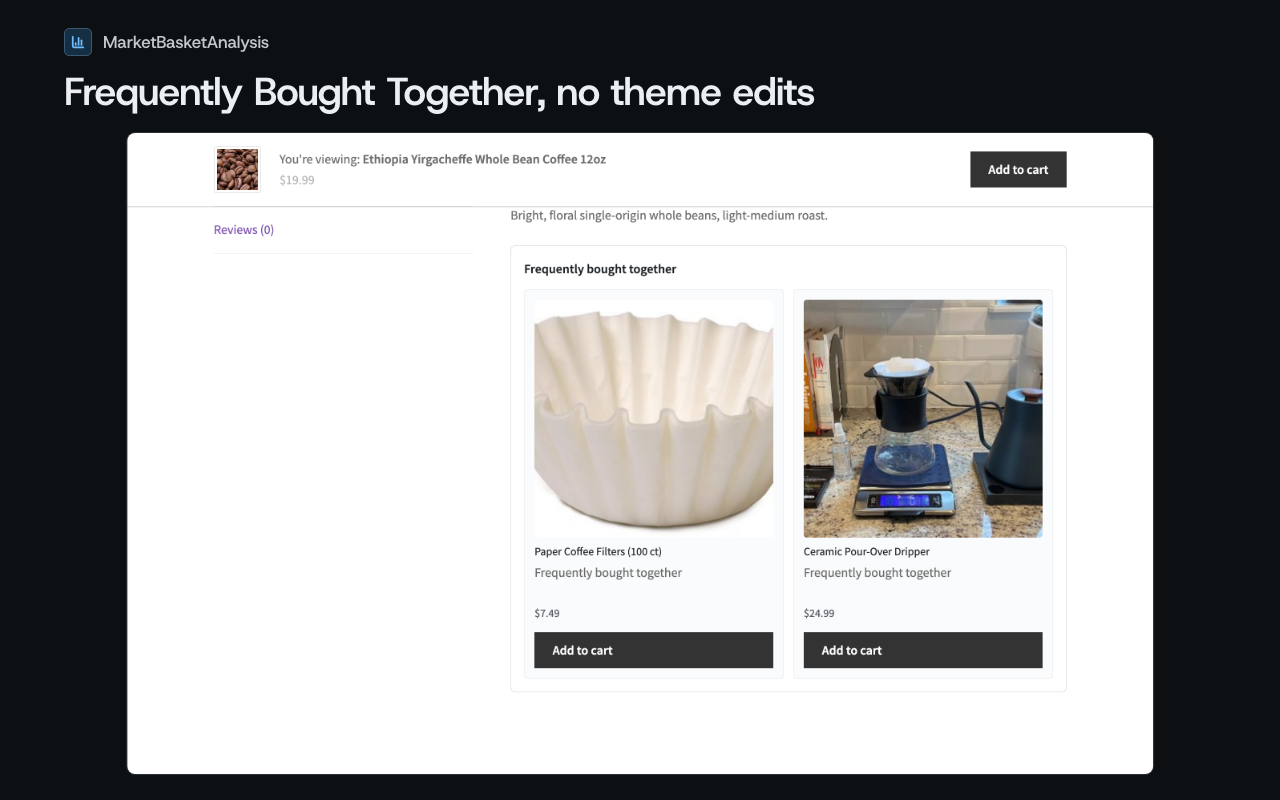
- Frequently bought together widget, with one button that adds every shown item to the cart. Place it with the
[mbawoo_fbt]shortcode, the Gutenberg block, or the theme template tag. Recommendations are precomputed, so the widget adds no work at page load. - Bundles. Turn an opportunity into a bundle in one click. The plugin creates the bundle discount for you and applies it at the cart the moment a shopper has every item in the bundle, with no code to type.
- Bundle builder widget, on the product page. Shortcode
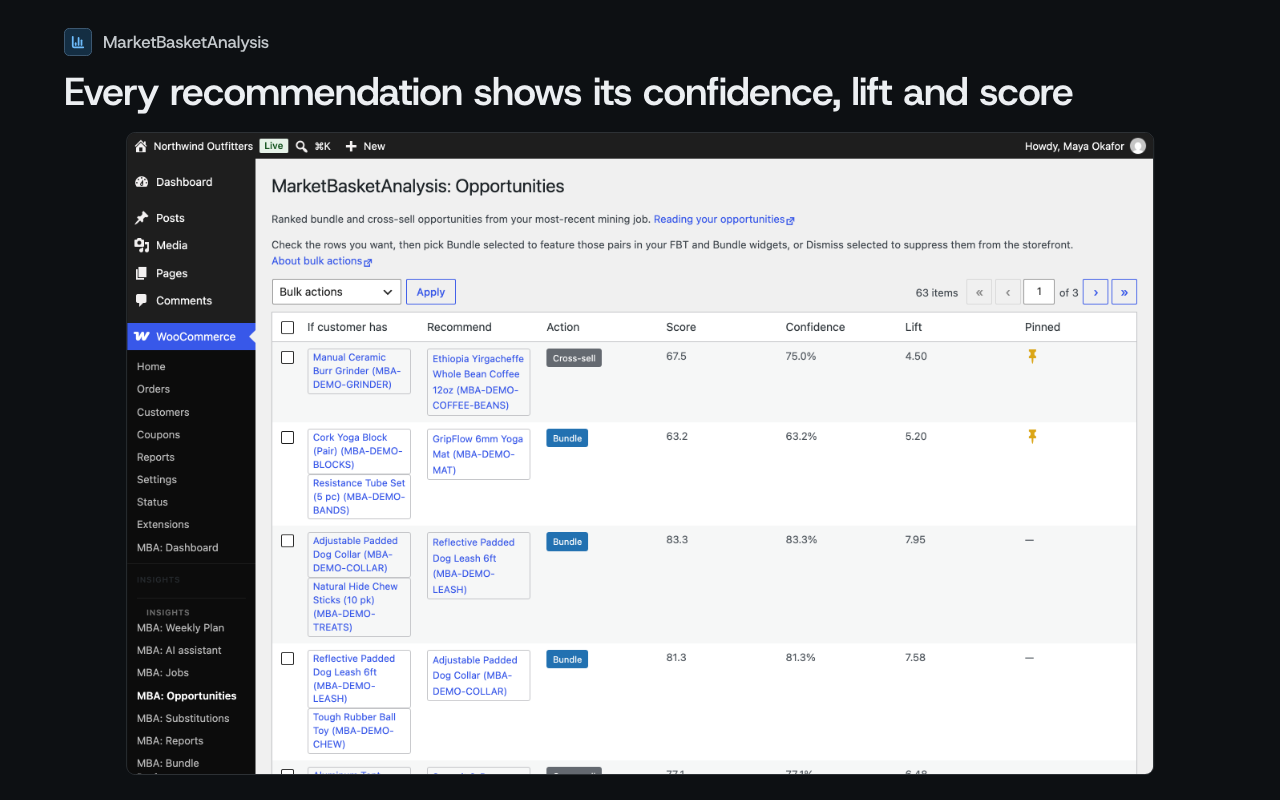
[mbawoo_bundle_builder]or the MBA Bundle Builder Gutenberg block. The shopper picks from the products bought together with the one they are viewing, sees a running subtotal, and adds the set with a single Add to Cart. - Opportunities, one ranked list. Each row shows how many times the products were bought together and the profit figure, with three actions: Show on product page, Create bundle, Hide.
- Results. Attributed profit and revenue, per bundle and per widget, counted over a 14-day attribution window, with CSV export.
- Weekly summary email, optional and off by default: profit earned and your top 3 opportunities, sent through your site’s own mailer.
- Five screens: Home, Opportunities, Bundles, Results, Settings.
- Runs on your server. The analysis happens inside your WordPress install, on a schedule you choose or on demand, and individual orders and customer records never leave your server. Works with both High-Performance Order Storage (HPOS) and classic order tables. WP-CLI commands are included:
wp mbawoo run-jobandwp mbawoo purge-old-jobs.
MBA Plus
Everything in this plugin works with no license and no account, and nothing in it is withheld or limited. The profit figure shows on every opportunity, for everyone.
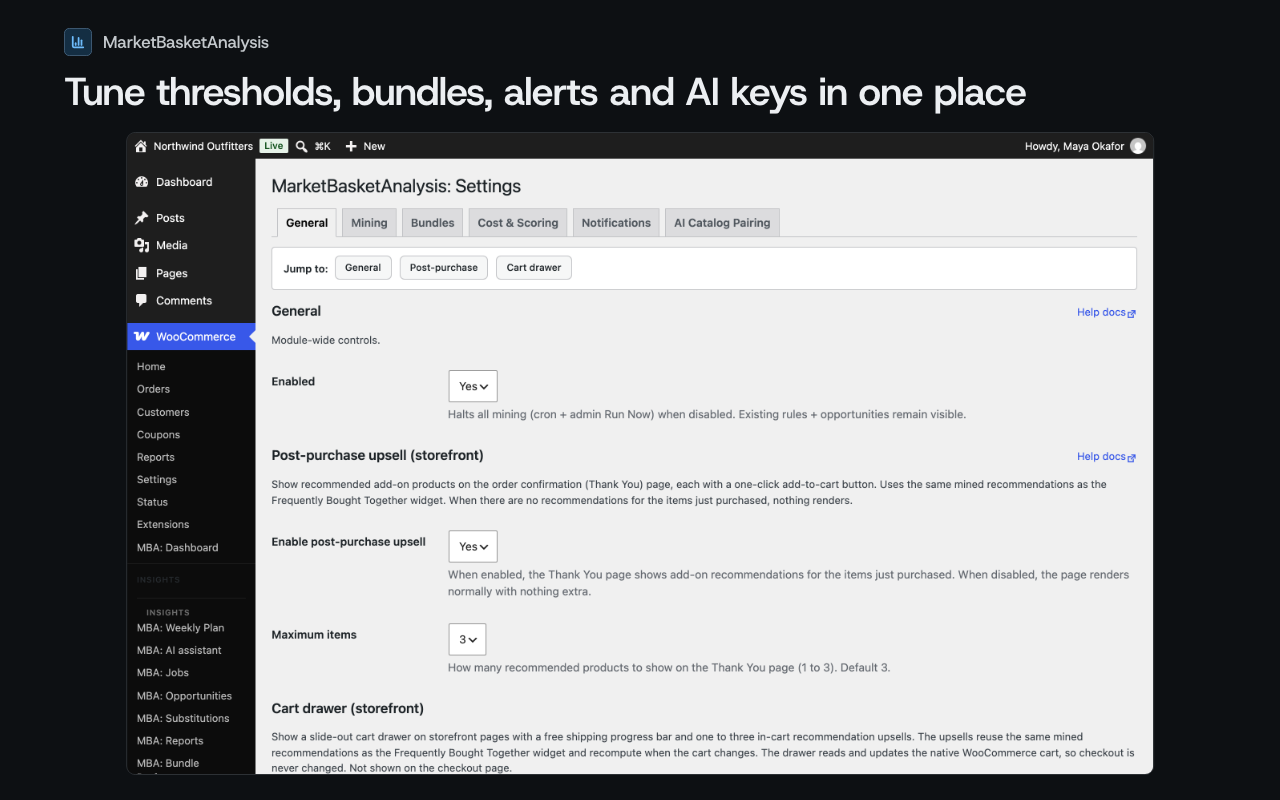
MBA Plus is a paid service that runs on our servers. There is nothing else to install: after you buy Plus you receive a license key by email, and you paste it into WooCommerce, MBA: Settings, General tab, Connect MBA Plus, field License key. This plugin then connects to the hosted services. Today that is MBA’s AI: AI suggestions for products with no order history yet, a sense check of your top pairs, and bundle copy, with no AI key to set up (a separate checkbox on the AI tab, off by default). A license key connects hosted services only; it does not switch on or off anything that runs on your own server. There are two plans, Free and Plus. Plus comes in three steps with the same features, set by your average monthly orders: Plus 500 ($29 a month or $278 a year, up to 500 orders a month), Plus 2,000 ($59 a month or $566 a year, up to 2,000 orders a month), and Plus Unlimited ($99 a month or $948 a year). Each step has a 30-day free trial. The Get Plus button in Settings opens the install page in a new tab.
On any plan, the optional AI features can also use your own Anthropic or OpenAI API key, and the provider bills you directly; your own key always takes priority over MBA’s AI. Nothing in the plugin needs an AI key.
How it’s different
Plenty of plugins show “Frequently bought together” or build bundles from order history. Among the recommendation and bundle plugins we have checked, none ranks its suggestions by profit, and none reports the profit those suggestions earned. MarketBasketAnalysis does both, with the cost data you already keep in WooCommerce.
Compatibility
- WordPress 6.4+ (tested up to 7.1)
- WooCommerce 8.0+ (tested up to 9.4)
- PHP 8.1+ (8.2 recommended)
- Both classic and High-Performance Order Storage (HPOS) order tables
- Multisite-compatible (per-site activation, per-site settings)
External services
This plugin works without any external service. By default, no data leaves your WordPress install: nothing below runs until you enter an MBA Plus license key, add an AI provider key, set an error-reporting DSN, or enter a webhook URL. Mining, recommendations, and the storefront widgets always run on your own server.
Every request below goes from your server straight to the service named, with credentials you supply. WordPress adds its standard user agent header to these requests, which includes your site address.
MBA Plus (license check)
MBA Plus is MarketBasketAnalysis’s own paid hosted service. The plugin contacts it only after you enter a license key under Settings, General, Connect MBA Plus. With the field empty, no request is made.
- Where: https://app.marketbasketanalysis.com/api/v1/license/validate
- What is sent: the license key, your site address, the plugin name, and the plugin version.
- When it is sent: when you save a key, and then about twice a day while a key is saved (the answer is cached for 12 hours), when an admin screen or a hosted service needs the license status. Removing the key stops it.
The Get Plus button only opens https://www.marketbasketanalysis.com/install in a new tab; the plugin sends nothing to it.
This service is provided by MarketBasketAnalysis, the makers of this plugin: Terms of Service, Privacy Policy.
MBA’s AI (managed AI, with MBA Plus)
MBA’s AI runs the AI features on MarketBasketAnalysis’s servers, so no AI key is needed. It is off by default: it runs only when MBA Plus is connected AND you tick “Use MBA’s AI for suggestions (sends product names, categories and prices to MBA’s servers)” on the AI tab of Settings, AND no AI key of your own is saved (your own key always takes priority). Every request carries your license key and your site address.
- Where: https://app.marketbasketanalysis.com/api/v1/ai/pairings, /api/v1/ai/sense-check, /api/v1/ai/bundle-copy and /api/v1/ai/usage.
- Pairing suggestions: after each completed analysis, your published products (up to 5,000 per request), each as product ID, name, first category, price, and cost when one is set, plus the IDs of the products with no order history yet. A product the service already answered for is not asked about again for 30 days, and nothing is sent when every product has order history or a suggestion.
- Sense check: after each completed analysis, up to 100 of your top pairs, each as the two product names and first categories and how many orders held both.
- Bundle copy: the names of the products in a bundle, when you ask for AI bundle copy.
- Usage: when you open the AI tab with MBA’s AI on, a request for this month’s usage (cached for ten minutes). Nothing but the license key and site address is sent.
Never sent: customer names, email addresses, postal addresses, phone numbers, IP addresses, or individual orders. The service passes the catalog text to an AI provider to produce the answer.
This service is provided by MarketBasketAnalysis, the makers of this plugin: Terms of Service, Privacy Policy.
AI features: what they send and when
The AI features (the ai_catalog engine, the sense check, bundle copy, the weekly plan, and shopper-facing rationales) send prompts to Anthropic or OpenAI, whichever you pick under Settings, AI, Advanced: Use your own AI key instead, using your own API key. With no key saved, every AI feature is inert and no request is made.
What is sent, per feature:
- ai_catalog engine: up to 500 published products, each as product ID, SKU, name, first category, and price. Order history is not sent.
- Sense check: up to 100 of your top pairs from the latest analysis, each as the two product names and first categories and how many orders held both.
- Bundle copy: the titles (or SKUs) of up to eight products in the bundle.
- Shopper-facing rationales: two product titles and the first category of each, the pair’s co-purchase statistics (how many baskets contain both, confidence, support, lift), and the reply language.
- Weekly plan: your store’s hostname, the week date, up to 10 top opportunities (product SKUs, action, score, estimated profit), up to 5 approved bundles (SKU, status, lift, confidence), the number of mining jobs, up to 3 highest-margin products (SKU and title), and up to 5 substitution pairs (SKUs and score). Only when a B2B plugin (B2BKing, WooCommerce B2B, or Wholesale Suite) is active, it also sends up to 5 customer-group totals: the group ID or wholesale role, the number of customers in the group, total spend, and the top product IDs with units sold.
Never sent: customer names, email addresses, postal addresses, phone numbers, IP addresses, or individual orders. Order history reaches the provider only as the aggregate counts and scores listed above.
When it is sent:
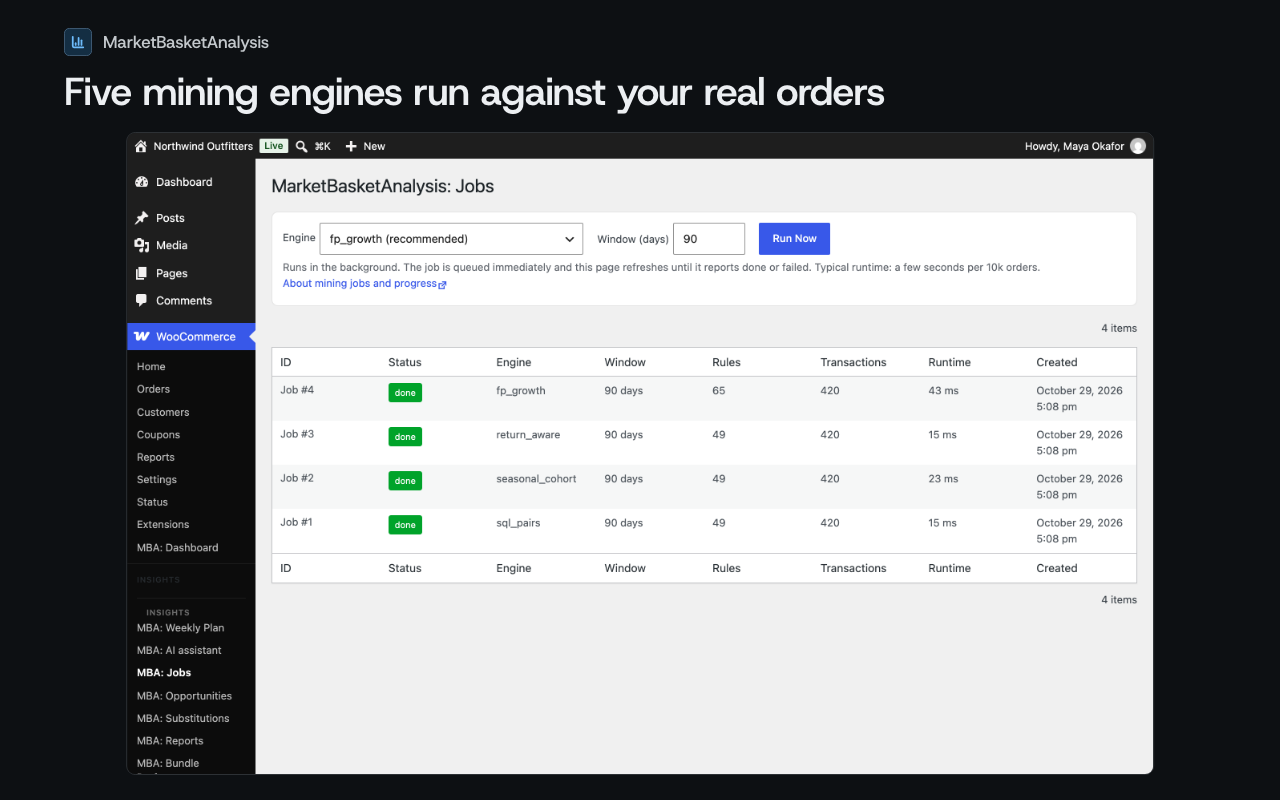
- ai_catalog engine: when a mining job runs with the ai_catalog engine, which happens only when you pick that engine on the Jobs page or in setup, or make it the default engine with Auto-run mining turned on (off by default).
- Sense check: once after each completed analysis, while your own key is saved.
- Bundle copy: when you click Draft AI copy on the Bundle proposals page.
- Weekly plan: once a week, only if you turn on the weekly plan email (off by default).
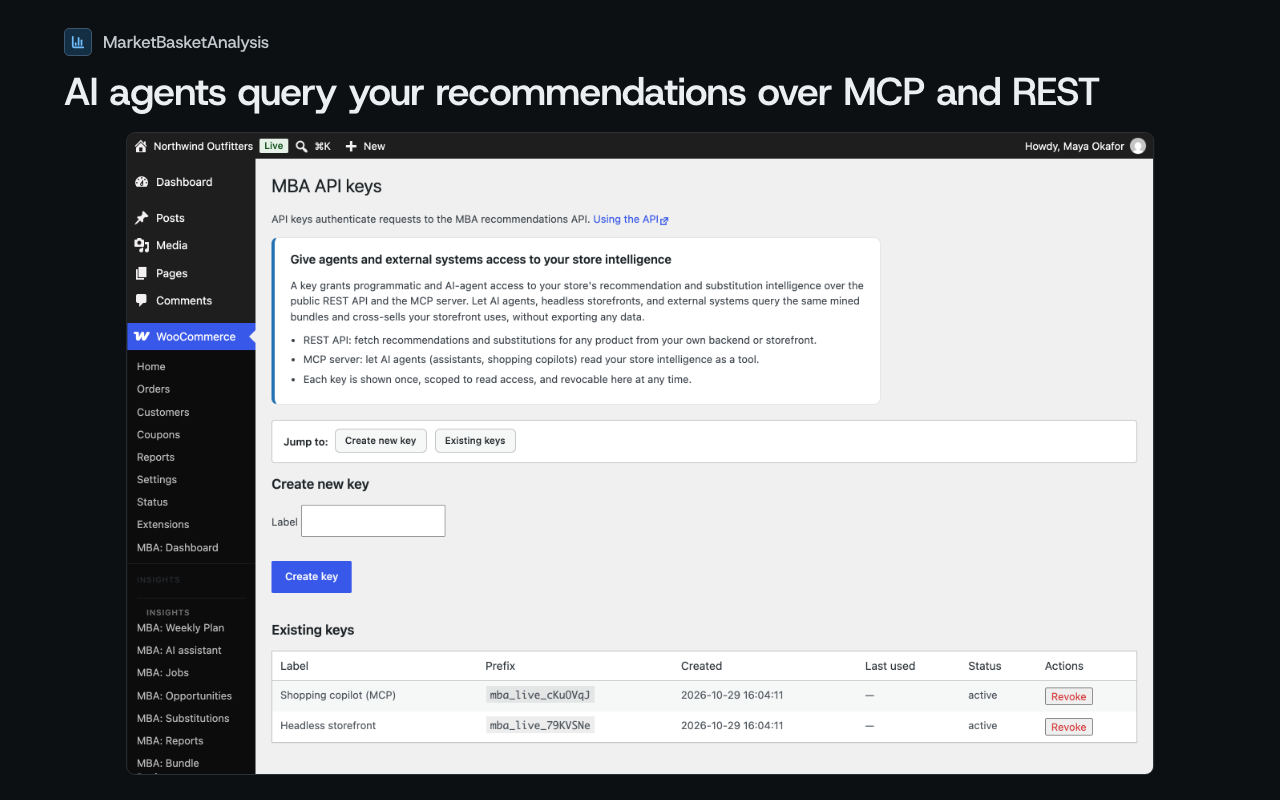
- Shopper-facing rationales: when an app using one of your plugin API keys requests a rationale for a product pair that has no cached rationale. Rationales stay cached for 30 days. The storefront widget only reads cached rationales and never calls the provider itself.
Anthropic API
Anthropic’s Claude API is a large language model service. The plugin uses it for the AI features above when Anthropic is your provider (the default). Requests go to https://api.anthropic.com/v1/messages with the API key you enter under Settings, AI, and Anthropic bills you directly. The data and triggers are the ones listed under “AI features: what they send and when”.
This service is provided by Anthropic, PBC: Commercial Terms of Service, Privacy Policy.
OpenAI API
The OpenAI API is a large language model service. The plugin uses it for the AI features above when you choose OpenAI as your provider under Settings, AI. Requests go to https://api.openai.com/v1/chat/completions with the API key you enter, and OpenAI bills you directly. The data and triggers are the ones listed under “AI features: what they send and when”.
This service is provided by OpenAI: Business Terms, Privacy Policy.
Sentry (optional error reporting)
Sentry is an error-monitoring service. The plugin reports errors to it only if you set a Sentry DSN, either with the MBAWOO_SENTRY_DSN or MBAWOO_REPORTS_SENTRY_DSN constant in wp-config.php or by saving a DSN to the mbawoo_sentry_dsn option. There is no settings screen for it, and with no DSN set the plugin makes no Sentry request. Reports go to the host in your DSN (for Sentry’s hosted service, an ingest.sentry.io address).
- What is sent: the error type and message, the stack trace (file paths, line numbers, function names), your server’s hostname, the plugin and WordPress versions, and a tag naming the plugin task that failed. No order data, customer data, or product data is added.
- When it is sent: when a plugin cron job or REST handler catches an error, and when an uncaught exception or fatal PHP error ends a request. PHP reports uncaught errors site-wide, so an error from other code on the site can be reported too.
This service is provided by Functional Software, Inc. (Sentry): Terms of Service, Privacy Policy.
Job notification webhook (a URL you choose)
If you enter a URL in Settings, Notifications, Job completion webhook URL, the plugin sends a JSON POST to that URL after every mining job completes or fails. You choose the destination, so its terms and privacy practices are those of whoever runs that URL.
- What is sent: the event name (job completed or job failed), the job ID, your site URL, a result summary (job status, number of rules found, number of orders analyzed, run time, and the error message when the job failed), and a timestamp. If you set a webhook signing secret, the request carries an HMAC-SHA256 signature header.
- When it is sent: after each mining job, only while a webhook URL is saved. Leave the field blank to turn it off.
Switched off in this release
The plugin files also contain code for features that are switched off in this release. They have no screen, no scheduled task, and no setting, and they make no requests. They are listed here because the code names an outside service.
- Notion page sync. The code names the Notion API (https://api.notion.com/v1). Switched off: no request is made to Notion. Notion is provided by Notion Labs, Inc.: Terms and Privacy, Privacy Policy.
- Catalog enrichment, the AI chat, and the autonomous agent. Their code calls the same Anthropic and OpenAI addresses listed above. Switched off: they make no requests, with or without an API key.
- Feature request form. Its code sends an email to the MarketBasketAnalysis team through your site’s own mailer (wp_mail). Switched off: the form has no screen and no email is sent.
Emails from your own site
Setup tips, the weekly plan email, and job alert emails go through WordPress’s own wp_mail function and whatever mail service your site already uses. The plugin adds no mail provider of its own. Setup tips are off by default and turn on with a checkbox in the setup hub or in Settings, Notifications. The weekly plan email is off by default, and job alert emails go out only when you enter an alert address in Settings, Notifications.
Installation
- In wp-admin, go to Plugins, Add New, search for “MarketBasketAnalysis”, and click Install. Or upload the plugin folder to
/wp-content/plugins/. - Activate the plugin through the Plugins menu in WordPress.
- Make sure WooCommerce is installed and active.
- Navigate to WooCommerce, MBA: Dashboard to run your first mining job.
- (Optional) Add the FBT widget to a product page via the Gutenberg block or the
[mbawoo_fbt]shortcode. - (Optional) MBA Plus, the hosted service: paste the license key from your Plus email into WooCommerce, MBA: Settings, General tab, Connect MBA Plus, License key, and save. To buy Plus, click Get Plus there or use the install page.
For a detailed quick-start, see the installation guide.
FAQ
Does this work with a fresh store with no orders yet?
The data-driven engines (sql_pairs, fp_growth) require order history. Around 200 completed orders in the analysis window is the sensible floor below which patterns are too sparse to mine. For brand-new stores with no order history, the free ai_catalog engine produces recommendations from catalog metadata alone, using your own Anthropic or OpenAI API key (the provider bills you directly).
Will mining slow down my site?
No. Jobs run in the background via WP-Cron or are kicked off manually from the admin. The storefront widget hits precomputed rules from a fast database table; lookups are sub-millisecond and never a real-time computation at page load.
Does this support High-Performance Order Storage (HPOS)?
Yes. The miner checks the site’s HPOS setting and queries the right tables automatically. No configuration needed.
Where does my data go?
Mining runs locally. The data-driven mining engines make no outbound API calls, and individual orders and customer records never leave your server.
With your own key, AI features call your own Anthropic or OpenAI account directly, and we never see the catalog payload or the LLM response. With MBA Plus connected and “Use MBA’s AI for suggestions” ticked, they go to MBA’s servers instead. Either way they send product catalog data and aggregate statistics (for example, how many orders contain a product pair), never customer names, email addresses, or individual orders. The External services section below lists exactly what each optional service receives and when. With your own key, you set a monthly token budget under Settings, AI, so a busy month cannot surprise you; 0 means no limit.
How does the FBT widget choose recommendations?
For a given product, the widget looks up the top-scored opportunities where that product appears in the antecedent (the “if” side of an association rule). Ties are broken by lift, then confidence.
Can I customize the widget styling?
Yes. Every block exposes its CSS classes (.mbawoo-fbt, .mbawoo-fbt__item, etc.). Override in your theme’s stylesheet or use the Gutenberg block’s color/layout controls.
How is AI billed?
With your own Anthropic or OpenAI API key, the provider bills you directly and nothing is metered by us; you can cap the monthly token spend under Settings, AI. MBA’s AI is included with MBA Plus, up to a monthly allowance set by your Plus step, and shows how much of it you have used on the AI tab.
Is the source code available?
Yes, this plugin is GPLv2+ licensed and you can read and modify any of its code.
Where do I get support?
Post in the WordPress.org support forum for this plugin. The team reads it and answers there, so other merchants benefit from the thread. For anything that includes private store details, use marketbasketanalysis.com/contact instead.
Screenshots

Changelog
0.18.0
- Changed: Opportunities shows each pairing once, says which product to recommend, and keeps one notice above the list. Product codes moved into Details.
- Changed: when no product has a cost, the list shows how strongly products sell together in plain words instead of repeating “no cost” on every row.
- Changed: pairings bought together fewer than 3 times are marked Low evidence and listed last, without a profit figure.
- Changed: profit per month is the same estimate on every platform: the extra units the pairing sells beyond what sells anyway, times price less cost.
- Changed: setup takes three clicks from activation to the widget on product pages, with no theme editing.
- Added: post-purchase offers on the order received page, off by default. Turn them on under Settings.
- Added: Connect MBA Plus. Paste a license key under WooCommerce > MBA: Settings, General tab, to connect the hosted services. Local features stay available to everyone.
- Added: AI suggestions for products without sales history are shown in their own group, with a reason, and are not shown to shoppers until you set one live. Uses your own AI key, or MBA’s AI on Plus when you opt in.
- Security: your own AI keys are encrypted in the database.
0.17.0
- Changed: activating the plugin creates its tables and settings and does nothing else. It sends no email, starts no analysis, and contacts no server.
- Changed: setup tips emails are off by default. Turn them on with the checkbox in the setup hub or under Settings, Notifications, and turn them off the same way or with the link in any of the emails.
- Changed: the first analysis starts when you first open the setup hub.
- Changed: every global name uses the mbawoo prefix, and PHP classes use the MarketBasketAnalysis\WooCommerce namespace. The shortcodes are [mbawoo_fbt] and [mbawoo_bundle_builder], and the WP-CLI command is wp mbawoo.
- Changed: the External services section lists every service the plugin contacts, what it sends, when, and links to each provider’s terms and privacy policy.
- Removed: the Slack, Linear, HubSpot, and Salesforce connectors, which connected but sent nothing. Notion remains.
- Security: storefront impression tracking is tied to the shopper’s own session cookie, so a copied nonce cannot record impressions for another session.
- Security: every REST route checks access in its permission callback: feed tokens, the unsubscribe token, OAuth state, webhook signatures, and manage_woocommerce for the health check.
- Security: all admin output is escaped at the point it is printed.
0.16.1
- Fixed: the direct-file-access guard now sits in the first lines of every file, where Plugin Check reads it.
- Removed: the Domain Path header, which pointed at a languages folder this plugin does not ship.
0.16.0
- Changed: plugin renamed to MarketBasketAnalysis for WooCommerce.
- Changed: every admin style and script now loads through the WordPress enqueue API; the plugin prints no inline style or script tags.
- Changed: the AI monthly token budgets (assistant chat, storefront rationales) are now yours to set under Settings, AI. They are spending guards on your own AI provider bill, and 0 means no monthly limit.
- Changed: the free AI clients moved out of the Pro namespace (MarketBasketAnalysis\WooCommerce\Ai); no behavior change.
- Security: every read of cookie, header, and request data is sanitized and unslashed at the point of use, and the public REST routes document why each one is public.
- Removed: the storefront “Powered by” credit link.
0.15.1
- Fixed: the Opportunities grid and its count now read only the most recent completed mining job, as the page states. Previously every historical run’s rows aggregated, so re-mining showed each surviving pair once per run.
- Changed: admin page titles use the MarketBasketAnalysis brand name consistently.
0.15.0
- Changed: every feature in this plugin works with no license and no account: job notifications, cost-aware scoring, scoring modes, the full diagnostics event log, catalog-enrichment scans, and the autonomous agent are all included.
- Changed: the seasonal_cohort and return_aware engines are now selectable from the Jobs quick-run form, matching the Settings default-engine picker.
0.14.0
- New: a Catalog Hygiene page flags dead SKUs, duplicate listings, missing reorder thresholds, and mis-categorized products, each with a one-click fix.
- New: a Returns Insights page ranks products by return rate and suggests an action for the worst offenders.
- New: a Drift Alerts page surfaces divergence between mining runs.
0.13.0
- New: enabling a bundle proposal now creates its discount for you. The plugin auto-generates a WooCommerce coupon from the bundle’s discount (percent or fixed), restricted to the bundle’s products, so you no longer hand-make a coupon after you approve a bundle.
- New: the bundle discount auto-applies at the cart. The moment a shopper has every item in the bundle in their cart, the price drops on its own with no code to type; drop one item and it lifts again.
- New: a Disable bundle action on the Bundle Proposals page un-enables a live bundle and removes its discount coupon.
0.12.0
- Improved: the guided setup is now a single resumable hub. Each step opens in place with its own focused content, and you can jump to any step or come back later right where you left off.
- New: bundle proposals carry an editable description alongside the name. Draft AI copy, edit both, and save them together.
0.11.0
- New: the catalog enrichment workspace is now a full review queue. A catalog scan ranks your thinnest listings by quality score and generates suggestions for the worst ones first (description, alt text, category tags, SEO meta).
- New: edit any proposal in place before you apply it, apply suggestions one at a time, or tick several and write them all back in one click with Apply selected.
- New: a per-product Generate marketing blurb action writes a short agent and bundle-context line to a product custom field.
- New: an optional daily catalog scan on WP-Cron, off by default, using your own AI provider key.
Older entries are at marketbasketanalysis.com/changelog.