


Description
BIG UPDATE
[new] Since 3.0.0, each of the visitors can set his own theme that won’t effect others’! We mean, there will be different themes for different visitors at the same time!
MDC Theme Switcher allows to choose and preview from available themes of a WordPress from front-end. Different themes for different visitors simultaneously!
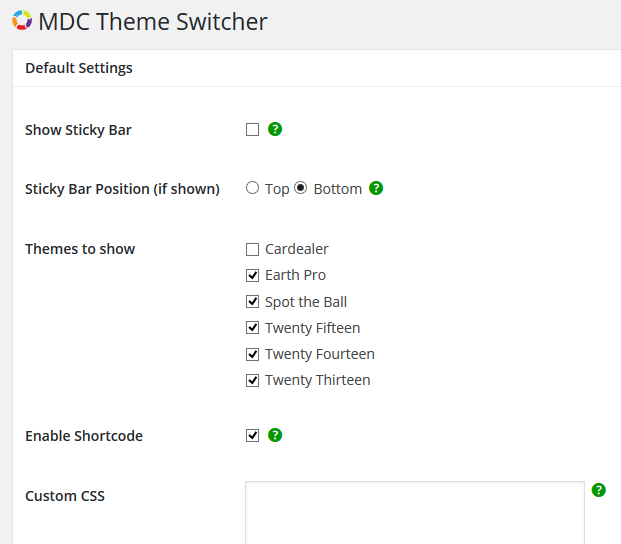
Upon activation, it adds a sricky bar to front-end with a dropdown list of availabe themes. Admin can select which of the installed themes should be available in this list.
It also enables a shortcode [mdc_theme_swicher], that can be added anywhere of the WordPress. In a post, page or widget. Even in template files!
Video
Installation
- Upload the
mdc-theme-switcherfolder and its contents to yourwp-contents/pluginsdirectory. - Activate in the
Pluginsmenu. - Configure from WordPress admin area.
- Add Sticky Bar and/or shortcode
[mdc_theme_swicher]in your post, page, widget on in a template file; if you wish!
Screenshots


Changelog
2.0.0
- [fix] Bug Fixed
2.0.1
- [fix] Bug Fixed
v3.0.0 (25 March, 2016)
- [new] Different themes for different visitors.
- [new] Sticky Bar toggle
- [fix] Bug Fixed
- [improve] Option page
v3.1.0 (11 April, 2016)
- [fix] Fixed “admin cannot change theme, it reverts back to user selected theme” issue.
- [fix] Exclude admin area from cookie.