


Description
Media Export & Clean helps WordPress administrators export, audit and clean their media libraries. It is built for large sites: work is done in small batches, lists are paginated and database queries are memory-friendly.
Everything runs on your own server. The plugin makes no external requests, uses no third-party services and collects no data.
Features
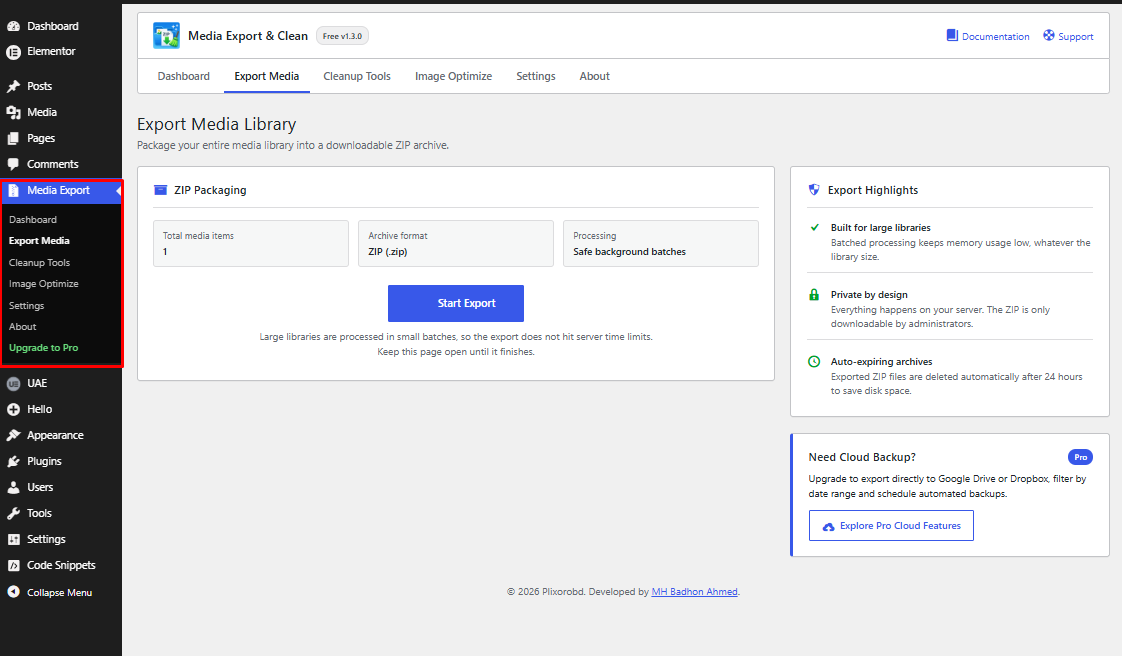
- ZIP export – Pack your Media Library into a ZIP archive using a batched process that avoids server time limits. Archives are stored in a protected folder, can only be downloaded by administrators and are deleted automatically after 24 hours.
- Orphaned file detection – Scan your
uploadsfolder, folder by folder, for files that are not registered in the Media Library. Registered files, all generated image sizes, “-scaled” originals, WordPress 6.5+ alternate formats and the originals kept by the WordPress image editor are protected. - Safe cleanup – Review a paginated list, select exactly what to remove and delete in batches with progress feedback. Every deletion is re-checked against the database and restricted to the uploads folder.
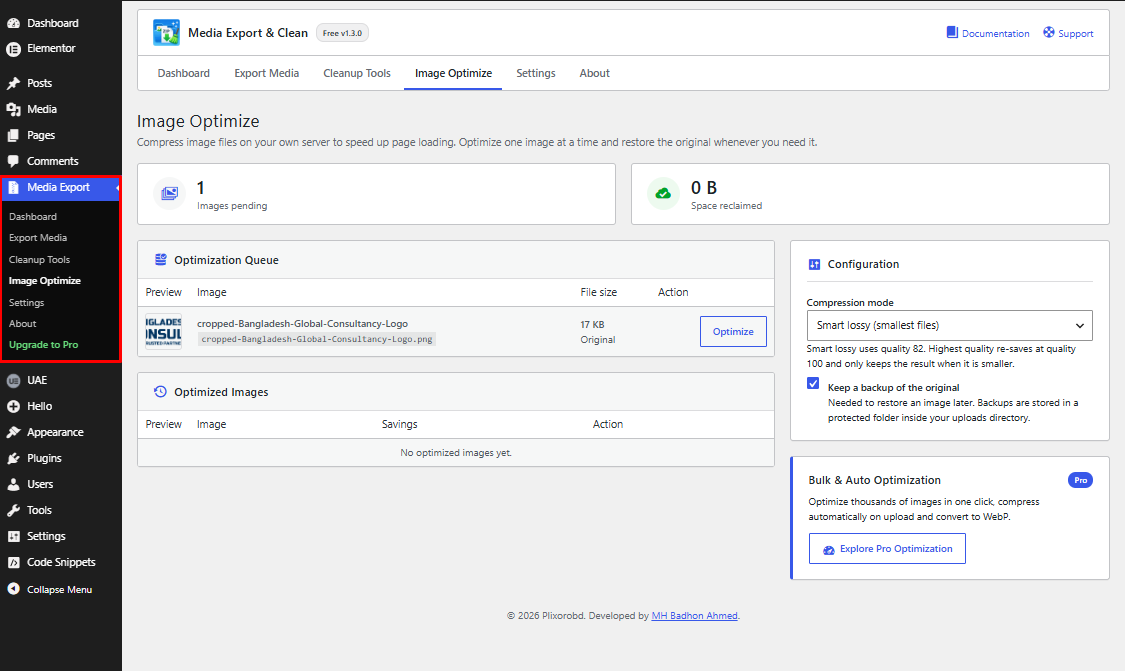
- Image optimizer – Recompress JPEG, PNG and WebP images (and their generated sizes) with the image library already on your server. A file is only replaced when the result is smaller. Optional backups let you restore the original with one click.
- Dashboard & activity log – See library statistics, space reclaimed, recent actions and a quick system check (ZipArchive, image library, uploads permissions).
- WordPress-native interface – Clean, accessible, responsive screens that follow your admin colour scheme.
Privacy
The plugin does not send any data anywhere and does not use cookies or tracking. Export archives and image backups are stored inside your own wp-content/uploads folder.
Pro Version
The Pro edition adds cloud export (Google Drive and Dropbox), duplicate detection, scheduled cleanups, bulk and automatic image optimization, WebP conversion and priority support.
More information: https://plixorobd.com/product/media-export-clean-pro-plugin-official/
Installation
- Upload the
media-export-cleanfolder to the/wp-content/plugins/directory, or install the plugin from the Plugins > Add New screen. - Activate the plugin through the Plugins menu in WordPress.
- Open the Media Export menu in your dashboard.
FAQ
Is this plugin safe for very large sites?
Yes. Exports, scans and deletions run in small batches, and database queries are chunked so memory use stays low even with tens of thousands of media files.
Does it send my files or data anywhere?
No. All operations are local to your server.
Can I get my files back after deleting orphaned files?
No. Deleted files are removed permanently. Always take a backup (you can use the Export tool) and review the list before deleting.
Who can download an export?
Only logged-in administrators. The ZIP is stored in a protected folder and streamed through a nonce-protected request. If your server ignores .htaccess files (for example Nginx), keep the default random file names and let the 24-hour automatic clean-up remove archives.
The export says ZipArchive is missing.
The PHP zip extension is required for exports. Ask your hosting provider to enable it.
Where are image backups stored?
In a protected _mediexcl_backups folder next to each optimized image. They are kept when you delete the plugin unless you enable “Delete image backups when the plugin is deleted” in Settings.
Does the optimizer change my image dimensions?
No. It recompresses the files at the same dimensions. Metadata such as EXIF data may be stripped by the image library.
Screenshots



Changelog
1.3.0
- SECURITY: Export ZIP files are now streamed through a nonce- and capability-protected download instead of a public URL, and the export folder is protected with index and server-config files.
- SECURITY: Folder and file paths used by the scanner and deleter are strictly validated (no traversal, no symlink escapes) and no longer mangled by text sanitization.
- SECURITY: Export sessions are bound to the user who started them; request values are unslashed and validated everywhere.
- FIX: The “Keep a backup” option was ignored (a backup was always created). It is now respected.
- FIX: Files kept by the WordPress image editor (“restore original”) and WordPress 6.5+ alternate image formats are now recognised as registered, so they are no longer offered for deletion.
- FIX: Third-party folder safe-list matching no longer depends on the server path of your site.
- FIX: Optimizer temp files keep the correct extension and format, file-size caching no longer distorts the savings figures, and WordPress file-size metadata is updated.
- FIX: Database paging now uses stable keyset pagination, so no media rows are skipped on large libraries.
- FIX: Free and Pro editions can no longer conflict regardless of load order.
- FIX: The daily clean-up event is re-created automatically after updates, and abandoned export sessions are removed.
- IMPROVEMENT: Exports batch by time and size, store already-compressed files without recompression and report the final archive size.
- IMPROVEMENT: Uninstall now also removes per-image markers, supports multisite and keeps image backups unless you opt in to deleting them.
- IMPROVEMENT: New “Delete image backups when the plugin is deleted” setting; Reset now also clears leftover exports.
- IMPROVEMENT: Activity log messages are translatable and the dashboard shows optimization and restore events.
- UI/UX: Completely refreshed WordPress-native interface with navigation tabs, stat cards, system checks, accessible controls, inline notices instead of alert boxes and a responsive layout.
- UI/UX: All inline styles and hard-coded English strings were removed from templates and scripts.
- PERFORMANCE: The 188 KB logo was reduced to 6 KB.
- COMPATIBILITY: Tested with WordPress 7.1 and PHP 7.4 – 8.3.
1.2.6
- SECURITY: Enforced strict
manage_optionsadministrative capability across all deletion endpoints and hardened directory boundary verification. - CRON: Fixed lifecycle hook initialization ensuring automated 24-hour export ZIP deletion reliably executes via WP-Cron.
- DATA INTEGRITY: Eliminated arbitrary database limits in orphaned file detection to safeguard media thumbnails from false-positive identification.
- FALSE-POSITIVE PROTECTION: Added smart-detection filters to automatically protect WooCommerce downloads, form submissions, and dynamic WebP/AVIF file variants.
- IMAGE ENGINE: Fixed multi-size savings calculation math, corrected negative saving values, and added protection against recompression file bloat.
- RESTORE SYSTEM: Enhanced image backup and restore logic to support intermediate thumbnail sizes.
- SETTINGS: Fixed UI disconnect between settings controls and background handlers, resolving activity log toggling and data resets.
- PERFORMANCE: Confined uploads root scanning to non-recursive inspection, eliminating duplicate scan overhead and timeout risks on large libraries.
- COMPATIBILITY: Added conflict-prevention guards and coexistence handling between Free and Pro installations.
- COMPATIBILITY: Tested and verified compatibility up to WordPress 7.1.
1.2.5
- PERFORMANCE: Implemented a professional pagination system for the Orphaned Files table, ensuring smooth handling of 10,000+ files.
- UI/UX: Added “Select All Globally” feature (Gmail-style) to easily manage large datasets.
- MEMORY: Optimized backend database queries with chunked processing (5000 records per batch) to prevent memory exhaustion on giant sites.
- SECURITY: Hardened file deletion logic with robust path verification and re-validation against the Media Library.
- RELIABILITY: Implemented batched AJAX deletion with real-time percentage-based progress indicators.
1.2.4
- SECURITY: Hardened AJAX output handling by transitioning from .html() to safe DOM text manipulation (DOM-XSS prevention).
- PERFORMANCE: Significantly reduced memory footprint during orphaned media scans via folder-scoped database indexing.
- DATA INTEGRITY: Hardened the uninstallation process to recursively purge image optimization backups and temporary export files.
- COMPATIBILITY: Verified support for WordPress 7.0 core structures.
- UI/UX: Refined administrative layout styles for improved visual consistency and accessibility.
1.2.3
- Added automatic ZIP cleanup with a 24-hour secure deletion policy.
- Refactored media export logic to use batched processing for improved stability on large websites.
- Enhanced orphaned media scanning with AJAX-based batch processing to prevent server timeouts.
- Added “Restore from Backup” functionality to the image optimization engine.
- Fixed a bug where the “Space Reclaimed” counter would reset incorrectly in the dashboard.
- Hardened security with robust path validation and sanitized filesystem operations.
- Migrated administrative inline styles to external CSS for better performance and maintainability.
1.2.2
- Improved security by implementing “late escaping” for all echoed variables and outputs (XSS Protection).
- Fixed unescaped
date('Y')in the footer component. - Fixed unescaped
number_formatandsize_formatin the image optimization dashboard. - Standardized error messaging for better security compliance.
1.2.1
- Updated ‘Tested up to’ header to 6.9 for WordPress.org compliance.
- Migrated all plugin identifiers to the mandatory
mediexcl_prefix for full WordPress.org compliance. - Extracted all remaining inline JavaScript from administrative views into enqueued external files.
- Enhanced security for file deletions in the cleanup module with better path validation.
- Updated asset enqueuing logic to load scripts only on specific plugin screens.
1.2.0
- Refactored codebase to ensure 100% compliance with WordPress.org “Trialware and Locked Features” guidelines.
- Removed all implementing code for functions marketed as Pro-only upgrades (Duplicate Detection, Scheduled Cleanup, Cloud Export, etc.).
- Preserved core export batching as a standard free feature.
- Harmonized marketing copy and UI to reflect actual free version capabilities.
1.1.4
- Refactored plugin interface to align with WordPress.org plugin directory guidelines.
- Removed restricted feature placeholders and simplified UI components.
- Added a dedicated informational upgrade page.
- Fixed compatibility issue on the image optimization screen.
1.1.3
- Improved dashboard layout and stability.
- Adjusted export page layout for better usability.
- Fixed UI nesting issues in some admin themes.
1.1.2
- Fixed export batching issues.
- Improved session handling for export operations.
1.1.0
- Refactored plugin architecture for repository compatibility.
- Removed license activation and remote API communication logic.
- Improved security checks and sanitization.
1.0.0
- Initial release.