


Description
Media List Journalist Search connects your WordPress admin to your Media List account. Find the right people to pitch without leaving WordPress.
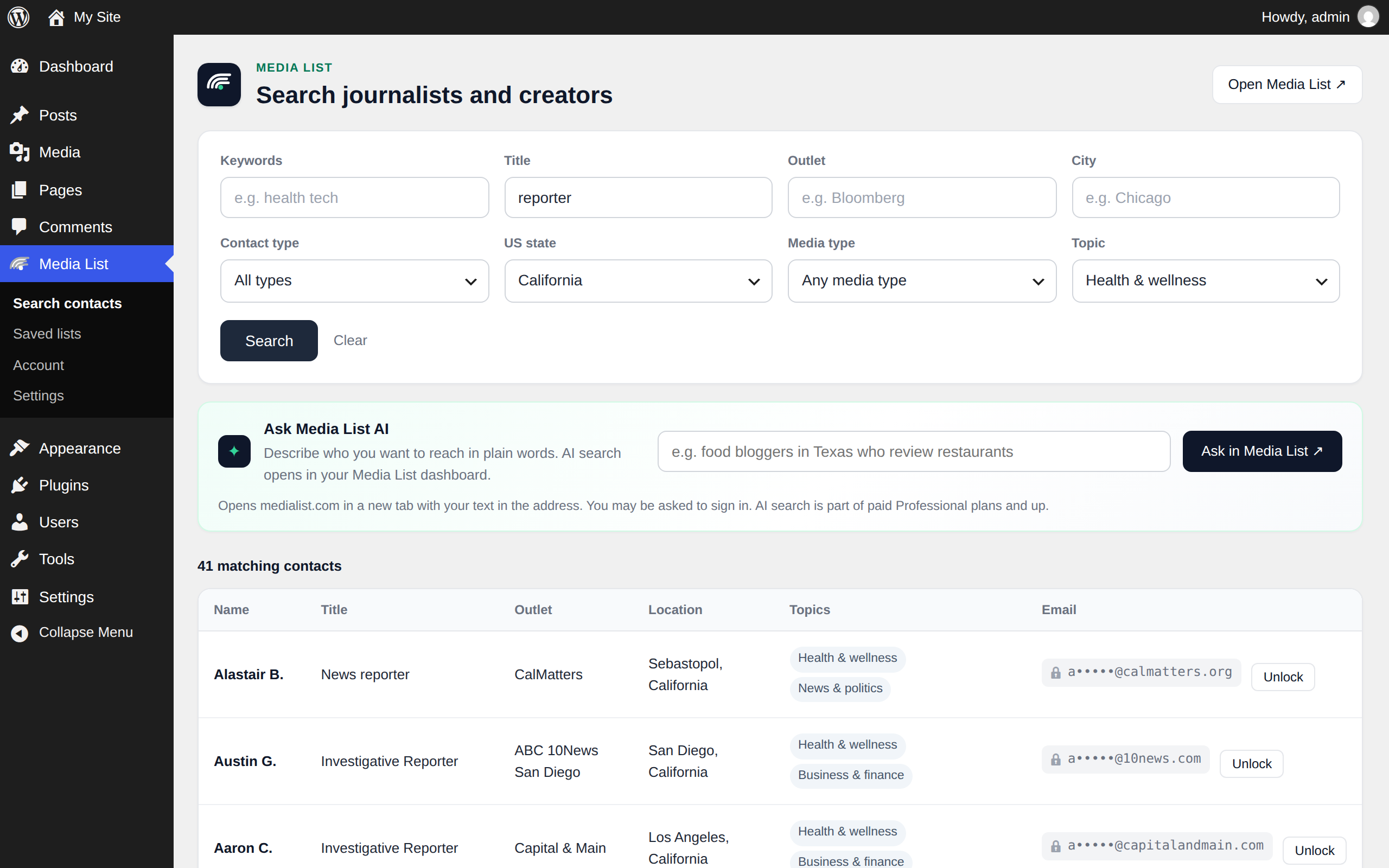
- Search contacts by keywords, title, outlet, city, contact type (journalists, podcasts, YouTube, newsletters, blogs), US state, media type and topic.
- Unlock emails right from the results, with keys you allow to unlock. Each new unlock uses one export from your Media List plan, the same as in the Media List app.
- Ask Media List AI: describe who you want to reach and open AI search in your Media List dashboard (AI search is part of paid Professional plans and up).
- Browse your saved lists and the contacts in each one.
- See your account: plan, exports left today and API limits.
Searching and browsing only read data. Unlocking an email is the one action that changes your Media List account: it adds the contact to your unlocked contacts and, for a new contact, uses one export. Administrators choose who on the site can unlock (administrators only, or administrators and editors).
A Media List API key is required. API keys come with paid Media List plans, see Media List pricing.
External services
This plugin connects to the Media List API (https://medialist.com/api/v1), a service run by Media List, to search contacts and read your saved lists and account details.
- When: only when a logged-in user opens one of the plugin’s admin pages (Search contacts, Saved lists, Account), saves an API key in the plugin settings, or clicks Unlock on a contact.
- What is sent: your Media List API key (in the Authorization header), the search terms and filters you enter, list IDs you open, the ID of a contact you unlock, and the WordPress site address in the User-Agent header. No visitor data and no WordPress content are sent.
- Ask Media List AI: this is a link. It opens medialist.com in a new browser tab with the text you typed in the address; the plugin itself does not send it anywhere.
- Service: Media List, https://medialist.com
- Terms of service: https://medialist.com/terms
- Privacy policy: https://medialist.com/privacy
Installation
- Install and activate the plugin.
- Go to Media List > Settings and paste your Media List API key. The key is checked against your account when you save it.
- Open Media List > Search contacts and run a search.
FAQ
Where do I get an API key?
API keys come with paid Media List plans. Sign in to Media List and create one under API keys in your dashboard: https://medialist.com/dashboard/api
Can the plugin unlock emails?
Yes, if the API key is allowed to unlock (the account owner turns this on per key under API keys in the Media List dashboard). Each new unlock uses one export from your plan; contacts you already unlocked are free. Sending campaigns happens in the Media List app.
Does the plugin run AI search?
No. “Ask Media List AI” opens AI search in your Media List dashboard in a new tab. AI search is part of paid Professional plans and up.
Who can use it?
Users who can edit posts can search and view lists. Only administrators can add or change the API key and choose who can unlock emails (administrators only, or administrators and editors).
What happens when I delete the plugin?
The saved API key, the unlock setting and cached filter values are removed.
Screenshots


Changelog
1.1.0
- Unlock emails from the search results and saved lists (keys allowed to unlock; uses one export per new contact).
- Ask Media List AI: opens AI search in your Media List dashboard.
- New Media List look for the plugin pages.
1.0.1
- New contact type filter: journalists, podcasts, YouTube, newsletters or blogs.
- Search errors now show Media List’s explanation (for example when a search needs one more filter).
- Updated where to create an API key.
1.0.0
- First release: contact search, saved lists, account page and settings.