

Description
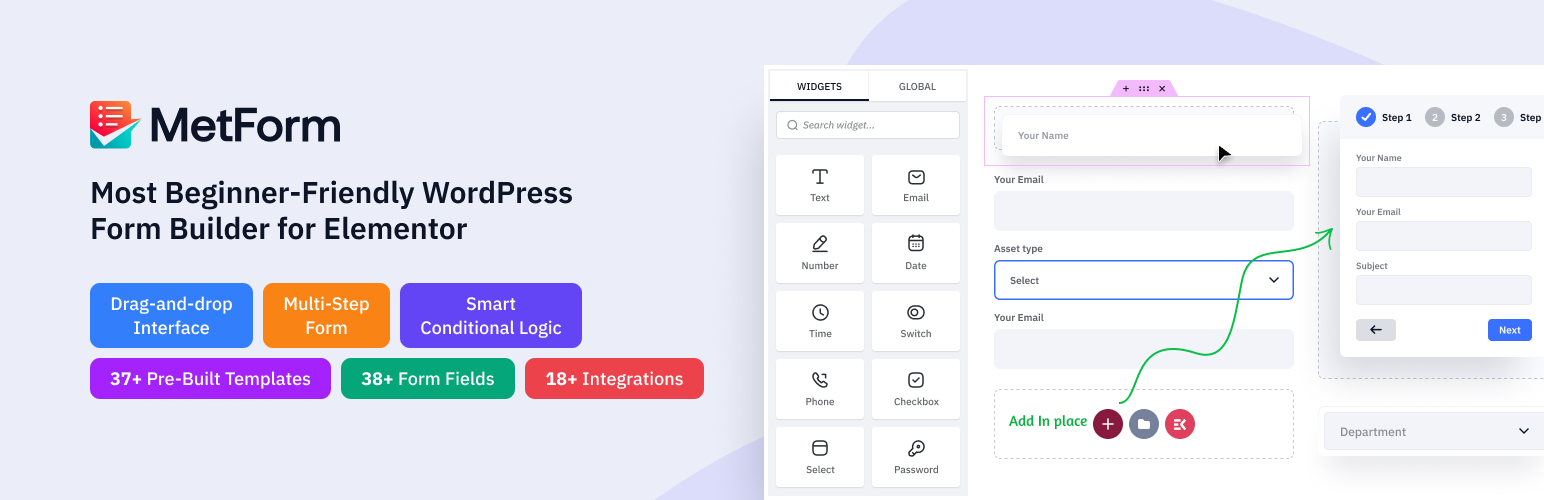
MetForm, the drag-and-drop WordPress contact form builder, works inside Elementor or on its own with the standalone MetForm Builder. This form builder plugin provides an smooth real-time form-building experience, allowing anyone of any expertise level to create professionally designed website forms.
It enables the fastest and most secure experience for managing and customizing multiple contact forms – without any code.
Standalone Contact Form Builder to Build Universal WordPress Forms
MetForm now comes with its own standalone form builder, so you can create contact forms and other WordPress forms on any site, with any theme and any editor. If a project runs on the Block Editor, the Classic Editor or another setup, the standalone MetForm Builder gives you the same form-building power.
- Visual Drag-and-Drop Editor: Build forms on a live canvas. Drag fields in, rearrange them, and see every change in real time.
- Flexible Layouts: Use containers with flexbox and grid layouts to place fields in rows, columns or multi-column designs.
- Responsive Controls: Adjust styles separately for desktop, tablet and mobile, and show or hide any field per device.
- All Core Fields Included: Text, Email, Number, Telephone, Date, Time, Select, Checkbox, Radio, Switch, Range Slider, Rating, File Upload, Hidden Field, GDPR Consent, reCAPTCHA, Simple Captcha, Summary, Multi-step and more.
- Undo, Redo & Revisions: Experiment freely. Step back with undo and redo, or restore an earlier saved revision of your form.
- Preview Before Publishing: Open a private frontend preview, save forms as drafts, and publish only when they’re ready.
- Convert Existing Elementor Forms: Move a MetForm form built in Elementor to the standalone builder with the built-in converter, keeping its fields, layout and styles.
- Embed Anywhere: Place your form on any page, post or widget area with a simple shortcode.
-
Same Entries, Settings & Integrations: Forms made in either builder share the same entries dashboard, notifications, spam protection and integrations.
Whether your team designs in Elementor or prefers a lightweight standalone workflow, MetForm gives you one form plugin for every WordPress site.
Still The Best Elementor Contact Form Builder Plugin
If you are already building forms in Elementor, you can continue with Elementor exactly as before. MetForm works right inside the Elementor editor, so you can design your forms with full access to Elementor’s styling, layout and responsive controls. Every field is an Elementor widget, and your existing forms, entries and integrations keep working with no changes.
MetForm extends WordPress’s capability to help you create a wide range of custom forms, such as volunteer applications, event forms, loan applications, restaurant reservations, calculation forms, admission forms, newsletter signups, data erasure requests, product orders, WooCommerce checkouts, subscription forms, patient forms, suggestion forms, and survey or post-survey forms.
USEFUL LINKS
Explore the Features | Need Support?| Check Documentation | Video Tutorials | Check Roadmap and Request a Feature | Buy Pro | Privacy Policy
WordPress Contact Form Builder with Calculation Form & Conditional Form Support
Our free contact form builder offers various field input styles to match your brand.
A standout feature of MetForm is the option to create custom field groups and reuse them in any contact form with one click. The free version includes form templates for feedback forms, booking forms, and calculation forms.
Build Smart Conditional Form (PRO)
Here comes our most unique field, “Conditional Logic.” It allows users to select a category, ensuring that the given question appears only for that section; otherwise, it remains invisible.
Conditional logic demo 1 – Conditional logic demo 2 – Conditional logic demo 3 – Conditional logic demo 4
Create Multi-step Form (PRO)
Divide long and lengthy forms into a step-by-step process to improve the user experience. By dividing the form into smaller, manageable sections, users are less likely to feel intimidated or abandon it midway. With MetForm, you can easily turn any WordPress form into a multi-step form in Elementor.
Calculation (PRO): Help you to perform your calculations and display the results within seconds in your form.
Calculation demo 1 – Calculation demo 2
44+ Form Templates – Contact Form Templates, Booking & Calculation Form Templates
MetForm provides a comprehensive library of pre-built templates designed to help you deploy functional forms quickly without having to build them entirely from scratch. The collection covers a wide variety of common use cases, ranging from simple contact and newsletter signup layouts to more complex event registrations, job applications, and multi-step booking systems.
📊 Form Analytics – Track Every Contact Form’s Performance
MetForm Analytics gives you a complete performance dashboard for every form – conversion rate, traffic sources, top referrers, geographic breakdown, device and browser stats, and hourly submission patterns. No Google Analytics, no third-party scripts, no cookie complications, all data stays inside WordPress.
For quiz forms, get dedicated reporting with score distributions, pass/fail ratios, per-question difficulty analysis, and completion vs. abandonment rates, everything you need to improve your forms and maximize conversions.
Mobile-friendly and Responsive Form Builder
Metform works with Elementor without any issue and responsiveness can be controlled by the Elementor page builder. With this custom form builder, your smart order form or any online form will look great on all resolutions and devices: mobile, tablet, and desktop.
Embed Anywhere with Shortcodes
You can use Metform anywhere to create an Elementor contact form. Also, you can use it with any editor with a built-in form shortcode. Utilizing the shortcode support for customization is easy.
Manage WordPress Form Submissions
Your online form submission data can be saved in admin. So, it will send data to the form admin and also send a confirmation email to form users.
Schedule Forms
Automate form availability by setting specific start and end dates. This controls exactly when forms are active for time-sensitive events like registrations or surveys without manual publishing.
Convert Form to Post (PRO)
Map form fields to post titles, content, and custom post types, let visitors submit articles or reviews directly from the front end.
GDPR Compliant Form-Building
Add mandatory consent checkboxes to meet privacy regulations and capture explicit user permission before storing any data.
Quiz & Survey Forms Module (PRO)
Create interactive quizzes and detailed surveys. Assign point values to specific questions, calculate total scores, and display custom results based on user responses.
Payment Forms with Stripe & PayPal (Pro)
Collect payments, donations and order fees directly in your form. Combine payment fields with calculation to build price quotes, cost calculators and order forms.
Booking, Registration & Login Forms
Build booking, event registration, admission and job application forms from ready-made templates. With MetForm Pro, you can also create user login and registration forms that sign users in or create WordPress accounts on submission.
Export Contact Form Entries as CSV (Pro)
Want to Export form entries as CSV? Yes, you can do that too with MetForm Pro. You can also export a single entry as a PDF.
Free HubSpot Integration
Connect MetForm with HubSpot to automatically sync every form submission directly to your CRM, zero manual data entry.
Mailchimp Integration (PRO)
Send leads from any contact form straight to your Mailchimp list and grows your email subscribers on autopilot.
✨Top Features of MetForm — Elementor Form Builder
- Built for Elementor: MetForm is supports Elementor Builder. This means this contact form builder offers an Elementor-like intuitive drag-and-drop workflow and real-time preview of your customizations. And, this budget-friendly email building tool with impressive form-building functionality powered by Elementor Builder has no learning curve.
So, beginners can easily create a query form to collect reporting and other forms like a contact form or booking form. Learn how to create a WordPress Booking form with MetForm 👇
-
MetForm Fields: Elementor Form Input Fields: From lead generation to survey forms, or any complex style forms, we have designed 44+ Elementor widgets fields to build in your preferred style.
-
User Confirmation Email (PRO): Send automatic confirmation emails to form submitters right after they register or complete your campaign.
-
Admin Notification Email: Notify admin of successful order notifications after users or customers complete a form submission.
-
Saved Form Entries in the Admin Panel: Save all the data that users give to fill up the form and display it in the admin panel.
-
Export Form Entries as CSV (PRO): Export all form submissions, contacts, and messages directly to Google Sheets with one integration.
-
Export Form to Google Sheets: The popular Elementor form creator MetForm allows you to export all your users’ personal contacts, databases, and messages on Google Sheets.
-
Required Login to Submit the Form (PRO): Mark required fields with a red star or error message to keep your contact form spam-free and complete.
-
Capture User Browser Data (PRO): Displays the user’s browser information like Web browser, Visited URL, Title, Visit Time, Visit Count, User Profile, etc.
-
Hide Form After Submission: Hide your public Elementor form after the user fills all the necessary fields and hits the submit button.
-
Limit Total Entries (PRO): Set a maximum submission limit on any form and display an error message automatically once the limit is reached with this Elementor Contact form builder.
-
Redirect After Successful Form Submission: Redirect users to any URL immediately after a successful form submission, no code required with this Elementor form maker.
-
Validate Required Form Fields: This multi-step Elementor contact form builder helps to validate required fields across every step of your multi-step form and show error messages instantly.
-
Form Submission via AJAX without Page Refreshes: Our Elementor contact form maker permits you to submit your contact us simple form without loading your page via AJAX to make it more user-friendly and time-saving. Therefore, online visitors can fill up the form using AJAX without page loading.
-
Supports Multi-column Layout: Specify multiple-column layouts as many as you would like to display. Simply add the column in just one click with the multi-step form builder.
-
Shortcode Support: Add powerful features with a simple Shortcode without any knowledge of technical, complicated, and lengthy code. Now, it’s easy to get Shortcode support for customization options.
-
Editable Successful Form Submission Message: MetForm Elementor forms builder gives access to edit your successful form submission message so you can personalize your own message.
-
Translation Ready: Our WordPress contact form builder plugin supports multiple languages which means you can easily translate a language into your language.
-
Top-notch User Support: MetForm is enriched with docs, FAQs, tutorials, and blogs. You will find answers to your problems in these resources. And, the support team is one call away from you.
MetForm Input fields
-
Phone Number Input Field: Let users select prefix country code from the dropdown.
-
Image Select Input Field: Upload images both vertically or horizontally to allow submitters to select one.
-
Toggle Select Input Field: With our most powerful Toggle Select, you can activate one section from multiple sections at a time both vertically or horizontally. If you select one section as active, then another section will automatically get deactivated.
-
Simple Repeater Input Field: Create a group of fields to use in the future within one click.
-
Google Map Location Input Field: Let users pinpoint their location in forms.
-
Color Picker Input Field: Design your form by choosing a color from the color picker.
-
Calculation Fields List: Display automatically calculated values after users perform calculations among Form Fields.
-
Payment Method Input Field: Select a payment method like Paypal or Stripe and make a user payment policy.
-
Signature Input Field: Get users’ realistic signatures on your form.
-
Like-Dislike Input Field: Allow users to react using like and dislike fields
MetForm Contact Form Builder Also Includes
-
REST API Support (PRO): Get form submission data and submission notification to Third Party API URL or Webhook by integrating our Rest API very easily.
-
WooCommerce checkout (PRO): Shows you the add to cart product and checkout form on a single page, Also, MetForm enables you to complete orders and payments without leaving the page.
-
Auto Populate Field: Show additional fields after someone fills up the form.
Webhook (PRO): Enable real-time data transfer and trigger instant actions based on form submission.
Email Verification (Pro): Send a verification link to confirm the submitter’s email address before you act on the entry.
User Login & Registration Forms (Pro): Build custom login and sign-up forms that create WordPress user accounts.
PDF Export (Pro): Download any single entry as a PDF for records or sharing.
Submission Rules & Submission Log (Pro): Control who can submit and keep a log of every submission attempt for troubleshooting.
**✨** MetForm Integrations
🔷 MailChimp Integration (PRO): Easily integrates MailChimp to create and manage a mailing list, automated mailing, newsletter, send leads, and many other options.
🔷 WordPress ZoHo CRM Integration (PRO): Manage customers’ relationships and speed up marketing and sales with the ZoHo integration of our Elementor form builder MetForm.
🔷 HubSpot Integration: Store all the contacts inside your HubSpot account without having fear of losing them. As a result, you can easily manage your visitors’ or clients’ information.
🔷 Payment Method (PRO): This WordPress form builder plugin integrates with payment gateways like PayPal and Stripe to give users a payment option in their Elementor contact form.
🔷 FluentCRM Integration (PRO): View all the embedding web form submission data inside FluentCRM and manage them for successful email marketing and growth hacking.
🔷 HelpScout Integration (PRO): Build a successful bond and manage the relationship with the customers better than ever with the HelpScout form. This contact form’s dynamic CRM integration lets you sort all contacts without any ticket or case number to save you time.
🔷 Twilio Integration (PRO): Connect with your clients, customers, or visitors via calls or messages with Twilio integration.
🔷 ConvertKit Integration (PRO): Successfully manage all the newsletters by integrating with ConvertKit which is built on the simplest interface.
🔷 ActiveCampaign Integration (PRO): Make a super easy contact list management with ActiveCampaign integration.
🔷 Aweber Integration (PRO): Simply integrate with Aweber, the email marketing service provider, and build Aweber forms that let you keep in touch with your subscribers.
🔷 GetResponse Integration (PRO): It is another newsletter integration like others to keep your email marketing list sorted.
🔷 MailPoet Integration (PRO): Connect your WordPress site with MailPoet to build your simple and easy contact us form with the easiest drag-and-drop feature.
🔷 Zapier Integration (PRO): Zapier integration in your forms allows you to connect with thousands of popular apps without any coding.
🔷 Slack Integration (PRO): You can redirect all the Elementor form data to integrate with Slack and get the customer information faster.
🔷 Google reCAPTCHA Integration: Metform Elementor form builder allows you to integrate Google reCAPTCHA to keep your site safe from unwanted spam and abusive traffic.
🔷 Map Integration (PRO): Add Google map API key with MetForm- contact form builder to know your customer locations.
🔷 [SureTriggers Integration …
Installation
- Upload the plugin files to the `/wp-content/plugins/plugin-name directory, or install the form builder plugin through the WordPress plugins screen directly.
- Activate the plugin through the ‘Plugins’ screen in WordPress
- All Settings will be found in Admin sidebar -> MetForm
[Note: If you want to edit form in Elementor, install and activate the Elementor builder. Otherwise use the MetForm standalone builder with no dependency.]
FAQ
What type of WordPress form can you make with MetForm form builder?
MetForm allows you to make WordPress forms with a new experience. With the most flexible drag and drop feature, the form builder supports your Elementor site to become a powerful site. Some form types the Elementor forms builder offers are –
-Contact Form
-Multi Step Form
-Calculation Form
-Feedback Form
-Conditional Form
-Volunteer Application
-Booking Form
-Event Form
-Loan Application
-Job Application
-Restaurant Reservation
-Admission Form
-Newsletter Signup
-Data Erasure Request
-Product Order Form
-WooCommerce Checkout
-Subscribe Form
-Patient Form
-Suggestion Form
-Offline Contact Form
There are more form types you can build with MetForm. Check it here.
Does MetForm offer Newsletter Integration?
Yes. Metform has various Newsletter integrations, such as Mailchimp, AWeber, ActiveCampaign, Get Response, etc.
Does MetForm include spam protection?
Of course! This drag and drop builder ensures spam protection. Some of the form templates come with the latest reCAPTCHA v2 and v3 protection, and MetForm also offers a powerful reCAPTCHA widget. Preview
Does MetForm integrate with other WordPress plugins and services?
MetForm doesn’t give you trouble working while there are multiple other WordPress plugins installed. Without struggling, you can smoothly run other services on your site and work with this amazing contact form builder.
Where can you find the documentation?
Check our Documentation section here to understand the alpha and omega of MetForm.
But you can see this video https://www.youtube.com/watch?v=rvawKRgLC14
How can I report security bugs?
You can report security bugs through the Patchstack Vulnerability Disclosure Program. The Patchstack team help validate, triage and handle any security vulnerabilities. Report a security vulnerability.
Changelog
Version: 4.3.5 // 2026-11-17
- Added: Optional input icon for the Date and Time widgets, with icon picker, left/right position, and color, focus color, size, and spacing style controls.
- Improved: The MetForm widget now only displays existing forms and no longer creates forms during page render.
- Improved: Replaced json_encode() with wp_json_encode() for safer JSON output; forms no longer break when field data contains invalid UTF-8 characters.
- Fixed: File Upload field files were not saved to entries.
- Fixed: File Upload “Allowed File Types” and “File Size Limit” settings were not applied on form submit.
- Fixed: Form styles are now safely encoded when rendering forms.
- Fixed: Security issue reported via Wordfence.
- Security: Hardened form template escaping to prevent stored XSS through form field settings.
Version: 4.3.4 // 2026-11-02
- Fixed: Prevented PHP warnings caused by AIOSEO’s Elementor integration on MetForm forms and entries.
- Fixed: Resolved Google reCAPTCHA v3 token expiry issues during form submission.
- Fixed: Broken access control in form creation reported via Patchstack.
- Changed: Moved Confirmation Email, Submission Copy, Required Login, and Entry Limit to MetForm Pro.
- Changed: Moved Browser Data, View Count, Stop Vertical Scrolling, CSV Export, Mailchimp, and Slack to MetForm Pro.
- Compatibility: MetForm Pro 4.1.3 or later is required to continue using these features.
Version: 4.3.3 // 2026-10-19
- Added: Introduced a completely new MetForm Builder that no longer depends on Elementor.
- Improved: Added SEO plugin compatibility for AIOSEO, Rank Math, SEOPress, and Yoast SEO.
- Improved: Centralized template-literal escaping helpers.
- Improved: MetForm Forms list layout, column alignment, and action button spacing.
- Fixed: Prevented SEO and instant-indexing plugins from processing MetForm internal post types.
- Fixed: Resolved Rank Math post-type warnings caused by incompatible post-type list formats.
- Fixed: Secured widget values in JavaScript templates.
- Fixed: Unauthenticated permalink change issue reported via Patchstack.
Version: 4.3.2 // 2026-10-02
- Fixed: Form not showing when using the shortcode.
Version: 4.3.1 // 2026-09-30
- Added: Early asset loading for MetForm shortcodes in regular post content.
- Added: Fallback style loading for assets discovered after
wp_head(). - Added: Advanced styling controls for Multi Select options.
- Improved: Frontend script loading for shortcode-rendered forms.
- Improved: Support for widget-specific and MetForm Pro frontend assets.
- Improved: Prevented duplicate stylesheet output when multiple forms are rendered on the same page.
- Improved: Forms and Entries list action-status handling.
- Fixed: Missing MetForm styles when rendering forms with the
[metform]shortcode. - Fixed: Elementor control and responsive styles not applying to shortcode forms.
- Fixed: CSS loading issues when MetForm is used inside Elementor’s Shortcode widget.
- Fixed: Security issues involving data exposure, email HTML injection, debug-file disclosure, and stored XSS.
- Fixed: Submission failure logging for REST API rejections, including expired nonces.
- Fixed: Google reCAPTCHA v2/v3 validation and improved error handling for failed verification requests.
- Fixed: Security hardening for form field names to prevent a stored XSS issue reported via Patchstack.
Version: 4.3.0 // 2026-08-30
- Added: Conditional Redirect feature for form submissions.
- Improved: Powerup plugin installation process from onboarding process.
- Improved: Overall form field stability and behavior issues.
- Improved: Updated js packages for better Compatibility.
- Fixed: File Upload widget not resetting after form submission issue.
- Fixed: Resolved translation issues for improved localization compatibility.
- Fixed: Conditional “Hide this field” issue for switch widget.
- Fixed: Conditional field data storage issue in entries.
- Fixed: Conditional validation issues for Select, Multi-select, and Range Slider fields.
- Fixed: Single Range Slider functionality issue.
- Fixed: Range Slider width control issue.
- Fixed: Range Slider default value handling.
- Fixed: Date and Time widget re-rendering issue.
Version: 4.2.0 // 2026-08-12
- Improved: Admin dashboard UI/UX.
Version: 4.1.9 // 2026-08-09
- Fixed: Corrected the formatting of file validation strings to ensure they are properly translatable.
- Fixed: Text area field font size not applying on the frontend.
- Fixed: Authenticated stored cross-site scripting vulnerability in the mf_form_id widget setting.
Version: 4.1.8 // 2026-07-22
- Fixed: Email header injection issue in admin notification email fields.
- Fixed: Replaced hardcoded admin interface strings with translatable text for localization support.
Version: 4.1.7 // 2026-07-12
- Improved: Onboarding process.
- Fixed: Validate entry ownership before updating the form submission to prevent IDOR.
Version: 4.1.6 // 2026-07-05
- Added: Form analytics feature to track submissions and monitor form performance with insights.
- Added: Conditional redirect support for form submissions based on rules.
- Improved: Entry list and entry details UI in the admin dashboard.
- Improved: Form list UI in the admin dashboard.
- Fixed: Compatibility issue with The7 theme and CM Tooltip Glossary plugin conflict.
- Fixed: Resolved conditional email field validation and hidden field visibility issues.
- Fixed: Country flag display issue in mobile number fields for multistep forms.
- Fixed: Multilingual issue.
Version: 4.1.5 // 2026-06-09
- Added: Dynamic field value support in conditional logic for advanced form validation and field comparison.
- Added: Dynamic values support for hidden fields and submit tracking.
- Improved: Form picker modal UI for metform main widget.
- Improved: Payment submission feature.
- Fixed: Limit entries value saving issue.
- Fixed: Hard-coded untranslatable string issue.
Version: 4.1.4 // 2026-05-03
- Added: Default number control for Number widget.
- Added: Support for .heic file types in the File Upload widget.
- Improved: Form picker modal for MetForm main widget.
- Fixed: Compatibility issue with Astra-portfolio plugin.
- Fixed: Load text-domain warning issue.
- Fixed: Simple-repeater widget issue where empty values were showing in entries.
- Fixed: Conditional logic issue where hidden referenced fields caused incorrect condition results.
Version: 4.1.3 // 2026-03-03
- Added: Option to delete associated files when deleting form entries.
- Added: Newsletter Signup Form is now available in the Free version.
- Added: Subscribe Form 1 is now available in the Free version.
- Added: Subscribe Form 2 is now available in the Free version.
- Improved: New form creation modal UI.
- Improved: Added support for .iges, .igs, .step, and .stp file types in the File Upload widget.
- Fixed: Compatibility issue with Royal Elementor Addons.
- Fixed: Editor panel script compatibility issue.
- Fixed: Global settings UI issue.
Version: 4.1.2 // 2026-01-14
- Fixed: Google drive integration issue.
Version: 4.1.1 // 2026-01-12
- Improved: Webp support for file upload widget.
- Fixed: Unauthenticated form submission issue related to forgeable cookie value.
- Fixed: Calculation field was not working properly when using OR conditions.
- Fixed: Third-party plugin notice issue.
Version: 4.1.0 // 2025-12-14
- Added: Range widget suffix/prefix with range value.
- Improved: Integration settings UI.
Version: 4.0.8 // 2025-11-30
- Fixed: Conflict issue with ShopEngine plugin.
Version: 4.0.7 // 2025-10-07
- Fixed: Summary widget issue with File upload widget.
- Improved: Form settings admin UI.
Version: 4.0.6 // 2025-08-31
- Improved: File upload widget.
- Fixed: Mailchimp and GetResponse list not appearing in MailChimp and GetResponse Integration settings.
- Fixed: Multi Select value doesn’t appear in entries data for image select widget.
Version: 4.0.5 // 2025-08-20
- Fixed: URL/Webhook input field not displaying in REST API integration settings.
- Fixed: Google Sheet list not appearing in Google Sheet integration settings.
Version: 4.0.4 // 2025-08-10
- Improved: Date widget.
- Improved: Form settings UI.
- Fixed: Integration settings UI issue.
Version: 4.0.3 // 2025-07-28
- Improved: Onboarding process.
- Fixed: Multi select widget issue.
Version: 4.0.2 // 2025-07-14
- Fixed: Cross-Site Scripting (XSS) vulnerability.
- Fixed: Dashboard security issue.
Version: 4.0.1 // 2025-07-02
- Improved: Editor panel UI/UX.
- Improved: Admin dashboard get help page.
Version: 4.0.0 // 2025-06-24
- Added: Elementor optimized markup support.
- Added: User confirmation email edit option with EmailKit.
- Improved: Admin settings dashboard UI/UX.
- Improved: Google sheet integration.
- Improved: Google reCAPTCHA widget.
- Improved: Security.
- Fixed: Pre-built templates section and container issue.
- Fixed: Pre-built quiz forms are not showing on the form creation modal.
- Fixed: Radio and checkbox issue for user confirmation and admin notification email.
- Fixed: Email shortcode issue with conditional widget.
- Removed: Promotional notice displayed during plugin activation.
Version: 3.9.9 // 2025-05-26
- Added: Simple message widget.
- Improved: All widgets icon.
- Fixed: GetResponse integration not working.
- Fixed: Itfirm theme conflict issue.
- Fixed: Form submission entry name issue.
Version: 3.9.8 // 2025-04-15
- Improved: Admin UI.
Version: 3.9.7 // 2025-03-25
- Improved: Form creation process.
- Fixed: Form settings notification issue on the admin area.
- Fixed: Onboarding UI issue.
Version: 3.9.6 // 2025-03-10
- Added: Compatibility with Elementor plugin performance improvement.
- Fixed: URL widget validation issue.
Version: 3.9.5 // 2025-02-24
- Improved: Admin UI.
Version: 3.9.4 // 2025-02-18
- Fixed: Compatibility issue with Elementor.
- Fixed: XSS security issue.
Version: 3.9.3 // 2025-01-20
- Improved: MailChimp integration security.
- Fixed: Email notification issue with selection type widgets.
- Fixed: Dual range slider not working and default value issue of range widget.
- Fixed: Translation warning issue for WordPress version 6.7.1.
Version: 3.9.2 // 2024-12-25
- Added: Submit button, Next Step, and Previous Step widgets on focus style control.
- Fixed: Calculation fields minimum and maximum fraction issue.
- Fixed: Multistep form fields does not navigate by tab key press.
- Fixed: Simple repeater widget select option issue with Multistep form.
Version: 3.9.1 // 2024-11-13
- Fixed: Date widget design issue.
- Fixed: Get value form url is not working for range date widget.
- Improved: FAQs and documentation section updated.
Version: 3.9.0 // 2024-08-21
- Removed: Edit with EmailKit button from WooCommerce email settings
Version: 3.8.9 // 2024-06-09
- Improved: Notify to admin on form submission feature.
- Improved: File uploading security.
- Fixed: Form required field auto scrolling issue.
- Fixed: .stl file type uploading not working.
- Fixed: Calculation widget is not working if toggle select widget has same value.
- Fixed: Translation issue.