

Description
MIGHTYSHARE: GENERATE SOCIAL SHARE OPEN GRAPH IMAGES
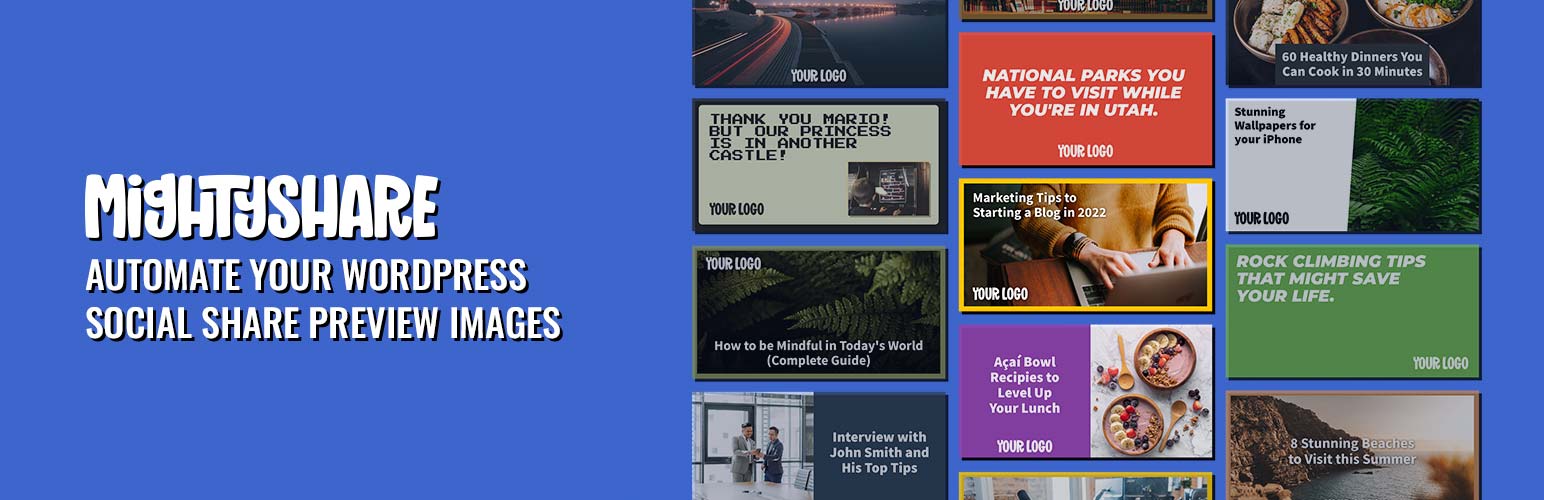
Automatically generate social share preview images (also known as Open Graph images) with MightyShare! MightyShare takes your post title and featured image to generate a beautiful share image for your content. Compatible with posts, pages, and custom post types your social shares will look stunning in no time. Customize templates with your brand colors, logo, and more.
To use the plugin you’ll need to create a free MightyShare account.
HOW DOES IT WORK?
MightyShare sends your post’s title, featured image, and post meta data to our server to generate a social share image on the fly using your API Key.
FEATURES
- Automatically generate social share images for posts and pages!
- Images are pre-generated when you publish, so crawlers get an instant cached image.
- Perfect solution for branded social images.
- Robust customization.
- SEO plugin compatibility: Yoast SEO, RankMath, All in One SEO, The SEO Framework, Slim SEO, Squirrly SEO, SEOPress, and Jetpack.
- Adds Open Graph and X (Twitter) image tags if you don’t have an SEO plugin.
- Preview and regenerate each post’s image right in the editor.
- Pre-generate images for all existing content from settings, or with
wp mightyshare prewarm. - Optional images for the homepage, blog page, post type archives, and the WooCommerce shop.
- WooCommerce: the Shelf Appeal template shows each product’s real star rating and review count.
- New templates appear automatically, no plugin update needed.
- Multiple templates to choose from.
- New templates added all the time!
- Works with custom post types.
- Developer hooks for creating just about anything!
- Pick any Google Font to use in templates for paid plans.
- Option to screenshot pages themselves for social images.
External services
This plugin connects to MightyShare (https://mightyshare.io) to create social share images.
- Image rendering (
api.mightyshare.io): the plugin builds a signed image URL that contains your public API key ID, the page URL, and the post title, excerpt (if subheadings are enabled), featured image URL, logo URL, colors, font and template you configured. That URL is placed in your page’s meta tags; social networks (and the plugin’s pre-generation, when you publish) request it, and MightyShare renders the image. If you pick the “screenshot” template, MightyShare loads your public page to capture it. - API key check (
api.mightyshare.io/validate-key/): when you save your API key, and at most every 12 hours while you view the settings page, the plugin sends the key to look up your plan. - Template list (
mightyshare.io/api/templates): fetched in the WordPress admin and cached for 12 hours (retried after an hour if it fails) to show the current templates. Only WordPress’s standard request headers (which include your site URL) are sent. - Template previews (
api.mightyshare.io/template/preview/): sample images shown in the admin template picker, loaded by your browser.
Installation
To install this plugin:
- Download the plugin
- Upload the plugin to the wp-content/plugins directory,
- Go to “plugins” in your WordPress admin, then click activate.
- Add a MightyShare.io API key into settings > MightyShare.
- Ensure each post type is enabled you want MightyShare enabled on.
FAQ
Is MightyShare free?
Yes! You can use MightyShare for free using our free account allowing you 50 renders a month. Paid plans start at $5 that allow you to generate hundreds of social images.
How does image generation work?
The image generation process is performed on our servers. This is done by the plugin creating a unique signed URL that allows your API Key to generate a social share image on our server. The URL is then put in your head tag to be used as an og:image. If you have Yoast SEO or RankMath installed the plugin will automatically write their og:images if enabled. Otherwise the plugin will create an og:image meta tag with your unique URL. Read our Privacy Policy
When is an image rendered?
The MightyShare plugin places a signed MightyShare image URL onto your meta tags. Images are rendered on our servers the first time that URL is requested. Since version 1.4.0 the plugin pings that URL in the background whenever you publish or update a post, so the image is typically already rendered and cached before a social network crawler ever fetches your page.
Why aren’t my images showing up?
If you are using an SEO plugin be sure to have a default image set for the type of content you want MightyShare to show on. For example in Yoast SEO you need to go to the Facebook section and set a default Open Graph image, this allows MightyShare to run filtering those meta tags. Additionally make sure you’ve cleared any caching mechanisms you may have. Still having issues? Contact Us.
Does it work with WooCommerce?
Yes. Enable the Products post type, and pick the “Shelf Appeal” (product-1) template for products to show each product’s average rating and review count. The shop page is a regular page: with Pages enabled, turn on “Homepage & Archives” to also generate an image for it.
How do I pre-generate images for posts I published before installing?
Go to Settings > MightyShare and click “Pre-generate All Images”, or run wp mightyshare prewarm (options: --post_type=<type>, --limit=<number>). Images that are already rendered and unchanged are served from cache and don’t count again.
Changelog
1.5.1
- Security: template values are now saved as slugs and the admin preview no longer builds HTML from them, closing a stored XSS that a Contributor could trigger for an admin.
- Fix: Cancel on “Pre-generate All Images” now stops a batch that is mid-render.
- Fix: bulk pre-generate and
wp mightyshare prewarmnow report failed renders, and stop with a clear message when MightyShare rejects requests (invalid key, plan or rate limit). A failed “Regenerate image” keeps the previous image. - Fix: bulk pre-generate processes as many posts as fit in each background run instead of 10, so large sites finish much sooner.
- Fix: previewing a draft (with pretty permalinks) renders the image for its future URL, so the render is reused after publishing.
- Fix: new posts showed “Default (Disabled)” in the MightyShare box even when the post type was enabled.
- Fix: the paid-plan font lock now also applies in the post editor.
- Fix: the plan status is cleared when the API key is removed or rejected.
- Fix: the template list is never fetched during a visitor’s AJAX request.
- Fix: MightyShare admin styles no longer affect other plugins’ boxes on the post edit screen.
- Accessibility: toggles and the template picker work with the keyboard and screen readers.
- Polish: clearer settings and editor wording (“override” instead of “overwrite”, template names instead of IDs), more specific preview errors, a progress hint and failure count for bulk pre-generate, the setup notice only shows to admins, and “Enable Open Graph” starts switched on in settings for new installs without an SEO plugin.
- The plugin’s name in the Plugins list now matches its wordpress.org listing.
- Tested up to WordPress 7.1.
1.5.0
- New: preview the share image in the post editor, and “Regenerate image” to force a fresh render.
- New: pre-generate images for all existing content from Settings > MightyShare, or with
wp mightyshare prewarm. - New: optional images for the homepage (latest posts), blog page, post type archives, and the WooCommerce shop (“Homepage & Archives” setting).
- New: WooCommerce products using the Shelf Appeal (product-1) template show their real rating and review count.
- New: the template list now comes from mightyshare.io, so new templates (Pixel Party 2, The Editorial, On the Go, Shelf Appeal, Social Proof and more) appear without a plugin update. Templates show their names in the picker.
- New: “Pre-generate on Publish” setting to turn background pre-generation off.
- New: without an SEO plugin, MightyShare now also outputs
twitter:card(large image),twitter:imageand image size tags, and works with Jetpack’s Open Graph tags. - Bug fix: category, tag and author pages used the featured image and MightyShare settings of an unrelated post that happened to share the same ID.
- Bug fix: on sites with plain permalinks, every post’s image was generated for the homepage URL (so pre-generation never matched, and the screenshot template captured the homepage).
- Bug fix: “Enabled by Default On” could not be fully unchecked.
- Bug fix: the “Template Default” font sent an invalid font when chosen per post, and caused PHP 8.1+ deprecation notices.
- Bug fix: tag and custom taxonomy descriptions were never used as subheadings.
- Bug fix: titles with HTML entities (like curly quotes) or tags now render as plain text, and very long titles/excerpts are shortened. Password-protected posts no longer send their excerpt.
- Bug fix: paid-plan fonts could stay locked if the key check timed out or after upgrading; the plan is now re-checked periodically.
- Bug fix: Squirrly SEO detection on network-activated installs.
- Performance: pre-generation is skipped for disabled posts, during imports, and when MightyShare is off; the font list is no longer built on front-end page views; per-post details are computed once per page.
- Saving a post no longer stores empty MightyShare settings rows.
- Settings input is sanitized; translations load from translate.wordpress.org.
1.4.0
- New: social share images are now pre-generated in the background when a post is published or updated. Previously the first crawler to request the image triggered the render, and a slow first render could make X/Twitter cache a blank card. The warm-up is queued via WP-Cron the moment you save — publishing never waits on it — and re-saving unchanged content resolves to the same signed URL, served from cache without a new render.
- Bug fix:
Mightyshare_Public_Functions::get_mightyshare_url( $post_id )now honors the$post_idargument outside the frontend loop (it previously always used the queried object), and returns an empty string instead of PHP warnings when no API key is configured. - Bug fix: feed renders no longer embed the page URL in the template values, so a post’s feed and page now share a single cached render.
- Performance: meta box definitions (including the Google Fonts list) are no longer built on every frontend request.
- Template picker lists the standard templates first again — mesh templates are no longer the default for new installs.
- Security & hardening: sanitize admin
$_GET(page/tab/post) inputs, addwp_unslashto metabox saves, escape image URLs (esc_url), and replace incorrectesc_attrusage withesc_htmlfor text output. - Bug fix: removed nested function declarations inside the options class constructor that could cause a fatal error if the class was instantiated more than once. Also fixed the
mightshare_metaboxestypo. - Bug fix: corrected
MIGHTYSHARE_VERSIONconstant which was out of sync with the plugin header (broke admin asset cache busting). - Bug fix: replaced bare
echoof API key validation errors withadd_settings_error()so failures render in the standard settings UI. - Performance: per-request caching of plugin options and active-plugins list (SEO plugin detection no longer re-reads
wp_options7+ times per request). - Added
uninstall.php— plugin settings are removed when the plugin is deleted (per-post meta is preserved for re-installs). - Compatibility: bumped “Requires at least” to WordPress 6.0; tested up to WordPress 7.0.
- i18n: load text domain from
/languages(Domain Path) oninit.
1.3.21
- New mesh templates added (mesh-1, mesh-2, mesh-3) — modern dark gradient-mesh designs with auto-derived palettes from your primary color.
- Tested up to WordPress 7.0.
1.3.20
- New template added (standard-5, standard-6, float-3).
- Tested up to WordPress 6.8.
1.3.19
- Bug fix for the Squirrly integration.
1.3.18
- Tested up to WordPress 6.7.
- Added support for Squirrly SEO.
1.3.17
- Tested up to WordPress 6.6.
- New template added (basic-5, basic-6).
1.3.16
- Bug fix for identifying if All in One SEO is active (and support for AIO SEO Pro).
1.3.15
- Bug fix for PHP warning.
1.3.14
- Bug fix for PHP warning.
1.3.13
- WordPress 6.5 compatibility.
- Frontend PHP function added for developers to use.
1.3.12
- New template added (news-2).
1.3.11
- Tested up to WordPress 6.4.
- PHP warning bug fixes.
- API usage on MightyShare.io dashboard now shows the correct usage.
1.3.10
- New template added (news-1).
1.3.9
- New template added (business-2).
- Tested up to WordPress 6.3.
- Bug fixes.
1.3.8
- New template added (basic-4).
- Updated Open Graph test link.
- Code cleanup for future updates.
1.3.7
- New templates added (bar-1, bar-2 & bar-3).
- Option to use MightyShare on author archive pages.
- Updated developer documentation.
- PHP warning bug fix.
1.3.6
- New template added (float-2).
1.3.5
- PHP warning bug fix.
1.3.4
- New template added (standard-4).
1.3.3
- Added support for SEOPress.
- PHP warning bug fix.
1.3.2
- Tested up to WordPress 6.1.
- PHP compatibility fix for PHP 7.
1.3.1
- PHP warning bug fix.
1.3.0
- Minimum PHP version upgraded to 7.4 as older versions are at their end of life.
- New templates travel-1, bold-3 & basic-3.
- Upgraded the template picker when modifying a single post.
- Only load template examples if browse templates is clicked (speeds up admin).
- Added support for Slim SEO.
1.2.0
- Google Font selection for users on a paid plan.
- New template options modal.
- Bug fix template selector not showing up correctly.
1.1.3
- Changed default render format to JPEG from PNG.
- Option to use post excepts as subheadings in MightyShare templates.
- Bug fix for MightyShare not setting a correct height/width for OG images when using Yoast.
- Bug fix that didn’t allow settings checkboxes to be unchecked.
- Bug fix for initial install showing PHP warnings.
1.1.2
- Bug fix when overwriting background image urls with the MightyShare filter.
1.1.1
- New template browser to easily select a template.
- New API Key details when entered in the MightyShare settings.
- New template (float-1).
1.1.0
- New feature that allows you to overwrite template options by post type.
- Added option to provide a fallback image.
- New option to overwrite post titles that is used for the MightyShare renders.
- Grey color added to background of logo field so you can see white logos.
- Plenty of bug fixes.
1.0.8
- Added ability to enable MightyShare on taxonomies (archive pages)!
- Code bug fixes.
1.0.7
- 3 New templates added (8bit-1, bold-1 and bold-2).
- Bug fixes causing MightyShare not to display.
1.0.6
- New template added (clean-3).
1.0.5
- Bug fix preventing posts from showing the correct MightyShare state.
1.0.4
- New template added (mighty-3).
- Bug fix MightyShare not working on custom post types.
- Bug fix for logo display in settings.
1.0.3
- Added compatibility with All in One SEO Pack and The SEO Framework.
- 2 new template added (standard-3 and clean-1).
1.0.2
- PHP bug fix.
- Show detected SEO plugin on settings page.
1.0.1
- Bug fix for plugin install message.
1.0.0
- Initial Release.