

Description
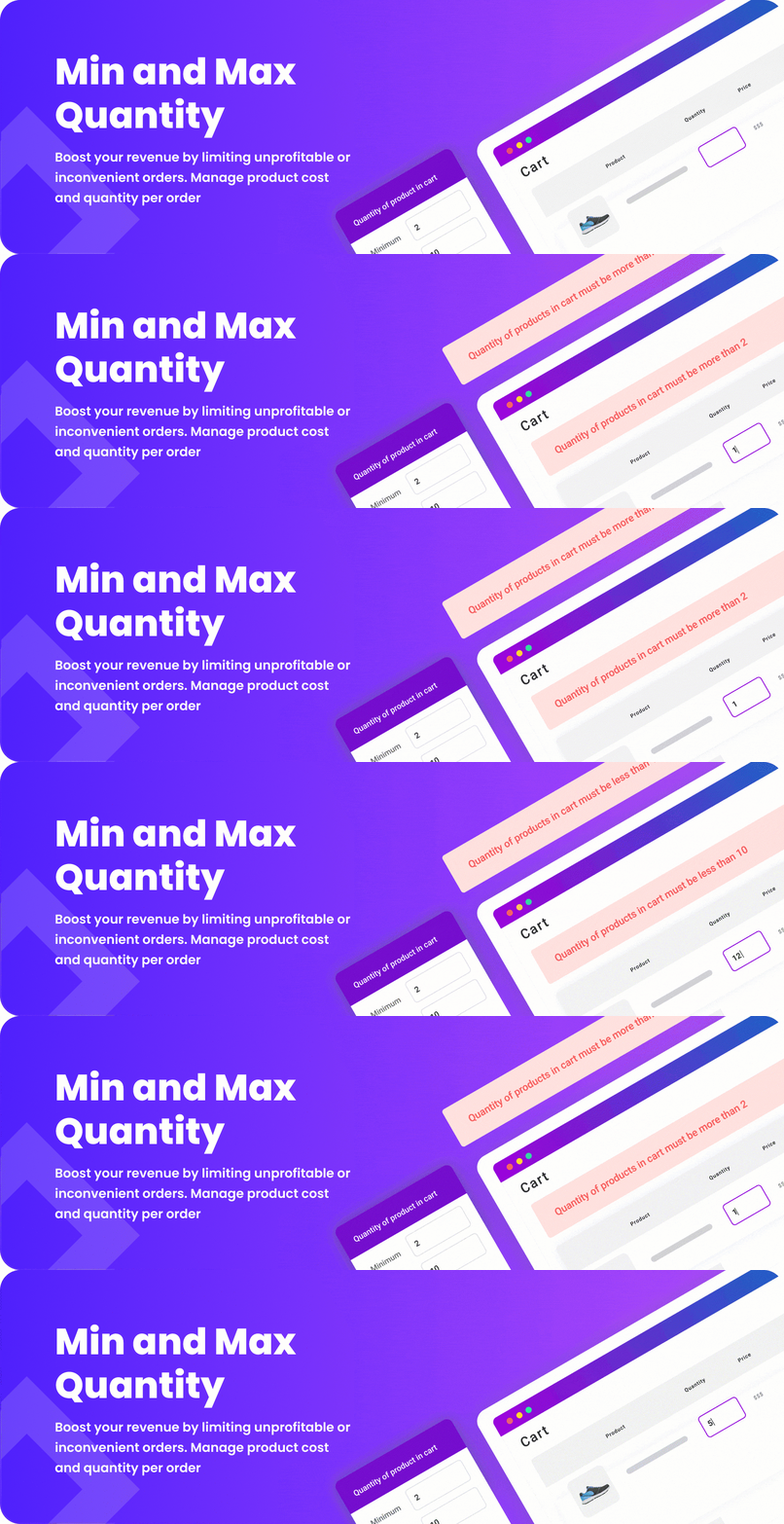
Min and Max Quantity for WooCommerce plugin allow you to setup limits for cost of products in orders and in groups and limits for quantity of products, product variations, products in orders and products in group. You can add products and product variations to group. Infinite amount of groups.
Features:
✅ Quantity limits for products
✅ Quantity limits for product variations
✅ Quantity limits for products in cart
✅ Cost limits for products in cart
✅ Use %remaining_value% in messages to show the quantity or amount still needed, or items to add to the next multiple
✅ Use %excess_value% to show excess quantity or amount, or items to remove to the previous multiple
Additional Features in Paid Plugin:
✅ Quantity limits for groups of products
✅ Quantity limits for products from categories
✅ Quantity limits for products from specific attributes
✅ Cost limits for groups of products
✅ Cost limits for products from categories
✅ Cost limits for products from specific attributes
✅ Infinite groups of products
✅ Purchase Conditions block for simple products, with three optional styles for the product limitations list
Plugin Links:
🍬 Wanna try admin side?
Admin Demo – Get access to this plugin’s admin and try it from inside. Change things and watch how they work.
Premium plugin video
we don’t have video with free plugin right now but we are working on it
Compatibility with WooCommerce plugins
Min and Max Quantity for WooCommerce has been tested and compatibility is certain with the following WooCommerce plugins that you can add to your site:
🔸 Cart Notices for WooCommerce
🔸 Currency Exchange for WooCommerce
🔸 Force Sell for WooCommerce
🔸 Products Suggestions for WooCommerce
🔸 Sales Report for WooCommerce
Installation
Important: First of all, you have to download and activate WooCommerce plugin, because without it Min and Max Quantity for WooCommerce cannot work.
- Unzip the downloaded .zip file.
- Upload the Min and Max Quantity for WooCommerce folder into the
wp-content/plugins/directory of your WordPress site. - Activate
Min and Max Quantity for WooCommercefrom Plugins page
Configuration
Min and Max Quantity for WooCommerce will add a new sub-menu item called “Min and Max Quantity” in “WooCommerce” menu. There you will be able to access plugin settings page.
In the paid plugin, add the Purchase Conditions block to the Single Product template in the Site Editor. The editor shows an example; the storefront shows the current simple product’s rules and hides the block if there are none. Choose Default, Bordered, Subtle hint, or Accent bar under Purchase conditions style. That setting also applies to the existing limitations list. To use only the block on a template that also runs the configured WooCommerce hook, set Display limitations list to No display.
FAQ
Is it compatible with all WordPress themes?
Compatibility with all themes is impossible, because they are too many, but generally if themes are developed according to WordPress and WooCommerce guidelines, BeRocket plugins are compatible with them.
How can I get support if my WooCommerce plugin is not working?
If you have problems with our plugins or something is not working as it should, first follow this preliminary steps:
- Test the plugin with a WordPress default theme, to be sure that the error is not caused by the theme you are currently using.
- Deactivate all plugins you are using and check if the problem is still occurring.
- Ensure that your plugin version, your theme version and your WordPress and WooCommerce version (if required) are updated and that the problem you are experiencing has not already been solved in a later plugin update.
If none of the previous listed actions helps you solve the problem, then, submit a ticket in the forum and describe your problem accurately, specify WordPress and WooCommerce versions you are using and any other information that might help us solve your problem as quickly as possible. Thanks!
How can I get more features for my WooCommerce plugin?
You can get more features with the premium version of Min and Max Quantity for WooCommerce, available on BeRocket page. Here you can read more about the premium features of the plugin and make it give it its best shot!
How can I try the full-featured plugin?
You can try this plugin’s admin side here. Configure plugin the way you need to check the results.
Changelog
3.3
- Feature – Added the Purchase Conditions Gutenberg block in Paid for simple product templates, with demo data in the editor and the current product’s rules on the storefront.
- Feature – Added Bordered, Subtle hint, and Accent bar styles in Paid for the existing product limitations list and the Purchase Conditions block.
- Security – Includes framework protection against XSS in condition settings and hardened handling of custom post permissions and backup restoration.
- Enhancement – Updated BeRocket Framework to 3.1.5.
- Enhancement – Updated compatibility declarations for WordPress 7.1.4 and WooCommerce 11.3.0.
3.2
- Feature – Added %excess_value% in Free and Paid: excess quantity, excess amount in the store currency, or items to remove to the previous multiple. Minimum messages return 0; maximum attribute messages return an empty value. Cart quantities and validation rules are not changed automatically.
- Feature – Added %remaining_value% in Free and Paid: quantity to reach the minimum, missing amount in the store currency, or items to reach the next multiple. Minimum attribute messages return an empty value; maximum messages return 0. Existing validation rules and default messages are unchanged.
- Enhancement – Improved compatibility with WooCommerce blocks.
- Fix – Restored saving of add-on settings.
- Enhancement – Added or improved settings import/export and backup restoration.
- Enhancement – Updated BeRocket Framework to 3.1.3 with CDN release metadata, reduced updater API traffic, isolated invalid catalog records, improved banner tracking, and an SVG account icon.
- Enhancement – Updated compatibility declarations for WordPress 7.1.3 and WooCommerce 11.2.1.
3.1.3
- Fix – Removed an orphaned AJAX hook that referenced a nonexistent callback.
- Enhancement – Updated BeRocket framework.
- Security – Hardened framework validation and output handling.
3.1.2
- Enhancement – Harden locked features validation
- Enhancement – Small speed improvement
- Enhancement – Harden Global settings validation
- Fix – Global settings, some options were not editable
- Fix – PHP warnings in new framework submodule
3.1.1.7
- Enhancement – Compatibility version: WordPress 7.0
- Fix – Input limitation addon maximum limitation
- Fix – Styles issues with WordPress 7
3.1.1.6
- Fix – PHP error on include files for some specific settings
3.1.1.5
- Enhancement – Compatibility version: WordPress 6.9.4
- Enhancement – Version same as premium plugin
- Fix – PHP fatal error on plugin update when other BeRocket plugin installed
1.3.8.7
- Enhancement – Compatibility version: WooCommerce 10.7
- Fix – Plugins notice mark on BeRocket element
1.3.8.6
- Enhancement – Compatibility version: WordPress 6.9.4 and WooCommerce 10.6.2
- Fix – PHP warning in admin area
1.3.8.5
- Enhancement – Compatibility with other BeRocket plugins
- Fix – Updater PHP error
1.3.8.4
- Enhancement – Compatibility version: WordPress 6.9.3 and WooCommerce 10.6
- Fix – New plugin framework
1.3.8.3
- Enhancement – Compatibility version: WooCommerce 10.3
- Fix – New plugin framework
1.3.8.2
- Enhancement – Compatibility version: WooCommerce 10.1
- Fix – Input limitation for wc blocks
1.3.8.1
- Enhancement – Compatibility version: WordPress 6.8 and WooCommerce 10.0
1.3.8
- Enhancement – Compatibility version: WooCommerce 9.5
- Fix – Change CDN links for elements
1.3.7
- Enhancement – Compatibility version: WordPress 6.7 and WooCommerce 9.4
- Fix – Translation init errors with WordPress 6.7
1.3.6
- Enhancement – Compatibility version: WooCommerce 9.3
- Enhancement – WooCommerce requirements
- Fix – Plugin update to premium PHP error
1.3.5.1
- Fix – Remove notices on page
1.3.5
- Enhancement – Compatibility version: WordPress 6.6 and WooCommerce 9.1
- Enhancement – New Plugin Framework
1.3.4.1
- Fix – Compatibility version: WordPress 6.4 and WooCommerce 8.4
- Fix – New Plugin Framework
1.3.4
- Fix – Compatibility version: WordPress 6.3 and WooCommerce 8.2
- Fix – Some issue with data save
- Enhancement – New framework version
1.3.3
- Fix – Compatibility version: WooCommerce 8.0
- Fix – Variation text save
1.3.2.9
- Enhancement – WooCommerce High-Performance Order Storage support enable
1.3.2.8
- Enhancement – Options to change limitation text for product edit
- Enhancement – Replacements text in global settings and product edit page
- Fix – Issue with change options on product edit page
1.3.2.7
- Fix – SECURITY ISSUE! Some admin AJAX functionality can be called with any logged in users.
1.3.2.6
- Enhancement – Compatibility version: WordPress 6.1 and WooCommerce 7.1
- Fix – Some plugin links to match new BeRocket Site
1.3.2.5
- Enhancement – Compatibility version: WooCommerce 7.0
- Enhancement – Remove some PHP 8.1 notices
1.3.2.4
- Enhancement – Compatibility version: WordPress 6.0 and WooCommerce 6.7
- Fix – JavaScript file load
1.3.2.3
- Enhancement – Compatibility version: WordPress 5.9 and WooCommerce 6.1
1.3.2.2
- Enhancement – Compatibility version: WooCommerce 5.9
1.3.2.1
- Enhancement – Compatibility version: WooCommerce 5.6
1.3.2
- Enhancement – Compatibility version: WordPress 5.8 and WooCommerce 5.5
1.3.1.2
- Enhancement – Compatibility version: WooCommerce 5.4
1.3.1.1
- Enhancement – Compatibility version: WooCommerce 5.3
- Fix – PHP notice on update
1.3.1
- Enhancement – Compatibility version: WooCommerce 5.2
- Fix – Use local text hide text options
1.3
- Fix – SECURITY ISSUE! Sanitize HTML tags for all settings. Custom JavaScript can be changed only by admin(Super admin for multisite).
1.2.13.5
- Enhancement – Compatibility version: WooCommerce 5.0
1.2.13.4
- Enhancement – Compatibility version: PHP 8, WordPress 5.6 and WooCommerce 4.9
1.2.13.3
- Enhancement – Compatibility version: WooCommerce 4.8
- Fix – Categories not displayed in conditions
1.2.13.2
- Enhancement – Compatibility version: WordPress 5.5 and WooCommerce 4.5
1.2.13.1
- Enhancement – Compatibility version: WordPress 5.4.1 and WooCommerce 4.1
1.2.13
- Enhancement – Compatibility version: WordPress 5.4 and WooCommerce 4.0
1.2.12.3
- Fix – Compatibility with WooCommerce 3.9
1.2.12.2
- Enhancement – Compatibility version: WordPress 5.3 and WooCommerce 3.8
- Fix – JavaScript error on Limitation edit page
1.2.12.1
- Fix – Compatibility with Sales Report plugin
1.2.12
- Enhancement – Possibility to enable/disable Min/Max Limitations
- Enhancement – value_cart replacement for text
1.2.11.5
- Fix – Links to BeRocket
- Fix – Compatibility with other BeRocket plugins
- Fix – Force Minimum Quantity & Multiplicity option in addon
1.2.11.4
- Fix – Notice map_meta_cap for BeRocket plugins
1.2.11.3
- Enhancement – Decimal price support
- Enhancement – Full OR Limitation option to more flexible settings
1.2.11.2
- Enhancement – Compatibility with other BeRocket plugins
- Enhancement – Code Security
1.2.11.1
- Enhancement – Coupon condition
- Fix – Addon incompatibility with WPML
- Fix – Limitation with OR
1.2.11
- Enhancement – Update BeRocket plugin framework 2.1
- Fix – Fatal error without WooCommerce
- Fix – Limitation for product variation
1.2.10.3
- Fix – Remove some unneeded files
1.2.10.2
- Fix – Fatal error with price condition and addon Input Limitation
- Fix – Limitation error duplication with Input Limitation addon
1.2.10.1
- Fix – Font Awesome 5 on some themes
- Fix – Compatibility with WooCommerce 3.5.4
- Fix – PHP notices
- Fix – Displaying errors on shop and product pages
1.2.10
- Fix – Prevent add to cart feature
- Fix – Displaying errors on shop and other pages
- Fix – Variations limitation
1.2.9.1
- Fix – Improved i18n handling + Loco translate plugin
1.2.9
- Change – translation domain will be changed
- Enhancement – Improved i18n handling. Option to translate with WordPress.org functionality
1.2.8
- Fix – Adding back languages folder(Loco translate integration) for the main content
1.2.7
- Enhancement – Prevent add to cart
- Enhancement – Limitation for input
- Fix – Subscribe
- Fix – Feature request send
1.2.6
- Enhancement – Limit values in quantity input field for product
- Enhancement – Feature request box
- Enhancement – Feedback box
1.2.5
- Fix – Support link
- Fix – Restore some information, that was removed in previous version
1.2.4
- Fix – Limit errors
- Fix – Updater compatible
1.2.3
- Fix – Grouped products in conditions
- Fix – Menu has some errors in WordPress multisite and for some user groups
1.2.2
- Upgrade – better plugin menu items location
1.2.1
- Upgrade – Better themes support
1.2
- Upgrade – Adding missing things from previous version. All new features are added in current version
1.1
- Upgrade – Core Changes
- Upgrade – New way to add limitations
- Upgrade – Custom Text for limitation
- Upgrade – Multiple correct limitation
- Upgrade – Added updater
1.0.9.1
- Upgrade – WordPress 4.9 compatibility
1.0.9
- Upgrade – more useful subscribe
- Fix – updater fix
1.0.8
- Upgrade – recent woocommerce version support
- Upgrade – new Admin notices
- Upgrade – Font Awesome
1.0.7
- Upgrade – Option to subscribe
- Upgrade – Better advertisement
1.0.6
- Fix – Products with variations issues
- Fix – Better WooCommerce 3 compatibility
- Fix – Premium plugin link on settings page
1.0.4
- Compatibility with WooCommerce 3.0.0
1.0.3
- Change styles in admin panel
- Small fixes
1.0.2
- Better support for PHP5.2
1.0.1.2
- First public version