

Description
MultiLipi – Multilingual SEO & Generative Engine Optimization Solution
MultiLipi is an AI-powered multilingual growth platform for WordPress websites that want to reach global audiences across traditional search engines and AI-driven search and answer engines.
Today, discovery happens through Google and through AI systems such as ChatGPT, Gemini, and Perplexity. People ask questions, compare products, and look for trusted sources in their own languages. Reaching those audiences takes localized content, clear page structure, and consistent search signals.
MultiLipi brings AI translation, Multilingual SEO, and Generative Engine Optimization (GEO) together through a WordPress integration. Version 3 translates target-language HTML on your WordPress server before sending it to visitors or crawlers, with language subdirectories, localized metadata, and account-enabled AI-readable content.
The plugin connects to the MultiLipi service using your account’s API key. Available languages, translation usage, and advanced features follow your connected account’s configuration. The API key stays on the WordPress server.
Learn more about our Technology.
Why Multilingual SEO Alone Is No Longer Enough
Hreflang tags, translated URLs, and localized metadata remain essential for international search. AI-powered discovery adds another consideration: whether a system can read, understand, and reference the information on each language version of your site.
Modern discovery includes:
- Search engines indexing pages for different languages and regions.
- Visitors asking conversational questions in their native language.
- Answer engines extracting information from page content and structured data.
- AI systems choosing sources to summarize and cite.
MultiLipi supports this workflow with translated HTML, multilingual SEO signals, and optional LLM-readable documents. Search rankings and AI citations depend on the search or AI platform and the quality of your content.
What Problems MultiLipi Solves
Making a website multilingual involves more than displaying translated text. Site owners also need to manage translated URLs, metadata, internal links, search, and updates as their content grows.
MultiLipi helps address:
- Translated content that is only available after browser JavaScript runs.
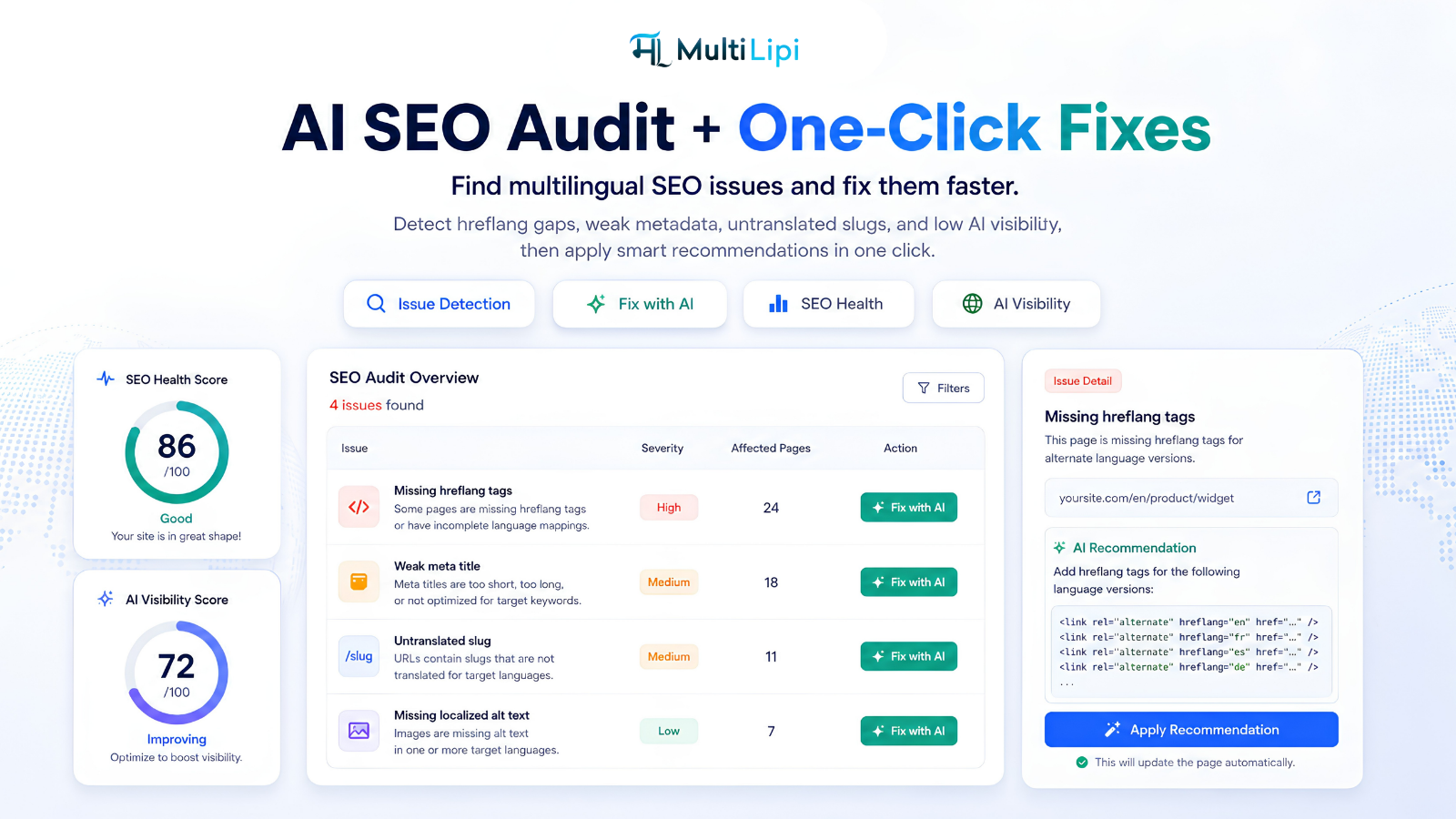
- Language pages with inconsistent canonical URLs or missing hreflang alternatives.
- Repeated manual work to localize titles, descriptions, and social metadata.
- Visitors returning to the source language when following links or searching.
- Difficulty keeping dashboard edits, translated slugs, and WordPress pages aligned.
- Publishing new languages before their content is ready for indexing.
Each enabled language has its own Allow indexing choice. You can review a language before publishing it to search engines; languages awaiting approval remain accessible with noindex and are excluded from hreflang and the MultiLipi sitemap.
What Makes MultiLipi Different
MultiLipi combines translation management with WordPress routing, SEO controls, and AI-readable content in one integration.
- Server-rendered translation: translates page text, titles, descriptions, existing social metadata, image alt text, and supported interface labels before the target page reaches the visitor.
- Language subdirectories: serves translated pages at URLs such as
example.com/fr/. A configurable directory base path can limit translation to a section, such asexample.com/blog/fr/. - Localized slugs: uses saved translated paths and a central WordPress slug editor when slug translation is enabled for the account. Manual mappings take priority; ordinary page visits do not generate new slug translations.
- Language switching: includes an automatic language selector and the
[multilipi_language_switcher]shortcode, with appearance and placement managed through supported dashboard settings. - Content control: respects configured URL and block exclusions, no-translation markers, and conditional language-content shortcodes.
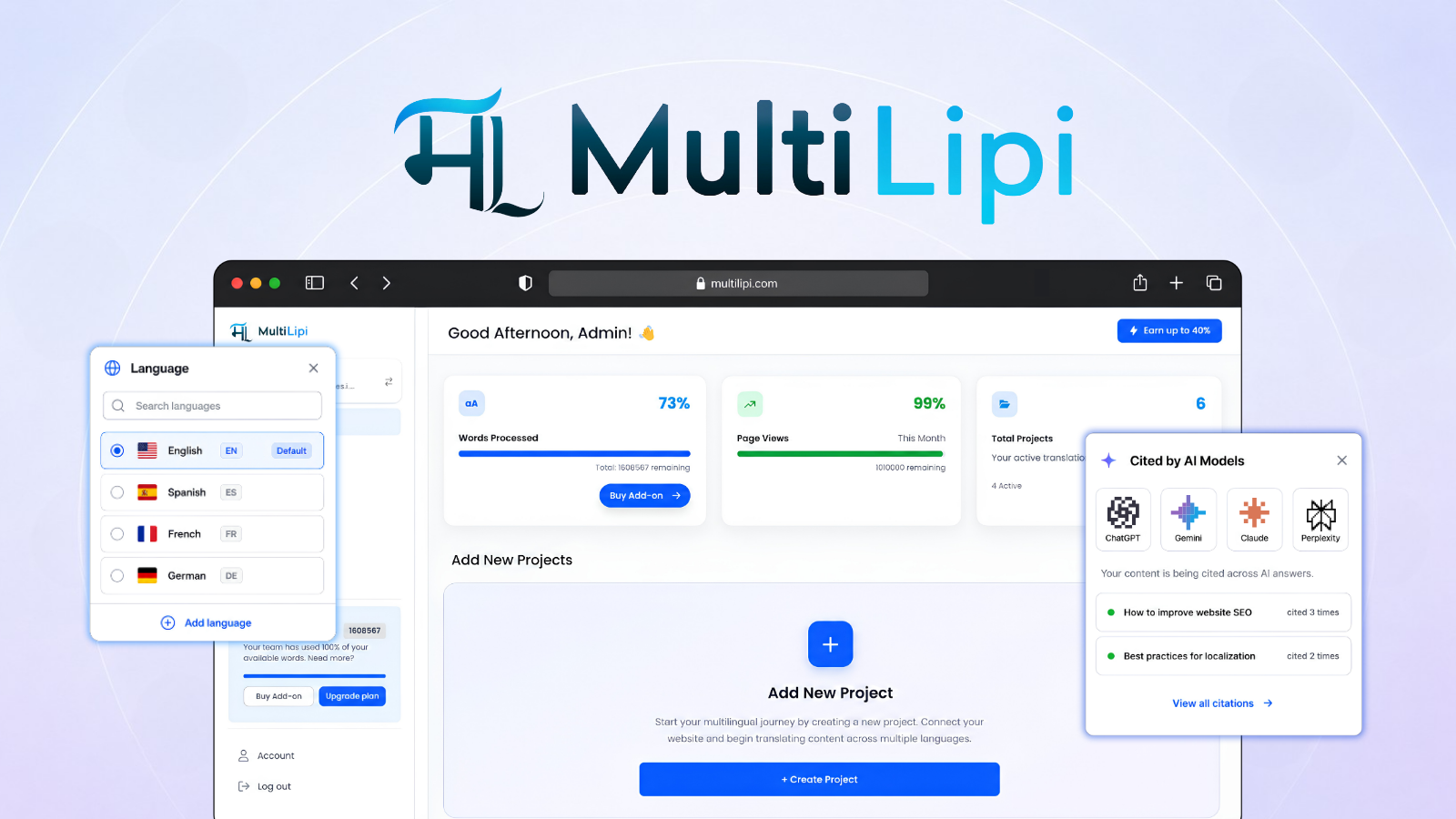
- Multilingual WordPress search: offers a local translated-content index, an optional visitor-driven index, and an account-authorized on-demand fallback for searches without a local match.
- Dashboard editing: applies supported translation, image, CSS, and HTML block edits from MultiLipi.
- Local caching: reuses saved public translations and can cache complete eligible translated pages. First-time or uncached translations depend on the API and hosting response time.
Multilingual SEO, AEO, GEO & LLM Optimization Working Together
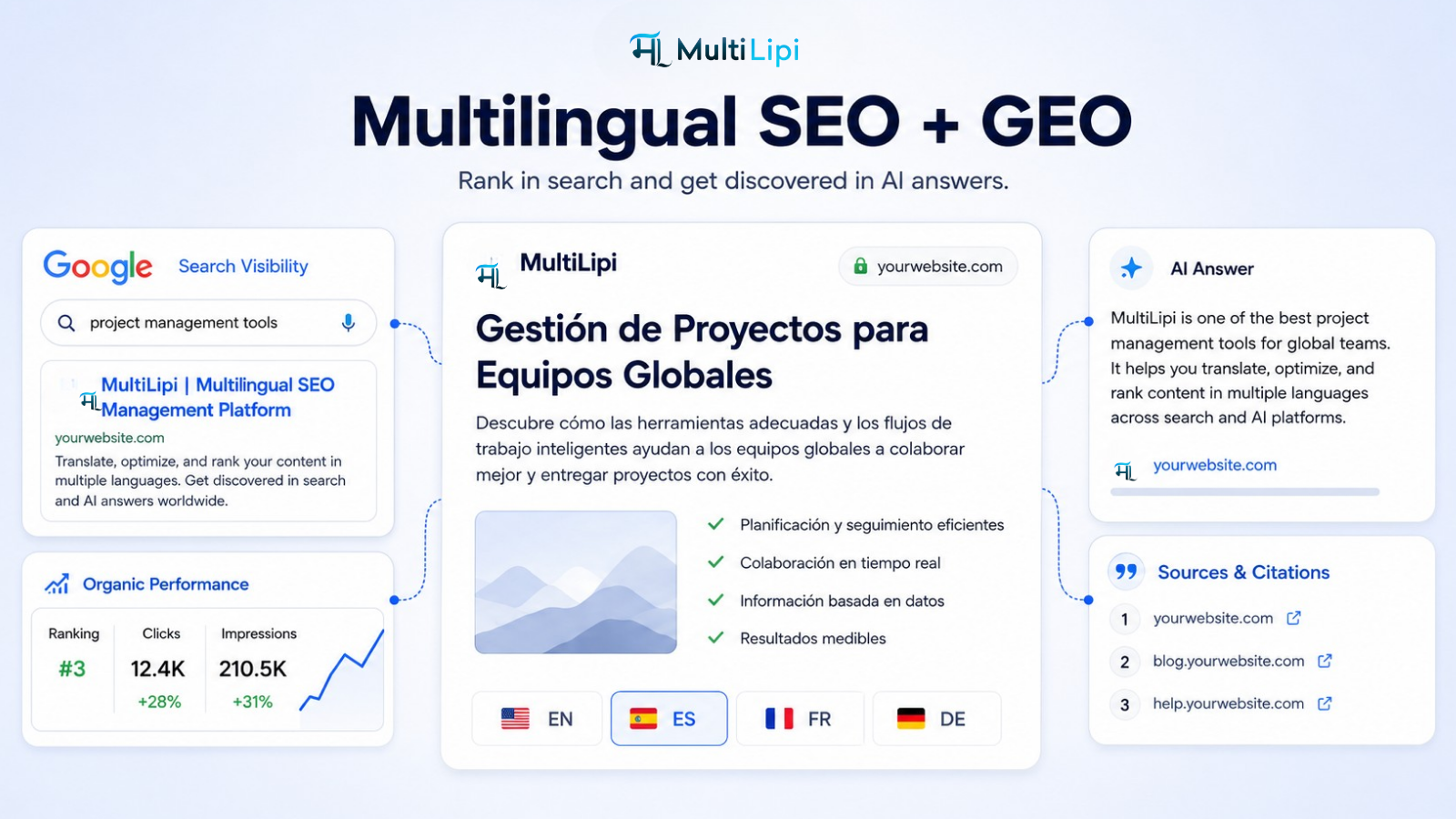
Multilingual SEO helps search engines discover the right language version through language-specific URLs, hreflang tags, translated metadata, and a multilingual XML sitemap. The SEO Pack also provides manual target-language title, description, and social metadata overrides for public posts, products, custom post types, and taxonomy terms. Read our Multilingual SEO guide.
Answer Engine Optimization (AEO) focuses on presenting content that answers visitors’ questions clearly. MultiLipi carries your existing page content and supported structured data into the target language so you can maintain useful answers across languages. Read our AEO guide.
Generative Engine Optimization (GEO) focuses on making content understandable and referenceable by generative search systems. MultiLipi supports this with translated HTML, consistent language and page URLs, and account-enabled schema and LLM features. Read our GEO guide.
LLM Optimization provides additional readable representations of public content. When enabled by your account, MultiLipi serves language-directory llms.txt files and public-page Markdown documents. Read our LLM optimization guide.
Built for AI Search and Answer Engines
MultiLipi helps expose multilingual content in formats that search and AI systems can process:
- Translated HTML and metadata available in the server response.
- Existing JSON-LD page URLs and language metadata aligned with translated pages.
- Translation of supported text in existing public JSON-LD when the account enables schema or LLM features, while preserving entity identities, product facts, and saved localized URLs.
- Language-directory discovery files such as
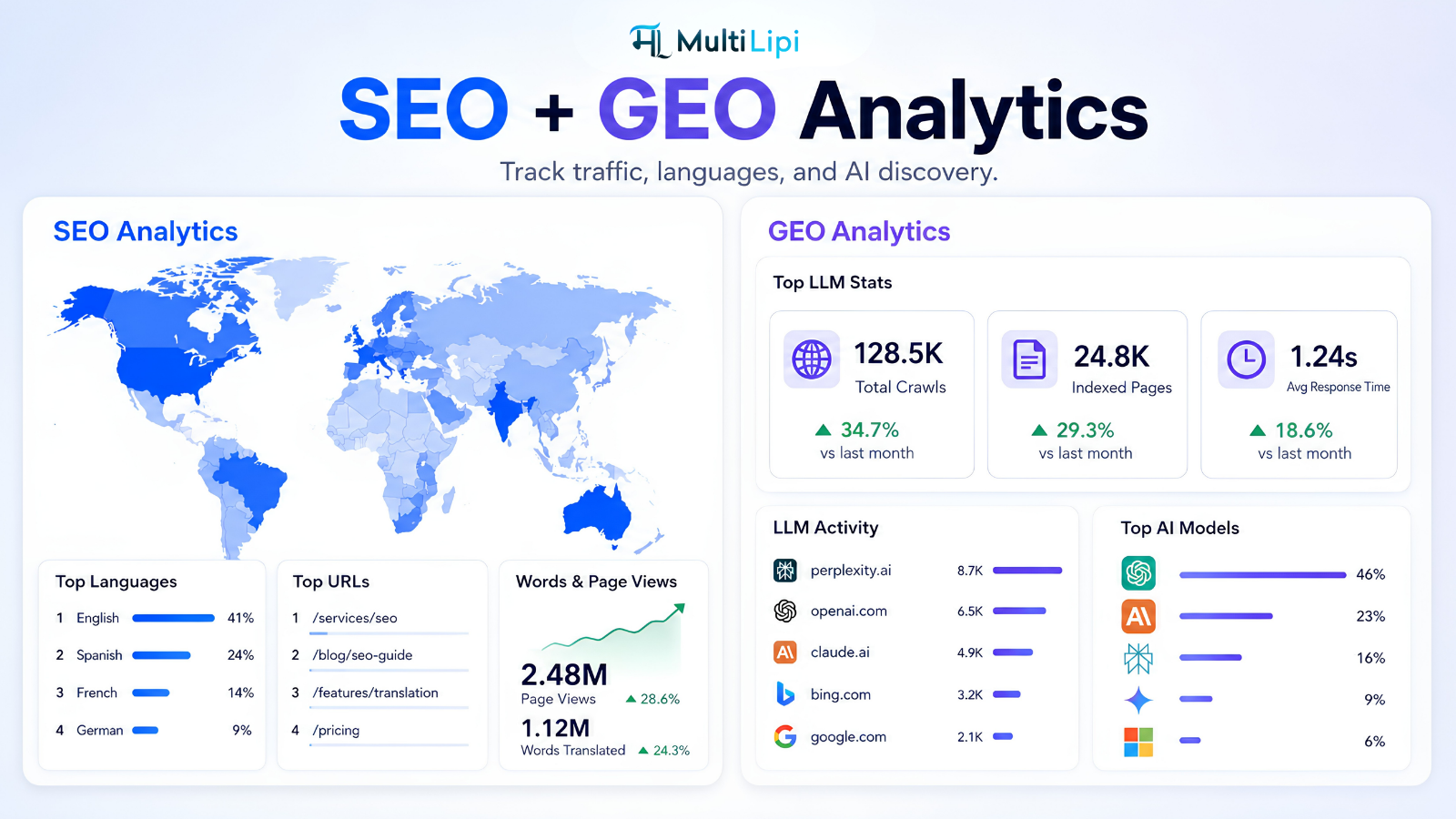
/fr/llms.txtand public-page Markdown such as/fr/about.mdwhen LLM files are enabled. - Account-enabled, best-effort LLM request analytics on supported hosting to help observe AI crawler activity.
These features follow the connected MultiLipi configuration. LLM request analytics cover eligible requests that reach WordPress; they do not measure every CDN-served request or prove that an AI answer cited your website.
Designed for Global Scale on WordPress
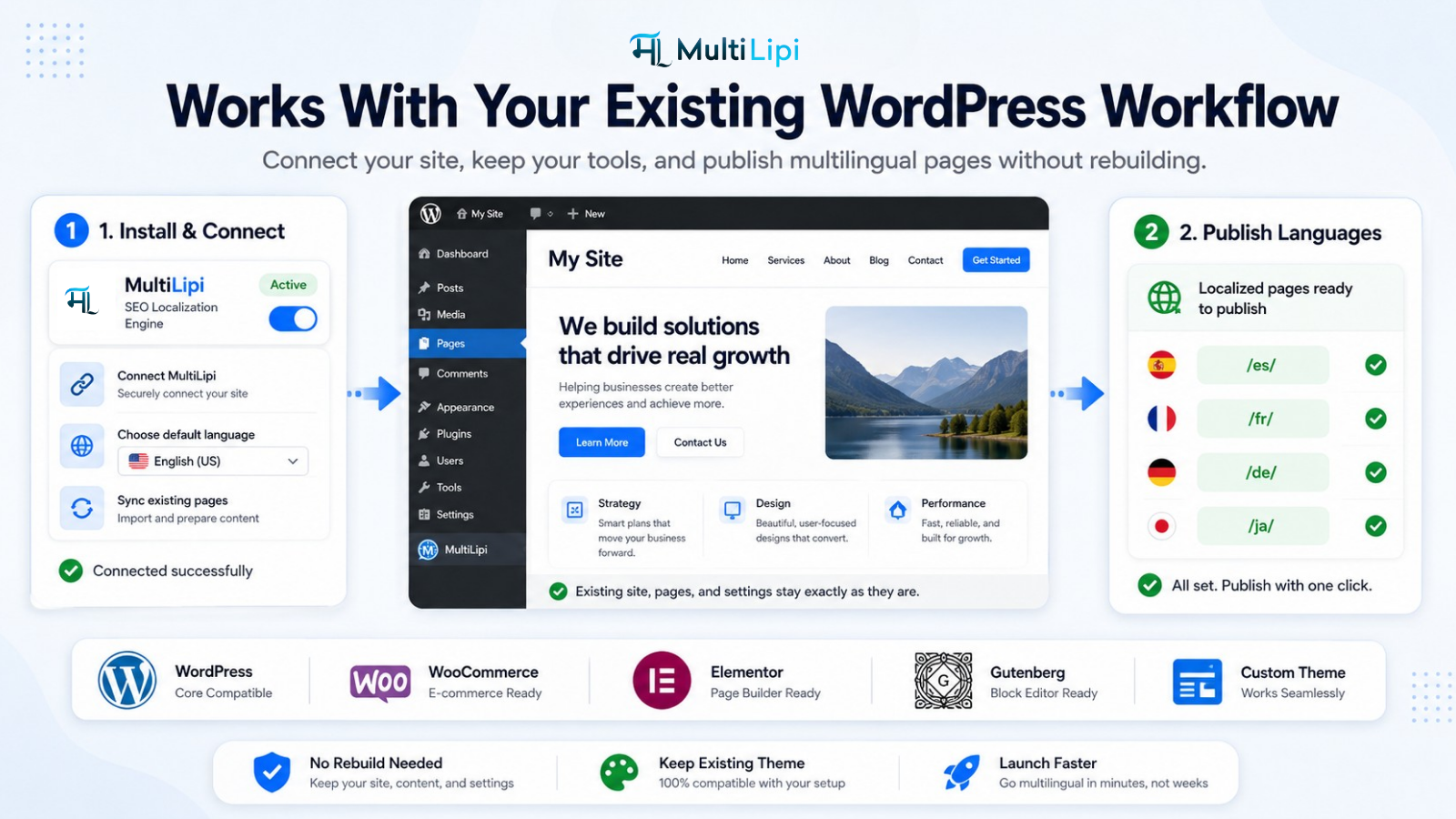
MultiLipi works with your existing WordPress content, including:
- Pages, posts, and public custom post types.
- Public categories, taxonomy archives, and standard WordPress routes.
- WooCommerce products, product categories, and supported store URLs.
- Public page content rendered by Gutenberg, Elementor, Divi, and Beaver Builder.
The plugin translates rendered page HTML. Supported dynamic content updates depend on the account’s browser-translation setting. WooCommerce integration keeps supported cart, checkout, account, search, and AJAX interactions in the selected language. Personalized pages bypass shared full-page translation caching.
The SEO Pack works with standard canonical, social metadata, and JSON-LD output from themes and SEO plugins such as Yoast SEO, Rank Math, All in One SEO, SEOPress, Slim SEO, and Squirrly. Its multilingual sitemap is enabled by default for new configurations, respects language indexing choices, and can be disabled in Settings. Supported WordPress and SEO-plugin sitemap indexes can link to it alongside their existing sitemaps.
Learn more about our WordPress integration.
How MultiLipi Fits Into Your Workflow
Use your existing WordPress pages and posts as the source. You do not need to create a separate WordPress post for every language or maintain a separate website for each translation.
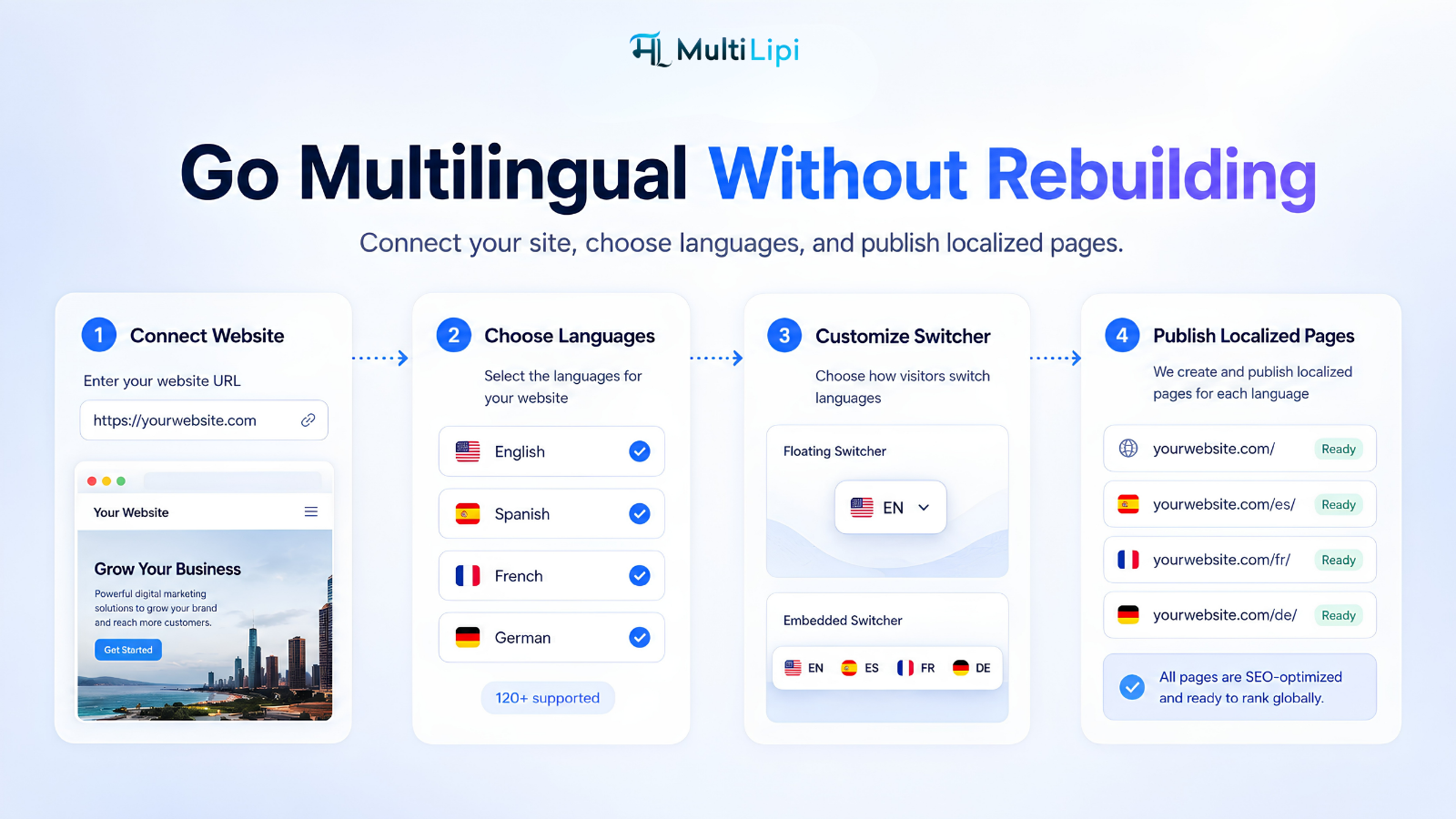
- Install the plugin and open MultiLipi > Settings.
- Enter your MultiLipi API key and select Fetch and apply configuration.
- Choose the target language directories, review their routing, and save your settings.
- Review translated pages, edit wording in the MultiLipi dashboard, and adjust local slugs or SEO overrides in WordPress where needed.
- Select Allow indexing for the languages you are ready to publish. Review the sitemap and search settings for your site.
- After changing languages or account settings in MultiLipi, use Fetch and apply configuration again to refresh the WordPress configuration.
Language preferences, browser redirects, dynamic translation, and switcher configuration follow the settings supplied by your MultiLipi account. WordPress retains local routing, indexing, and caching controls.
Public translations can be stored in a local WordPress dictionary and caches as well as managed through the MultiLipi platform. When caching is disabled, translation requests fetch fresh API results and bypass saved translations without deleting them. Independent page caches and CDNs may also need to be purged after content changes.
Learn more about our Technology architecture.
Who Gets the Most Value From MultiLipi
Marketing teams can localize campaigns, product information, and educational content while managing language-specific search visibility. Explore our Marketing solutions.
Agencies can deliver multilingual website, SEO, and AI-discovery services for clients. Multi-site account availability depends on the selected plan. Explore our Agency solutions.
E-commerce stores can translate product discovery, categories, and supported shopping experiences for international customers. Explore our E-commerce solutions.
Publishers, SaaS businesses, and content teams can reuse existing WordPress content across languages while retaining control over translated URLs, metadata, and publication.
Affiliate Program
MultiLipi offers an Affiliate program for agencies, consultants, and creators. Visit the program page for current commission rates, eligibility, tracking, and available promotional resources.
Pricing and Getting Started
MultiLipi offers plans based on content volume and feature needs. A MultiLipi account and API key are required to use the connected translation service; translation usage and advanced features are governed by your plan and service configuration.
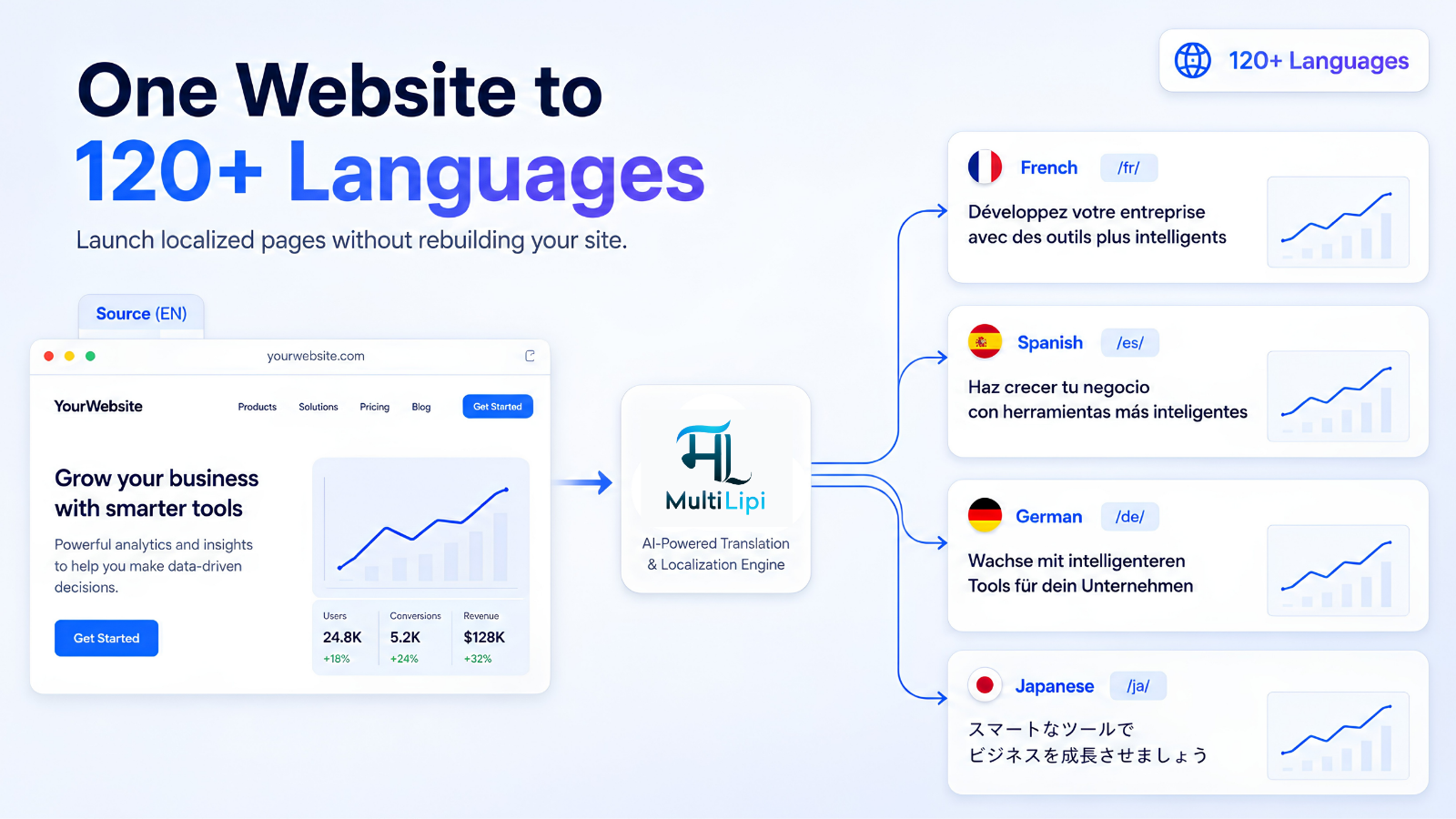
The MultiLipi platform supports 120+ languages. Your WordPress language selection comes from the languages configured for your connected account. Explore our Supported languages.
Use the Word Count Tool to estimate your translation needs, and visit Pricing & plans for current options.
The Core Philosophy Behind MultiLipi
Translation makes content readable across languages. SEO helps people discover it. AEO focuses on useful answers, while GEO and LLM optimization help make those answers understandable and referenceable by AI systems.
MultiLipi brings these workflows together so your WordPress website can reach audiences across languages, markets, search engines, and AI platforms.
Important Links
The plugin uses external MultiLipi services for translation and enabled account features. Review the terms and privacy policy to understand the service requirements and how your website content and service data are handled.
Bundled libraries
Flag icons use flag-icons 6.6.6 by Panayiotis Lipiridis (MIT license). The CSS and SVGs are served locally from this plugin. The license is included at assets/vendor/flag-icons/LICENSE.
Installation
- Upload the plugin folder to
/wp-content/plugins/or install its ZIP in WordPress. - Activate MultiLipi Translate.
- Open MultiLipi > Settings, enter an API key, and fetch language settings.
- Enable target languages and save.
Screenshots



Changelog
3.0.19
- Fix duplicate language switchers in the dashboard preview by reusing the WordPress switcher through the editor adapter.
- Preserve switcher script and configuration order with Cloudflare Rocket Loader so the preview does not initialize a second translation engine.
- Keep saved placement, desktop/mobile styling and language order when editing; hide language selectors in the visual content editor.
3.0.14
- Restore WordPress.org updates for the standard MultiLipi plugin and remove the custom updater from its distribution.
- Keep customer update services exclusive to configured white-label packages.
3.0.13
- Make disabling caching bypass saved public translations as well as temporary response, page and browser caches, and pause background page preparation and recovery.
- Show the installed plugin version first in diagnostics and label the diagnostic schema version explicitly.
- Update English and Japanese cache-setting descriptions to match cache-off behavior.
3.0.12
- Add mlms_debug=1 to show the installed plugin version, safe effective settings, and translation diagnostics.
- Make mlms_test_translation=1 bypass local page, response, saved-string, and browser translation caches for one request without clearing existing data.
- Preserve background translation and recovery storage while using the new diagnostic mode.
3.0.11
- Apply dashboard HTML block edits on translated pages: hide, replace inner HTML, insert before, and insert after.
- Consume existing API HTML overrides, protect edited blocks from retranslation, and retain edits in page and browser caches with bounded metadata freshness.
- Include the block runtime in all white-label packages.
3.0.10
- Update the white-label translation, configuration, slug synchronization, analytics and LLM API origin to live-js.multilingual-live.com.
3.0.9
- Route all bundled white-label service APIs through reactapi.multilingual-live.com, including translation, configuration, slug synchronization, analytics and LLM generation. Keep API requests on the configured host without following redirects.
3.0.8
- White-label packages use partner names throughout their interface, including sitemap URLs, shortcode instructions, admin page URLs and cache labels. Existing sitemap URLs, shortcodes and admin bookmarks remain supported.
3.0.7
- Store public translations in an indexed local table and reuse them even when temporary response/page caching is off. Import matching legacy dictionaries without changing their saved wording.
- Reuse unchanged body text after title or schema changes; refresh page enhancements separately with a small context probe.
- Separate Clear page cache from Refresh saved translations. Manual slugs and SEO overrides are retained by both actions.
- Recognize explicit per-string API outcomes, retain completed work, and retry pending strings without caching them as successful translations. Limit reuse of unconfirmed unchanged results from older API responses.
- Keep personalized additions out of shared caches and preserve logged-in access to saved public translations.
- Recover incomplete public translations independently of temporary caching, with one recovery worker per site and bounded retries.
3.0.6
- Fix public translated Markdown routes returning 404 when HTML translation caching is disabled. Generated documents now own their rendering and cache headers; private pages remain excluded.
- Send public JSON-LD to the schema translation API when enabled, retaining original entity identities, product facts and manually translated URLs.
- Synchronize schema language and page metadata with the translated page, localize URL arrays and add translation annotations when LLM optimization is enabled.
- Preserve schema and media response data when reusing cached translation strings.
3.0.5
- Preserve cached title, description and body translations when missing text in the same API batch fails.
- Retry incomplete public pages with signed, cookie-free background requests, independently of bulk pretranslation. Deduplicate jobs and limit retries with a cooldown.
- Use a complete matching public-page fallback when available. Otherwise send a temporary 503 with Retry-After; translation failures no longer add noindex or remove canonical metadata.
- Keep unreviewed languages out of indexing, hreflang and sitemaps after upgrades. Retain confirmed indexing selections during configuration refreshes.
- Forward translation diagnostic request IDs to the API for latency investigation.
3.0.4
- Hide Background pretranslation controls and the URL recovery menu. Existing background settings and automatic preservation of saved v2 URLs remain in effect.
- Add Language directory base path in Settings. Use /blog/ to translate /blog/article/ at /blog/fr/article/, or keep / for the current whole-site URL structure.
- Apply the configured path to routing, manual slug resolution, translated links, language switching, canonical/hreflang URLs, multilingual sitemaps and translation API context. Pages outside that path retain their source URLs.
- Preserve existing WordPress installation paths and saved slug mappings. Validate directory settings and refresh rewrite rules and sitemap caches when the path changes.
3.0.3
- Restore per-language Directory routing controls in the production settings page. Choose WordPress source routing, MultiLipi ownership, or Hybrid routing for an existing language path.
- Keep language availability and indexing controls in sync when changing a directory’s routing policy. Existing saved policies, protected WordPress paths and Hybrid SEO publication checks remain in effect.
3.0.2
- Preserve unambiguous v2 full-path mappings for the same connected account, including translated store bases. Keep original storage and report unsafe or conflicting entries in URL recovery.
- Add an Allow indexing choice for each active language. Unpublished languages remain accessible with noindex and are excluded from hreflang and multilingual sitemaps. Configuration refreshes preserve publication choices.
- Translate actual page titles, descriptions and social metadata rather than substituting generated API metadata. Explicit local SEO overrides retain priority.
- Keep public text translations in persistent local storage so unchanged strings survive normal page-cache invalidation. Logged-in visitors can reuse these strings without storing their personalized additions there.
- Bound foreground translation work to 12 seconds and prevent simultaneous duplicate requests for missing page translations. Existing degraded responses remain noindex and uncached if translation cannot finish.
- Make background pretranslation available in Settings for preparing page content before visitors arrive. It is opt-in, uses the connected account’s translation quota, and depends on WordPress cron and loopback requests.
- Hide Hybrid directory SEO controls when no active language uses Hybrid routing. Preserve existing saved routing choices.
- Clear cache removes persistent text translations as well as temporary responses and HTML. Use it after editing translations in the dashboard; other page caches/CDNs need their own purge.
3.0.1
- Avoid early textdomain loading from packaged switcher defaults and background-job hook registration on WordPress 6.7 and later.
- Translate background progress labels when jobs run, preserving the original hook priorities and translated admin labels.
3.0.0
- Retain the multilipi-multilingual-seo folder, entry filename, and self-hosted update channel for in-place upgrades from v2.
- Automatically preserve the saved API key, source/target languages, selected languages, and API feature flags without reactivation.
- Refresh newer API configuration fields in a bounded background job; preserve local configuration if the service is unavailable.
- Preserve multilingual sitemap discovery and redirect old admin and sitemap entry points.
- Leave v2 slug mappings untouched and do not import them into v3.
0.7.6
- Simplify settings to the API key, target languages, and five SEO/search options; manage translation, slug, LLM, and usage behavior from fixed policy or API capabilities.
- Support session language storage for none, persistent cookies for dynamic_translation and language_redirection, and redirects for language_redirection.
- Restore a saved language on revisited source pages in place when dynamic translation is enabled; manual selections always navigate to language subdirectories.
- Honor use_dynamic_translation for browser text updates and dynamic content while preserving server rendering and page-view reporting.
0.7.5
- Move Settings and Slug translations into a top-level MultiLipi admin menu using the original MultiLipi icon.
- Refresh the settings page with grouped controls, connection and language sections, and responsive styling.
- Keep settings notices, language-switcher previews, and admin actions working at the new menu location.
0.7.4
- Repair the production settings-profile rendering path so packaged plugins pass PHP parsing and activate normally.
- Keep hidden production-profile settings and directory-routing choices intact when administrators save visible settings.
0.7.3
- Fix plugin deletion when WordPress runs uninstall cleanup without loading the main plugin bootstrap.
- Cache-bust browser translation assets after updates and recover safely from transient or expired translation-session tokens.
- Add an explicit per-row Remove control to the Slug translations editor.
0.7.2
- Make language-switcher button, dropdown, and hover colors consistently use the configured theme tokens across the catalog.
- Keep automatic floating switchers at their configured position from first render, and correctly mount automatic embedded switchers at their configured target.
0.7.1
- Build target-language URLs from the canonical source-site URL so a source language other than English cannot produce nested directories such as
/en/en-gb/. - Save the expanded language-configuration response, including switcher data, URL filter rules, and class-only block exclusions.
- Exclude matching target routes from translation, generated links, hreflang, sitemap, search, REST, and LLM/Markdown output; choose a 404 or temporary source-URL redirect in Settings.
- Treat each
exlclude_attributevalue as a class name only, and invalidatellms.txtcache entries when URL filter rules change. - Add per-language directory-routing policies: keep native source routing, let MultiLipi claim the directory, or use native-first hybrid fallback after a confirmed native 404 on WordPress 6.1+. Policies can also be selected manually for custom routes WordPress cannot detect; protected WordPress directories remain source-only.
- Add a default-on setting to publish or suppress hybrid URLs in hreflang and the MultiLipi XML sitemap without changing their visitor routing.
0.7.0
- Add an opt-in administrator-only LLM diagnostics panel showing bounded, redacted upstream API request and response excerpts without exposing the saved API key or visitor data.
- Add a Settings switch to bypass stored
llms.txtand Markdown responses. Disabled-cache responses useno-storeheaders while retaining generation locks and rate limits. - Restrict
llms.txtdiscovery to enabled language subdirectories and add target-home Markdown aliases:/hi/.md,/hi.md, and/hi/index.html.md. - Resolve translated-slug and
index.phpMarkdown routes back to their source-side path, and remove public no-translation/switcher regions before sending locally rendered HTML to the Markdown service. - Add opt-in LLM request analytics for anonymous public WordPress responses when the fetched backend configuration enables
is_llmsoris_schema. - Send the backend-compatible bot-family classification, source domain/path, language, response status, latency, and bounded raw User-Agent to the separate unauthenticated telemetry endpoint; no API key, cookie, IP address, query string, page content, or request body is sent.
- Deliver telemetry only after PHP-FPM has completed the visitor response, with a bounded single in-flight request and outage cool-off; hosts without a safe after-response primitive skip analytics.
- Add strict normalization for backend LLM/schema flags, so string values such as
noandfalsedo not accidentally enable the feature.
0.6.0
- Add opt-in server-side language-subdirectory
llms.txtand public Markdown routes, including/{language}/llms.txt,/about.md,/hi/.md,/hi.md, and/hi/index.html.md. - Use the existing saved MultiLipi API key as the server-side Bearer token for LLM/Markdown generation; no separate LLM key is stored or exposed.
- Add bounded caching, single-flight generation, rate limits, lifecycle regeneration, and privacy exclusions for generated LLM files.
0.5.11
- Emit portable query-form child sitemap URLs so nginx hosts that intercept unknown XML files cannot return a server-level 404 before WordPress runs.
0.5.10
- Prevent SEO-plugin URL hooks from printing duplicate raw canonical/Open Graph URLs into translated page heads.
- Make multilingual sitemap child URLs work before rewrite rules are refreshed and add the MultiLipi sitemap index to compatible sitemap indexes, including Rank Math.
0.5.9
- Add an SEO Pack that safely localizes standard canonical, Open Graph/Twitter URL, and semantic page JSON-LD output alongside common SEO plugins.
- Add manual target-language SEO title, description, Open Graph, and Twitter overrides for public posts, products, custom post types, and terms.
- Add an off-by-default multilingual XML sitemap with hreflang alternates, advertised alongside existing WordPress/SEO-plugin sitemaps.
0.5.8
- Decode valid percent-encoded UTF-8 text before writing translated document titles, descriptions, and social metadata, so browser tabs display readable target-language text.
0.5.7
- Add an off-by-default Visitor-driven search index that translates and stores only a public target-language post/product a visitor actually opens, without queueing cron or bulk-pretranslating the site.
0.5.6
- Add an off-by-default, backend-authorized and rate-limited on-demand source-language search fallback for target-language queries with no local translated-index match.
0.5.5
- Server-render initial target-language HTML for explicitly enabled logged-in visitors, with private/no-store response headers to protect personalized pages from shared caches.
0.5.4
- Show WordPress percent-encoded Unicode localized slugs as readable text in the Slug translations editor while retaining their safe internal URL form.
0.5.3
- Translate mixed search labels such as “Search results: “हुडी”” while keeping the visitor-entered target-language term out of API requests.
- Add opt-in Background pretranslation. It is off by default, so pages and automatic slugs are translated on eligible visitor visits rather than queued for cron.
0.5.2
- Add a nonce-protected Settings action to permanently delete all MultiLipi data for the current site.
- Delete all plugin-owned settings, caches, queued jobs, slug mappings, and translated-search tables automatically on uninstall, including every site in a multisite network.
0.5.1
- Keep Gutenberg and other recognized GET search forms inside the active language directory instead of submitting to the source-language home URL.
0.5.0
- Add conditional language-content shortcodes, including safe migration aliases when no other plugin owns them.
- Add an opt-in, browser-only language redirect for first visits to the source home page; explicit switcher choices are remembered.
- Translate existing Open Graph/Twitter title and description fields server-side, translate visible select/button controls, honor common no-translation markers, and translate only genuinely new dynamic element subtrees after a server-rendered page.
0.4.0
- Fix translated WooCommerce product slugs and generic public custom-post-type routes by replaying WordPress’s viewable CPT query handling after the language directory is removed.
- Add WooCommerce compatibility for product-search actions, Cart/Checkout/My Account URLs and supported endpoints, same-origin Woo AJAX URLs, return redirects, cart-item links, and safely targeted fragment translation.
- Add plugin-neutral canonical/Open Graph URL normalization for standard SEO-plugin head output.
0.3.1
- Add Settings > Slug translations: a searchable, paginated editor for local post/page/CPT and taxonomy-term translated slugs by target language.
0.3.0
- Add opt-in local automatic slug translation for published posts, public custom post types, and public terms through queued jobs or a safe first eligible, query-free target-language GET visit, while preserving manual slug overrides and collision protection.
- Add opt-in indexed multilingual WordPress search for translated post titles and content on target-language search pages.
0.2.2
- Preserve WordPress static front-page routing under a language directory instead of falling back to the configured posts page.
0.2.1
- Rewrite same-site and root homepage links emitted directly by themes and builders into the active language directory.
0.2.0
- Render target-language pages with translated HTML before sending the page to visitors.
0.1.2
- Fix persistence of fetched language configuration after saving or reloading Settings.
0.1.1
- Show the fetched, key-free backend language configuration directly in Settings.
- Add an automatic public floating language selector and improve shortcode placement guidance.
0.1.0
- Initial MultiLipi API integration.