


Description
Multisite Addons Manager
Advanced plugin management system for WordPress Multisite networks, combining granular control with efficient administration.
Features:
- Network-only plugin enforcement
- Per-site plugin visibility controls
- Custom plugin filtering views
- AJAX-powered management interface
- Strict capability verification
Requirements:
- WordPress Multisite
- PHP 7.4+
- MySQL 5.6+
- Network Admin privileges
Administration:
- Bulk operations
- Main site override
- Native dashboard integration
- Action logging
Designed for developers and system administrators needing precise plugin governance in multisite environments.
Localizations
- Português
- Español
- Français
Installation
- Upload the unzipped
network-only-plugins-tab.zipto/wp-content/plugins/directory. - Activate the plugin through the Network > Plugins menu in WordPress.
- Go to Network -> Plugins.
Uninstall
The file uninstall.php will clean the plugin option stored in the database.
FAQ
Where are the plugin settings
On /wp-admin/network/plugins.php at the top right of the page.
On /wp-admin/network/site-info.php?id=SITEID for marking plugins exclusive for that site.
I’m saving the plugin options but it doesn’t work
Flush your website cache. Redis Object Cache may cause this.
Different counts when viewing plugin screen
When viewing the screen Network Only, the count of Active and Inactive reflects the number that are Network Only.
Learn more about Multisite
https://codex.wordpress.org/Create_A_Network
Doubts, bugs, suggestions
Don’t hesitate in posting a new topic here in WordPress support forum.
Screenshots


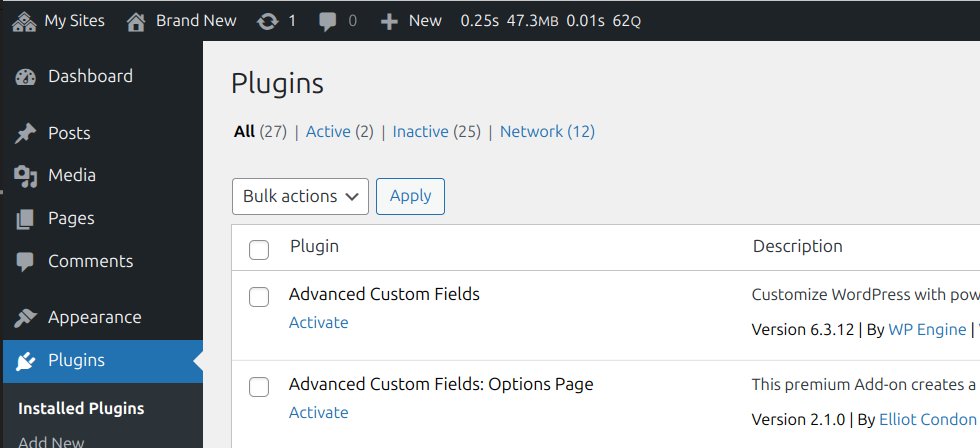
Changelog
Version 2.0.1
* FAQ and translations fixes.
Version 2.0
* Remaking plugin.
Version 1.2
* CSS adjustments.
Version 1.1
* Added FontAwesome icons.
* Added plugin settings.
Version 1.0
- Plugin launch.