


Description
WordPress Gallery Plugin
NextGEN Gallery has been the industry’s standard WordPress gallery plugin since 2007 and continues to receive over 1.5 million new downloads per year. It’s easy to use for simple photo galleries, but powerful enough for the most demanding photographers, visual artists, and imaging professionals who need a comprehensive photo gallery solution.
NextGEN Gallery offers complete WordPress gallery management with the ability to batch upload photos, import metadata, easily add, delete, rearrange photos and create an unlimited number of galleries. You can even simply provide a zip file or choose a folder to upload photos.
But our photo gallery plugin doesn’t stop there!
NextGEN Pro
This plugin is the lite version of the NextGEN Gallery plugin, which offers all the gallery features you’ll need like photo albums, lightboxes, backups, search, sharing, filtering, print fulfillment, eCommerce, animations, and tons more. Click here to purchase the best photo gallery plugin for WordPress now!
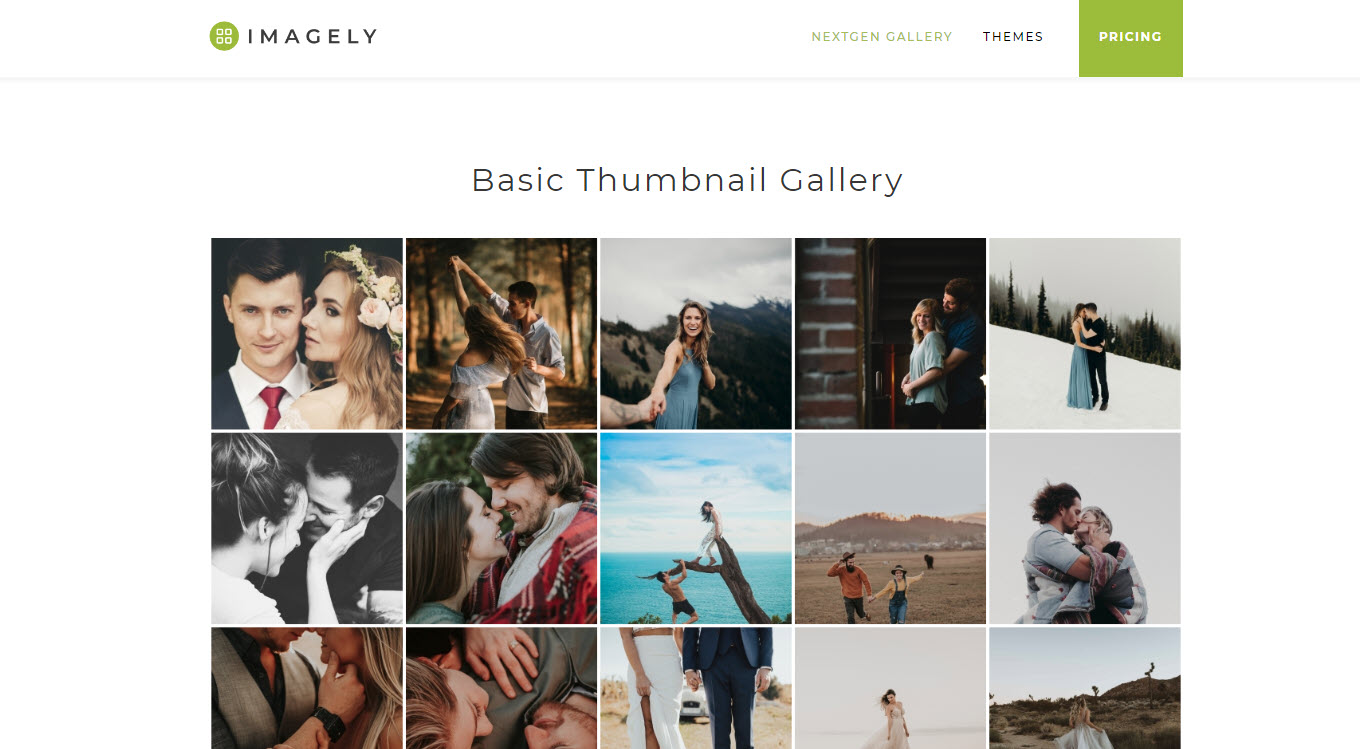
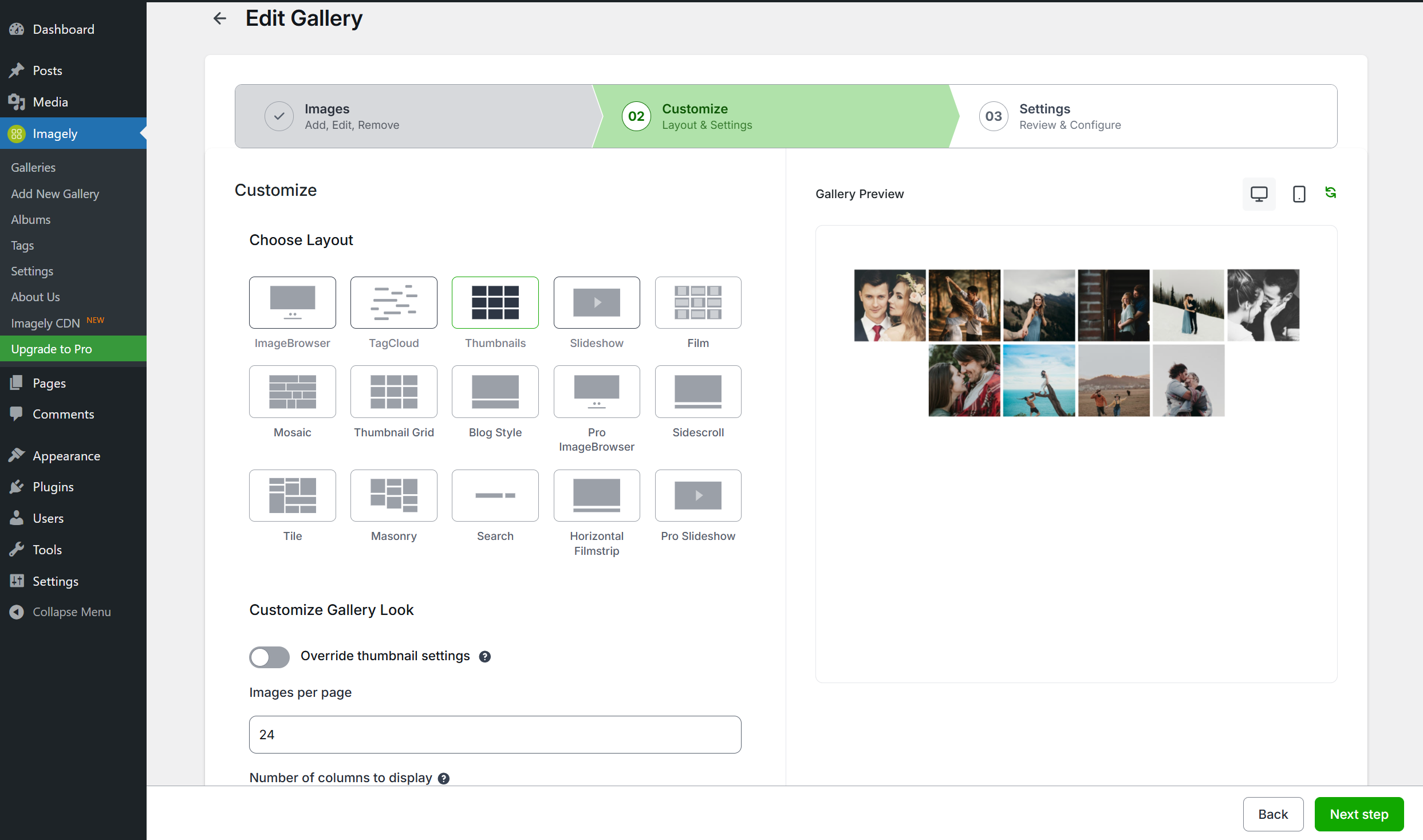
The free version of NextGEN gallery provides three main gallery styles (slideshow, thumbnail, and imagebrowser galleries) and two album styles (compact and extended), all of which come with a wide array of options for controlling size, style, timing, transitions, controls, lightbox effects, and more. Learn more about NextGEN WordPress Gallery Plugin features.
The best gets better with full support for the Gutenberg block editor. Now you can add a photo gallery or album anywhere on your site, with a page builder type feel directly in the WordPress editor. We truly make creating, building, and editing galleries easy.
Feature List
We’ve built NextGEN Gallery to be extremely powerful and full of features.
- Albums Organize multiple photo galleries into albums for easy sorting and viewing
- Tags Group multiple images together with tags, with easy-to-update renaming and management
- eCommerce Sell images from your photo gallery, or sell entire galleries with our built in payment processing. Works with Stripe and PayPal.
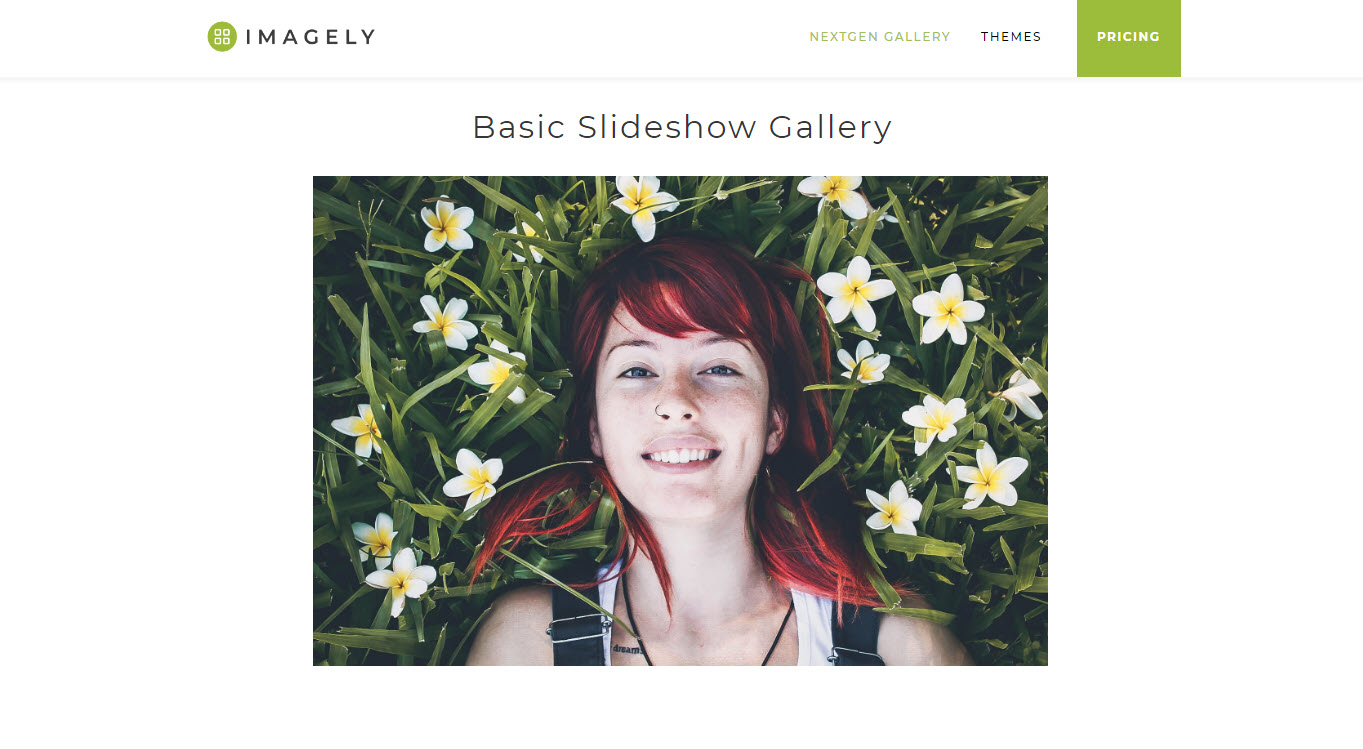
- Slideshows Make your galleries automatically rotate through a series of images
- Themes Access 84+ different types of themes to showcase your galleries
- Animations Create visual interest with 25+ different types of animations for each gallery
- Watermarks Protect your work with image and text-based watermarks.
- Capabilities Customize who can read, edit, and publish galleries with refined permsisions controls
- Image Proofing Let your customers choose which photos to purchase and improve your workflow.
- Print Fulfillment Sell your photos and ship prints directly to customers with automated print lab fulfillment and zero commissions
- Auto Tax calculations Automatically calculate sales tax when required for your customers.
- Coupons Offer discounts and incentives to increase your gallery sales
- Lightroom Integration Automatically sync and create photo galleries from Adobe Lightroom into NextGEN Gallery without any need to update your website.
- Social Sharing Create viral social media opportunities when your images are optimized for Open Graph and X
- Image Commenting * Add deep engagement to your images within the lightbox to increase gallery engagement
- Deep Linking Link directly to a specific image from one of your galleries
- Frontend Search * Add powerful filtering for your gallery based on tags
- Hover Captions * Add social sharing, tiles, and descriptions for each image
- Digital Downloads Offer digital downloads of your images for free, or chage for them with our eCommerce gallery plugin
- Right Click Disable prevent images in your galleries from being downloaded with easy right click and drag/drop protection.
- Customization * We’ve built in lots of individual customizations for each of our features so that you can make NextGEN Gallery perfect for you
As you can see, we’ve built a photo gallery plugin that is suitable for everyone! Want a specific or missing feature? Just let us know.
NEXTGEN GALLERY DEMOS
*Basic Thumbnail Gallery
*Basic Slideshow Gallery
*Basic Imagebrowser Gallery
*Basic Compact Album
*Basic List Album
NEXTGEN PRO DEMOS
*Photo Print Sales
*Photo Proofing
*Digital Downloads
*Pro Mosaic Gallery
*Pro Masonry Gallery
*Pro Tile Gallery
*Pro Filmstrip Gallery
*Pro Lightbox
About Imagely
NextGEN Gallery is a WordPress gallery plugin maintained by Imagely. We’re the WordPress photography experts. In addition to NextGEN Gallery, NextGEN Plus, and NextGEN Pro, we also make WordPress themes for photographers, providing beautiful turnkey websites for photographers.
Learn more or connect with us:
*Imagely Website
*WordPress Themes for Photographers
*Turnkey Photography Sites
*NextGEN Gallery Documentation
Credits
Copyright: Imagely 2016-2024
Shortcodes
NextGEN Gallery offers an easy-to-use Insert Gallery Window, which means you never need to work with shortcodes again when inserting and manageing galleries – if you would prefer not too.
If you do want to work with shortcodes, there is a powerful shortcode system as you’d expect of a popular WordPress gallery plugin. Learn About NextGEN Gallery Shortcodes.
For more information, feel free to visit the official website for the NextGEN Gallery WordPress Gallery Plugin.
Installation
INSTALLATION: The easiest way to start uploading your photos is to login to you WordPress dashboard, go to Plugins > Add New, search for NextGEN Gallery, and click to install the plugin. You can also download the plugin zip file from this page and upload it from the Plugins > Add New > Upload page.
HOW TO USE: Just go to a page or post and add a NextGEN Gallery block. Within the block, click the Add Gallery button to open our Insert Gallery Window, where you can create, manage, customize, and display your WordPress photo galleries. You can also manage your photo galleries and gallery settings from the central options area under the “Gallery” tab on your dashboard menu.
DOCUMENTATION: See NextGEN Gallery Documentation.
That’s it … have fun! For more information, feel free to visit the official website for the NextGEN Gallery WordPress Gallery Plugin.
FAQ
Why are my photo galleries not opening up in a lightbox after I move my site?
This is often due to the URL paths to the CSS and JavaScript files used by the Lightbox Effects not being changed to relevant addresses based on the new site. This article will help sort out this issue if that is the case: Why are my galleries not opening up in a lightbox?.
Do you have documentation or tutorials?
Yes. See NextGEN Gallery Documentation.
Will this gallery plugin work with my theme?
Yup, NextGEN is a popular and well-established WordPress gallery plugin, and has been for a long time. It will work well with most other themes and plugins in the WordPress ecosystem.
Are the photo galleries flash based?
Nope, we do not use flash elements.
Are the galleries mobile friendly?
Yes, we’ve put a lot of work into this and, NextGEN Galleries are compatible with phones and tablets, inluding Android and iOS operating systems. All photo galleries are also responsive, so galleries look good on diverse screen sizes. NextGEN Pro also includes a fullscreen, responsive Pro Lightbox with mobile gesture support. It’s great for viewing photos on mobile devices.
What is the difference between a gallery and an album?
In simple terms, Albums are collections of galleries. So Galleries contain your photos and Albums contain your Galleries. Albums act as links and placeholders to quickly and easily navigate your galleries. Galleries will actually display your images.
Can I upload multiple images at once?
Yes, you can batch upload entire photo galleries at one time or even include zip folders.
Can I password protect galleries?
Yes, WordPress allows you to password protect pages by default – which includes all photo galleries and content for the entire page. Password protection pages can be turned on and off at any time, with just a few clicks.
Can I add a watermark to the my photos?
Yes, you can add text or image watermarks to your gallery images.
Can I crop photo thumbnails?
Yes, each thumbnail image can be individually adjusted to suit your needs.
Is there pagination for photo galleries?
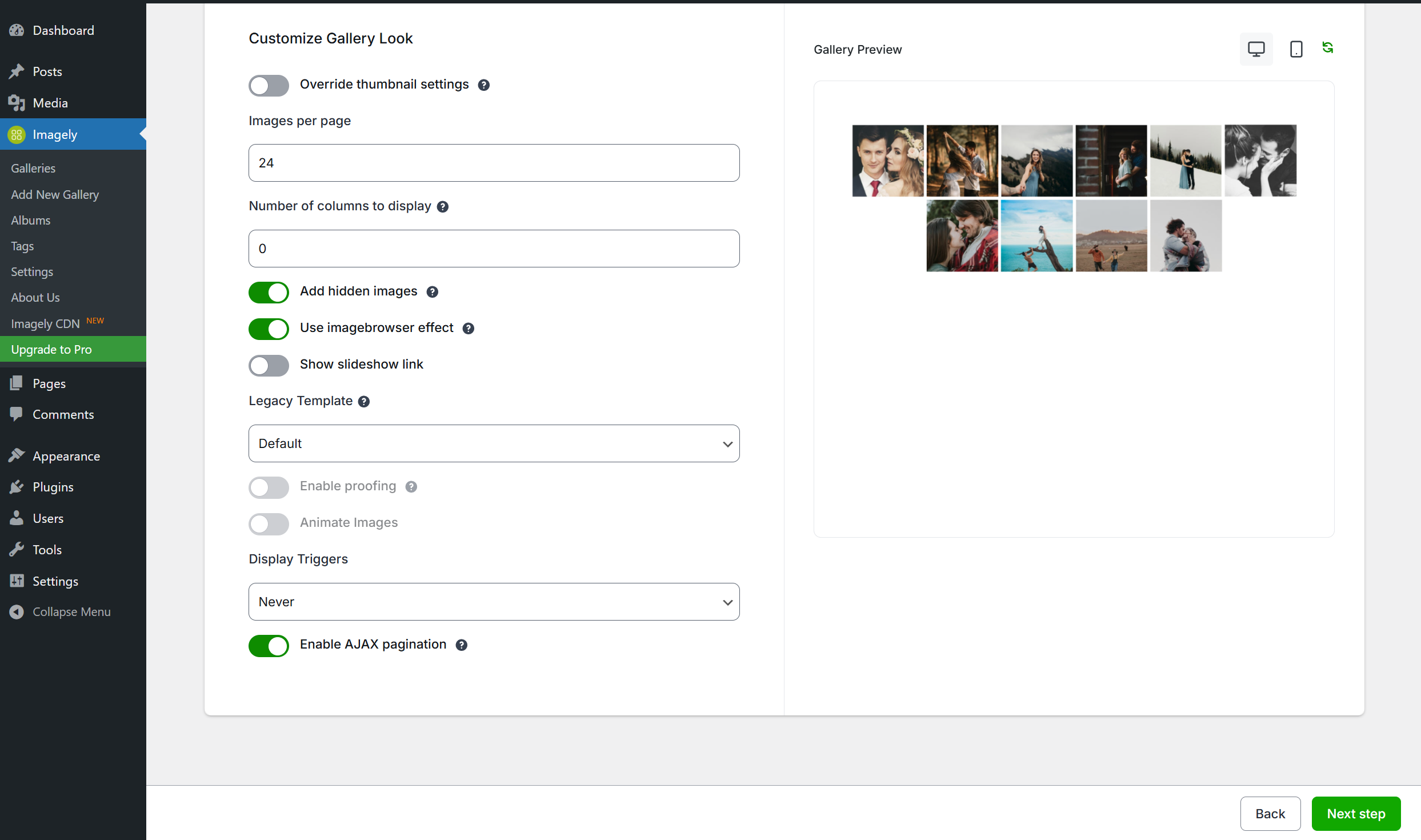
Yes, you can use pagination when displaying thumbnail galleries. You can adjust the amount of photos to be shown on a page at any time.
Can I customize the lightbox?
Yes, the lightbox can be configured with multiple options directly from the Dashboard, and there are multiple CSS styles, which can be applied and modified as well. If you want even more options, consider upgrading to NextGEN Pro and using the NextGEN Pro lightbox.
Can I add HTML to photo captions?
Yes, caption areas are fully HMTL capable.
Can I add an external links to galleries?
Since the captions are fully HTML capable, you can add external links and any other type of markup you wish.
Is NextGEN Gallery available in foreign languages?
Yes, our WordPress gallery plugin has been translated into dozens of languages – click here to find out more.
More Information
For more information, feel free to visit the official website for the NextGEN Gallery WordPress Gallery Plugin.
Screenshots

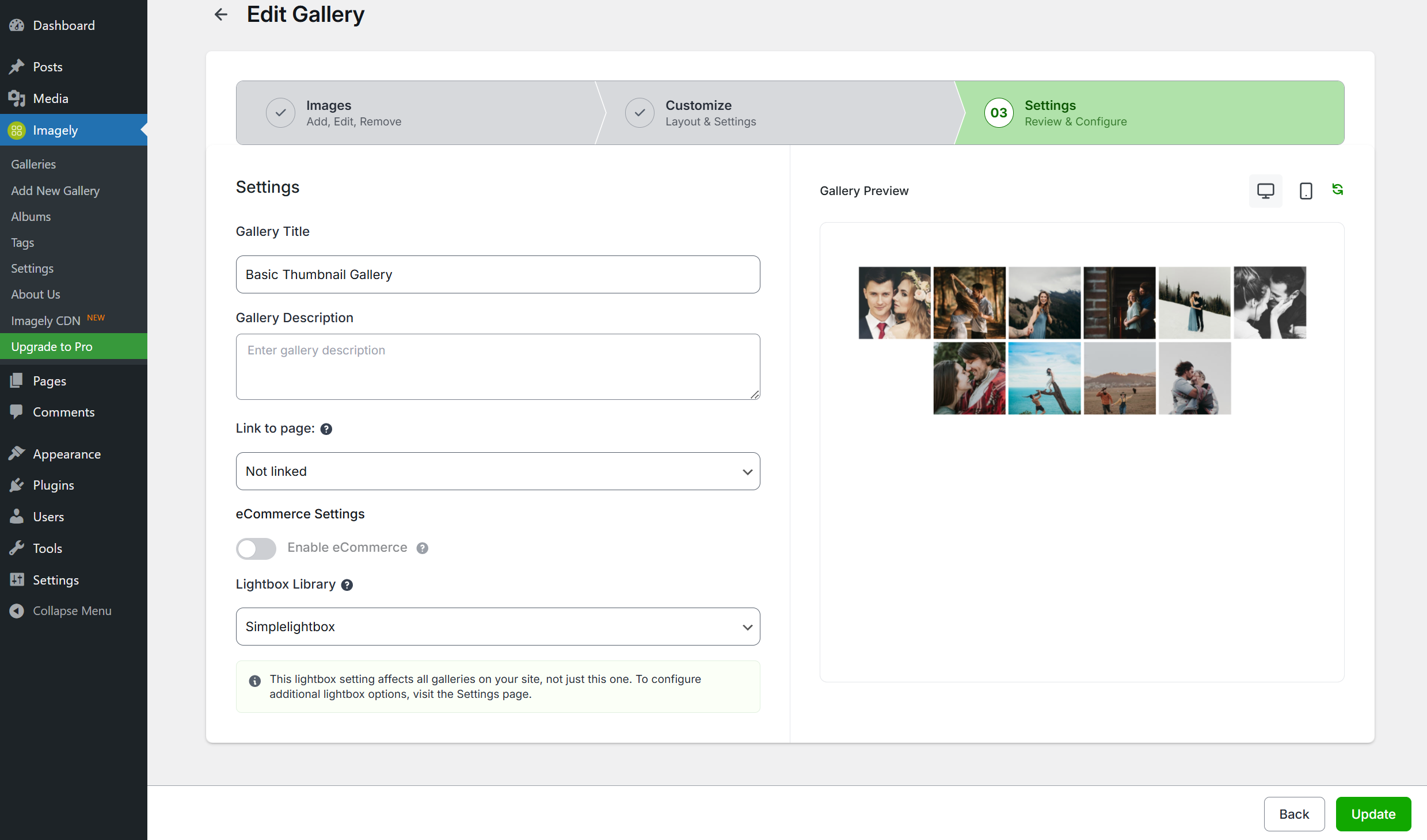
Changelog
4.6.0 – 11.17.2026
- Added: Private galleries. Make a gallery private, share it on a password-protected client page, and keep it out of every other gallery, album and search on the site.
- Added: Support for the WordPress Abilities API (WordPress 6.9+), so AI assistants and other tools can work with your galleries within each user’s permissions.
- Added: Filter a gallery’s images by tag or text in the gallery editor and bulk-manage the results.
- Added: A notice ahead of the PHP 8.1 requirement coming in the next release. Sites running PHP 7.4 to 8.0 see it in wp-admin and keep working; sites on PHP 7.0 to 7.3 see the plugin stay inactive with an explanation on the Plugins screen.
- Fixed: Security hardening on the Other Options reset. We recommend updating.
- Fixed: Security hardening on lightbox content links. We recommend updating.
- Fixed: Security hardening on the plugin’s module cache. We recommend updating.
- Fixed: The watermark preview no longer fails on sites with a large image library.
- Fixed: Large Media Library imports run in batches, so no selected image is skipped.
- Fixed: Watermarking images on upload no longer leaves unwatermarked high-resolution copies behind.
- Fixed: An image watermark from your own site that previews correctly is now applied by Set Watermark.
- Fixed: Admin actions that send no data, such as deleting, are no longer blocked by CDN firewalls like QUIC.cloud.
- Fixed: The link-to-page pickers list every page, sorted and with readable titles, instead of stopping at 100.
- Fixed: The pricelist selectors list every pricelist instead of stopping at 100.
- Fixed: Links from an album to its galleries and sub-albums no longer keep growing the page address.
- Fixed: Galleries added in Elementor’s editor are styled straight away in the editor preview.
- Fixed: Dragging an image within the same row on the legacy Sort Gallery screen works again.
- Fixed: The Set NextGEN Featured Image window clears the previous gallery search.
- Fixed: The Yoast image sitemap no longer logs a warning for images without a title.
- Fixed: A fatal error on PHP 8 in the legacy image file-type check.
- Fixed: Checking for NextGEN’s database tables no longer scans the whole database, which slowed large and multisite installs.
4.5.6 – 11.09.2026
- Fixed: Security hardening on the Tag page (CVE-2026-119611). We recommend updating.
- Fixed: Security hardening on lightbox captions (CVE-2026-116550). We recommend updating.
- Fixed: Security hardening on Lightroom publishing (CVE-2026-118191). We recommend updating.
- Fixed: Security hardening on image metadata handling. We recommend updating.
- Fixed: Security hardening on how full-size image originals are stored. We recommend updating.
- Fixed: Security hardening on gallery and image deletion. We recommend updating.
- Fixed: Security hardening on the watermark settings. We recommend updating.
- Fixed: Security hardening on the gallery shortcode. We recommend updating.
- Fixed: Security hardening on the Other Options screens. We recommend updating.
- Fixed: Security hardening on the settings REST API. We recommend updating.
- Fixed: Security hardening on album pages. We recommend updating.
- Fixed: Shortcodes from other plugins, such as Envira Gallery and Soliloquy, no longer stop working after an SEO plugin builds an image sitemap on the same request.
- Fixed: The image crop tool now crops the image, and a failed crop no longer replaces the image with its original upload.
- Fixed: Manage Galleries shows the right number of pages after a search.
- Fixed: The Pro Blog display’s image spacing setting is saved and applied.
- Fixed: WPML translations of album gallery and sub-album titles are shown again.
- Fixed: The setup wizard shows the upgrade offer only to NextGEN Gallery users, not to Pro, Plus or Starter users.
- Fixed: Importing from Google Photos sends the picker session, so the selected photos are imported.
4.5.5 – 10.29.2026
- Fixed: Security hardening on the Shutter and Shutter Reloaded lightboxes, so a link title, such as one inside a visitor’s comment, is shown as text instead of being run as code (CVE-2026-116563). We recommend updating.
- Fixed: Security hardening on lightbox captions, so caption text can no longer run scripts, inject its own styling or make the visitor’s browser load content from another site, in any of the three lightbox effects. We recommend updating.
- Fixed: Security hardening on the legacy gallery screens and image operations (rotate, resize, watermark, thumbnail and metadata import), which now check both the user’s NextGEN permissions and their access to that specific gallery. A user whose “Manage gallery” permission has been removed can no longer edit images in galleries they created. We recommend updating.
- Fixed: Security hardening on media library imports, gallery conversion and featured images, so a user can only import into, convert or use images from galleries they are allowed to manage. We recommend updating.
- Fixed: Security hardening on album pages, so the gallery named in an album’s address can only be one of the galleries in that album. We recommend updating.
- Fixed: Security hardening on licence keys, so the NextGEN Pro licence key is no longer sent to the block editor or the admin app for users who cannot manage it. We recommend updating.
- Fixed: A gallery shortcode missing its closing bracket could make the page scan the rest of the post without limit, slowing or stalling it.
- Fixed: A non-numeric value for a size or spacing setting, in a gallery shortcode or left empty in the display settings, caused a server error on the page.
- Fixed: Saving an existing gallery said it was “created successfully” instead of “updated”.
- Fixed: A saved order on the legacy Sort Gallery screen showed the old order until the cache expired, and the next save could submit it again.
- Fixed: The “Manage gallery” link in the notice after an upload now opens the gallery you uploaded to instead of the galleries list.
- Fixed: The legacy Manage Gallery screen saved
&in alt text and descriptions as&. - Fixed: The WP-CLI commands
wp ngg gallery edit --title,wp ngg album createandwp ngg gallery list_childrenfailed. - Fixed: Turning off a gallery’s eCommerce setting is now respected, so NextGEN Pro no longer shows the cart for that gallery.
- Fixed: The Add Product window in price lists described Digital Downloads incorrectly.
- Fixed: “Activate License & Install Pro” installed NextGEN Pro but did not save the licence key.
- Fixed: Lightroom publishing no longer logs a “post_back token did not match” refusal on every normal publish.
4.5.4 – 10.22.2026
- Fixed: PHP 8.2+ compatibility, so NextGEN no longer fills the error log with deprecation notices when it generates thumbnails, watermarks and reflections, or when it reads an image whose file is missing.
- Fixed: A PHP warning on the Manage Gallery screen for a gallery whose author account has been deleted.
- Fixed: A gallery shortcode with single-quoted attribute values could stop the next shortcode in the same post from rendering.
- Fixed: Importing a folder on WordPress 6.9 no longer raises a deprecation notice for every image.
4.5.3 – 10.15.2026
- Fixed: Security hardening on image imports, so title and caption text stored inside an image’s own metadata can no longer inject scripts into the gallery and lightbox. We recommend updating.
- Fixed: Security hardening on the Media RSS feed and the admin album picker, so gallery and album text can no longer inject scripts into those screens. We recommend updating.
- Fixed: Security hardening on the legacy AJAX endpoint, so it no longer returns a logged-in administrator’s session cookies to any script on the page and can no longer be driven into an endless loop that exhausts the server. We recommend updating.
- Fixed: Security hardening on gallery shortcodes, so a shortcode attribute can no longer point the renderer at an arbitrary file on the server or overwrite the display settings it is rendering with. We recommend updating.
- Fixed: Security hardening on image and gallery file paths, so specially crafted paths can no longer reach the filesystem checks that resolve them. We recommend updating.
- Fixed: Security hardening on images already stored with a double file extension, which are now renamed on upgrade so they display again instead of being refused on every page load. We recommend updating.
- Fixed: Security hardening on ZIP imports, so hidden files and macOS archive artefacts are skipped instead of being imported as images. We recommend updating.
- Fixed: Gallery and album permissions are now checked the same way everywhere – REST, the legacy admin screens, XML-RPC and the Lightroom queue – so a user who no longer has permission to manage a gallery is no longer offered an edit that fails on save.
- Fixed: Album ownership is now enforced on the XML-RPC and Lightroom publishing paths, matching the rest of the plugin.
- Fixed: Two REST routes accepted the wrong level of permission: network settings could be changed by a single-site administrator, and notification settings had no permission check at all.
- Fixed: The thumbnail and bulk-resize REST routes no longer change your site-wide image dimension settings as a side effect.
- Fixed: Gallery display caching now uses a collision-free key, so one gallery can no longer be served the cached output of another.
- Fixed: The XML sitemap no longer lists gallery images that are hidden from your visitors.
- Fixed: The eCommerce screens are now shown only to full administrators, since every request behind them already requires that level of access.
- Fixed: Gallery URLs with extra text after the gallery slug now return a proper 404 instead of a page, which keeps search engines from crawling an unlimited number of invalid gallery addresses.
- Fixed: Image URLs broke on WordPress installations in a subfolder, producing addresses such as “wp/-content”.
- Fixed: Related Images thumbnails rendered with an empty image source and showed nothing.
- Fixed: “Insert Gallery” failed with a security error in the block editor on some setups.
- Fixed: Uploading and creating galleries failed on sites where the admin screen is embedded in another page, such as some hosting dashboards.
- Fixed: Closing the lightbox while an image was still animating could leave the page locked and unscrollable.
- Fixed: Thumbnail views could produce PHP warnings when a gallery had no thumbnail size set.
- Fixed: The watermark X and Y offset fields were ignored for the centre and middle positions and are now applied.
- Fixed: Pressing Enter in the legacy gallery editor’s settings no longer creates a new page and re-links the gallery.
- Fixed: The album preview’s “first image” fallback never found an image, so albums could display without a cover.
- Fixed: An album that contains itself, directly or through another album, no longer crashes the page when the album renders.
- Fixed: Bulk actions no longer drop images you selected on other pages of the image list.
- Fixed: Images uploaded at the same time are now given distinct positions, so a gallery’s manual order is no longer scrambled by concurrent uploads.
- Fixed: A failure part-way through an image import – a full disk, a permissions problem or a corrupt source file – now rolls the image back and reports which step failed, instead of leaving a half-imported image behind.
- Fixed: A single unrepairable image no longer blocks every image queued behind it during an upgrade.
- Fixed: Gallery search no longer breaks on search terms containing reserved characters such as “&” or “#”.
- Fixed: Album links were rewritten incorrectly on pages where another gallery rendered first.
- Fixed: A bulk pricelist-item creation that only partly succeeded reported plain success; failures are now reported back.
- Fixed: Regenerating translation files dropped all admin interface strings, leaving around 380 strings untranslatable.
- Improved: Resizing no longer re-encodes full-size JPEGs whose dimensions are already correct, preserving image quality.
- Improved: The “Add New Gallery” uploader previews selected images as small thumbnails instead of decoding every full-resolution original, making the screen far faster with large uploads.
4.5.2 – 10.01.2026
- Fixed: Security hardening on ZIP imports, so an archive can no longer write files outside the gallery folder on servers that use the fallback unzip method. We recommend updating.
- Fixed: Security hardening on the REST API, so a gallery’s folder location and ownership can no longer be changed by users who should only be able to edit its content and settings. We recommend updating.
- Fixed: Saving a gallery through the REST API reported success even when part of the request was rejected. Rejected fields are now reported back.
- Fixed: Image uploads and Media Library imports failed when the gallery permalink slug was set to a common word such as “images”.
- Fixed: Clearing the gallery permalink slug broke the Imagely admin screens and the site’s REST API. The slug now falls back to its default instead of being saved empty.
- Fixed: WordPress’s own REST endpoints could stop working depending on the gallery permalink slug.
- Fixed: Gallery links and pagination broke when the site’s domain or a page’s slug contained the gallery permalink slug.
- Fixed: Galleries inserted with the [imagely] shortcode no longer disappear from posts saved in the Classic editor, and editing one no longer loses the gallery it pointed at.
- Fixed: A gallery shortcode written with single quotes no longer deletes the rest of the post’s content when the page is opened in the Visual tab.
- Improved: The [imagely] shortcode now appears in the Classic editor’s Visual tab as a NextGEN Gallery placeholder with Edit and Remove buttons, matching [ngg].
- Fixed: Images added to a gallery after a manual sort was saved on a page now appear in the gallery’s order instead of being stranded at the end.
- Added: The legacy gallery block’s sort tab now says when a manual image order is in force, with a one-click option to go back to following the gallery.
- Added: A filter for sites that have moved to the Imagely block to hide the legacy gallery block from the block inserter.
- Fixed: Importing from the Media Library now stores your full-resolution image instead of the smaller copy WordPress creates for large uploads, so digital download options above 2560 pixels no longer disappear.
- Fixed: Lightroom desktop client’s FTP/SFTP path discovery no longer fails on PHP 8.
4.5.1 – 09.18.2026
- Fixed: Security hardening on Lightroom publishing. We recommend updating.
- Fixed: A failed Lightroom publish now explains why, instead of showing the same message for every cause.
- Fixed: Re-publishing an image that is already in the gallery no longer fails the publish.
- Note: A Lightroom publish already in progress when you update needs to be published again.
4.5.0 – 09.16.2026
- Added: Set up payments from one guided Payments hub. Requires NextGEN Pro.
- Added: Connect your own Stripe account in one click to start taking payments. Requires NextGEN Pro.
- Added: A CSS class on gallery images so lazy-load and image-optimization plugins can be told to skip NextGEN galleries.
- Added: A filter for developers to add lazy-load opt-out attributes to gallery images.
- Fixed: Security hardening on gallery editing, image operations and settings, so accounts with limited gallery permissions can no longer reach galleries, images or site-wide settings outside their own scope. We recommend updating.
- Fixed: Security hardening on ZIP imports, uploaded filenames and image serving, to better protect your site’s files. We recommend updating.
- Fixed: Galleries in password-protected posts are no longer loaded for visitors who have not entered the password.
- Fixed: A ZIP import that skips files now tells you which files were skipped, instead of reporting a clean import.
- Fixed: An image size that cannot be generated now shows a placeholder image instead of a permanently broken image with no explanation.
- Fixed: NextGEN no longer interferes with other plugins that bundle the same HTML sanitization library. On sites running CiviCRM this was filling the PHP error log with warnings on every page view.
- Fixed: Other plugins’ cached sanitizer data is no longer written inside NextGEN’s own folder, where it was erased each time NextGEN updated.
- Fixed: The “Move Images” and “Add Items to Album” dialogs no longer time out on sites with a large number of galleries or albums.
- Fixed: Sorting images now reliably updates the grid and shows a clear message when some images could not be sorted, instead of a misleading error.
- Fixed: The attach-to-post dialog no longer hangs when used inside the block editor’s iframed canvas.
- Fixed: Post and page editing no longer triggers a critical error on servers that disable the PHP readfile function.
- Fixed: Newly uploaded images no longer disappear from, or duplicate across, the pages of a gallery that was already sorted.
- Fixed: Galleries could stay permanently empty on some database configurations because the images table could not be created, with uploads failing on a message that wrongly blamed the image’s filename length.
- Fixed: A missing images table is now reported in the admin, with the database’s own explanation, instead of failing quietly.
- Fixed: The warning about the duplicate-image cleanup no longer appears blank — it now names the database error behind it, and no longer blames the cleanup when the real problem is a missing table.
- Fixed: The duplicate-image cleanup now tidies up after itself, and says so if it gives up, instead of leaving a temporary index on the images table without reporting anything.
- Fixed: Database problems that persist are reported again after a plugin update, instead of going unreported once the first notice was dismissed.
- Fixed: Database error details in admin notices are now shown only to users who can act on them.
- Fixed: A database error that could appear in the error log when loading WordPress admin pages after updating.
- Fixed: Gallery and album display settings could be left uncleaned when a database error interrupted the update, with no further attempt made.
- Fixed: Alt Text and image links are kept when you replace an existing image — a Lightroom republish no longer resets Alt Text to the filename or changes the image’s link.
- Fixed: Image links and XML sitemap entries no longer carry a changing cache-busting parameter, which was adding image URLs to Google Search Console as 404 errors and cluttering your sitemap.
- Fixed: Album cover tiles, the image browser, slideshows, single pictures and the Sort Images screen now show the updated picture straight after you rotate or crop an image.
- Fixed: Sites using the Envira Image CDN no longer get a cache-busting parameter appended to their CDN image URLs.
- Fixed: The block’s gallery and album picker no longer stops at 999 items, so galleries created after the first 999 can be found and inserted.
- Fixed: Typing a name in the block picker now searches your whole library instead of only the part already loaded.
- Fixed: Searching for a gallery or album whose name contains the word “title” or “name”, or the characters % or _, now returns results instead of nothing.
- Fixed: A failed load in the block picker now shows an error instead of appearing as an empty library.
- Fixed: The legacy NextGEN Gallery block’s gallery picker opened as a blank window on some editor screens, including the Widgets screen and third-party page builders.
- Fixed: An album’s “Display gallery descriptions” setting is now respected when the album is added with the classic [ngg] shortcode or the legacy NextGEN Gallery block, not only with the current Imagely block.
- Fixed: Number columns such as Count on the Tags screen now sort numerically across your whole list, instead of alphabetically within the page you are looking at.
- Fixed: Names containing numbers now sort naturally, so “Gallery 2” comes before “Gallery 10”.
- Fixed: Creating a thumbnail no longer uses memory in proportion to the size of the original photo, so galleries of large images no longer run out of memory part way through.
- Fixed: Retina and HiDPI thumbnails are no longer silently skipped on sites with large original images.
- Fixed: Image tags are now registered with WordPress correctly, so site audit tools no longer flag them against a content type that does not exist.
- Fixed: Galleries configured in the new gallery editor now start by displaying the intended number of images instead of a lower default. Requires NextGEN Pro.
- Improved: Gallery and album pickers now load in pages with search, so they stay fast regardless of how many galleries or albums exist.
- Improved: The block picker loads results in pages of 50, so large libraries open quickly.
- Improved: If the gallery picker cannot be opened, the block now explains why instead of showing an empty window.
- Improved: The picker’s loading spinner no longer hides an already-loaded gallery picker.
- Improved: New uploads are added to the end of a sorted gallery instead of jumping to the front.
- Improved: Photocrati-store customers are now directed to their own account portal from the admin help and support links.
- Improved: Clearer eCommerce upgrade page for Lite users.
- Changed: Updated the bundled HTML sanitization library to 4.19.0, which officially supports PHP 8.4.
For older versions, see the full changelog.