


Description
ntrnllnk links your posts automatically—without any manual input:
- Related posts: After each post, it lists the most closely related ones under “Further reading.”
- In-content links: In the text, it links the first mention of another post’s subject—like “Agatha Christie” to the post “The Best Books by Agatha Christie.”
To relate posts, ntrnllnk compares their words (from titles, headings, text, categories, and tags) and the links they share. It works out related posts in the background and keeps them up to date, so visitors don’t wait for it. It’s optimized for English and German content; other languages work, too, with limits.
The list ships without styles, so that it looks like the rest of the content. It can also be placed manually, via the [ntrnllnk] shortcode or ntrnllnk_render(), and filters allow changing its markup and the in-content links.
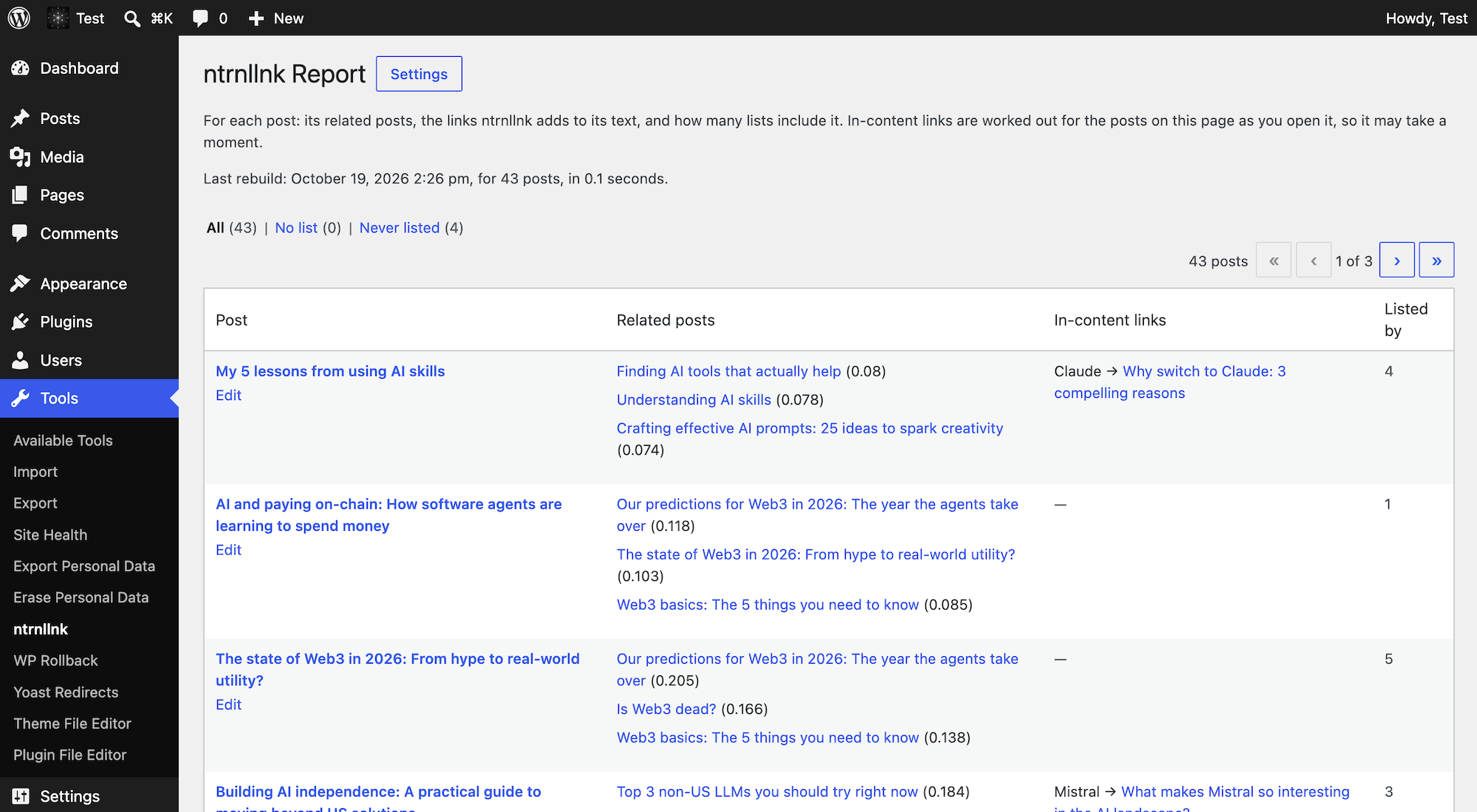
A report under Tools → ntrnllnk shows each post’s related posts, with scores, and its in-content links, as well as posts without a list and posts no list includes.
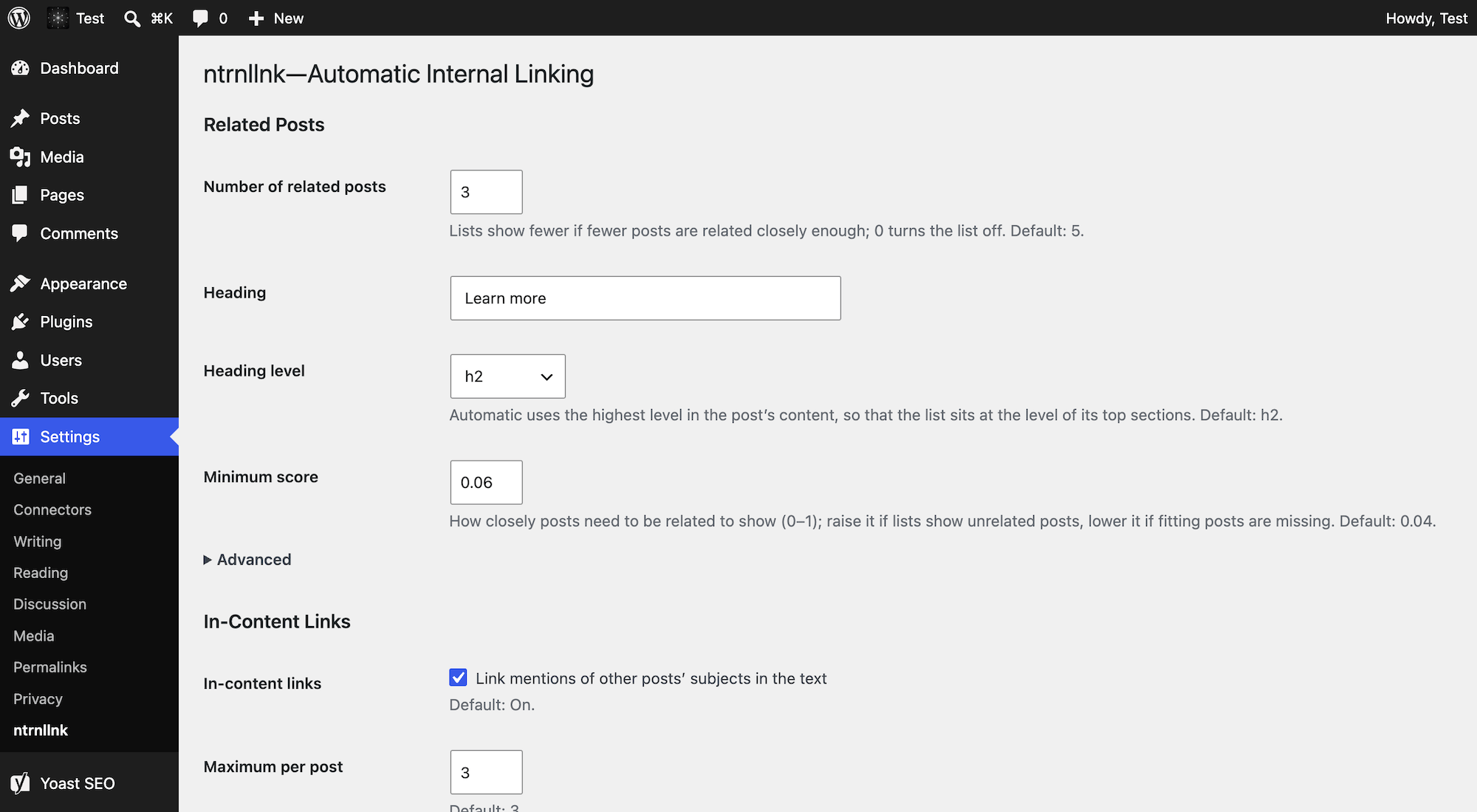
The full documentation, including all settings and how scores work, is available on GitHub.
FAQ
Why do some posts have no or only a short list of links?
The list includes only posts related closely enough. If lists show unrelated posts, raise “Minimum score”; if fitting posts are missing, lower it. “Debugging” shows the scores to logged-in users.
How do I add a particular link?
Add it under “Custom links,” in Markdown, like “Accessibility”, or, for a post, with “?p=” and its ID, like “Agatha Christie”. Custom links don’t count toward “Maximum per post.”
How do I keep a particular link out?
Use “Excluded phrases” (for automatic links; remove custom ones from “Custom links”) or “Excluded posts.” In-content links are added when a post is shown, not saved to it, so turning them off removes them all.
When do changed settings apply?
Display settings apply right away. Settings that decide which posts are related apply after the rebuild that saving them starts, which takes a few seconds on most sites. If a page cache is in front of the site, it keeps showing the old lists until it gets cleared.
Does the plugin work with languages other than English or German?
Yes, only less precisely: Without stopwords and stems, words are compared as they are. Languages that don’t separate words with spaces, like Chinese or Japanese, rely mostly on shared links and terms, and since in-content links need capitalized names, scripts without case, like Arabic or Persian, get none.
Does the plugin work well on large sites?
Up to a few thousand posts, rebuilds fit into the 256 MB that WordPress allows by default. Beyond about 4,000 posts, they may need more: Raise WP_MAX_MEMORY_LIMIT, or the limit for ntrnllnk alone, via the ntrnllnk_memory_limit filter. Visitors don’t notice the size of a site.
What happens when I delete the plugin?
Deleting it removes its data and settings; deactivating it only stops rebuilds and keeps the data.
Screenshots
Changelog
See the changelog on GitHub.