

Description
One Click Order adds a Buy Now button to your product pages. The shopper taps it, fills one short form in a popup and taps Place order. No cart, no long checkout. You get a normal WooCommerce order with the right shipping, tax and stock, and both of you get the usual WooCommerce emails.
It is made for shops where most customers pay cash on delivery and where a short form sells more than a long checkout.
What you get (free)
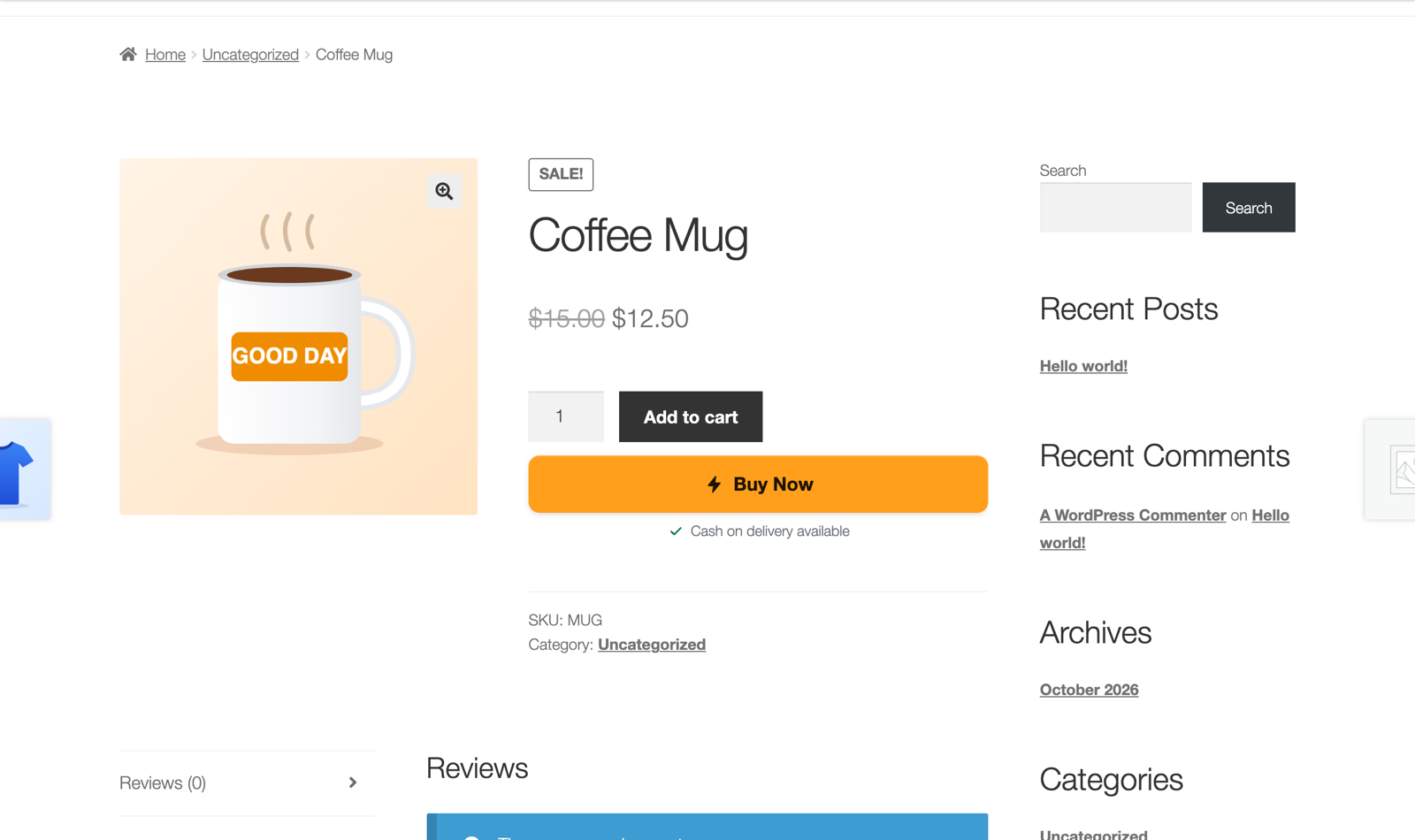
- Buy Now button on product pages, above or under “Add to cart”, with your own text and a small trust note (“Cash on delivery available”).
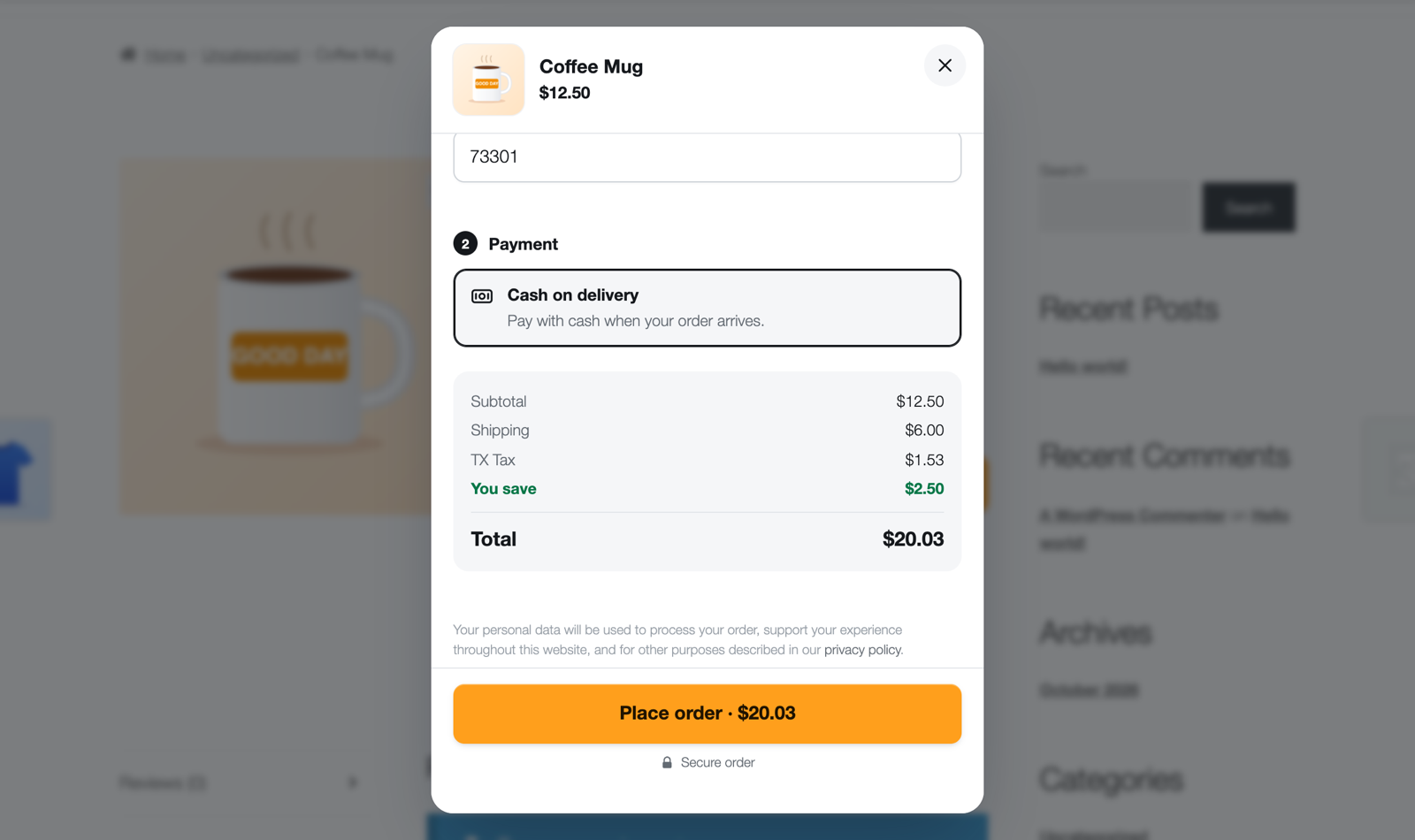
- Popup order form, or the form shown right on the product page. Full screen on phones, with the order button always in reach.
- Works with every common product type: simple, variable and grouped products. Size, color and other options are tap buttons; sold-out combinations are greyed out. Options chosen on the page carry into the form.
- Real WooCommerce orders: shipping zones and methods (including free-shipping limits), taxes, stock, order emails and your order numbers all work like the normal checkout.
- Live total with shipping, tax and “You save” on sale items, shown on the order button: “Place order · $48.69”.
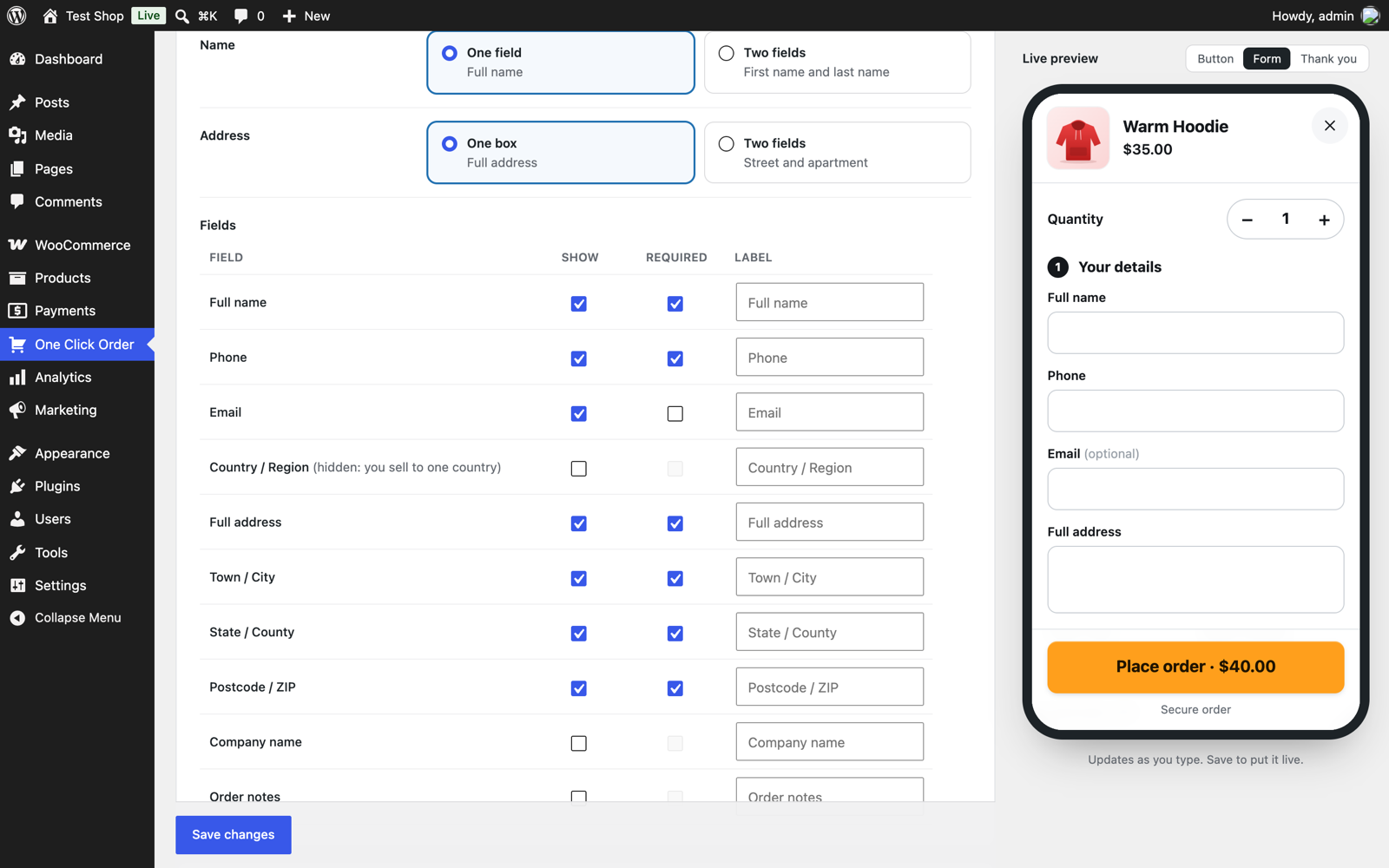
- Choose your fields: show, hide, make required or rename any field. Full name or first + last name, one address box or street + apartment. Country and state lists come from your WooCommerce settings.
- Cash on delivery with your own name and description, and the status new orders get (Processing, or On hold if you confirm by phone first).
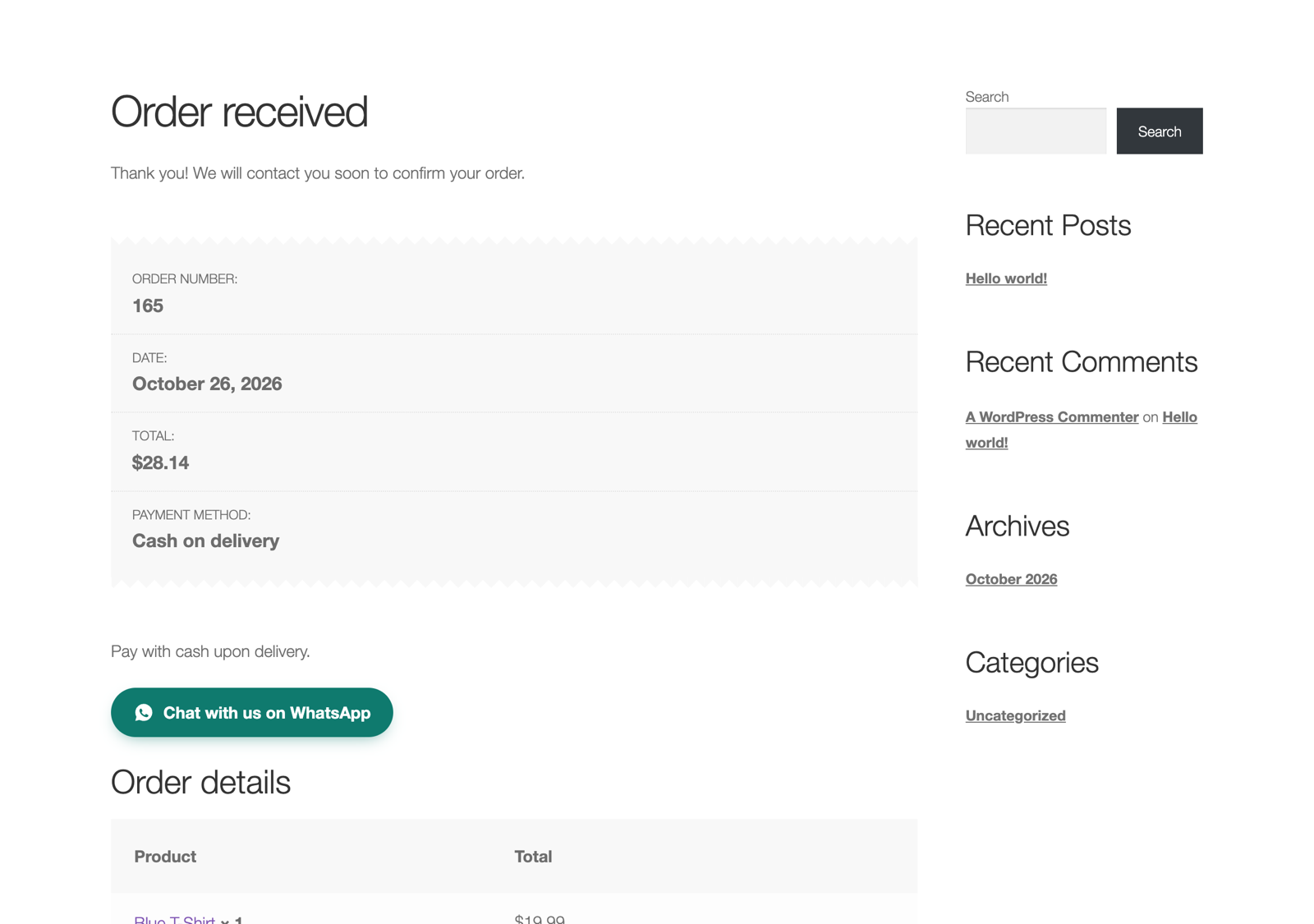
- Thank-you page: your own message and a “Chat with us on WhatsApp” button with the order number filled in.
- Spam protection: hidden trap field, form check, double-click protection and a limit per visitor.
- Live preview in the settings: see the button, the form and the thank-you page change as you type.
- Blocks and shortcodes to put the button or the form anywhere: “Buy Now Button” and “Quick Order Form” blocks (pick the product by name), or
[one_click_order product="123"]and[one_click_order_form product="123"]. - Hide it per product with one checkbox on the product screen.
- Works without JavaScript, works with page caching, translation ready, right-to-left ready.
- Compatible with WooCommerce order tables (HPOS) and the block cart and checkout.
- Loads its small CSS and JS only on pages that show the button or form.
One Click Order Pro
The Pro add-on adds: online payments through your WooCommerce payment methods, bank transfer and mobile wallets (JazzCash, Easypaisa…) with payment receipt upload, an orders screen with one-tap confirm / cancel and WhatsApp confirmation messages, unfinished orders you can follow up, CSV export and print / PDF, a sales dashboard, colors and button styles, a sticky Buy Now button, buttons on shop pages, fake order protection and a coupon field.
Installation
- Install and activate WooCommerce.
- In WordPress go to Plugins → Add New, search for “One Click Order”, then install and activate it.
- Open One Click Order in the admin menu. The button is already on your product pages; change the text, fields and other options if you like.
FAQ
Where do the orders go?
They are normal WooCommerce orders. Find them in WooCommerce → Orders. You and your customer get the normal WooCommerce emails.
Is shipping and tax added?
Yes. The plugin uses WooCommerce’s own cart and checkout code, so your shipping zones, shipping methods, free-shipping limits and tax rates are used exactly like in the normal checkout.
Does it reduce stock?
Yes, like any WooCommerce order. Sold-out products and options cannot be ordered.
Can customers still use the cart?
Yes. “Add to cart” and your normal checkout keep working. Buy Now is an extra, faster way to order.
Does it work with variable products?
Yes. Shoppers pick the options on the product page or inside the form.
Can I use it on a landing page?
Yes. Use [one_click_order product="123"] for a button or [one_click_order_form product="123"] for the full form.
Does it work with page caching?
Yes. The form gets fresh security tokens when it opens.
I used version 1.x. What happens when I update?
Your settings move over automatically, old shortcodes and old Order Now links keep working, and the old order log that slowed sites down is removed (all orders are still in WooCommerce).
Screenshots



Changelog
2.0.3
- More plugins tab: CartMeter, our shipping progress bar, is now on WordPress.org.
2.0.2
- New: a small “Need a plugin like this?” box on the Help and More plugins tabs (a plain link to our website; nothing is sent).
2.0.1
- New: a “More plugins” tab on the settings page with our other free plugins. Install them in one click with WordPress’s own installer.
- Fixed: a settings tab opened from a link showed the live preview even on tabs that do not use it.
- Links to our website now open the One Click Order page.
2.0.0
- Rebuilt from scratch.
- New: popup order form with live totals, or the form on the product page.
- New: size and color as tap buttons, sold-out combinations greyed out, “You save” on sale items.
- New: live preview in the settings, editor blocks, and a per-product on/off switch.
- New: works with variable and grouped products, and options chosen on the page.
- New: shipping zones, all shipping methods, free-shipping limits and taxes work exactly like checkout.
- New: rename any field, country and state lists, order status choice, WhatsApp button with the order number.
- New: spam protection, double-click protection, works without JavaScript and with page caching.
- New: HPOS and block checkout compatibility, right-to-left support.
- Fixed: sold-out, draft and private products could be ordered.
- Fixed: prices on the thank-you page were rounded.
- Fixed: customer details were put in the page address.
- Fixed: the “order-now” page was overwritten on activation, and page titles were hidden.
- Fixed: the plugin no longer loads files on every page or stores every order in one large setting.
1.3
- Bug fixes.
1.2
- Works with all product types.
1.1
- Version and cache improvements.
1.0
- First release.