


Description
OptinFlare is a popup builder and opt-in form plugin for WordPress. Design newsletter signup forms, exit-intent popups, slide-in fly-ins, inline forms and sticky bars in a visual editor, then show them at the right moment to grow your email list and generate more leads.
No account and no external service are required. Subscribers are saved in your WordPress database, and you can send them to the newsletter plugin you already use.
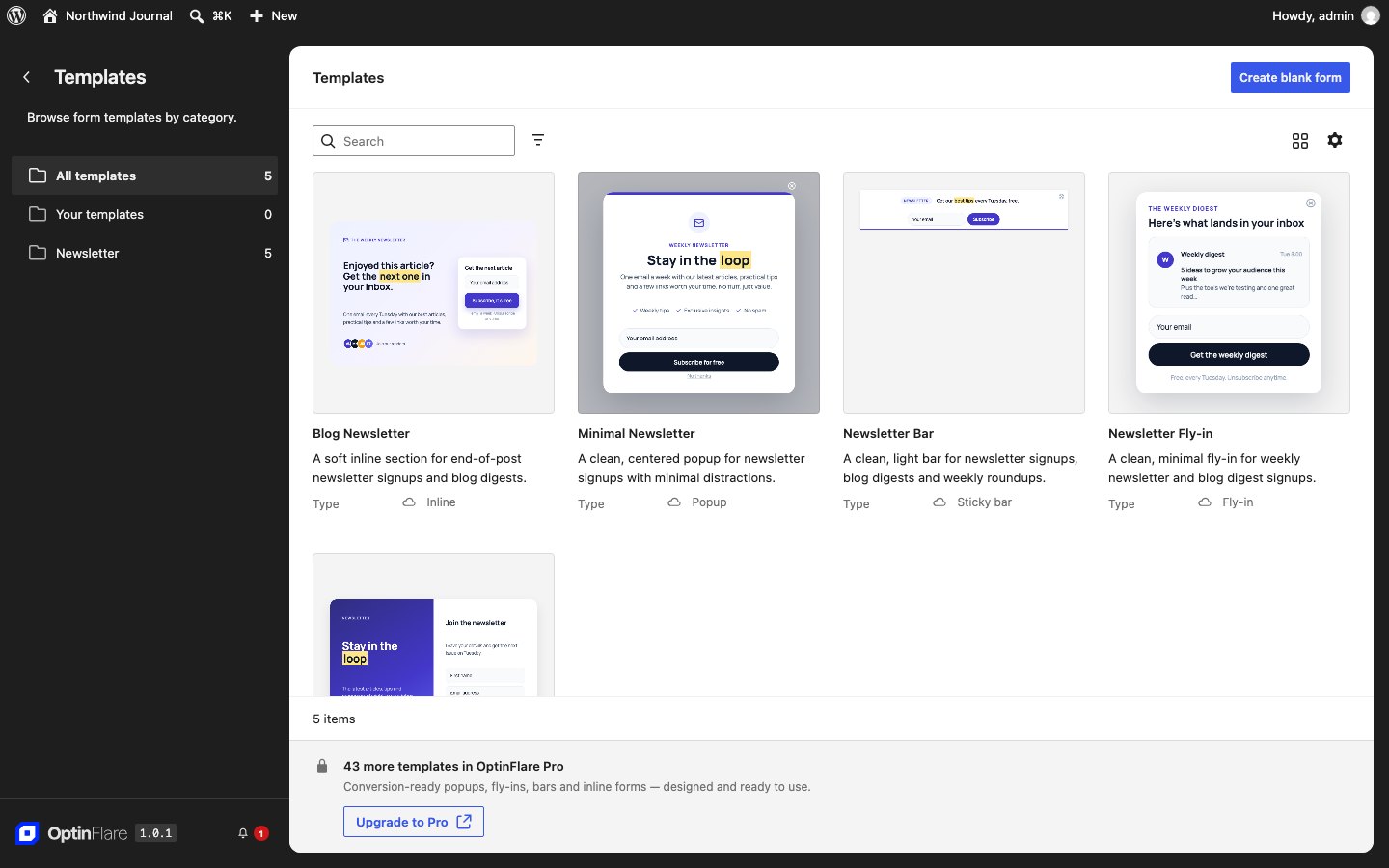
Four opt-in form types
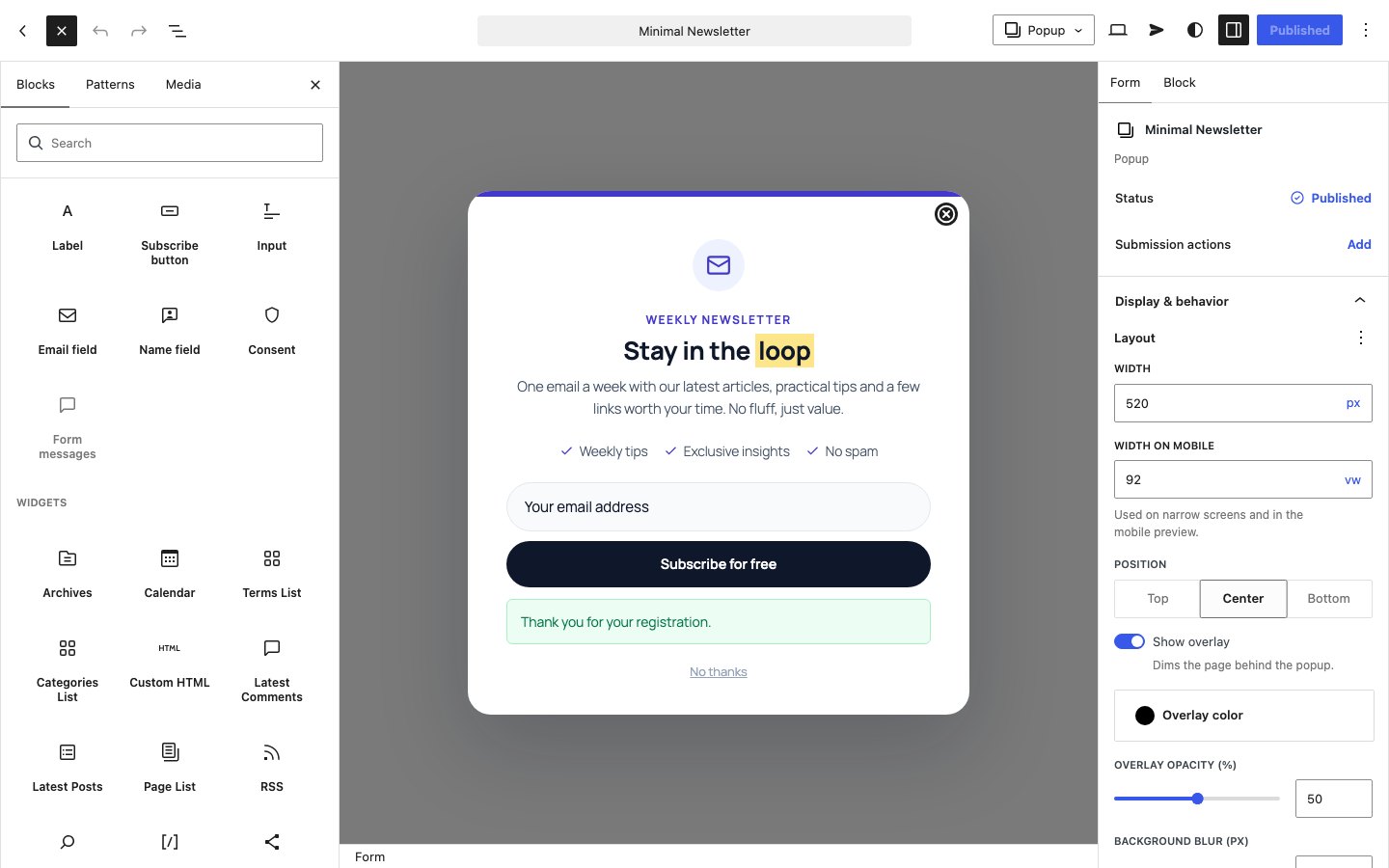
- Popups: a lightbox popup centered, at the top or at the bottom of the screen, with an optional overlay.
- Fly-ins: a slide-in box in any corner of the screen that does not block reading.
- Inline forms: a signup form inside your posts and pages, added with the OptinFlare block or a shortcode, or inserted automatically in your content.
- Sticky bars: a floating bar at the top or bottom of the screen for announcements and newsletter signups.
A visual form builder
- Build each form in the WordPress block editor: headings, paragraphs, images, icons, lists, buttons, columns, groups and the other core blocks, plus email and name fields, form messages and a GDPR consent checkbox.
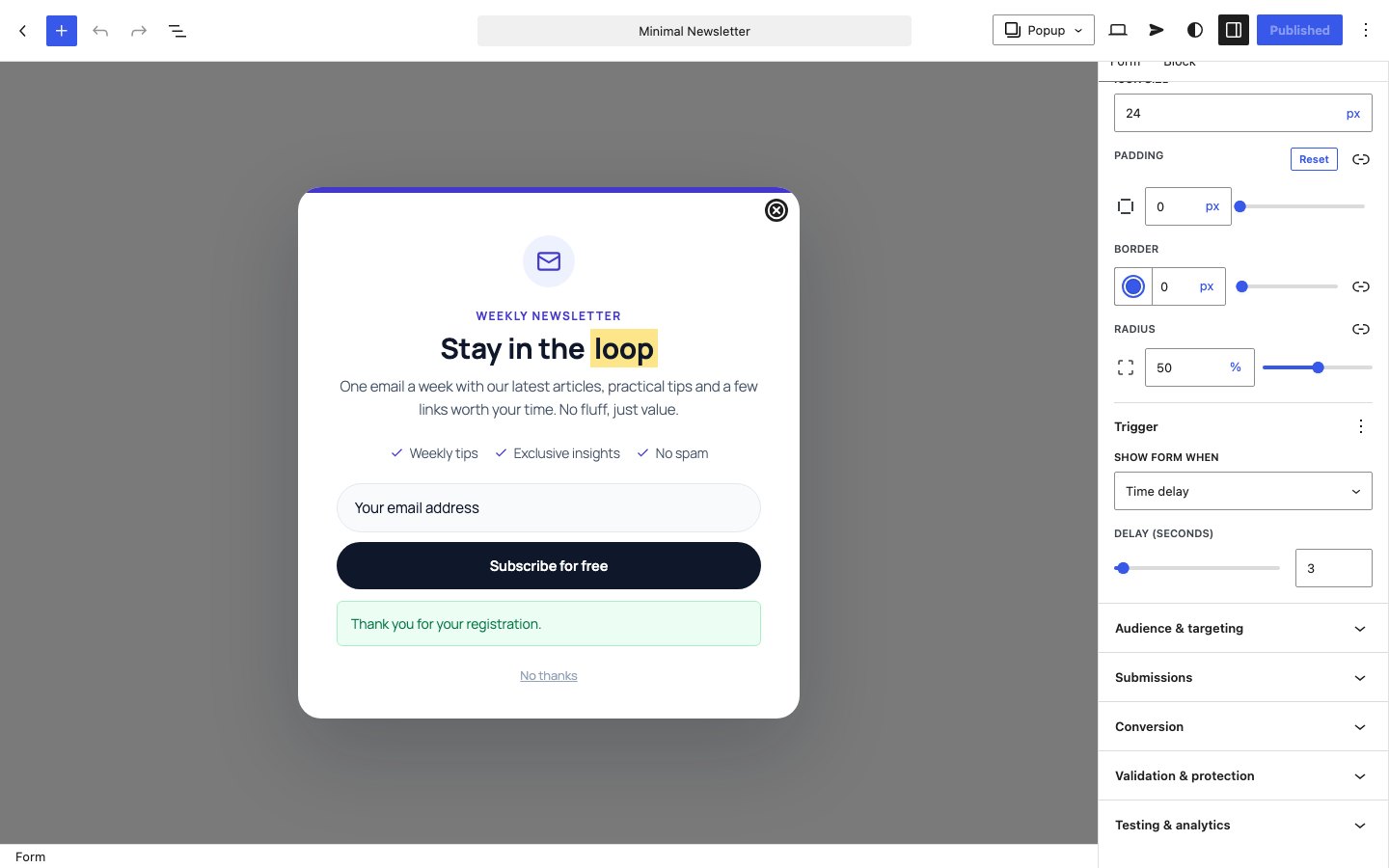
- Style every block with the native settings of WordPress: typography, colors, spacing, borders and shadows.
- Start from a ready-made template, then adapt the text, colors and layout to your brand.
- Set the fonts and colors of the whole form once with its styles, like the global styles of a theme.
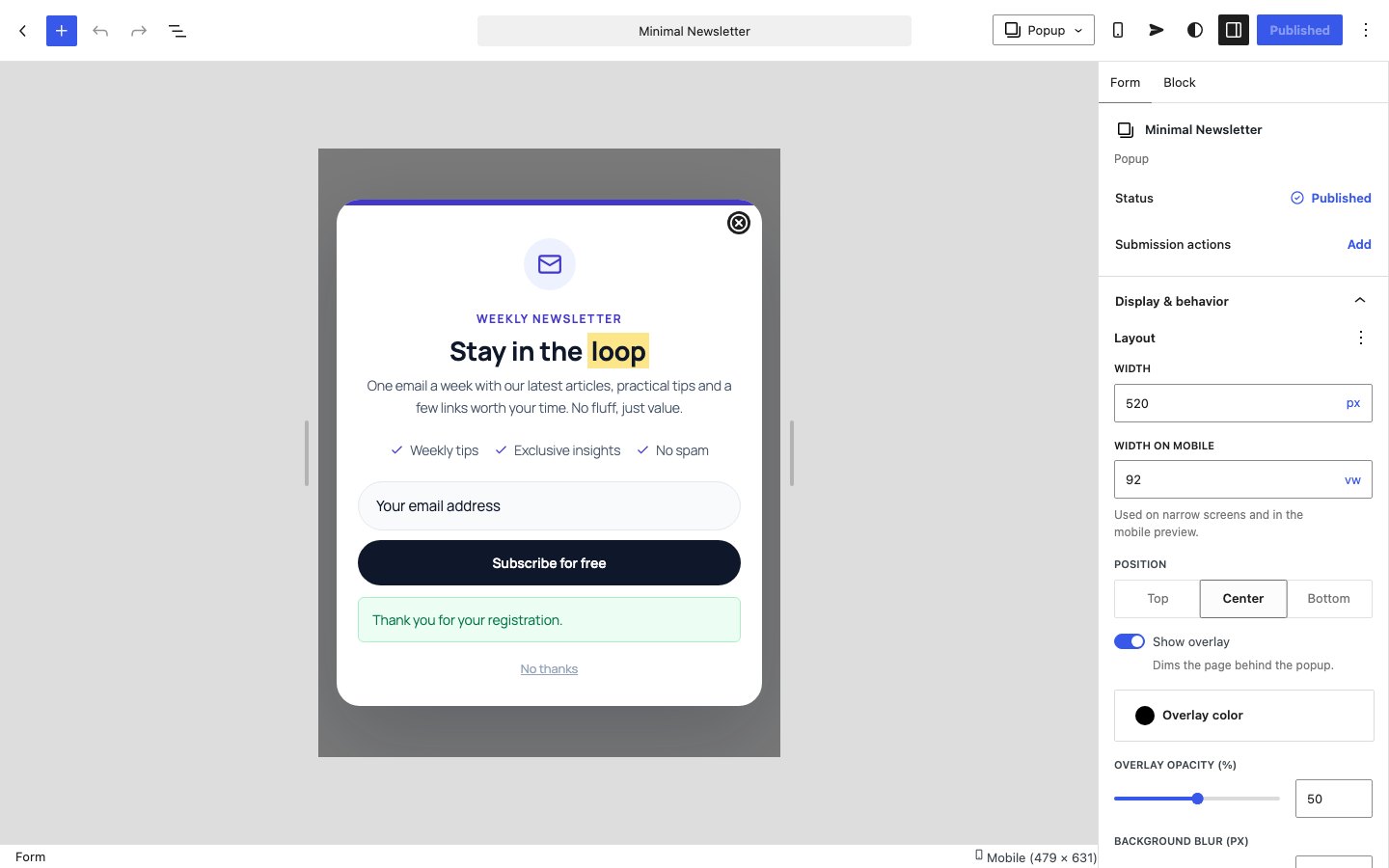
- Preview every form on desktop and mobile, and set a dedicated mobile width.
- Add an entrance animation: fade, slide or zoom.
- Write your own success and error messages.
Show your forms at the right moment
- Display triggers: immediately, after a time delay, after the visitor scrolls, on exit intent, or when a visitor clicks a button or link.
- Frequency control: show a form once per session or wait 3, 7, 14, 30 or 90 days before showing it again.
- Hide an inline form once the visitor has subscribed.
Collect and manage your leads
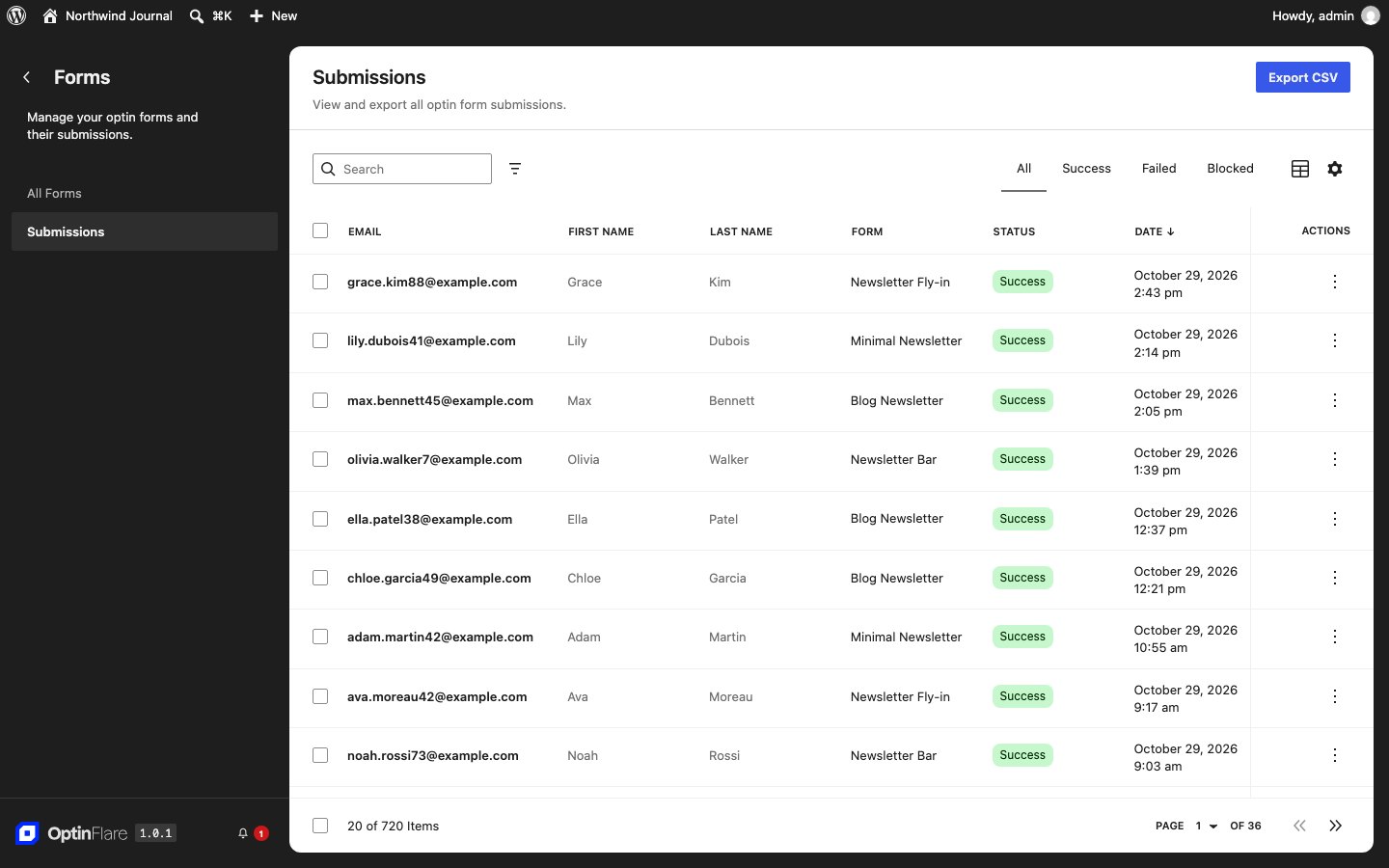
- Keep every submission in your WordPress database.
- Review subscribers in the dashboard and export them to CSV.
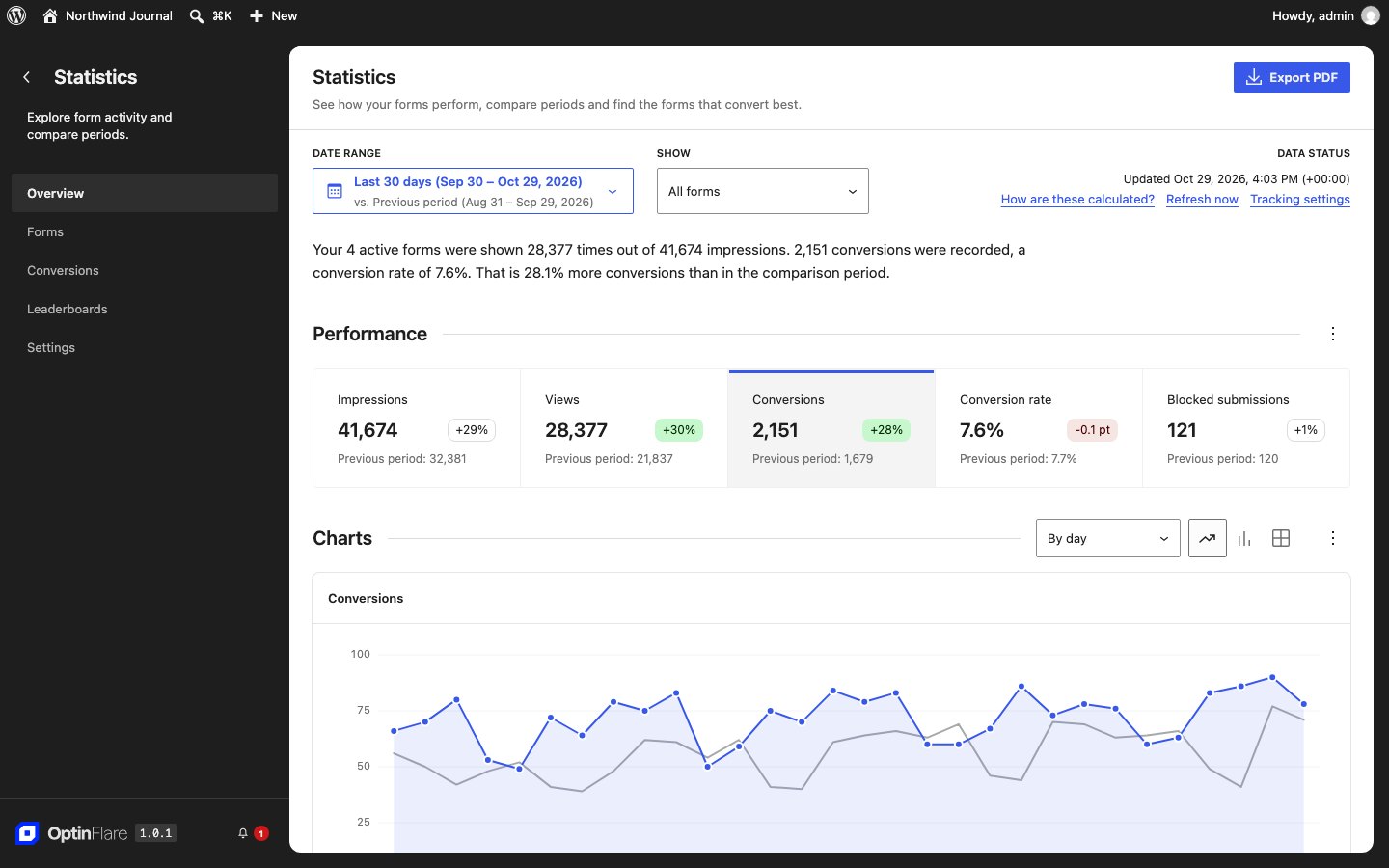
- Track impressions, submissions and the conversion rate of your forms.
- Control who can create forms or see submissions with WordPress roles.
Connect your newsletter plugin
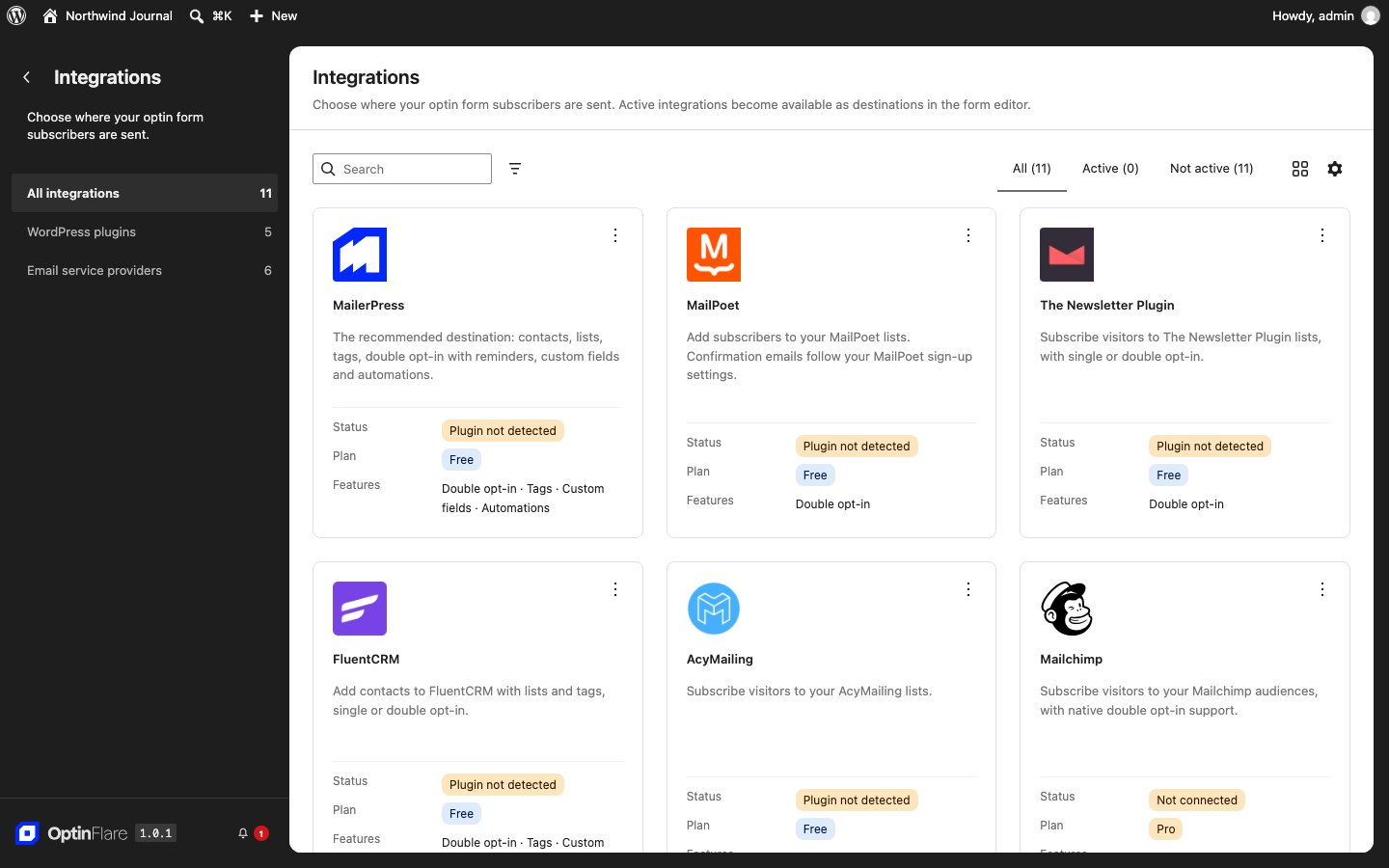
Send new subscribers to MailerPress, MailPoet, FluentCRM, AcyMailing, The Newsletter Plugin, Mailster, Groundhogg, FunnelKit Automations, Icegram Express, Jetpack Newsletter or WP Fusion when they are installed on your site. Local storage stays available when you do not use a newsletter plugin.
Spam protection and GDPR
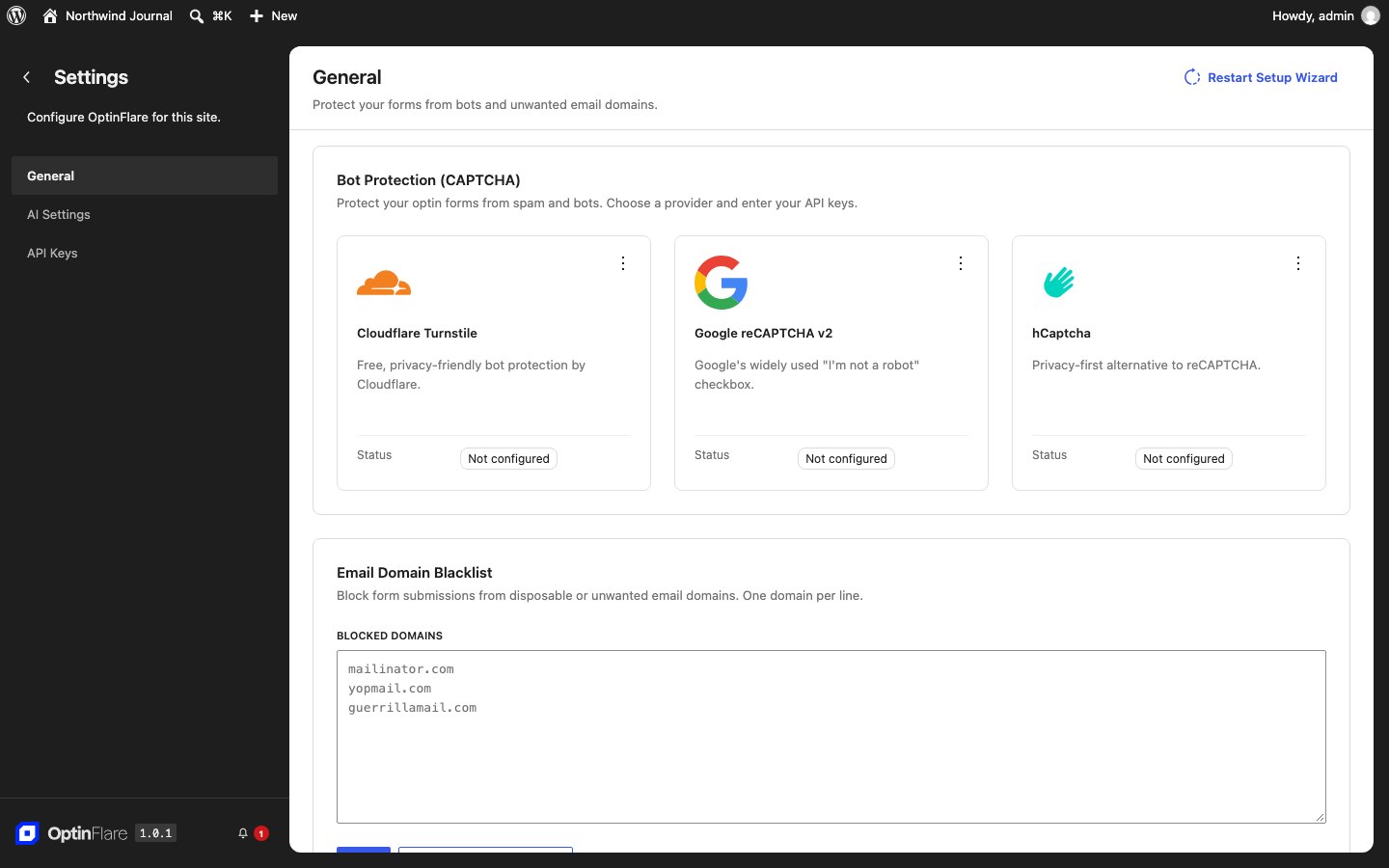
- Block bots with Cloudflare Turnstile, Google reCAPTCHA or hCaptcha.
- Reject disposable or unwanted email domains with a domain blacklist.
- Collect separate marketing choices and retain the displayed notice. Diagnostic IP hashes are optional and off by default.
OptinFlare Pro
OptinFlare Pro is an optional companion plugin. It adds integrations with Mailchimp, Brevo, Kit, ActiveCampaign, MailerLite, SendGrid, GetResponse, HubSpot, Klaviyo, Omnisend, Drip, Campaign Monitor, Mailjet, Moosend, EmailOctopus, beehiiv, Sendy, Mautic, Sender, SendFox, Flodesk, Systeme.io, Loops, Keap, SendPulse, Acumbamail, Encharge and Elastic Email, page targeting and display rules, visitor conditions, an inactivity trigger, two-step opt-ins, A/B testing, webhooks, coupon automation, AI features and premium templates. OptinFlare works fully without Pro.
External services
Depending on the configured features and actions, the following services may receive data:
-
OptinFlare news and offers (optinflare.com): off by default. It runs only if the site owner turns on “Show OptinFlare news and offers” at the end of the setup wizard or later in the OptinFlare settings, and it stops as soon as the option is turned off. When it is on and a user with OptinFlare access opens an OptinFlare screen, the plugin loads product news and offers from https://optinflare.com/wp-json/optinflare-site/v1/promotions. The request sends the OptinFlare version, whether OptinFlare Pro is installed or active, whether a Pro license is activated, the number of days since installation, the user’s language and, only when one is configured, an access token. No site URL, domain, visitor or subscriber data is sent. Responses are cached for 30 minutes.
OptinFlare terms: https://optinflare.com/terms-conditions/ ; privacy: https://optinflare.com/privacy-policy/ -
CAPTCHA: Cloudflare Turnstile (challenges.cloudflare.com), Google reCAPTCHA (google.com) or hCaptcha (hcaptcha.com) validates submission tokens. The selected service receives the token, verification secret and, when provided, visitor IP; its browser widget also receives visitor/browser information. Without GDPR rules (the default), a configured CAPTCHA loads on the form unless a connected consent manager refuses it or waits for the visitor’s acceptance. GDPR profiles disable external CAPTCHA by default and load the widget only with visitor permission or an explicitly documented necessary security service. Sending the IP in server-side verification is a separate option, off by default. The local honeypot, signed token and rate limit remain available without the external widget.
Cloudflare terms: https://www.cloudflare.com/website-terms/ ; privacy: https://www.cloudflare.com/privacypolicy/
Google terms: https://policies.google.com/terms ; privacy: https://policies.google.com/privacy
hCaptcha terms: https://www.hcaptcha.com/terms ; privacy: https://www.hcaptcha.com/privacy
AI features, newsletter services and webhooks provided by the Pro companion are documented in its readme. MailerPress, MailPoet, FluentCRM, AcyMailing, The Newsletter Plugin, Mailster, Groundhogg, FunnelKit Automations, Icegram Express, Jetpack Newsletter and WP Fusion integrations use those installed plugins; their own service settings and privacy policies apply. Jetpack Newsletter sends the subscriber email to WordPress.com, which emails the confirmation request (WordPress.com terms: https://wordpress.com/tos/ ; privacy: https://automattic.com/privacy/). WP Fusion sends the subscriber email, name, form fields and selected tags to the CRM connected in WP Fusion.
Privacy
OptinFlare provides configurable privacy controls; installing a plugin does not establish legal compliance. Review the applicable rules for your organization and audience, including clients outside the EU.
By default, GDPR rules are not applied: statistics, browser storage, display frequency, targeting and a configured CAPTCHA work without prior consent, and submissions are kept until you delete them. The site owner decides whether GDPR rules apply and can enable a GDPR profile under OptinFlare > Settings > Privacy. GDPR profiles require permission before optional browser storage, analytics and personalization; the “GDPR rules with documented exceptions” profile permits documented alternatives for applicable markets. Once a consent manager is connected, its answer takes precedence in every profile: a refusal, and also a visitor who has not accepted yet when the tool asks for consent first (for example Complianz or Cookiebot for the European Union). The visitor country is not used to determine applicable law. Cookiebot and Complianz can supply choices; other consent managers can use the optinflare:consent event. The plugin does not supply a consent banner.
When analytics is authorized under a GDPR profile, or when a consent manager supplies a choice without GDPR rules, a first-party HttpOnly, SameSite=Strict cookie (optinflare_privacy_receipt, Secure on HTTPS) allows this browser to withdraw authorization for delayed attribution. Its fixed lifetime is the shortest of 30 days, browser storage and local retention. It contains a random capability, never contact details. Server records contain digests, authorization state and creation/expiry dates. Verified exports include current state; erasure and restriction revoke linked records. Withdrawal is synchronized with the site, and retried after connection failures. A browser that is offline cannot notify the server until it reconnects. A new grant does not reactivate old evidence.
Submitted email, names, user-defined fields, the displayed privacy information, explicit choices and delivery results can be saved locally. Local saving can be disabled. Without GDPR rules, saved submissions and statistics are kept until you delete them, and unconfirmed requests remain valid for 90 days. Under a GDPR profile, submissions are deleted after the configured period (default 90 days), browser state expires after 30 days by default (maximum 180), unconfirmed requests expire after 30 days by default (maximum 90), and daily aggregate totals can remain for two years while detailed breakdowns follow local retention. Diagnostic IP hashes and user agents are off by default; referring URLs and automatic UTM enrichment are not stored in submissions. Cleanup uses WordPress scheduled tasks; configure a reliable system cron on low-traffic sites. Deactivation stops scheduled processing; backups and inactive installations need a separate deletion process.
WordPress Tools > Export Personal Data and Erase Personal Data include local OptinFlare submissions, evidence, notes and pending copies. Settings also support processing restrictions and correction of stored names. Erasure cancels local queued deliveries and records a keyed suppression marker to prevent stale jobs from restarting. A delivery already in progress or data already received by a provider cannot be recalled by this plugin. Address connected providers, mailboxes, server logs and backups separately.
Without GDPR rules, a form without a consent checkbox subscribes contacts, and a checkbox shown on the form is still respected. Under a GDPR profile, marketing and partner actions require their separate choice, an old policy acknowledgement is not evidence of marketing consent, and marketing retries require a fresh visitor request; review existing forms before enabling it. Double opt-in is recorded per destination; it is not a universal legal requirement or a substitute for meaningful consent. Publish your controller details, purposes, recipients, retention, rights contact and withdrawal process before collecting data.
Optional Google Analytics events use the site’s existing gtag integration only when analytics is permitted and the form enables them. Google receives event names and form identifiers/title/type, together with information its existing tag collects. OptinFlare does not install the Google tag or control its independent behavior. Google terms: https://marketingplatform.google.com/about/analytics/terms/us/ ; privacy: https://policies.google.com/privacy
Build source
The release includes its editable TypeScript/React/SCSS sources in assets/, its Gutenberg block sources in packages/gutenberg/, and the build configuration and locked dependency versions. The sources correspond to the bundled JavaScript and CSS. To rebuild in a development copy, install Node.js and pnpm, run pnpm install --frozen-lockfile, then pnpm run build. The webpack configuration uses tools/webpack-licenses.js to generate third-party notices. Do not install development dependencies on a production site.
Installation
- In your WordPress dashboard, go to Plugins > Add New, search for “OptinFlare”, then click Install Now and Activate.
- Open OptinFlare and follow the setup wizard. You can install and activate MailerPress or another supported newsletter plugin directly in the wizard. After setup, create a form from scratch or from a template.
- Choose the form type, design it, set its trigger, then publish it.
- For an inline form, add the OptinFlare block to a post or page, or use the shortcode
[optinflare_form id="123"]with your form ID.
FAQ
Do I need an email marketing service to use OptinFlare?
No. OptinFlare saves subscribers in your WordPress database and lets you export them to CSV. You can also connect a supported newsletter plugin installed on your site.
Can I create an exit-intent popup?
Yes. Choose the exit intent trigger: the popup opens when the visitor moves to leave the page. You can also open a form after a delay, after scrolling or on a click.
Which types of opt-in forms can I create?
Popups, fly-ins (slide-in boxes), inline forms and sticky bars. Inline forms are added with a block or shortcode, or inserted automatically in your content.
Are the forms mobile-friendly?
Yes. Every form adapts to small screens, and you can preview it on mobile and set a dedicated mobile width.
How do I stop showing the same popup again and again?
Use the frequency setting to show a form once per session or to wait several days before showing it to the same visitor again.
Is OptinFlare GDPR compliant?
OptinFlare provides consent controls, configurable retention and WordPress personal-data tools. GDPR rules are off by default: enable a GDPR profile under OptinFlare > Settings > Privacy if they apply to your site. The plugin does not certify legal compliance. Review your forms, processing purposes, providers and applicable obligations before collecting data.
How does OptinFlare protect my forms from spam?
Enable Cloudflare Turnstile, Google reCAPTCHA or hCaptcha, and block unwanted email domains with the domain blacklist.
Does OptinFlare work without MailerPress or OptinFlare Pro?
Yes. Neither plugin is required to create forms and collect subscribers. OptinFlare Pro adds premium features separately.
Will my existing OptinPress forms still work?
Yes. Existing forms, settings and submissions are migrated automatically. Replace the old OptinPress and MailerPress Optin shortcodes and blocks with the OptinFlare block or [optinflare_form id="123"].
Can I choose what each WordPress role can do?
The free plugin gives each role sensible permissions based on its existing WordPress capabilities. OptinFlare Pro adds a Role Access screen to choose the exact permissions of every role.
Screenshots


Changelog
1.2
- New: connect your forms to many more email marketing tools, CRMs and newsletter plugins.
- New: style your forms like the rest of your site. Form styles work like the global styles of your theme: set fonts and colors once, and every block follows.
- New: every block gets the native design settings of WordPress, from typography and colors to spacing, borders and shadows, including hover colors for buttons.
- New: turn a field into another type in one click, and collect exactly what you need with hidden fields and multi-line fields in OptinFlare Pro.
- New: a code editor for those who prefer to work with the markup.
- New: sticky bars with a content width, and wide and full width alignments in your layouts.
- Improvement: a form editor closer than ever to the WordPress editor, with the media library, Edit as HTML and Additional CSS.
- Improvement: switch a form to another display type and its layout adapts automatically.
- Improvement: faster template and pattern previews.
- Fix: your forms look on your site exactly as they do in the editor.
- Fix: Pick in preview places your inline forms again.
1.1.1
- New: a native WordPress notice recommends MailerPress to manage contacts, lists and tags collected with OptinFlare.
- New: install and activate supported newsletter plugins directly in the setup wizard, with progress, error messages and retries.
- Fix: activating MailerPress from OptinFlare no longer triggers a second setup wizard after completing OptinFlare setup.
- Fix: preserve the current setup step after reloading, and open CAPTCHA settings without restarting the wizard.
- Fix: return to the OptinFlare dashboard after setup and keep integration action buttons inside their cards on small screens.
1.1
- New: Polylang compatibility. Translate each form into the languages of your site: popups, fly-ins, sticky bars, inline forms, blocks and shortcodes show the translation that matches the page. With “Show in languages without a translation”, languages without a published translation show the form of the default language.
- New: a Languages sidebar in the form editor lists the form language and its translations. Create a translation, change the form language, or link and unlink existing forms.
- New: with Polylang Pro, translate a form with DeepL or export it as XLIFF files for your translators.
- New: translations share their display type, trigger, targeting, frequency and styles. Texts, links, images, lists and actions stay specific to each language.
- New: a new translation points its buttons, images, text links, Terms and Privacy pages and redirect URL to the translated pages.
- New: the form list shows the language and translations of each form and follows the language filter of the Polylang admin bar. The dashboard adds up the statistics of all the translations of a form.
- New: each submission records its language. It is saved with the contact and sent to MailerPress automations, The Newsletter Plugin, AcyMailing and, with OptinFlare Pro, your webhooks.
- New: Turnstile, reCAPTCHA and hCaptcha appear in the language of the page, and notification emails to your team use the recipient’s language or the site language.
- New: with OptinFlare Pro, lead magnets are delivered in the language of the form, and premium targeting rules and A/B variants follow each translation.
- New: with OptinFlare Pro and MailerPress, design the lead magnet delivery email in the MailerPress editor, with your branding, images, a download button and personalization tags.
- New: a MailerPress automation started by an OptinFlare form can wait until the contact is subscribed, after the double opt-in confirmation. OptinFlare forms can also be used as automation goals.
- Improvement: a smoother form editor. Drag blocks straight onto the live preview, pick a column layout in one click, and resize columns and the form width with handles in the preview.
- Improvement: more content locking options with OptinFlare Pro. Choose where the lock starts and how the locked part looks (blurred, faded or hidden), keep the locked text out of the page until the visitor subscribes, set how long the content stays unlocked, share the unlock between locked forms and show the full content to logged-in users.
- Improvement: webhook signing secrets of OptinFlare Pro are now stored encrypted.
- Improvement: in the form list, “View submissions” moves to the row actions and is hidden on drafts without submissions. The Copilot column is hidden by default.
- Fix: text typed directly in the live preview is no longer lost when you click Save right away.
- Fix: when several inline forms target the same post, only the most specific one is inserted automatically.
- Fix: browsers no longer fill your saved passwords into the email service settings.
- Change: OptinFlare now requires WordPress 6.8 or later.
- Fix: a form field dropped in the editor gets its label and input on WordPress versions before 7.2, without the border of the input around it.
- Fix: the icons of forms and templates display on WordPress 6.8 to 7.1.
- Fix: template previews lay out rows and grids like the published forms.
1.0.1
- New: choose whether to show OptinFlare news and offers, at the end of the setup wizard or in the settings. This option is off by default.
1.0
- Initial release of OptinFlare.
- OptinFlare Pro: rename to OptinFlare Pro and integrate with OptinFlare.
- OptinFlare Pro: add per-role access controls for every granular OptinFlare capability.