

Description
Order Role Manager for WooCommerce gives you powerful control over who can do what on your WooCommerce Orders.
How It Works
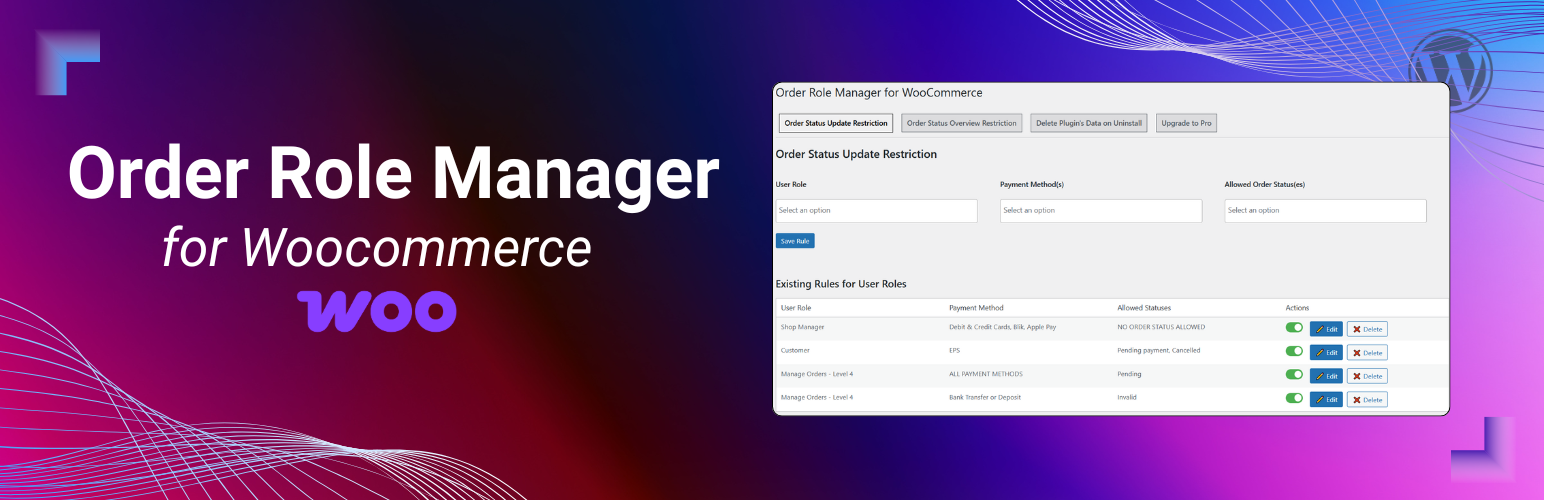
The plugin provides a tab-based admin interface under WooCommerce → Order Role Manager, allowing you to restrict order actions based on user roles (and individual usernames in Pro).
The plugin uses whitelisting based on user role + payment method. You define rules that say “this role may change an order to these specific statuses, but only when the order was paid with this payment method.” For example: if you allow Shop Managers to move an order to Completed only when the payment method is Bank Transfer, then for Bank Transfer orders a Shop Manager will only be able to change the status to Completed—all other statuses are blocked. If a status isn’t explicitly allowed by a matching rule, the change is prevented.
These same restrictions are enforced in the UI. In the Orders list → Actions column, any quick actions that would lead to a non-allowed status are hidden/blocked for that user role. In Bulk actions, disallowed bulk status changes are removed/blocked as well, so restricted users can’t mass-update orders to statuses they’re not allowed to use. This keeps both single-order actions and bulk workflows aligned with your role/payment-based rules.
License
This plugin is licensed under the GPLv2 or later. See license.txt for details.
Installation
- Upload the plugin files to the
/wp-content/plugins/order-role-manager-for-woocommercedirectory, or install through the WordPress Plugins screen. - Activate the plugin through the ‘Plugins’ menu.
- Go to WooCommerce → Order Role Manager to configure.
🔹 Free features
- Restrict Order Status Changes by user role (with payment method condition)
- Restrict Order Status Overview (orders summary bar) by user role
🔒 Pro features
- Restrict status transitions using current-to-next order status sequence rules
- Restrict order Trash/Delete
- Restrict Order Notes deletion
- Restrict Billing / Shipping / Payment fields
- Restrict Customer assignment & Order date changes
- Restrict Bulk actions on orders
- Restrict Orders page columns (actions, etc.)
- Restrict Order page screen elements (meta boxes)
- Add Unlimited rules
- Restrict by Specific usernames
- Manage rules directly from User Profile Pages
- User-specific rules override role rules
Great for stores with multiple staff members — users only see and do what they’re allowed to.
Free Tabs
– Order Status Restriction
Define which order statuses a user role can update, based on payment methods.
Each rule includes:
1. User Role
2. Payment Method
3. Allowed Statuses
Works on:
– Single Order Page
– Bulk Actions dropdown
– Order Actions column
– Order Status Overview
Control which statuses appear in the Orders Page summary bar.
– Choose user role
– Select visible order statuses
Pro-Only Tabs
– Order Status Update Sequence Restriction
Define the only allowed next order statuses for each current status by user role or username. Existing overall order-status restrictions are applied first, and sequence rules can only further limit the remaining statuses.
– Trash, Notes, Address, Customer, and Date Restrictions
Choose the allowed user roles for:
– Moving orders to Trash
– Deleting order notes
– Editing billing/shipping/payment fields
– Changing customer assignment
– Changing order creation date
– Bulk Actions Restriction
Block mass updates like bulk delete or status changes by role.
– Orders Page Columns
Control visible columns on the Orders List Page by role.
– Order Screen Elements
Hide elements from the Single Order Page (meta boxes, custom IDs) by role.
– User-Specific Rules
Manage all restrictions directly from user profile pages. User rules override role rules.
Use case examples
- Limit warehouse staff from changing order status.
- Allow support team to add notes but not delete them.
- Prevent freelancers from editing order addresses or sensitive data.
FAQ
What happens if I don’t define a rule for a role?
The role retains default WooCommerce permissions.
Can I disable a rule instead of deleting it?
Yes, rules can be toggled on/off.
Will this affect all WooCommerce order actions?
No, only those you configure.
Is it compatible with custom order statuses or plugins?
Yes, compatible with most order-related extensions.
Can I restrict a specific user instead of a role?
Yes, username-specific rules are available in Pro.
Can I remove all restrictions after uninstall?
Yes, enable “Delete data on uninstall” in settings.
Screenshots


Changelog
8.2.0
- SECURITY: Added centralized server-side validation for order status transitions through REST, AJAX, direct order saves, legacy order saves, and bulk actions.
- SECURITY: Added strict allowlist validation for roles, payment methods, and WooCommerce order statuses.
- FIX: Applied restrictions consistently to single-order status selectors, order previews, list-row actions, and bulk status changes.
- FIX: Evaluated all assigned user roles using exact role matching and removed unsafe fuzzy status-action matching.
- FIX: Corrected rule cache invalidation and limited rule queries to once per request.
- FIX: Prevented duplicate enable/disable AJAX requests and corrected admin URL and rule deletion handling.
- PERFORMANCE: Reused WooCommerce SelectWoo and kept plugin assets scoped to the plugin settings screen.
- SDK: Updated the bundled Freemius SDK to version 2.13.4 and consolidated uninstall cleanup.
- DOCS: Added information about Pro order status sequence restrictions and WordPress 7.1 compatibility.
8.1.0
- Initial release on WordPress.org.
- FREE: Restrict order status updates by user role with optional payment method filter.
- FREE: Restrict order status overview visibility by role.
- PRO: Restrict status transitions using current-to-next order status sequence rules for roles and individual users.
- PRO: Restrict order trash, order notes deletion, billing/shipping/payment fields, customer assignment, and order date changes.
- PRO: Restrict bulk actions on orders by role.
- PRO: Restrict visible screen columns on Orders page.
- PRO: Restrict screen elements (meta boxes) on single order page with custom ID support.
- PRO: Unlimited rules per tab.
- PRO: User-specific rules from user profile pages (override role rules).
- UI/UX: Enhanced admin tab layout for rule management.
- TWEAK: Updated compatibility information for WordPress 7.1.