

Description
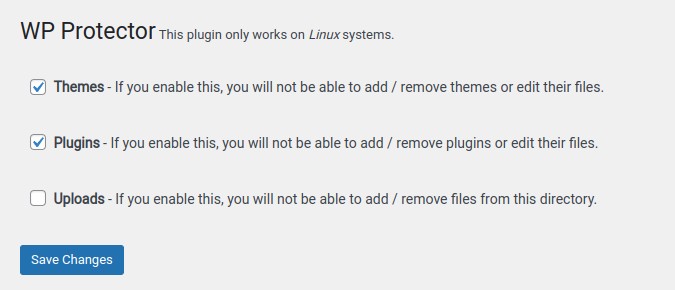
This plugin helps you protect your WP site from malware and virus by changing write permissions on important directories: themes, plugins and uploads.
You can decide which of these directories can be write enabled at any time.
This plugin only works on Linux servers.
Installation
-
Download the plugin zip file.
-
Add the new plugin by uploading the zip file.
-
Activate the plugin in the WordPress Admin Panel.
-
Change settings in Settings / Website Protector
FAQ
There are currently no FAQs at this time.
Screenshots
Changelog
0.4
-
Compatibility with the latest WordPress and PHP 8.x
-
Fix PHP warnings when a checkbox is left unchecked
-
Capability check and proper nonce action
-
Symlinks are no longer followed when changing permissions
-
Use WordPress APIs to find themes, plugins and uploads directories
-
Files are now locked too (write bits removed), not only directories
-
Report directories whose permissions could not be changed
-
Remove options on uninstall
0.3
- Add the nonce field
0.2
- Renamed to OS3 Protector
0.1
- First version of the plugin.