

Description
A free Elementor Map Widget that utilizes Open Street Map. Comes with features like adding multiple markers, and choosing from a library of custom tiles to change the look and feel. Requires Elementor Page Builder Plugin Version: 3.30+
This plugin is open sourced so feel free to contribute to it by:
1. Adding a topic/issue here
2. Submitting a pull request with any well-written code that implements the desired feature.
Usage
- Make sure that Elementor plugin is installed
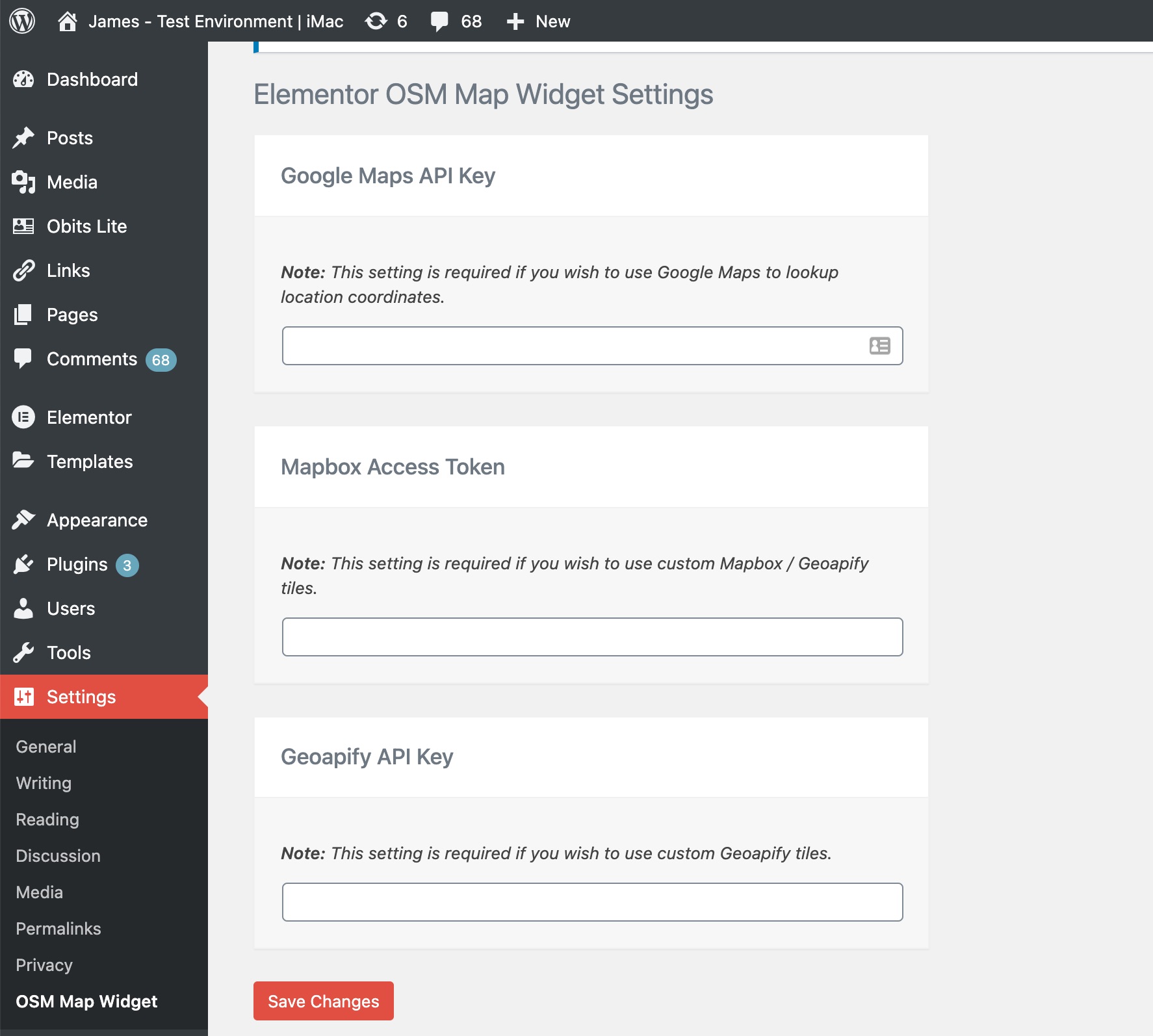
- Add optional API Keys to the settings page:
- Google Maps API Key (Used to autocomplete and update the coordinates of markers in a map. Need help to get a Google map API key? Read this resource)
- Mapbox Access Token (Used for custom tiles. Need help to get a Mapbox Access Token? Read this resource)
- Geoapify API Key (Used for custom tiles. Need help to get a Geoapify API key? Read this resource)
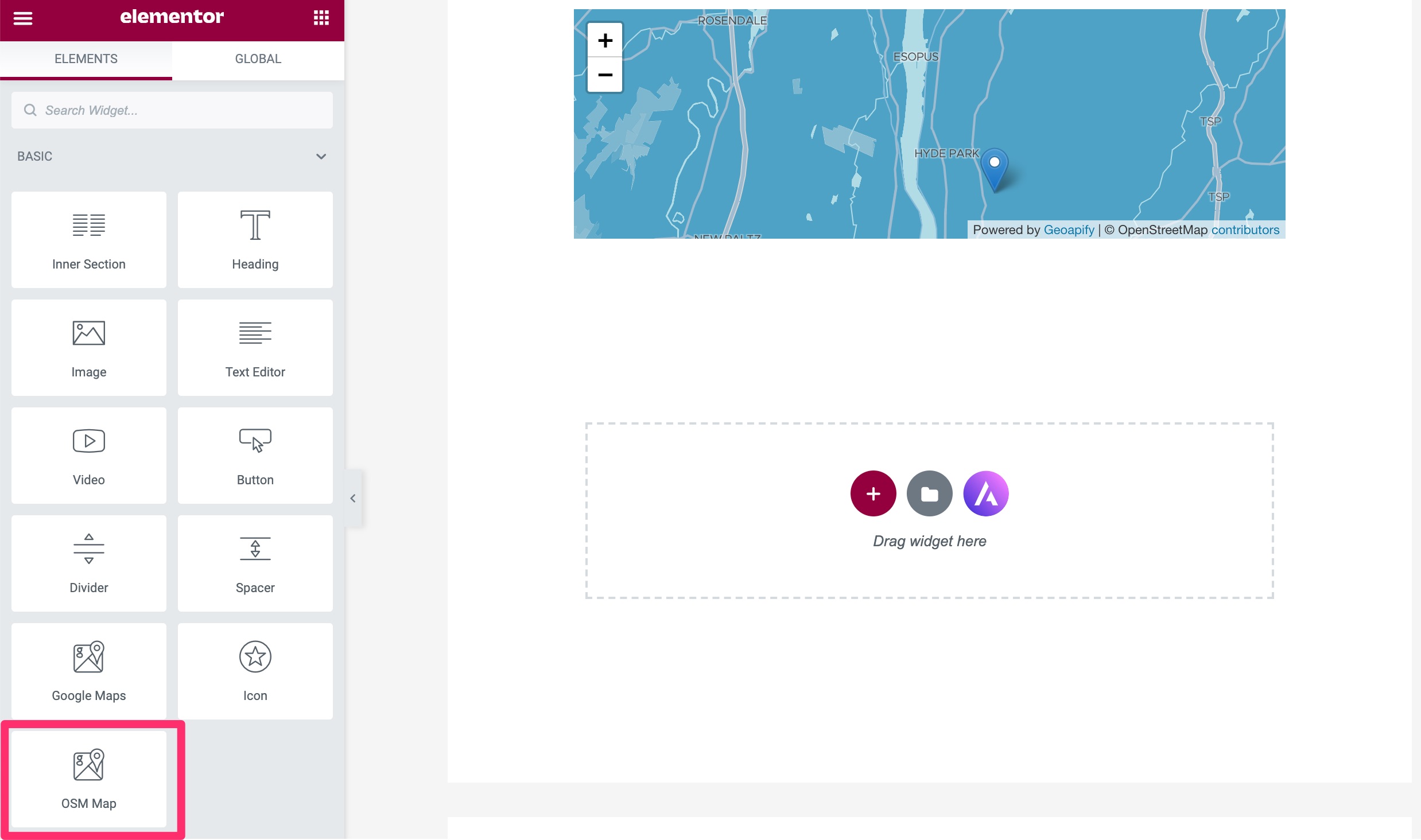
- Add OSM Map widget to your elementor page and have fun 🙂
- Find OSM Map widget from elements listing and add it to your elementor page
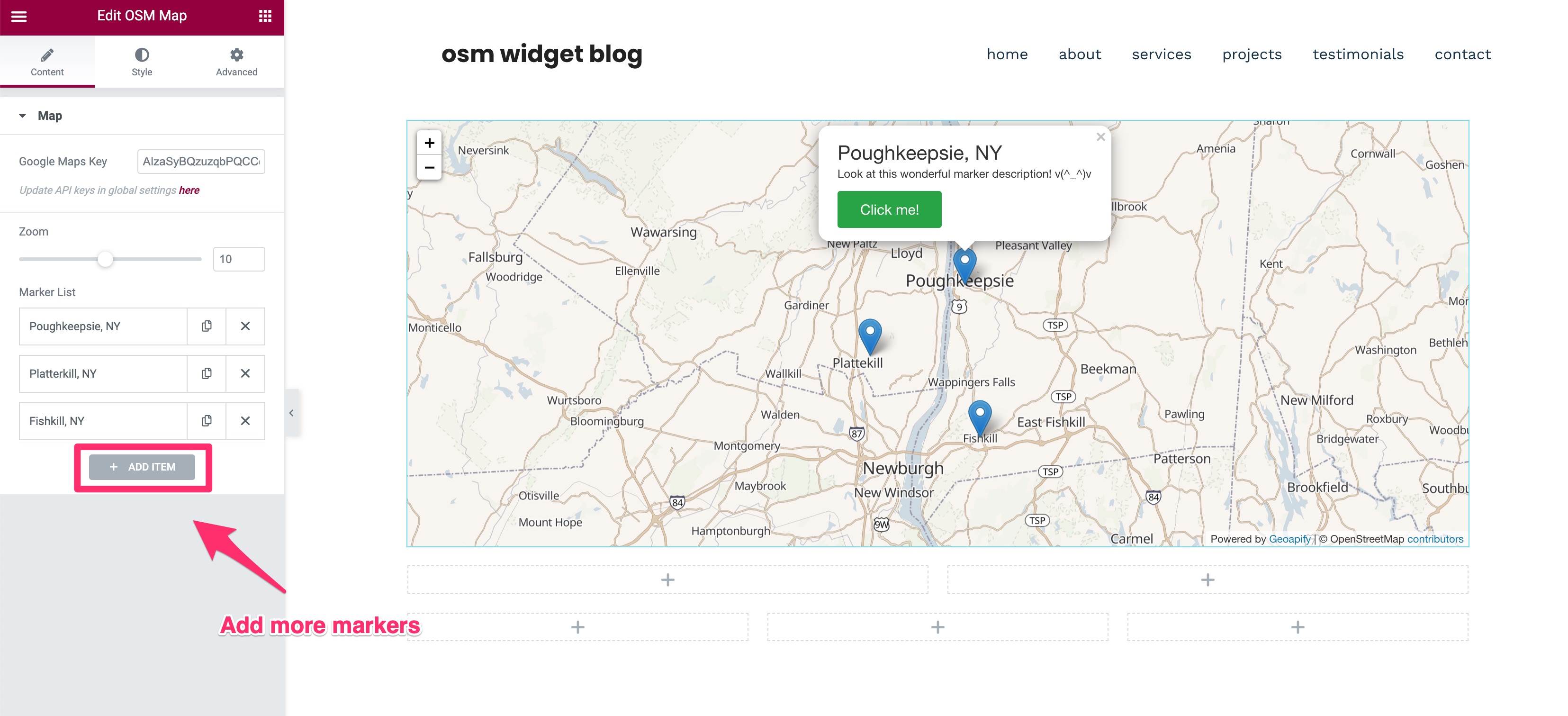
- Add multiple markers, change Zoom level style them accordingly
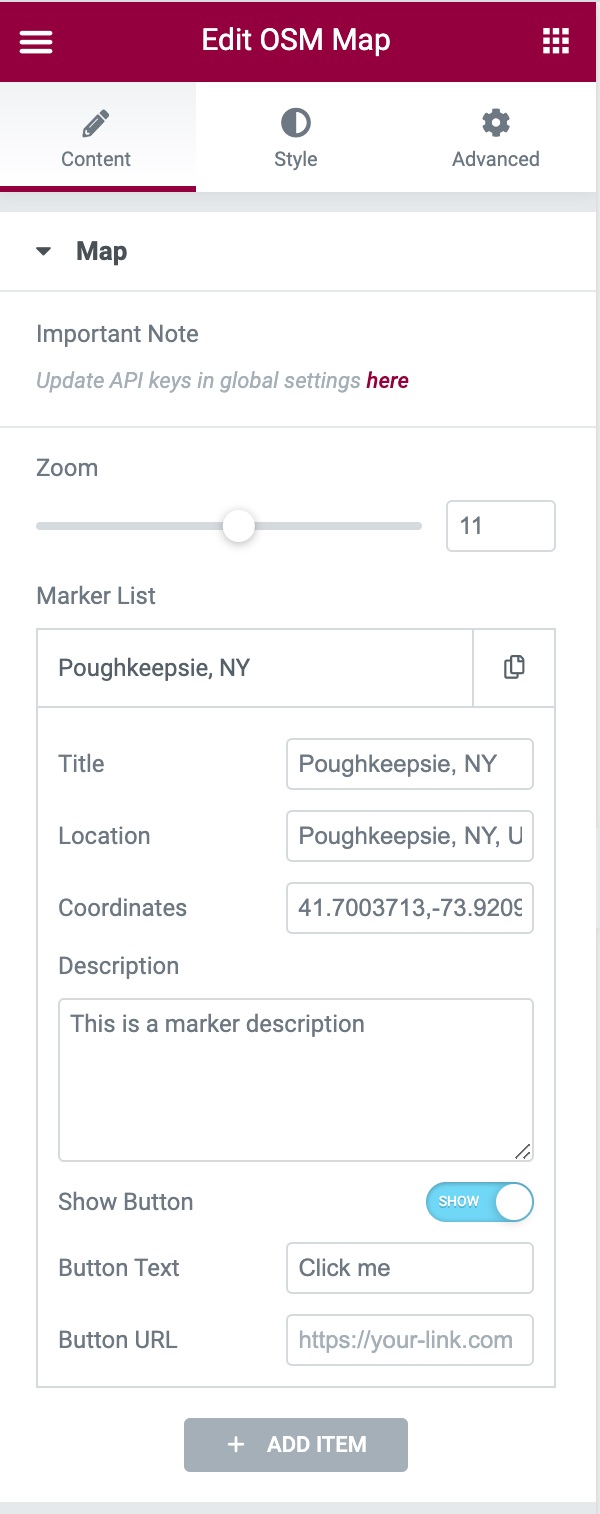
- Editing the markers: A marker’s settings contains Title, Location, Coordinates, Description, Button Text, and Button URL fields. Of those fields, only the Coordinates field is required to render a marker on the map. If you have a Google Maps API key added, you’ll be able to automatically populate the coordinates field without manually doing so.
- Change Tiles from style section requires Mapbox Access Token and Geoapify API Key
External services
This plugin loads map tiles and map libraries from third-party services in the visitor’s browser. No data is sent to the plugin authors.
OpenStreetMap tile servers (tile.openstreetmap.org)
Used by default to display the map. Every map view requests tiles from this service, which receives the visitor’s IP address and the tiles requested. Tile usage policy and privacy policy.
Stadia Maps (tiles.stadiamaps.com)
Used only when a Stadia tile is selected in the widget’s Style tab. The visitor’s IP address and the tiles requested are sent to Stadia Maps. Terms of service and privacy policy.
Geoapify (maps.geoapify.com)
Used only when a Geoapify tile is selected. The Geoapify API key saved in the plugin settings and the visitor’s tile requests (including IP address) are sent to Geoapify. Terms and conditions and privacy policy.
Mapbox GL JS
Geoapify vector styles are rendered with the bundled mapbox-gl library, which is given the Mapbox access token saved in the plugin settings. The library may contact Mapbox services when an access token is supplied. Terms of service and privacy policy.
Google Maps JavaScript API (maps.googleapis.com)
Used only in the Elementor editor, and only when a Google Maps API key is saved in the plugin settings, to autocomplete marker coordinates. The key and the location text typed by the editor are sent to Google. Visitors of the published site are not affected. Google no longer enables the legacy Places Autocomplete on projects created recently, so coordinates may need to be typed by hand. Terms of service and privacy policy.
Custom tile server
When a custom map tile URL is configured in the plugin settings, the visitor’s browser requests tiles from that server, and its terms and privacy policy apply.
Screenshots


Changelog
1.5.0
- NEW: Marker Size setting for the Default and Font Awesome marker icons. It scales the whole marker from 25% to 200%, and popups and tooltips follow the new size. Existing maps keep their current marker size. The Font Awesome Icon Size setting now scales together with the pin. Thanks to @xanhcloud24.
1.4.1
- IMPROVEMENT: Links that open in a new tab, such as map attributions and settings page links, now use rel=”noopener noreferrer”. The marker button uses rel=”noopener” when it opens a new tab. Thanks to @frapsd.
1.4.0
- COMPAT: Tested with WordPress 7.1 and Elementor 4.4.
- REQUIREMENTS: WordPress 6.8+, PHP 7.4+ and Elementor 3.30+.
- FIX: Fatal error on PHP 8 when a marker has invalid coordinates. Such markers are now skipped.
- FIX: Tablet and mobile zoom levels now apply.
- FIX: Saving the settings page redirects correctly and shows the confirmation notice.
- SECURITY: Marker button links only allow http, https, mailto and tel URLs, and the link target is restricted to the same or a new tab.
- SECURITY: Marker titles in the Elementor panel are escaped, and tile and API key settings are encoded for the script context.
- IMPROVEMENT: Updated Font Awesome to 6.7.2 and mapbox-gl to 1.13.3, and removed unused library files to reduce the plugin size.
- IMPROVEMENT: Map scripts are added with WordPress script APIs.
- IMPROVEMENT: The text domain is now osm-map-elementor, so existing translations of the plugin can be loaded. Several notices were reworded and need re-translating.
1.3.1
- SECURITY: Fixed stored XSS vulnerability in Button URL field.
- SECURITY: Added proper input sanitization and output escaping for all user inputs.
- SECURITY: Fixed Open Redirect vulnerability in admin settings.
- SECURITY: Added CSRF protection with nonce verification.
- SECURITY: Fixed unescaped output in JavaScript contexts.
- SECURITY: Added comprehensive array key validation to prevent PHP warnings.
- IMPROVEMENT: Added proper version parameters to all enqueued scripts and styles.
- IMPROVEMENT: Set scripts to load in footer for better performance.
- IMPROVEMENT: Enhanced error handling and defensive programming practices.
- IMPROVEMENT: Updated tested WordPress version to 6.6.
- BUGFIX: Fixed undefined array key warnings for zoom and height settings.
- BUGFIX: Fixed null value access warnings in marker processing.
- BUGFIX: Improved form action URL handling with proper fallbacks.
For older versions, see the full changelog.