


Description
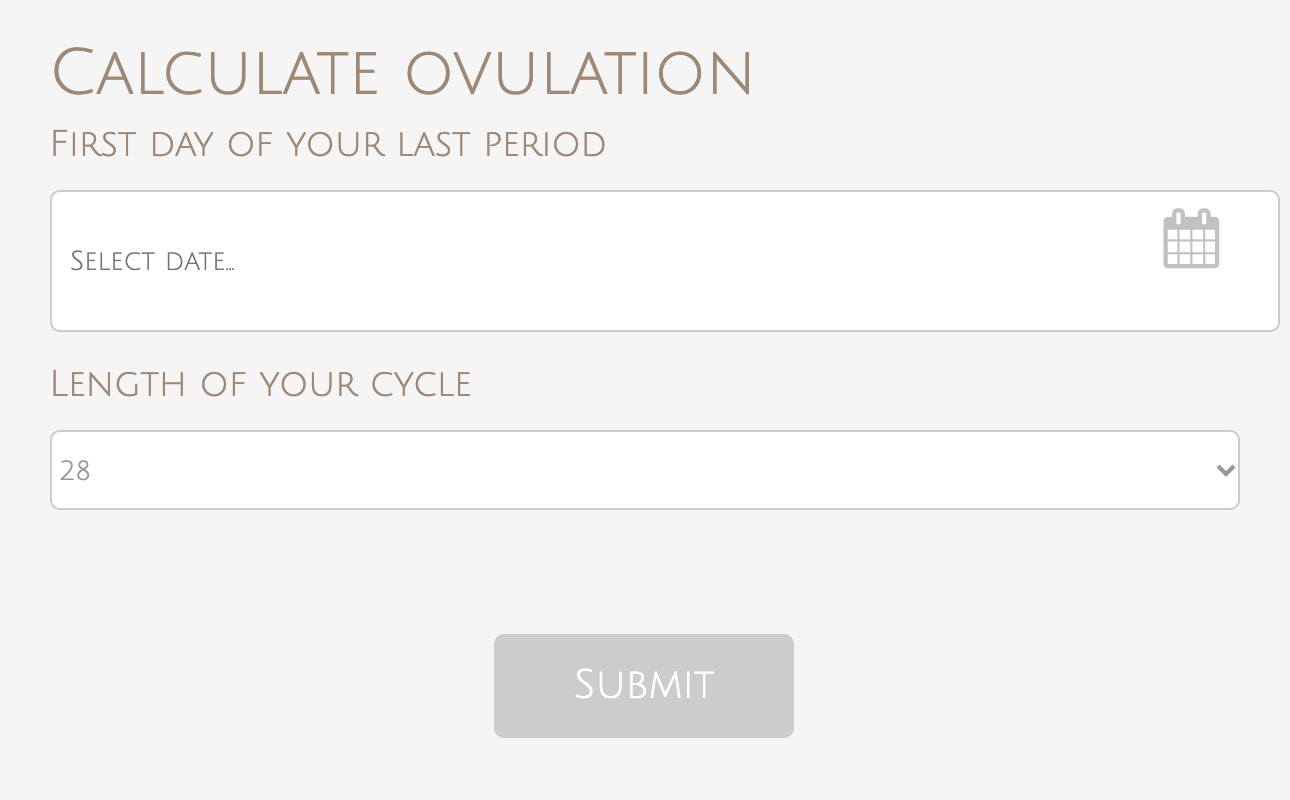
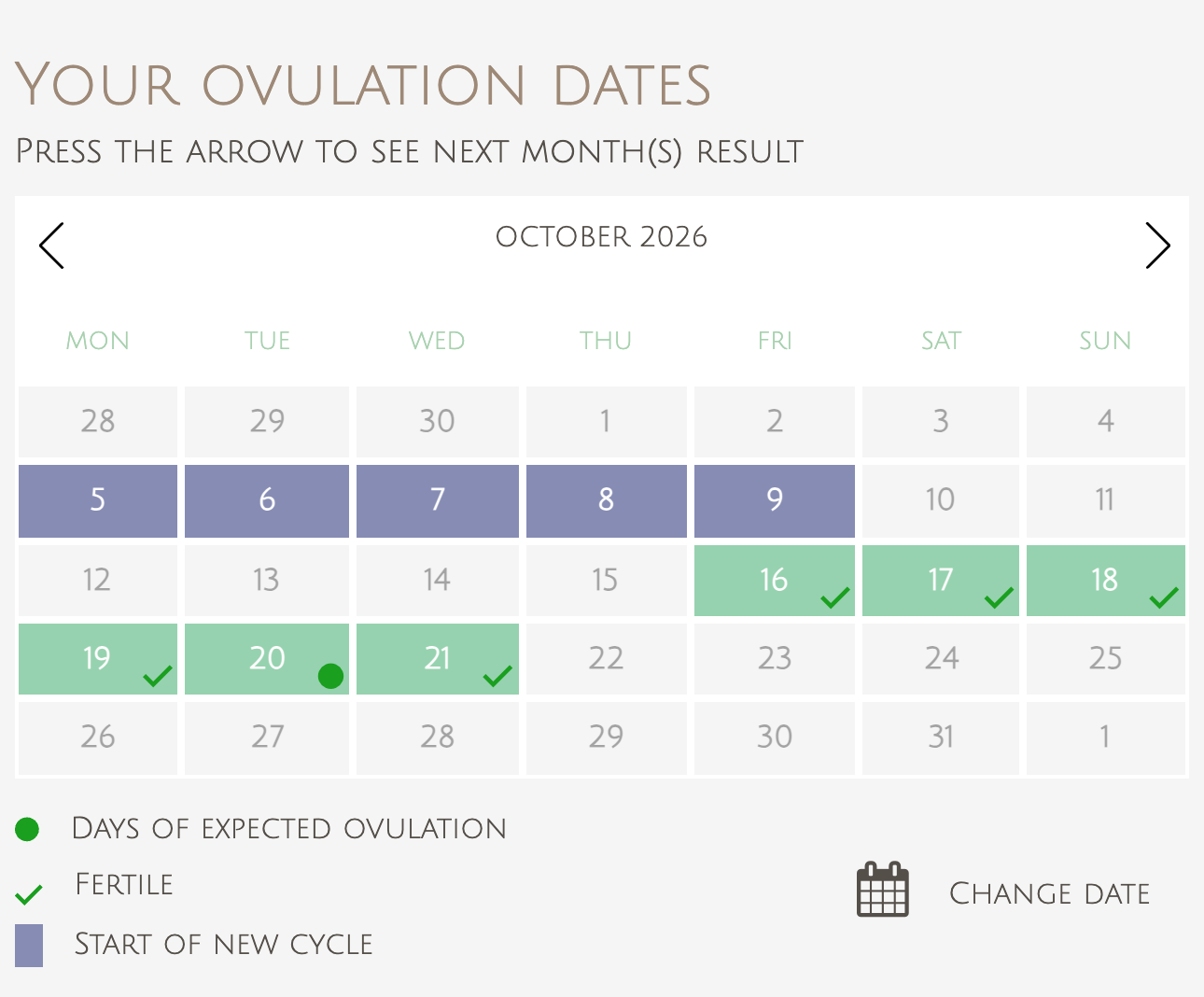
Ovulation Calculator adds a simple ovulation and fertility calculator to your WordPress site. A visitor picks the first day of her last period and the length of her cycle, and the plugin shows a calendar that marks the expected fertile days and the period dates for the next six cycles. Put it in a page, a post or a sidebar with a Gutenberg block or a shortcode.
The form and the results are mobile friendly and responsive, so the calculator works on desktop, tablet and phone.
Features
- Shows fertile days, expected ovulation days and period dates for the next 6 months on a calendar
- Inputs: first day of the last period and cycle length (20 to 45 days)
- Gutenberg block “Ovulation Calculator” with a live preview, plus the classic shortcode
- Responsive form and results
- Translation-ready: the admin and the default texts can be translated
- Settings page to edit every text of the calculator, including month and day names, so you can translate it into any language
- Color scheme settings for the calendar, buttons and markers
- “Change date” button to calculate again
- Results are not stored on your site
How to use
In the block editor, add the “Ovulation Calculator” block (Widgets category). Or add the shortcode to a page, post or text widget:
[ovulationcalculator]
Then open the Ovulation Calculator section in the WordPress admin menu to change the wording, translate the labels and choose the colors.
Who it is for
Women’s health and pregnancy blogs, parenting sites, clinics and fertility coaches that want to give readers a quick way to estimate their fertile window.
Disclaimer
The ovulation dates are estimates based on the cycle length entered and are for information only. They are not medical advice and should not be used as a method of contraception.
External services
This plugin does not call any external service and loads no remote scripts, styles or fonts. The calculator title or an icon next to it links to https://www.calculator.io/ovulation-calculator/ (or its translation for the site language); the link is only followed when a visitor clicks it, and no data is sent.
Installation
- Upload the plugin directory to the
/wp-content/plugins/directory - Activate the plugin through the ‘Plugins’ menu in WordPress
- Go to Ovulation Calculator section in WordPress dashboard and enter details.
FAQ
How do I add the calculator?
Use the “Ovulation Calculator” block in the block editor.
Does the calculator have shortcode ?
Yes. The shortcode is [ovulationcalculator]. You can use it both in post and page and even in sidebar.
How is the ovulation date calculated?
The plugin counts back from the expected start of the next period, using the cycle length the visitor enters, to estimate the fertile days and the expected ovulation days. It then repeats the calculation for the next six cycles.
How accurate is it?
It is an estimate that assumes a regular cycle. Real cycles vary, so the result is for information only and is not medical advice or a contraception method.
Can I translate/rewrite the wordings of this plugin ?
In terms of localisation, you are free to change any text and / or date format, from plain English to any language, from the settings page.
Can I change the colors?
Yes. The settings page has a color scheme section for the calendar, the markers and the buttons.
Does the plugin store my visitors’ data?
No. The date and cycle length entered are used only to build the result page. The calculator results are not saved in your database.
Screenshots


Changelog
1.2.1
- Fix: calendar cells overflowed on themes without border-box sizing.
1.2.0
- New: Gutenberg block “Ovulation Calculator” with a live preview.
- Translation-ready: admin screens, default texts and image descriptions can be translated. Texts you saved on the settings page are kept as they are.
- A review reminder in the admin after two weeks, dismissible.
- Requires WordPress 5.5 or later.
1.1.2
- Security: escape all settings and request values printed on the page, fixing a reflected XSS in the “Change date” button; validate the submitted cycle length and date.
- Security: sanitize the settings on save (colors must be hex); calculator results are no longer stored in the options table, so concurrent visitors cannot see each other’s results.
- Internal: prefix all global names, add direct-access guards and license headers, enqueue the calculator script data with wp_add_inline_script.
1.1.1
- Tested with WordPress 7.1. Outbound credit links now carry rel=”nofollow”.
1.1
- Removed: Julie Fonts
1.0.4.1
- Updated deactivation code
- Supports php 8.0
1.0.3
- Removed: Julie Fonts
1.0.2
- Release Date – 28 November 2020*
- Fix: jQuery live issue
- Fix: ovulation dates were missing in calendar while clicking previous or next button